📄 仓库 README
在 GitHub 查看 ↗
LLM-for-Zotero: A Research Agent System for your Zotero Library







LLM-for-Zotero brings Large Language Models into the Zotero reader, so you can ask questions, summarize papers, inspect figures, compare sources, and save notes without leaving your library. It works with standard API providers, local OpenAI-compatible models, WebChat, Codex App-Server, and Claude Code.
Documentation:
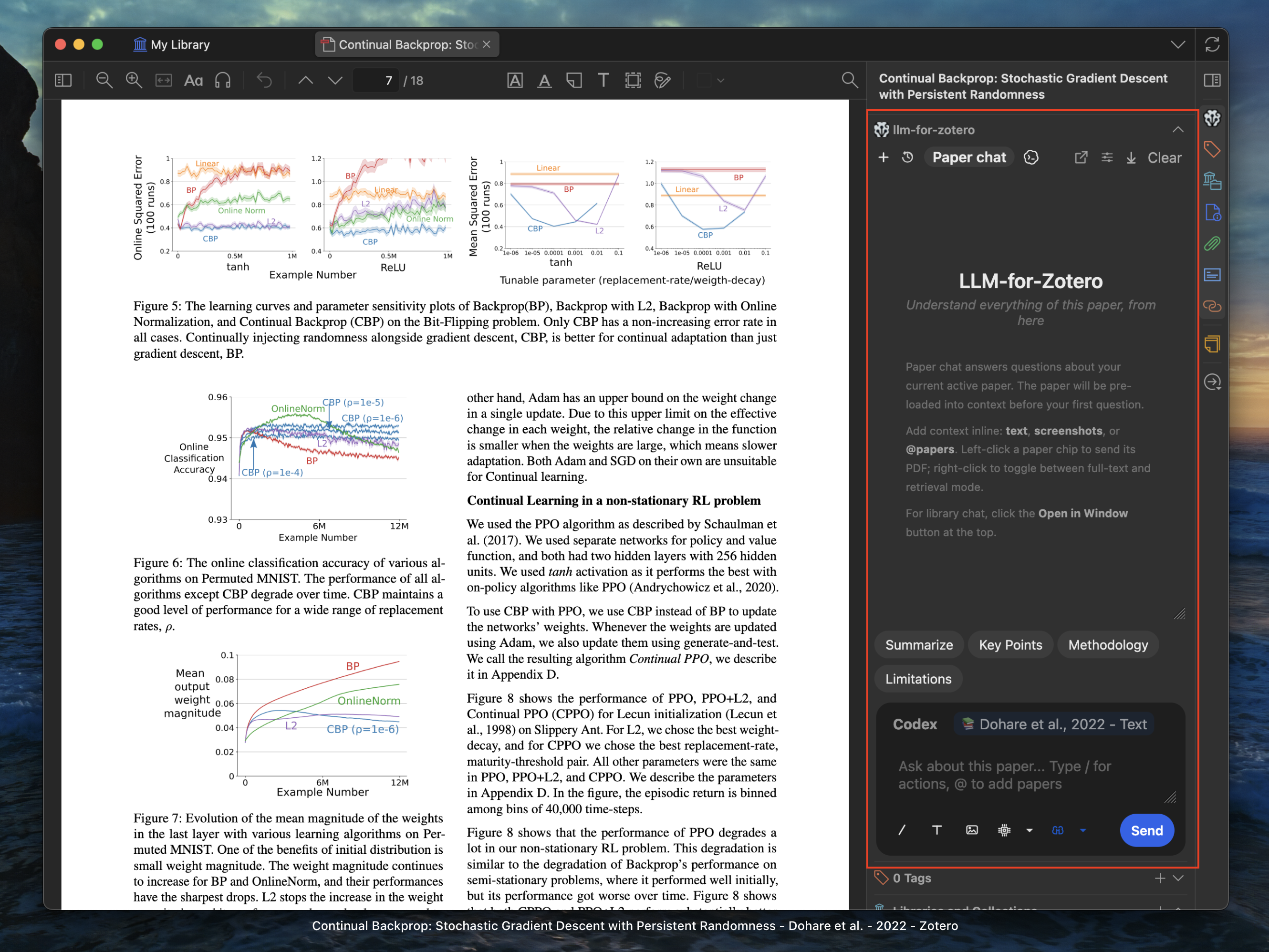
Demo Video
How to do a library chat literature review with llm-for-zotero agent
Table of Contents
- At a Glance
- Quick Start
- What's New
- Configuration
- Demos
- File-Based Notes
- Agent Mode
- Skills
- General Web Search
- WebChat Setup
- Codex Setup
- Claude Code Setup
- MinerU PDF Parsing
- Privacy and Data Flow
- Roadmap
- FAQ
- Contributing
At a Glance
- Chat with the current PDF, selected text, figures, screenshots, and uploaded documents directly inside Zotero.
- Get grounded answers with citations that jump back to the source passage.
- Compare multiple open papers or add external files as extra context.
- Save answers, full conversations, and research notes to Zotero notes or local Markdown folders such as Obsidian and Logseq.
- Enable Agent Mode for library-wide read, search, tagging, metadata, import, note-editing, and organization workflows.
- Search the current public web and read relevant pages with Tavily, with source links attached to the answer.
- Use your preferred backend: API keys, local models, ChatGPT WebChat, Codex App Server, or Claude Code.
What's New
- Codex App Server is the recommended Codex path for ChatGPT Plus users.
It runs through the local
codex app-serverruntime and is configured from the Agent tab. - Claude Code Mode runs Claude Code as a separate conversation system inside Zotero, using your own Claude Code login. The plugin starts and stops the small bridge it needs for you. It can use the plugin's Zotero tools to read your library and, with your approval, edit notes, tags, metadata, and imports.
- One history lists Agent, Codex and Claude chats together. Click the runtime badge in the message box to switch runtimes, and attach an earlier conversation from the slash menu or by asking for it in plain words.
- Side panel in the standalone window opens read-only past chats or a temporary side chat next to the main chat.
Earlier updates
- **Skills** let you customize how Agent Mode handles research workflows. The plugin ships with 8 built-in skills and a portal for creating your own. - **General Web Search** lets the in-plugin Agent search the current public web with Tavily, read relevant pages, and attach source links to its answers. - **Standalone Window Mode** opens the assistant in a dedicated window with paper chat, library chat, and conversation history. - **File-Based Notes** save Markdown notes to local folders, including Obsidian, Logseq, or any plain Markdown directory. - **Cache-aware Agent Mode** preserves stable paper context, prior read evidence, and coverage state across longer research turns, then compacts old transcript history automatically when the context window gets crowded. - **Citation navigation** now keeps citation labels conservative until page locations are verified, while quote-based citations can jump back to the matching Zotero passage. - **MinerU PDF parsing** provides higher-fidelity extraction for tables, equations, figures, and local `mineru-api` servers, with a richer file manager for bulk parsing, cache repair, sync packages, tags, and parsing filters.Thanks to @jianghao-zhang and @boltma for major contributions to the Codex App Server, Claude Code, and file upload workflows.
Quick Start
- Download the latest
.xpifile from the Releases page. - In Zotero, open
Tools->Add-ons-> gear icon -> Install Add-on From File, then select the.xpi. - Restart Zotero.
- Open
Preferences->llm-for-zotero, choose a provider, enter the base URL, key, and model, then click Test Connection. - Open a PDF in Zotero and click the LLM Assistant icon in the right-hand toolbar.
If you do not want to use a provider API key, start with WebChat or Codex App Server.
Configuration
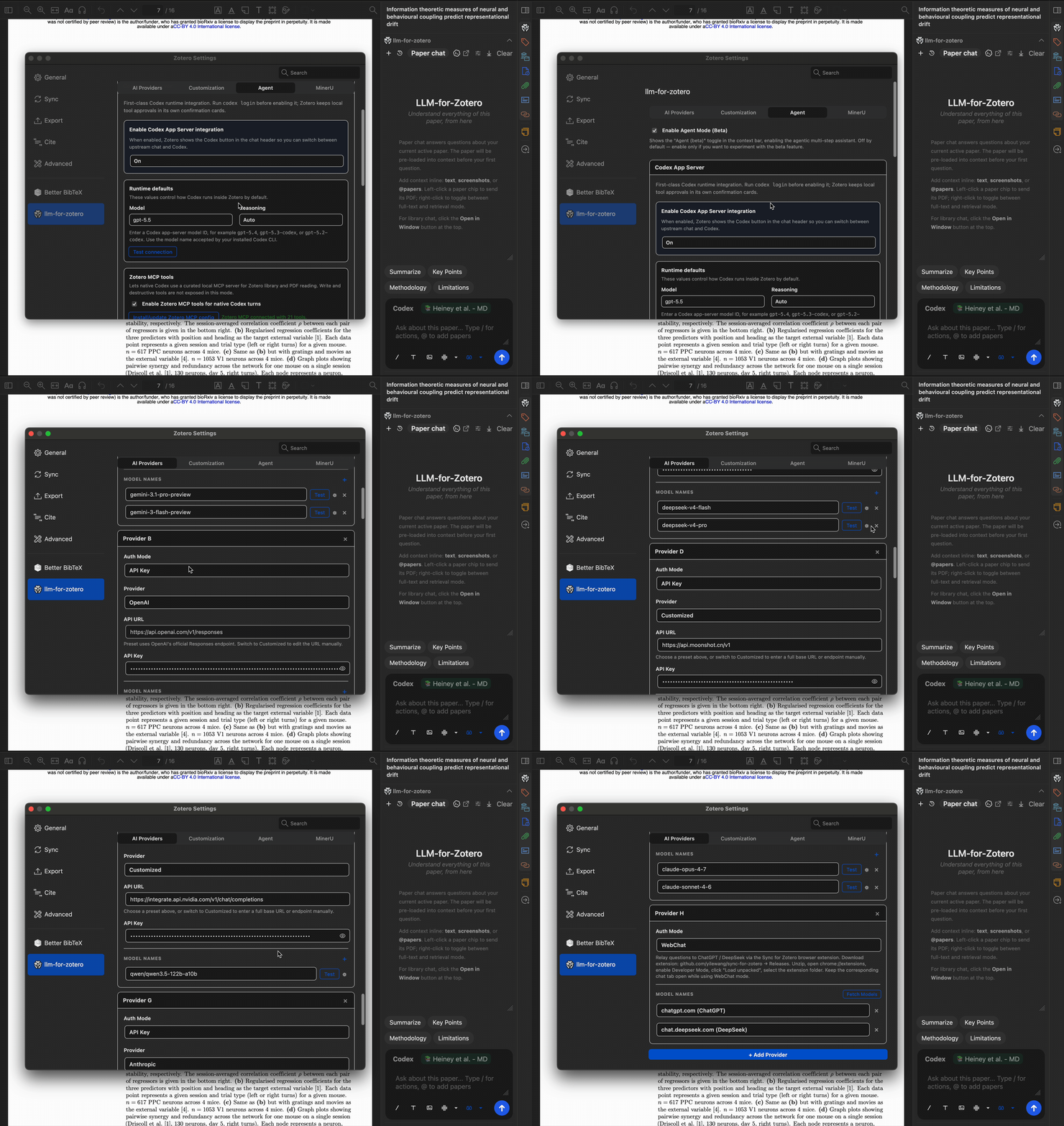
Open Preferences -> llm-for-zotero.
- Select your Provider.
- Paste your API Base URL, secret key, and model name.
- Click Test Connection.
Setup animation, protocols, and multiple models
Demos
Grounded Paper Chat
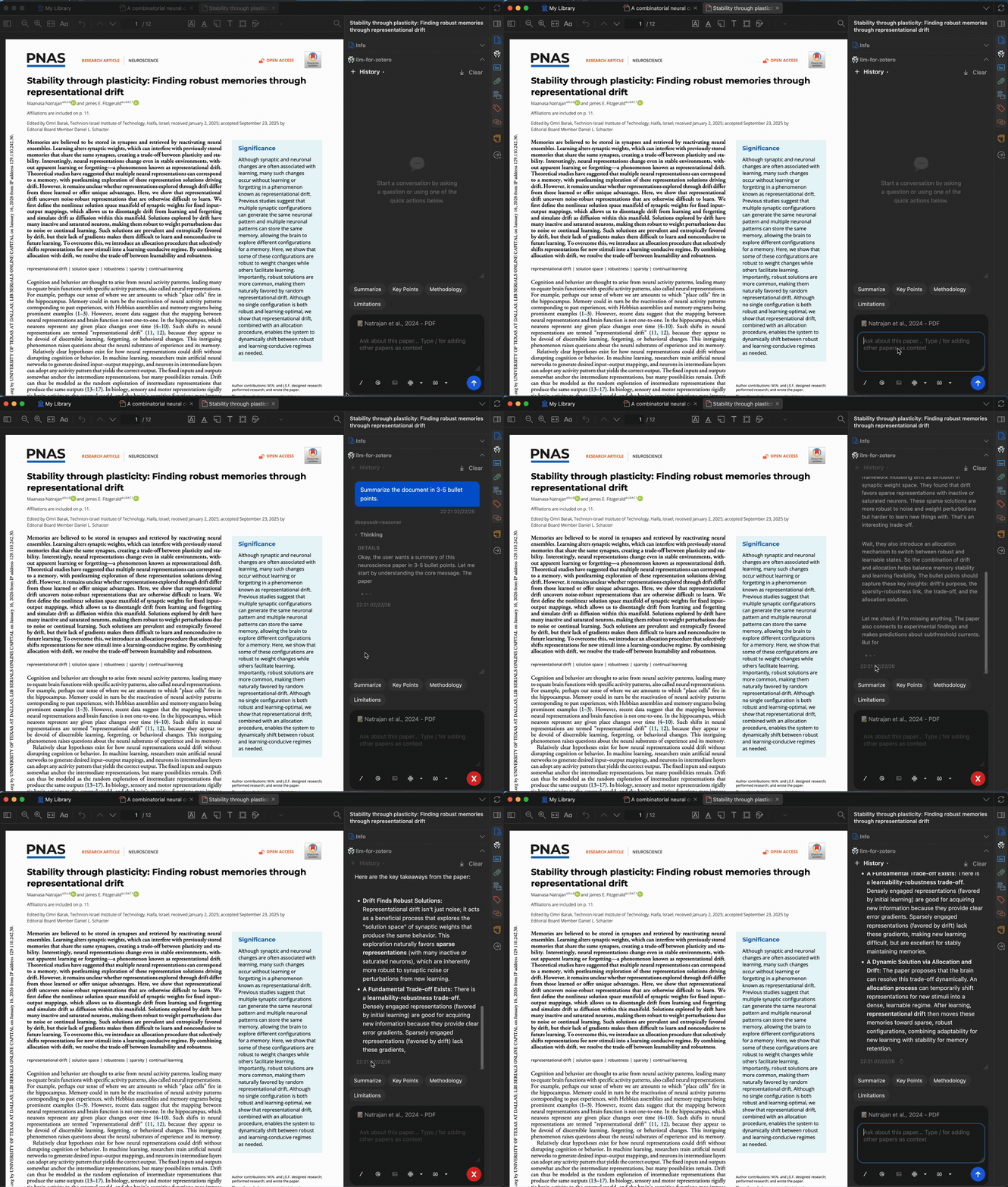
On the first message, the model loads the current paper as context. Follow-up questions use focused retrieval from the same paper, keeping conversations fast and grounded. Click any generated citation to jump straight to the source passage in Zotero.
Show demo
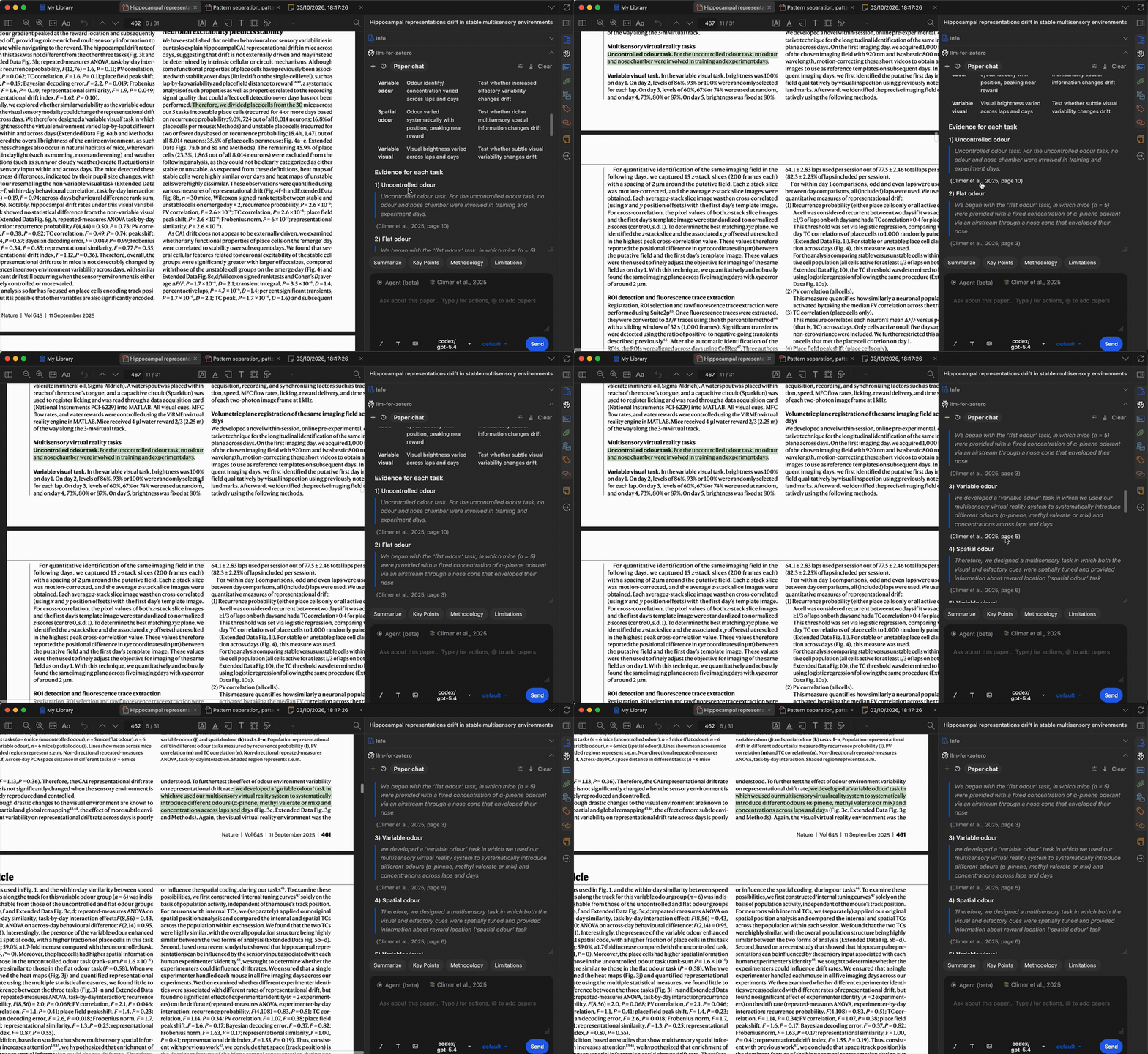
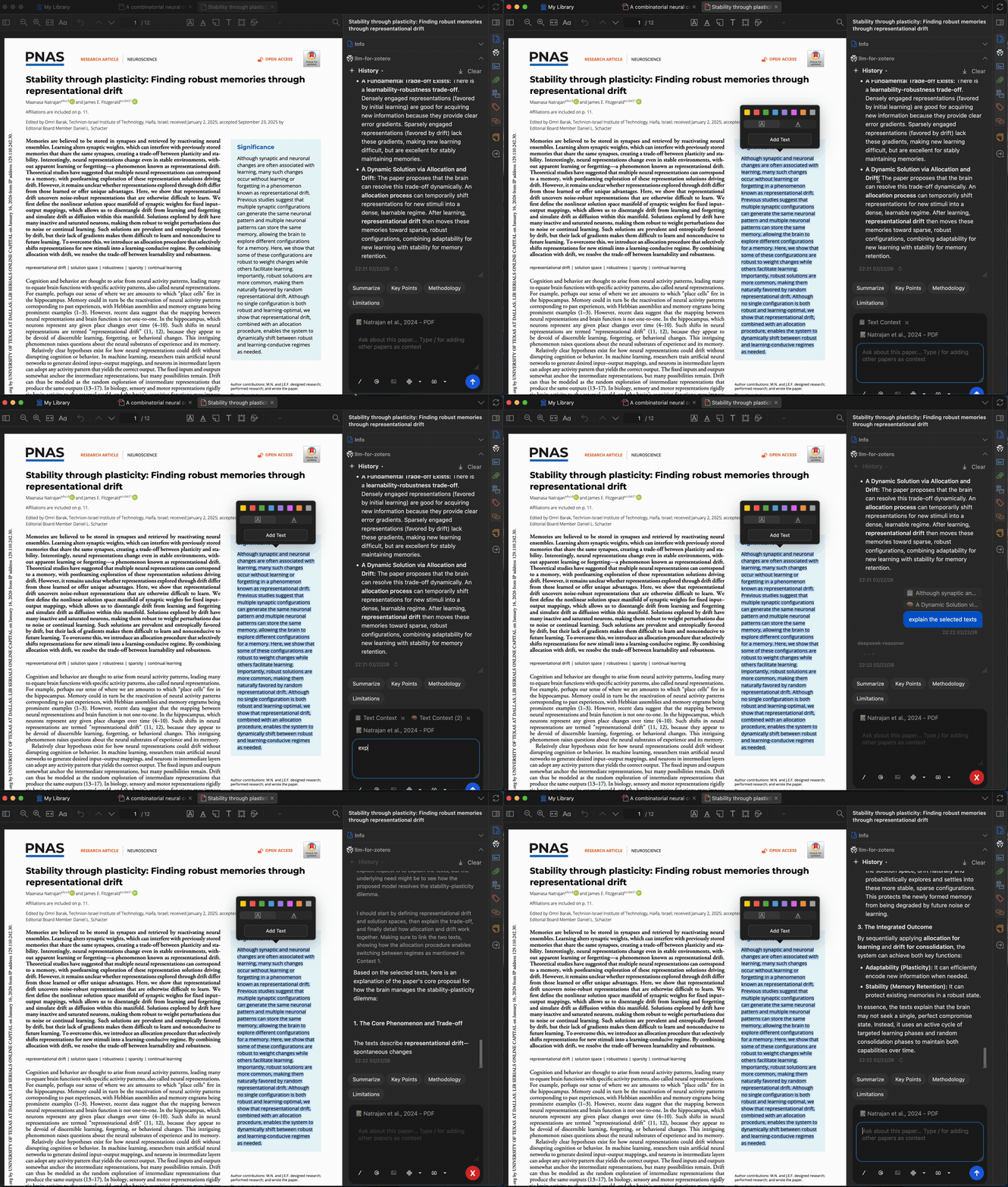
Summaries and Selected Text
Summarize a full paper, focus on methodology or results, or select any paragraph and ask the model to explain it. The selected-text pop-up can add highlighted text to chat with one click. It can also be disabled in settings.
Show demos
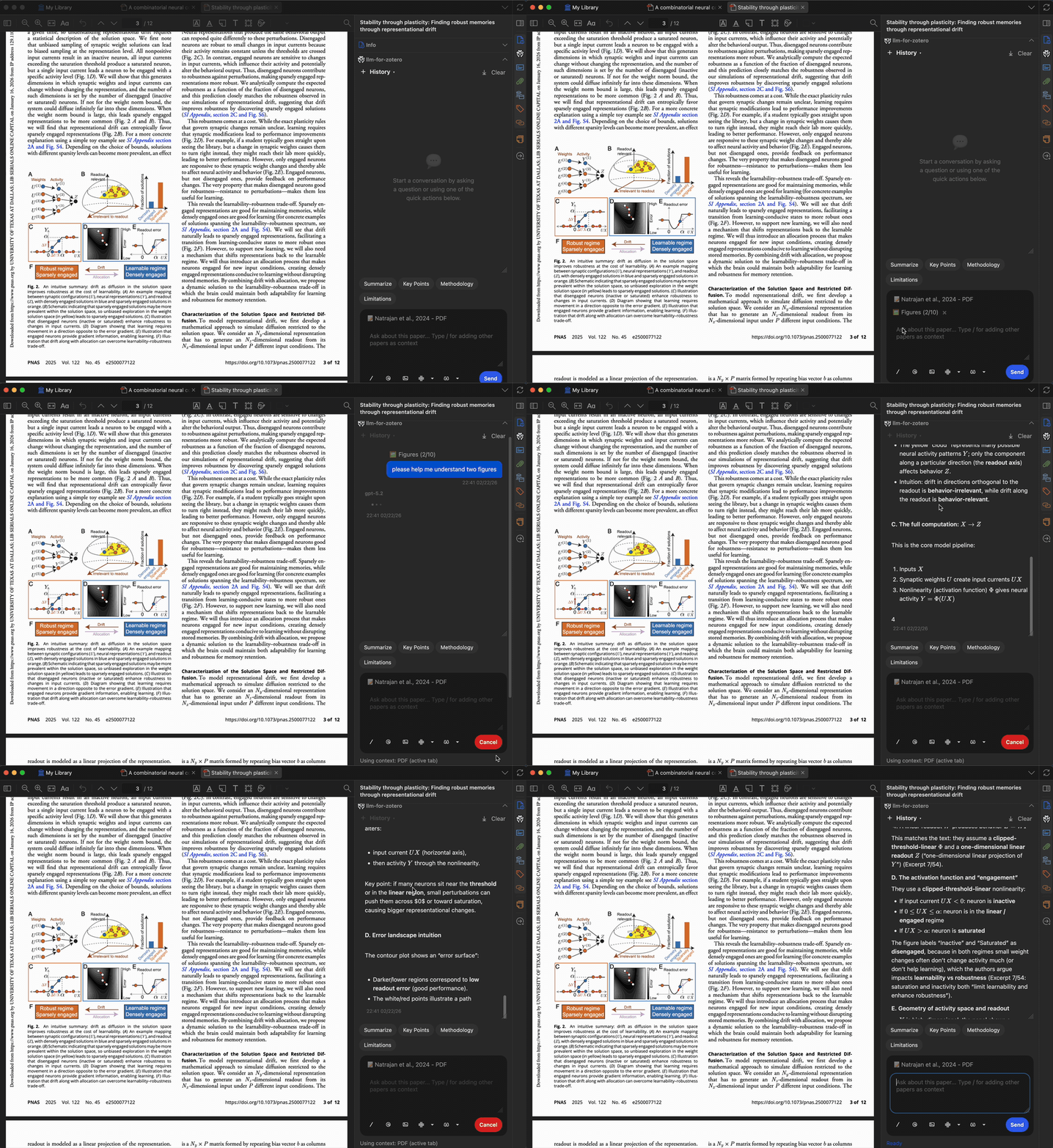
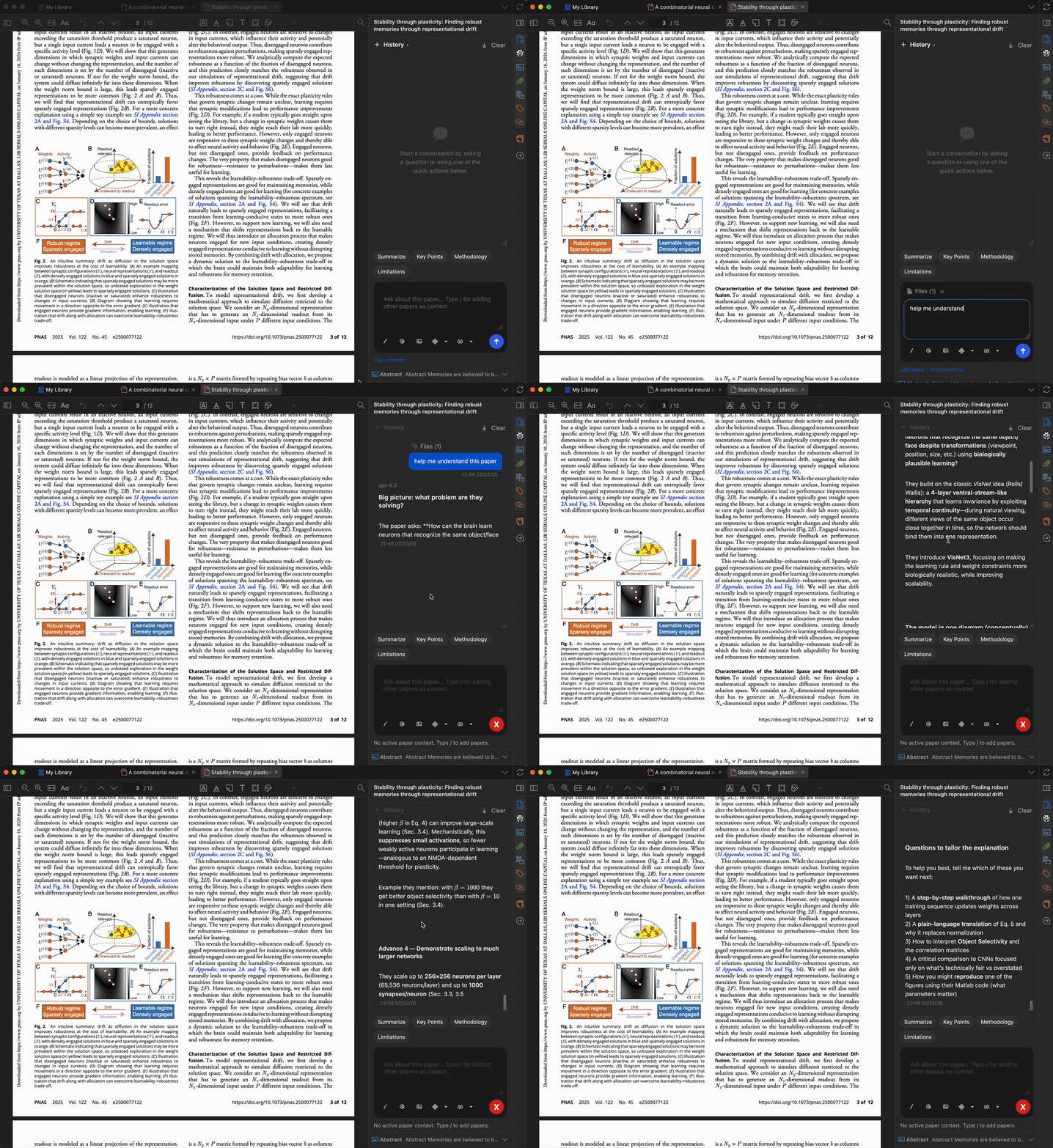
Figures and External Files
Take screenshots of figures, attach up to 10 screenshots, or upload local files as additional context. Supported uploads include PDF, DOCX, PPTX, TXT, and Markdown.
Show demos
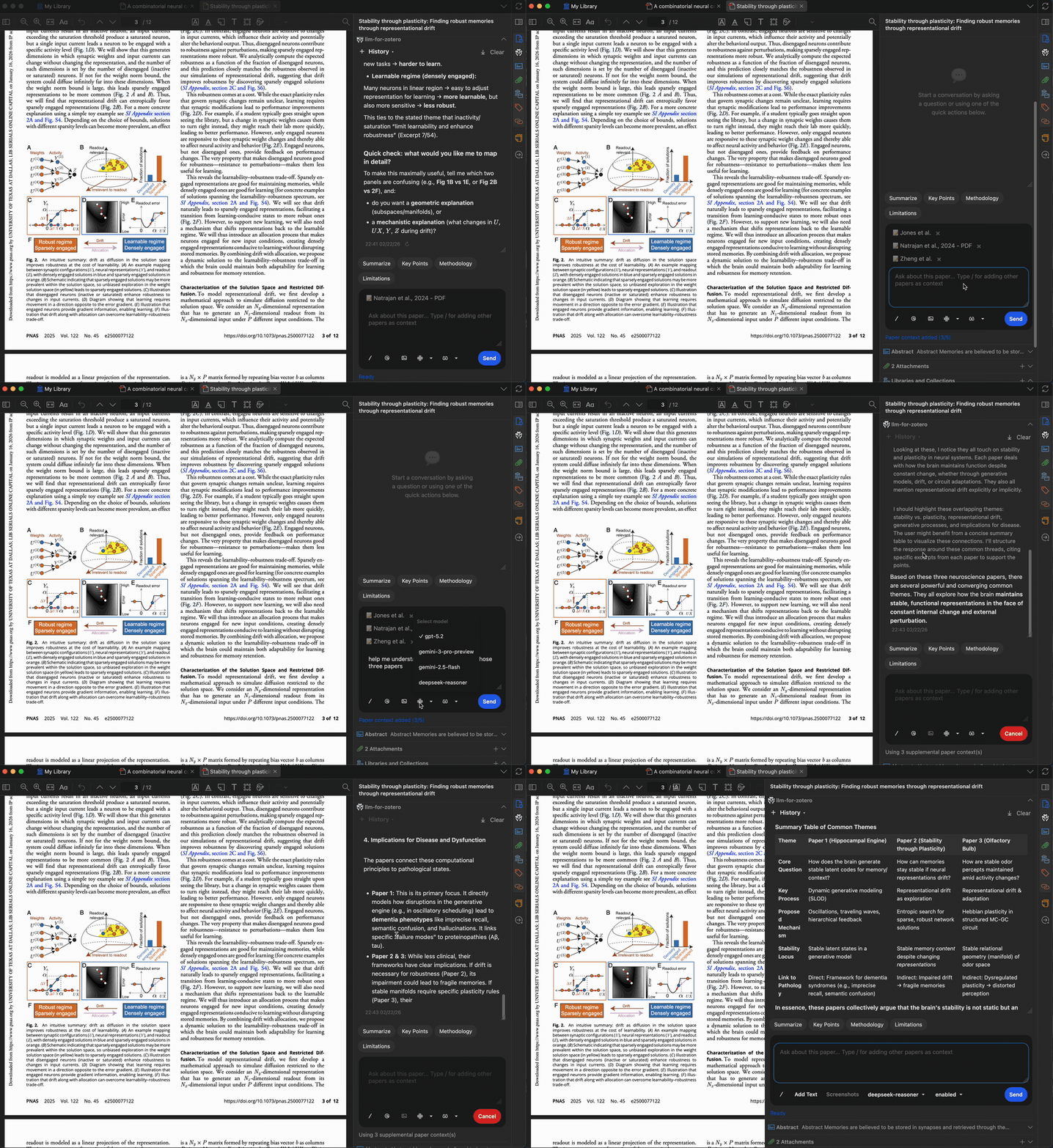
Multi-Paper Comparison
Open multiple papers in Zotero tabs and type / to cite another paper as
additional context.
Show demo
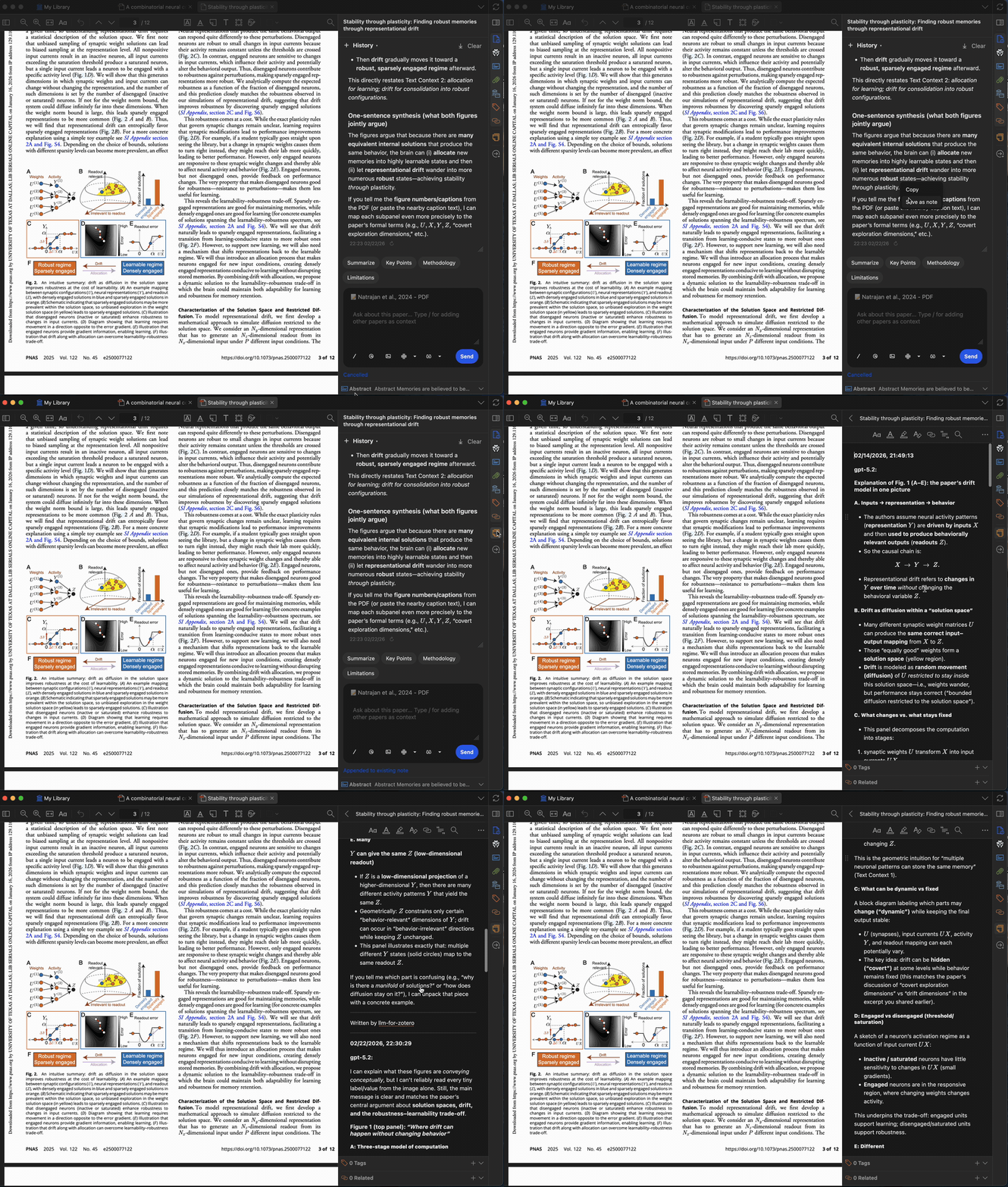
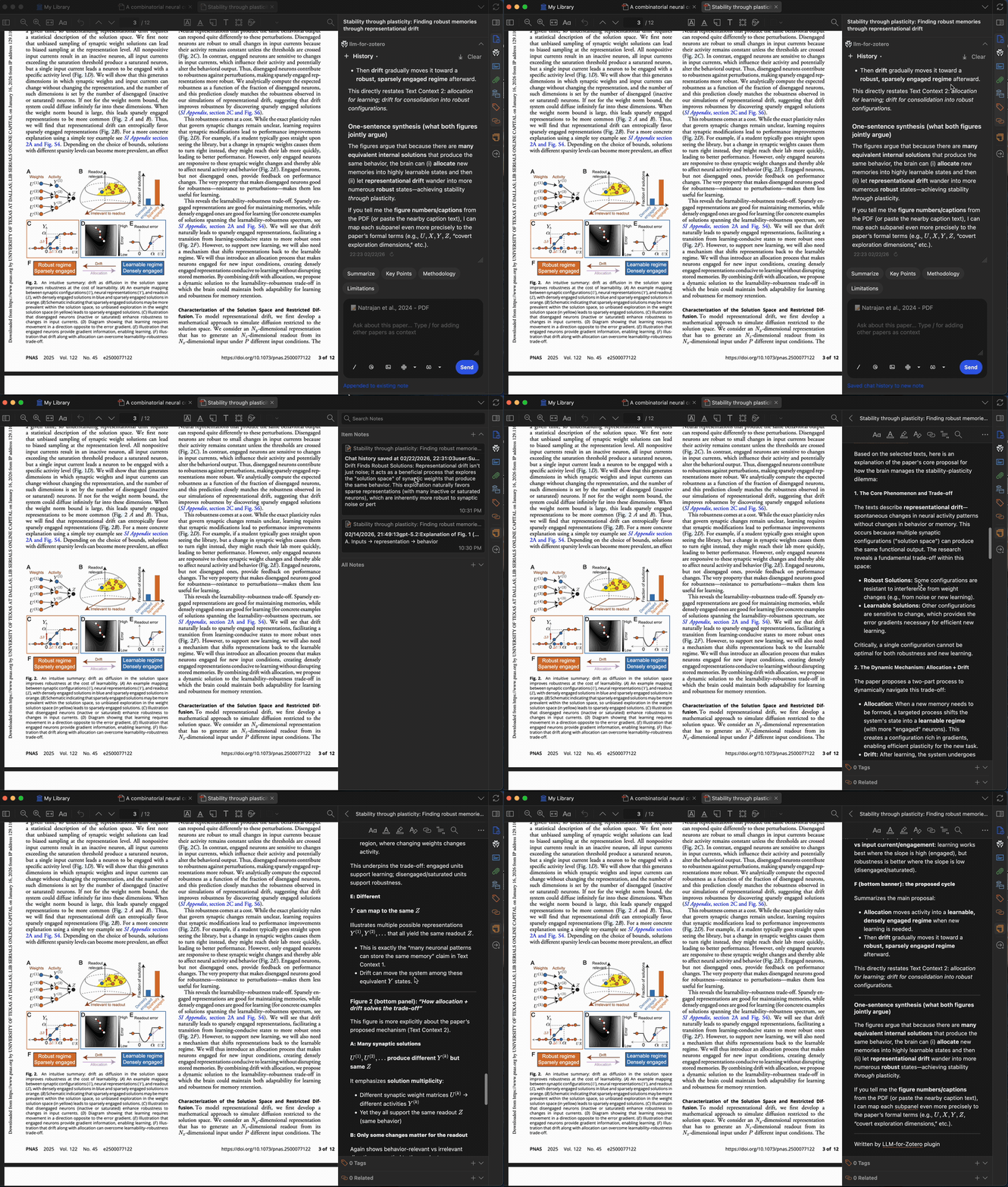
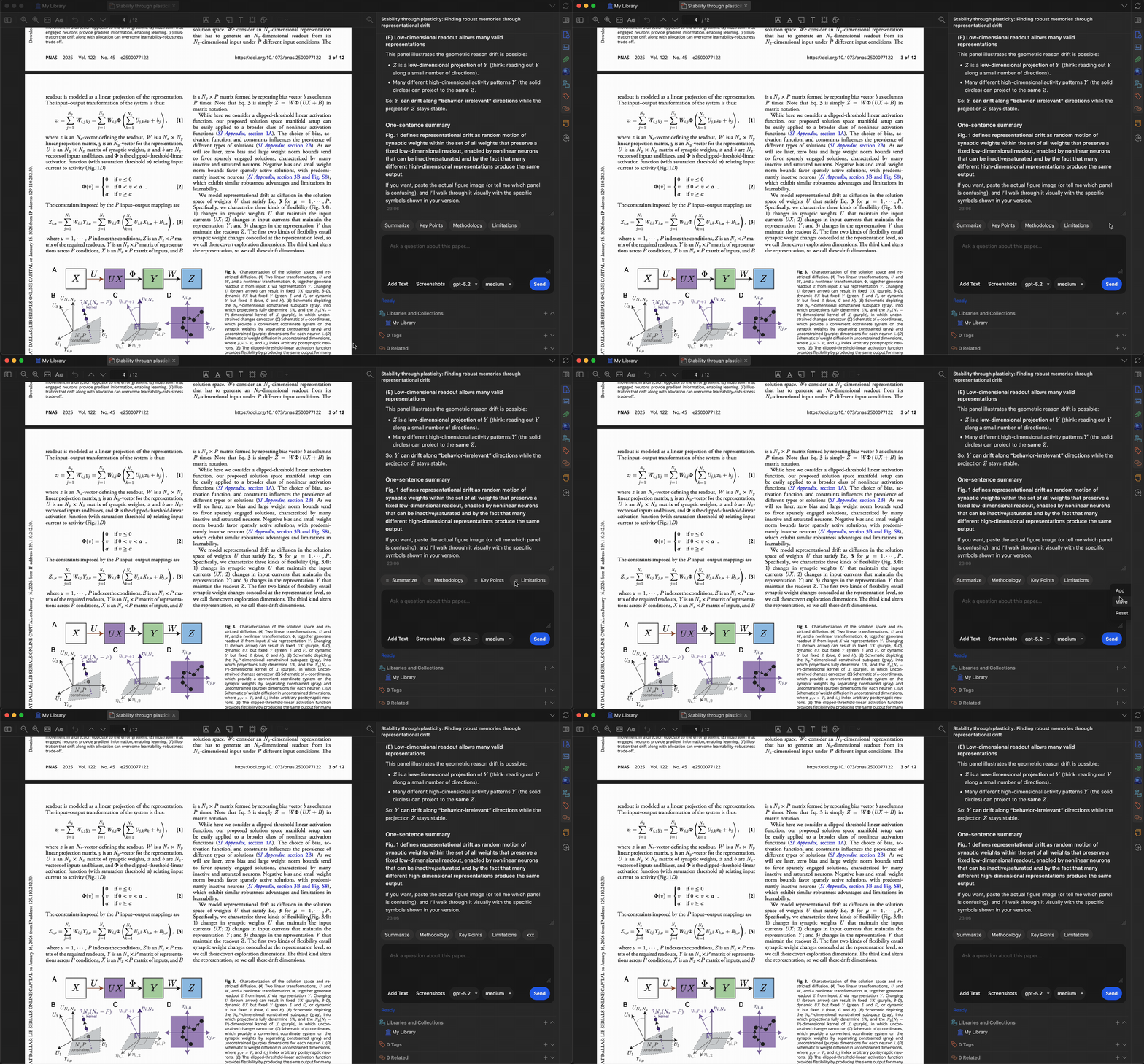
Notes, History, and Presets
Save answers or selected text to Zotero notes, export full conversations in Markdown, and customize quick-action presets for repeated research tasks.
Show demos
Fi
📈 近 7 天 Star 趋势
🏆 排名变化趋势
📋 历史上榜记录
| 日期 | 榜单 | 排名 | 周期新增 | 总 STAR |
|---|