📄 仓库 README
在 GitHub 查看 ↗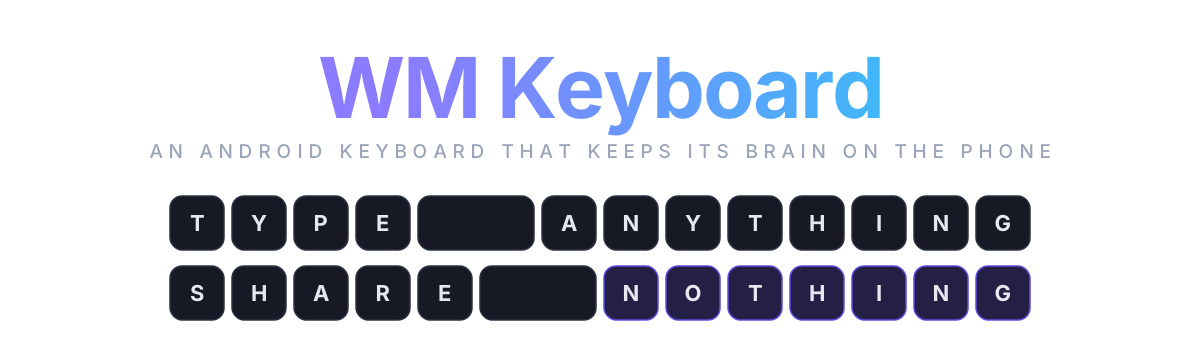 ### Private. Offline. Yours.
An open source multilingual Android keyboard with prediction, glide typing, transliteration,
emoji search and an 89-tool toolbox that all run on the phone and never phone home.
### Private. Offline. Yours.
An open source multilingual Android keyboard with prediction, glide typing, transliteration,
emoji search and an 89-tool toolbox that all run on the phone and never phone home.





 Install · Tour · Languages · Privacy · Builds · FAQ · Build · Read the docs
https://github.com/user-attachments/assets/3bd063a9-6701-4ccd-82ef-edd40a42b8e0
Why I built this
A keyboard is the one app that sees everything you write. Your messages, your passwords, your half-typed thoughts you deleted before sending. Somewhere along the way the popular keyboards decided that was a business model. The prediction got better, and the price for that was a copy of your keystrokes getting sent to somebody else's server.
The keyboards that refused that deal were mostly forks of the same decade-old Android code. Good bones, honest intentions, but no glide typing without a proprietary blob, no real toolbox, and nothing for the language I actually type in. Bangla was an afterthought everywhere: either a phonetic engine bolted on with no prediction, or a layout with no smart features behind it.
So I wanted a keyboard that did three things at once. Type Bangla the way Avro taught a whole country to type it. Carry the features I reach for all day, clipboard, snippets, translate, calculator, scanner, without leaving the text field. And keep all of that on the phone, where it belongs. This is that keyboard. It is written from scratch in Kotlin and Jetpack Compose, keyboard surface included, and the whole intelligence layer runs offline.
A few screenshots
 |
 |
 |
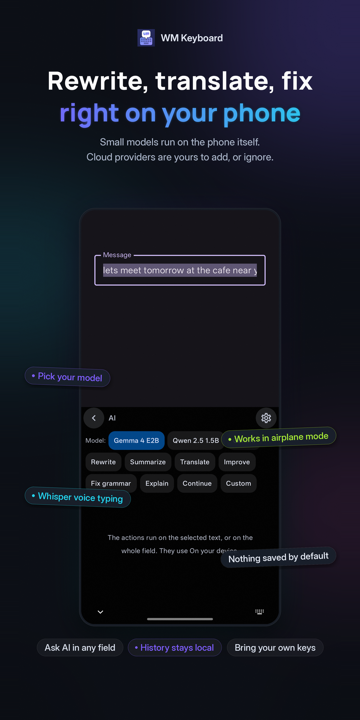 |
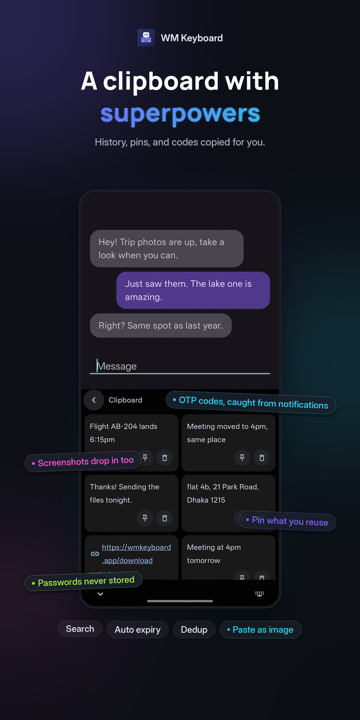 |
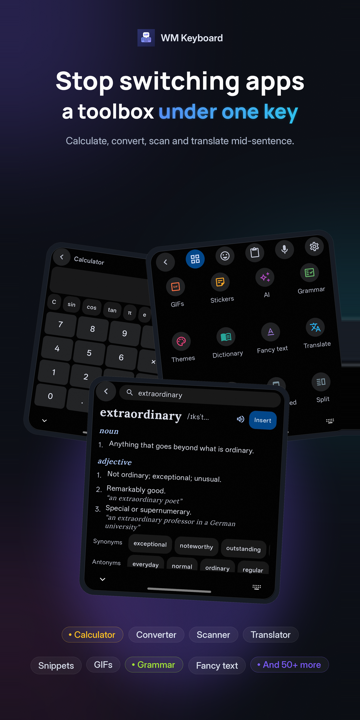 |
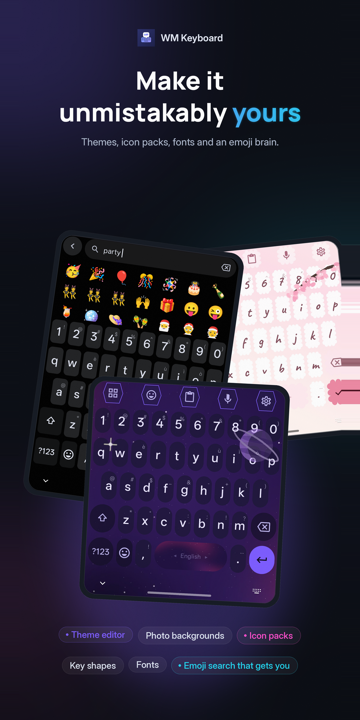 |
 |
It starts by understanding how you spell
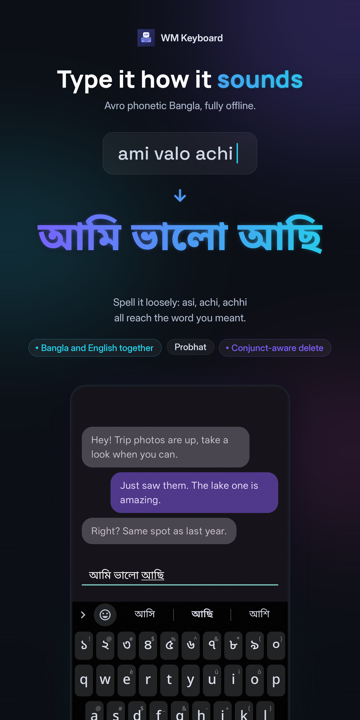
Type a word the way it sounds in Latin letters, and the keyboard finds the word you meant. Every one of these runs on the device, with no network and no delay.
| You type | You get | Engine |
|---|---|---|
ami valo achi |
আমি ভালো আছি | Avro-compatible Bangla phonetic, with a lenient index: asi, achi and achhi all reach আছি |
namaste |
नमस्ते | Hindi phonetic with a map of how people actually romanise Hindi |
aap kaise ho |
آپ کیسے ہو | Urdu phonetic, folding to the consonant skeleton the script itself spells with |
vanakkam, nenu, 3arabi |
Tamil, Telugu, Arabic script | Phonetic layouts for eleven more languages, Arabizi digits included |
nihao |
你好 | Pinyin, including a T9 nine-key variant |
konnichiwa |
こんにちは | Romaji to kana with conversion candidates |
xin chaof |
xin chào | Vietnamese Telex |
The same prediction engine sits behind every one of them, so glide typing, autocorrect and next-word suggestions work in Bangla exactly as they do in English.
The tour
The features the keyboard has
Typing
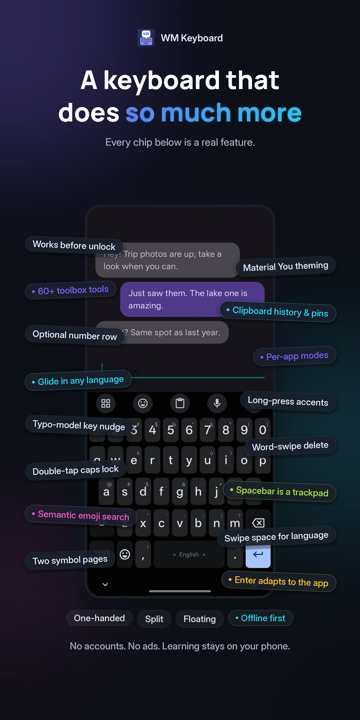
- Prediction that learns, locally. A trie-lattice beam decoder shared by tapping and glide, n-gram context ranking, and on-device learning of your words, bigrams and trigrams. One tap clears all of it.
- Autocorrect you can argue with. Corrections are gated by a likelihood ratio rather than a blunt threshold, an undo chip appears after each one, and a word you fix by hand is learned.
- Glide typing in any language with a word list, no proprietary library. English and Bangla ship with lists built in. Downloads cover 330+ more.
- Gestures everywhere. Spacebar as a trackpad, swipe backspace to delete words, swipe space to switch language, drag a modifier for chords, peek a layer by dragging off shift, and much more!
- Modes. One-handed, split, floating, and per-app modes that swap the whole keyboard, toolbar included, when a particular app opens.
- Spell checking with Harper built in, plus Hunspell dictionaries, GiellaLT spellers and Voikko for Finnish when you import them.
- Field awareness. Enter, the number row, suggestions and learning all adapt to the field: passwords, code editors, terminals, URL bars, one-time-code fields.
- Hardware keyboards get a hotkey layer, hint overlays and tool shortcuts.
Typing basics · Glide · Gestures · Modes · Autocorrect
Languages
- 955 languages, 2,000 layouts from one data-driven registry: native scripts, InScript variants, romanised entries, CJK, minority Cyrillic alphabets, and a dozen constructed ones. A fresh install starts in whatever your phone is already set to.
- Bangla, done properly. Avro phonetic, Probhat with aspirates on shift, Jatiya, Khipro Classic and Dark, conjunct-aware backspace, and Bangla-English mixing in one field.
- CJK input with composers for pinyin, jyutping, kana and hangul, plus Vietnamese Telex. RIME for Chinese and Mozc for Japanese are there as optional engines.
- Layouts you can edit, build from JSON, or import from FlorisBoard, HeliBoard, FUTO, and Keyman.
- Odd ones too: musical notation, braille chording, Morse, fancy-text alphabets, and a T9 keypad for languages that had one.
Languages overview · Bengali · CJK · Custom layouts
Emoji, GIFs and stickers
- Semantic emoji search in 126 languages.
partyfinds 🎉 🥳 🍾 🎂, and so does the word for party in other languages. - Emoji 18.0, per-person skin tones, kaomoji, and long-press to send Google's animated emoji.
- Sticker packs you make from your own photos, with a background cutout that runs on device. WhatsApp, Signal and Telegram packs import directly.
- GIF search when you want it, off when you don't.
The toolbox
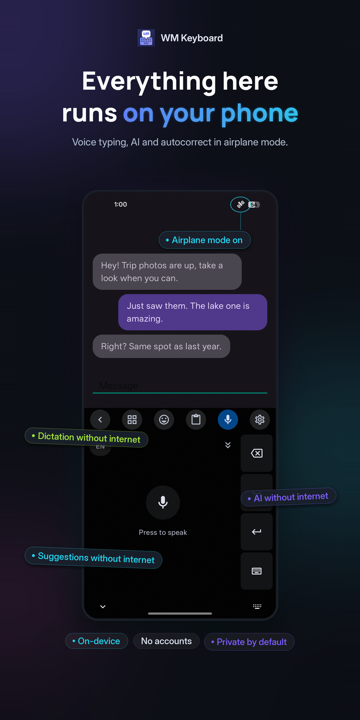
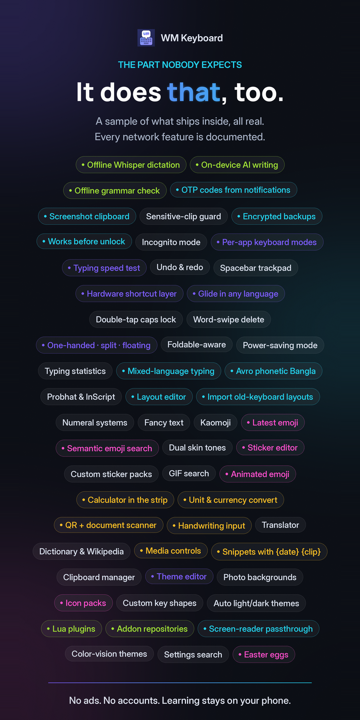
89 tools sit one tap behind the toolbar, and you drag the ones you use onto it. Most of them work in airplane mode.
| Text | Clipboard with history, pins, sear |
📈 近 7 天 Star 趋势
🏆 排名变化趋势
📋 历史上榜记录
| 日期 | 榜单 | 排名 | 周期新增 | 总 STAR |
|---|