📄 仓库 README
在 GitHub 查看 ↗✨ Featured sponsor: CodeRabbit — Industry-leading AI code reviews.
Simple note-taking for your everyday thoughts.
Memos is an open-source, self-hosted note-taking app that brings your everyday thoughts together in a personal timeline. Your data stays yours, and you choose what to keep private or share.
Demo · Install · Docs · Discord


About Memos
Memos is an open-source, self-hosted note-taking app for your everyday thoughts.
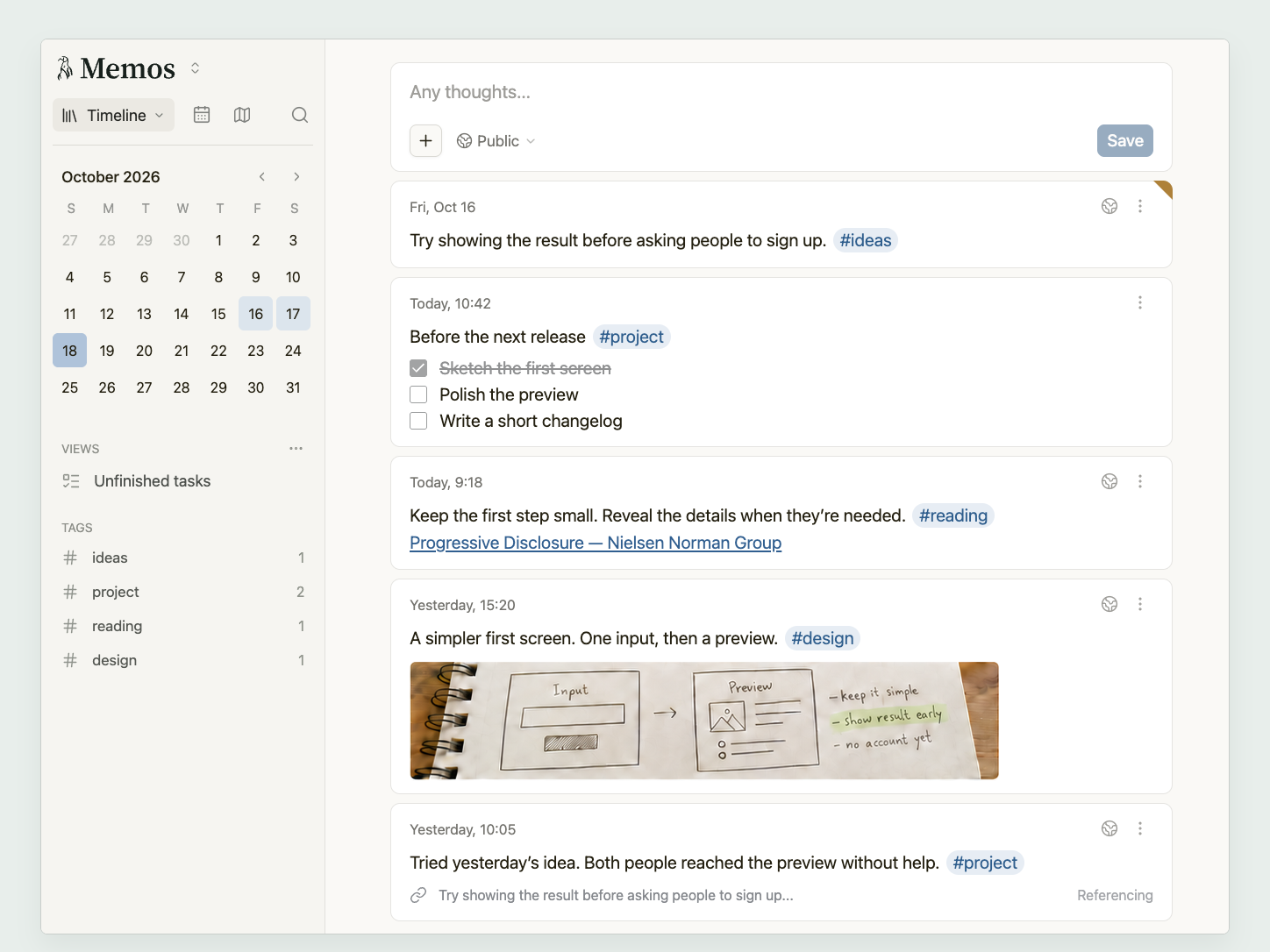
- Everyday writing. A single sentence can be a whole memo, or you can take your time with a longer entry, using Markdown to give your words more structure.
- A personal timeline. Each memo stays with the day you wrote it, bringing your thoughts together in a timeline you can look back through. Tags connect related thoughts across those days, making it easy to pick up a topic again or find something you remember writing.
- Your own data. Your record lives on your own server, and your data stays yours.
- Sharing you control. You choose what stays private, what to share with family and friends, and what to publish on the web. In shared spaces, you can write alongside others while each person keeps their own memos.
Quick start
With Docker installed, run:
docker run -d \
  --name memos \
  -p 5230:5230 \
  -v ~/.memos:/var/opt/memos \
  neosmemo/memos:stable
Open http://localhost:5230 and create the first account. Everything Memos keeps is in ~/.memos, so back up that one folder.
Other ways to run Memos, including Docker Compose, Kubernetes, and a plain binary, are in the deployment guide.
Upgrading
Releases are tagged YY.MM.N, with release candidates as YY.MM.N-rc.K and no v prefix. The Docker tag stable follows stable releases, a month tag such as 26.10 follows the newest stable release of that month, and canary follows development builds. Coming from a release before v0.31.0, run v0.31.0 once first; see the upgrade requirements.
Around Memos
- Web Clipper for Chrome and Firefox saves pages, selections, and images to your memos as Markdown with a link to the source.
- Memogram is a Telegram bot that saves your messages and images to Memos.
- The API and MCP server connect Memos to your own scripts and AI tools.
Sponsors


Sponsor Memos through GitHub Sponsors.
Help and contributing
Questions go to the docs, Discord, or GitHub Discussions. Bugs and ideas go to issues. Code changes start with the contributing guide.
Star History
License
Memos is open source under the MIT License.
📈 近 7 天 Star 趋势
🏆 排名变化趋势
📋 历史上榜记录
| 日期 | 榜单 | 排名 | 周期新增 | 总 STAR |
|---|