📄 仓库 README
在 GitHub 查看 ↗Tmux Resurrect

Restore tmux environment after system restart.
Tmux is great, except when you have to restart the computer. You lose all the running programs, working directories, pane layouts etc. There are helpful management tools out there, but they require initial configuration and continuous updates as your workflow evolves or you start new projects.
tmux-resurrect saves all the little details from your tmux environment so it
can be completely restored after a system restart (or when you feel like it).
No configuration is required. You should feel like you never quit tmux.
It even (optionally) restores vim and neovim sessions!
Automatic restoring and continuous saving of tmux env is also possible with tmux-continuum plugin.
Screencast
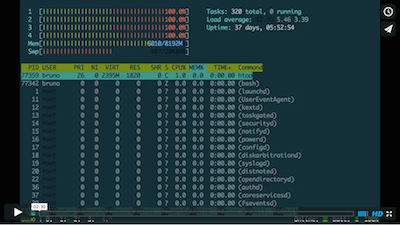
Key bindings
prefix + Ctrl-s- saveprefix + Ctrl-r- restore
About
This plugin goes to great lengths to save and restore all the details from your
tmux environment. Here's what's been taken care of:
- all sessions, windows, panes and their order
- current working directory for each pane
- exact pane layouts within windows (even when zoomed)
- active and alternative session
- active and alternative window for each session
- windows with focus
- active pane for each window
- "grouped sessions" (useful feature when using tmux with multiple monitors)
- programs running within a pane! More details in the restoring programs doc.
Optional:
Requirements / dependencies: tmux 1.9 or higher, bash.
Tested and working on Linux, OSX and Cygwin.
tmux-resurrect is idempotent! It will not try to restore panes or windows that
already exist.
The single exception to this is when tmux is started with only 1 pane in order
to restore previous tmux env. Only in this case will this single pane be
overwritten.
Installation with Tmux Plugin Manager (recommended)
Add plugin to the list of TPM plugins in .tmux.conf:
set -g @plugin 'tmux-plugins/tmux-resurrect'
Hit prefix + I to fetch the plugin and source it. You should now be able to
use the plugin.
Manual Installation
Clone the repo:
$ git clone https://github.com/tmux-plugins/tmux-resurrect ~/clone/path
Add this line to the bottom of .tmux.conf:
run-shell ~/clone/path/resurrect.tmux
Reload TMUX environment with: $ tmux source-file ~/.tmux.conf.
You should now be able to use the plugin.
Docs
Configuration
- Changing the default key bindings.
- Setting up hooks on save & restore.
- Only a conservative list of programs is restored by default:
vi vim nvim emacs man less more tail top htop irssi weechat mutt.
Restoring programs doc explains how to restore additional programs. - Change a directory where
tmux-resurrectsaves tmux environment.
Optional features
- Restoring vim and neovim sessions is nice if you're a vim/neovim user.
- Restoring pane contents feature.
Other goodies
- tmux-copycat - a plugin for regex searches in tmux and fast match selection
- tmux-yank - enables copying highlighted text to system clipboard
- tmux-open - a plugin for quickly opening highlighted file or a url
- tmux-continuum - automatic restoring and continuous saving of tmux env
Reporting bugs and contributing
Both contributing and bug reports are welcome. Please check out contributing guidelines.
Credits
Mislav Marohnić - the idea for the plugin came from his tmux-session script.
License
📈 近 7 天 Star 趋势
🏆 排名变化趋势
📋 历史上榜记录
| 日期 | 榜单 | 排名 | 周期新增 | 总 STAR |
|---|