📄 仓库 README
在 GitHub 查看 ↗
Harbor
A beautiful, fully native macOS download manager built for real Mac workflows.







Free, local-first, privacy-friendly, and designed to feel like a proper Mac app from day one. No accounts. No sign-in. No hosted backend. No subscription mechanics.
Why Harbor
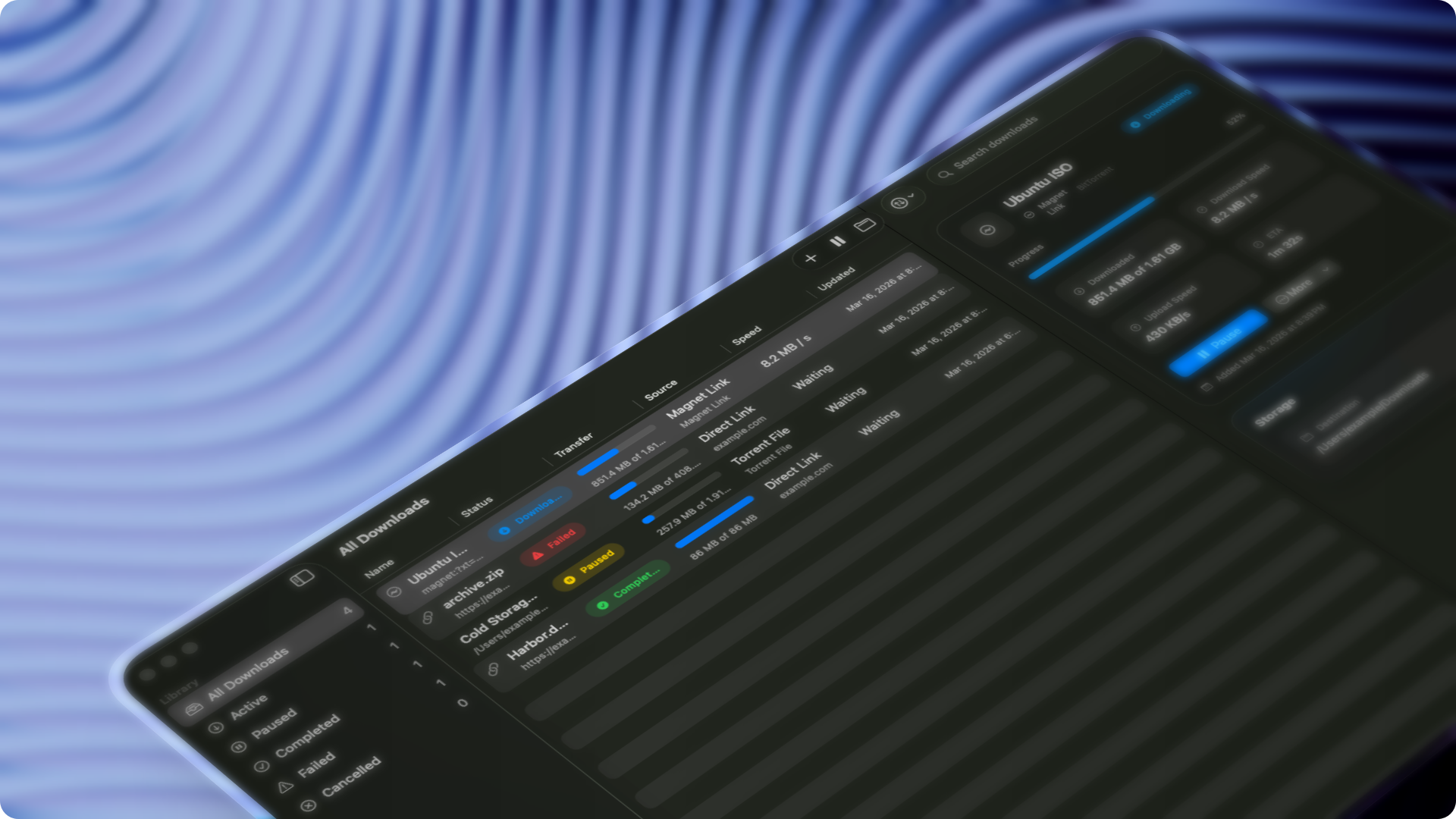
Harbor exists to give macOS users a serious download manager without the usual tradeoffs. It combines a polished native SwiftUI interface with pragmatic download-engine separation, so the app feels clean and Mac-native while handling direct downloads, public media links, magnet links, and .torrent files.
If you want a downloader that respects the platform, respects your machine, and stays out of your way, Harbor is that app.
Highlights
- Fully native macOS app built with SwiftUI
- Free and open source under GPL-3.0
- Local-first and privacy-friendly by design
- Direct HTTP and HTTPS downloads
- Public media downloads with previews and video or audio format selection
- Magnet link and local
.torrentfile support - Torrent preview: inspect the file list and choose what to download before you start
- Batch add: paste many links, choose one folder, and queue them together
- Traffic profiles for Unlimited, Balanced, Quiet, and Custom download behavior
- Global and per-download speed controls
- Quick Look previews for completed downloads
- Torrent watch folders, seeding controls, and share-ratio limits
- Queue persistence across launches
- Pause, resume, retry, cancel, and history flows
- Finder reveal and open-file actions
- Sidebar navigation, unified toolbar, and detail inspector
- Sparkle-based in-app updates for installed builds
Download
Install with Homebrew:
brew tap thsnkhn/harbor
brew install --cask harbor
Or download the latest DMG:
- Download the latest DMG
- Drag
Harbor.appintoApplications
Once installed, Harbor can check for new versions from the app menu and update through its built-in Sparkle updater.
URL handoff
Browser extensions, command-line tools, and automations can open Harbor with an HTTP or HTTPS download URL:
harbor://download?url=https%3A%2F%2Fexample.com%2Ffile.zip
Percent-encode the download URL as the url query value. On macOS, you can test the handoff with open:
open 'harbor://download?url=https%3A%2F%2Fexample.com%2Ffile.zip'
Harbor opens its Add Download sheet with the link filled in. The user can confirm the destination and start the download.
Safari extension
Harbor.app includes a Safari extension that hands links to Harbor through the harbor:// and magnet: URL schemes:
- Download with Harbor: right-click any link.
- Click interception (on by default): clicking a link with a
downloadattribute, amagnet:link, or a link whose path ends in a download extension (.dmg,.zip,.mp4,.torrentand others) opens it in Harbor instead of Safari. Hold Option while clicking to let Safari download it. The extension list isDOWNLOAD_EXTENSIONSinHarborSafariExtension/content.js. - Toolbar popup: turn interception on or off, turn it off for the current site, or send the current page to Harbor. Harbor then offers yt-dlp for pages it recognizes, such as YouTube.
Click interception also runs in embedded frames. The per-site toggle applies to the tab's website, including links in frames from other websites. Until the extension has loaded the saved settings and identified the tab's website, clicks stay in Safari.
Safari has no downloads API for extensions, so this is an approximation. The extension sees link clicks, not downloads. It misses downloads started by scripts, form posts and redirects. When it misses one, Safari downloads the file as usual.
Enable the extension
- In Harbor, open Settings → Experimental.
- Click Enable in Safari…, then turn on Harbor in Safari's Extensions settings.
- Select Harbor, and set Other websites to Allow. Without this, Safari doesn't run click interception.
The first time a site hands a link to Harbor, Safari asks: "Do you want to allow this website to open Harbor.app?" Choose Always Allow to stop the prompt for that site. Safari asks again for each new site. On bare IP addresses such as 127.0.0.1, Safari asks every time.
Local builds
script/build_and_run.sh signs Harbor and its extension with the project's Developer ID identity by default. Set CODE_SIGN_IDENTITY to use another identity. Set CODE_SIGNING_ALLOWED=NO to build without signing.
Use a notarized Developer ID build to test without Safari's unsigned-extension setting. Set CODE_SIGN_INJECT_BASE_ENTITLEMENTS=NO when preparing a local build for notarization to omit debugger-only entitlements.
Safari loads unsigned extensions only when you allow them:
- In Safari, turn on Settings → Advanced → Show features for web developers.
- In Settings → Developer, turn on Allow unsigned extensions. Safari turns this off each time it quits.
The extension must be signed and sandboxed, or macOS ignores it. If you built with CODE_SIGNING_ALLOWED=NO and have no signing identity, sign the build ad hoc and register it:
APP=build/HarborDerivedData/Build/Products/Debug/Harbor.app
printf '<?xml version="1.0" encoding="UTF-8"?>\n<!DOCTYPE plist PUBLIC "-//Apple//DTD PLIST 1.0//EN" "http://www.apple.com/DTDs/PropertyList-1.0.dtd">\n<plist version="1.0"><dict><key>com.apple.security.app-sandbox</key><true/></dict></plist>\n' > /tmp/HarborSafariExtension.entitlements
for dylib in "$APP"/Contents/PlugIns/HarborSafariExtension.appex/Contents/MacOS/*.dylib "$APP"/Contents/MacOS/*.dylib; do
  codesign --force --sign - "$dylib"
done
codesign --force --sign - "$APP/Contents/Frameworks/Sparkle.framework"
codesign --force --sign - --entitlements /tmp/HarborSafariExtension.entitlements "$APP/Contents/PlugIns/HarborSafariExtension.appex"
codesign --force --sign - "$APP"
pluginkit -a "$APP/Contents/PlugIns/HarborSafariExtension.appex"
After Safari relaunches and you allow unsigned extensions again, run the pluginkit -a line again so Safari lists Harbor.
How the extension opens Harbor
The extension only opens harbor://download?url=… and magnet: URLs. It doesn't use native messaging. These are the methods tested in Safari 27:
| Method | Used for | Result |
|---|---|---|
Content script sets location.href inside the click handler |
Click interception | Page stays. No new tab. One prompt per site. |
Background tabs.update on the current tab |
Context menu, popup | Page stays. No new tab. The same per-site prompt. |
Opening a new tab with tabs.create was not used, because it leaves a blank tab behind. The content script caches its settings, so the click handler runs synchronously: an await before preventDefault would let Safari follow the link first.
Permissions
| Permission | Why |
|---|---|
contextMenus |
Adds Download with Harbor to the link context menu. |
storage |
Stores the interception toggle and the list of sites where interception is off. |
activeTab |
Lets the popup read the current tab's URL when it opens, for the per-site toggle and Send this page to Harbor. |
Content script on <all_urls> |
Click interception runs on every page. This is the extension's only host access. |
manifest.json holds no comments, because Safari rejects a manifest with comments as invalid.
Limitations
Downloads that need you to be signed in may fail. Harbor fetches the URL itself, without Safari's cookies or session.
The background script updates an existing Download with Harbor menu item or creates it if it is missing. It does not delete the menu on each background wake. Loading a web page also wakes the background to identify the tab's website. In Safari 27.0.1, the menu was verified after a browser relaunch with development extensions allowed, after turning the extension off and on, and after background idle time.
Safari can inject content scripts again when website access changes or the extension is turned back on. The scripts allow repeated injection without duplicate declarations or click handlers.
Philosophy
Harbor is opinionated about being a real macOS app:
- native look and feel over web-style chrome
- clear separation between UI, app state, persistence, and download engines
- pragmatic backend delegation where it makes sense
- no unnecessary cloud dependency for a local utility
Contributing
Feature requests and pull requests are welcome. See CONTRIBUTING.md for how to propose features, pick up open issues, and contribute implementation work.
License
Harbor is licensed under GPL-3.0.
📈 近 7 天 Star 趋势
🏆 排名变化趋势
📋 历史上榜记录
| 日期 | 榜单 | 排名 | 周期新增 | 总 STAR |
|---|