📄 仓库 README
在 GitHub 查看 ↗CodexBar 🎚️ — May your tokens never run out.
Every AI coding limit, in your menu bar.







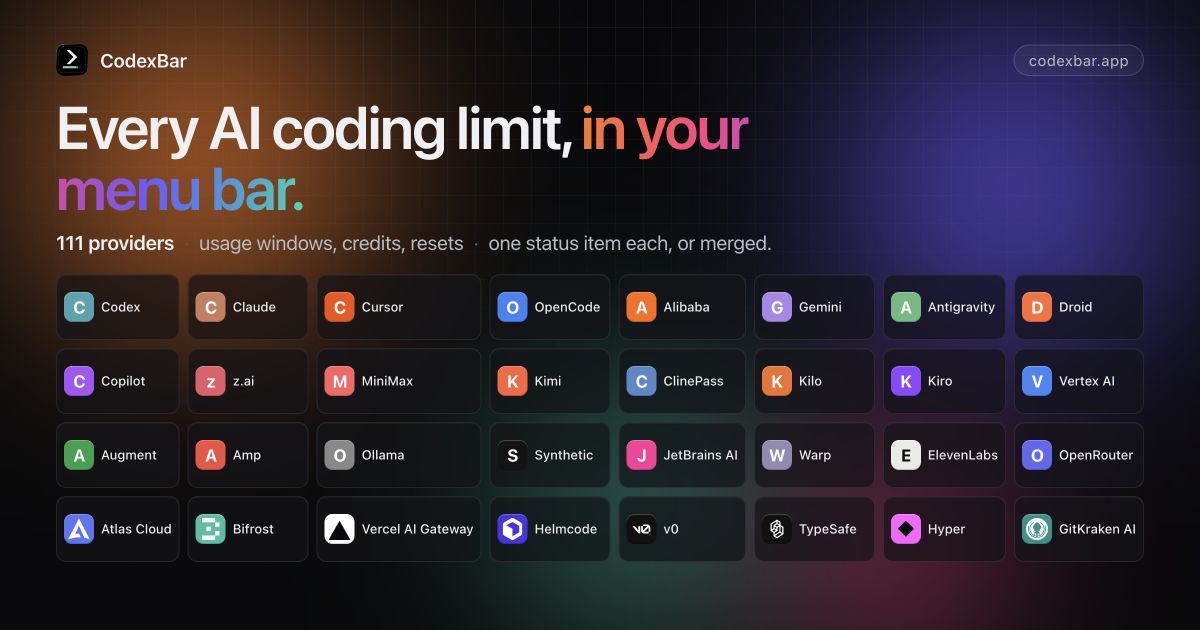
Tiny macOS 14+ menu bar app that keeps AI coding-provider limits visible and shows when each window resets. See the supported providers below. One status item per provider, or Merge Icons mode with a provider switcher. No Dock icon, minimal UI, dynamic bar icons.
Also available as a Linux desktop app with usage and spending windows, separate settings, desktop notifications, and an optional tray icon. On Omarchy, a native bar widget shares the desktop app’s data and follows your theme.
Why
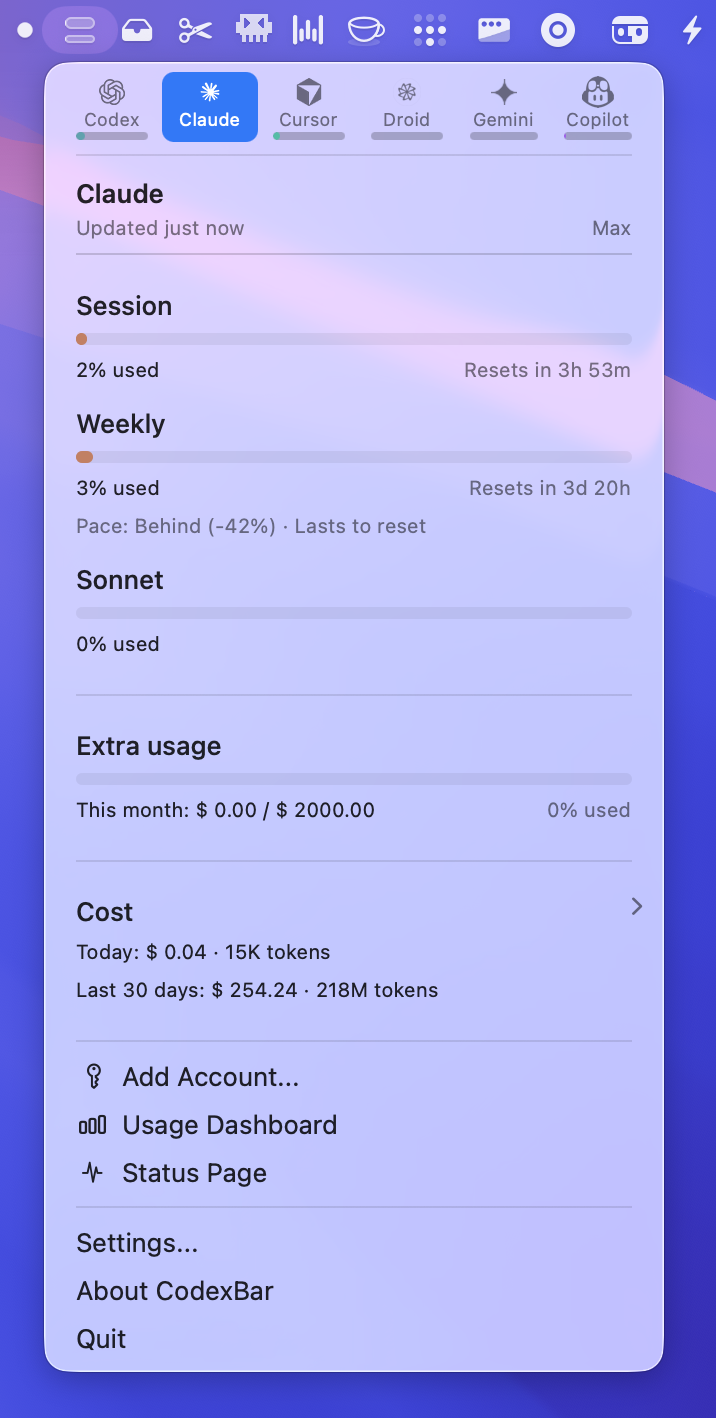
- Plan around resets. Per-provider session, weekly, and monthly windows with countdowns to the next reset — stop guessing whether to start that long task.
- Credits, spend, and cost scans. Credit balances, Admin API spend dashboards, provider billing summaries, and local cost scans where the source exposes enough detail.
- Live status. Provider status polling surfaces incident badges in the menu and an indicator overlay on the bar icon.
- Privacy-first. Reuses existing provider sessions — OAuth, device flow, API keys, browser cookies, local files — so no passwords are stored.
Install
macOS app
Requires macOS 14+ (Sonoma). Download from GitHub Releases, or install with Homebrew:
brew install --cask codexbar
Linux desktop and Omarchy
The Qt 6 desktop app supports Wayland and X11, with an optional Omarchy widget. Published desktop archives target x86_64 and ARM64 and require glibc 2.39+, Qt 6.4+, and a separately installed CodexBar CLI. Python 3 runs the per-user installer.
Follow the Linux installation guide for Arch/Omarchy, Fedora, and Debian/Ubuntu runtime packages, verified release downloads, and upgrades. It keeps the CLI's resource bundle beside its executable and installs a launcher and optional login startup. Open Settings to choose providers, then authenticate through the provider's CLI or configure its API key. GNOME may need a tray extension; the app's windows work without a tray.
See the macOS feature comparison for supported features and remaining gaps.
CLI Tarballs (macOS/Linux)
Homebrew formula (Linux today):
brew install steipete/tap/codexbar
Arch Linux AUR package:
yay -S codexbar-cli
Or download release tarballs from GitHub Releases:
- macOS: CodexBarCLI-v<tag>-macos-arm64.tar.gz, CodexBarCLI-v<tag>-macos-x86_64.tar.gz
- Linux (glibc): CodexBarCLI-v<tag>-linux-aarch64.tar.gz, CodexBarCLI-v<tag>-linux-x86_64.tar.gz
- Linux (static musl): CodexBarCLI-v<tag>-linux-musl-aarch64.tar.gz, CodexBarCLI-v<tag>-linux-musl-x86_64.tar.gz
macOS first run
- Open Settings → Providers and enable what you use.
- Install/sign in to the provider sources you rely on: CLIs, browser sessions, OAuth/device flow, API keys, local app files, or provider apps depending on the provider.
- Optional: Settings → Providers → Codex → OpenAI cookies (Automatic or Manual) to add dashboard extras.
Set API keys from the CLI
Provider toggles and API keys live in the resolved CodexBar config file. New installs use
~/.config/codexbar/config.json; existing ~/.codexbar/config.json installs still load from the legacy path. You can
script the same provider list that Settings → Providers uses:
codexbar config providers
codexbar config enable --provider grok
codexbar config disable --provider cursor
For API-key providers, store a key without opening Settings:
printf '%s' "$ELEVENLABS_API_KEY" | codexbar config set-api-key --provider elevenlabs --stdin
set-api-key trims the piped value, stores it with restrictive config-file permissions, and enables the provider by default. Use --no-enable to only save the key, or --api-key <key> for one-off local scripts where shell history is not a concern.
See CLI configuration for the full flow.
Providers
- Codex — OAuth API or local Codex CLI, plus optional OpenAI web dashboard extras.
- OpenAI — Admin API key usage/cost graphs with legacy credit-balance fallback.
- Azure OpenAI — API key, endpoint, and deployment validation probe.
- Claude — OAuth API, browser cookies, or CLI PTY fallback; session and weekly usage where available.
- ClinePass — API key for five-hour, weekly, and monthly subscription limits.
- Cursor — Browser session cookies for plan + usage + billing resets.
- OpenCode — Browser cookies for workspace subscription usage.
- OpenCode Go — Usage API, browser fallback, and local SQLite cost history.
- Alibaba Coding Plan — Web cookies or API key for coding-plan quotas.
- Alibaba Token Plan — Bailian browser/manual cookies for token-plan credits.
- Qwen Cloud — 5-hour and weekly individual Token Plan usage via browser/manual cookies.
- Gemini — OAuth-backed quota API using Gemini CLI credentials (no browser cookies).
- Antigravity — Local language server probe,
agyCLI HTTPS source, and Google OAuth fallback (experimental). - Droid — Browser cookies + WorkOS token flows for Factory usage + billing.
- Copilot — GitHub device flow + Copilot internal usage API.
- Devin — Chrome localStorage session or manual Bearer token for daily and weekly quotas.
- z.ai — API token for personal/team quota, MCP, 5-hour, and hourly usage windows.
- Manus — Browser
session_idauth for credit balance, monthly credits, and daily refresh tracking. - MiniMax — API token, cookie header, or browser cookies for coding-plan usage.
- T3 Chat — Browser cookies capture for Base and Overage usage buckets.
- ZoomMate — Chrome cookie auto-import or manual cURL capture for credits usage.
- Kimi — Auth token (JWT from
kimi-authcookie) for weekly quota + 5‑hour rate limit. - Kilo — API token with CLI-auth fallback for Kilo Pass usage.
- Kiro — CLI-based usage; monthly credits + bonus credits.
- Vertex AI — Google Cloud gcloud OAuth with token cost tracking from local Claude logs.
- Augment — Augment CLI or browser cookies for credits tracking and usage monitoring.
- Amp — Browser cookie-based authentication with Amp Free usage tracking.
- Ollama — API key access plus browser cookies for Ollama Cloud usage windows.
- llmman — Local daemon memory used by loaded models, with an optional API key.
- Synthetic — API key quota endpoint for rolling five-hour, weekly token, and search-hourly usage.
- JetBrains AI — Local XML-based quota from JetBrains IDE configuration; monthly credits tracking.
- Warp — API token for GraphQL request limits and monthly credits.
- ElevenLabs — API key for character credits and voice slot usage.
- OpenRouter — API token for credit-based usage tracking across multiple AI providers.
- Windsurf — Browser localStorage session import or local SQLite cache for plan usage.
- Zed — Zed editor Keychain session for plan, edit-prediction quota, billing cycle, a
📈 近 7 天 Star 趋势
🏆 排名变化趋势
📋 历史上榜记录
| 日期 | 榜单 | 排名 | 周期新增 | 总 STAR |
|---|