📄 仓库 README
在 GitHub 查看 ↗Docker-OSX · Follow @sickcodes on Twitter
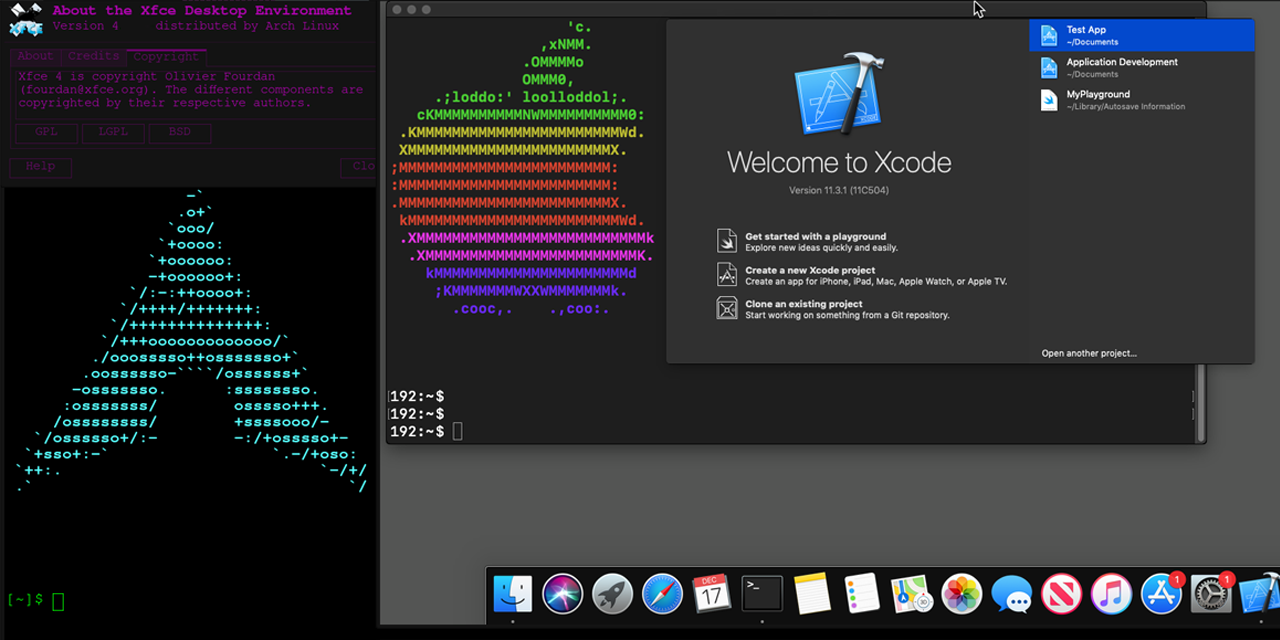
Run Mac OS X in Docker with near-native performance! X11 Forwarding! iMessage security research! iPhone USB working! macOS in a Docker container!
Conduct Security Research on macOS using both Linux & Windows!
Docker-OSX now has a Discord server & Telegram!
The Discord is active on #docker-osx and anyone is welcome to come and ask questions, ideas, etc.


Click to join the Discord server https://discord.gg/sickchat
Click to join the Telegram server https://t.me/sickcodeschat
Or reach out via Linkedin if it's private: https://www.linkedin.com/in/sickcodes
Or via https://sick.codes/contact/
Author
This project is maintained by Sick.Codes. (Twitter)
Additional credits can be found here: https://github.com/sickcodes/Docker-OSX/blob/master/CREDITS.md
Additionally, comprehensive list of all contributors can be found here: https://github.com/sickcodes/Docker-OSX/graphs/contributors
Big thanks to @kholia for maintaining the upstream project, which Docker-OSX is built on top of: OSX-KVM.
Also special thanks to @thenickdude who maintains the valuable fork KVM-OpenCore, which was started by @Leoyzen!
Extra special thanks to the OpenCore team over at: https://github.com/acidanthera/OpenCorePkg. Their well-maintained bootloader provides much of the great functionality that Docker-OSX users enjoy :)
If you like this project, consider contributing here or upstream!
Quick Start Docker-OSX
Video setup tutorial is also available here: https://www.youtube.com/watch?v=wLezYl77Ll8
Windows users: click here to see the notes below!
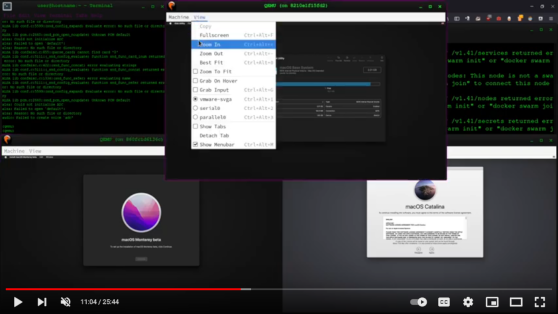
First time here? try initial setup, otherwise try the instructions below to use either Catalina or Big Sur.
Any questions, ideas, or just want to hang out?
https://discord.gg/sickchat
Release names and their version:
Catalina (10.15) 
docker run -it \
    --device /dev/kvm \
    -p 50922:10022 \
    -v /tmp/.X11-unix:/tmp/.X11-unix \
    -e "DISPLAY=${DISPLAY:-:0.0}" \
    -e SHORTNAME=catalina \
    sickcodes/docker-osx:latest

# docker build -t docker-osx .
Big Sur (11)
docker run -it \
    --device /dev/kvm \
    -p 50922:10022 \
    -v /tmp/.X11-unix:/tmp/.X11-unix \
    -e "DISPLAY=${DISPLAY:-:0.0}" \
    -e SHORTNAME=big-sur \
    sickcodes/docker-osx:latest

# docker build -t docker-osx .
Monterey (12)
docker run -it \
    --device /dev/kvm \
    -p 50922:10022 \
    -v /tmp/.X11-unix:/tmp/.X11-unix \
    -e "DISPLAY=${DISPLAY:-:0.0}" \
    -e GENERATE_UNIQUE=true \
    -e MASTER_PLIST_URL='https://raw.githubusercontent.com/sickcodes/osx-serial-generator/master/config-custom.plist' \
    -e SHORTNAME=monterey \
    sickcodes/docker-osx:latest

# docker build -t docker-osx .
Ventura (13)
docker run -it \
    --device /dev/kvm \
    -p 50922:10022 \
    -v /tmp/.X11-unix:/tmp/.X11-unix \
    -e "DISPLAY=${DISPLAY:-:0.0}" \
    -e GENERATE_UNIQUE=true \
    -e MASTER_PLIST_URL='https://raw.githubusercontent.com/sickcodes/osx-serial-generator/master/config-custom.plist' \
    -e SHORTNAME=ventura \
    sickcodes/docker-osx:latest

# docker build -t docker-osx .
Sonoma (14)
docker run -it \
    --device /dev/kvm \
    -p 50922:10022 \
    -v /tmp/.X11-unix:/tmp/.X11-unix \
    -e "DISPLAY=${DISPLAY:-:0.0}" \
    -e GENERATE_UNIQUE=true \
    -e CPU='Haswell-noTSX' \
    -e CPUID_FLAGS='kvm=on,vendor=GenuineIntel,+invtsc,vmware-cpuid-freq=on' \
    -e MASTER_PLIST_URL='https://raw.githubusercontent.com/sickcodes/osx-serial-generator/master/config-custom-sonoma.plist' \
    -e SHORTNAME=sonoma \
    sickcodes/docker-osx:latest

# docker build -t docker-osx .
Sequoia (15)
docker run -it \
    --device /dev/kvm \
    -p 50922:10022 \
    -v /tmp/.X11-unix:/tmp/.X11-unix \
    -e "DISPLAY=${DISPLAY:-:0.0}" \
    -e GENERATE_UNIQUE=true \
    -e CPU='Haswell-noTSX' \
    -e CPUID_FLAGS='kvm=on,vendor=GenuineIntel,+invtsc,vmware-cpuid-freq=on' \
    -e MASTER_PLIST_URL='https://raw.githubusercontent.com/sickcodes/osx-serial-generator/master/config-custom-sonoma.plist' \
    -e SHORTNAME=sequoia \
    sickcodes/docker-osx:latest

# docker build -t docker-osx .
Tahoe (16)
docker run -it \
    --device /dev/kvm \
    -p 50922:10022 \
    -v /tmp/.X11-unix:/tmp/.X11-unix \
    -e "DISPLAY=${DISPLAY:-:0.0}" \
    -e GENERATE_UNIQUE=true \
    -e CPU='Haswell-noTSX' \
    -e CPUID_FLAGS='kvm=on,vendor=GenuineIntel,+invtsc,vmware-cpuid-freq=on' \
    -e MASTER_PLIST_URL='https://raw.githubusercontent.com/sickcodes/osx-serial-generator/master/config-custom-sonoma.plist' \
    -e SHORTNAME=tahoe \
    sickcodes/docker-osx:latest
docker build -t docker-osx .
📈 近 7 天 Star 趋势
🏆 排名变化趋势
📋 历史上榜记录
| 日期 | 榜单 | 排名 | 周期新增 | 总 STAR |
|---|