📄 仓库 README
在 GitHub 查看 ↗
RuVector: Vector Search, Persistent Agent Memory, and Local AI Decisions
RuVector is a Rust native substrate for fast local decisions and agent memory across sessions. It combines local semantic embeddings, persistent vector retrieval, graph relationships, explicit feedback learning, memory lifecycle controls, and optional shared memory.
Built by Reuven Cohen (rUv) as part of the ruvnet open source AI stack. Cognitum One provides the commercial enterprise layer.
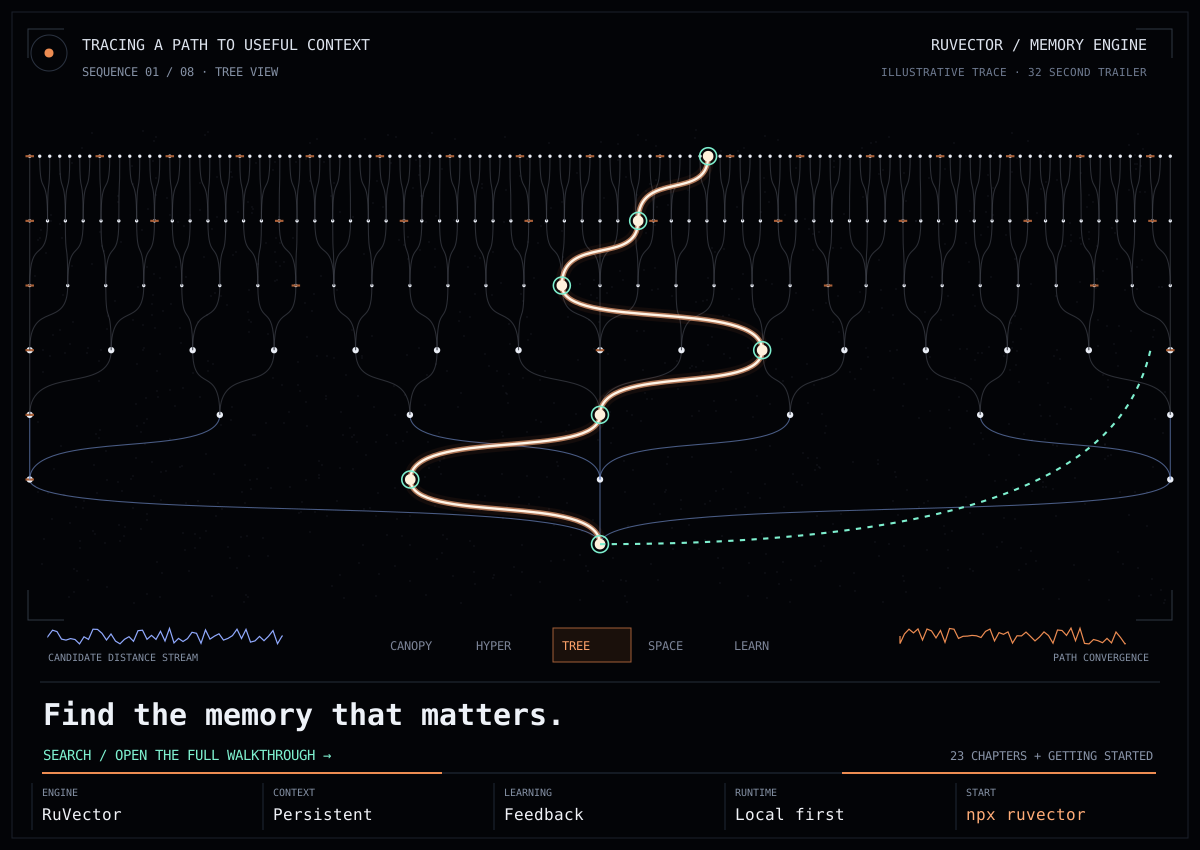
Launch the interactive Explorer · 32 second trailer · Watch the full animation and explore all 23 chapters · npx ruvector





Explore: Quick starts · Build recipes · Tutorials · Library catalog · Contrastive AI · Deployment · Benchmarks
System 0, System 1, and System 2
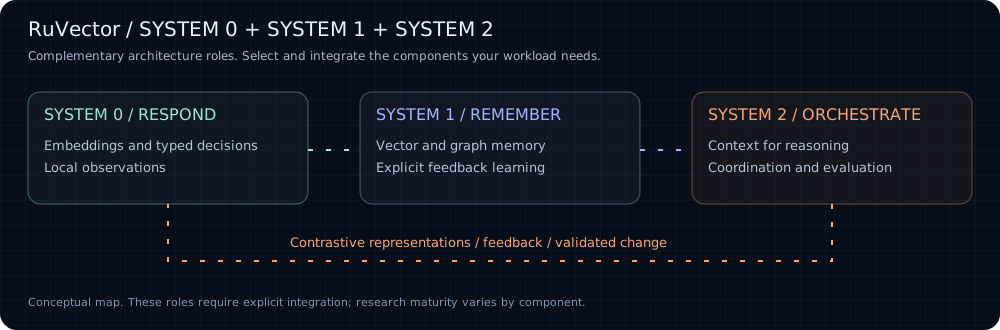
RuVector supports three complementary roles in the wider ruvnet stack. These are architecture groups, not automatic execution tiers or a claim that every component is installed together.
| System | Role | Libraries | Tutorials and examples |
|---|---|---|---|
| System 0: Sense & Respond | Encode observations and make bounded local decisions | ONNX embeddings, typed decisions, browser WASM | 30 second memory quick start, typed decision guide, browser example |
| System 1: Learn & Remember | Persist context, retrieve evidence, and adapt from explicit feedback | VectorDB, graph memory, SONA, contrastive primitives | Node.js memory tutorial, Python guide, SONA guide |
| System 2: Reason & Orchestrate | Reconstruct multi step context, coordinate work, and govern execution | RuvLLM, RVF, Ruflo, MetaHarness | MRAgent example, MCP integration, Ruflo getting started |
Quick start: choose your track
| Track | Use it for | Prerequisites |
|---|---|---|
npm ruvector |
Project memory and a Node.js application | Node.js and npm; supported native backend |
MCP via npm ruvector |
Give an MCP client access to RuVector tools | Node.js, npm, and an MCP compatible client |
PyPI ruvector |
Vector search from Python | Python 3.9+, Rust, and a virtual environment for the source install |
crates.io ruvector-core |
Embed the Rust core directly | Rust toolchain and Cargo |
Track 1: npm ruvector
Package: ruvector on npm.
Install the npm package and run the CLI:
npm install ruvector
npx ruvector info
npx ruvector hooks remember --semantic --type decision \
  "The customer requires all inference to remain in Canada."
npx ruvector hooks recall --semantic --top-k 3 \
  "Where may customer data be processed?"
The first semantic command downloads a local embedding model. Reuse the same project directory and model to retain searchable context. Node.js SDK example · Node.js API.
Track 2: MCP via npm ruvector
The MCP server is included in the ruvector npm package.
Inspect the tools and start with the read only profile:
npx ruvector mcp tools
RUVECTOR_MCP_PROFILE=readonly npx ruvector mcp start
Configure your MCP client to launch npx with arguments ruvector mcp start, environment RUVECTOR_MCP_PROFILE=readonly, and the project as its working directory. Use the client configuration format it supports. Enable writes only through an explicit tool policy. MCP integration and policy.
Claude Code setup
Run these commands from your project directory with Node.js, npm, and Claude Code installed:
npm install ruvector
claude mcp add --scope project --env RUVECTOR_MCP_PROFILE=readonly --transport stdio ruvector -- npx -y ruvector mcp start
claude mcp get ruvector
Open Claude Code in the same project, approve the project MCP server when prompted, and use /mcp to check the connection. Project scope stores the configuration in .mcp.json. Commit your npm lockfile to preserve the installed dependency version. See Claude Code's MCP documentation.
Try this prompt:
Use the ruvector MCP server to inspect the available memory and retrieve context relevant to this project. Report which records support your answer. If the store is empty, say so.
Optional project instruction: add this to your project's CLAUDE.md:
## RuVector memory

* Retrieve relevant project context through the ruvector MCP server before using remembered decisions.
* Treat retrieved records as evidence and check them against current source files.
* Include record IDs or provenance when available.
* Respect the configured read only tool policy. Do not bypass it with shell commands.
* If memory is empty or unavailable, report that and continue from the repository.
Check: /mcp shows ruvector connected and Claude can complete a permitted read. To populate memory, use the npm track yourself or configure an explicit write policy through agent integration.
Track 3: PyPI ruvector
Python distribution name: ruvector; import name: ruvector. See the Python package manifest and installation guide.
The Python guide currently documents a source installation. This path avoids assuming a published PyPI wheel is available.
git clone https://github.com/ruvnet/RuVector.git
cd RuVector
python3 -m venv .venv
source .venv/bin/activate
python -m pip install maturin
cd crates/ruvector-py
maturin develop --release
The activation command above is for bash or zsh; on Windows use .venv\Scripts\Activate.ps1. Rust and its platform build tools are required.
import numpy as np
from ruvector import Collection

memory = Collection.create(dim=3)
vector = np.array([1.0, 0.0, 0.0], dtype=np.float32)
memory.insert(vector, metadata={"text": "A stored example"})
hits = memory.search(vector, k=1)
print(hits[0].metadata)
memory.save("my-memory")
restored = Collection.load("my-memory")
assert len(restored) == 1
This example uses a fixed vector to demonstrate storage, recall, and persistence. Use your embedding model for semantic text search. Python SDK tutorial and integrations.
Track 4: crates.io ruvector-core
Package: ruvector-core on crates.io; Rust import: ruvector_core.
Create a small application with the persistent storage feature. This example uses exact search and disables the default optional features.
cargo new ruvector-memory
cd ruvector-memory
cargo add ruvector-core --no-default-features --features storage
Replace src/main.rs with:
```rust use ruvector_core::{DbOptions, SearchQuery, VectorDB, VectorEntry};
fn main() -> Result<(), Box> { let db = VectorDB::new(DbOptions { dimensions: 3, storage_path: "./agent-memory.db".into(), hnsw_config: None, quantization: None, ..Default::default() })?;
db.insert(VectorEntry {
    id: Some("example-1".into()),
    vector: vec![1.0, 0.0, 0.0],
    metadata: None,
})?;

let hits = db.search(SearchQuery {
    vector: vec![1.0, 0.0, 0.0],
    k: 1,
    filter: None,
    ef_search: None,
})?;

assert_eq!(hits[0].id, "exam
📈 近 7 天 Star 趋势
🏆 排名变化趋势
📋 历史上榜记录
| 日期 | 榜单 | 排名 | 周期新增 | 总 STAR |
|---|