📄 仓库 README
在 GitHub 查看 ↗GPUIX
React and Solid for GPUI, Zed's GPU UI framework.
Write a React or Solid tree in TypeScript. GPUIX paints it with Metal, DirectX, or Vulkan. No Electron. No web view.
useState and JSX still apply. Layout, text, and input go through GPUI, not the DOM.
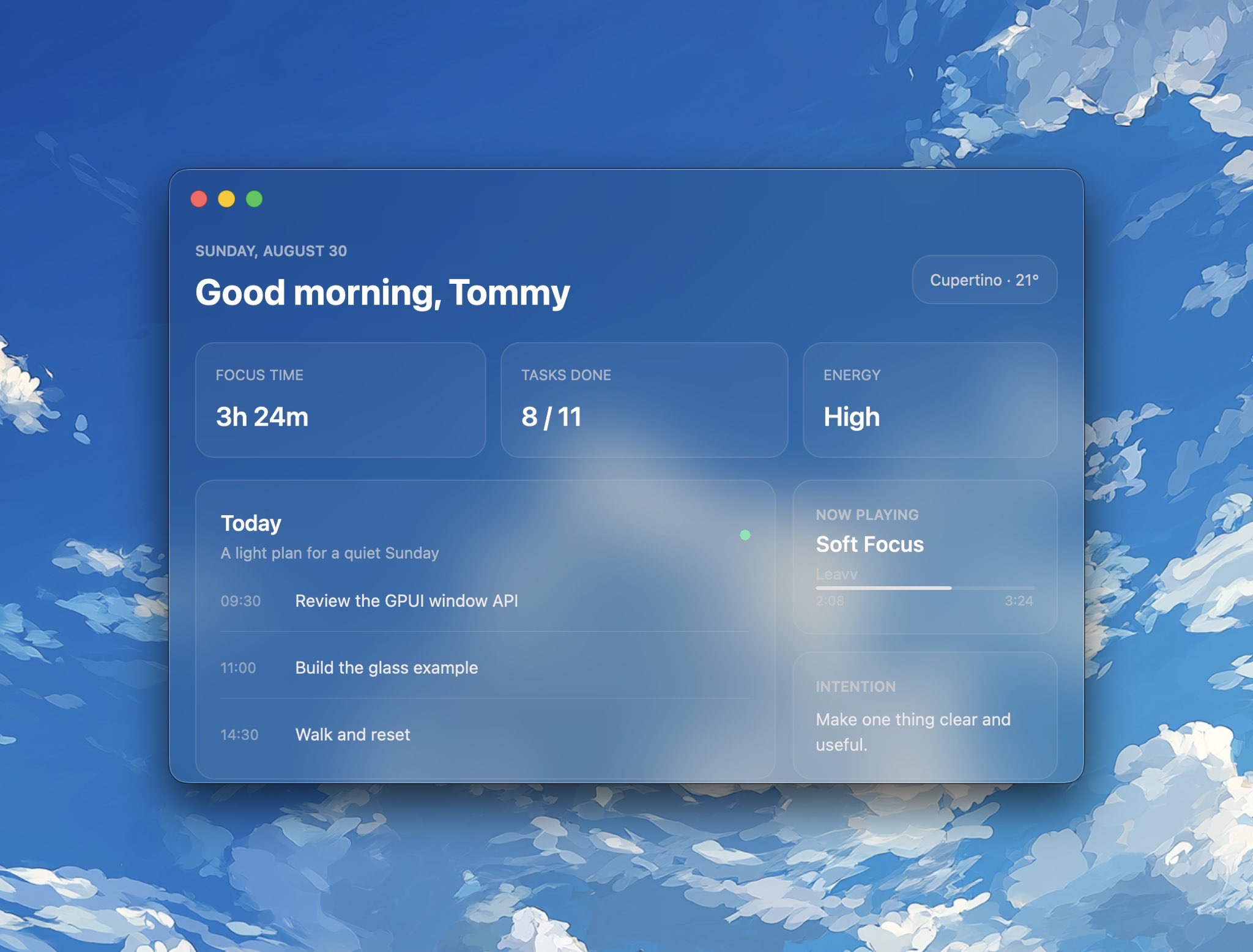
Everything above is GPUIX: the glass window, the cards, the schedule, and native text.
Quickstart
Create an app from the official example. The command downloads only
example-app/ and installs its dependencies. There is no repository clone,
native build, or Rust toolchain.
bunx @gpuix/cli new my-app
cd my-app
bun run dev
@gpuix/react pulls the native renderer for your platform. Edit app.tsx and
the running window remounts on save. Click and keyboard handlers switch to the
new tree without recreating the window.
Using Solid 1 instead? Start with the Solid quick start.
Build from scratch
Install the packages directly when you do not want the example app:
bun add --exact @gpuix/react @gpuix/native react
bun add -d @types/react typescript
Pin your adapter and @gpuix/native to the same exact version. GPUIX is
still pre-1.0, so a new release can break either package. The adapter pulls
@gpuix/native with a version range, and that range can install a newer native
binary under an older adapter. Add both as direct dependencies. Upgrade them
together.
1. Point TypeScript at the GPUIX JSX types
jsxImportSource is required. Without it TypeScript uses DOM types, so
<virtual-list>, <markdown>, <code> and style.hover all fail to
typecheck.
{
  "compilerOptions": {
    "target": "ES2022",
    "module": "ESNext",
    "moduleResolution": "bundler",
    "jsx": "react-jsx",
    "jsxImportSource": "@gpuix/react",
    "strict": true,
    "skipLibCheck": true,
    "noEmit": true
  }
}
2. Write the entry file
End the file with render(). That call creates the window, mounts React, and
starts the frame loop.
import { useState } from 'react'
import { render } from '@gpuix/react'

function App() {
  const [count, setCount] = useState(0)
  return (
    <div style={{ padding: 24, backgroundColor: '#1a1a1a', height: '100%' }}>
      <div
        onClick={() => setCount((c) => c + 1)}
        style={{
          padding: 12,
          borderRadius: 8,
          cursor: 'pointer',
          backgroundColor: '#232323',
          hover: { backgroundColor: '#2c2c2c' },
        }}
      >
        <text style={{ color: '#e2e2e2' }}>Count: {count}</text>
      </div>
    </div>
  )
}

render(<App />, { title: 'My App', width: 800, height: 600 })
[!IMPORTANT] Give every
<text>acolor. GPUI does not inheritcolorfrom a parent, so text with no color paints black and disappears on a dark surface.
3. Run it
bun --hot app.tsx
For hot reload during development, use bun --hot rather than plain bun.
A save then remounts React on the same window instead of opening a second one.
Bun is not required to run the renderer. GPUIX uses Node-API native bindings,
and React apps also run on Node.js, as disktree does. For
Node.js, compile TSX to JavaScript first or use a Node-compatible TSX loader.
The --hot option and same-window hot-remount workflow described below are
Bun-specific; running an app on Node.js does not provide Bun's hot reload.
4. Ship a binary
bun build --compile app.tsx --outfile dist/app
./dist/app
The binary carries the renderer, so it runs with no Bun and no Node install.
For a smaller ship set, run the same React app on hermes-node instead of Bun. That path is 12 MB plus a 22 MB native sidecar. The steps are in that guide.
5. Wrap it in an app with an icon
A raw Mach-O has no Dock icon. Use cargo-packager to wrap the binary. Config: Config. CLI: docs.rs/cargo-packager.
cargo install cargo-packager --locked
Build an .icns from a 1024 PNG, then pack. Pass the .icns, not a 1024 PNG.
cargo-packager rejected a 1024 PNG with No matching IconType.
mkdir AppIcon.iconset
sips -z 16 16 icon-1024.png --out AppIcon.iconset/icon_16x16.png
sips -z 32 32 icon-1024.png --out AppIcon.iconset/icon_16x16@2x.png
sips -z 32 32 icon-1024.png --out AppIcon.iconset/icon_32x32.png
sips -z 64 64 icon-1024.png --out AppIcon.iconset/icon_32x32@2x.png
sips -z 128 128 icon-1024.png --out AppIcon.iconset/icon_128x128.png
sips -z 256 256 icon-1024.png --out AppIcon.iconset/icon_128x128@2x.png
sips -z 256 256 icon-1024.png --out AppIcon.iconset/icon_256x256.png
sips -z 512 512 icon-1024.png --out AppIcon.iconset/icon_256x256@2x.png
sips -z 512 512 icon-1024.png --out AppIcon.iconset/icon_512x512.png
sips -z 1024 1024 icon-1024.png --out AppIcon.iconset/icon_512x512@2x.png
iconutil -c icns AppIcon.iconset -o AppIcon.icns
Bun (one binary):
{
  "productName": "My App",
  "version": "0.1.0",
  "identifier": "dev.example.app",
  "binariesDir": "dist",
  "outDir": "bundle",
  "binaries": [{ "path": "app", "main": true }],
  "icons": ["AppIcon.icns"],
  "formats": ["app"]
}
cargo packager --release --config packager.json
open "bundle/My App.app"
Hermes needs the .node next to the exe. List it as a second binary,
not a resource. Resources go in Contents/Resources. dlopen looks in
Contents/MacOS.
{
  "binaries": [
    { "path": "gpuix-hermes", "main": true },
    { "path": "gpuix-native.darwin-arm64.node", "main": false }
  ]
}
formats is the host OS only:
| OS | formats |
Output |
|---|---|---|
| macOS | "app", then "dmg" |
.app, optional .dmg |
| Windows | "nsis" |
setup .exe |
| Linux | "appimage" |
.AppImage |
On this machine the Bun chat .app is 82 MB. The Hermes counter .app
is 34 MB.
6. Auto-update
Packaging does not turn on updates. The running app calls
checkUpdate on @gpuix/native. HTTP uses the same reqwest_client as
<img>. There is no second native addon.
Host on GitHub Releases. Create the release first. CI packs on each OS,
signs, and uploads the bundle plus its .sig. The app hits
https://github.com/OWNER/REPO/releases/latest. That rewrites to
https://api.github.com/repos/OWNER/REPO/releases/latest. The updater
reads tag_name and assets, then GETs the sibling {name}.sig.
Sign once:
cargo packager signer generate
Store the private key and its password as repo secrets
CARGO_PACKAGER_SIGN_PRIVATE_KEY and
CARGO_PACKAGER_SIGN_PRIVATE_KEY_PASSWORD. Put the public key in the app.
import { checkUpdate } from '@gpuix/native'
import { render } from '@gpuix/react'
import { App } from './app'

async function maybeUpdate() {
  const update = await checkUpdate('0.1.0', {
    endpoints: ['https://github.com/OWNER/REPO/releases/latest'],
    pubkey: '<public key from signer generate>',
  })
  if (update) await update.downloadAndInstall()
}

maybeUpdate()
render(<App />)
https://github.com/OWNER/REPO is the same endpoint.
Packager only builds the host OS. Run it on macOS, Linux, and Windows.
--release is the packager profile (look in binariesDir for a release
binary). It is not cargo build --release. Signing is automatic when those
two env vars are set. Source:
cargo-packager CLI.
With productName: "My App", version: "0.1.0", and
binaries: [{ "path": "app", "main": true }], packager writes:
| OS | formats |
Files in outDir (bundle/) |
|---|---|---|
| macOS | "app" |
My App.app, then on sign My App.app.tar.gz + My App.app.tar.gz.sig |
| Linux | "appimage" |
app_0.1.0_x86_64.AppImage + .sig |
| Windows | "nsis" |
app_0.1.0_x64-setup.exe + .sig |
The macOS updater wants the .app.tar.gz, not the .app and not a
.dmg. Packager tars the .app only when it signs. Linux and Windows names
use the binary stem (app), not productName. NSIS arch is x64, not
x86_64. A missing sibling .sig is an error.
Create the GitHub release yourself, then pack and upload. --clobber
replaces an asset if CI retries. Do not upload a feed JSON.
# macOS
bun build --compile app.tsx --outfile dist/app
cargo packager --release --config packager.json
gh release upload v0.1.0 \
  "bundle/My App.app.tar.gz" \
  "bundle/My App.app.tar.gz.sig" \
  --clobber

# Linux
bun build --compile app.tsx --outfile dist/app
cargo packager --release --config packager.json
gh release upload v0.1.0 \
  bundle/app_0.1.0_x86_64.AppImage \
  bundle/app_0.1.0_x86_64.AppImage.sig \
  --clobber

# Windows
bun build --compile app.tsx --outfile dist/app.exe
cargo packager --release --config packager.json
gh release upload v0.1.0 \
  bundle/app_0.1.0_x64-setup.exe \
  bundle/app_0.1.0_x64-setup.exe.sig \
  --clobber
downloadAndInstall() replaces the packaged files. It does not relaunch.
Quit after it returns, or the next start uses the new app.
HTTPS is in the native crate. This works on Bun and hermes-node. It
does not exist in the browser wasm build. The repo must be public, or
GitHub will 404 the API. Optional: put a Cloudflare cache in front of
api.github.com. Same GitHub JSON. Not a custom schema.
Start from the example app
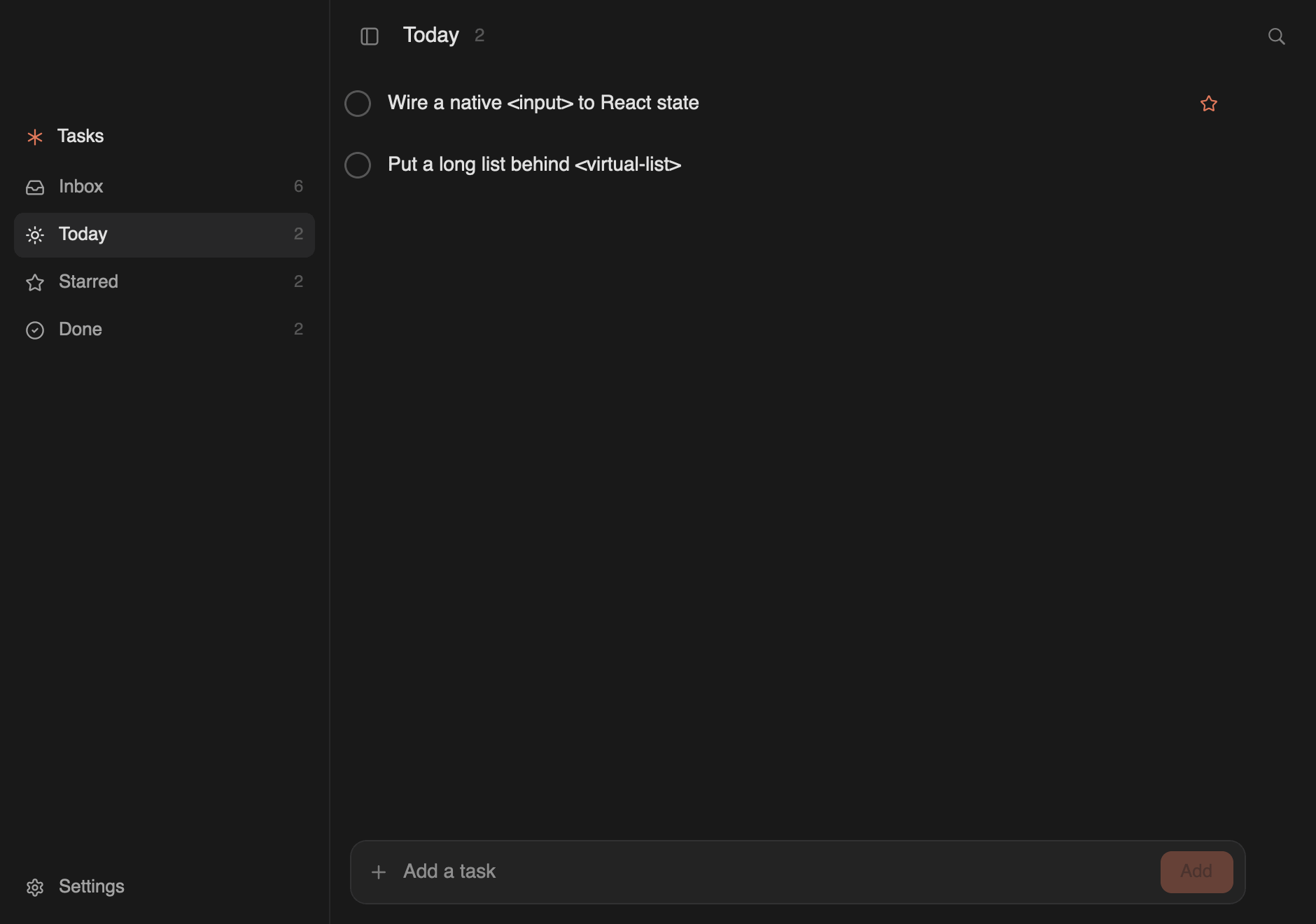
example-app/ is a complete todo app in one file, with dev,
build, web:dev and typecheck scripts already wired. Create a copy with
bunx @gpuix/cli new my-app.
Shell completions
Install completions for the gpuix command:
bun add -g @gpuix/cli
gpuix completions install
Examples
| Example | Run | What it shows |
|---|---|---|
| todo | bun run dev in example-app/ |
The starting point: one file, a <virtual-list>, a native <input>, and an animated sidebar |
| blurred window | bun run blurred-window |
A macOS frosted-glass surface using GPUI's native vibrancy backdrop and transparent titlebar |
| chat | bun --hot chat.tsx |
A GPUIX app: transparent titlebar, animated sidebar, per-thread transcripts, demo replies, composer, <markdown> |
| timeline | bun --hot timeline.tsx |
A video-editor timeline: |
📈 近 7 天 Star 趋势
🏆 排名变化趋势
📋 历史上榜记录
| 日期 | 榜单 | 排名 | 周期新增 | 总 STAR |
|---|