📄 仓库 README
在 GitHub 查看 ↗
The Open-Source Workplace AI Platform
Website · Docs · Discord · Roadmap















PipesHub - Explainable & Extensible
PipesHub is an open-source platform for connecting AI applications to the knowledge stored across your company's business systems.
Connect Slack, Google Drive, GitHub, Microsoft 365, Notion and 50+ other systems. Search across them and get answers with citations, filtered by what each person is allowed to see — or give that same context to your own agents, workflows and MCP clients.
[!TIP] Deploy with a single command:
bash
curl -fsSL https://get.pipeshub.com/install | bash
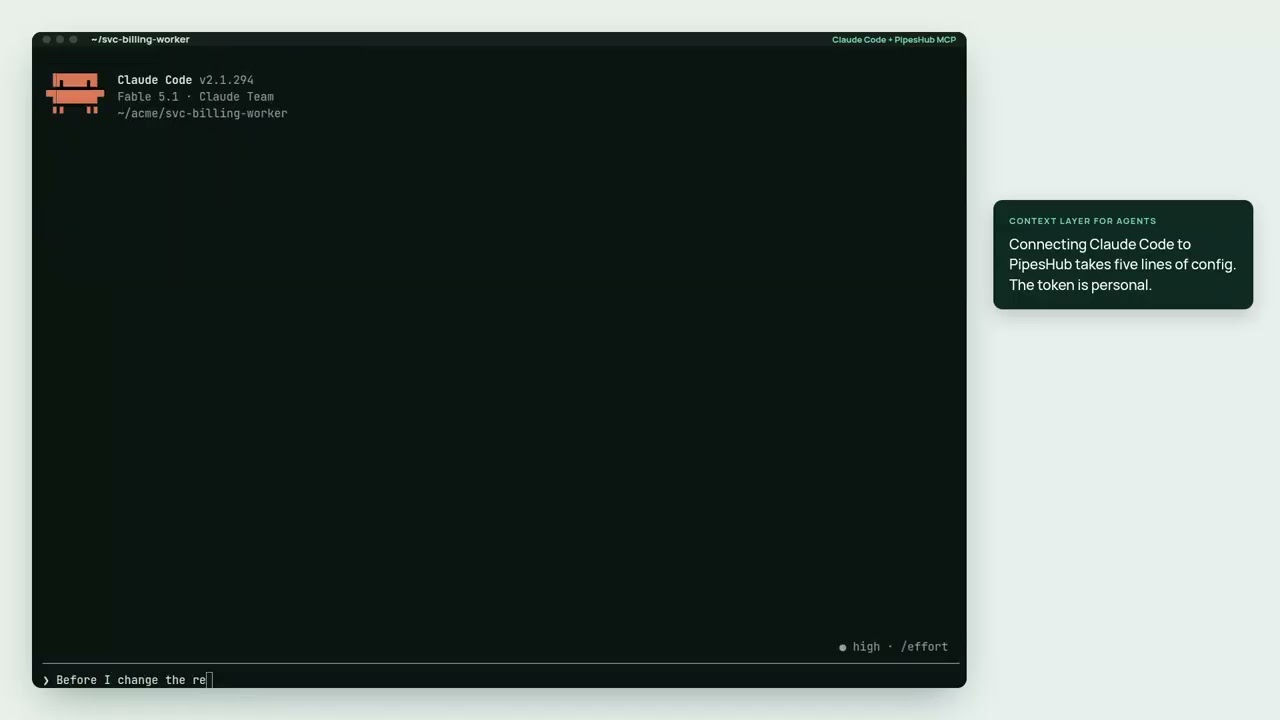
▶ Watch the 2½-minute demo: Claude Code answering from Jira, Slack, GitHub and Drive, with each person's permissions
What can you build with PipesHub?
Don't just use PipesHub — build on it.
Give Claude Code, Cursor, or Codex secure access to your company's knowledge → About ten minutes once PipesHub is running with data indexed. Mint a Personal Access Token (no admin needed), connect your assistant (one command for Claude Code, one config file for Cursor or Codex), and ask "why was the retry logic in the billing worker changed?" — it answers from the incident postmortem, the pull request, the chat thread, and the design doc, each cited, and only if you're allowed to see them.
Want the same retrieval inside your own code, or behind a search box for your team? The SDK starter and search example cover both. Built something? Show us.
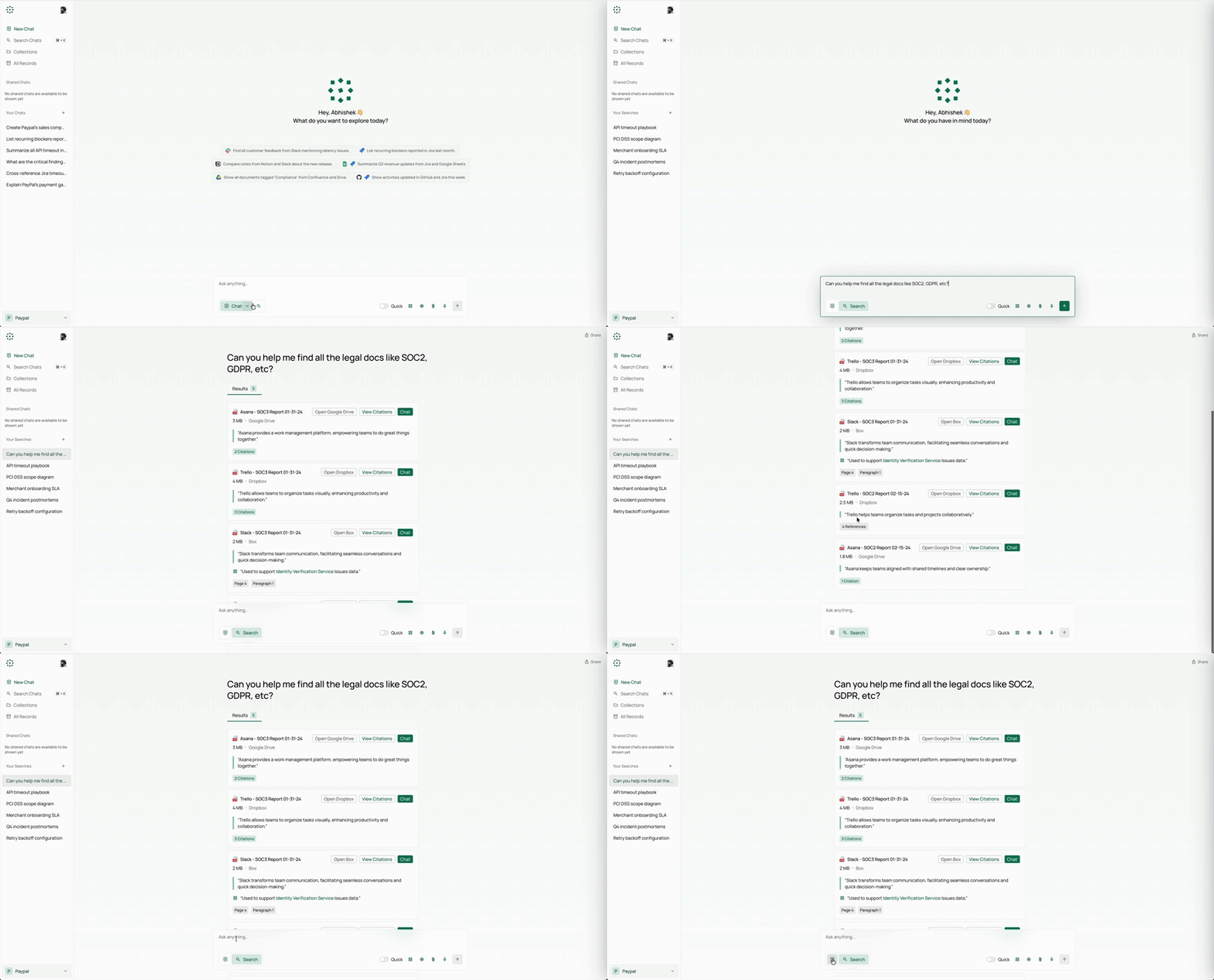
PipesHub in Action
Connectors
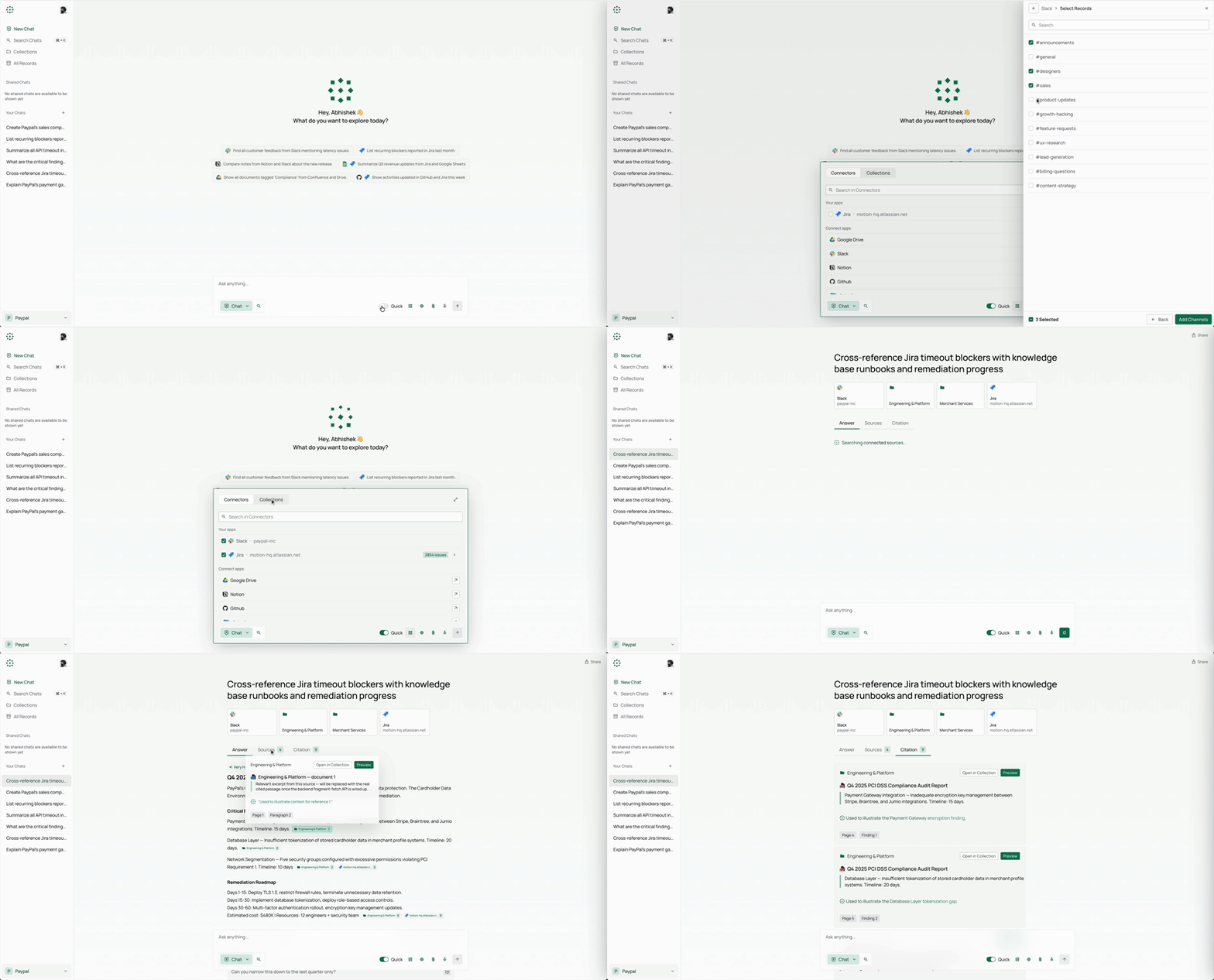
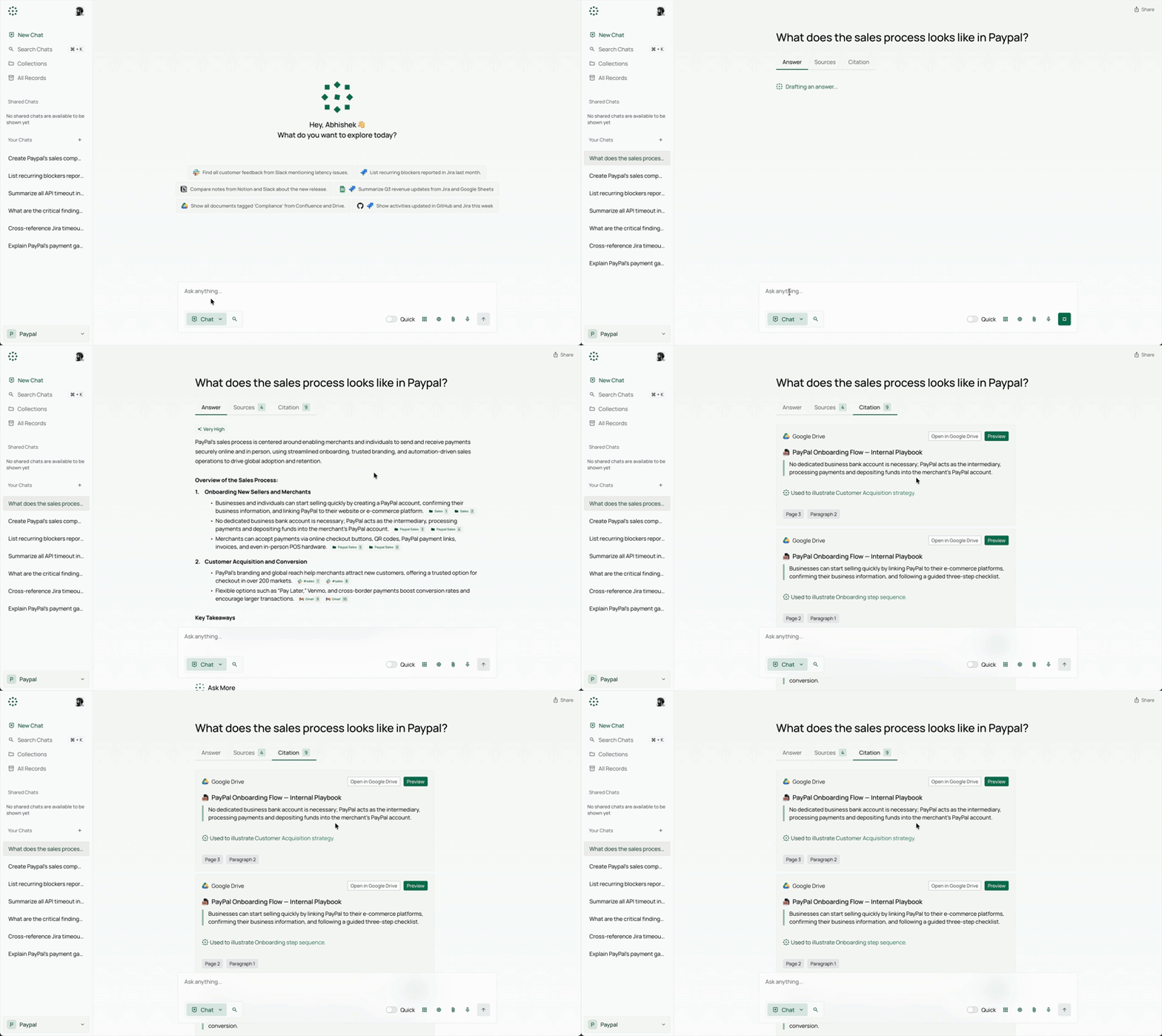
Citations
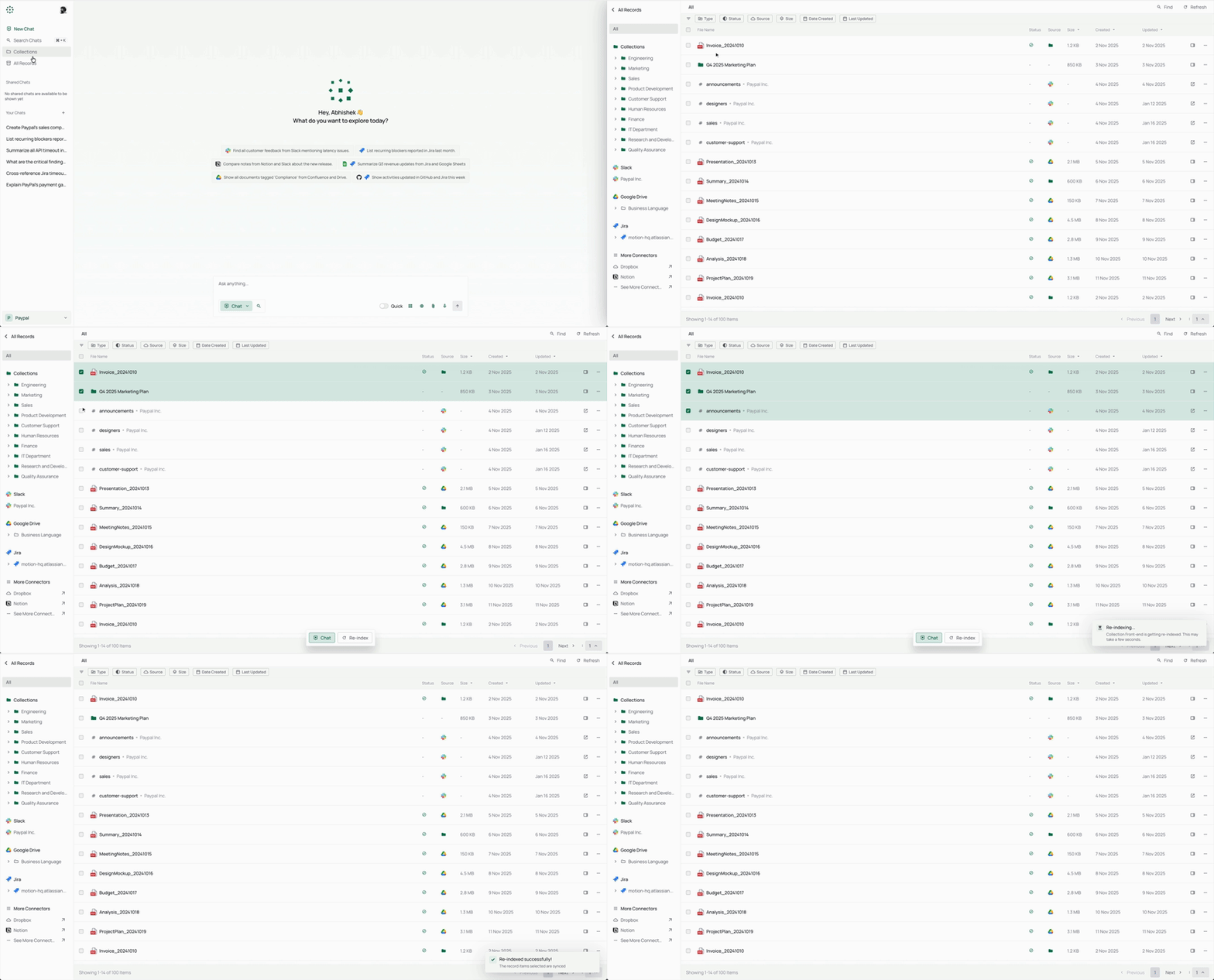
All Records
Knowledge Search
Features
Answers you can trust
- 📝 Explainable Answers: PipesHub delivers grounded answers with precise block citations to the original documents.
- 🔒 Permission-Aware Search: Enforces source-level access controls so users only see what they're authorized to.
- 🧠 Bring Your Own Model, Fully Self-Hostable: Any LLM provider, deployed in your VPC — data never leaves your infrastructure.
Connected to your systems
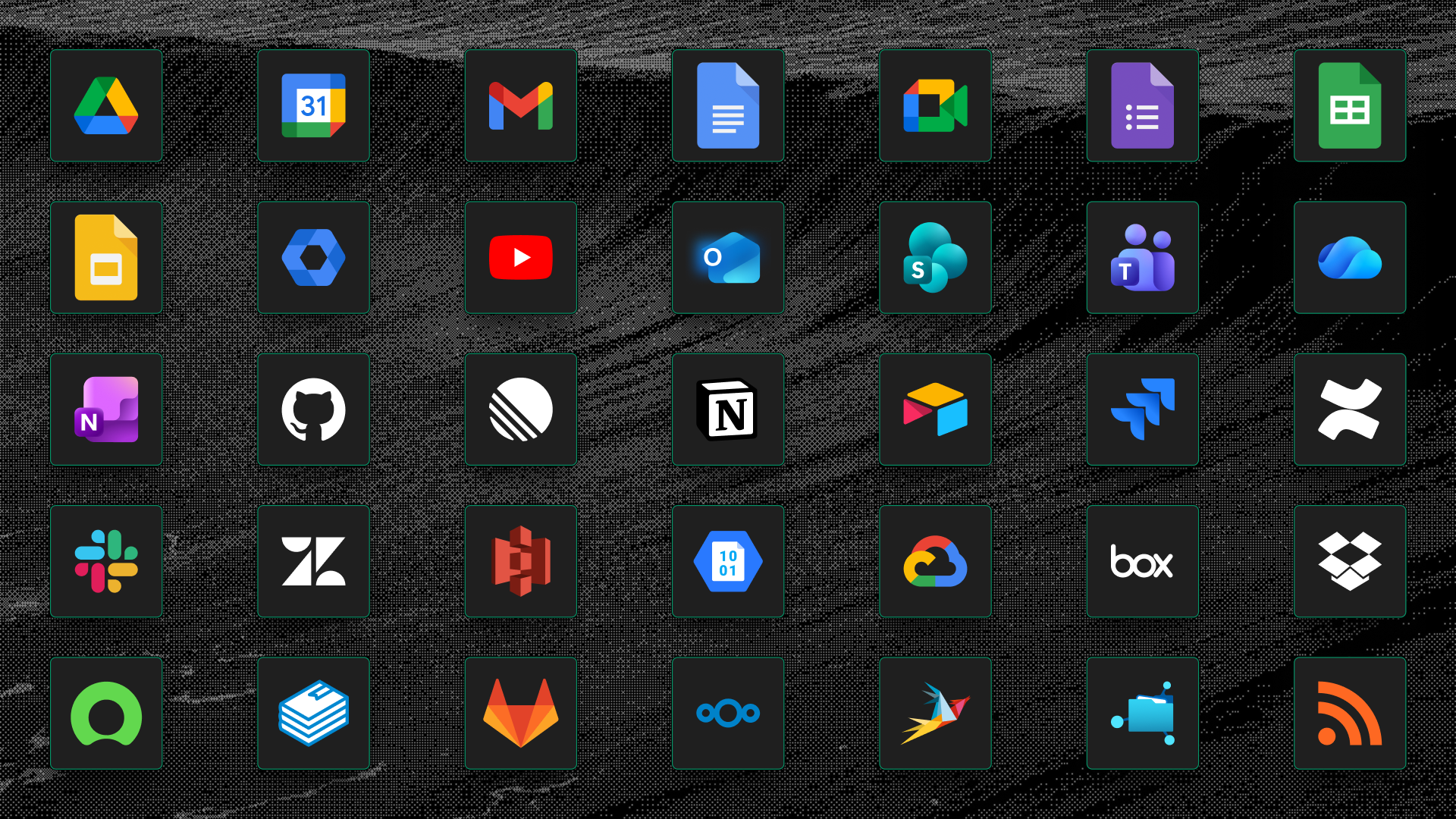
- 🔌 Enterprise Connectors: 50+ connectors with real-time and scheduled indexing out of the box.
- 🕸️ Knowledge Graph Retrieval: Graph-backed retrieval that captures relationships across enterprise data.
- 🎙️ Multimodal Support: Image, diagram, and scanned-file understanding plus voice-based interaction.
What you can build
- 🔍 Unified Search, Deep Research, and Agents: Search, Q&A, deep research, web search, and AI agents on one context layer.
- 🤖 No-Code Agents and Actions: Build agents visually and execute actions across enterprise tools.
- 📊 Artifacts and Code Execution: Generate reports, charts, and dashboards in a safe execution sandbox.
- 🛠️ Developer-First and Extensible: APIs, SDKs, MCP tools, custom connectors, and independently scalable services.
PipesHub Cloud
Prefer a fully managed PipesHub without running your own infrastructure? Sign up for PipesHub Cloud: the same connectors, permission-aware search, and APIs, with nothing to install.
Coding agents connect to https://app.pipeshub.com/mcp with a personal access token. See For coding agents.
Connectors
🚀 Deployment Guide
PipesHub can be run locally or deployed on any server using Docker Compose. The interactive installer handles all configuration — including secrets, graph DB, broker, and image tag selection — and generates a .env for you.
HTTPS on cloud servers: If you deploy PipesHub on a cloud server, use an HTTPS endpoint. Browsers block certain requests over plain HTTP. Use Cloudflare, Nginx, or Traefik to terminate TLS. A white screen after HTTP-only deployment is typically caused by this restriction.
⚡ Quickstart (Recommended)
Requires Docker with Compose v2. One command:
curl -fsSL https://get.pipeshub.com/install | bash
This downloads the deployment files for the latest release into ./pipeshub and
launches the interactive installer. Open http://localhost:3000 once it
finishes.
Prefer to read before running? Download and inspect the script first:
bash
curl -fsSL https://get.pipeshub.com/install -o pipeshub-install.sh
less pipeshub-install.sh        # review it
bash pipeshub-install.sh
The installer will:
- Check Docker, RAM, and disk prerequisites
- Ask whether you want a slim or full deployment
- Let you optionally customise the graph DB, message broker, and KV store
- Generate randomised secrets and write a .env file
- Pull images and start the stack
- Wait for PipesHub to become healthy, verify it is reachable, and print the URL
🛠️ From a cloned repository (developers)
To build from source, contribute, or pin the installer to your checkout:
git clone https://github.com/pipeshub-ai/pipeshub-ai.git
cd pipeshub-ai

# Same installer, run from the repo root
./install.sh
Building local images from source requires this cloned-repo path (./install.sh --build);
the one-command installer above always uses prebuilt images.
Installer options
| Flag | Description |
|---|---|
-y / --yes |
Accept all defaults; skip interactive prompts (CI-friendly) |
--version TAG |
Pin a specific image tag, e.g. --version 0.7.0 |
--reconfigure |
Re-run the wizard and overwrite an existing .env |
--print-env-only |
Write .env and print the compose command without starting containers |
Advanced options: CI environment variables, slim vs. full deployment types, manual Compose profile usage, and local source builds are covered in Advanced Deployment Options.
Build with PipesHub
The built-in search experience is one way to use PipesHub. The same connected, permission-filtered context is available to your own agents and applications — over MCP for any compatible client, or through the SDKs when you are calling it from your own code.
An agent connects as a specific person rather than as the application, so it retrieves exactly what that person is allowed to see. Access is resolved when the query runs, against the source system's own permissions, instead of being approximated at build time.
Step-by-step tutorials for the most common builds — an MCP for your coding assistant, private enterprise search, and SDK starters — live in pipeshub-ai/examples. The reference material for each building block is below.
MCP Server
Use PipesHub with any MCP-compatible client to bring your enterprise context into AI workflows. Check the README for setup and usage.
Repository: pipeshub-ai/mcp-server
Connecting an Omnigent agent
First, mint a long-lived credential: workspace → Developer settings → Personal Access Tokens → New token. Pick an expiry (30/90/365 days, or never) — this runs as you, so results respect your own per-user permissions, unlike an OAuth app's client-credentials flow.
Three ways to connect, from least to most setup:
- Attach in the Omnigent web UI (fastest, no clone). Open a session's
info panel → Manage MCP Servers → add PipesHub's URL and an
Authorization: Bearer <token>header → restart the session. - Run the packaged example agent. A ready-made agent bundle (tuned
prompt + instructions) ships with Omnigent:
PIPESHUB_MCP_URL=... PIPESHUB_MCP_TOKEN=... omnigent run examples/pipeshub/. - Use the connect kit in
integrations/omnigent/(setup.sh/run.sh) for CI, service accounts, or password/OAuth client-credentials auth instead of a personal token.
SDKs
PipesHub provides developer SDKs for Python, TypeScript, and Go to help you integrate quickly. Check the respective SDK repository README for setup and usage details.
| Name | Description | Link |
|---|---|---|
| Python SDK | Python SDK for PipesHub | pipeshub-ai/pipeshub-sdk-python |
| TypeScript SDK | TypeScript SDK for PipesHub | pipeshub-ai/pipeshub-sdk-typescript |
| Go SDK | Go SDK for PipesHub | pipeshub-ai/pipeshub-sdk-go |
Need an SDK in another language? Reach out to us at developer@pipeshub.com
RoadMap
We ship in the open. Here's what's done and what's next:
- ✅ 🤖 Workplace AI agents: first-class no-code agent builder
- ✅ 🔗 MCP (Model Context Protocol) support, both server and client
- ✅ 🧰 Developers SDKs
- ✅ 🔍 Code search across GitHub and GitLab
- ⬜ 👤 Personalized search based on team, role, and history
- ✅ ☸️ Production Kubernetes deployment with HA defaults
- ⬜ 📈 PageRank-augmented relevance across the knowledge graph
👉 View the full product roadmap on Notion
👥 Contributing
Want to join our community of developers? Please check out our Contributing Guide for more details on how to set up the development environment, our coding standards, and the contribution workflow.
Where to go for what
| Ask a question or get help | Discord |
| Report a bug or request a feature | GitHub Issues |
| Report a security issue | Report Security Issue |
| Read the docs | Pipeshub Docs |
| See what changed in each release | Changelog |
FAQ
What is PipesHub?
PipesHub is an open-source platform for connecting AI applications to the knowledge stored across your company's business systems.
It connects systems such as Slack, Google Drive, GitHub, Microsoft 365 and Notion, then makes what they hold available in two ways: permission-aware search with citations for your team, and trusted context for your AI agents through APIs, SDKs and MCP. Agents get the same governed view of your company's knowledge that a person would, with the same access controls applied, so they can answer from real company data instead of guessing across tools. You can use the built-in search experience, or build your own agents, workflows and applications on top of it.
How is PipesHub different from other workplace AI tools?
PipesHub is fully open-source (Apache 2.0) and self-hostable — your data never leaves your infrastructure. It features permission-aware search that enforces source-level access controls, and delivers explainable answers with precise block citations to original documents.
What connectors does PipesHub support?
PipesHub has 50+ enterprise connectors with real-time and scheduled indexing. See the connectors overview.
What file formats can PipesHub index?
PDF (including scans), Microsoft Office (Word, Excel, PowerPoint), Google Docs/Sheets/Slides, Markdown, HTML, CSV, plain text, and images. Audio and video can be stored but are not indexed yet. Storage accepts a wider set of MIME types — see Supported MIME Types.
How do I deploy PipesHub?
curl -fsSL https://get.pipeshub.com/install | bash
This writes Compose files into ./pipeshub and starts the interactive installer. Open http://localhost:3000 when it finishes. Use HTTPS for cloud deployments — HTTP may cause frontend security blocks.
Developers building from source should clone the repository and run ./install.sh (or ./install.sh --build) from the repo root. See the Deployment Guide.
What LLM providers does PipesHub support?
PipesHub is "Bring Your Own Model" — you can use any LLM provider. Deploy in your VPC with your preferred models.
What is the tech stack?
PipesHub has three parts:
- Web app (Next.js) — search, chat, and admin in the browser.
- API (Node.js) — accounts, permissions, knowledge bases, and files.
- Python services — connectors sync your sources; indexing parses documents; query answers with citations.
Those services call AI models you bring. An embedding model turns parsed text into vectors for search. An LLM writes the cited answer. Use any provider or a local model (Ollama); a local embedding server is the default.
Data sits in a knowledge graph (Neo4j by default, or ArangoDB), a vector store (Qdrant), and MongoDB. Redis is the cache. Files live on disk or object storage. Services hand work to each other over Redis on a local machine, or Kafka in a larger deployment. See the system overview.
What is the Knowledge Graph Retrieval feature?
PipesHub uses graph-backed retrieval that captures relationships across enterprise data. It uses Neo4j or ArangoDB as graph databases, combined with Qdrant for vector similarity search.
Does PipesHub have an MCP server?
Yes. PipesHub provides an MCP server for integration with any MCP-compatible client. Repository: pipeshub-ai/mcp-server.
What SDKs are available?
PipesHub provides SDKs for: - Python: pipeshub-ai/pipeshub-sdk-python - TypeScript: pipeshub-ai/pipeshub-sdk-typescript - Go: pipeshub-ai/pipeshub-sdk-go
Can I build AI agents without coding?
Yes. PipesHub has a no-code agent builder. You can build agents visually and execute actions across enterprise tools without writing code.
What is the multimodal support?
PipesHub supports image, diagram, and scanned-file understanding, plus voice-based interaction. It uses Docling and pdfplumber for document parsing, or a multimodal LLM (VLM) for scanned PDF OCR.
How do I troubleshoot deployment issues?
- Ensure HTTPS is configured for cloud deployments
- Check Docker compose logs:
docker compose logs - Verify environment variables in env.template
- Consult docs.pipeshub.com for detailed guides
Where can I get help?
- Discord — Ask questions and get help
- GitHub Issues — Report bugs or request features
- PipesHub Docs — Read the documentation
⭐ Star us on GitHub!
It helps the project reach the teams who need it.
Built with ❤️ by the PipesHub team and contributors around the world.
📈 近 7 天 Star 趋势
🏆 排名变化趋势
📋 历史上榜记录
| 日期 | 榜单 | 排名 | 周期新增 | 总 STAR |
|---|