📄 仓库 README
在 GitHub 查看 ↗palera1n



Jailbreak for A8 through A11, T2 devices, on iOS/iPadOS/tvOS 15.0, bridgeOS 5.0 and higher.
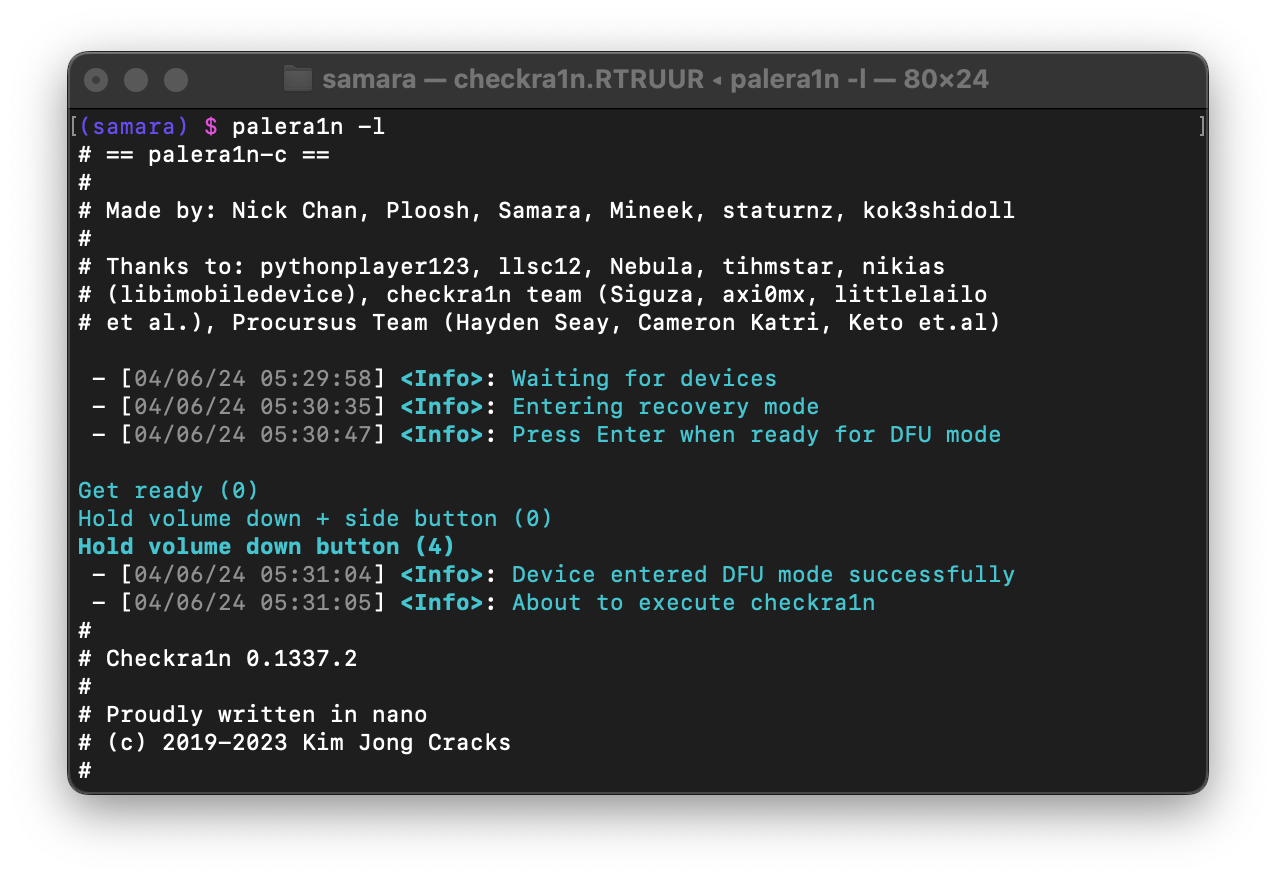 |
|---|
| A screenshot of palera1n being used in a Terminal |
Device Support
| iPhone(s) | iPad(s) | iPod(s) | Apple TV(s) |
|---|---|---|---|
| iPhone 6s | iPad mini 4 | iPod Touch (7th generation) | Apple TV HD |
| iPhone 6s Plus | iPad (5th generation) | Apple TV 4K (1st generation) | |
| iPhone SE (2016) | iPad (6th generation) | ||
| iPhone 7 | iPad (7th generation) | ||
| iPhone 7 Plus | iPad Pro (9.7") | ||
| iPhone 8 | iPad Pro (12.9") (1st generation) | ||
| iPhone 8 Plus | iPad Pro (10.5") | ||
| iPhone X | iPad Pro (12.9") (2nd generation) | ||
| iPad Air 2 |
Note that on
A11(iPhone X, 8, 8 Plus), you must disable your passcode while in the jailbroken state (on iOS 16, you need to reset your device before proceeding with palera1n).
Apple T2 Device Support (click to expand)
| Apple T2 | |- | | Apple T2 iMac20,1 | | Apple T2 iMac20,2 | | | | Apple T2 MacBookAir8,1 | | Apple T2 MacBookAir8,2 | | Apple T2 MacBookAir9,1 | | | | Apple T2 MacBookPro15,1 | | Apple T2 MacBookPro15,2 | | Apple T2 MacBookPro15,3 | | Apple T2 MacBookPro15,4 | | Apple T2 MacBookPro16,1 | | Apple T2 MacBookPro16,2 | | Apple T2 MacBookPro16,3 | | Apple T2 MacBookPro16,4 | | | | Apple T2 iMacPro1,1 | | Apple T2 Macmini8,1 | | Apple T2 MacPro7,1 | | | | iBridge2,11 (Unknown Mac) | | iBridge2,13 (Unknown Mac) |Computer Requirements
-
USB-A cables are recommended to use, USB-C to may have issues with palera1n and getting into DFU mode.
Due to USB-C cables having different accessory IDs, your device may not be able to be recognized when using USB-C due to not being able to assert to its USB voltage pin.
-
Linux or macOS computer
AMD CPUs (not AMD Mobile) have an issue where it causes them to have a very low success rate with checkm8 exploit. It is not recommended that you use them with palera1n.
USB-C port on Apple Silicon Macs may require manual unplugging and replugging of the lightning cable after checkm8 exploit. This problem may be solved by connecting via USB hub, though extensions can vary.
Usage
Usage: palera1n [-DEhpvVdsSLRnPI] [-e boot arguments] [-k Pongo image] [-o overlay file] [-r ramdisk file] [-K KPF file] [-i checkra1n file]

    --version               Print version
    --force-revert              Remove jailbreak
    -d, --demote                Demote
    -D, --dfuhelper             Exit after entering DFU
    -e, --boot-args <boot arguments>    XNU boot arguments
    -E, --enter-recovery            Enter recovery mode
    -h, --help              Show this help
    -i, --override-checkra1n <file>     Override checkra1n
    -k, --override-pongo <file>     Override Pongo image
    -K, --override-kpf <file>       Override kernel patchfinder
    -L, --jbinit-log-to-file        Make jbinit log to /cores/jbinit.log (can be read from sandbox while jailbroken)
    -n, --exit-recovery         Exit recovery mode
    -I, --device-info           Print info about the connected device
    -o, --override-overlay <file>       Override overlay
    -p, --pongo-shell           Boots to PongoOS shell
    -P, --pongo-full            Boots to a PongoOS shell with default images already uploaded
    -r, --override-ramdisk <file>       Override ramdisk
    -R, --reboot-device         Reboot connected device in normal mode
    -s, --safe-mode             Enter safe mode
    -S, --no-colors             Disable colors on the command line
    -v, --debug-logging         Enable debug logging
          This option can be repeated for extra verbosity.
    -V, --verbose-boot          Verbose boot

Environmental variables:
    TMPDIR      temporary diretory (path the built-in checkra1n will be extracted to)
Installing
Visit https://palera.in
Disclaimers
We are NOT responsible for any data loss, or the result of a device being bricked. When using palera1n, the user should accept responsibility if anything happens to their device during the process.
- If your device is stuck in recovery, please run futurerestore --exit-recovery, or use irecovery -n, or palera1n -n.
- If you're unable to get out of recovery via these methods please restore with iTunes or Finder.
- palera1n will not work in VirtualBox, VMware or any virtual machine that doesn't support PCI passthrough.
Troubleshooting
Make sure you're following the guides provided here, also when asking for support make sure you provide full details on your device, such as:
- iPhone/iPad/iPod/Apple TV
- iOS Version
- Passcode enabled?
- Verbose from palera1n (specifying -Vv within palera1n)
- Panic logs, if panicked then send latest panic-full log from your device.
Create an issue here: https://github.com/palera1n/palera1n/issues/new/choose
Credits
All credits for palera1n can be found here
If proper credit isn't shown please message us or create an issue.
📈 近 7 天 Star 趋势
🏆 排名变化趋势
📋 历史上榜记录
| 日期 | 榜单 | 排名 | 周期新增 | 总 STAR |
|---|