📄 仓库 README
在 GitHub 查看 ↗ # Hermes Workspace
**Your AI agent's command center — chat, files, memory, skills, and terminal in one place.**
[](CHANGELOG.md)
[](LICENSE)
[](https://nodejs.org/)
[](CONTRIBUTING.md)
> Not a chat wrapper. A complete workspace — orchestrate agents, browse memory, manage skills, and control everything from one interface.
> **v2 — zero-fork.** Clone, don't fork. Runs on vanilla [`NousResearch/hermes-agent`](https://github.com/NousResearch/hermes-agent) installed via Nous's own installer. Chat, sessions, memory, skills, jobs, MCP, terminal, dashboard, Agent View, and Operations are all in vanilla parity. **Conductor** uses the dashboard mission API when available and falls back to Workspace-native Swarm dispatch (`mode: native-swarm`) when the dashboard endpoint is absent, preserving zero-fork behavior ([#262](https://github.com/outsourc-e/hermes-workspace/issues/262)).

# Hermes Workspace
**Your AI agent's command center — chat, files, memory, skills, and terminal in one place.**
[](CHANGELOG.md)
[](LICENSE)
[](https://nodejs.org/)
[](CONTRIBUTING.md)
> Not a chat wrapper. A complete workspace — orchestrate agents, browse memory, manage skills, and control everything from one interface.
> **v2 — zero-fork.** Clone, don't fork. Runs on vanilla [`NousResearch/hermes-agent`](https://github.com/NousResearch/hermes-agent) installed via Nous's own installer. Chat, sessions, memory, skills, jobs, MCP, terminal, dashboard, Agent View, and Operations are all in vanilla parity. **Conductor** uses the dashboard mission API when available and falls back to Workspace-native Swarm dispatch (`mode: native-swarm`) when the dashboard endpoint is absent, preserving zero-fork behavior ([#262](https://github.com/outsourc-e/hermes-workspace/issues/262)).

Swarm Mode
Hermes Agent Swarm turns the workspace into a live control plane: unlimited Hermes Agents, 1 orchestrator, 0 humans manually dispatching. Persistent tmux workers keep context across tasks, rotate safely, and report proof-bearing checkpoints. Role-based dispatch routes builders, reviewers, docs, research, ops, triage, QA, and lab lanes without turning Eric into the task router. A byte-verified review gate protects release branches before PRs ship. Autonomous PR/issue lanes, lab experiments, and the repair playbook keep the machine moving while humans handle judgment.
Start here: docs/swarm/
- Orchestrator Chat — ask the control plane for one task, a decomposed mission, or a full broadcast.
- Multi-Agent Control Plane — see persistent Hermes Agents, roles, state, runtime, and routing wires in one surface.
- Kanban TaskBoard — plan backlog, ready, running, review, blocked, and done lanes without leaving the workspace.
- Reports + Inbox — review checkpoints, blockers, handoffs, and ready-for-human decisions.
- TUI View built in — attach to tmux-backed workers or fall back to a live shell/log stream.
✨ What's inside
- 💬 Chat — Real-time SSE streaming, tool call rendering, multi-session, markdown + syntax highlighting
- 🧠 Memory — Browse, search, and edit agent memory; markdown live editor
- 🧩 Skills — Browse 2,000+ skills with origin badges, filters, source paths, marketplace
- 🔌 MCP — Full /mcp page (catalog + marketplace + sources), or fallback to local config CRUD
- 📁 Files + Terminal — Full workspace file browser with Monaco; cross-platform PTY terminal
- 🎮 Operations — Multi-agent dashboard with profile presets (Sage/Trader/Builder/Scribe/Ops) and 'Needs setup' detection
- 📡 Conductor — Mission dispatch + decomposition with dashboard-backed missions when available and Workspace-native Swarm fallback otherwise
- 👥 Agent View — Live agent panel in chat with avatar, queue, history, usage meter
- 🐝 Swarm Mode — Persistent tmux-backed Hermes Agent workers with role-based dispatch
- 🗄️ Dashboard — Aggregated overview: sessions, model mix, cost ledger, attention card, ops strip
- 🎨 Themes — Hermes, Nous, Bronze, Slate, Mono (light + dark)
- 🔒 Security — Auth middleware on every route, CSP, path-traversal guard, fail-closed remote bind
- 📱 PWA + Tailscale — Install as a native-feeling app; access from any device on your tailnet
- ⚙️ Capability gates — Features that need upstream endpoints (Conductor) show a clean placeholder instead of failing mid-action
📸 Screenshots
| Chat | Conductor |
|---|---|
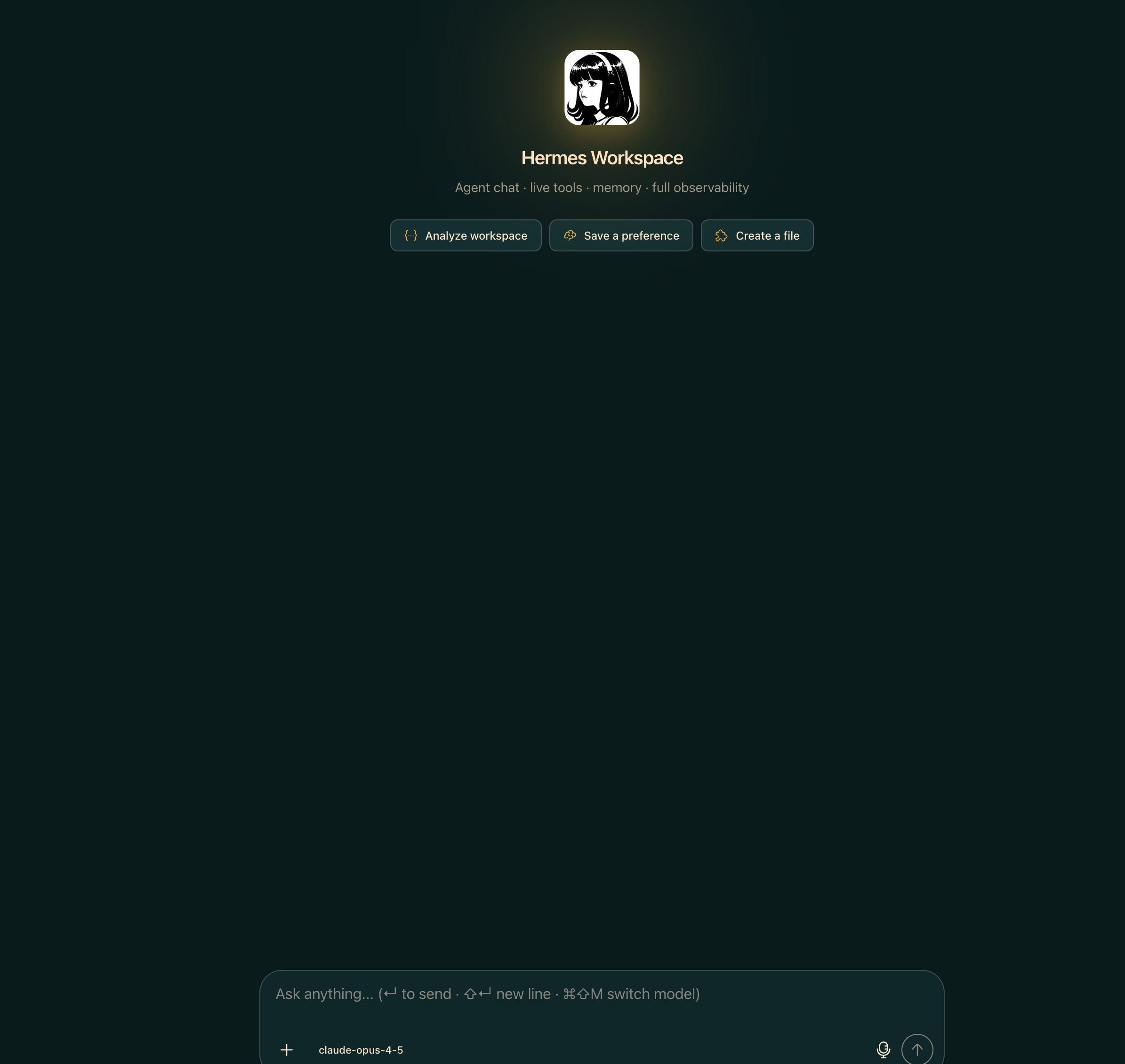 |
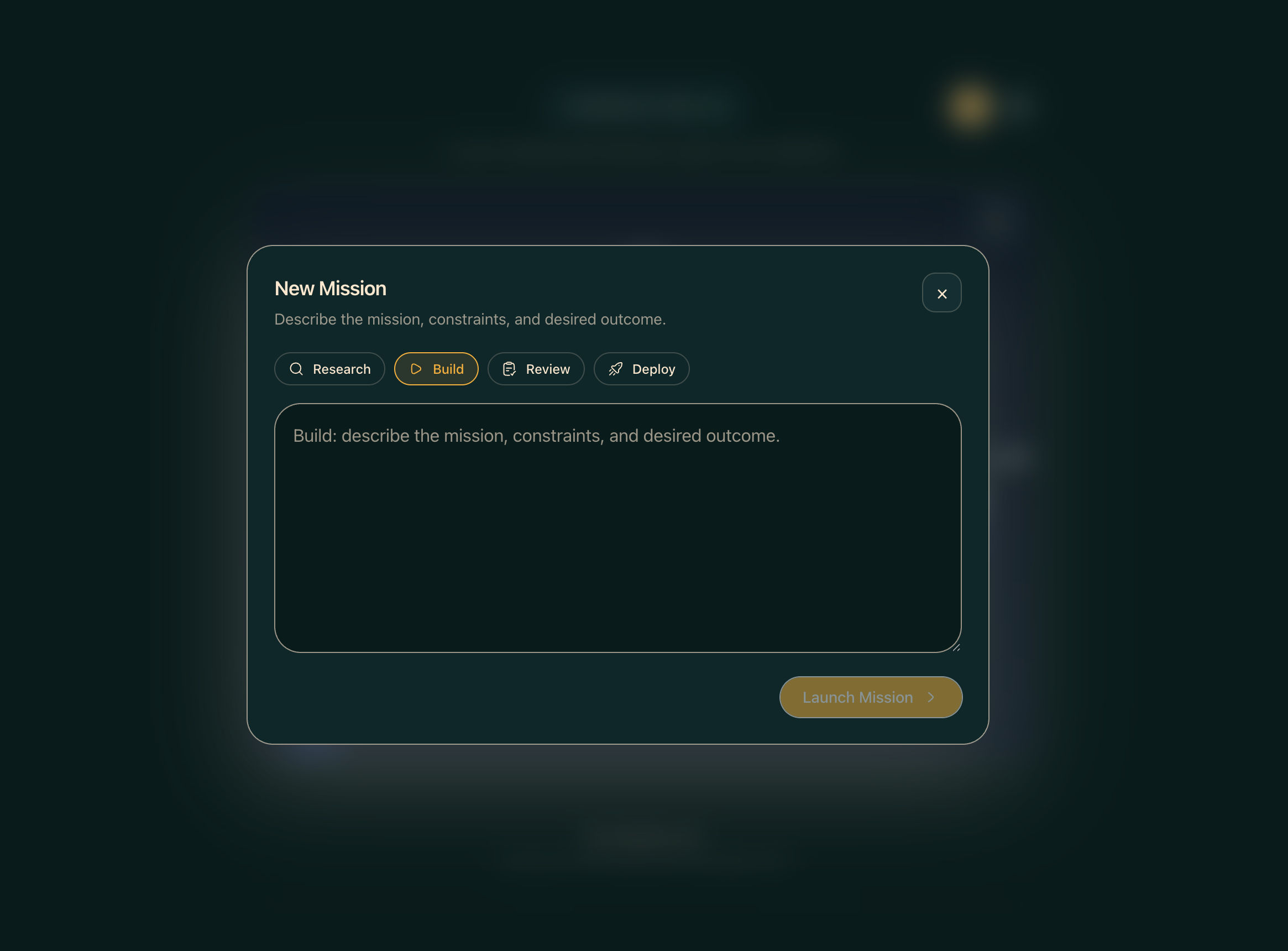 |
| Dashboard | Memory |
|---|---|
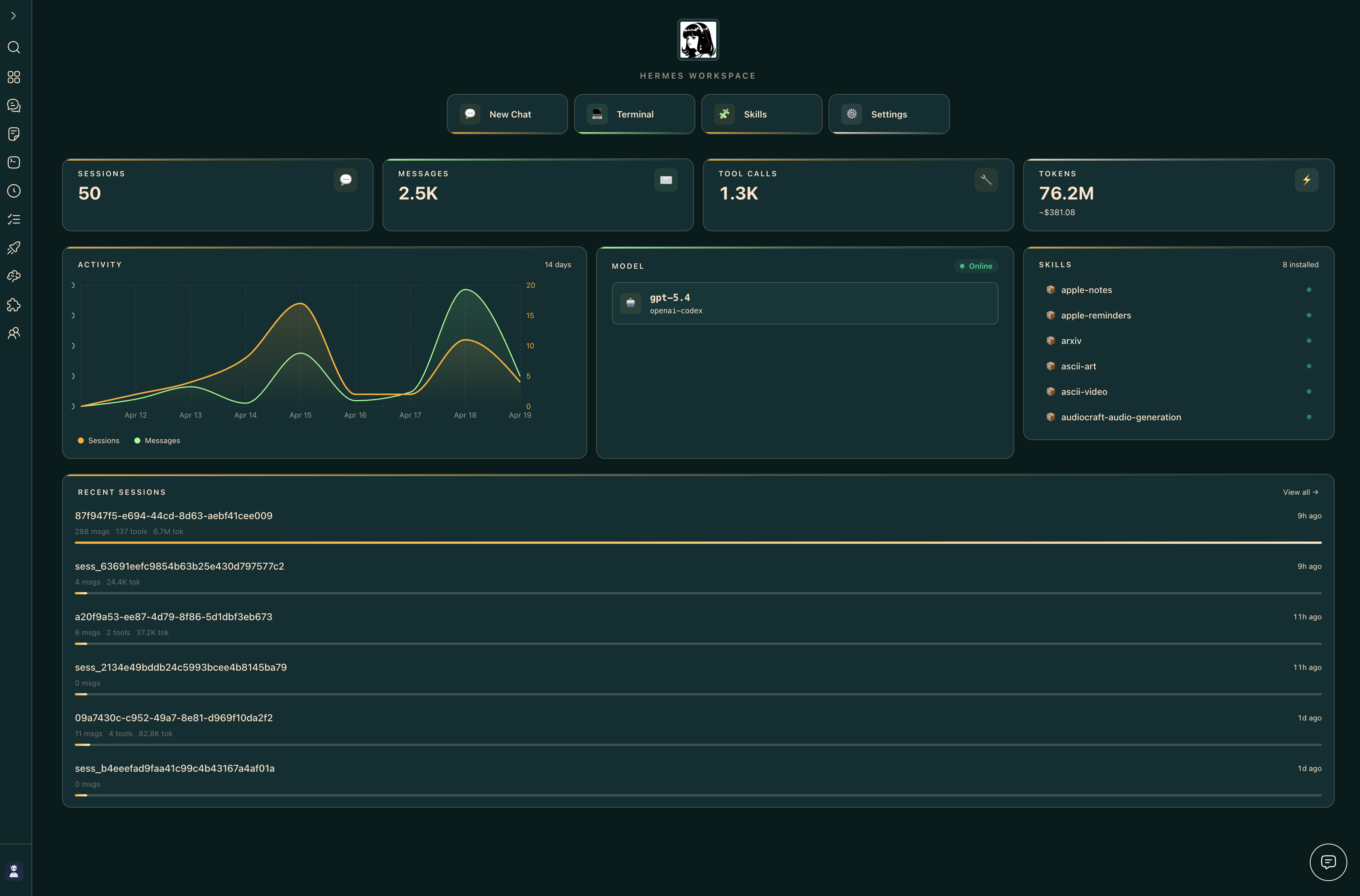 |
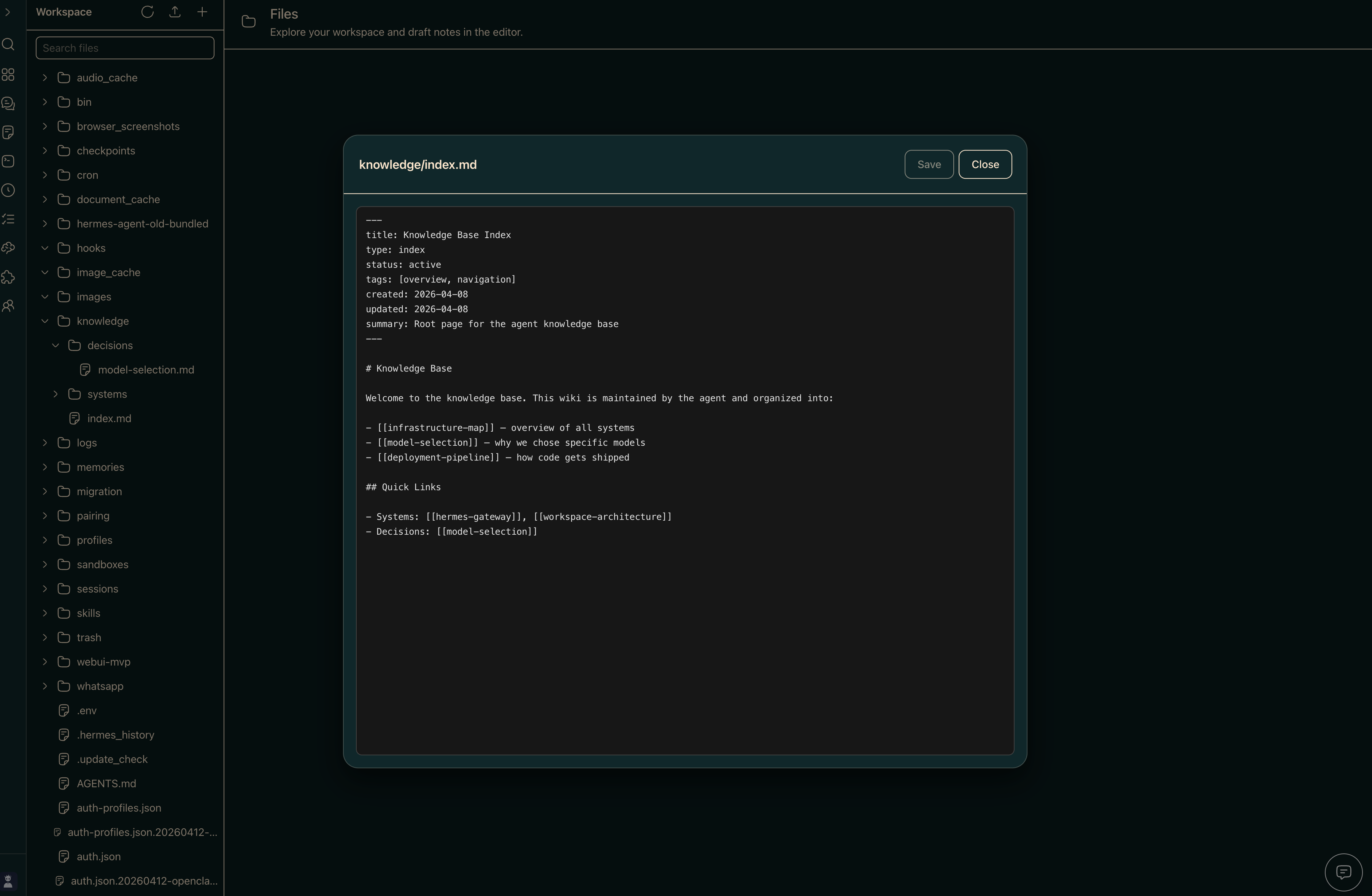 |
| Terminal | Settings |
|---|---|
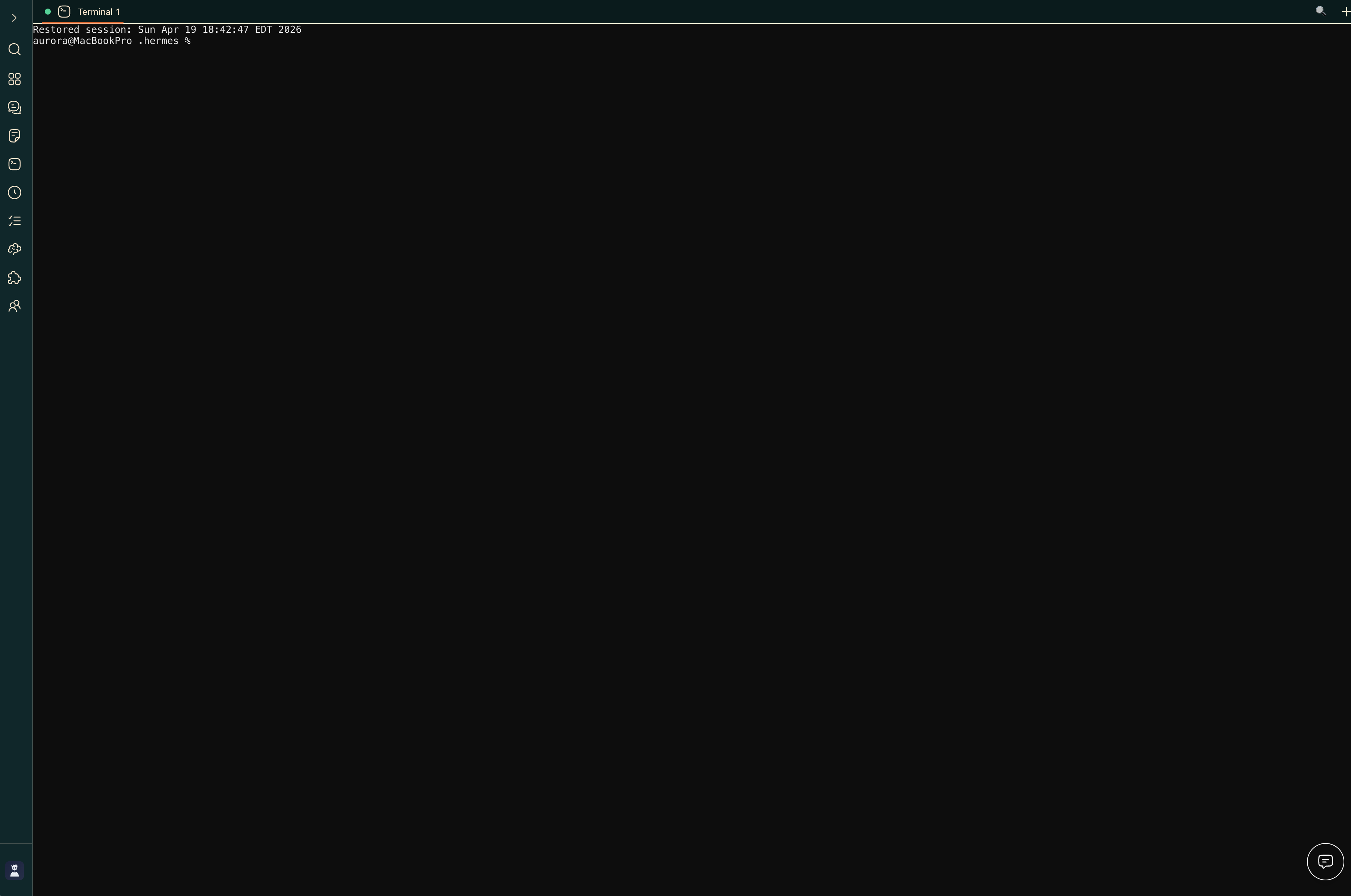 |
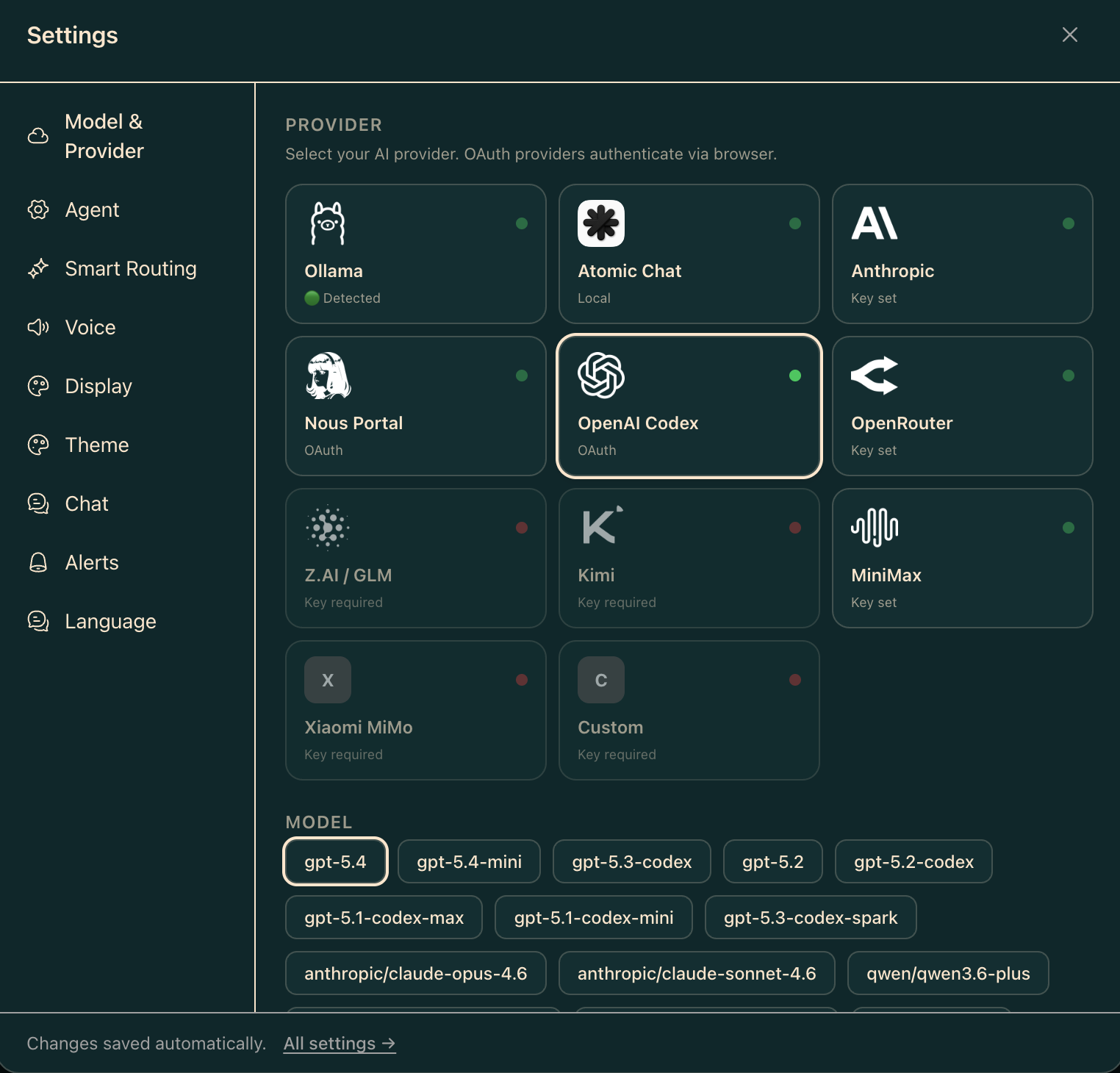 |
| Tasks | Jobs |
|---|---|
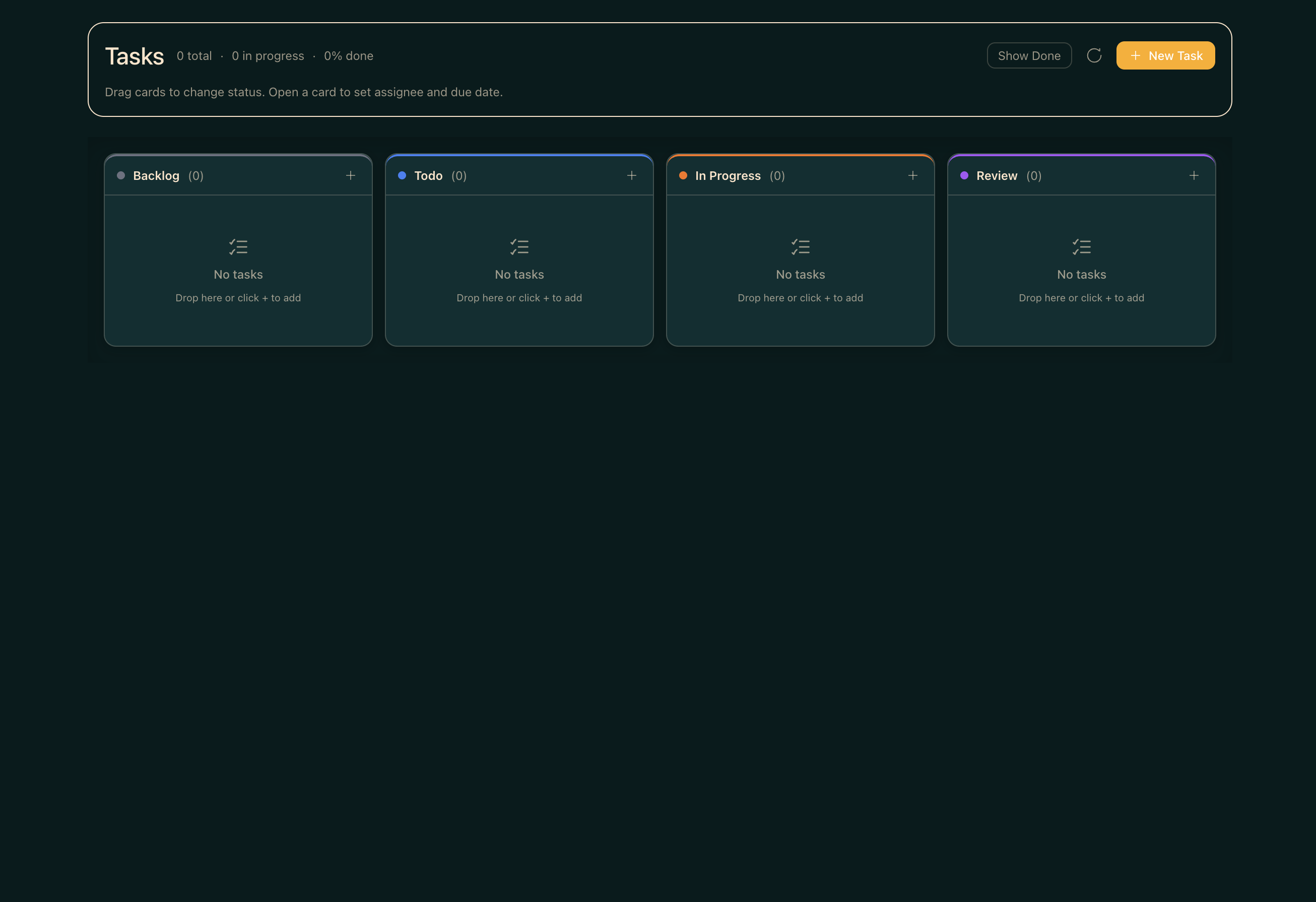 |
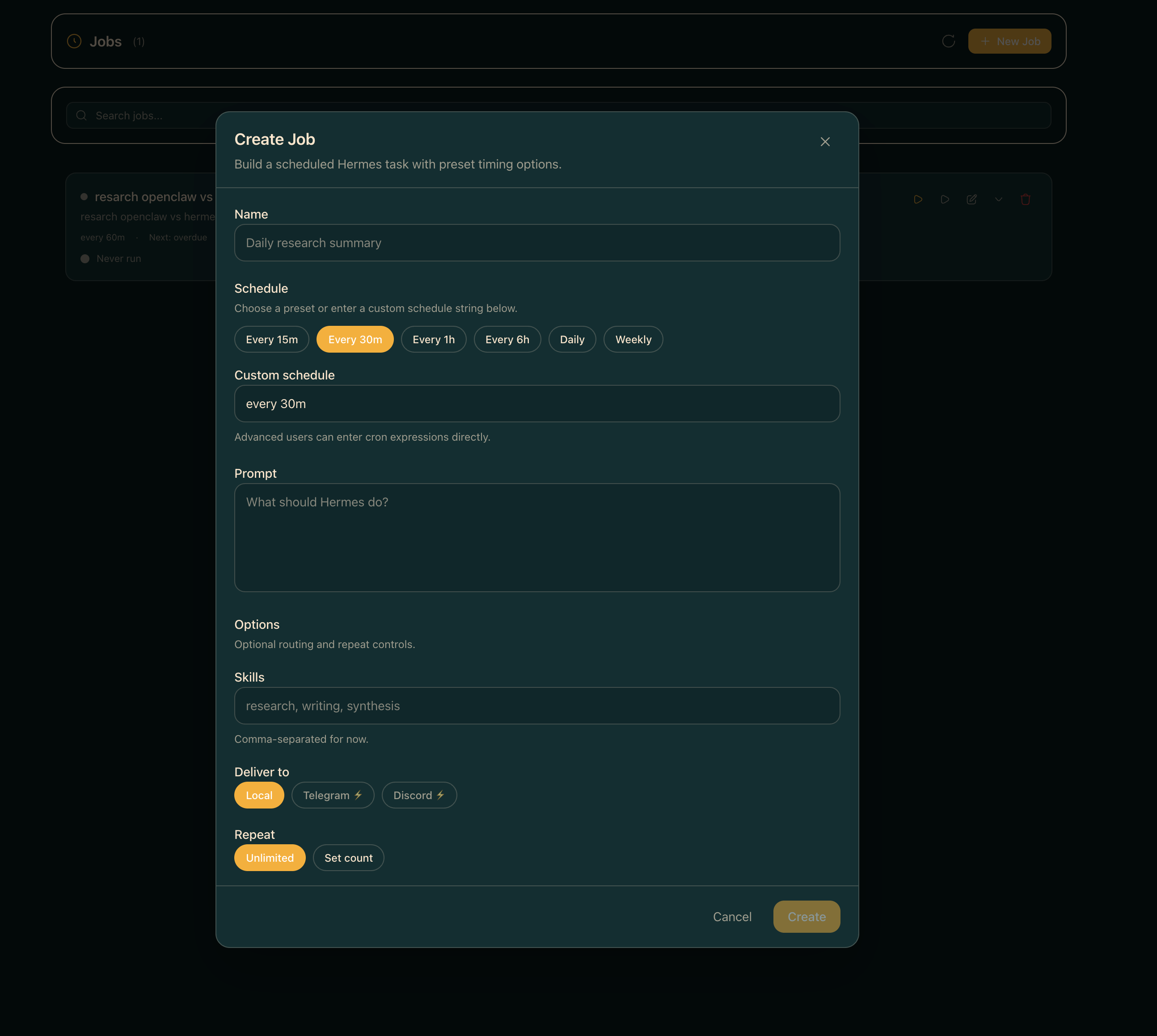 |
🚀 Quick Start
Three paths — pick the one that matches you:
| Path | Best for | Time |
|---|---|---|
| 🐳 Docker Compose | Self-hosters, home labs, "give me a compose gig" | ~2 min |
| 🌐 One-line install | Local dev on macOS/Linux | ~3 min |
🔌 Attach to existing hermes-agent |
You already run Hermes Agent | ~1 min |
One-line install
curl -fsSL https://raw.githubusercontent.com/outsourc-e/hermes-workspace/main/install.sh | bash
This installs hermes-agent via Nous's official installer, clones this repo, sets up .env, and installs dependencies. Then:
hermes gateway run                  # terminal 1
cd ~/hermes-workspace && pnpm dev   # terminal 2
Open http://localhost:3000. That's it.
Already running hermes-agent? Attach the workspace to it
If you already have hermes-agent installed (via Nous's official installer, a source checkout, systemd, Docker, or another existing setup) and it's serving the gateway at http://<host>:8642, you don't need to reinstall anything — just point the workspace at it.
git clone https://github.com/outsourc-e/hermes-workspace.git
cd hermes-workspace
pnpm install
cp .env.example .env

# Point at your existing Hermes Agent services.
echo 'HERMES_API_URL=http://127.0.0.1:8642' >> .env
# Zero-fork installs also need the separate dashboard API for config/sessions/skills/jobs.
echo 'HERMES_DASHBOARD_URL=http://127.0.0.1:9119' >> .env

# If your gateway was started with API_SERVER_KEY (auth enabled), set the same value:
# echo 'HERMES_API_TOKEN=***' >> .env

pnpm dev                            # http://localhost:3000 (override with PORT=4000 pnpm dev)
Requirements on the agent side:
- Gateway bound to an address the workspace can reach (typically
API_SERVER_HOST=0.0.0.0+ the port exposed). API_SERVER_ENABLED=truein~/.hermes/.env(or the agent's env) so the gateway serves core APIs on:8642.hermes dashboardrunning (defaulthttp://127.0.0.1:9119) for zero-fork installs. The dashboard provides config, sessions, skills, and jobs APIs.- If
API_SERVER_KEYis set, the workspace must pass the same value viaHERMES_API_TOKEN— otherwise leave both unset.
Verify both services before opening the workspace:
curl http://127.0.0.1:8642/healthshould return ok.curl http://127.0.0.1:9119/api/statusshould return dashboard metadata.curl http://127.0.0.1:3000/api/sessions(after the workspace boots) should return a sessions payload or an empty list.
If /api/sessions is already returning data, do not start another gateway just because the UI still says Offline — refresh or reprobe the Workspace UI first.
If your default model is gpt-5.4 / openai-codex, make sure Codex CLI auth is live before testing chat:
codex login
Then start the workspace and complete onboarding — it should detect the gateway + dashboard pair and unlock the enhanced panes automatically.
Running on a remote host (Tailscale / VPN / LAN)
If the workspace and its browser live on different machines — e.g. the workspace runs on a Pi/Mac/home server and you access it from your phone over Tailscale — point HERMES_API_URL at the reachable backend address, not 127.0.0.1:
# On the server running the workspace + gateway:
echo 'HERMES_API_URL=http://100.x.y.z:8642' >> .env
echo 'HERMES_DASHBOARD_URL=http://100.x.y.z:9119' >> .env

# Also tell the gateway to listen on all interfaces so Tailscale peers can reach it.
# In ~/.hermes/.env (or wherever the gateway reads config):
echo 'API_SERVER_HOST=0.0.0.0' >> ~/.hermes/.env
Then restart the gateway, dashboard, and workspace. Hit the workspace from the remote device and the connection probe will use the Tailscale IP instead of localhost. Both HERMES_API_URL and HERMES_DASHBOARD_URL must be set to Tailscale/LAN-reachable URLs — setting only one will leave the other probing 127.0.0.1 and failing.
If you've already started the workspace, you can update both URLs from Settings → Connection without restarting. The values are persisted to ~/.hermes/workspace-overrides.json and take effect immediately (gateway capabilities are reprobed on save). Editing .env still works for pre-start config and for CI/containers.
Manual install
Hermes Workspace works with any OpenAI-compatible backend. If your backend also exposes Hermes Agent gateway APIs, enhanced features like sessions, memory, skills, and jobs unlock automatically.
Prerequisites
- Node.js 22+ — nodejs.org
- An OpenAI-compatible backend — local, self-hosted, or remote
- Optional: Python 3.11+ if you want to run a Hermes Agent gateway locally
Step 1: Start your backend
Point Hermes Workspace at any backend that supports:
POST /v1/chat/completionsGET /v1/modelsrecommended
Example Hermes Agent gateway setup (from scratch):
```bash
Install hermes-agent via Nous's official installer
curl -fsSL htt
📈 近 7 天 Star 趋势
🏆 排名变化趋势
📋 历史上榜记录
| 日期 | 榜单 | 排名 | 周期新增 | 总 STAR |
|---|