📄 仓库 README
在 GitHub 查看 ↗PrivateLM

A production-ready, cross-platform AI chat client built with Flutter. It unifies local on-device LLM inference (Android) with cloud API access, giving users full control over how their models run.
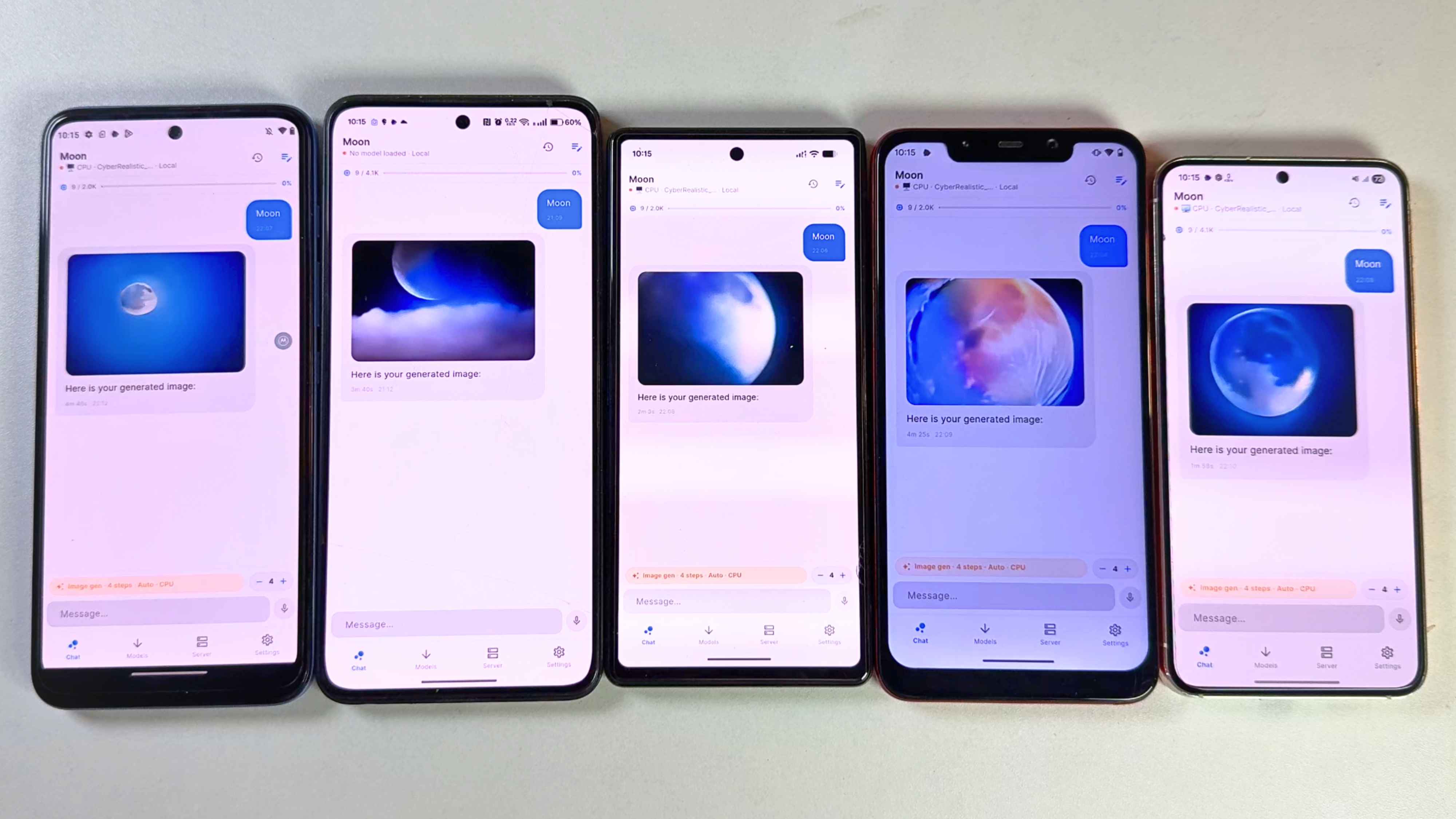 Image generation tested on Moto G71 (Snapdragon), Oneplus 10r (Mediatek), Pixel 6A (Tensor), Poco F1 (Snapdragon), Samsung s23 (Snapdragon) 4 steps fast
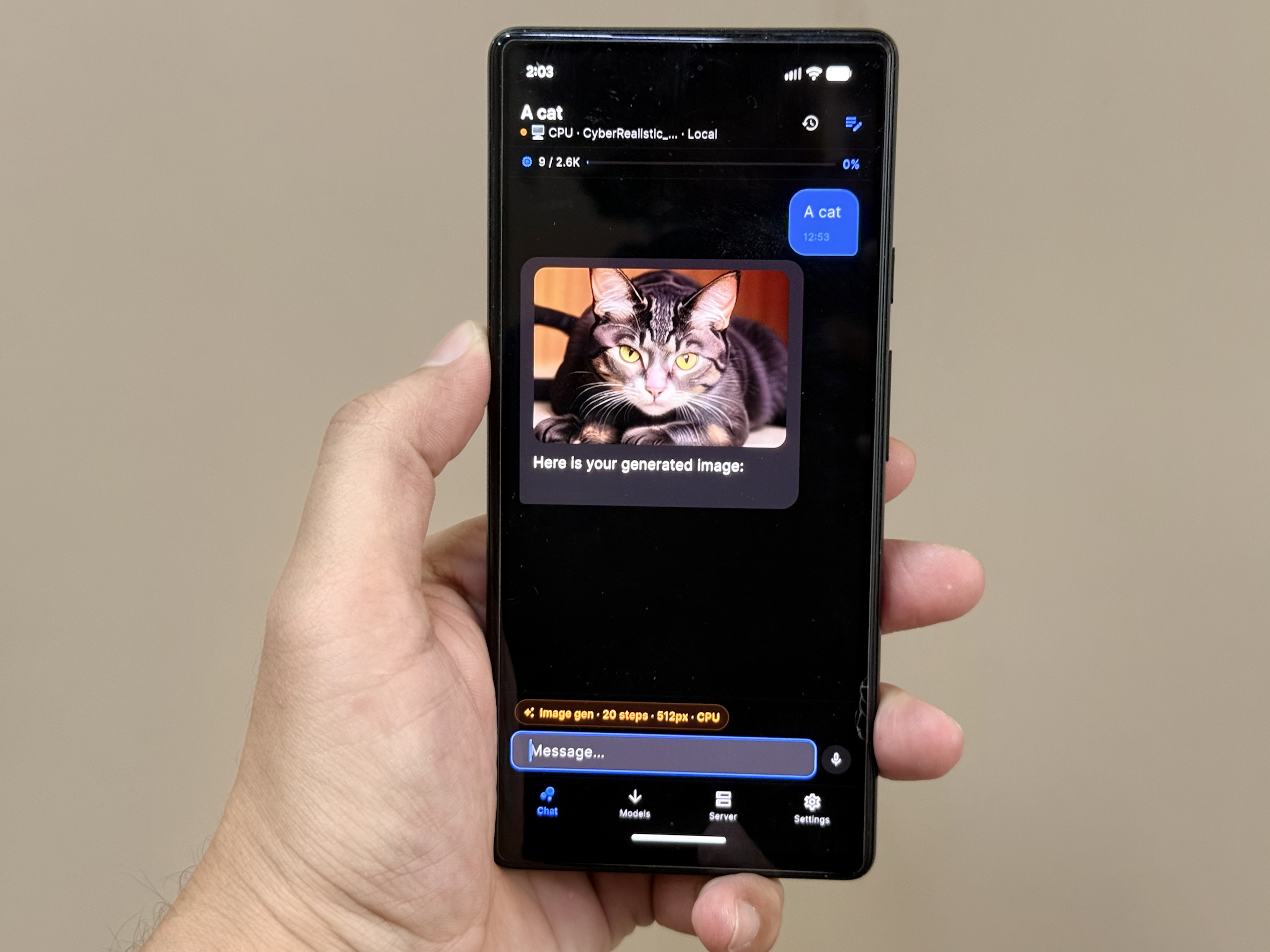 Generated on pixel 6 with 20 step
What It Does
- Local Inference on Android — Download and run GGUF models directly on your phone using GPU-accelerated inference (Vulkan). No internet required after download.
- Cloud API Fallback — Seamlessly switch to OpenAI, Anthropic, Google Gemini, or Kimi (Moonshot AI) when you need more power or are on unsupported platforms.
- Multimodal Chat — Send text and images in conversations. Vision support works with both local models (Qwen2-VL) and cloud providers.
- Persistent Sessions — All chats and settings are stored locally via Hive. Nothing leaves your device unless you explicitly choose cloud mode.
- Background Services — Firebase Cloud Messaging integration for push updates and background task handling.
- Smart Auto-Configuration — On first launch, the app detects your device's RAM and recommends optimal context size and token limits automatically.
- Task Management (in development) — A task view for structured, multi-step AI workflows is being built. It is not available in the app yet.
Technical Architecture
Stack
- Framework: Flutter 3.x (Dart >=3.3.0)
- State Management: GetX
- Local Storage: Hive
- Networking: Dio +
package:http - Background Execution:
flutter_background_service+flutter_local_notifications - Push Notifications: Firebase Core + Firebase Messaging
Inference Pipeline
┌─────────────────────────────────────────────────────────────┐
│                        UI Layer                              │
│   ChatView / ModelView / ServerView / SettingsView          │
└──────────────────────────┬──────────────────────────────────┘
                           │
┌──────────────────────────▼──────────────────────────────────┐
│                    Controllers (GetX)                        │
│   ChatController · TaskController · ModelController         │
│   SettingsController · HomeController                       │
└──────────────────────────┬──────────────────────────────────┘
                           │
┌──────────────────────────▼──────────────────────────────────┐
│                      Services                                │
│  ┌─────────────────┐  ┌─────────────────┐  ┌─────────────┐ │
│  │ InferenceService│  │  CloudService   │  │DownloadSvc  │ │
│  │  (local GGUF)   │  │ (OpenAI/Claude/ │  │ (model dl)  │ │
│  │                 │  │  Gemini/Kimi)   │  │             │ │
│  └─────────────────┘  └─────────────────┘  └─────────────┘ │
│  ┌─────────────────┐  ┌─────────────────┐  ┌─────────────┐ │
│  │  HiveService    │  │ DeviceInfoSvc   │  │ExecutionSvc │ │
│  │  ( persistence) │  │  (RAM/GPU tier) │  │ (bg tasks)  │ │
│  └─────────────────┘  └─────────────────┘  └─────────────┘ │
└─────────────────────────────────────────────────────────────┘
Local Inference (Android)
The app uses llama_flutter_android, a custom Flutter plugin wrapping llama.cpp for ARM64 devices. At runtime it:
- Detects GPU capabilities via Vulkan to determine offload layers.
- Selects thread count based on device tier (ultra / high / mid / low).
- Loads the GGUF model with progress streaming.
- Generates tokens via
generateChat()with native chat-template support (ChatML, Llama-3, Gemma, Phi). - Falls back to manual prompt construction if native templates fail.
Idle detection (5s) and hard timeouts (180s) keep the UX responsive even on underpowered hardware.
Cloud Inference
CloudService normalizes four different API shapes into a single interface:
- OpenAI — standard
/v1/chat/completions - Anthropic — Messages API with separate system param
- Google Gemini —
generateContentwith inline image base64 - Kimi — OpenAI-compatible endpoint from Moonshot AI
API keys are stored in Hive and never transmitted anywhere except to the provider's endpoint.
Cross-Platform Abstraction
Local inference is conditionally compiled:
- Android →
inference_android.dart(full llama.cpp engine) - Web →
inference_stub.dart(cloud-only, local coming soon) - iOS →
inference_android.dart(full llama.cpp engine via Metal GPU)
The InferenceService exposes supportsLocalInference so the UI can hide local-model UI on unsupported platforms.
Supported Platforms
| Platform | Local Inference | Cloud APIs | Notes |
|---|---|---|---|
| Android | ✅ Yes | ✅ Yes | CPU offload via NEON; minSdk 28 |
| iOS | ✅ Yes | ✅ Yes | Metal GPU acceleration |
| Web | ❌ No | ✅ Yes | Cloud-only (local coming soon) |
iOS / iPad (Installation via AltServer)
The iOS/iPad release is distributed as a sideloadable IPA file. Due to the RAM requirements for local models, iPad is the recommended iOS target, but it can be installed on iPhones.
Here is how you can install the app using AltStore and AltServer:
Prerequisites: * Ensure AltServer is installed and running on your Mac or Windows PC. * Your iOS device must be connected to the same Wi-Fi network as your computer, or connected directly via a USB cable. * You must have AltStore successfully installed on your iOS device.
Installation Steps:
1. Download the IPA: Go to the Releases page on your iOS device (using Safari) and download the latest PrivateLM-iOS.zip package, extract it to get the .ipa file.
2. Open in AltStore:
* Locate the extracted .ipa file in your device's "Files" app.
* Tap the Share button and select AltStore from the list of apps.
* Alternatively, you can open the AltStore app, go to the My Apps tab, tap the "+" (plus) icon in the top-left corner, and select the downloaded IPA file.
3. Install: AltStore will begin installing the app. You may be prompted to enter your Apple ID credentials if this is your first time.
4. Enable Developer Mode: On iOS 16 and later, ensure "Developer Mode" is enabled in your device's Settings (Settings > Privacy & Security > Developer Mode) to launch the sideloaded app.
5. Launch: Once installation is finished, PrivateLM will appear in the My Apps tab in AltStore and on your device's home screen!
Note: Sideloaded apps via AltStore expire after 7 days, but AltStore will attempt to automatically refresh them in the background when connected to the same Wi-Fi as your computer running AltServer.
Build Configuration
Prerequisites
- Flutter SDK >=3.3.0
- Android SDK (API 26+)
- JDK 17
- NDK (bundled with Android SDK)
Android
flutter pub get
flutter build apk --debug
Release APKs require a stable signing key. Copy
android/key.properties.example to android/key.properties, fill in the
keystore values, and keep both the key and its backup. Android accepts an APK
upgrade only when it is signed with the same key as the installed APK.
cp android/key.properties.example android/key.properties
flutter build apk --release --split-per-abi
Never rotate the signing key between GitHub releases. The per-ABI APKs must
also keep increasing the build number in pubspec.yaml.
iOS
flutter pub get
cd ios
pod install
flutter build ios
Web
flutter pub get
flutter build web --release
License
MIT — see LICENSE for details.
📈 近 7 天 Star 趋势
🏆 排名变化趋势
📋 历史上榜记录
| 日期 | 榜单 | 排名 | 周期新增 | 总 STAR |
|---|