📄 仓库 README
在 GitHub 查看 ↗
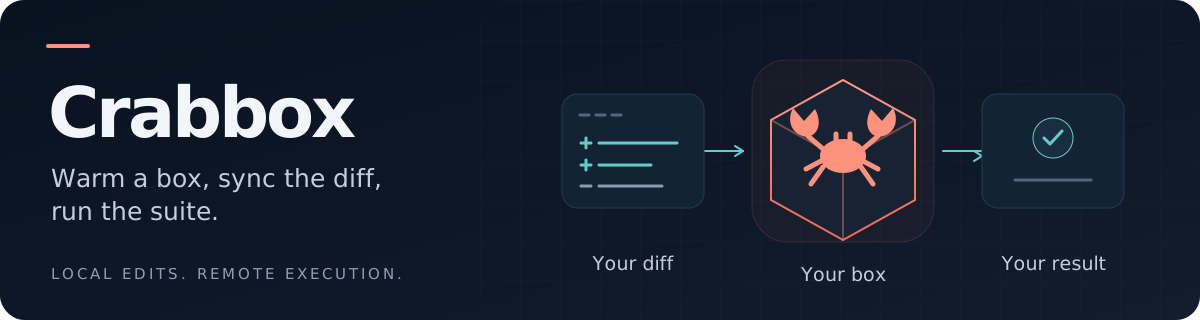
On-demand computers for coding agents.
Crabbox gives agents and humans a computer to run tests, builds, and UI checks while they keep editing locally. Choose a cloud box, a local VM or container, or a machine you already own.


Quick start · Commands · Any OS · Desktop and browser · Providers · Install · Docs
With your provider and project dependencies configured:
crabbox run -- pnpm test
- Lease a box and sync your working tree, including uncommitted changes.
- Run
pnpm testthere and stream the output back to your terminal. - Return the command's exit code and release the one-shot box.
Why Crabbox?
- More agents, less contention. Give concurrent work separate cloud boxes instead of making every test suite compete for your laptop's CPU, RAM, and ports.
- A faster edit–test loop. Keep prepared boxes warm, reuse installed dependencies, and sync changes without committing or pushing first.
- Test across operating systems. Target Linux, macOS, native Windows, or WSL2 from the same CLI. Choose the provider and image for the job.
- See and drive the result. Open a desktop with VNC or WebVNC, run a browser, edit through browser VS Code, and inspect runs in the coordinator portal.
- Share capacity with a team. The optional coordinator keeps cloud credentials centrally, tracks usage, enforces spend caps, and expires stale leases.
Capabilities vary by provider. Crabbox supplies computers and execution evidence; your agent or harness decides what to run and what the result means.
Quick start
1. Try a local box
Install Crabbox, start Docker or Podman, and enter a Git repository you trust. No cloud account or coordinator login is needed:
crabbox doctor --provider local-container
crabbox run --provider local-container -- uname -a
You should see Linux kernel information, followed by cleanup of the one-shot container. First startup includes an image pull and bootstrap. The default box has Crabbox's sync/run prerequisites; supply your project's runtime and dependencies.
2. Run a project's tests
For a Node.js repository with a package-lock.json and an npm test script:
crabbox run --provider local-container \
  --local-container-image node:22-bookworm \
  --shell 'npm ci && npm test'
Choose an image compatible with your project. For remote boxes, use a prepared image, repository setup scripts, or Actions hydration. Dependency and build directories are excluded from normal workspace sync.
3. Reuse a box while you iterate
crabbox warmup --provider local-container --slug dev-box
crabbox run --provider local-container --id dev-box -- uname -a
# Edit locally, then run again with the same --id.
# Open a shell, or release the box when finished.
crabbox connect --provider local-container --id dev-box
crabbox stop --provider local-container dev-box
Replace uname -a with your test command once the box is prepared. warmup
keeps a reusable lease; prewarm also performs Actions hydration. Use the
printed cbx_... ID or friendly slug to select it. Each agent can keep its own
lease and working directory.
Already have a team coordinator?
Use your team's URL in place of this example:
crabbox login --url https://broker.example.com
crabbox doctor
crabbox run -- pnpm test
The repository must select a provider and prepare its remote runtime and dependencies. For your own cloud account, follow a provider guide and skip coordinator login. Cloud capacity is billed by the provider; choose machine sizes deliberately.
Getting started · Local Container
Everyday commands
| Command | What it does |
|---|---|
crabbox doctor |
Check prerequisites, configuration, and provider reachability. |
crabbox providers --json |
Discover providers, targets, and capabilities. |
crabbox run -- <cmd> |
Lease, sync, run, stream output, and release. |
crabbox run --shell '<script>' |
Run a multi-step shell command. |
crabbox warmup / crabbox prewarm |
Keep a box ready; prewarm also hydrates from Actions. |
crabbox run --id <box> -- <cmd> |
Sync changes and run on an existing box. |
crabbox connect --id <box> |
Open an interactive shell. |
crabbox ssh --id <box> |
Print the SSH command for your own tools. |
crabbox job run <name> |
Run a named workflow from repository configuration. |
crabbox list / crabbox stop <box> |
List active boxes or release one. |
Use --script <file> for longer scripts. The execution and lease commands above
(run, warmup, prewarm, connect, ssh, list, and stop) and
doctor accept --provider <name> to override your configured provider.
Named jobs select their provider in repository configuration. --provider
is a command-specific flag, not a global flag. The providers catalog
does not accept --provider; use crabbox providers describe aws to inspect
one provider. See Commands and the
CLI reference for details.
Any OS
Run platform-specific tests without moving your local checkout. These are execution targets, not just operating systems that can install the CLI:
| Target | Providers |
|---|---|
| Linux | Cloud VMs, local containers, self-hosted VMs, and delegated sandboxes; see the complete list. |
| macOS | anthropic-sandbox-runtime, aws, external, lume, parallels, ssh, tart. |
| Native Windows | aws, azure, external, hyperv, mxc, parallels, ssh, windows-sandbox. |
| WSL2 | aws, azure, external, parallels, ssh. |
The catalog reports supported targets; you still need the provider's credentials, hosts, images, and guest setup. For example, macOS VMs need prepared Mac hosts or images, and AWS macOS uses Dedicated Hosts. WSL2 is a Linux execution environment inside Windows; desktop/VNC needs native Windows mode instead. The catalog also lists CUA for Linux, macOS, and Windows, but its Crabbox adapter currently supports inspection only.
crabbox providers --target macos
crabbox providers --target windows/normal
crabbox providers --target windows/wsl2
Select the OS with --target linux|macos|windows and Windows execution with
--windows-mode normal|wsl2. See the provider matrix
for the exact target and capability combinations.
Desktop, browser and portals
Keep a visible session when a test needs a browser, a desktop, or a human handoff. For a configured coordinator-backed Linux provider with these capabilities (such as AWS, Azure, or Hetzner):
crabbox warmup --class tiny --desktop --browser --code --slug ui-box
crabbox webvnc --id ui-box --open --take-control
Keep the WebVNC process running while viewing. From another terminal, you can open the browser editor or capture the desktop:
crabbox code --id ui-box --open
crabbox screenshot --id ui-box --output desktop.png
# Release the lease when finished.
crabbox stop ui-box
| Surface | What you can do |
|---|---|
| Native VNC | crabbox vnc --id <box> --open tunnels to the desktop through SSH. Managed VNC stays on the runner's loopback interface. |
| WebVNC | View a desktop in the browser, observe a shared session, or take control. Coordinator sessions use an authenticated portal; direct providers can use a local viewer or a registered portal bridge. |
| Browser capability | Request --browser for an installed browser and BROWSER / CHROME_BIN environment variables. Add --desktop for a visible session. Browser login state is yours to manage. |
| Desktop automation | Launch apps, take screenshots, cl |
📈 近 7 天 Star 趋势
🏆 排名变化趋势
📋 历史上榜记录
| 日期 | 榜单 | 排名 | 周期新增 | 总 STAR |
|---|