📄 仓库 README
在 GitHub 查看 ↗Tiny11 Builder
Build a smaller Windows 11 installer. Choose what stays.
Start with an official Microsoft image or your own ISO, choose the apps and features you want, and create your installer in a native Windows app. Your original source media is left unchanged.
Download for Windows · What's new in 0.2.0 · Watch the 0.2.0 demo · Get help or report a problem
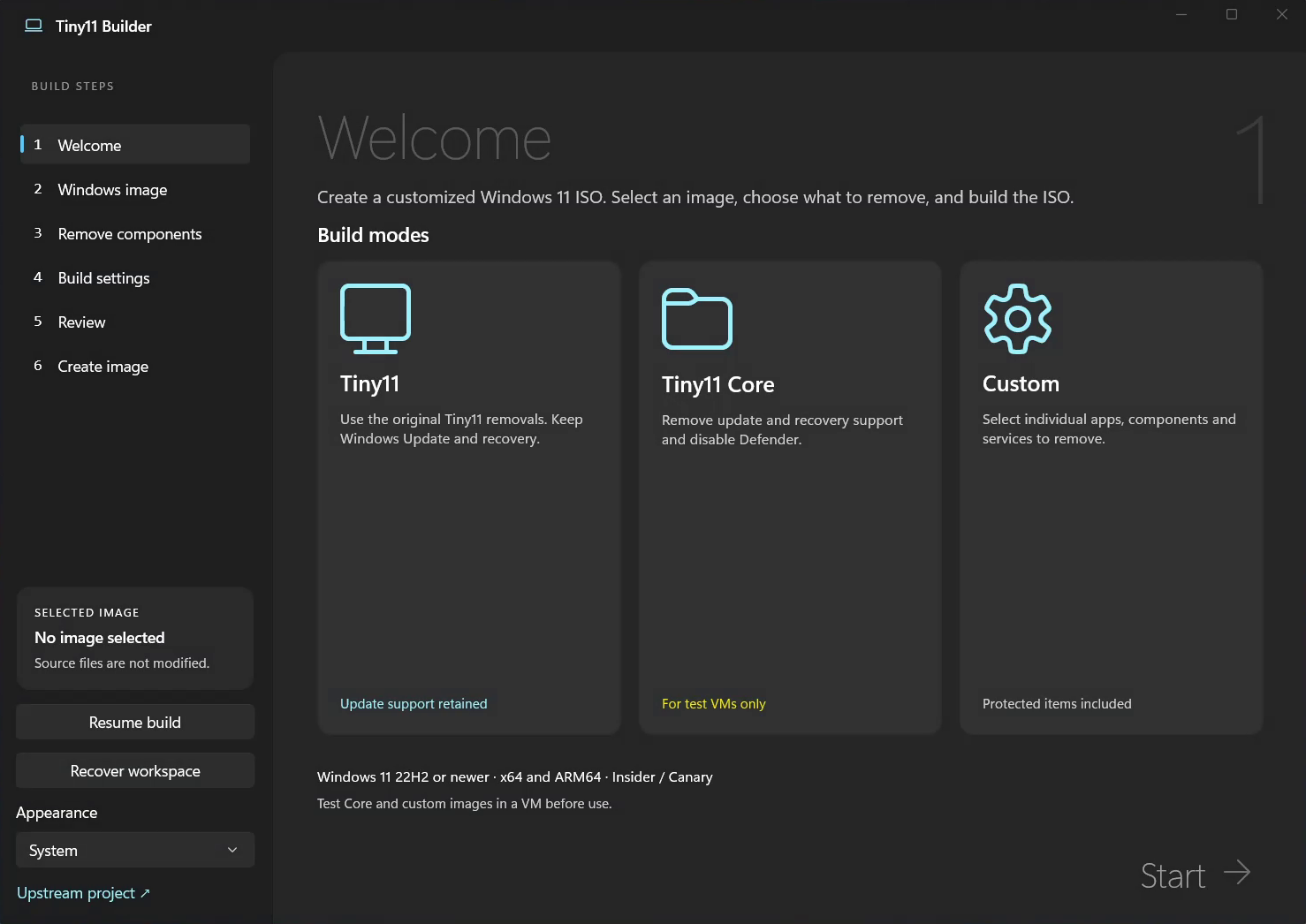
Get started
- Download and extract the whole ZIP. Choose x64 for Intel/AMD PCs or ARM64 for Windows on ARM.
- Open
Tiny11Builder.exe. Approve the administrator prompt. - Choose your Windows image and what to keep. Download an official image in the app or select your own, review your choices, then build your ISO.
The app includes its .NET runtime. For image-tool requirements and a full walkthrough, see the usage guide.
Pick a starting point
| Choose | When it fits |
|---|---|
| Tiny11 | A leaner image that keeps Windows Update, Defender and recovery. |
| Custom | Choose removals yourself, or load a recipe and adjust it to your needs. |
| Tiny11 Core | Disposable test VMs. Removes update and recovery support and disables Defender. |
Try your image in a virtual machine first. Core cannot be updated or serviced. Advanced Custom removals can break Windows, apps or devices.
More control in 0.2.0
- Reuse a setup you like. Load a recipe, review its selected removals, and adapt it to another Windows image.
- Know what will change. Browse the Tiny11 and Core removal plans, or export a complete list of components for a closer look.
- Bring updates along. Add local Windows update packages before building, in the order your image needs.
- Use your language. English and Simplified Chinese are included. Additional languages can use translation files.
- Go further with Custom. Fine-tune individual removals and create a smaller installer from your own Windows image.
Turbo mode speeds up processing. Interrupted builds can resume once a saved image checkpoint is available.
Read the full 0.2.0 release notes
Watch what's new
A look inside
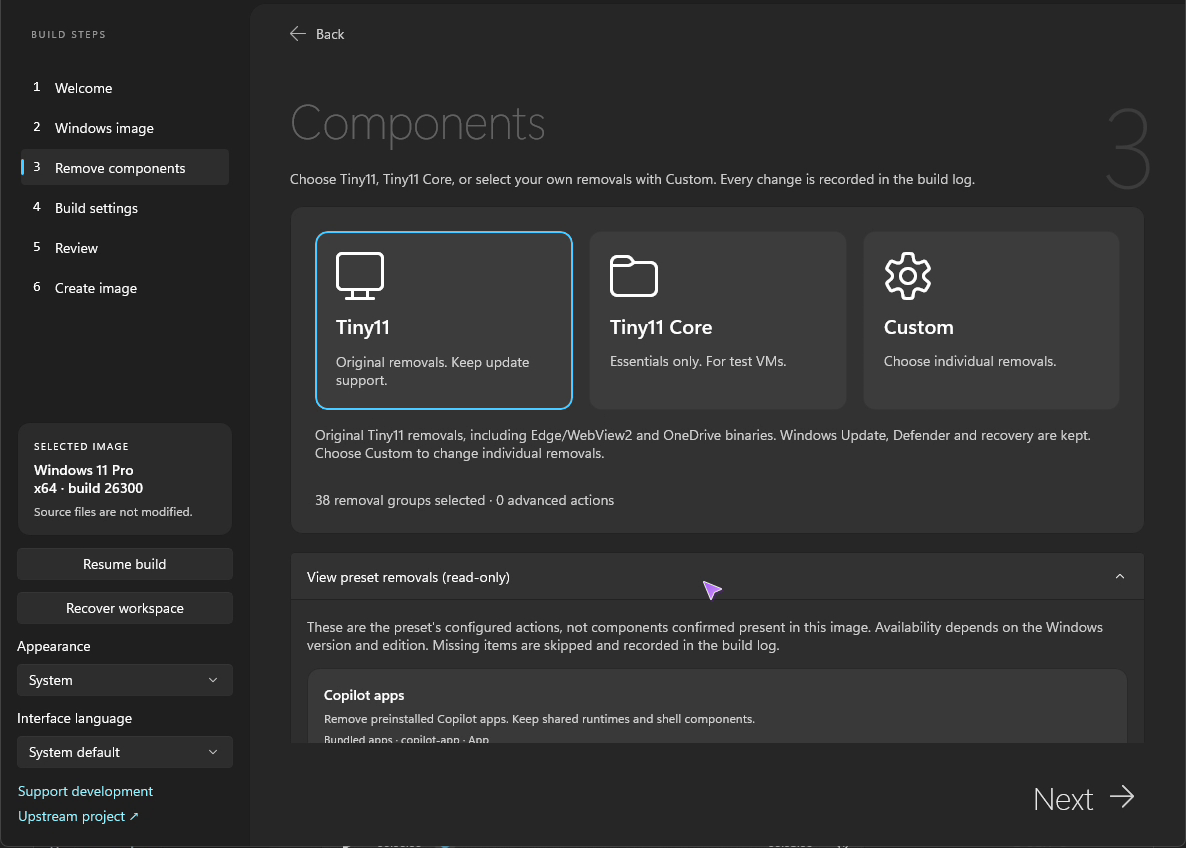
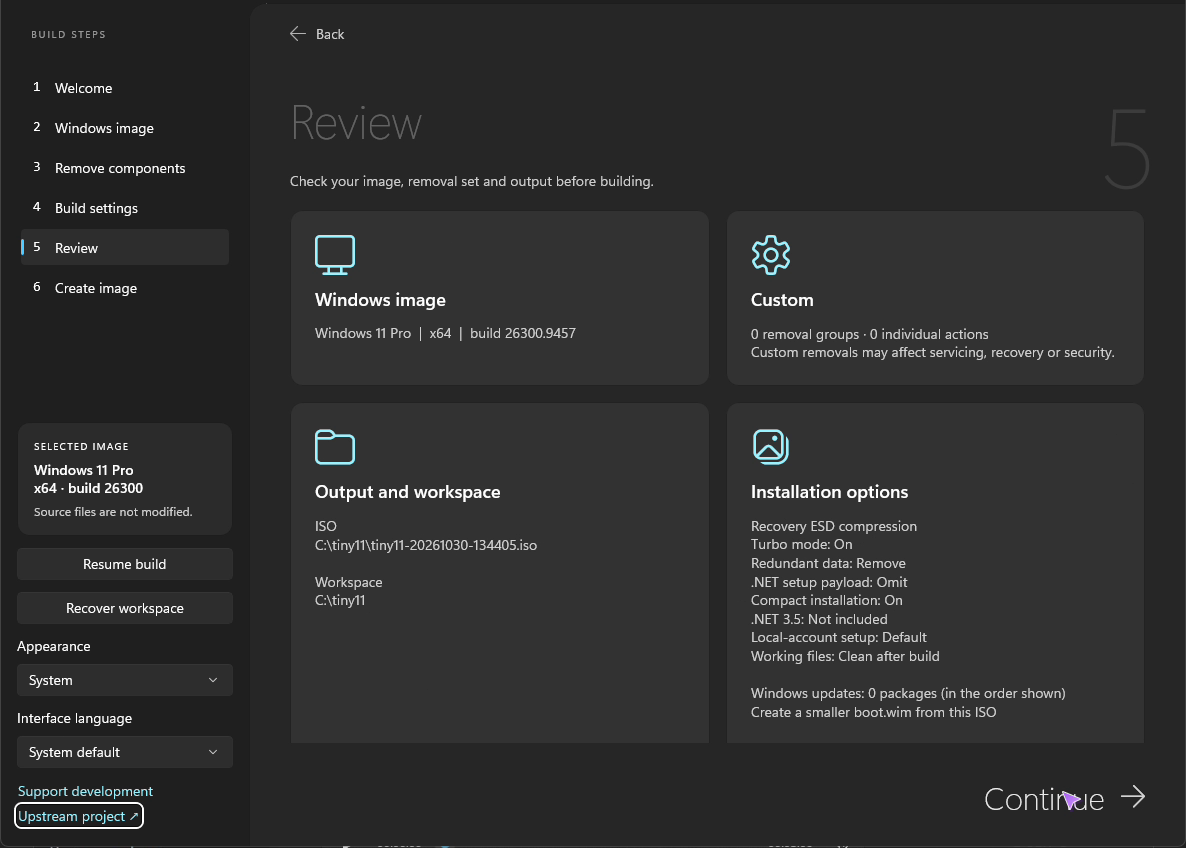
| See what a preset removes | Check your build before starting |
|---|---|
 |
 |
Compatibility and advanced use
Windows 11 images from 22H2 onward are supported. Insider and Canary builds need compatible Microsoft image tools; Windows Server is not supported. See requirements and compatibility before choosing a source.
Looking for deeper customization or a very small image?
Custom includes individual app, component, service, file, driver and font removals, plus optional installer cleanup. The bundled [extreme recipe](https://github.com/ntdevlabs/tiny11builder/blob/HEAD/recipes/cd700-custom.json) is a starting point for experimenting with much smaller images, not another build mode. CD size is an optional target, not a guarantee for every Windows image. Test the result in an isolated virtual machine. See the [usage guide](https://github.com/ntdevlabs/tiny11builder/blob/HEAD/docs/usage.md) for the controls and their tradeoffs.Help keep the next update coming
Tiny11 Builder grows through testing and feedback from people using it. If it saves you time, a contribution helps fund development, testing across Windows releases, and fixes for real-world problems.
Sponsor monthly · Send a one-time thanks
You can also use Patreon or PayPal.
Every feature is free, whether you donate or not. Clear bug reports, testing in a VM, and sharing the demo help too.
Usage and build instructions · Translation guide · Attribution and distribution notices
The original PowerShell builders remain in this repository.
📈 近 7 天 Star 趋势
🏆 排名变化趋势
📋 历史上榜记录
| 日期 | 榜单 | 排名 | 周期新增 | 总 STAR |
|---|