📄 仓库 README
在 GitHub 查看 ↗📊 See the token dashboard in action
 |
 |
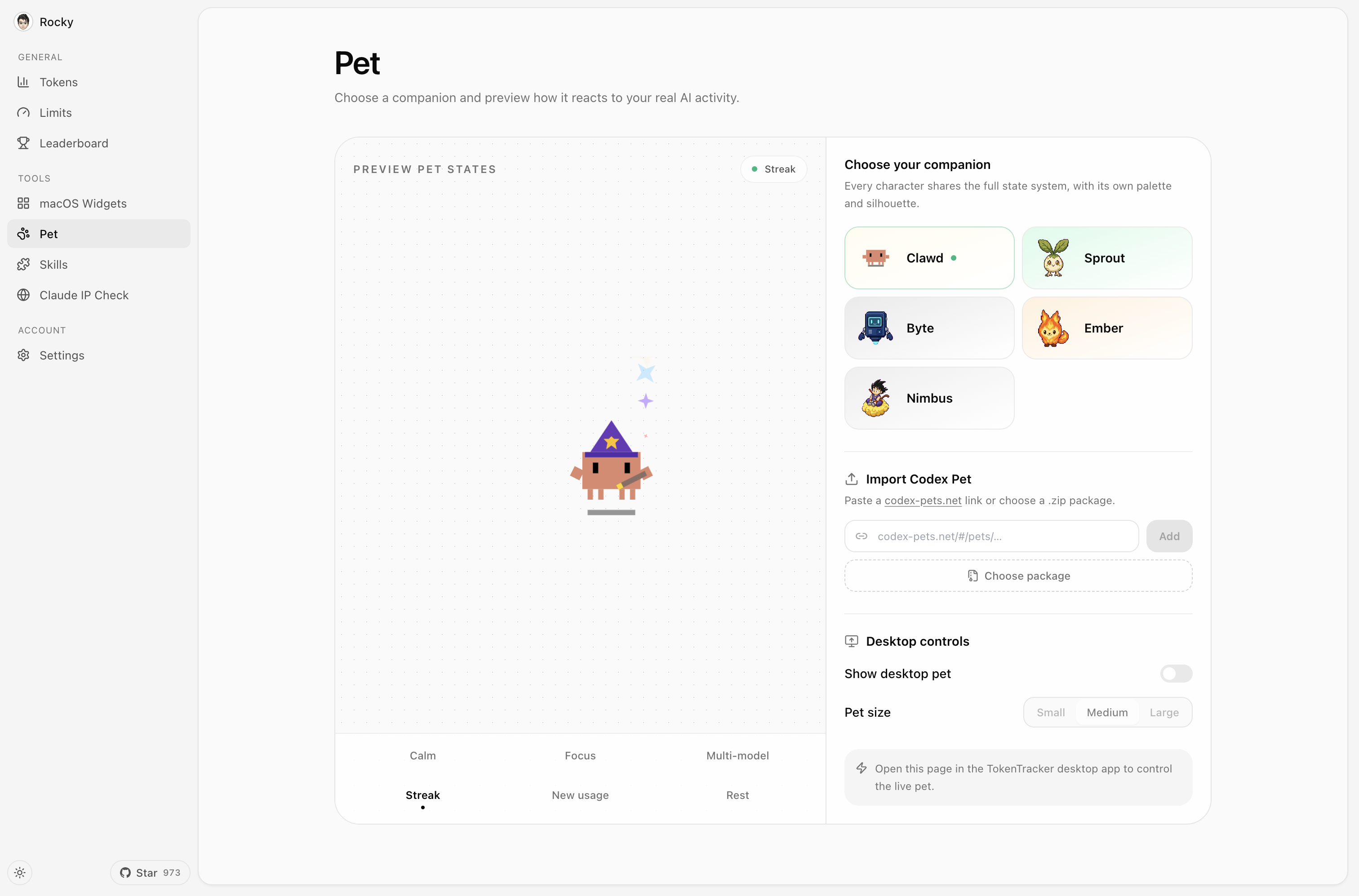
| 🐾 A living desktop companion Codes, celebrates streaks, follows your cursor, and rests when you do. |
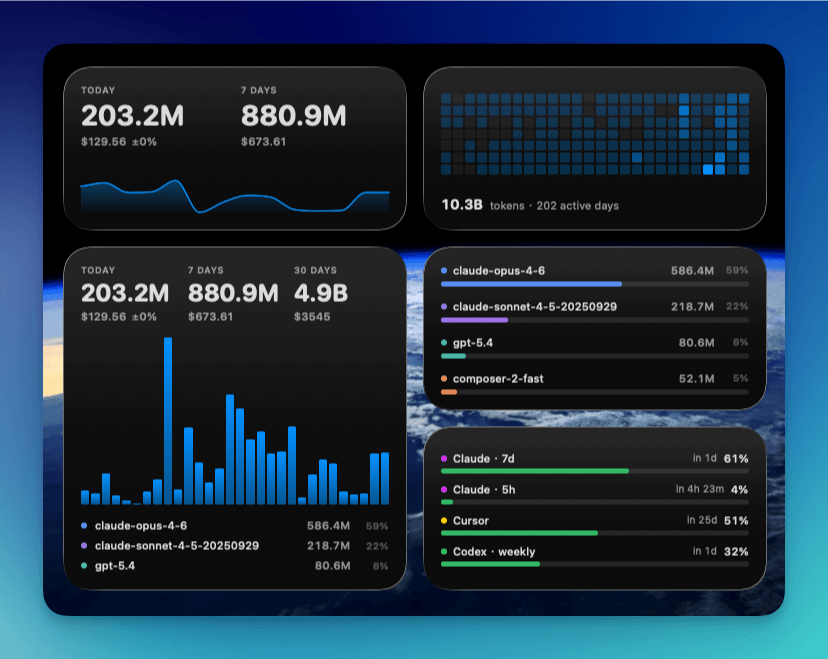
🧩 Four native widgets Usage, activity heatmap, top models, and rate limits at a glance. |




🎬 Meet TokenTracker
⭐ **If TokenTracker saves you time, please [star it on GitHub](https://github.com/xiufengsun/TokenTracker) — it helps other developers find it.**
[](https://ko-fi.com/M4M11XSNWD)
This project is tested with BrowserStack.
⚡ Quick Start
Requirements: Node.js 20+ (CLI runs on macOS / Linux / Windows; native desktop app ships for macOS (menu bar), Windows (system tray) and Linux (AppImage, tray). Cursor token reading uses the system
sqlite3CLI when available and falls back tonode:sqliteon supported Node releases).
npx tokentracker-cli
That's it. First run installs hooks, syncs your data, and opens the dashboard at http://localhost:7680.
What you get in 30 seconds:
- 📊 A local dashboard at localhost:7680 with usage trends, model breakdown, cost analysis
- 🔌 Auto-detected hooks for every supported AI tool you have installed
- 🏠 Local-first — parses logs on your machine; no account or API keys required
- 🧩 Optional: a Skills tab that browses 250+ public skills and syncs them across Claude · Codex · Grok · Antigravity · Gemini · OpenCode · Hermes
Want a native desktop app? - macOS — Download
TokenTrackerBar.dmg→ drag to Applications. Menu bar status icon, desktop widgets, and the dashboard in a WKWebView. - Windows — DownloadTokenTracker-Setup.exe→ run the per-user installer (no admin needed). System-tray app with the dashboard in WebView2. Portable zip also on the releases page. - Linux — DownloadTokenTracker-linux-x86_64.AppImage→chmod +xand run. Tray app with the dashboard in a WebKitGTK window. It carries its own GTK/WebKit, so it needs nothing from your distro beyond a current glibc; on GNOME the tray icon still needs the AppIndicator extension..deband.rpmpackages are also on the releases page — those link the distro'swebkit2gtk-4.1,gtk3and appindicator instead, so the.debwill not install on Debian 12 (use the AppImage there).
Install globally for shorter commands:
npm i -g tokentracker-cli

tokentracker              # Open the dashboard
tokentracker sync         # Manual sync
tokentracker status       # Check hook status
tokentracker status --json     # Machine-readable summary (pipe to jq, ingest from AI agents)
tokentracker status --light    # Plain ASCII table (CI / SSH, no spinner)
tokentracker doctor       # Health check
🍺 Homebrew (macOS)
Prefer brew? Install directly — no extra tap step needed:
# macOS menu bar app (DMG)
brew install --cask xiufengsun/tokentracker/tokentracker

# CLI only
brew install xiufengsun/tokentracker/tokentracker
Upgrade with brew upgrade --cask xiufengsun/tokentracker/tokentracker. The tap auto-bumps within an hour of every new release.
🐧 Linux (AppImage, .deb, .rpm)
Every release ships all three. One self-contained file, no package manager:
chmod +x TokenTracker-linux-x86_64.AppImage
./TokenTracker-linux-x86_64.AppImage
Or install through your package manager:
sudo apt install ./TokenTracker-linux-x86_64.deb    # Debian / Ubuntu
sudo dnf install ./TokenTracker-linux-x86_64.rpm    # Fedora / RHEL
Debian 12: the
.debdepends onlibappindicator3-1, which bookworm dropped in favour oflibayatana-appindicator3-1, soaptrefuses it. Use the AppImage.
All three bundle their own Node runtime and the dashboard. The AppImage additionally carries GTK3, WebKitGTK and appindicator, which is why it is ~120MB and installs nowhere; the .deb and .rpm link the distro's webkit2gtk-4.1, gtk3 and appindicator instead, at ~55MB. Tested on Arch + KDE Plasma; on GNOME the tray icon requires the AppIndicator extension, and clicking the tray icon opens the menu rather than the window (a libayatana-appindicator limitation).
An Arch PKGBUILD for a local pacman install lives in TokenTrackerLinux/packaging/arch/tokentracker-linux — see TokenTrackerLinux/README.md. It is not published to the AUR.
✨ Features
- 🔌 47 AI tools out of the box — Claude Code, Codex CLI, AStudio, Cursor, Gemini CLI, Antigravity, Kiro, OpenCode, OpenSquilla, OpenClaw, Every Code, Hermes Agent, GitHub Copilot, Kimi Code, CodeBuddy, WorkBuddy, WorkBuddy AI, Grok Build, oh-my-pi, OmO, pi, Dots, Prime Agent, Craft Agents, Reasonix, Muse Code, Kilo CLI, Kilo Code, Roo Code, Zed Agent, Goose, Droid, Mimo Code, DuMate, ZCode, Qoder, AnythingLLM Desktop, Claude Science, DeepSeek Harness, TRAE Work CN, LM Studio, Unsloth Studio, Devin CLI, Cline, MiniMax Code, Command Code, TRAE
- 🏠 Local-first — Runs on your machine. Parses logs locally with no account or API keys needed.
- 🚀 Zero config — Hooks auto-install on first run. From zero to dashboard in 30 seconds.
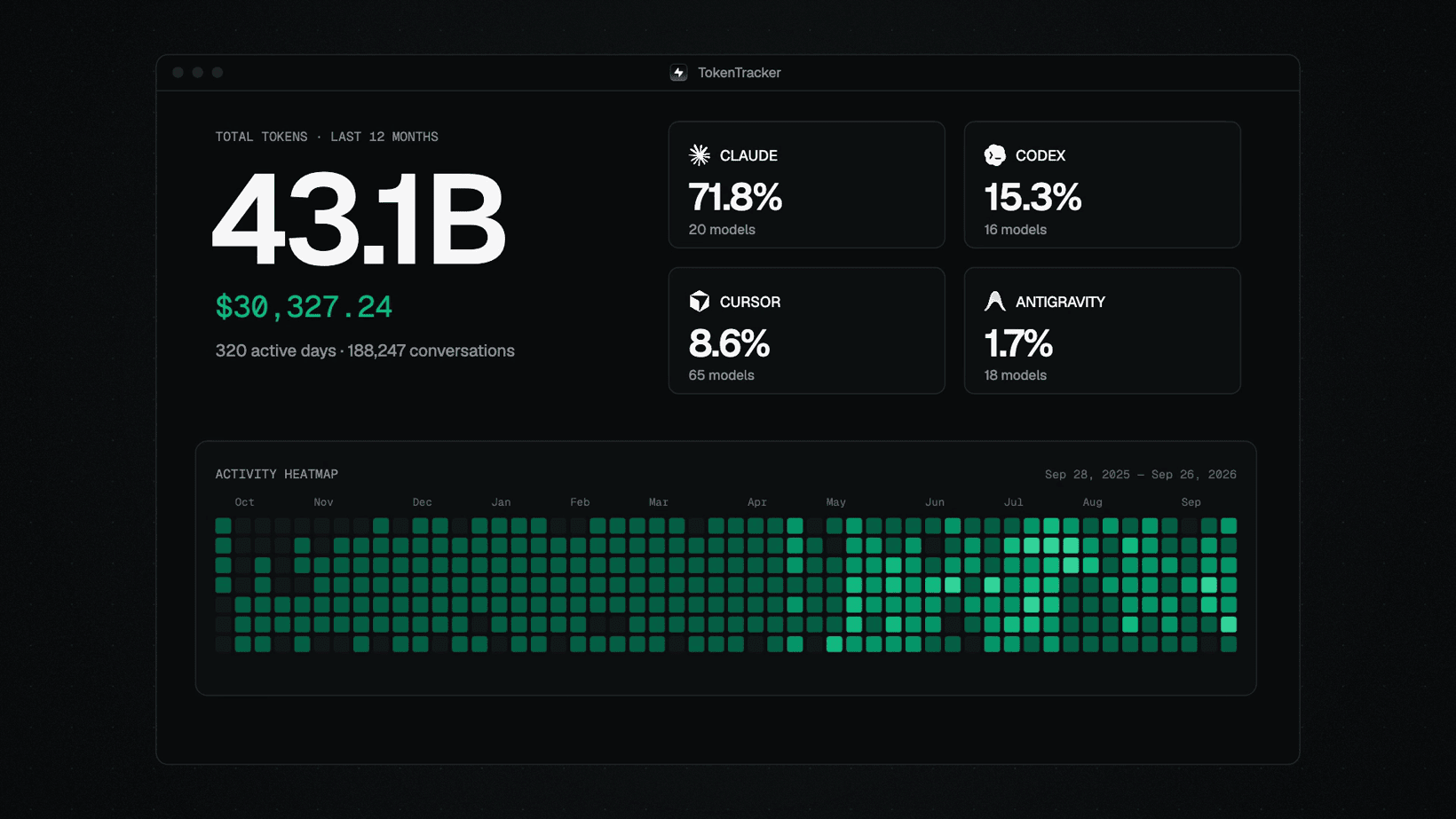
- 📊 Beautiful dashboard — Usage trends, cost breakdowns by model, GitHub-style activity heatmap, project attribution
- 🖥️ Native desktop app — macOS menu bar (+ widgets) and Windows system tray, each with an embedded server and the dashboard in a native webview
- 🐾 Desktop pet — A pixel companion powered by real coding activity: it works when you work, celebrates streaks, and sleeps when you rest
- 🎨 4 desktop widgets — Pin Usage / Activity Heatmap / Top Models / Usage Limits to your desktop
- 🏆 15 achievement tracks — Turn daily usage, streaks, tools, models, and milestones into collectible badges worth sharing
- 📈 Real-time usage limits — Claude / Codex / Cursor / Gemini / Kimi / Kiro / Grok / Copilot / Antigravity / ZCode / OpenCode
📈 近 7 天 Star 趋势
🏆 排名变化趋势
📋 历史上榜记录
| 日期 | 榜单 | 排名 | 周期新增 | 总 STAR |
|---|