📄 仓库 README
在 GitHub 查看 ↗



Get started · What’s new · Architecture · Troubleshooting
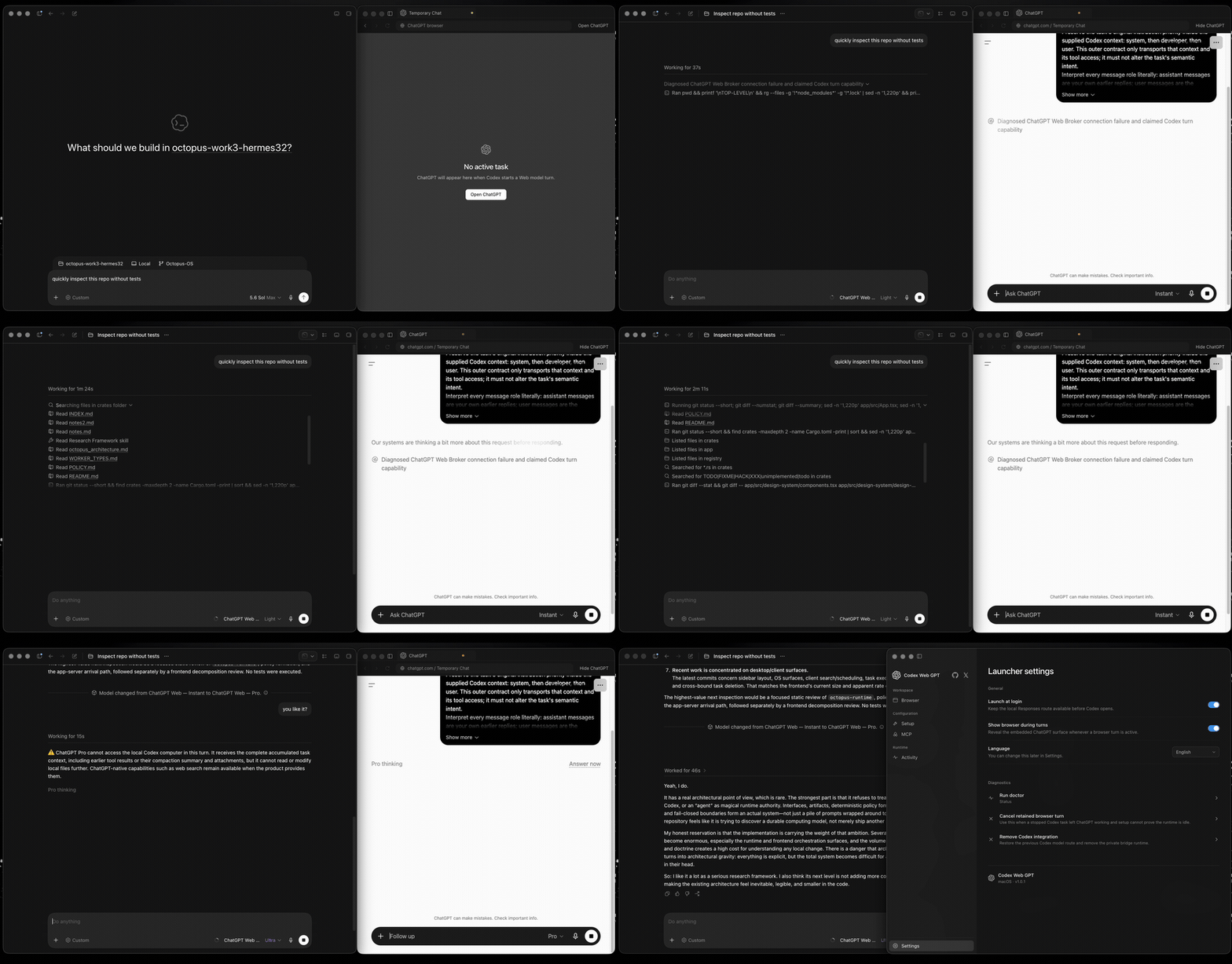
Use the ChatGPT Web models available on your account, including Pro, from Codex’s native model picker. Messages run through your signed-in ChatGPT Web session and are subject to the limits applied to that account. Keep the same interface, tasks, images, and streaming.
Full harness mode connects ChatGPT to the current task’s files, terminal, tools, and approvals through MCP. Conversations stay tied to your Codex task, so you can keep working as the context grows.
Get started
Available models: Free/Go → Luna / Think. Paid accounts → GPT-6 Sol and GPT-5.6 Sol, with Instant–High, plus Extra High and Pro when available. Each version has its own entry; existing GPT-5.6 chats keep GPT-5.6. Availability depends on your account and workspace.
- Install the launcher using the download for your system above.
- Sign in to ChatGPT in the embedded browser and run the browser smoke test.
- Install models and restart Codex once. In automatic mode, choose a model ending in (Web). Pro versions have separate entries; Sol reasoning is selected through Effort. Zero Risk keeps its dedicated entry.
- For coding with tools, open MCP in the launcher and complete the Full harness setup below.
The app includes its browser and runtime. No separate Chrome, Node, or Bun installation is needed.
Terminal install, updates & repair
Quit the launcher before updating. These installers select the platform and architecture, verify the published checksums, and preserve your ChatGPT profile and launcher settings. **macOS / Linux**curl -fsSL https://github.com/miuuyy/codex-chatgpt-web/releases/latest/download/install-launcher.sh | sh
irm https://github.com/miuuyy/codex-chatgpt-web/releases/latest/download/install-launcher.ps1 | iex
Models, modes & MCP setup
Automatic modes offer Luna/Think when the account has no reasoning selector; otherwise Instant–High, with Extra High and Pro available independently when exposed by the account. | Mode | Sending messages | Local Codex tools | | --- | --- | --- | | **Browser-only** | Automatic | No | | **Full harness (With Automation)** | Automatic | Yes, through MCP | | **Zero Risk** | Paste and send manually | Yes, through a separate MCP connector | Zero Risk does not read or operate the ChatGPT page. Choose the model and `Codex Zero Risk` connector yourself, paste and send the prepared prompt, then confirm **Sent** in the launcher. Automatic models ending in **(Web)** expose their supported Effort choices in Codex. Instant and each Pro version have separate entries to preserve their context budgets; older saved model entries keep their original fixed mode. ### Full harness Full mode connects ChatGPT's tool calls back to the current Codex task through the official [OpenAI tunnel-client](https://github.com/openai/tunnel-client). The tunnel is outbound: it does not expose a public IP, open an inbound port, or require router forwarding. The launcher uses your system proxy for the tunnel. Explicitly configured proxy environment variables take priority; local connections stay local. The launcher's **MCP** page guides the complete setup. For the exact clicks, see the [video walkthroughs](https://github.com/miuuyy/codex-chatgpt-web/blob/HEAD/TROUBLESHOOTING.md). > **Limits** > > See [Limits](https://github.com/miuuyy/codex-chatgpt-web/discussions/309) for the current > ChatGPT message allowances for **GPT-5.6 Sol Pro** and **GPT-6 Astra**. Context limits depend on > the account type and selected effort. Plus Medium/High uses a measured 90,000-token window. > GPT-5.6 supports up to 270,000 tokens with experimental **3× context** enabled, with native > Codex compaction supported throughout. > > GPT-6 Sol supports Bigger Context at Medium, High and available Extra High: **120,000 tokens > on Plus**, with compaction at **110,000**, and **240,000 on Pro**, with compaction at **220,000**. > GPT-6 Instant uses standard context. > GPT-5.6 and GPT-6 Pro keep their existing Bigger Context limits. 1. Finish the required setup, open **MCP**, create the Tunnel and regular API key, then press **Connect harness**. 2. Enable ChatGPT **Developer Mode** and create a new Tunnel connector named exactly **Codex Native2**, with **Authentication: None** and **Allow all actions**. 3. Run **Verify runtime** to confirm that **Codex Native2** is attached and available. Write/modify actions also require the ChatGPT workspace and its administrator policy to permit them. See [developer mode and MCP apps](https://help.openai.com/en/articles/12584461-developer-mode-and-mcp-apps-in-chatgpt). Unexpected approval prompts fail closed unless `--auto-approve-tool-calls` is explicitly enabled; that option clicks **Allow once**, never a permanent grant.Diagnostics & subagents
Use **Activity** for safe local diagnostics and **Settings → Run doctor** for end-to-end health. Settings can also cancel a retained browser turn or remove the Codex integration before uninstall. **Settings → Temporary Chat** is on by default and keeps new task conversations out of ChatGPT history. Turn it off to use ordinary saved chats or if your connector is unavailable in that mode. ChatGPT memory and custom instructions may apply in either mode. **New browser chat for each turn** separately controls conversation reuse. An explicit choice to disable Temporary Chat is preserved when updating. Set `CODEX_CHATGPT_WEB_BROWSER_DIAGNOSTICS=1` only when every browser checkpoint needs a screenshot. New installs use **Compatibility V1** for cross-backend subagents. **Native** preserves Codex's own feature settings and enables plaintext Web-to-Web V2 delegation. Restart Codex and start a new task after changing the protocol:codex-chatgpt-web subagents status
codex-chatgpt-web subagents compatibility-v1
codex-chatgpt-web subagents native
Requirements & security
- This is unofficial browser automation, not an OpenAI API. ChatGPT UI changes can break selectors; drift fails explicitly instead of silently switching model or transport. - Browser state is a sensitive login artifact, and the loopback listener is reachable by processes running as the same local user. Never share the launcher profile; use a trusted workstation. - Release packages currently target macOS 13+ (arm64/x64), Windows x64, and Linux x64. Runtime, tests, and packaging are gated on all three in CI; account-bound browser and MCP flows use the separate [release validation](https://github.com/miuuyy/codex-chatgpt-web/blob/HEAD/docs/release-validation.md). - Builds are not yet platform-signed, so Gatekeeper or SmartScreen may warn. The installers verify the published SHA-256 manifest before installation. Read the complete [architecture](https://github.com/miuuyy/codex-chatgpt-web/blob/HEAD/docs/architecture.md) and [security model](https://github.com/miuuyy/codex-chatgpt-web/blob/HEAD/docs/security-model.md) before enabling full mode. Report vulnerabilities through [SECURITY.md](https://github.com/miuuyy/codex-chatgpt-web/blob/HEAD/SECURITY.md). Task prompts are processed by OpenAI and conversations remain in your ChatGPT history. Validation coverage: [release validation](https://github.com/miuuyy/codex-chatgpt-web/blob/HEAD/docs/release-validation.md). This is independent software and is not affiliated with or endorsed by OpenAI. Use it only with your own account and in accordance with applicable [Terms of Use](https://openai.com/policies/terms-of-use/) and workspace policies; it does not bypass authentication or access controls.Run from source & develop
git clone https://github.com/miuuyy/codex-chatgpt-web.git && \
cd codex-chatgpt-web && \
bun run app
bun run app
bun run dev:launcher
bun run src/cli.ts dev status
bun run dev:chat compaction-lab "Reply with exactly: DEV READY"
bun run verify
bun run smoke:subagents
bun run app:package
Star History
Troubleshooting · Security · Contributing · MIT license · CI
Also by me:  ChatGPT Persona Voice — local, near-real-time custom voices for ChatGPT and Codex.
📈 近 7 天 Star 趋势
🏆 排名变化趋势
📋 历史上榜记录
| 日期 | 榜单 | 排名 | 周期新增 | 总 STAR |
|---|