📄 仓库 README
在 GitHub 查看 ↗


 [latest release](https://github.com/milind-soni/OpenMausBot/releases/latest) · macOS: Apple silicon & Intel · signed & notarized .dmg · Windows: x64 installer · Ubuntu 24.04 x64: .deb or AppImage beta · [all releases](https://github.com/milind-soni/OpenMausBot/releases)

Powered by boat.dev

⚠️ No affiliation with any cryptocurrency. OpenMausBot has no token. Any coin using the OpenMausBot, Maus, or SupaMaus name is not created, endorsed, or affiliated with this project or its maintainer. I have received no tokens, payment, or allocation from anyone, and I will not be endorsing any token.
Why
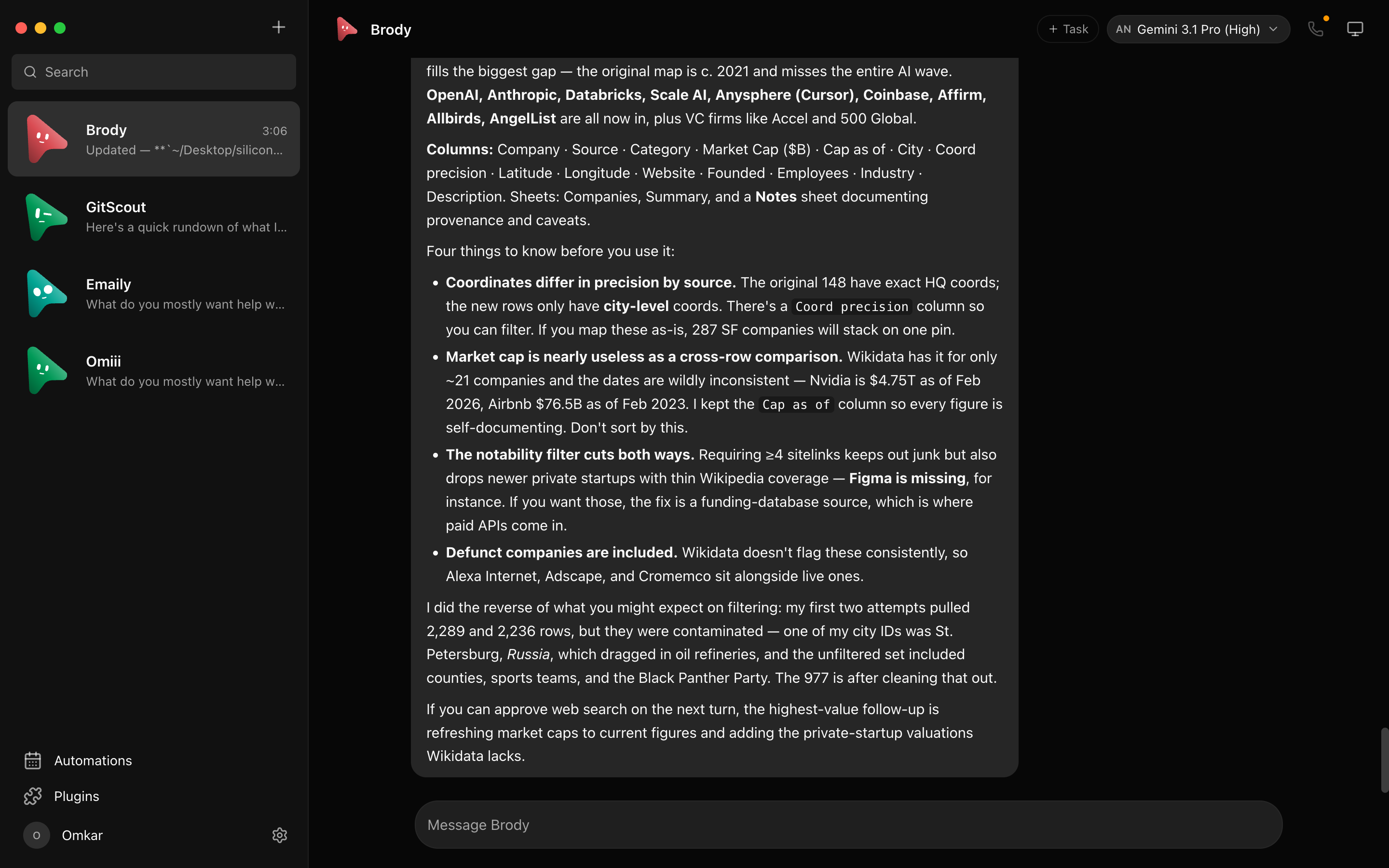
One assistant in one box is the wrong shape for agents. OpenMausBot is an independent, open-source project inspired by Grok Bot — it keeps the idea (AI as a messaging app: a roster of bots you chat with, each with its own personality, memory of its thread, model, computer, and apps) and rebuilds it open, local-first, and on the agents you already have:
- Bring your own agents. Bots run on the
claude,codex, andgrokCLIs installed on your own machine — your existing logins and subscriptions, no new accounts, no proxy in the middle. Point any engine at a custom CLI binary (a versioned build or wrapper) in Settings → Engines. - Local first. One small harness server on
127.0.0.1owns every agent process. Transcripts, keys, and events live in~/.openmausbot, not a cloud. - Agents with hands. Each bot can use a cloud Linux desktop, an isolated Local VM, or—where the platform safety boundary is currently certified—your own computer, plus 500+ apps through Composio. Host control is available on macOS and Ubuntu Xorg after explicit opt-in. Ubuntu Wayland host control remains disabled while issue #345 is resolved.
The open-source alternative to Grok Bot, Muse, dots and Cue
Four closed personal-agent products shipped in seven weeks of 2026, and each one keeps the model, the computer and your data on its maker's side of the line. OpenMausBot is the open-source version of that shape: a team of agents in a chat app, each with its own model, its own computer and its own connected apps, running on your machine under Apache 2.0. If you searched for an open Muse, open dots, an open-source Grok Bot, an open Instinct or an open Cue, this is the repository.
| Looking for | What it is | How OpenMausBot differs | Read more |
|---|---|---|---|
| Open source Grok Bot | xAI's roster of bots on one shared cloud computer, Grok only, from a SuperGrok or Cursor plan | Same roster shape; any model per bot; your own machine; approval cards | Grok Bot vs OpenMausBot |
| Open Muse | Meta's single personal agent in a Meta cloud VM, US and Canada only | A team instead of one agent; runs anywhere; data in ~/.openmausbot |
Meta Muse alternative |
| Open dots | OpenAI's always-on agent inside ChatGPT, GPT only, Pro and Business Premium plans | Several agents; your Claude, ChatGPT or Grok login; no plan required | OpenAI dots alternative |
| Open Cue | Manus's invite-only agents with their own phone, email and wallet | No invite; OAuth instead of passwords; open source | Cue by Manus alternative |
| Open Instinct | Spear Street's invite-only agent that holds your passwords on a cloud computer | Ask for approval when you want it; signs in over OAuth; your machine | Instinct AI alternative |
All five side by side: Muse vs Grok Bot vs Dots vs Cue, and a decision guide in five questions: Which AI agent should I use?
Features
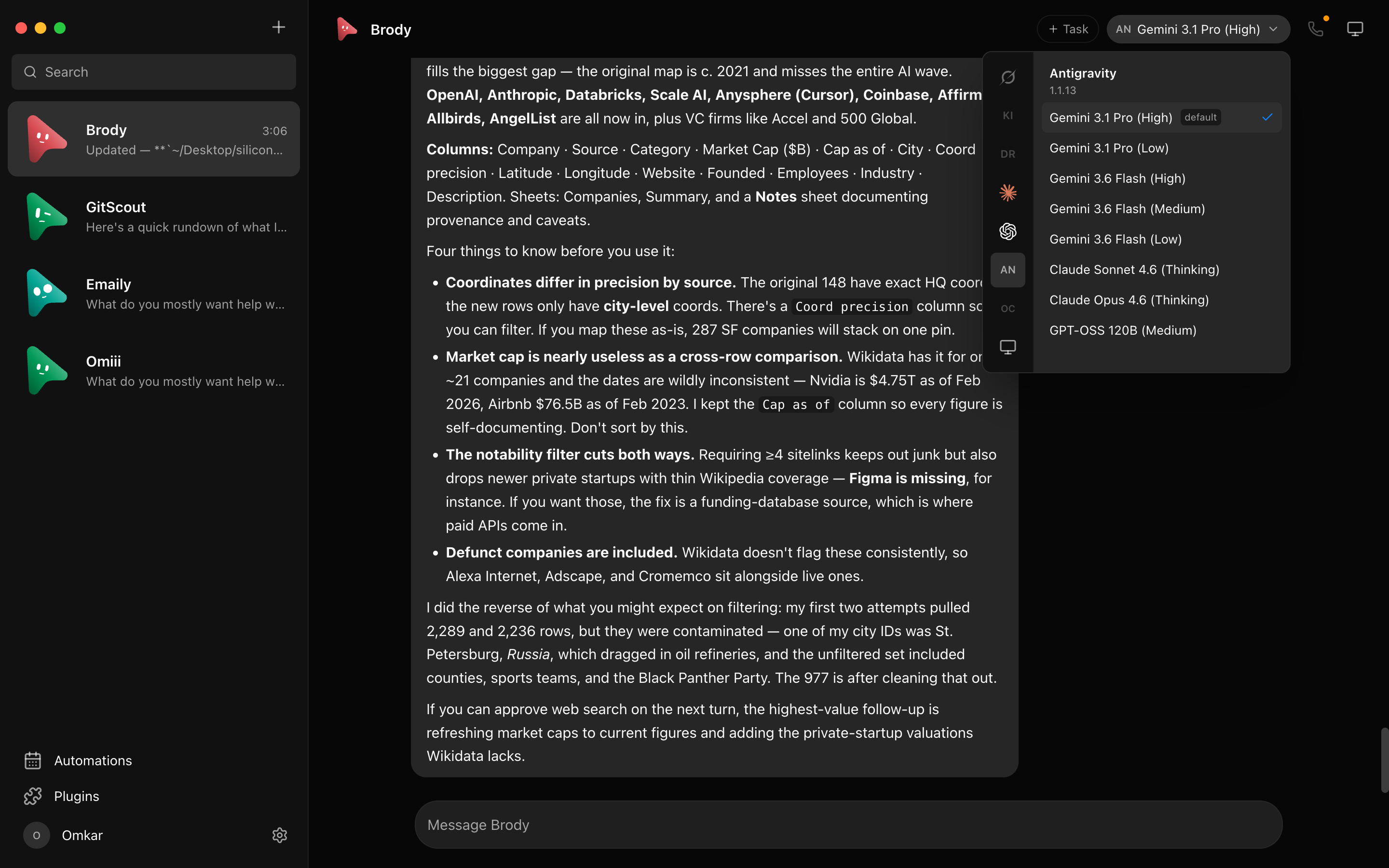
### 🧠 Pick a brain per bot
A model picker with a provider rail — Claude and Codex models side by side, defaults marked, unavailable
providers dimmed with the reason. Switch a bot's model mid-conversation.
|
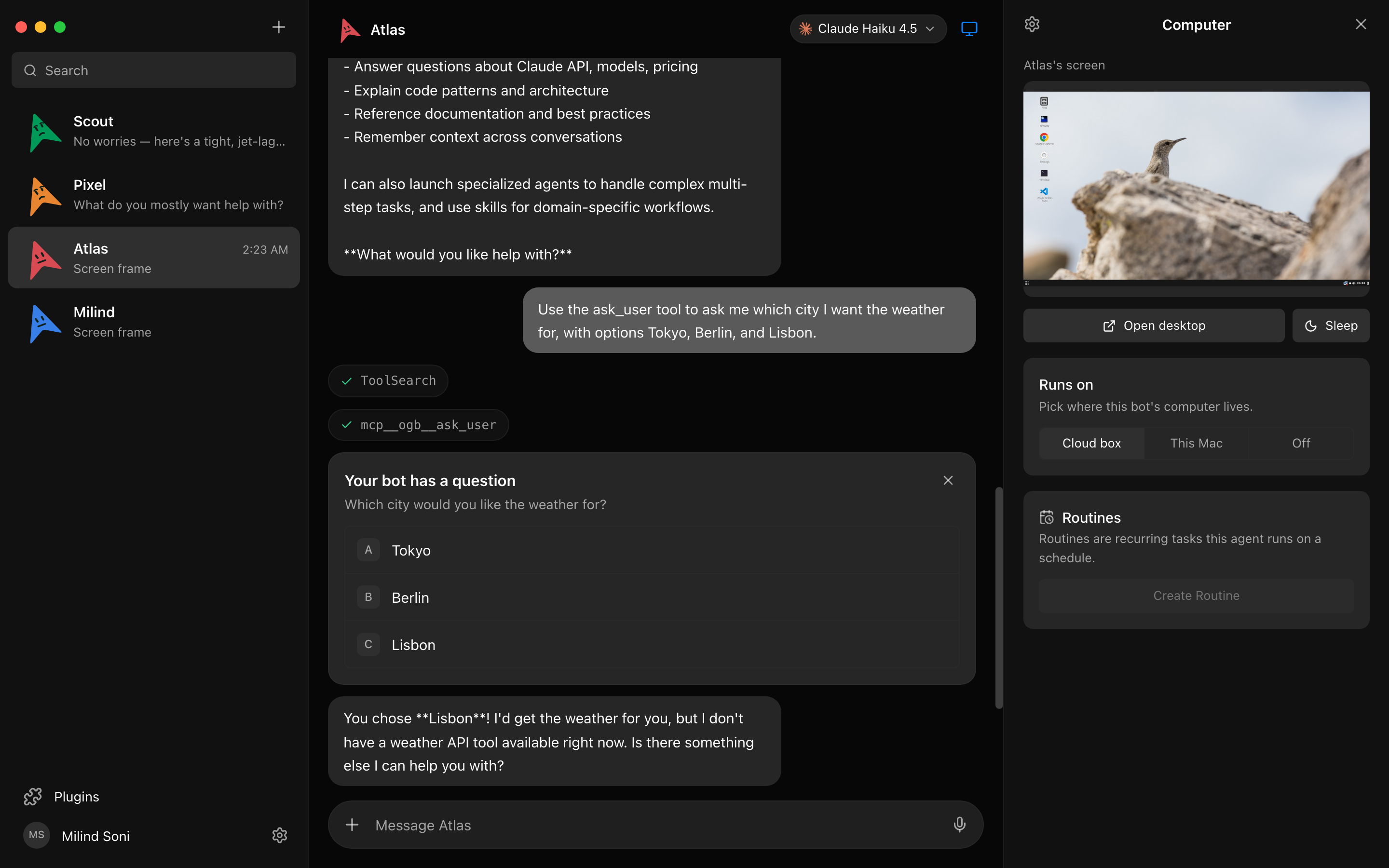
### 🖥️ Every bot gets a computer
Open the Computer panel and the bot's cloud desktop spins up on its own — live screen preview while it
works, "Open desktop" to take over in your browser, or point the bot at *this Mac* instead.
|
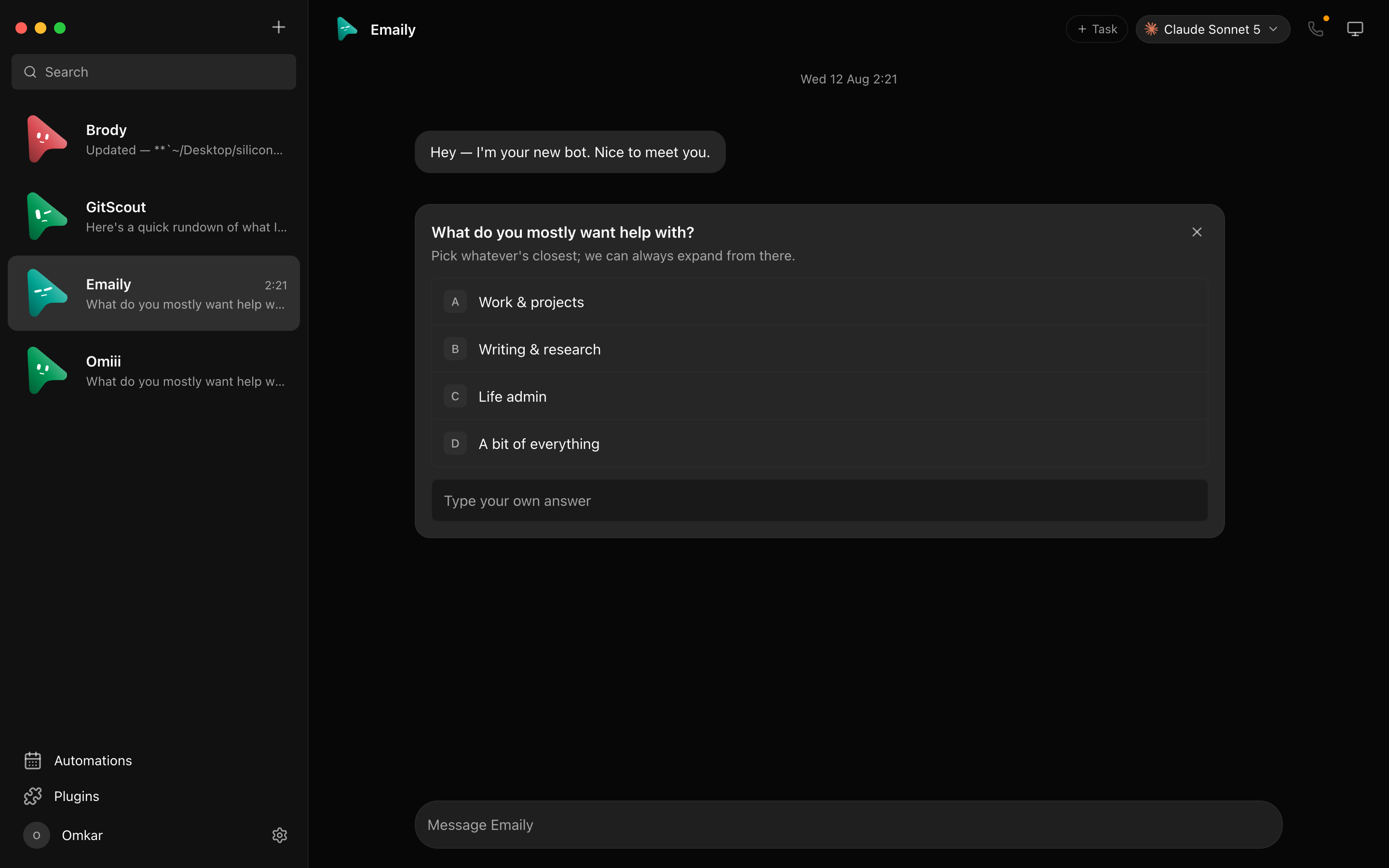
### 🙋 Bots ask before they act
Shell commands, file edits, and questions surface as inline cards — Allow / Deny / answer in chat. A
permission broker turns every risky action into a decision you make, for cloud and local computers alike.
|
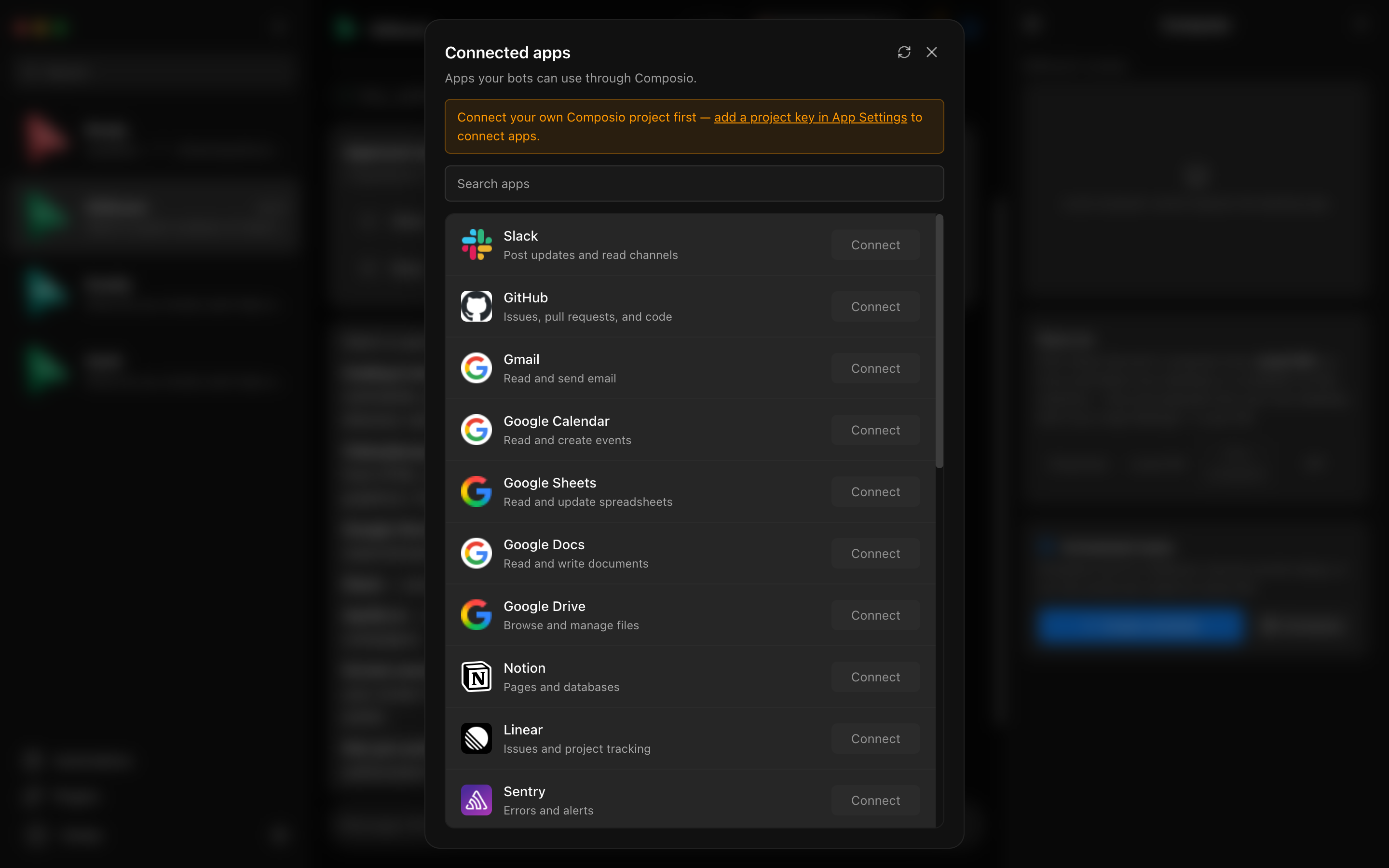
### 🔌 Connected apps
A one-click marketplace over Composio Sessions: Gmail, Slack, GitHub, Notion, Linear and hundreds more.
OAuth once, and every bot can use them as tools.
|
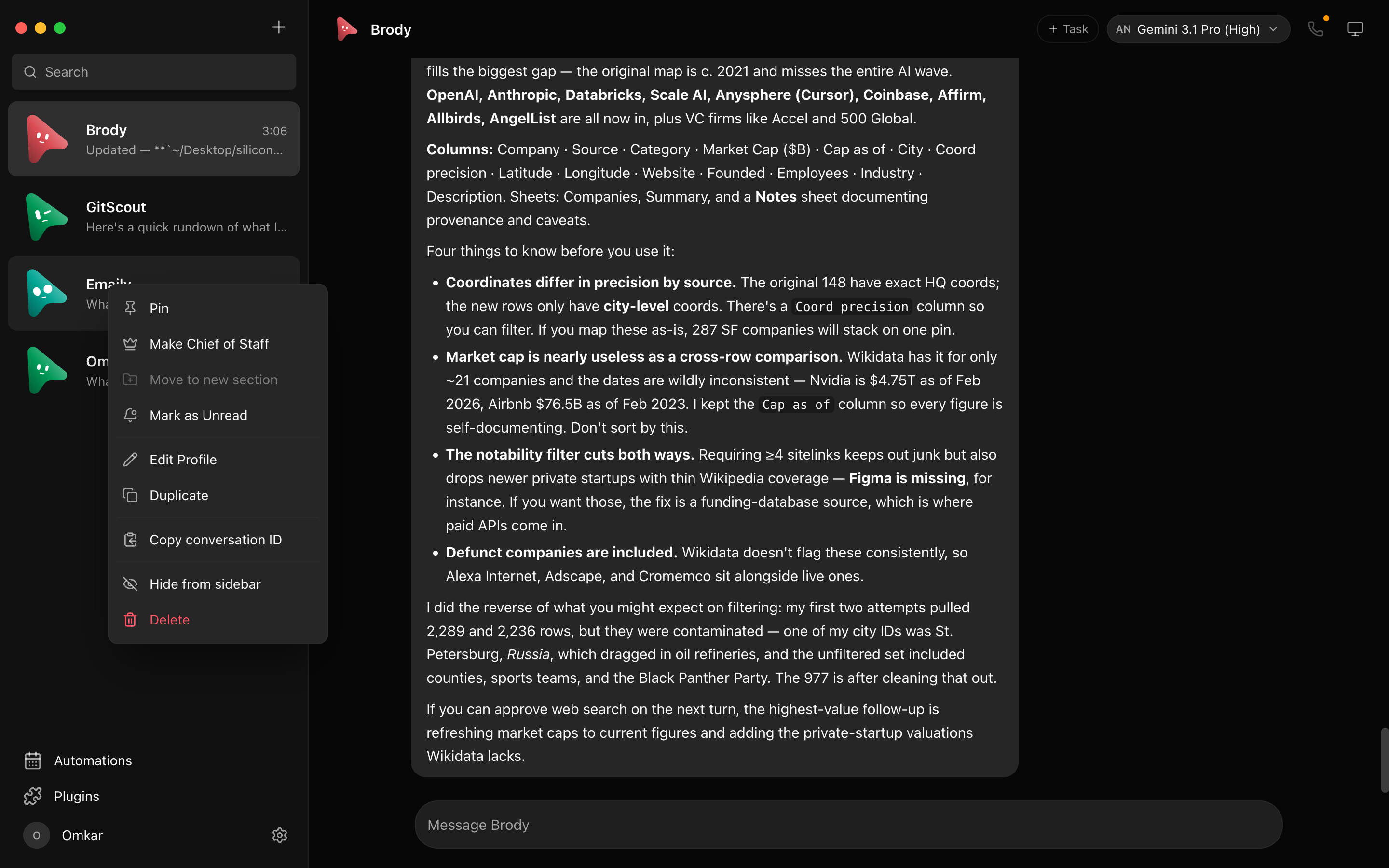
### 🗂 Manage bots like chats
Right-click any bot: pin, mark unread, edit profile, duplicate, copy conversation ID, hide, delete. It's a
messaging app — your agents behave like contacts.
|
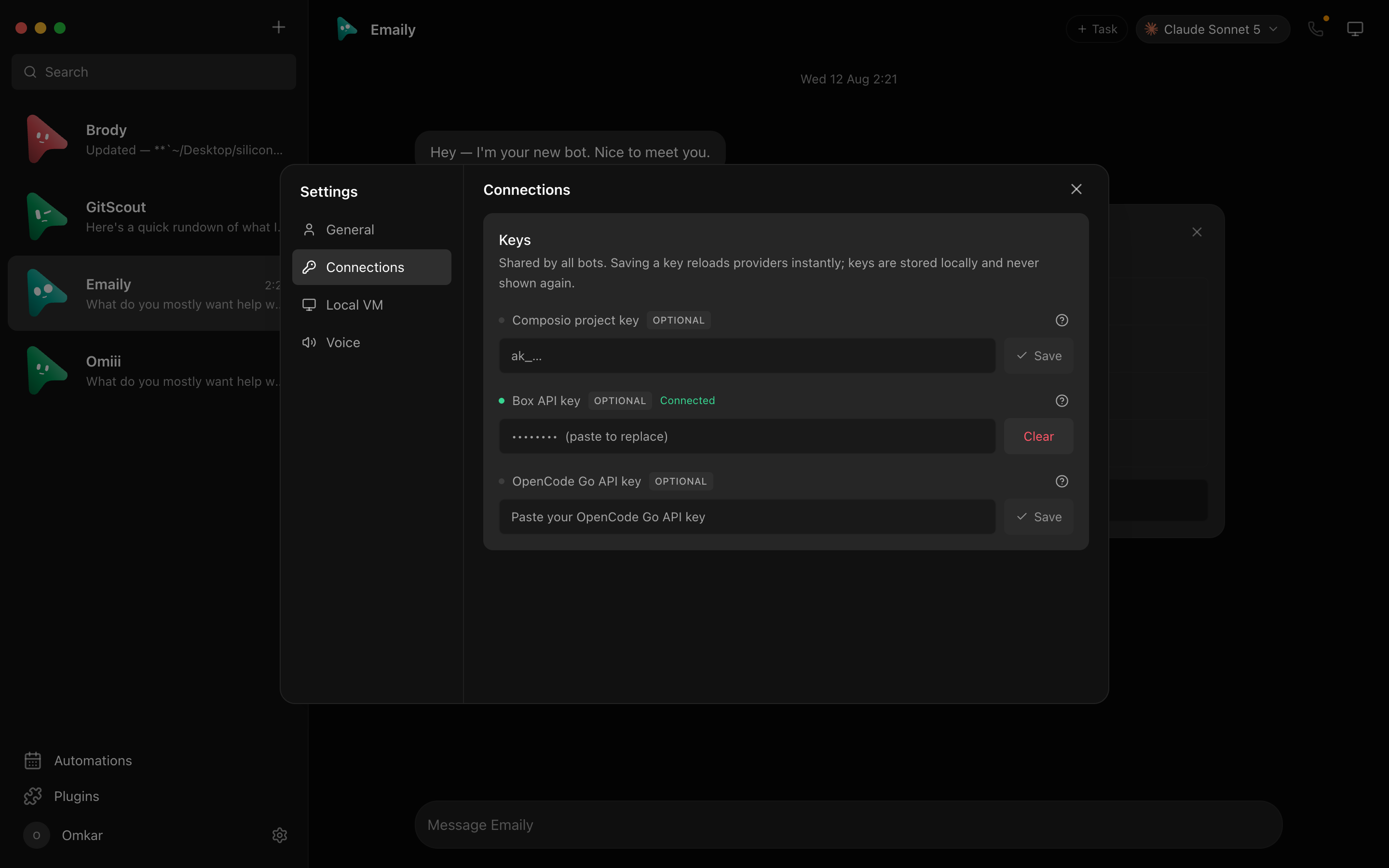
### 🔑 Keys once, everything lights up
Paste credentials in App Settings — they persist locally and the provider fleet hot-reloads instantly.
Secrets are write-only: the UI only ever sees "configured" flags.
|
#️⃣ Channels for every context
Keep Work, Personal, and each project in separate channels without cloning your bots. Every channel has its own transcript, shared instructions, working folder, responder rules, and editable bot roster. File a channel and its bots under a named context, then rename it or change its members whenever the team
📈 近 7 天 Star 趋势
🏆 排名变化趋势
📋 历史上榜记录
| 日期 | 榜单 | 排名 | 周期新增 | 总 STAR |
|---|