📄 仓库 README
在 GitHub 查看 ↗

iMCP is a macOS app for connecting your digital life with AI. It works with [Claude Desktop][claude-app], the [ChatGPT desktop app][chatgpt-app], local models served by [llama.cpp][llama-cpp], and a [growing list of clients][mcp-clients] that support the [Model Context Protocol (MCP)][mcp].
Capabilities

|
Calendar | View and manage calendar events, including creating new events with customizable settings like recurrence, alarms, and availability status. |
|---|---|---|

|
Contacts | Access contact information about yourself and search your contacts by name, phone number, or email address. |

|
Home | Find homes, rooms, accessories, scenes, and automations, read and control accessories, and organize rooms and zones. Needs a helper app that you build with your own Apple Developer account. |

|
Location | Access current location data and convert between addresses and geographic coordinates. |

|
List mailboxes, search messages by sender, subject, mailbox, date, or read status, read messages stored on your Mac, and open new drafts in your default email app. Reading mail needs access to your Mail folder. | |

|
Maps | Provides location services including place search, directions, points of interest lookup, travel time estimation, and static map image generation. |

|
Messages | Access message history with specific participants within customizable date ranges. |

|
Music | See what's playing in the Music app, control playback, and search the Apple Music catalog. Playback tools need Automation permission for Music; catalog search needs Apple Music access. |

|
Notes | Search notes by text, folder, or date, and read them as Markdown with their checklists, tables, and links. |

|
Phone | View call history synced from your iPhone, filter calls by participant, date, or call type, and start calls with system confirmation. |

|
Reminders | View, create, edit, and delete reminders with customizable due dates, recurrence, priorities, and alerts across different reminder lists, and manage the lists themselves. |

|
Shortcuts | List and run shortcuts on your Mac, with optional text input. |

|
Voice Memos | Fetch recordings from Voice Memos, with transcripts and audio, filtering by title, folder, or date, or reading Recently Deleted. Needs access to your Voice Memos folder. |

|
Voicemail | Fetch voicemails synced from your iPhone, with transcripts and audio, filtering by sender, date, message type, or mailbox (inbox, blocked, or deleted). |

|
Weather | Access current weather conditions including temperature, wind speed, and weather conditions for any location. |
Getting Started
To use iMCP, you need two apps: iMCP, which gives access to the services you turn on, and an AI app that can connect to MCP servers. Install iMCP and turn on services first. Then follow the instructions for your AI app:
Download and open the app
First, download the iMCP app (requires macOS 15.3 or later).
Or, if you have Homebrew installed, you can run the following command:
brew install --cask mattt/tap/iMCP
When you open the app,
you'll see a
 icon in your menu bar.
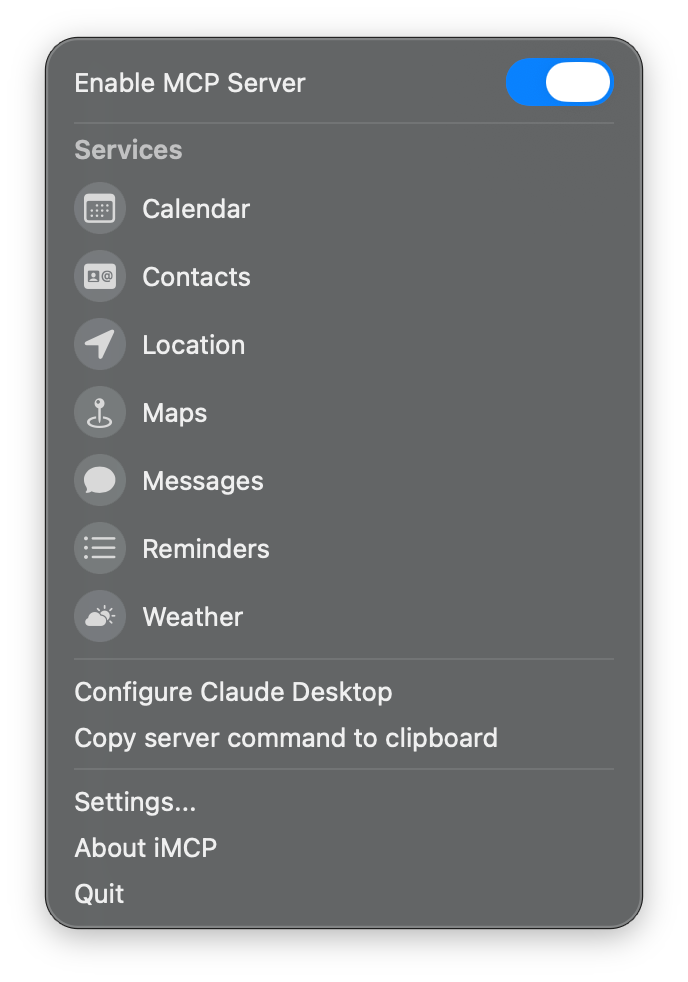
Click this icon to open the iMCP menu. The blue "Enable MCP Server" switch at the top indicates that the MCP server is running and ready to connect with AI apps. iMCP must be open for AI apps to use it.
Below the switch, the menu lists the available services. Maps is on when you first open iMCP; the other services are off and appear in gray. iMCP also includes a tool that plays a system sound. That tool is always available, even with every service off, so you can test a connection without granting any permissions.
Turn on services
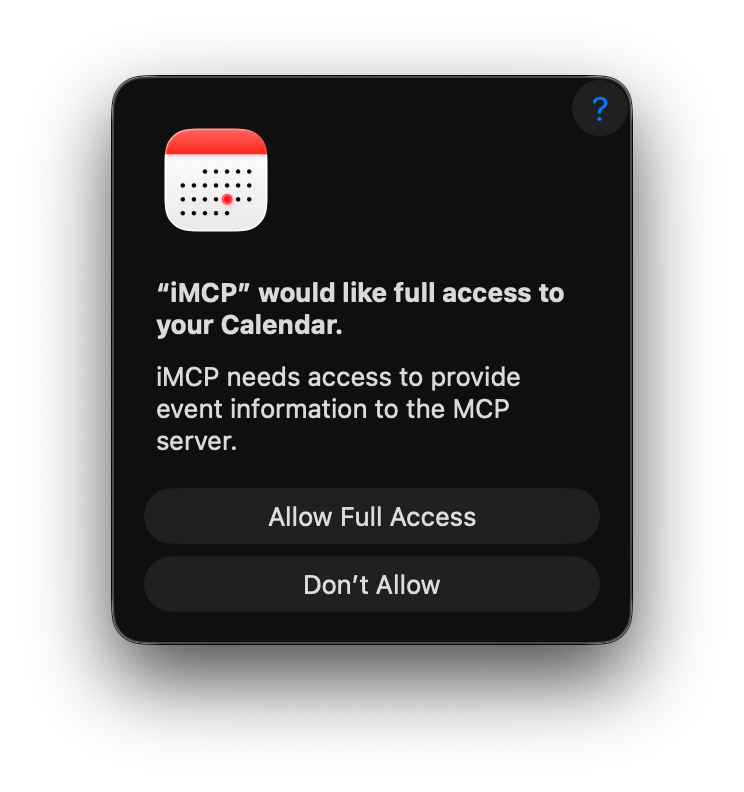
To turn on a service, click its icon. macOS asks you for permission. For example, when you turn on Calendar, a dialog asks "'iMCP' Would Like Full Access to Your Calendar". Click "Allow Full Access" to continue.
[!IMPORTANT] iMCP does not collect or store any of your data. AI apps like Claude and ChatGPT do send your data off device as part of tool calls. Turn on only the services you want your AI app to use. To keep your data on your Mac, use a local model with llama.cpp.
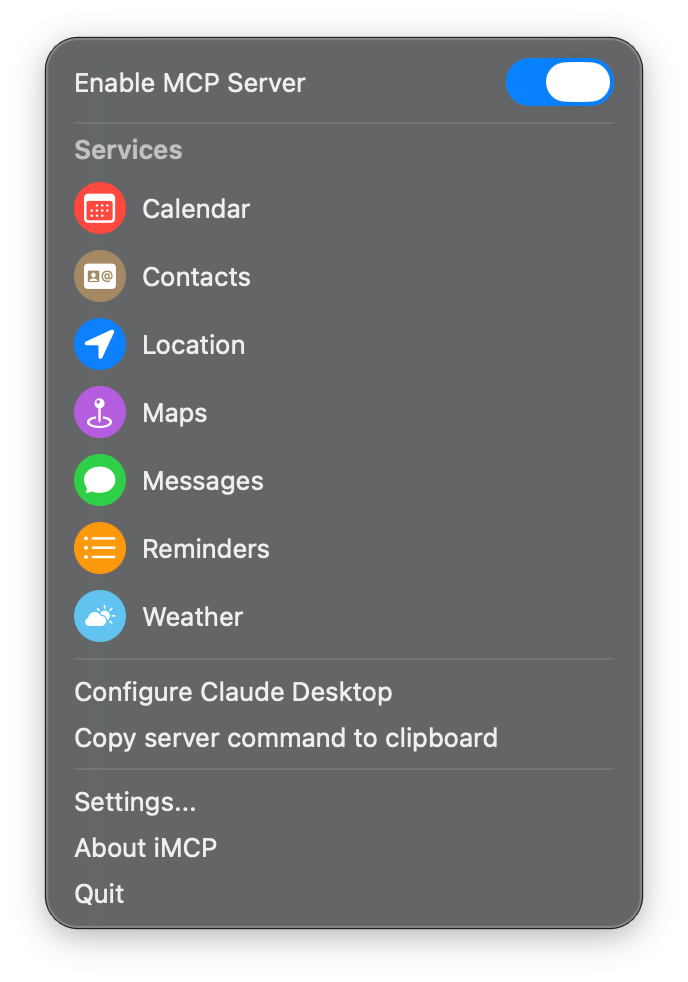
When a service is on, its icon changes from gray to the service's color: red for Calendar, green for Messages, blue for Location, and so on.
Repeat these steps for each service that you want to use.
macOS asks for each permission separately,
so iMCP can access only the data that you allow.
To turn off a service, click its icon again.
To turn off individual tools in a service,
click
> "Settings", and then click the service in the sidebar.
Approve connections
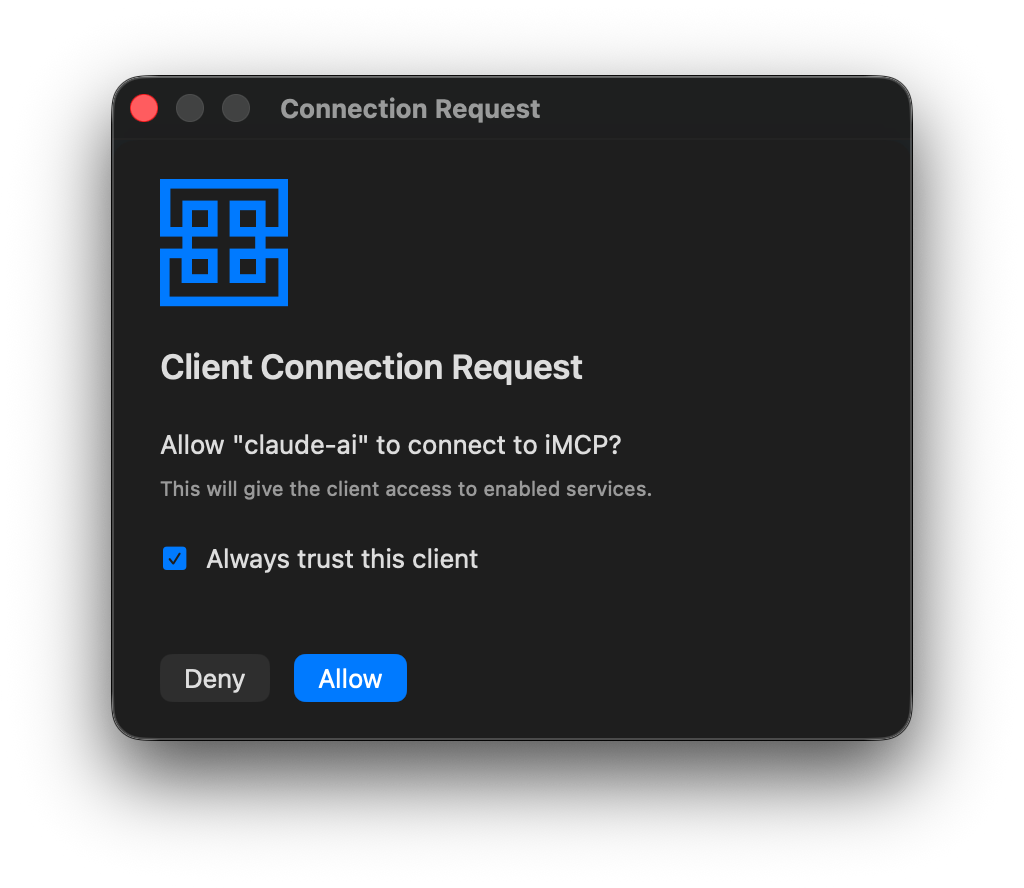
The first time an AI app connects,
iMCP shows a "Client Connection Request" dialog
with the name the app reports
and the services that the app can use.
Click "Allow" to connect.
To skip this dialog next time, select "Always trust this client";
iMCP then shows a notification each time the app connects.
You can remove trusted clients in
> "Settings" > "Clients".
Mail access and search
Mail store access uses Envelope, which reads the local index and message files and selects readable content with its internal MIME reader. iMCP manages folder access, tool arguments, JSON output, and composition.
Mail reading requires access to ~/Library/Mail.
If folder access is unavailable, mail_compose can still open a compose window
in the default email app.
It does not save or send a message.
Mail reads use a read-only SQLite connection and require WAL journal mode. iMCP does not change the index's journal mode or run checkpoints. It permits one Mail database connection at a time; concurrent reads wait their turn, and a read re
📈 近 7 天 Star 趋势
🏆 排名变化趋势
📋 历史上榜记录
| 日期 | 榜单 | 排名 | 周期新增 | 总 STAR |
|---|