📄 仓库 README
在 GitHub 查看 ↗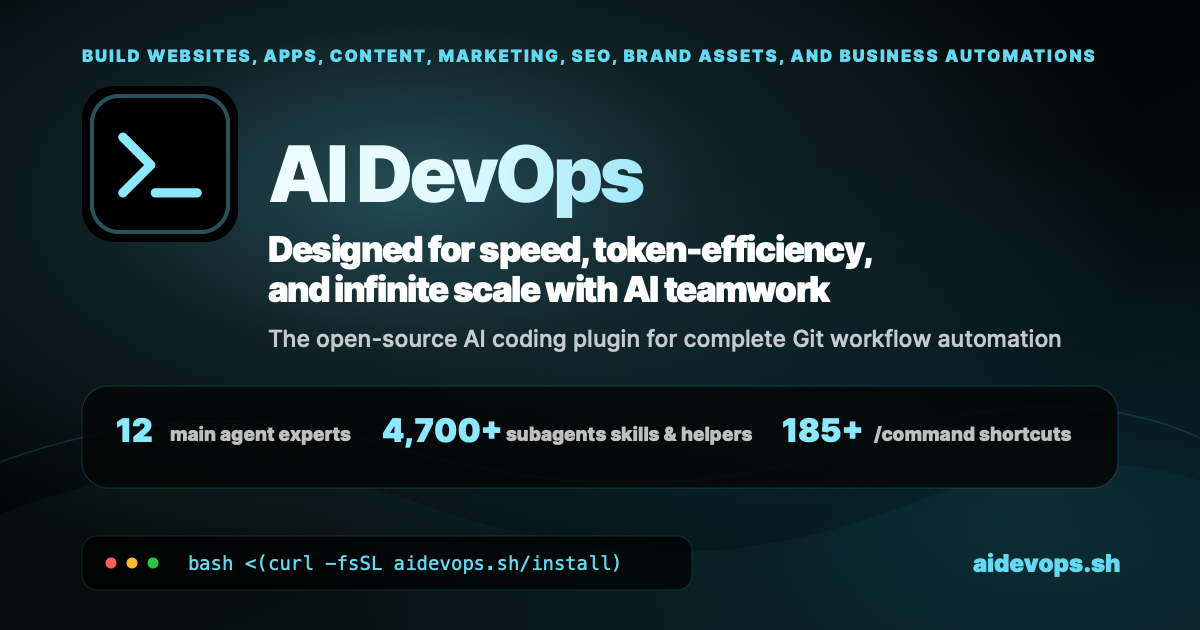
AI DevOps Framework
aidevops.sh is an OpenCode plugin and AI DevOps framework for carrying work from intent to a verified outcome. It combines specialist agents, durable repository knowledge, safe Git workflows, model routing, operational automation, and service integrations for software, infrastructure, business, marketing, content, research, and creative production.
Instead of treating every job as an isolated chat, aidevops gives people and AI agents a shared operating system: the right context is loaded on demand, work is isolated, consequential actions are gated, evidence is retained, and useful lessons improve later work.
One conversation, autonomous project delivery, with security, teamwork, token efficiency, and quality control built in.









The Aim
Maximum useful value for your time and money. aidevops is built for the gap between “the model can probably do this” and “the work is done, verified, safe, and worth the cost.”
- Load focused guidance only when it is relevant.
- Match model capability and reasoning effort to the work.
- Explore optional Jev structured decisions with reversible retrieval and shadow-triage pilots, private evaluation reports and bounded continuation examples; no default routing, runtime hooks or compaction changes.
- Keep secrets, protected data, and private state out of chat and Git.
- Let people and agents work in parallel without sharing unsafe mutable state.
- Preserve tasks, plans, decisions, evidence, and progress in durable sources of truth.
- Detect stuck work, failing automation, review traps, and repeated friction.
- Turn observed lessons into better guidance, checks, helpers, and follow-up work.
- Reserve human attention for taste, authority, secrets, and consequential ambiguity.
The “100x more capable” goal is an ambition to substantiate, not a guaranteed or
measured result. The canonical purpose and decision criteria are in
.agents/aidevops/purpose.md.
Quick Setup
New to aidevops? Work through these six steps once, in order, so nothing is
missed. Commands are safe to rerun. For a guided version, type /onboarding in
an AI session after step 2.
1. Install aidevops
brew install marcusquinn/tap/aidevops && aidevops update   # macOS (Homebrew)
npm install -g aidevops && aidevops update                 # Linux / cross-platform
Setup deploys agents to ~/.aidevops/agents/, installs and configures
OpenCode, and offers optional tools. Accept Tabby when offered. Other
methods: Installation. Check the result with
aidevops status; aidevops doctor --fix resolves duplicate installs and PATH
conflicts.
2. Open Tabby and start OpenCode
brew install --cask tabby   # macOS, only if you skipped Tabby during setup
aidevops tabby sync         # one Tabby profile per registered project
aidevops opencode           # launch OpenCode with the Build+ agent
Rerun aidevops tabby sync after adding projects in step 4. Profile details:
Tabby profiles.
For persistent remote tmux tabs across configured SSH hosts, use
aidevops tabby sessions new|restore|list|doctor; see
Remote Tabby sessions.
3. Connect model providers
# OpenCode Go subscription: create an API key in your OpenCode account first
opencode auth login                          # choose "OpenCode Go", paste the key

# NanoGPT: create an API key in your NanoGPT account first
opencode auth login                          # choose "NanoGPT", paste the key

# OAuth pool for subscription accounts (browser sign-in, add one or more each)
aidevops model-accounts-pool add anthropic   # Claude Pro/Max
aidevops model-accounts-pool add openai      # ChatGPT Plus/Pro
aidevops model-accounts-pool status          # pool health
aidevops model-accounts-pool check           # live token test
Inside OpenCode, /connect is equivalent to opencode auth login. Add several
accounts per provider so the pool can rotate on rate limits, then restart
OpenCode. Never paste keys or tokens into an AI chat; store other service
credentials with aidevops secret set NAME.
4. Put projects in ~/Git on the local drive
Keep canonical clones on the local disk, not in a cloud-synced folder such as
iCloud Drive, Dropbox, or OneDrive. Layout: personal repositories at
~/Git/<repo>, organization or third-party repositories at
~/Git/<owner>/<repo> (repository organization).
mkdir -p ~/Git
mv ~/path/to/my-project ~/Git/my-project                  # move an existing checkout
gh repo clone example-org/service ~/Git/example-org/service   # or clone fresh
cd ~/Git/my-project && aidevops init                      # add conventions and register
aidevops detect                                           # find and register other projects
aidevops repos clean                                      # drop entries for moved paths
aidevops repos                                            # review the registry
aidevops tabby sync                                       # refresh Tabby profiles
Already-registered repositories in an older layout can use the guarded
aidevops repos migrate-layout plan instead of a manual move.
5. Turn on auto-update, Pulse, workers, and routines
aidevops auto-update enable                                # check for updates every 10 minutes
aidevops repo-sync enable                                  # daily git pull for repos under ~/Git
aidevops config set orchestration.supervisor_pulse true    # unattended Pulse, survives reboots
aidevops setup --scope pulse                               # install or refresh the Pulse scheduler
aidevops pulse status                                      # consent layers, workers, repos
aidevops init-routines                                     # private aidevops-routines repo (--local: no remote)
Pulse runs every 2 minutes and dispatches headless workers only for repositories
marked "pulse": true in ~/.config/aidevops/repos.json; enable it only where
autonomous work is approved. Workers pick up issues labelled auto-dispatch.
Pause with aidevops pulse stop. In an AI session, use /routine to design
recurring jobs, /pulse to supervise, and /runners for runner setup. Details:
routines,
worker diagnostics.
6. Verify and start working
aidevops status
aidevops security
Then, in OpenCode inside a project:
/onboarding
/skills recommend "TASK"
/full-loop "Describe the outcome you want"
Quick Reference
- Install:
npm install -g aidevops && aidevops update - Recommended runtime: OpenCode; Claude Code and Codex CLI are supported interactive runtimes
- Entry points:
aidevops,~/.aidevops/agents/AGENTS.md, runtime commands and skills - Default development agent: Build+
- Routing: provider-neutral
simple,standard, andthinkingworkload tiers - Core lifecycle: understand → isolate → implement → verify → PR → authority-aware merge/release
- Agent sandbox backends: Apple container (opt-in executable); Firecracker Linux KVM (host probe only, not yet executable)
- Primary sources: user guide, domain index, architecture, configuration
Essential commands
```bash aidevops status # Installation, runtime and storage health aidevops init # Add aidevops conventions to a repository aidevops project-config restore owner/repo # Preview recovery of missing ignored local config aidevops update # Update the framework and registered projects aidevops features # Discover framework features aidevops repos # Manage registered projects aidevops skills # Discover available workflows and capabilities aidevops security
📈 近 7 天 Star 趋势
🏆 排名变化趋势
📋 历史上榜记录
| 日期 | 榜单 | 排名 | 周期新增 | 总 STAR |
|---|