📄 仓库 README
在 GitHub 查看 ↗FlopperZiro



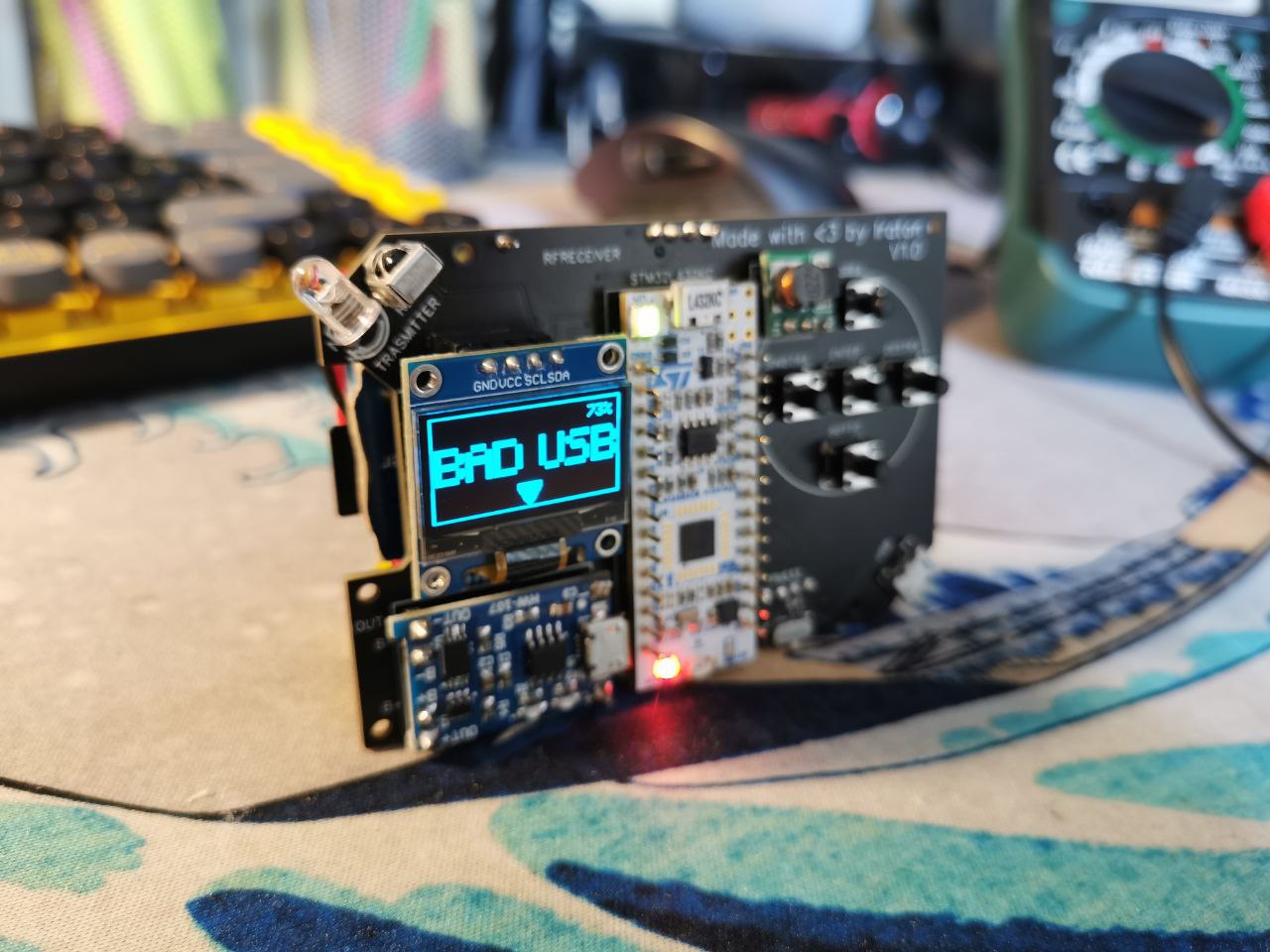
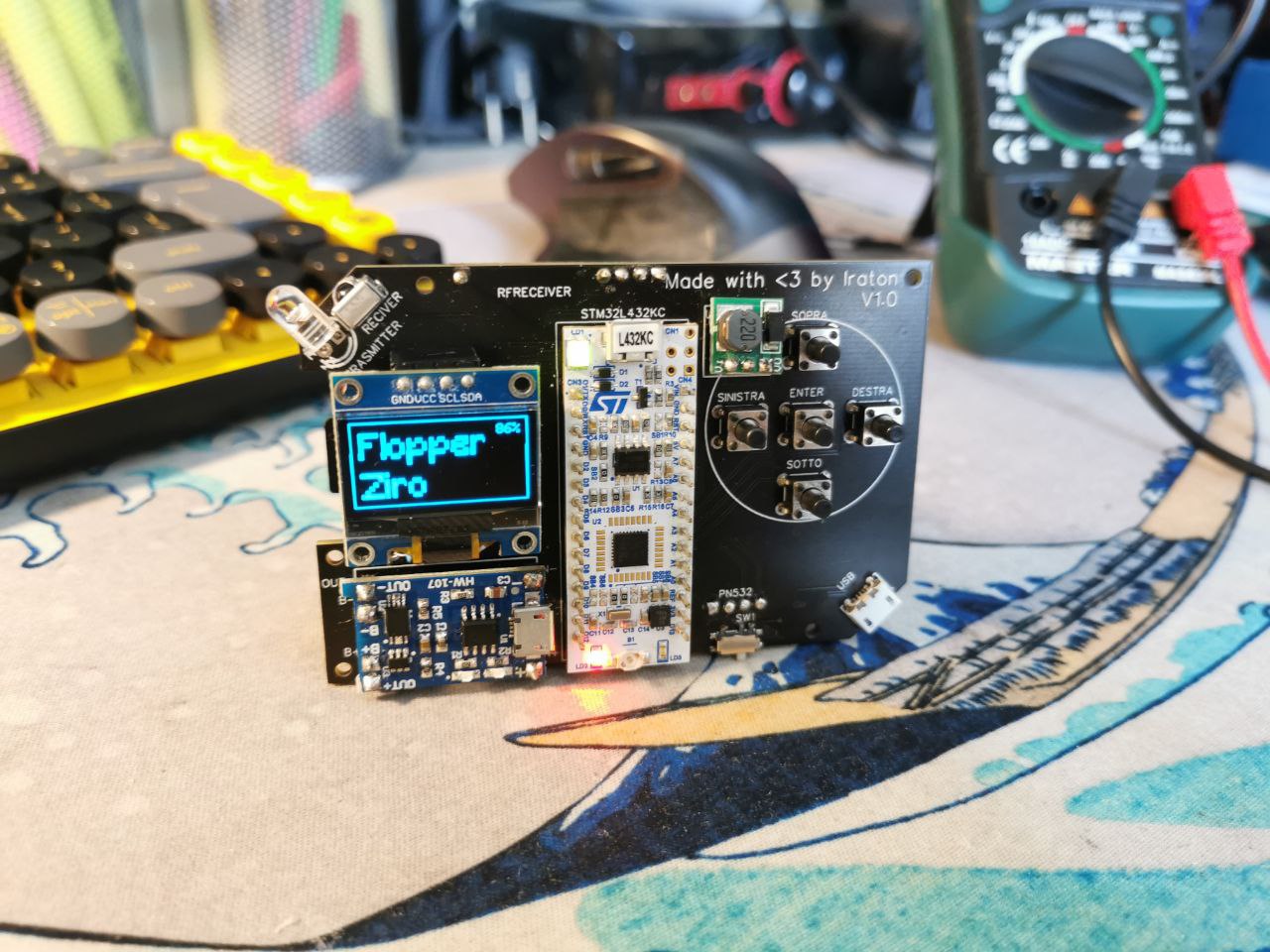
FlopperZiro is an open-source, DIY, and cost-effective multi-tool inspired by the Flipper Zero. Built upon the Arduino ecosystem, it is designed for electronics enthusiasts, researchers, and hobbyists to explore hardware protocols and wireless communication.
An orribol copi of FlipperZero, uit worst inglish
A Flipper Zero clone, but cheapest, DIY and siply Open Source, made with Arduino IDE
Important Notice: This is an educational and experimental project developed as a hobby. It is not intended to serve as a replacement for professional diagnostic hardware.
Star History
Hardware Components
- Microcontroller: STM32-L432KC
- RF Transmitter (433 MHz): FS1000A
- RF Receiver (433 MHz): RXB12
- NFC / RFID Controller: PN532 (PN7150 under evaluation)
- Infrared: IR LED & Receiver
- Display: SSD1306 OLED (128x64)
- Storage: TF MicroSD Card Shield
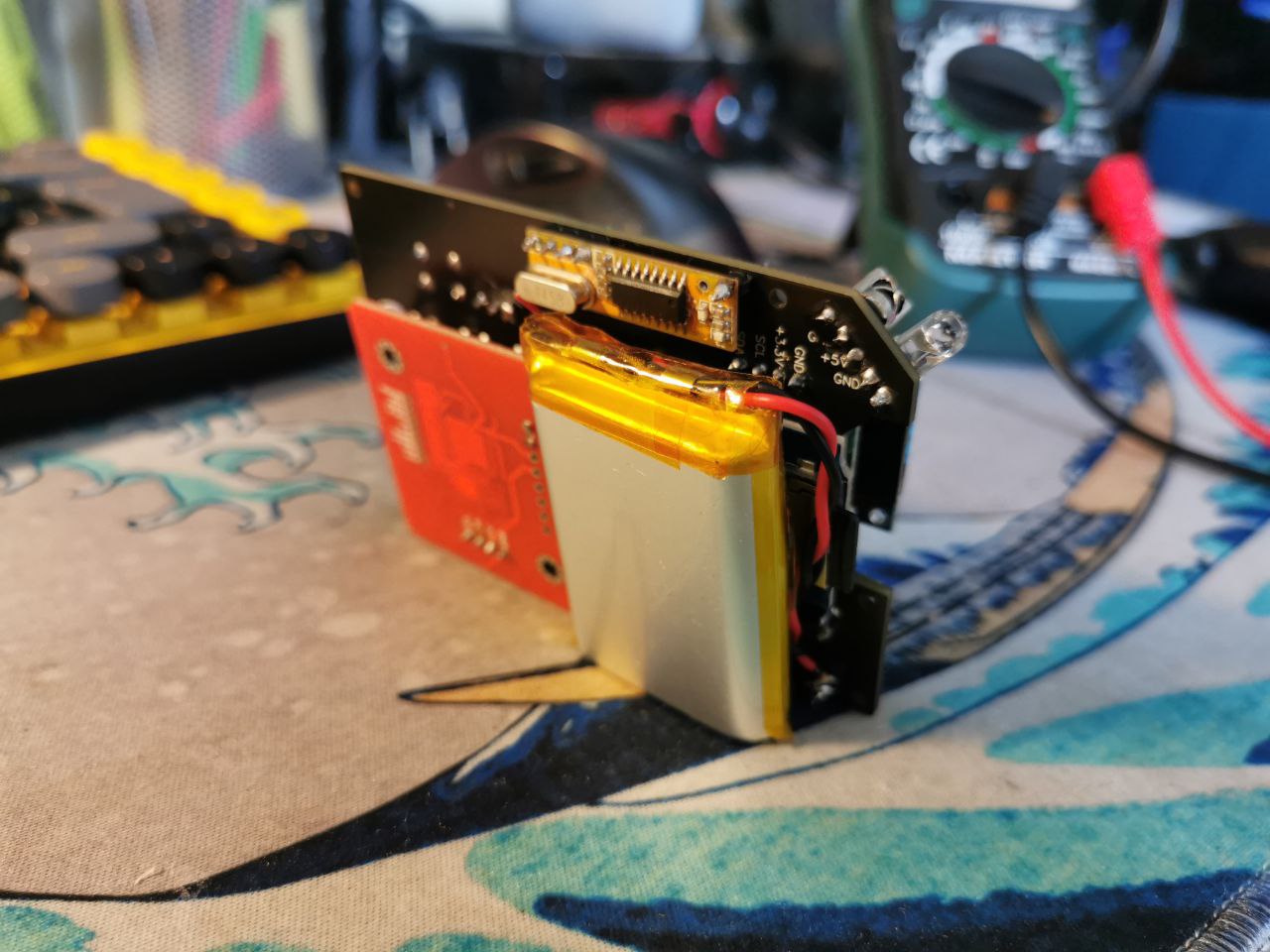
- Power Management: TP4056 Battery Charger & DC-DC 5V Boost Converter
- Power Source: 3.7V LiPo Battery
- Miscellaneous: 2N2222A Transistor, 6x Tactile Push Buttons (6x6x8mm), SMD Micro USB port
Features
- BadUSB: Rubber Ducky script execution
- RFID / NFC: Passive scanning and target emulation
- Infrared (IR): Signal capture, replay, and SD persistence
- Sub-1 GHz (RF): 433 MHz signal capture, replay, and SD persistence
- Storage: Dynamic save and load functionality via MicroSD
- System Monitoring: Battery percentage and SD storage capacity tracking
- Development: Fully programmable via the Arduino IDE
- Enclosure: 3D printed housing available here
Project Roadmap
Software
- [X] Resolve SD/SSD1306 SPI/I2C conflicts
- [X] Implement SD card directory browser interface
- [X] Integrate save/load states from SD
- [X] Complete RF scanner and transmitter logic
- [X] Develop core menu navigation system
- [X] BadUSB integration
- [X] IR signal processing and data formatting
- [ ] RFID / NFC Subsystem
- [X] Read standard UIDs
- [ ] Implement ISO14443-B support
- [X] Emulation and APDU handling
- [X] Implement SD save states for RFID tags
Hardware
- [X] Initial PCB design and fabrication
- [X] Secondary PCB revision
- [ ] PN7150 module integration testing
Documentation
- [ ] Comprehensive code and hardware documentation
Troubleshooting
Blank Screen After Upload: Occasionally, immediately after uploading new code via the Arduino IDE, the screen may remain completely black. This is a known hardware timing quirk where the IDE's automatic reset doesn't properly reboot the display. Fix: Simply open the Serial Monitor / Debugger in your Arduino IDE. This triggers a clean software reset over USB, and the device will boot up normally.
📈 近 7 天 Star 趋势
🏆 排名变化趋势
📋 历史上榜记录
| 日期 | 榜单 | 排名 | 周期新增 | 总 STAR |
|---|