📄 仓库 README
在 GitHub 查看 ↗Before I go to bed, I tell my agents:
good night, have fun






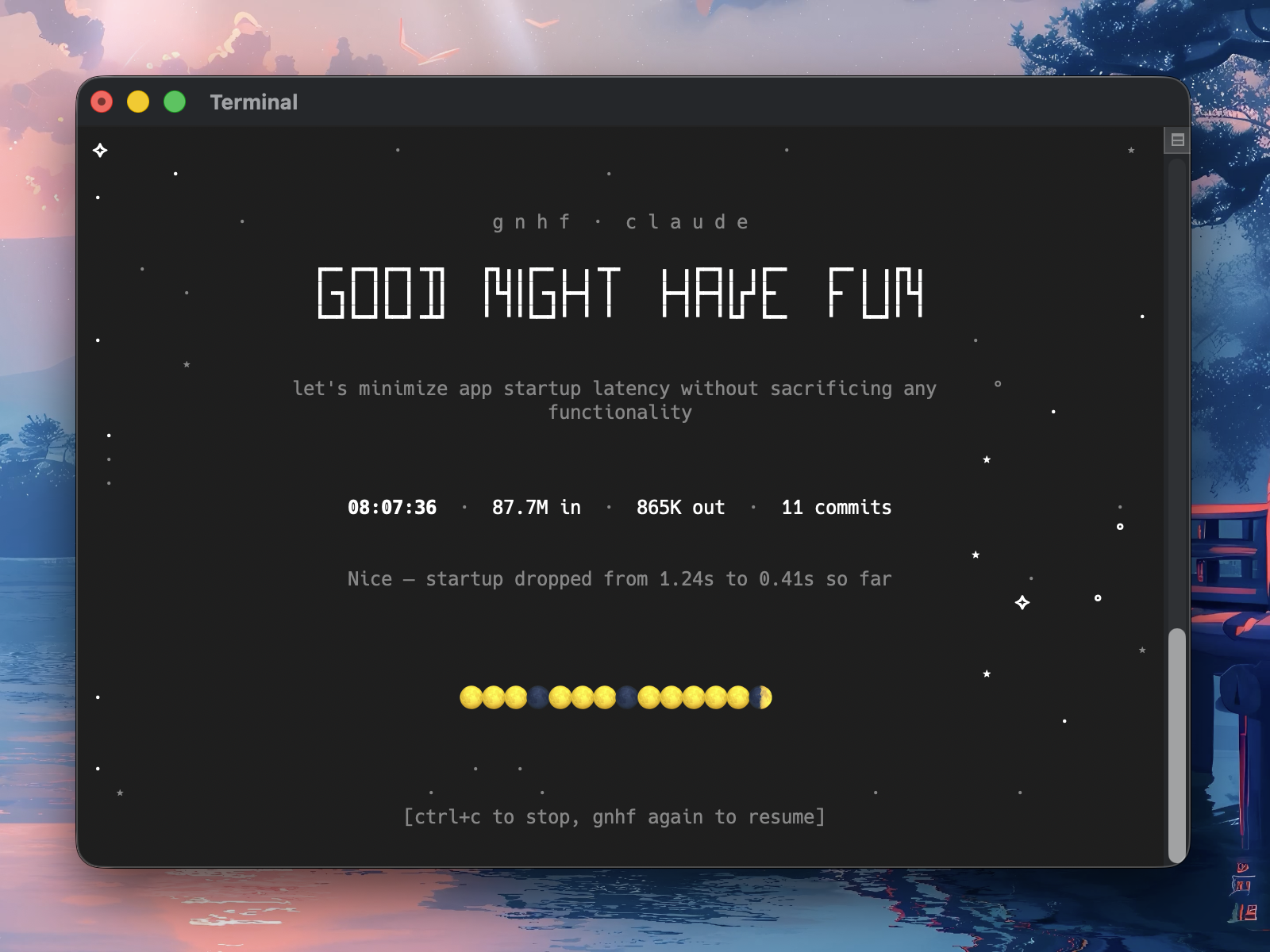
Never wake up empty-handed.
gnhf is a ralph, autoresearch-style orchestrator that keeps your agents running while you sleep - each iteration makes one small, committed, documented change towards an objective. You wake up to a branch full of clean work and a log of everything that happened.
- Dead simple - one command starts an autonomous loop that runs until you request stop or a configured runtime cap is reached
- Long running - each iteration is committed on success and rolled back on failure, with sensible retries; How It Works has the full failure-handling rules
- Live terminal title - interactive runs keep your terminal title updated with live status, token totals, and commit count, then clear or restore it on exit depending on terminal support; token totals prefixed with
~are estimates - Exit summary - every run ends with a permanent summary covering elapsed time, branch, iterations, tokens, branch diff stats, local notes/log paths, and review commands
- Agent-agnostic - works with the popular coding agent CLIs plus any ACP target out of the box; see Agents for the roster
Quick Start
$ gnhf "reduce complexity of the codebase without changing functionality"
# have a good sleep
$ gnhf "reduce complexity of the codebase without changing functionality" \
    --max-iterations 10 \
    --max-tokens 5000000
# have a good nap
# Run multiple agents on the same repo simultaneously using worktrees
$ gnhf --worktree "implement feature X" &
$ gnhf --worktree "add tests for module Y" &
$ gnhf --worktree "refactor the API layer" &
# Commit directly on the current branch and push after each successful iteration
$ gnhf --current-branch --push "keep improving this app"
Run gnhf from inside a Git repository with a clean working tree. If you are starting from a plain directory, run git init first.
gnhf supports macOS, Linux, and Windows.
Install
npm
npm install -g gnhf
From source
git clone https://github.com/kunchenguid/gnhf.git
cd gnhf
corepack enable
pnpm install
pnpm run build
pnpm link --global
Agent Skill
The npm package includes an agent-facing skill at skills/gnhf/SKILL.md. Agents that support local skills can copy or reference this file to learn how to run GNHF in Hands-Off mode for bounded overnight work, or Companion mode when the outer agent should steer and review a long-running GNHF run.
After installing from npm, the skill is available under the installed package directory. From a source checkout, use skills/gnhf/SKILL.md directly.
How It Works
                    ┌─────────────┐
                    │  gnhf start │
                    └──────┬──────┘
                           ▼
                ┌──────────────────────┐
                │  validate clean git  │
                │  create or use branch │
                │  write prompt.md     │
                └──────────┬───────────┘
                           ▼
              ┌────────────────────────────┐
              │  build iteration prompt    │◄──────────────┐
              │  (inject notes.md context) │               │
              └────────────┬───────────────┘               │
                           ▼                               │
              ┌────────────────────────────┐               │
              │  invoke your agent         │               │
              │  (non-interactive mode)    │               │
              └────────────┬───────────────┘               │
                           ▼                               │
                    ┌─────────────┐                        │
                    │  success?   │                        │
                    └──┬──────┬───┘                        │
                  yes  │      │  no                        │
                       ▼      ▼                            │
              ┌──────────┐  ┌───────────┐                  │
              │  commit  │  │ reset or  │                  │
              │  append  │  │  repair   │                  │
              │ notes.md │  │           │                  │
              │maybe wait│  │ maybe wait│                  │
              └────┬─────┘  └─────┬─────┘                  │
                   │              │                        │
                   │   ┌──────────┘                        │
                   ▼   ▼                                   │
              ┌────────────┐    yes   ┌──────────┐         │
              │ 3 consec.  ├─────────►│  abort   │         │
              │ failures   │          └────▲─────┘         │
              │ or perm.   ├───────────────┘               │
              │ error?     │                               │
              └─────┬──────┘                               │
                 no │                                      │
                    └──────────────────────────────────────┘
- Incremental commits - each successful iteration is a separate unsigned git commit, so you can cherry-pick or revert individual changes without GPG or SSH signing prompts blocking the run; if
git commitfails, gnhf preserves the uncommitted work and asks the next agent iteration to repair it - Failure handling - failed iterations are rolled back with
git reset --hardexcept commit failures, which preserve uncommitted work for repair; agent-reported failures proceed to the next iteration immediately, retryable hard agent errors use exponential backoff, and permanent agent errors such as Claude low credit balance abort immediately and print the run log path. Complete no-op iterations are reported as failures and count toward the consecutive-failure abort limit. If the run exits with a pending commit failure, the exit summary warns that uncommitted changes were left for repair. - OpenCode empty responses - when a turn completes (
session.idle) without structured output or a final answer, gnhf asks for a final summary once more in the same session, preserving the work within the same iteration and combining token usage from both turns. A second empty response fails the iteration. If either stream ends beforesession.idle, the iteration fails without another continuation, even if answer text arrived. These failures follow the rollback and backoff rules above. - Usage-limit waits - gnhf waits out an exhausted usage window (e.g. the subscription 5-hour window) instead of running through it, in both forms it takes. When Claude rejects requests, the iteration is rolled back but not counted as a failure; gnhf reads the reset time from the agent's rate-limit event, waits until shortly after the window resets, then retries the same iteration automatically, so overnight runs resume on their own. Pass
--fallback-model <model>with--agent claudeto retry the first rejected iteration on that model instead; without the flag, gnhf never changes models. If no reset time is reported for a rejection, it retries on a bounded escalating interval instead. When usage credits are enabled the provider serves the request and bills the overage rather than rejecting it. A billed iteration that succeeded keeps its committed work and is counted normally; one that failed is rolled back and counted as a failure like any other. Either way gnhf then waits for the reset before starting the next iteration, so the run stops spending credits without throwing away finished work. If the reported reset time has already passed, the included window is back and the run simply continues - if the provider is still billing, the next iteration reports it again with a fresh reset time. If no reset time comes with it at all, or one so far out that gnhf cannot sleep through it in a single wait, gnhf aborts the run rather than keep buying iterations by probing. Use--max-rate-limit-waitto set a total wait leash for the run; if the next wait would exceed it, gnhf aborts cleanly. Ctrl+C during the wait works as usual. - Runtime caps -
--max-iterationsstops before the next iteration begins,--max-tokenscan abort mid-iteration once reported usage reaches the cap across input, output, cache-read, and cache-write tokens, and--stop-whenends the loop after an iteration whose agent output reports the natural-language condition is met unless a commit failure needs repair first; resumed runs reuse the saved stop condition unless you pass a new value, or--stop-when ""to clear it; pending commit-failure repair work is preserved and other uncommitted work is rolled back, and in the interactive TUI the final state remains visible until you press Ctrl+C to exit - Iteration progress - with
--max-iterations, the interactive stats line showscompleted/maxbetween the elapsed timer and token totals. The count includes finished iterations restored on resume and advances only after the active iteration finishes, whether it succeeds or fails. Runs without an iteration cap omit this segment. To fit crowded stats rows, separator spaces are removed and, if needed, token labels becomeΣ(total),↓(input), and↑(output). - Iteration finalization - agents are expected to finish validation, stop any background processes they started, and only then emit the final JSON result for the iteration
- **Graceful inte
📈 近 7 天 Star 趋势
🏆 排名变化趋势
📋 历史上榜记录
| 日期 | 榜单 | 排名 | 周期新增 | 总 STAR |
|---|