📄 仓库 README
在 GitHub 查看 ↗

Hydra Download Manager (HDM)
Fast, resilient, multi-source download manager and accelerator for Windows, macOS, and Linux.
https://hydra.javad.dev








Contents
- Overview
- Key Features
- Engine
- CLI
- Desktop GUI
- Installation
- Quick Install (Bash / PowerShell)
- Homebrew (macOS / Linux)
- Winget (Windows)
- Linux Packages (Ubuntu PPA / Fedora COPR / Arch Linux AUR)
- AppImage (portable, self-updating)
- From Source
- Browser Extension
- Uninstall
- Quick Uninstall (prebuilt installs)
- Usage
- Portable GUI Profile
- Plugins
- Plugin architecture
- Sandbox and native trust
- Plugin inputs and authoring
- Benchmark
- A fair 100 ms path
- Four public mirrors
- Desktop download managers
- Embedding HYDRA —
libhydra - Platform guides
- Contributing
- Code signing policy
- License
Overview
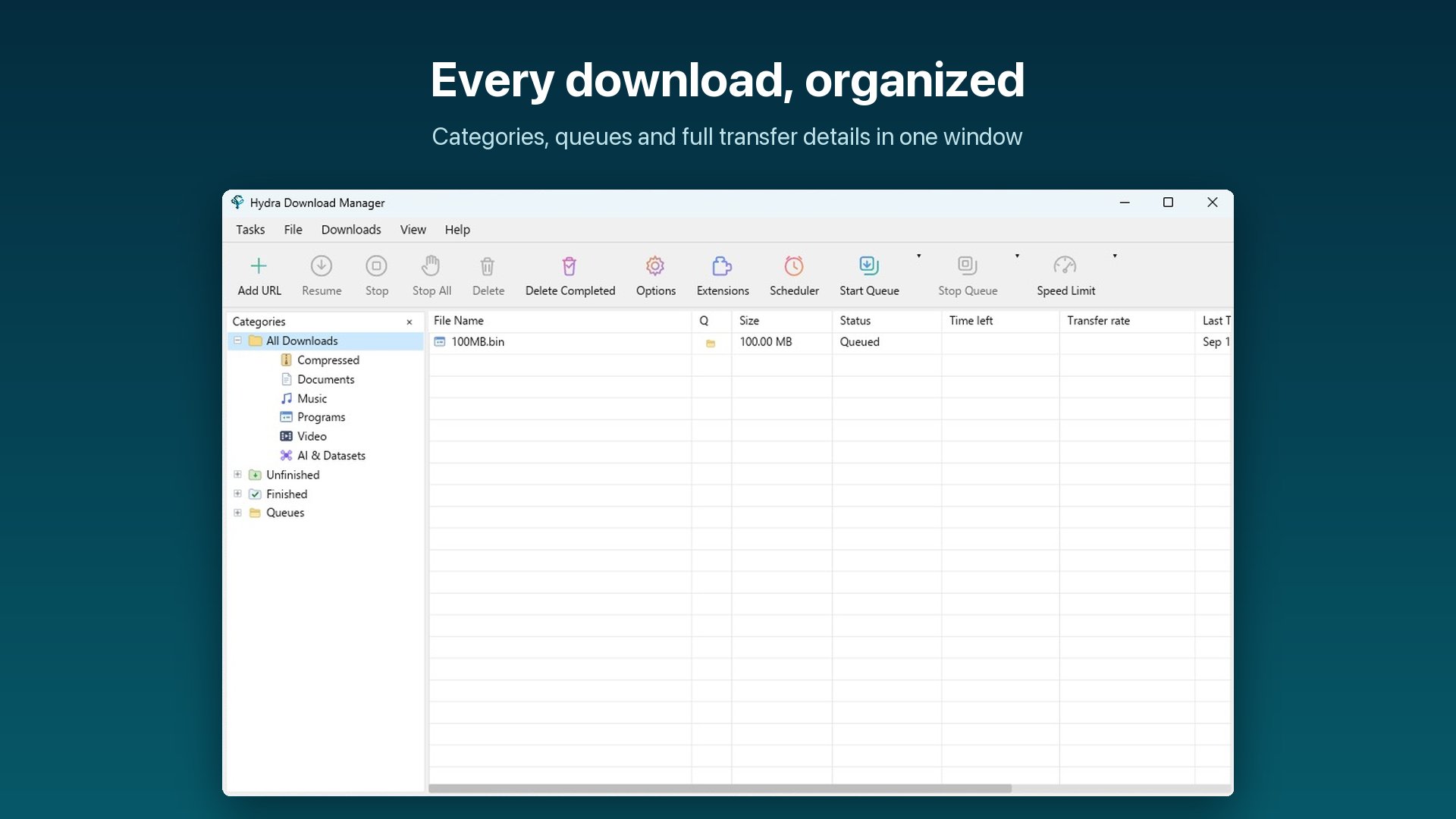
Hydra Download Manager (HDM) is an open-source, high-performance network file retriever and download accelerator designed for speed, resilience, and adaptability. It dynamically partitions downloads across multiple connections and independent mirror sources, continuously rebalancing work to maximize throughput without stalling on slow peers. It ships as both a wget/curl-compatible CLI and a cross-platform desktop download manager with browser integration.
Key Features
| ### Engine - **Adaptive Concurrency** — splits files across connections and mirrors, rebalancing live - **Range Stealing** — reassigns work from slow peers to fast ones automatically - **Stall Detection** — statistical estimators catch degraded connections early - **Broad Protocol Support** — HTTP(S), FTP, CONNECT tunneling, SOCKS4/4a/5 - **Integrity Checks** — checksum manifests plus Reed–Solomon bitrot protection - **Flat Memory Use** — direct positioned writes keep RAM usage constant | ### CLI - **`hydra` or `hya`** — the same CLI under a short second name, on every platform - **`wget` / `curl` Compatible** — drop-in flag and dialect support - **Interactive TUI** — manage, pause, resume, and monitor queued downloads - **Smart File Sorting** — content-based type detection and auto-sort - **Remote Checksum Lookup** — verify server-advertised digests before or after download | ### Desktop GUI - **Cross-Platform App** — Windows, macOS, and Linux with categories and progress detail - **Browser Integration** — Chrome, Edge, Firefox, and Safari extensions hand off downloads - **Queue & Scheduler** — scheduled start/stop times with retry tracking - **Desktop Niceties** — tray icon, sounds, launch-on-startup, localized UI - **Portable Profile** — `hydra-gui --config ./here` keeps settings, downloads list and logs in that directory |
Installation
Quick Install (Bash / PowerShell)
macOS / Linux — installs the GUI bundle (GUI + CLI + browser extensions) by default:
curl -fsSL https://raw.githubusercontent.com/ja7ad/hydra/main/install.sh | bash
CLI only:
curl -fsSL https://raw.githubusercontent.com/ja7ad/hydra/main/install.sh | bash -s -- --cli
Windows (PowerShell) — installs the GUI bundle by default:
irm https://raw.githubusercontent.com/ja7ad/hydra/main/install.ps1 | iex
CLI only:
& ([scriptblock]::Create((irm https://raw.githubusercontent.com/ja7ad/hydra/main/install.ps1))) -Cli
The scripts detect your OS and architecture (amd64/arm64), fetch the matching archive from the latest GitHub release, and install it — on Linux and macOS to /usr/local (falling back to ~/.local; override with --prefix DIR), on Windows to %LOCALAPPDATA%\Programs\Hydra. The CLI lands under both hydra and the short hya; an existing hya on the same prefix is never overwritten. GUI installs also register the browser native-messaging host. Pin a release with --version vX.Y.Z / -Version vX.Y.Z, or download the archives yourself from the releases page.
Linux compatibility. The CLI archive is a static musl build with no shared
library of any kind, so --cli works on any distribution — old LTS releases,
minimal containers, Alpine — regardless of its glibc. The desktop artifacts
(GUI archive, .deb, .rpm) link the system's GTK, X11 and ALSA and are built
on Ubuntu 22.04, which puts their floor at glibc 2.35: Ubuntu 22.04, Debian 12,
RHEL 9 and newer. The AppImage is built on Ubuntu 20.04 and goes further back,
to glibc 2.31: Ubuntu 20.04, Debian 11 and newer.
A GUI install is a real desktop app, not a loose binary:
- Windows — start-menu and desktop shortcuts (
-Desktop:$falseskips the desktop shortcut) and an Apps & features entry, so Hydra is listed and uninstallable from Settings like any other app. Ahydra-<version>-windows-portable-<amd64|arm64>.zipon the releases page is the alternative for a machine you cannot install on: unpack it anywhere, runHydraPortable.exe, and the app keeps its configuration inside the bundle instead of%APPDATA%\hydra. - macOS —
Hydra Download Manager.appis installed into/Applications(override with--app-dir DIR, e.g.~/Applications), with its icon and name in Launchpad, Spotlight, the Dock and the app switcher.hydra,hya,hydra-guiandhydra-hostin<prefix>/binare symlinks into the app, so the CLI stays onPATHand one update refreshes both. - Linux — the logo lands in the hicolor icon theme and a
hydra.desktopentry in your applications directory (plus the prefix's, for a system-wide install), so the app shows up in the launcher, the dock and the switcher with its own icon.
Either way the GUI can update itself in place afterwards (Options → General → Check for updates), including an install that lives in a root-owned directory — it asks for authorisation before replacing those files.
Beta channel — --beta (-Beta on Windows) installs the newest -rc pre-release when it is ahead of the latest stable release; otherwise it installs the stable release:
curl -fsSL https://raw.githubusercontent.com/ja7ad/hydra/main/install.sh | bash -s -- --beta
& ([scriptblock]::Create((irm https://raw.githubusercontent.com/ja7ad/hydra/main/install.ps1))) -Beta
The GUI's in-app updater follows the same rule: enable Options → General → Download Beta channel and update checks will also offer release candidates while one is ahead of stable.
macOS notes: since the app isn't notarized yet, Gatekeeper may block it — see the macOS Permissions Guide for granting the required permissions. If you installed via the .dmg and macOS refuses to open the app ("damaged" or "unidentified developer"), clear the quarantine attribute:
xattr -cr /Applications/Hydra\ Download\ Manager.app
Homebrew (macOS / Linux)
CLI:
brew install ja7ad/tap/hydra
macOS Desktop App (GUI):
brew install --cask ja7ad/tap/hydra
Winget (Windows)
Hydra Download Manager is in the Windows Package Manager repository as ja7ad.Hydra:
winget install ja7ad.Hydra
Update it later with winget upgrade ja7ad.Hydra, or remove it with winget uninstall ja7ad.Hydra.
Linux Packages (Ubuntu PPA / Fedora COPR / Arch Linux AUR)
Ubuntu / Debian-based (Launchpad PPA):
sudo add-apt-repository ppa:sonycore/hydra
sudo apt update
sudo apt install hydra-download-manager
The package is
hydra-download-manager, nothydra—hydrain the Ubuntu archive is THC-Hydra, the login cracker, and it is whatapt install hydragives you.PPA Repository: launchpad.net/~sonycore/+archive/ubuntu/hydra
Fedora / RHEL-based (Fedora COPR):
```bash sudo dnf copr enable sonycore/hydra sudo dnf instal
📈 近 7 天 Star 趋势
🏆 排名变化趋势
📋 历史上榜记录
| 日期 | 榜单 | 排名 | 周期新增 | 总 STAR |
|---|