📄 仓库 README
在 GitHub 查看 ↗PPT Master — AI generates native PowerPoint from any document



English | 中文
💼 I'm open to new opportunities. Investment background (CPA · CPV · Consulting Engineer), also building AI tools and open source. Happy to talk about any opportunity: heyug3@gmail.com · hehugo.com.
🆕 I built a construction project economic evaluation site: cs.hehugo.com (in Chinese) — the wind, solar and storage templates are now open to everyone; just register and use them (a comparable module in one commercial package sells for ¥100,000).
❤️ Sponsors
This project is kept free and open source with the support of Kimi, PackyCode, APIKEY.FAN, RunAPI and other sponsors.
Click to collapse

 |
Thanks to PackyCode for sponsoring this project! PackyCode is a reliable and efficient API relay service provider, offering relay services for Claude Code, Codex, Gemini, and more. PackyCode provides special discounts for our project users: register using this link and enter the promo code ppt-master during recharge to get 10% off. |
 |
Thanks to APIKEY.FAN for sponsoring this project! APIKEY.FAN is a professional enterprise-grade AI relay service committed to stable, efficient, and low-cost AI access for businesses and developers. The platform supports mainstream models including Claude, OpenAI, and Gemini, with prices as low as 7% of official rates. Register through our dedicated link for an exclusive perk: up to 5% off on top-ups, permanently. |
 |
Thanks to RunAPI for sponsoring this project! RunAPI is an efficient and stable API platform — a single API Key gives you access to 150+ leading models, including OpenAI, Claude, Gemini, DeepSeek, and Grok, at prices as low as 10% of official rates, with exceptional stability and seamless compatibility with tools like Claude Code. RunAPI offers an exclusive perk for PPT Master users: register and contact an administrator via our dedicated link to claim ¥7 in free credit. |
Editable is already table stakes — what sets PPT Master apart is native depth. It hands you a real PowerPoint: slide masters, native shapes, data-backed charts and tables — not flat text boxes, and not a filled-in template. It also does more than lay slides out nicely — it reasons the argument into shape first, then designs; and that native depth keeps converging with PowerPoint itself, adding more of its native capabilities release after release. In form, it's a workflow that runs inside any agent-capable AI tool: hand the AI your topic or material, and it generates on your machine — your data stays local, no platform or model lock-in. How it works and where the limits are → Product Positioning.
Quick Start · Live Demo · Examples · FAQ · Roadmap
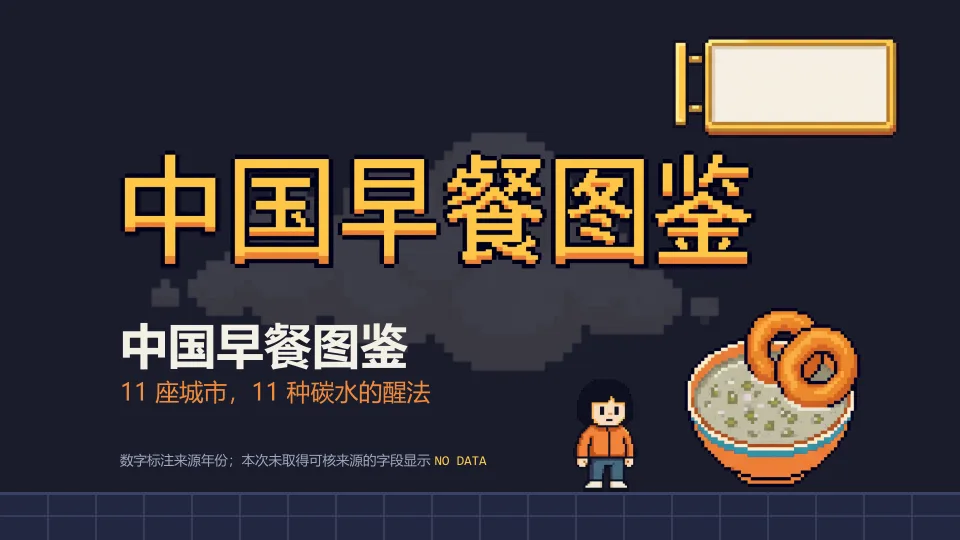 Pixel Art — Chinese breakfast atlas: AI sprite sheets, HUD panels, Morph and 8-bit sound cues |
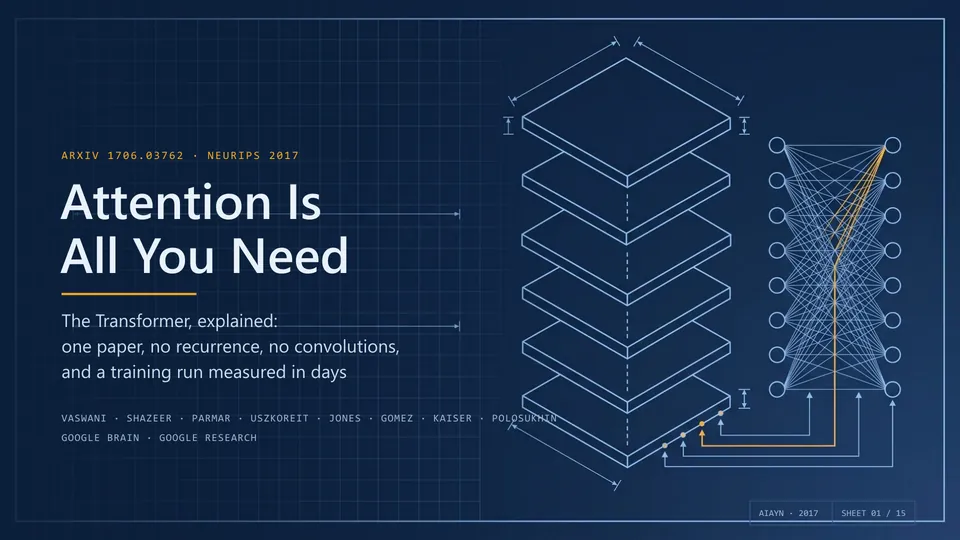 Technical Blueprint — Transformer paper walkthrough: diagrams, native formulas, notes and animations |
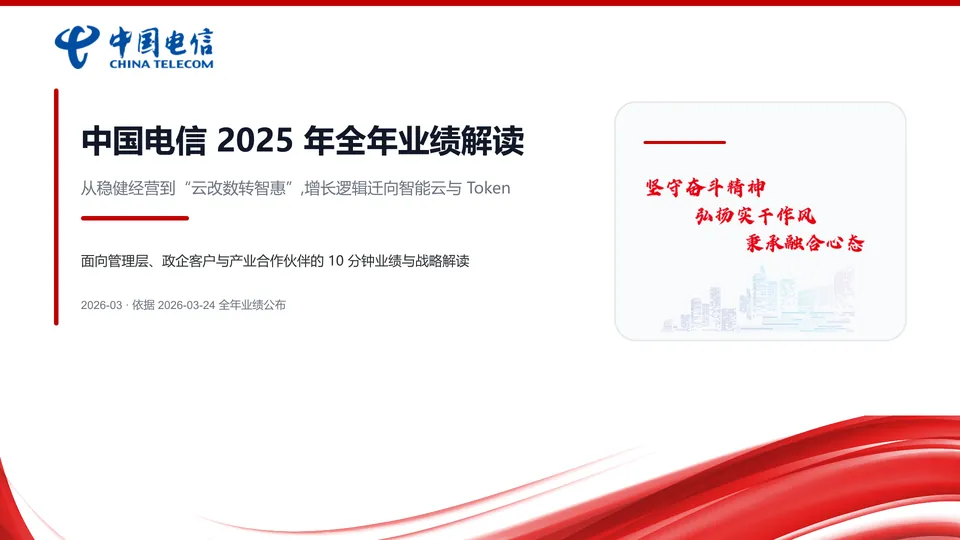 Brand Template — China Telecom 2025 results on the company's own deck template, with a native-chart export |
Every example is a single pass with no manual polish; downloading a .pptx and opening it in PowerPoint is the fastest way to see what it can really do.
Flip through all examples online → · Source repository · Why PPT Master?
Product Positioning
Editable is now table stakes — the real question is how much of PowerPoint you actually get. PPT Master delivers PowerPoint's native object model itself, and in depth: native shapes and connectors with working adjustment handles, data-backed charts and tables on demand, and the full text / picture / fill / effect model — click any element and keep editing it as a native PowerPoint object; and through the template / structured route, it can hand you a deck with real slide masters and layouts (p:sldMaster / p:sldLayout inheritance).
And that depth is a direction of travel, not a fixed checklist. PPT Master's north star is to keep converging with PowerPoint itself: an ongoing effort to build and integrate more of PowerPoint's native capabilities, release after release, closing the gap between what an AI can generate for you and what you could build by hand in PowerPoint. The PowerPoint ↔ SVG Mapping Guide is the honest, feature-by-feature record of how far that reaches today — and SmartArt is a deliberate omission, not a gap.
In form, it's a workflow (a "skill") that runs inside any agent-capable AI tool: tell it in chat — "make a deck from this PDF" — and it runs the workflow on your machine and exports a natively editable .pptx. No coding on your side; you do exactly three things — install Python, install an AI tool, drop in your material.
Generating a new deck from source documents is the main pipeline, but not the only route. PPT Master can also distill reusable brand / style / layout / deck templates from your references, fill an existing .pptx with new content while preserving its design, and add native transitions, animations, and narration to a finished deck — each route with an explicit contract for what gets preserved. How to use each capability → Getting Started.
On top of t
📈 近 7 天 Star 趋势
🏆 排名变化趋势
📋 历史上榜记录
| 日期 | 榜单 | 排名 | 周期新增 | 总 STAR |
|---|