📄 仓库 README
在 GitHub 查看 ↗🔎SearchJumper
Your open-source search hub. Fast, smart, and private.



💞Contribute your search engines 📖Guide





- Build with React.js
- UI: Material-UI
- Icons: FontAwesome
Just a personal work, maybe not suit you. 古法編碼,no Vibe
Install
| Install via Chrome web store | Install via Greasyfork | Install via Firefox addons |
|---|---|---|
 |
 |
 |


Config page
You can also download the source code, double-click start.cmd to compile, then enter the config page through localhost:3000
亦可下載源碼到本地后雙擊 start.cmd ,透過 npm 編譯后訪問 localhost:3000 進入配置
Please help with localizing this extension[1][2] to the language you are familiar with!
Translation Contributors
Русский: RomanAleynikov
Privacy and network access / 隱私與連線
- New installations disable suggestions by default. Upgrades preserve the previous provider. When enabled, suggestions send unsubmitted text to the selected Google, Bing, or Baidu service after an input pause of about 200 ms.
新安裝預設關閉聯想;升級保留原服務商。開啟後,輸入停頓約 200 毫秒會傳送尚未提交的文字。
- Icons, fonts, configured backgrounds, and the configuration page's sponsor image can make resource requests. Disabling icon caching does not disable downloads.
圖示、字型、背景和設定頁贊助圖片仍可能連線;關閉圖示快取不等於停止下載。
- Optional WebDAV sync sends engine configurations and saved highlighting rules to your chosen server. Saved WebDAV passwords stay in extension or userscript storage, are not filled into the configuration page, and are excluded from full backups. Existing backups remain importable.
WebDAV 將引擎和高亮規則傳至指定伺服器;已儲存的密碼不回填至設定頁,也不包含在完整備份中,舊備份仍可匯入。
- Custom engines and backups can contain API parameters, headers, page URLs, and other values you entered. Cross-origin permissions remain available for custom sites, images, APIs, and WebDAV. See the privacy policy for account services, updates, storage, and split search's effect on site service workers.
自訂引擎和備份仍可能含 API 參數、請求標頭及網址。跨域權限保留供自訂功能使用;帳號服務、更新、儲存與分屏影響範圍詳見隱私政策。
Features:
- Open source, with settings stored in the browser or userscript manager. Searches, visible resources, suggestions, and optional synchronization can contact external services. See the privacy policy.
開放原始碼,設定儲存在瀏覽器或腳本管理器中。搜尋、可見資源、聯想和可選同步會連線外部服務,詳見隱私政策。
- Search for pictures, links, videos, audios, pages, etc. (long press the right mouse on the corresponding object)
可以搜尋圖片、連結、視頻、音頻、頁面等(在相應對象上長按右鍵)
- Support word search on any page (need to long press the right mouse, you can also change to swipe to call out immediately in the settings)
支援任意頁面劃詞搜尋(需要長按右鍵,亦可在設置中改為劃選立即調出)
- Support search by site
支援站內搜尋
- Shortcut keys (single key or key combination) to start search (such as alt+g Google search, which can be customized at will)
可隨意使用快捷鍵(單個按鍵或者組合按鍵)開啟搜尋(比如 alt+g 谷歌搜尋,可隨意自定義)
- Right-click the category icon to open the sites in batches
滑鼠右鍵單擊類別圖標批量打開同一類別
- Hold
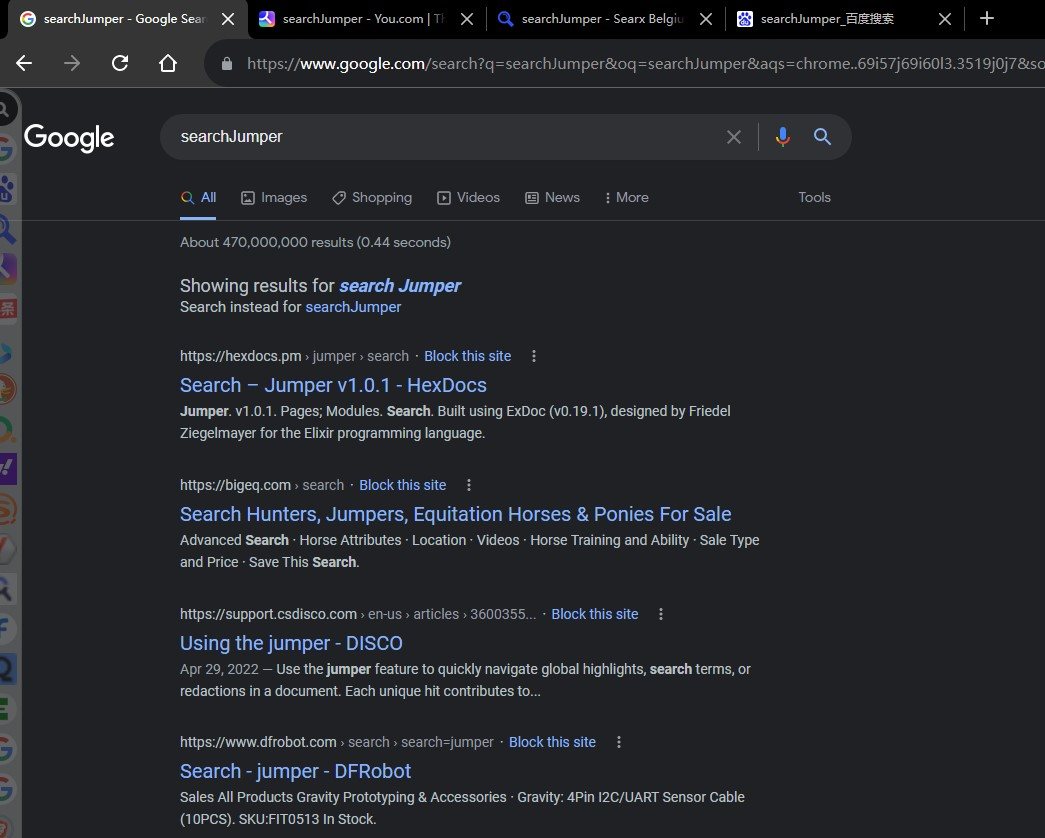
shift+ left click on category icon to open batches in new window按住
shift左鍵單擊類別圖標在新窗口批量打開 - Hold
ctrl+ left click on category icon to open in background TAB按住
ctrl左鍵單擊類別圖標以後臺標籤頁批量打開 - Hold
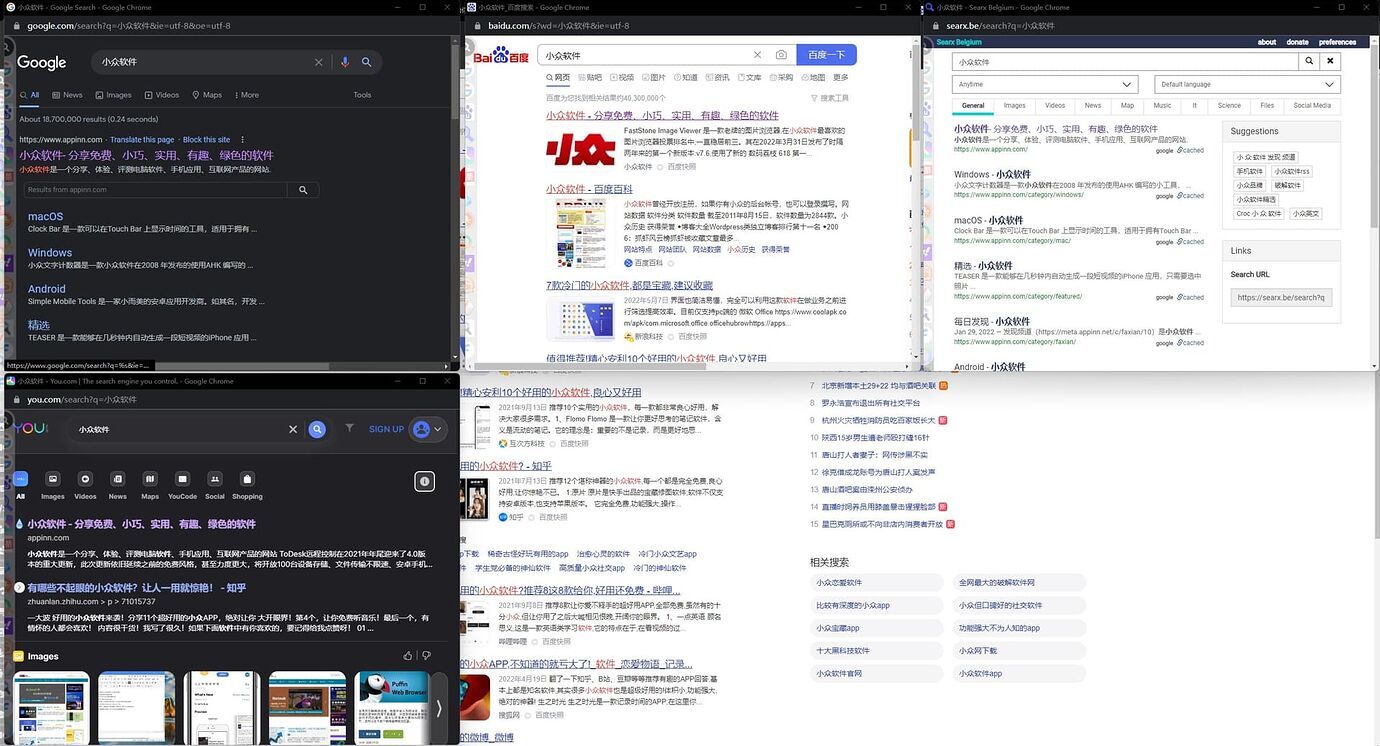
alt+ left-click a category icon to batch open multiple separate windows按住
alt左鍵單擊類別圖標以多個單獨窗口批量打開 - Hold
ctrl + shift+ left click on category icon to open batches in incognito window按住
ctrl + shift左鍵單擊類別圖標在隱身窗口批量打開 - Hold
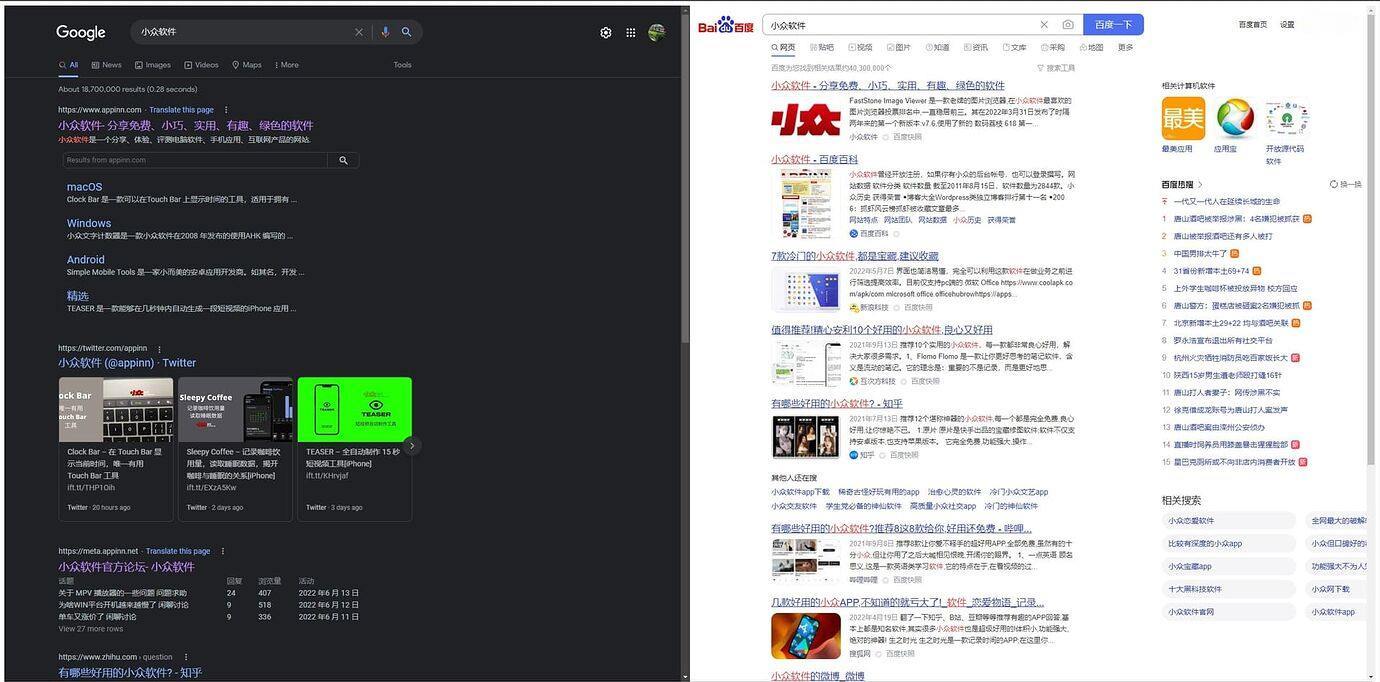
alt + shift+ left click on category icon to open batches embedding按住
alt + shift左鍵單擊類別圖標批量嵌入打開 shift+ left click on site icon to open in new window按住
shift左鍵單擊站點以新窗口打開結果頁ctrl+ (left click/shortcut/drag) on site icon to open in background TAB按住
ctrl(左鍵單擊/快捷鍵/拖拽)站點以後臺標籤頁打開結果頁alt+ (left click/shortcut/drag) on site icon to preview in small window按住
alt(左鍵單擊/快捷鍵/拖拽)站點以小窗口預覽結果ctrl + shift+ (left click/shortcut/drag) single site/press shortcut key to open in incognito window.按住
ctrl + shift(左鍵單擊/快捷鍵/拖拽)站點以隱身窗口打開- Call search bar for input words to filter sites by shortcut key when select no words, press enter to search quickly,
ctrl+ enter to search without lock.沒有選擇文字或者圖片時透過喚出快捷鍵可喚出站點搜尋框,搜尋站點后按下回車可鎖定站點並輸入搜尋詞,再次回車使用第一個結果搜尋,ctrl+回車無需鎖定即可快捷打開,適用於靜態書簽。
- Can set the category to be displayed only on the specified site through the regular rule
可以透過正則設置類別僅在指定站點顯示
- Right click on cute face to hide the toolbar
右鍵點擊 小萌臉 徹底隱藏工具欄
- Left click on cute face to open the configuration page
左鍵點擊 小萌臉 打開配置頁
- Support open with shortcut key, right click on the logo to close
可隨意拖拽 小萌臉,並隨意選擇位置放置,例如上中,下中,左上,右上,上左,上右等
- Support configuration export and quick sharing
支援配置導出與快捷分享
- Support middle button to open links in the background
支援中鍵後台打開連結
- Support custom css
支援自定義樣式
- Support full character encoding
支援全字符編碼
- Support Post, in-page post and non-jump post
支援 Post、頁內 post 以及無跳轉 post
- Comprehensive customization
全面的自定義功能,詳見最下方【搜尋參數】
- The extension bundles its default configuration and configuration app dependencies. The userscript pins its default configuration dependency to a reviewed revision.
擴充套件內含預設設定與設定頁相依套件;使用者腳本的預設設定相依檔固定版本。
- Self-expand current category
自展開當前類別並提前
- No tamper with the original page
不篡改原始頁面
- Drag to search with current category
拖拽搜尋當前分類(文字/圖片/鏈接),内圈為當前分類前6個站點,外圈為最近使用的10個站點,可透過編輯第一個(文字/圖片/鏈接)分類來自定義内容
Screenshots
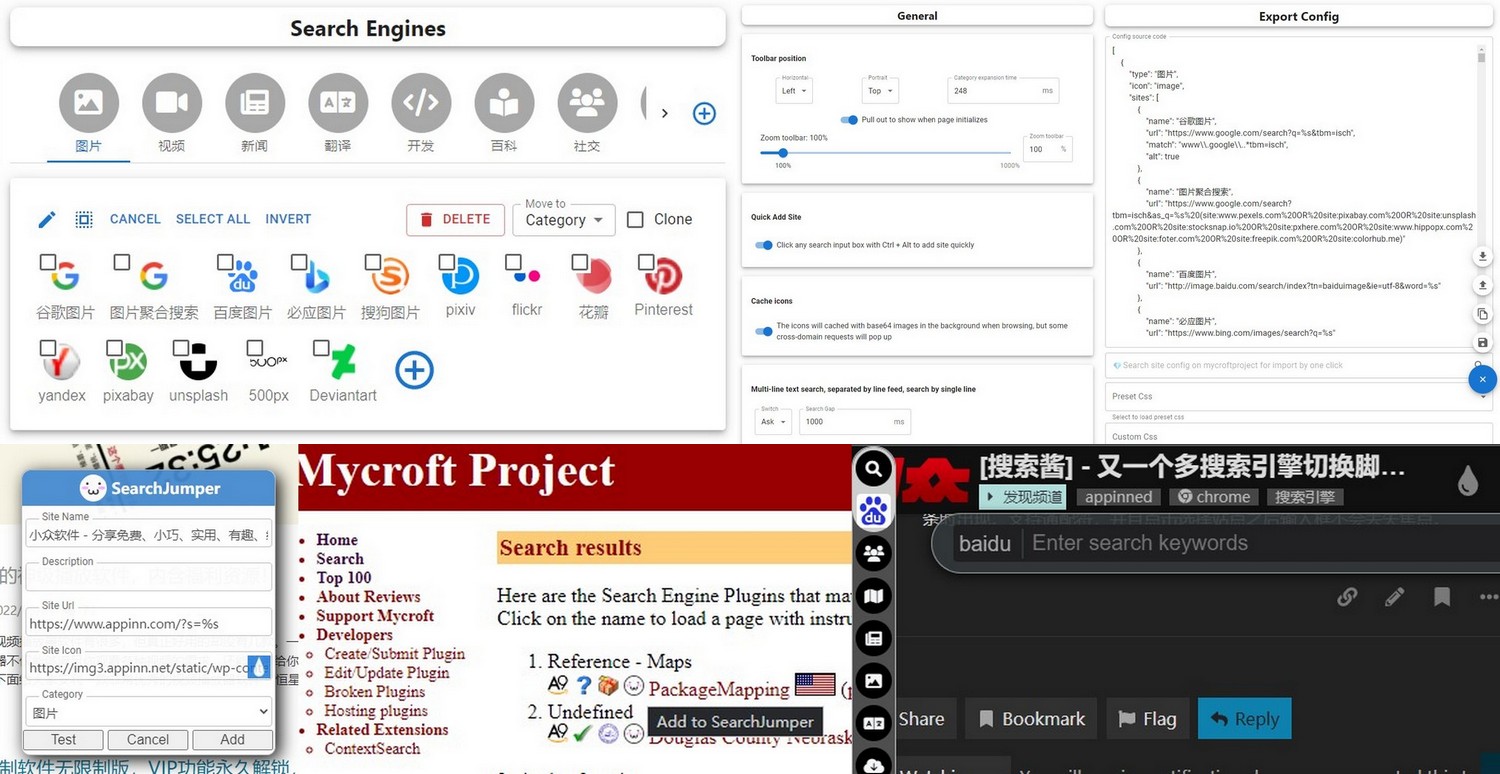
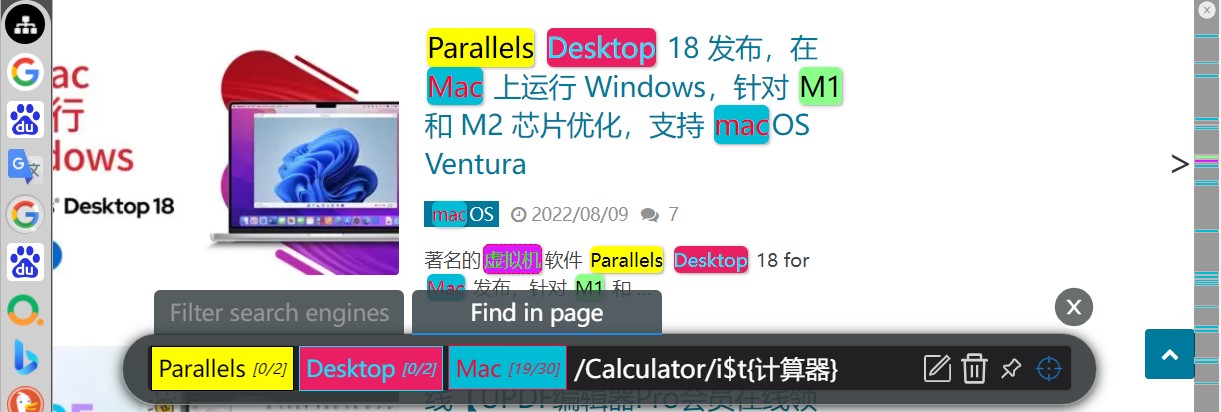
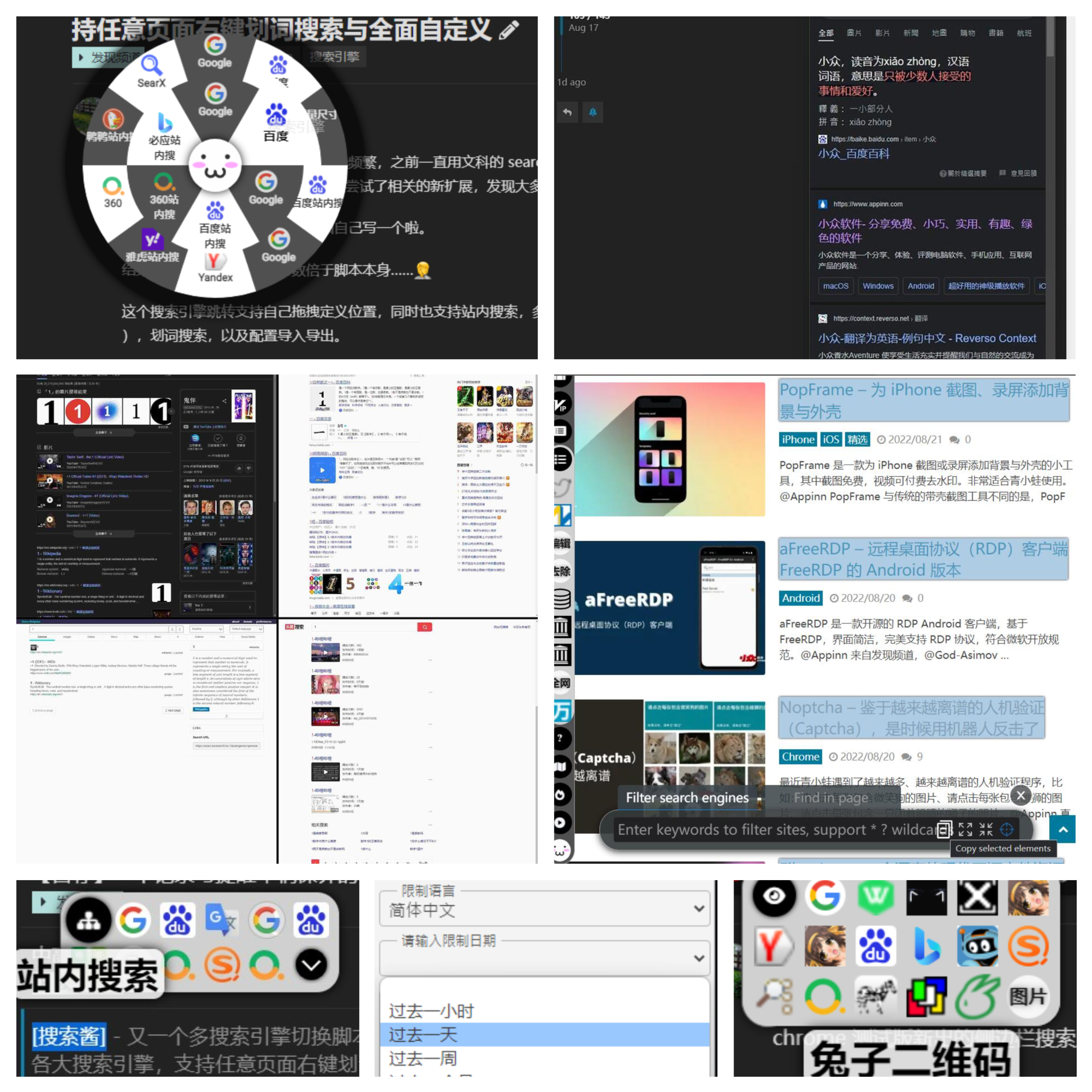
Search params
| param | details | 詳述 |
|---|---|---|
%s |
search keyword | 🗒️ 搜尋關鍵詞 |
%S |
cached search keyword | 🗒️ 最近一次的搜尋關鍵詞 |
%sl |
search keyword with lower case letters | 🗒️ 小寫字母搜尋詞 |
%su |
search keyword with upper case letters | 🗒️ 大寫字母搜尋詞 |
%u |
current website url | 🗒️ 當前網站 url |
%h |
current website host | 🗒️ 當前網站 host |
%t |
target src | 🗒️ 指向對象的 src |
%i |
base64 of target image | 🗒️ 指向圖片的 base64 |
%s.replace |
replace keywords with regexp, like %sr.replace(/[^\d]/g, "").replace(/(\d)/g, "$1 ") means replace raw keywords to numbers and then join all numbers with space, support %s %sl %sr %su %t %u | 🗒️ 用正則替換搜尋關鍵詞,例如 %sr.replace(/[^\d]/g, "").replace(/(\d)/g, "$1 ") 代表提取原始關鍵詞中所有數字,並以空格分隔,支援 %s %sl %sr %su %t %u |
%p{params} |
post body, like %p{x=1&y=%s} | 🗒️ post 參數體,例如 %p{x=1&y=%s} |
%P{params} |
post without navigation | 🗒️ post 但不跳轉 |
%input{tips} |
input something, like %input{love who?,you} | 🗒️ 輸入占位,例如%input{請輸入您的三圍,90 55 90} |
#p{params} |
post in page, like #p{#input=%u&sleep(500)&click(.submit)}, means: input current url to "#input", then wait for 500ms, then click ".submit". use \& \= instead of & = in content | 🗒️ 頁内 post,可在頁面之内使用【css選擇器】填寫參數提交查詢,適用於不開放GET/POST接口的網站,例如 #p{#input=%u&sleep(500)&click(.submit)}, 代表在"#input"内輸入指定url,然後等待500毫秒,最後點擊".submit"。可在内容中使用 \& \= 來 表示 & = |
["siteName1","siteName2"] |
batch open by site name you've created | 🗒️ 透過你已經創建的站點名批量打開,例如 ["雅虎搜尋","谷歌搜尋"] |
%element{} |
query element for innerText from selector or xpath, like %element{.mainTitle} | 🗒️ 透過 css 選擇器或 xpath 抓取元素並返回文字内容,例如 %element{.mainTitle} |
%element{}.prop() |
return prop value for queried element, like %element{.mainTitle}.prop(href) %element{.mainTitle}.prop(innerHTML) | 🗒️ 獲取抓取到元素的屬性值,例如 %element{.mainTitle}.prop(href) %element{.mainTitle}.prop(innerHTML) |
%element{}.replace() |
replace, same as above, like %element{.mainTitle}.prop(href).replace(/https/i,"") | 🗒️ 正則替換,例如 %element{.mainTitle}.prop(href).replace(/https/i,"") |
PopClip extension for SearchJumper
#popclip extension for SearchJumper
name: SearchJumper
icon: search filled S
url: https://search.hoothin.com/all#***
Select the above text, PopClip will offer an "Install Extension" action. Click it.
https://search.hoothin.com/all?kw=keywords&engine=someenginemeans search keywords with search engine named someengine and open in new tab.https://search.hoothin.com/all?kw=keywords&engine=someengine&self=1means search keywords with search engine named someengine and open in current tab.
Pre-highlight 預高亮
You can share highlighted links with SearchJumper users in the following ways:
#sjhl=highlight words &i=index of words
e.g.,https://github.com/hoothin/SearchJumper#sjhl=SearchJumper&i=7
Search engine examples 搜尋引擎規則範例
- Open link in the text, display only when a link is detected 打開文字中的鏈接,僅當檢測到鏈接時顯示
{
  "name": "Open link in text",
  "url": "%sr.replace(/(点|。)/g,\".\").replace(/[^\\s\\w\\-_\\.~!\\*';:@&=\\+\\$,\\/\\?#\\[\\]%]/g,\"\").replace(/https:\\/\\/pan\\.baidu\\.com\\/s\\//,\"\").replace(/.*([\\s::]|^)(1[a-z_0-9]{22,})[\\s\\S]*?\\b([a-z0-9]{4}\\b|$).*/i,\"https://pan.baidu.com/s/$2?pwd=$3\").replace(/ /g,\"\").replace(/^/,\"http://\").replace(/^http:\\/\\/(https?:)/,\"$1\")",
  "kwFilter": "\\w\\S*\\.\\S*\\w|\\w.*[点。].*\\w|1[a-zA-Z0-9]{22,}"
}
- Automatically send target text to other device like mobile phone 自動發送選中文字到手機
{
  "name": "Send to phone",
  "url": "https://s.hoothin.com/#p{wait(x-peer)&rclick(x-peer)&#textInput=%s&click(#textInput+div>button)}"
}
- Split by line and paste into the current input box in order 按行分割後依次粘貼到當前輸入框
{
  "name": "⌨️ 按行輸入",
  "url": "#p{@=%s[]}"
}
- Currency conversion / USD to RMB, show tips when the mouse is hovering
{
  "name": "💲USD to RMB",
  "url": "showTips:https://api.exchangerate.host/convert?from=USD&to=CNY&amount=1 \n{name}<br/><i>%sr USD = {json.result|*%sr.replace(/\\D/,'')} RMB</i>",
  "kwFilter": "\\d\\$|\\$\\d"
}
- Currency conversion of various countries 各國貨幣轉換
{
  "name": "💲Currency convert",
  "url": "showTips:http://apilayer.net/api/convert?from=%input{From currency/US Dollar/Euro/Japanese Yen/China Yuan,USD/EUR/JPY/CNY}&to=%input{Target currency/US Dollar/Euro/Japanese Yen/China Yuan,USD/EUR/JPY/CNY}&amount=1&access_key=%template{apilayer key}\n{name}<br/><i>%sr {json.query.from} = {json.result|*%sr.replace(/\\D/,'')} {json.query.to}</i>"
}
- Show Romaji of japanese 顯示日語對應羅馬音/羅馬字
{
"name": "🗻 Japanese romaji",
"url": "showTips:https://translate.googleapis.com/translate_a/single%p{client=gtx&dt=t&dt=bd&dj=1&dt=ex&dt=ld&dt=md&dt=qca&dt=rw&dt=rm&dt=ss&dt=at&sl=ja&tl=zh_CN&q=%s}\n<h3 style='margin: 0;'>{name}</h3>\n{json.sentences.all.trans}\n<br>\n<font style='display: block;' color='antiquewhite'>{json.sentences.all.orig}</font>\n<font style='display: block;' color='yellow'>{json.sentences.-1.src_translit}</font>\n<span style=\"cursor:pointer;color:#f9690e;\" data-read=\"%sr.replace(/\"/g,\""\")\" data-lang=\"ja\" data-rate=\"1\" data-volume=\"1\">🔈Read</span>",
"kwFilter": "[\\u3040-\\u309F\\u30A0-\\u30FF]"
}
- Convert miles and kilometers 轉換英哩與公里
{
  "name": "📏 Mile to km",
  "url": "showTips:\n<i>%sr.replace(/(\\d+)(英里|英?哩|mi(le)?)/,\"$1\") mi = {%sr.replace(/(\\d+)(英里|英?哩|mi(le)?)/,\"$1\")*1.609344} km</i>",
  "kwFilter": "\\d+\\s*(英里|英?哩|mi(le)?\\b)"
}
Add search engines quickly 快速添加搜尋引擎
+ Add with shortcut key on current page 透過快捷鍵快速在當前頁面添加
> Click search input box with `ctrl + shift` 按住 `ctrl + shift` 點擊當前頁面中的搜尋輸入框即可
+ Search on mycroftproject.com and add 在 mycroftproject 上搜尋別人編輯好的站點並點擊導入
> Click the searchJumper face icon in sites list on mycroftproject 點擊 mycroftproject 上站點列表裏的搜尋醬圖標即可
Auto highlight rule examples 自動高亮詞規則範例
Highlight all text URL on any site 在任意網頁上高亮文字網址
{
    "*": {
        "words": [
            "/(https?:\\/\\/|www\\.)[^\\s\"'\\\\{}\\(\\)\\[\\]#]+\\.[^\\s\"'\\\\{}\\(\\)\\[\\]#]+/i$s{unset;border-radius:unset;border-bottom-width:5px;border-bottom-style:dotted;border-bottom-color:red;}$t{@popup}"
        ]
    }
}
{
    "//htm_data//i": {
        "sep": "#",
        "words": [
            "/(?<![a-zA-Z0-9])([a-z]\\w+\\-?|\\d{5,}\\-)\\d{2,}(?![a-zA-Z0-9])/i$s{unset;border-radius:unset;border-bottom:5px dotted red;}$t{@popup(💞 预览)}$in{.tpc_content }"
        ]
    }
}
{
    "@someUserID": "/12345|54321/l",
    "@someUserName": "/jack|adam|rose/i",
    "/^https://xxxx\\.com/yyyy//i": {
        "sep": "|",
        "words": [
            "@someUserID$p{0}",
            "@someUserName$p{0}"
        ]
    }
}
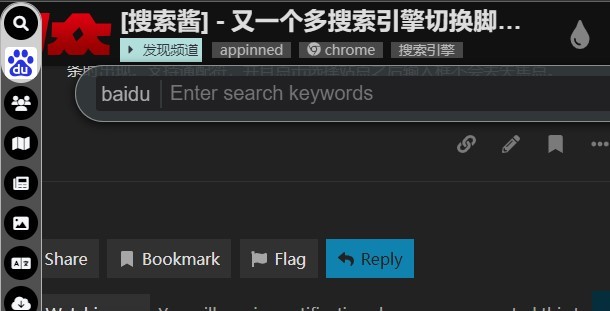
Filter engines to search 篩選引擎並搜尋
+ Call by global shortcut key, Input keywords of site name to filter sites, support glob with "? \*" 透過全局快捷鍵喚出,輸入站點名稱的關鍵詞來篩選,支援 “? \*” 通配符
+ Enter to lock filter and input words to search by click icon or another press of enter 回車鎖定篩選,輸入文字并且點擊站點圖標或者再次回車來進行搜尋
Call SearchJumper by event 透過發送事件(鼠標手勢)調用搜尋醬
+ Search by site name 以站點名調用搜尋
// search by google
const siteName = 'Google search';
const searchJumperEvent = new CustomEvent('searchJumper', {
  detail: {
    action: 'search',
    name: siteName
  }
});
document.dispatchEvent(searchJumperEvent);
const siteName = 'Google search';
const query = 'your string 1234';
const searchJumperEvent = new CustomEvent('searchJumper', {
  detail: {
    action: 'search',
    name: siteName,
    query: query
  }
});
document.dispatchEvent(searchJumperEvent);
const searchJumperEvent = new CustomEvent('searchJumper', {
  detail: {
    action: 'show'
  }
});
document.dispatchEvent(searchJumperEvent);
const searchJumperEvent = new CustomEvent('searchJumper', {
  detail: {
    action: 'showAll'
  }
});
document.dispatchEvent(searchJumperEvent);
const siteOrder = 2;
let currentSite = document.querySelector(`.search-jumper-type:not(.search-jumper-hide)>a:nth-of-type(${siteOrder})`);
if (currentSite) {
  const searchJumperEvent = new CustomEvent('searchJumper', {
    detail: {
      action: 'search',
      name: currentSite.dataset.name,
      key: {altKey:true}
    }
  });
  document.dispatchEvent(searchJumperEvent);
}
const searchJumperEvent = new CustomEvent('searchJumper', {
  detail: {
    action: 'search',
    key: {ctrlKey:true}
  }
});
document.dispatchEvent(searchJumperEvent);
const siteOrder = 2;
const searchJumperEvent = new CustomEvent('searchJumper', {
  detail: {
    action: 'search',
    index: siteOrder,
    key: {ctrlKey:true, altKey:true}
  }
});
document.dispatchEvent(searchJumperEvent);
Download all video with lux 使用 LUX 下載全網視頻

Step by step of One-click video download configuration
+ Download [Lux](https://github.com/iawia002/lux/releases) + Download [ffmpeg](https://www.gyan.dev/ffmpeg/builds/ffmpeg-git-essentials.7z) + Add site under group which "Effect on page" on your SearchJumper + Click "Call local application" under "Edit site" + Input command like `"D:\Program Files\lux\lux.exe" %u`, then submit. + Open and import the reg file. + Right click with ctrl key, click Lux.一鍵視頻下載配置方法(B站為例)
+ 下載[BBDown](https://github.com/nilaoda/BBDown) + 下載[ffmpeg](https://www.gyan.dev/ffmpeg/builds/ffmpeg-git-essentials.7z),解壓並且複制\bin\ffmpeg.exe + 將BBDown.exe 與 ffmpeg.exe 放置於同一文件夾,記錄該路徑,例如 `D:\Program Files\BBDown` + 在你的搜尋醬“當前網頁”分類新增站點 + 點擊“編輯站點”最下方的“添加自定義本地應用調用” + 調用命令處填入`"D:\Program Files\BBDown\BBDown.exe" %u -tv`,點擊生成註冊表補丁 + 此時會自動生成註冊表補丁,點擊導入,並且保存編輯站點 + 在 bilibili 視頻播放頁面按住 ctrl 點擊右鍵,點擊BBDown即可下載 + 其他視頻下載工具(例如lux、you-get、yt-dlp等)同理,可自行編輯。Windows Registry Editor Version 5.00
[HKEY_CLASSES_ROOT\lux]
@="URL:lux Protocol"
"URL Protocol"=""
[HKEY_CLASSES_ROOT\lux\DefaultIcon]
@="cmd.exe,1"
[HKEY_CLASSES_ROOT\lux\shell]
[HKEY_CLASSES_ROOT\lux\shell\open]
[HKEY_CLASSES_ROOT\lux\shell\open\command]
@="cmd /c set m=%1 & call set m=%%m:lux://=%% & d: & cd \"D:\\Program Files\\lux\" & call lux.exe %%m%% & pause"
Sync by webdav 透過 webdav 同步引擎配置與高亮規則
+ webdav 伺服器需要支援自設 cors
+ 也可以自己架設 webdav 伺服器,方法如下
- 下載 [webdav server](https://github.com/hacdias/webdav/releases)
- 創建配置文件 `config.yml`,內容如下:
address: 伺服器地址
port: 伺服器端口
cors:
  enabled: true
  credentials: true
  allowed_headers:
    - '*'
  allowed_hosts:
    - https://hoothin.github.io
  allowed_methods:
    - '*'
  exposed_headers:
    - Content-Length
    - Content-Range
users:
  - username: 用戶名
    password: 密碼
    scope: webdav 同步文件夾路徑
    modify: true
Batch open modes 多種批量打開方式
+ **`shift`** + click category icon
+ **`alt + shift`** + click category icon
+ **`alt`** + click category icon
Star History
📈 近 7 天 Star 趋势
🏆 排名变化趋势
📋 历史上榜记录
| 日期 | 榜单 | 排名 | 周期新增 | 总 STAR |
|---|