📄 仓库 README
在 GitHub 查看 ↗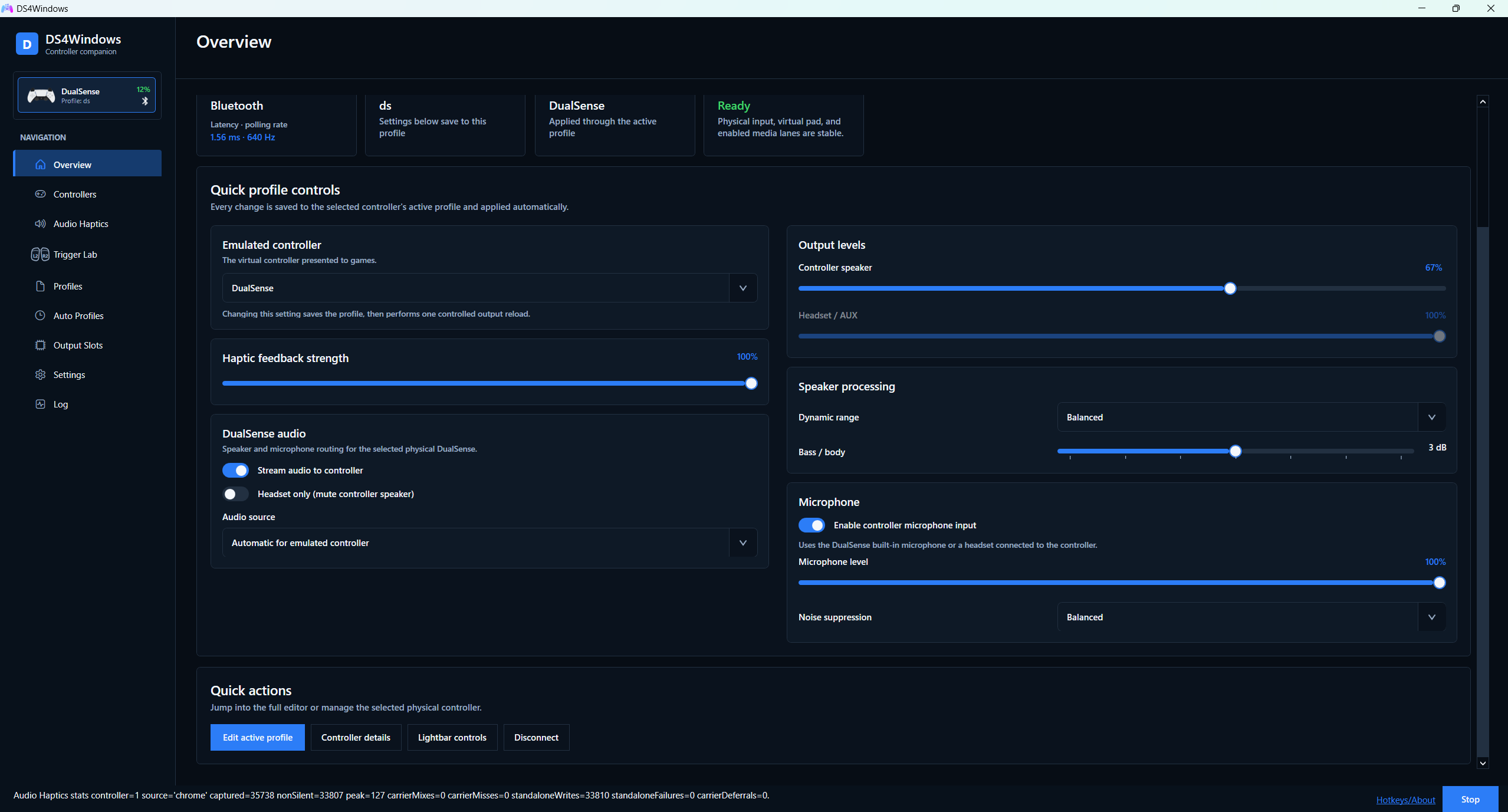
DS4Windows brings controller remapping, native game feedback, and per-game settings together. Use the controller you enjoy, choose the controller your game expects, and make the controls your own.
Keep the detail. Lose the cable.
Enjoy accurate, game-authored DualSense advanced haptics and adaptive triggers on DualSense and DualSense Edge—even over Bluetooth. Emulate a DualSense to receive native feedback from supported PC games, with advanced haptics kept distinct from ordinary rumble.
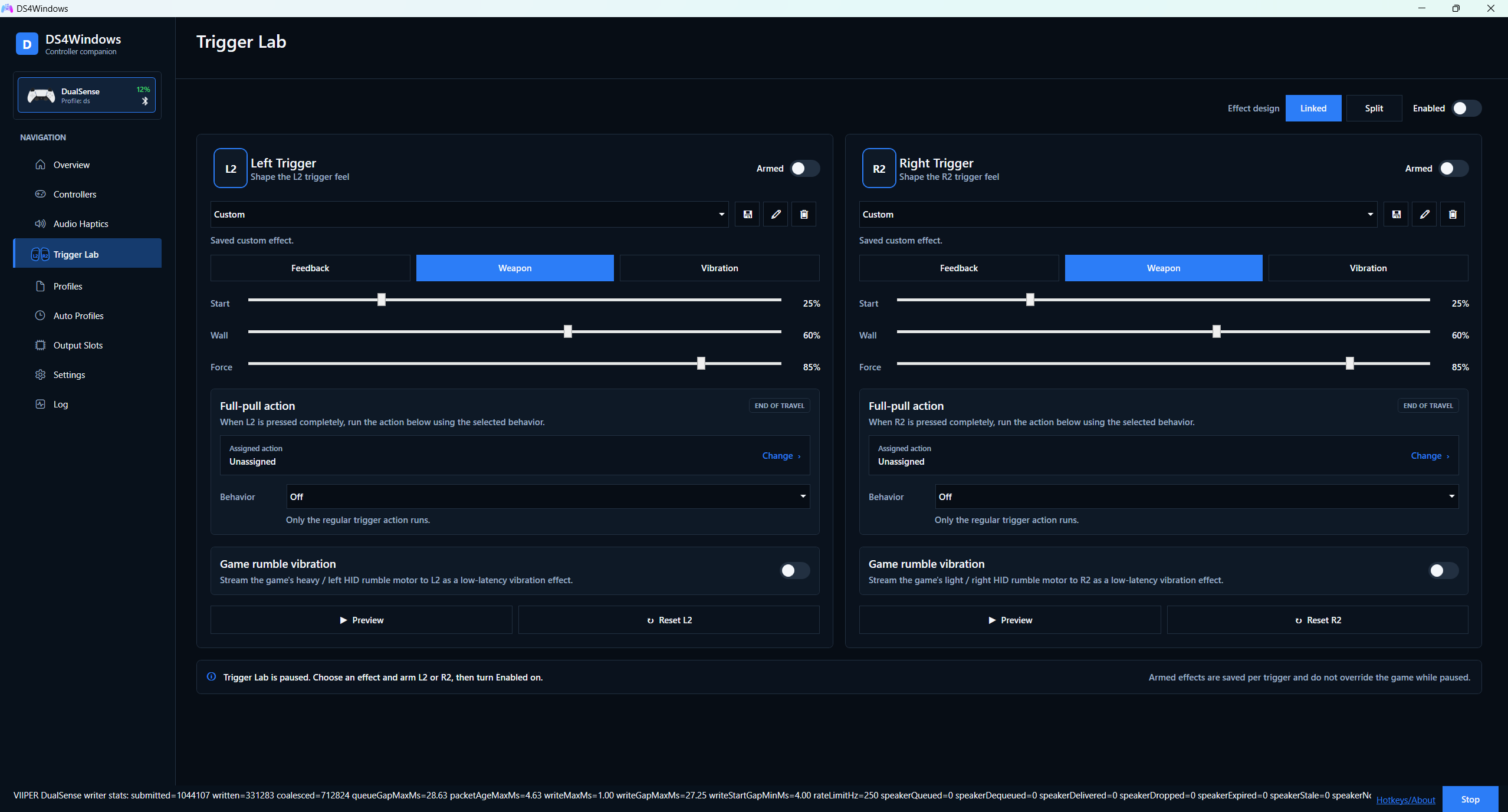
Want to create your own trigger feel? Trigger Lab lets you design, preview, and save effects independently for each trigger, right in your profile.
Bring your Switch 2 controller to PC
Use Switch 2 Pro over USB or Bluetooth, or Joy-Con 2 over Bluetooth, with remapping, gyro aiming, and HD rumble. Play with one Joy-Con, link a pair, or let automatic pairing bring them together. Original Switch Pro and Joy-Con controllers are supported too.
Try DualSense emulation with your Switch 2 Pro or Joy-Con 2: compatible games' advanced haptics can be translated into HD rumble. Xbox rumble and impulse-trigger vibration can be translated too. The result is adapted to Nintendo's motors; it does not reproduce physical adaptive-trigger resistance.
A setup for every game
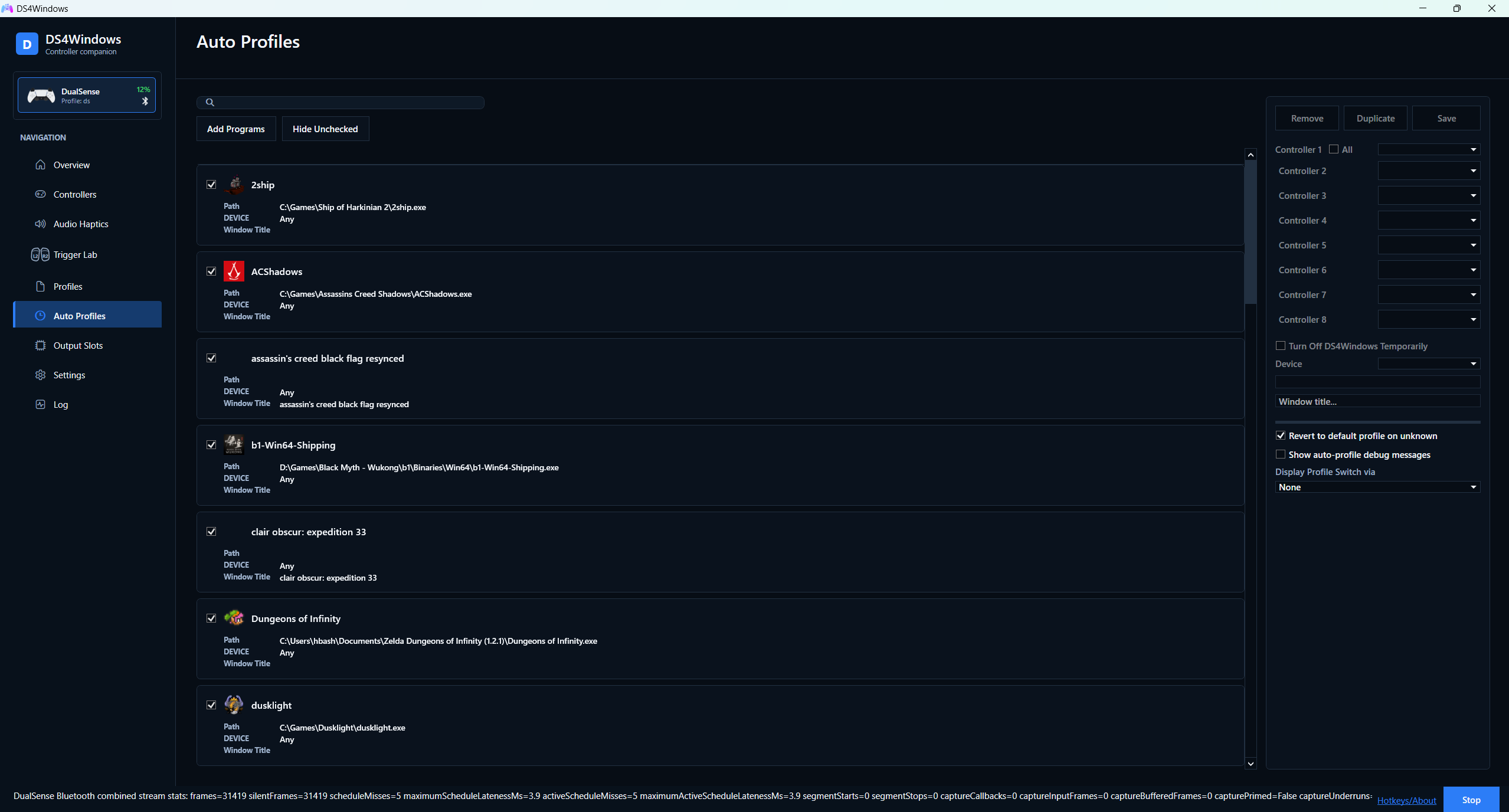
Gyro aiming for a shooter. Different stick curves for a racer. A comfortable layout for an RPG. Save your mappings, emulated controller, lighting, and feedback preferences in profiles, then use Auto Profiles to switch by game or application. You can match an executable or window title and assign profiles to individual controller slots.
Import, export, and share your profiles—or switch them yourself whenever you want.
More ways to make it yours
- Remap with a live preview. Assign controller buttons, keyboard keys, mouse clicks, macros, and special actions while checking your inputs.
- Aim your way. Gyro mouse, flick stick, touchpad controls, and dual-Joy-Con aiming. Joy-Con 2 also supports its optical mouse input.
- Feel your audio. Turn game, app, or system audio into haptics on DualSense and HD rumble on Switch 2 Pro / Joy-Con 2.
- Put controller audio to work. Speaker, headset, and microphone routing for supported PlayStation controllers, including Bluetooth audio.
- Keep everyday play convenient. Searchable profiles, HidHide integration to prevent double input, and Game Bar compatibility.
Features depend on the physical controller and connection. Native advanced haptics and game-controlled adaptive triggers also require game support.
Your controller in. Your choice out.
Physical controllers: DualShock 4, DualSense, DualSense Edge, DualShock 3, Switch Pro, Joy-Con, Switch 2 Pro, and Joy-Con 2. Compatible third-party devices and optional Moonlight/Sunshine input are also supported where their reports match a supported controller type.
Emulated controllers: Xbox 360, Xbox One / Series, DualShock 4, DualSense, DualSense Edge, and Switch 2 Pro. Choose the output in your profile; available inputs and feedback still depend on the controller in your hands.
Get playing
- Download the newest release candidate from Releases. Choose the x64 Setup EXE for the easiest installation.
- Follow setup. The matching VIIPER backend and USB/IP driver are bundled; select HidHide to help prevent double input. Restart if prompted.
- Connect your controller and choose a profile. For Switch 2 Bluetooth, use DS4Windows' discovery and association controls in Settings.
- Choose your emulated controller. For native DualSense feedback, select DualSense and enable controller audio/speaker support. Turn off overlapping Steam Input remapping for that game, then launch it.
Requirements: Windows 10 or 11 x64 and the Visual C++ x64 runtime. The .NET runtime is included. Current builds are release candidates; read the release notes for known limitations and signing status.
Prefer portable? Download DS4Windows_VIIPER_x64.zip and extract the entire
package. See setup, updates, and troubleshooting for
driver requirements and keeping your profiles.
Take a closer look
Preview button mapping, Auto Profiles, and Trigger Lab
### Button mapping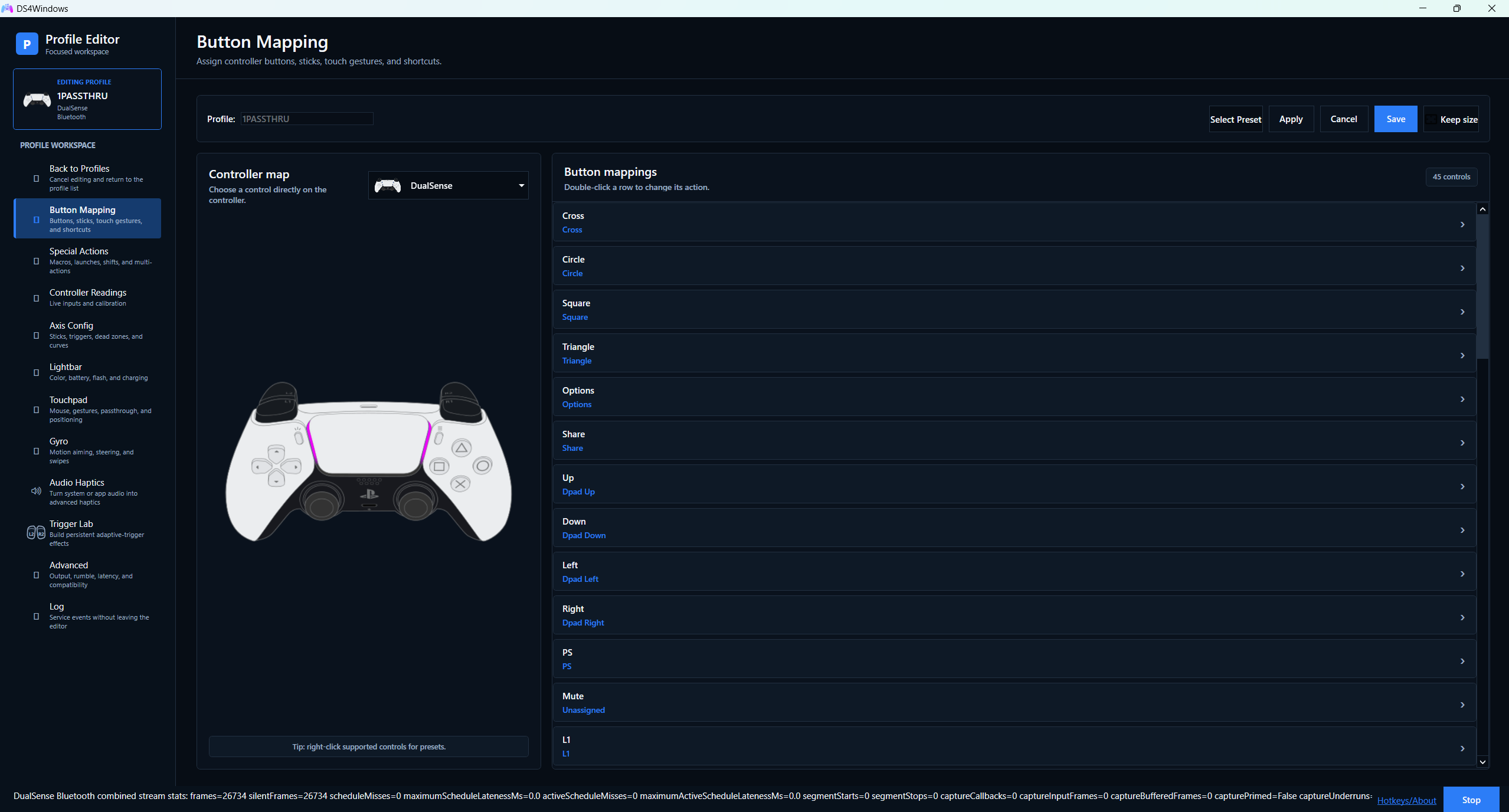 ### Auto Profiles
 ### Trigger Lab
Join in
Report a bug · Share your setup · Contribute · Support development
This hbashton fork builds on the work of Jays2Kings, Ryochan7, Schmaldeo, and the DS4Windows community, with thanks to VIIPER, HidHide, usbip-win2, and the wider controller-research community.
Licensed under GPL-3.0. See third-party notices.
📈 近 7 天 Star 趋势
🏆 排名变化趋势
📋 历史上榜记录
| 日期 | 榜单 | 排名 | 周期新增 | 总 STAR |
|---|