📄 仓库 README
在 GitHub 查看 ↗

%2C%E6%97%A5%E6%9C%AC%E8%AA%9E%2C%ED%95%9C%EA%B5%AD%EC%96%B4%2C%E7%AE%80%E4%BD%93%E4%B8%AD%E6%96%87%2C%E7%B9%81%E9%AB%94%E4%B8%AD%E6%96%87%2CT%C3%BCrk%C3%A7e%2C%D0%A3%D0%BA%D1%80%D0%B0%D1%97%D0%BD%D1%81%D1%8C%D0%BA%D0%B0%2CTi%E1%BA%BFng%20Vi%E1%BB%87t)


%2C~6%20MB%2CNative%20Swift%20%2F%20SwiftUI%2COfficially%20Signed)

Overview
Claude Usage Tracker is a lightweight, native macOS menu bar application that provides real-time monitoring of your Claude AI usage limits. Built entirely with Swift and SwiftUI, it offers a clean, intuitive interface to track your 5-hour session window, weekly usage limits, and Opus-specific consumption.
Key Capabilities
- Multi-Provider Support: Track OpenAI Codex usage alongside Claude — per-profile provider selection, built on a registry so more providers can follow
- Dynamic Island (Beta): A minimal notch HUD showing what Claude Code is doing in real time — current tool, session status, and a pulse when Claude needs your input
- Multi-Profile Support: Manage unlimited Claude accounts with isolated credentials and settings
- Terminal Launchers: Install a
claude-<profile>command per profile — each opens Claude Code with that profile's own login while plainclaudefollows the active profile - Multi-Profile Display: Monitor all profiles simultaneously in the menu bar
- Claude Code Integration: Sync CLI accounts and auto-switch credentials when changing profiles
- Real-Time Monitoring: Track session, weekly, and per-model usage (Fable, Opus, Sonnet, Design), API console usage, and API costs per profile
- Usage History: Interactive charts tracking session, weekly, and billing data over time
- Global Shortcuts: System-wide keyboard shortcuts (no Accessibility permission)
- Headless Mode: Works on headless Macs via Remote Desktop
- Customizable Interface: 5 icon styles + 3 color modes (Multi-Color/Greyscale/Single Color) + per-element statusline colors + remaining/used percentage toggle
- Smart Automation: Auto-start sessions, auto-switch profiles, threshold notifications
- Developer Tools: Terminal statusline integration with model, context, profile display, weekly/extra usage segments, pace markers, per-element colors, and color modes
- Privacy-First: Credentials in the macOS Keychain, local storage, minimal anonymous analytics (version-only heartbeat), no cloud sync
- Native Performance: Lightweight Swift/SwiftUI design for macOS

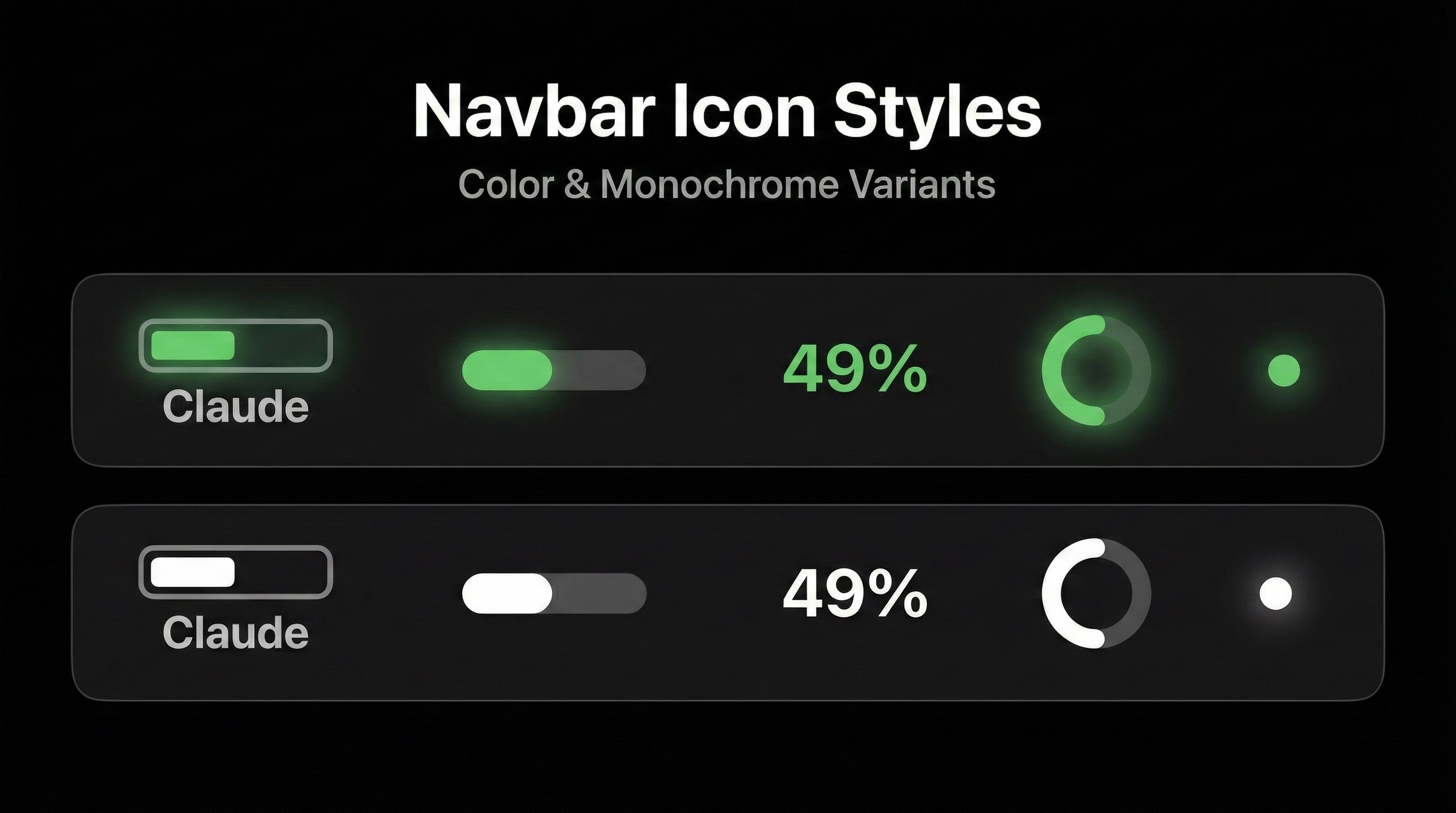
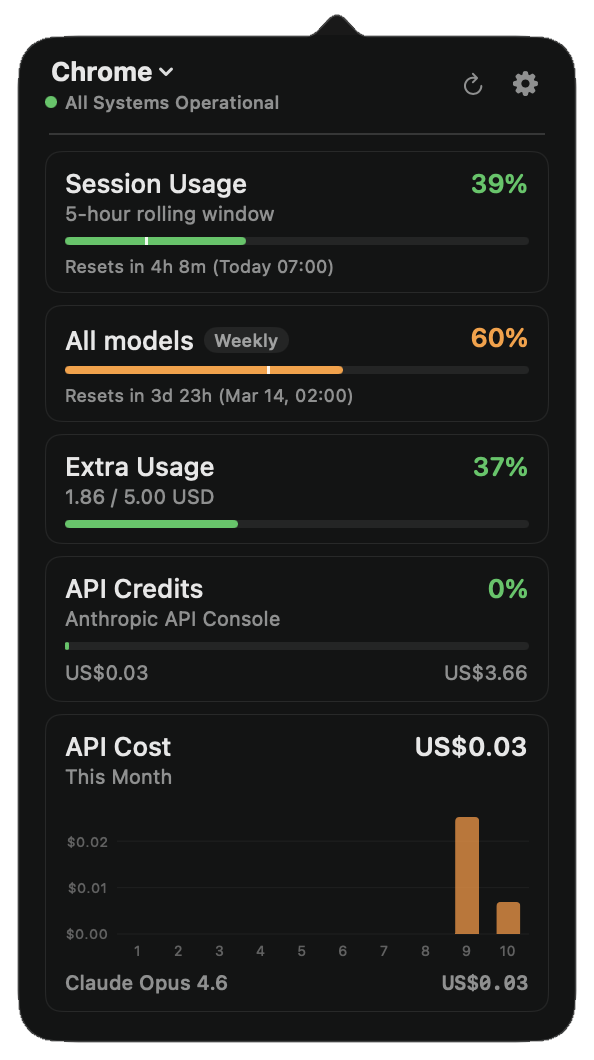 Menu bar icon and detailed usage popover

Live terminal statusline showing directory, branch, model, context, and color-coded usage
What's New
-
v3.3.0 (2026-08-29): Multi-provider architecture with OpenAI Codex support (#229) — per-profile provider selection on a registry pattern (
docs/ADDING_A_PROVIDER.md); per-profile terminal launchers —claude-<profile>commands with isolatedCLAUDE_CONFIG_DIRlogins and automatic usage tracking after one/login; keychain migration finally works on shipped Developer ID builds (#292); popover shows over full-screen apps (#298); Dynamic Island targets the built-in notch (#294); Cloudflare challenges no longer masquerade as expired credentials (#277); macOS 26 multi-profile crash fixes; transient E1000 on profile switch eliminated; obsolete peak-hours indicator removed (#308); Vietnamese localization — 14 languages total. Thanks to 8 community contributors. -
v3.2.0 (2026-07-12): Dynamic Island (Beta) — live Claude Code activity HUD at the notch; Fable per-model tracking via the new
limits[]usage format; credentials moved to the macOS Keychain (GHSA-mfxh-xpwm-23c7); profile switching overhaul (no more forced re-logins); usage history storage fix (silent settings loss on macOS 26); macOS 26/27 crash and sign-in fixes; localization parity across all 13 languages. Huge thanks to 9 community contributors. -
v3.1.0 (2026-04-14): Peak hours indicator with flame icon and countdown popover, right-click context menu on menu bar icons, per-element statusline color customization (#208), weekly & extra usage segments in statusline (#177), active profile indicator in multi-profile mode, Nix installation option (#211), 3 new languages (Brazilian Portuguese, Turkish, Ukrainian) bringing total to 12, 13 bug fixes including popover crash on profile switch, app hang on launch, and E3000 unauthorized errors
-
v3.0.3 (2026-03-10): 6-tier pace system with colored pace markers, 3 color modes (Multi-Color/Greyscale/Single Color), label toggles, 24-hour time format, terminal-matching preview colors
-
v3.0.2 (2026-03-10): API cost tracking with daily chart, browser-based authentication, rate limit header usage for CLI OAuth, auto-sizing popover, session key expiry tracking
-
v3.0.1 (2026-03-08): Popover settings tab, multi-display CPU fix
-
v3.0.0 - Major Release (2026-03-08): Headless mode, usage history charts, global shortcuts, auto-switch profiles, borderless settings, 6 new statusline components, Simplified Chinese
-
v2.3.0 – Multi-profile menu bar display, remaining percentage toggle
- v2.2.0 – Multi-profile management, CLI integration, Korean language
- v2.0.0 – Apple code signing, automatic updates, Keychain security
Getting Started
Prerequisites
Before installing Claude Usage Tracker, ensure you have:
- macOS 14.0 (Sonoma) or later - Check: Apple menu → About This Mac
- Active Claude AI account - Sign up at claude.ai
Authentication (choose one method): - Easiest: Claude Code installed and logged in - App automatically uses CLI credentials (v2.2.2+) - Browser Sign-In: Sign in via the built-in browser — session key extracted automatically (v3.0.2+) - Manual: Web browser access to extract session key from claude.ai (Chrome, Safari, Firefox, etc.)
Note: For terminal statusline integration, you'll still need to manually configure a session key even if using Claude Code OAuth
Installation
Option 1: Homebrew (Recommended)
brew install --cask hamed-elfayome/claude-usage/claude-usage-tracker
Or tap first, then install:
brew tap hamed-elfayome/claude-usage
brew install --cask claude-usage-tracker
Note: Starting with v2.0.0, the app is officially signed with an Apple Developer certificate. No security workarounds needed!
To update:
brew upgrade --cask claude-usage-tracker
Or use the built-in automatic update feature (Settings → Updates).
To uninstall:
brew uninstall --cask claude-usage-tracker
Option 2: Nix
Test the app:
nix-shell -p claude-usage-tracker
Install it using home-manager:
home.packages = with pkgs; [
  claude-usage-tracker
];
Option 3: Direct Download
- Download the
.zipfile from the link above - Extract the zip file (double-click or use Archive Utility)
- Drag
Claude Usage.appto your Applications folder - Double-click to launch - that's it!
v2.0.0+ Note: The app is now officially signed with an Apple Developer certificate. You can install and run it like any other Mac application - no security warnings or workarounds needed.
Automatic Updates: Once installed, the app will automatically check for updates and notify you when new versions are available (Settings → Updates).
Option 4: Build from Source
# Clone the repository
git clone https://github.com/hamed-elfayome/Claude-Usage-Tracker.git
cd Claude-Usage-Tracker

# Open in Xcode
open "Claude Usage.xcodeproj"

# Build and run (⌘R)
Quick Start Guide
Option A: Automatic Setup with Claude Code (Easiest)
New in v2.2.2: If you have Claude Code installed and logged in, the app works automatically!
-
Install Claude Code (if not already installed) - Download from claude.com/claude-code - Log in using
claude login -
Launch Claude Usage Tracker - The app automatically detects your Claude Code Account - No manual configuration needed!
-
Verify It's Working - Click the menu bar icon - You should see your usage statistics immediately
Option B: Browser Sign-In (v3.0.2+)
If you don't use Claude Code, sign in directly through the app:
- Click the menu bar icon and select "Settings"
- Navigate to "Personal Usage" tab
- **Click "Sign in t
📈 近 7 天 Star 趋势
🏆 排名变化趋势
📋 历史上榜记录
| 日期 | 榜单 | 排名 | 周期新增 | 总 STAR |
|---|