📄 仓库 README
在 GitHub 查看 ↗Perfetto
Record, explore and query traces of complex software.



Try the demo · Quick start · What can you do with it? · Documentation · Discord
What is Perfetto?
Perfetto is an open-source suite of tools for recording, visualizing and analyzing traces: timelines of what software and the system under it were doing. It is the default tracing system for Android and Chromium. System-wide recording works on Android and Linux. The tracing SDK, the UI and Trace Processor also run on macOS and Windows.
- Record the whole system. Scheduling, CPU frequency, memory, syscalls and any kernel tracepoint on Android and Linux, plus Android framework events, callstack sampling and Java and native heap profiles.
- Instrument your own code. Add trace points with the C++ or Rust SDKs and see them next to everything else.
- Open traces from other tools. Chrome JSON, Linux
perf, Firefox Profiler, macOS Instruments, pprof, systrace, Fuchsia and more. - Explore multi-GB traces in the browser. The Perfetto UI needs no install and runs fully locally: traces are not uploaded anywhere.
- Query everything with SQL. Trace Processor turns any trace into tables, with a standard library for common analyses. Use it from the command line, Python or C++.
- Bring your AI agent. The Perfetto AI skill teaches coding agents to record and analyze traces.
Try it in your browser
Open an example Android trace without installing anything, or drag your own trace file onto ui.perfetto.dev.
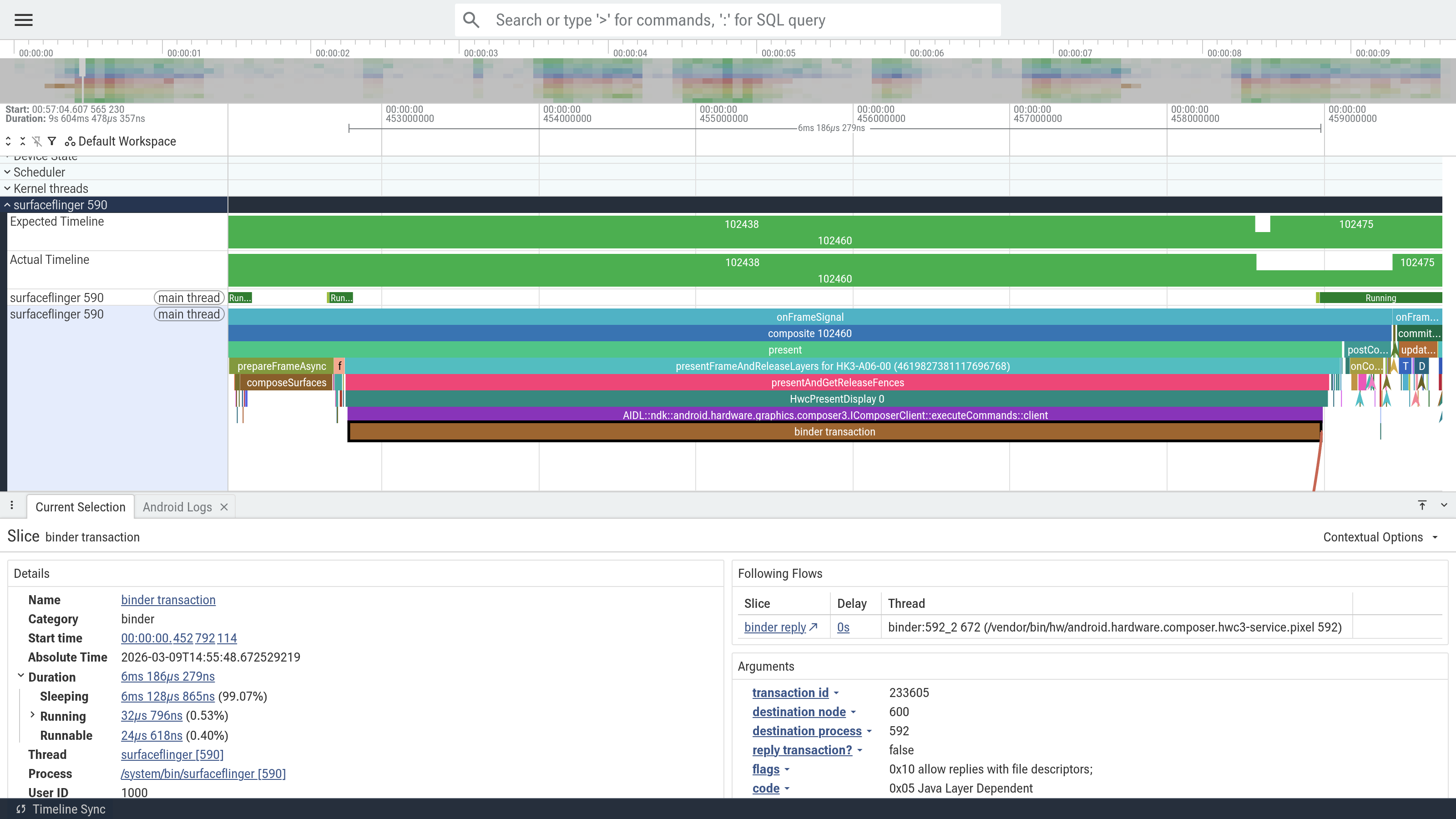
Quick start
Record a trace
On Android, with a device connected over adb:
curl -O https://raw.githubusercontent.com/google/perfetto/main/tools/record_android_trace
python3 record_android_trace -o trace.pftrace -t 10s sched freq gfx view am wm
The trace opens in the Perfetto UI when recording finishes.
On Linux, record scheduling activity with tracebox:
curl -LO https://get.perfetto.dev/tracebox && chmod +x tracebox
curl -LO https://raw.githubusercontent.com/google/perfetto/main/test/configs/scheduling.cfg
sudo ./tracebox -o trace.pftrace --txt -c scheduling.cfg
For Chrome, use the recording page in the UI. To trace your own app, see in-app tracing.
Query it with SQL
curl -LO https://get.perfetto.dev/trace_processor && chmod +x trace_processor
./trace_processor query trace.pftrace \
  "SELECT name, COUNT(*) AS cnt FROM slice GROUP BY name ORDER BY cnt DESC LIMIT 10"
Or from Python:
pip install perfetto
from perfetto.trace_processor import TraceProcessor

tp = TraceProcessor(trace='trace.pftrace')
print(tp.query('SELECT ts, dur, name FROM slice LIMIT 10').as_pandas_dataframe())
What can you do with it?
- Android app and platform developers: root-cause slow startups, jank, ANRs and low memory kills, and profile Java/Kotlin and native memory. (Android guides)
- C, C++ and Rust developers: instrument your code to see where time goes across threads and processes. (In-app tracing)
- Linux kernel and systems developers: visualize scheduling, syscalls,
interrupts and custom tracepoints. Perfetto is an efficient userspace daemon
for
ftrace. (Linux cookbook) - Chromium developers: Perfetto is the tracing backend behind
chrome://tracing, for debugging the browser, V8 and Blink. (Chrome tracing) - Performance engineers: analyze traces from many tools in one place and automate the analysis with SQL across thousands of traces. (Trace analysis)
Not sure where to start? How do I start using Perfetto? picks a path based on what you want to do.
How it fits together

Perfetto is a collection of components that work together:
- Tracing daemons (
traced,traced_probes) collect data from many processes and the kernel into a single trace file. - The tracing SDK writes your app's trace points with low overhead.
- The Perfetto UI visualizes traces on a timeline.
- Trace Processor parses traces into a SQL database for analysis.
See the documentation for the full picture.
Community and Support
- Discord: ask questions in #help, chat with the team and community, and follow releases.
- GitHub issues: report bugs.
- Mailing list: if you prefer email.
See Community and getting help for more. We follow Google's Open Source Community Guidelines.
Contributing
Contributions are welcome. The contributor guide covers building, testing and sending pull requests.
Packages
The Debian packaging of Perfetto is maintained in the Debian Perfetto Salsa repository.
License
Apache 2.0. See LICENSE for details.
📈 近 7 天 Star 趋势
🏆 排名变化趋势
📋 历史上榜记录
| 日期 | 榜单 | 排名 | 周期新增 | 总 STAR |
|---|