📄 仓库 README
在 GitHub 查看 ↗
Glance
Install • Configuration • Discord • Sponsor
Community widgets • Preconfigured pages • Themes
A lightweight, highly customizable dashboard that displays
your feeds in a beautiful, streamlined interface
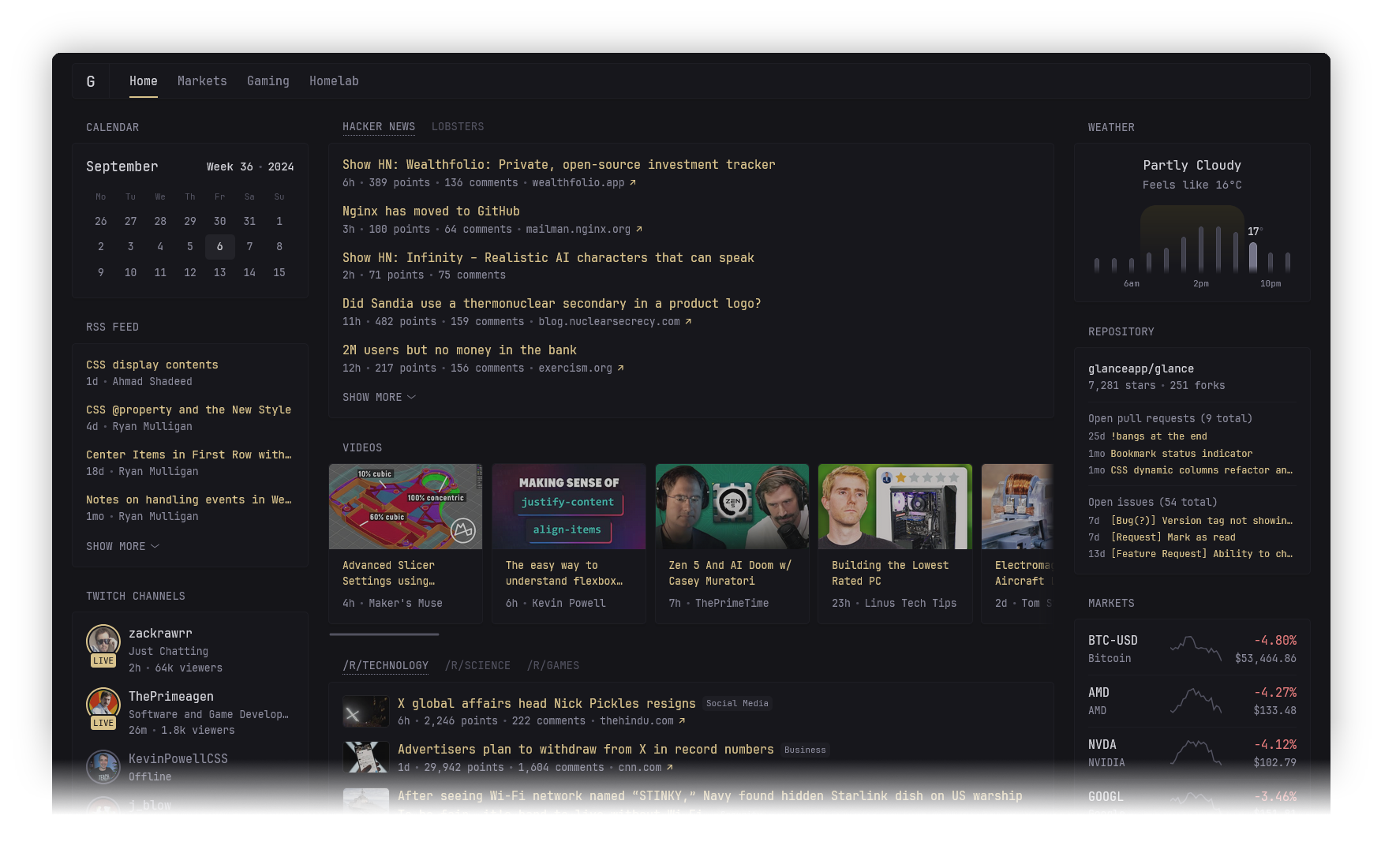
Features
Various widgets
- RSS feeds
- Subreddit posts
- Hacker News posts
- Weather forecasts
- YouTube channel uploads
- Twitch channels
- Market prices
- Docker containers status
- Server stats
- Custom widgets
- and many more...
Fast and lightweight
- Low memory usage
- Few dependencies
- Minimal vanilla JS
- Single <20mb binary available for multiple OSs & architectures and just as small Docker container
- Uncached pages usually load within ~1s (depending on internet speed and number of widgets)
Tons of customizability
- Different layouts
- As many pages/tabs as you need
- Numerous configuration options for each widget
- Multiple styles for some widgets
- Custom CSS
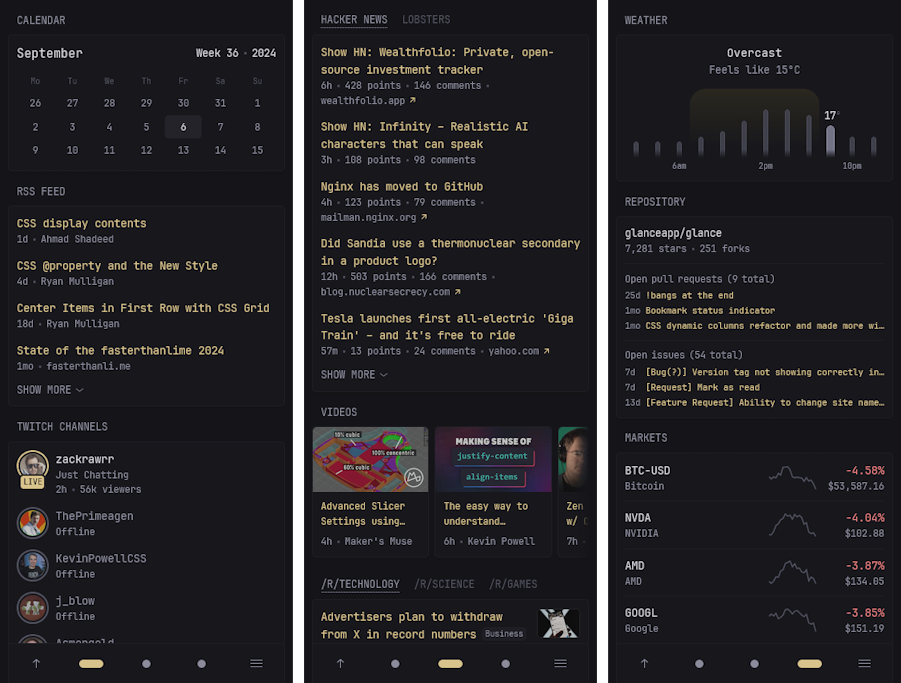
Optimized for mobile devices
Because you'll want to take it with you on the go.
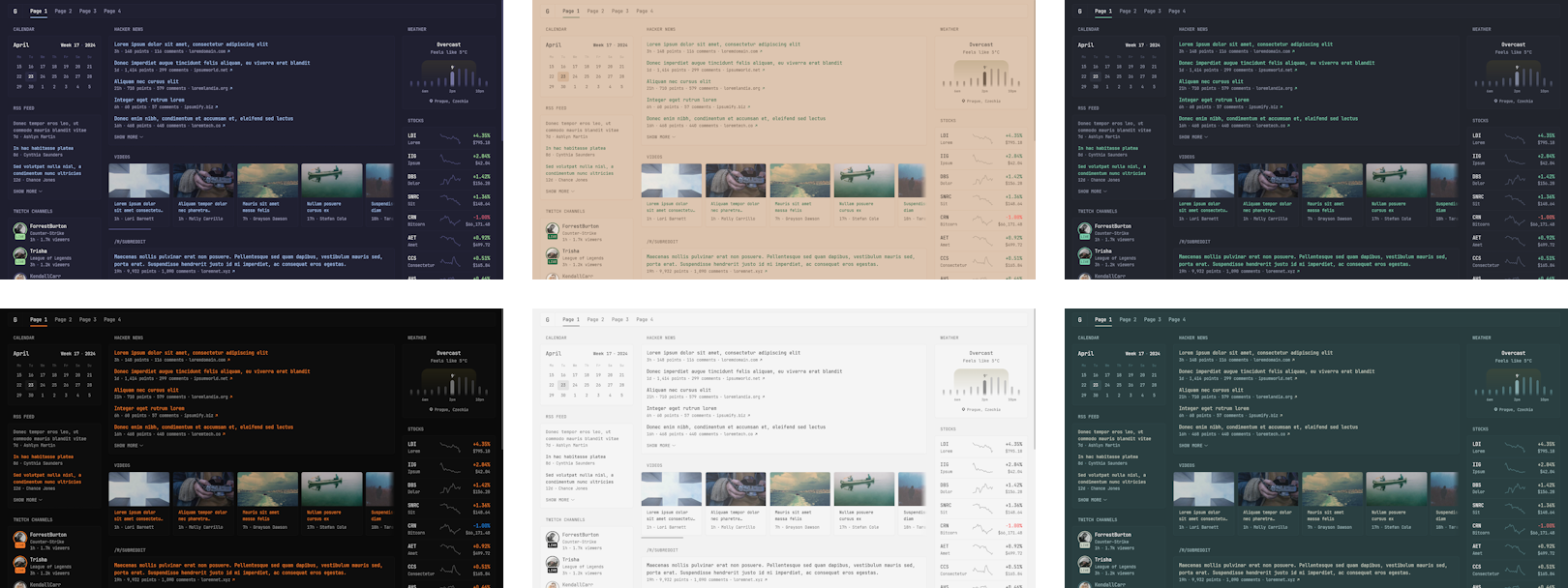
Themeable
Easily create your own theme by tweaking a few numbers or choose from one of the already available themes.
Configuration
Configuration is done through YAML files, to learn more about how the layout works, how to add more pages and how to configure widgets, visit the configuration documentation.
Preview example configuration file
pages:
  - name: Home
    columns:
      - size: small
        widgets:
          - type: calendar
            first-day-of-week: monday

          - type: rss
            limit: 10
            collapse-after: 3
            cache: 12h
            feeds:
              - url: https://selfh.st/rss/
                title: selfh.st
                limit: 4
              - url: https://ciechanow.ski/atom.xml
              - url: https://www.joshwcomeau.com/rss.xml
                title: Josh Comeau
              - url: https://samwho.dev/rss.xml
              - url: https://ishadeed.com/feed.xml
                title: Ahmad Shadeed

          - type: twitch-channels
            channels:
              - theprimeagen
              - j_blow
              - piratesoftware
              - cohhcarnage
              - christitustech
              - EJ_SA

      - size: full
        widgets:
          - type: group
            widgets:
              - type: hacker-news
              - type: lobsters

          - type: videos
            channels:
              - UCXuqSBlHAE6Xw-yeJA0Tunw # Linus Tech Tips
              - UCR-DXc1voovS8nhAvccRZhg # Jeff Geerling
              - UCsBjURrPoezykLs9EqgamOA # Fireship
              - UCBJycsmduvYEL83R_U4JriQ # Marques Brownlee
              - UCHnyfMqiRRG1u-2MsSQLbXA # Veritasium

          - type: group
            widgets:
              - type: reddit
                subreddit: technology
                show-thumbnails: true
              - type: reddit
                subreddit: selfhosted
                show-thumbnails: true

      - size: small
        widgets:
          - type: weather
            location: London, United Kingdom
            units: metric
            hour-format: 12h

          - type: markets
            markets:
              - symbol: SPY
                name: S&P 500
              - symbol: BTC-USD
                name: Bitcoin
              - symbol: NVDA
                name: NVIDIA
              - symbol: AAPL
                name: Apple
              - symbol: MSFT
                name: Microsoft

          - type: releases
            cache: 1d
            repositories:
              - glanceapp/glance
              - go-gitea/gitea
              - immich-app/immich
              - syncthing/syncthing
Installation
Choose one of the following methods:
Docker compose using provided directory structure (recommended)
Create a new directory called `glance` as well as the template files within it by running:
mkdir glance && cd glance && curl -sL https://github.com/glanceapp/docker-compose-template/archive/refs/heads/main.tar.gz | tar -xzf - --strip-components 2
Other files you may want to edit
* `.env` to configure environment variables that will be available inside configuration files * `assets/user.css` to add custom CSSdocker compose up -d
docker compose logs
Docker compose manual
Create a `docker-compose.yml` file with the following contents:
services:
  glance:
    container_name: glance
    image: glanceapp/glance
    restart: unless-stopped
    volumes:
      - ./config:/app/config
    ports:
      - 8080:8080
mkdir config && wget -O config/glance.yml https://raw.githubusercontent.com/glanceapp/glance/refs/heads/main/docs/glance.yml
docker compose up -d
docker logs glance
Manual binary installation
Precompiled binaries are available for Linux, Windows and macOS (x86, x86_64, ARM and ARM64 architectures). ### Linux Visit the [latest release page](https://github.com/glanceapp/glance/releases/latest) for available binaries. You can place the binary in `/opt/glance/` and have it start with your server via a [systemd service](https://linuxhandbook.com/create-systemd-services/). By default, when running the binary, it will look for a `glance.yml` file in the directory it's placed in. To specify a different path for the config file, use the `--config` option:
/opt/glance/glance --config /etc/glance.yml
wget https://raw.githubusercontent.com/glanceapp/glance/refs/heads/main/docs/glance.yml
Other
Glance can also be installed through the following 3rd party channels: * [Proxmox VE Helper Script](https://community-scripts.org/scripts/glance?id=glance) * [NixOS package](https://search.nixos.org/packages?channel=unstable&show=glance) * [Hostinger](https://www.hostinger.com/vps/docker/glance) * [Coolify.io](https://coolify.io/docs/services/glance/)
Common issues
Requests timing out
The most common cause of this is when using Pi-Hole, AdGuard Home or other ad-blocking DNS services, which by default have a fairly low rate limit. Depending on the number of widgets you have in a single page, this limit can very easily be exceeded. To fix this, increase the rate limit in the settings of your DNS service. If using Podman, in some rare cases the timeout can be caused by an unknown issue, in which case it may be resolved by adding the following to the bottom of your `docker-compose.yml` file:networks:
podman:
external: true
Broken layout for markets, bookmarks or other widgets
This is almost always caused by the browser extension Dark Reader. To fix this, disable dark mode for the domain where Glance is hosted.cannot unmarshal !!map into []glance.page
The most common cause of this is having a `pages` key in your `glance.yml` and then also having a `pages` key inside one of your included pages. To fix this, remove the `pages` key from the top of your included pages.FAQ
Does the information on the page update automatically?
No, a page refresh is required to update the information. Some things do dynamically update where it makes sense, like the clock widget and the relative time showing how long ago something happened.How frequently do widgets update?
No requests are made periodically in the background, information is only fetched upon loading the page and then cached. The default cache lifetime is different for each widget and can be configured.Can I create my own widgets?
Yes, there are multiple ways to create custom widgets: * `iframe` widget - allows you to embed things from other websites * `html` widget - allows you to insert your own static HTML * `extension` widget - fetch HTML from a URL * `custom-api` widget - fetch JSON from a URL and render it using custom HTMLCan I change the title of a widget?
Yes, the title of all widgets can be changed by specifying the `title` property in the widget's configuration:- type: rss
title: My custom title
- type: markets
title: My custom title
- type: videos
title: My custom title
# and so on for all widgets...
Feature requests
New feature suggestions are always welcome and will be considered, though please keep in mind that some of them may be out of scope for what the project is trying to achieve (or is reasonably capable of). If you have an idea for a new feature and would like to share it, you can do so here.
Feature requests are tagged with one of the following:
- Roadmap - will be implemented in a future release
- Backlog - may be implemented in the future but needs further feedback or interest from the community
- Icebox - no plans to implement as it doesn't currently align with the project's goals or capabilities, may be revised at a later date
Building from source
Choose one of the following methods:
Build binary with Go
Requirements: [Go](https://go.dev/dl/) >= v1.23 To build the project for your current OS and architecture, run:
go build -o build/glance .
GOOS=linux GOARCH=amd64 go build -o build/glance .
go run .
Build project and Docker image with Docker
Requirements: [Docker](https://docs.docker.com/engine/install/) To build the project and image using just Docker, run: *(replace `owner` with your name or organization)*
docker build -t owner/glance:latest .
docker push owner/glance:latest
Contributing guidelines
- Before working on a new feature it's preferable to submit a feature request first and state that you'd like to implement it yourself
- Please don't submit PRs for feature requests that are either in the roadmap[1], backlog[2] or icebox[3]
- Use
devfor the base branch if you're adding new features or fixing bugs, otherwise usemain - Avoid introducing new dependencies
- Avoid making backwards-incompatible configuration changes
- Avoid introducing new colors or hard-coding colors, use the standard
primary,positiveandnegative - For icons, try to use heroicons where applicable
- Provide a screenshot of the changes if UI related where possible
- No
package.json
[1] [2] [3]
[1] The feature likely already has work put into it that may conflict with your implementation [2] The demand, implementation or functionality for this feature is not yet clear [3] No plans to add this feature for the time beingThank you
To all the people who were generous enough to sponsor the project and to everyone who has contributed in any way, be it PRs, submitting issues, helping others in the discussions or Discord server, creating guides and tools or just mentioning Glance on social media. Your support is greatly appreciated and helps keep the project going.
📈 近 7 天 Star 趋势
🏆 排名变化趋势
📋 历史上榜记录
| 日期 | 榜单 | 排名 | 周期新增 | 总 STAR |
|---|