📄 仓库 README
在 GitHub 查看 ↗
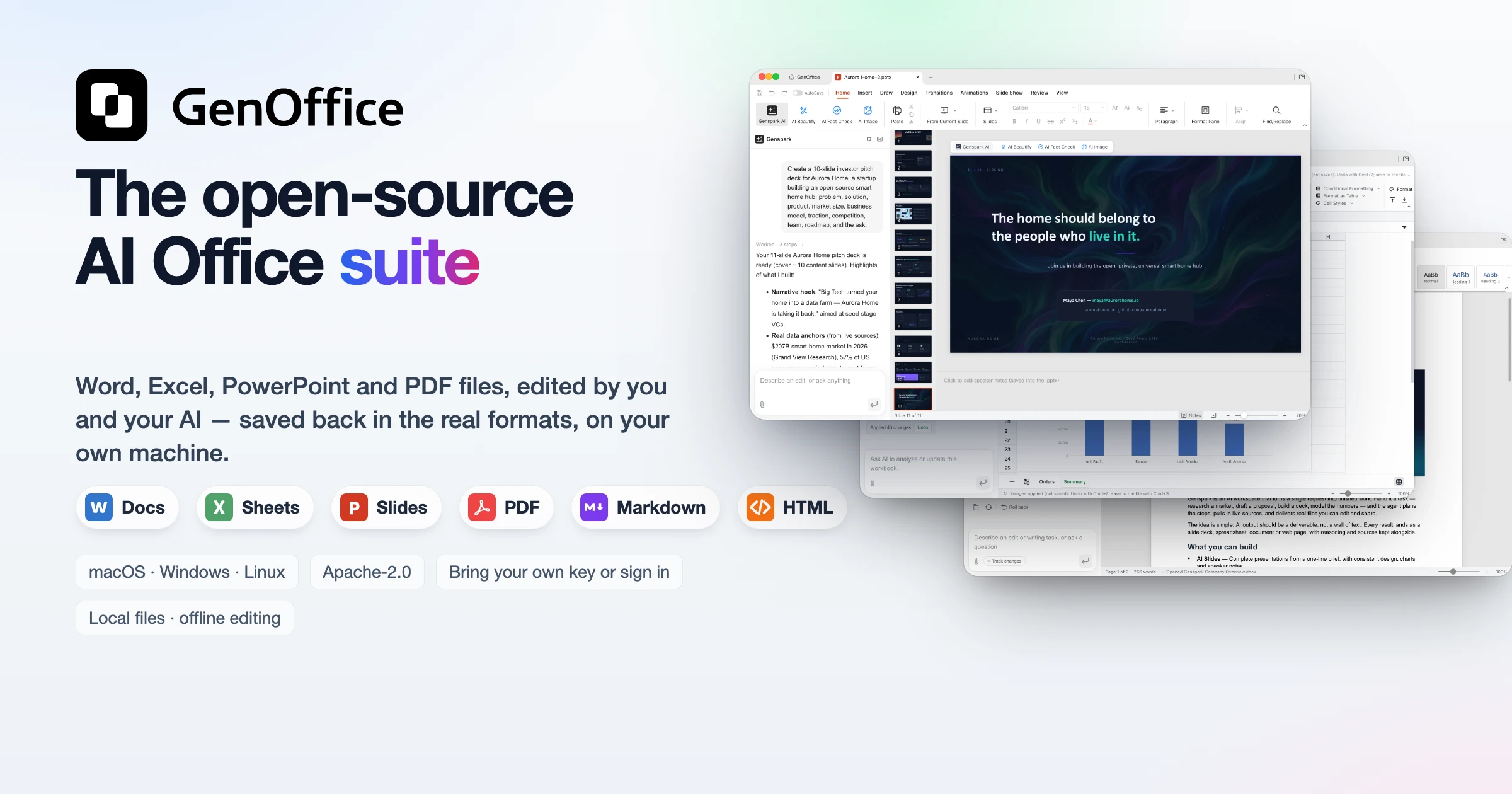
GenOffice
The world's first full-featured open-source AI Office suite.
Word, Excel, PowerPoint and PDF files, edited by you and your AI, saved back in the real formats.





English · Español · Português (Brasil) · Deutsch · Français · 简体中文 · 繁體中文 · 한국어 · 日本語 · العربية · Русский · Italiano · Nederlands · Polski · Čeština · Bahasa Indonesia · Bahasa Melayu · ไทย · हिन्दी · עברית · Tiếng Việt · Türkçe
Download · Skills · CLI · MCP · Website · Community · X · Privacy
GenOffice is a free, open-source alternative to Microsoft Office for macOS,
Windows and Linux. It opens and saves native .docx, .xlsx and .pptx
files, edits PDF, Markdown and HTML, and puts an AI agent next to every
document — not a chat box bolted on the side, but an editor that reads the
file, makes the change, and shows you exactly what it touched. ODF files
(.odt, .ods, .odp and the .ott/.ots/.otp templates) open as
editable OOXML copies; the import is open-only — saving writes OOXML, never
ODF.
- Real formats, byte-preserving. Only what you edit is rewritten. Everything else in the file survives byte-for-byte, so documents keep working in Word, Excel and PowerPoint.
- AI you can review. Edits land as tracked changes and diffs with one-click rollback. Spreadsheets get live formulas, not pasted numbers. Decks and pages are generated onto the canvas and stay fully editable. Hide a Docs selection or a Sheets cell range from the model and the AI sees only a named placeholder; the original words stay in the file and come back. Hiding covers this app's AI — the CLI, MCP tools and headless export read the file directly and still see these words.
- Local by design. Files open, edit, save and convert on your machine. PDF → Word / Excel / PowerPoint, Markdown → Word and HTML → Word all run on-device. Only the AI calls leave the machine, to the provider you choose.
- Find files by what they say. The home screen searches the names,
folders and full text of your
.docx,.xlsx,.pptx, PDF, Markdown and HTML files from a local SQLite index, CJK included. Optionally, the top hits are reranked by TypeSafe Jev, the System One judgment model, so the file that answers your question comes first. - Ask your files, with sources. Star a set of documents and Ask AI on the home screen answers questions across them, citing the file behind every claim so you can open it and check.
- Your keys or none. Sign in with Genspark and skip keys, or bring your own key for Claude, OpenAI, Gemini, DeepSeek, Kimi, GLM, Qwen, Doubao, MiniMax, Grok, Mistral, OpenRouter, Requesty, Opper, Cheaper Inference, Atlas Cloud, or any OpenAI-compatible endpoint, local servers included.
- Scriptable and agent-ready. The app ships a
genofficecommand line and a skill for Claude Code, Codex, Cursor, Gemini CLI, GitHub Copilot, OpenCode and Windsurf, so a coding agent can create, convert, read and edit real Office files on your machine without opening a window.
Get it: macOS (Apple Silicon and Intel) · Windows (x64 and Arm) · Linux (deb, rpm, AppImage) — details and requirements in Download.
Demo
Six apps, one AI panel, a file search reranked by TypeSafe Jev, an Ask AI that answers from your starred files with sources, and a command line for your coding agent. Every screenshot is the real app on macOS, with the AI driven from the prompt you can read in the panel.
1 · Docs — open and edit .docx with an AI you can review
 |
 |
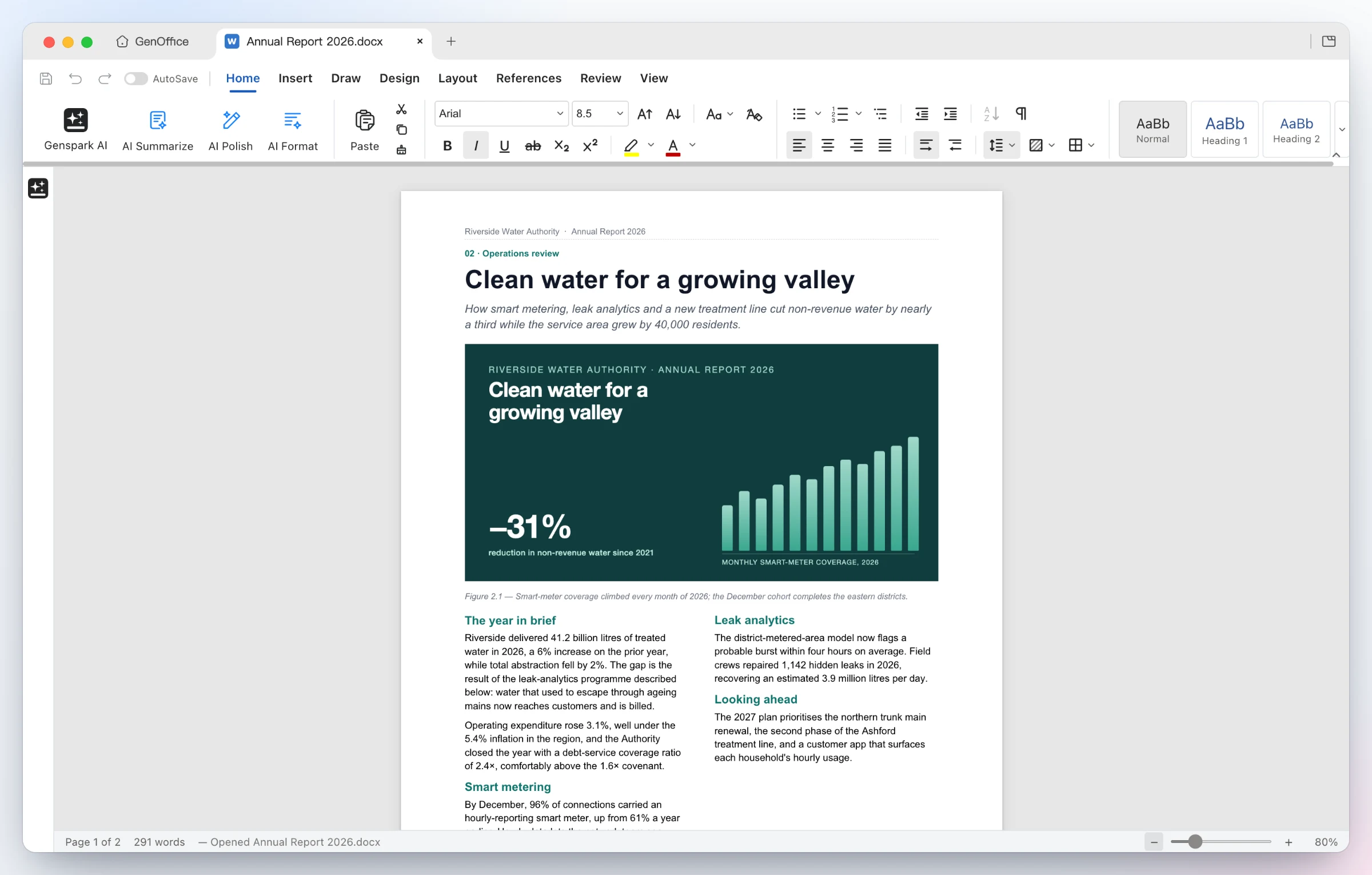
Opens the file as Word lays it out — two-column sections, full-bleed images, shaded tables, headers and footers, pagination on Word's line metrics. Styles, comments, tracked changes, equations, ink and content controls round-trip untouched. A Mailings tab turns the document into a merge template: pick a .xlsx or .csv recipient list, insert real MERGEFIELDs, preview record by record, and merge to one document or one .docx per record. |
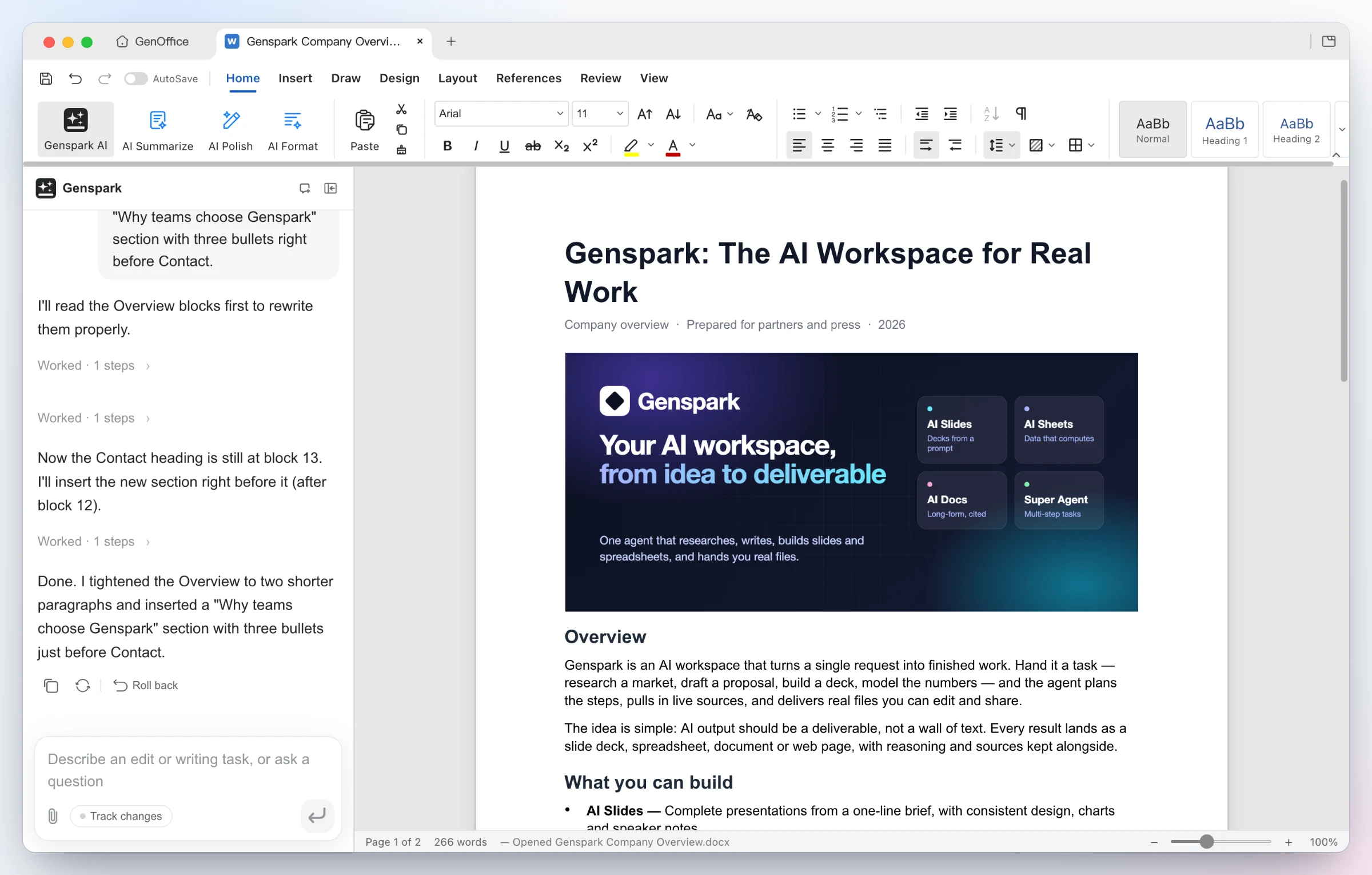
Ask for the edit — the AI reads the blocks it needs, rewrites the Overview and inserts a new bulleted section. Every AI turn is a snapshot you can roll back; with Track changes on, edits arrive as Word-style revisions. Ask for a mind map instead and the answer is an interactive diagram of the whole document: collapsible branches, zoom and pan, a node click asks a follow-up, and citations jump back to the block they came from. |
2 · Sheets — .xlsx with live formulas and charts, not pasted numbers
 |
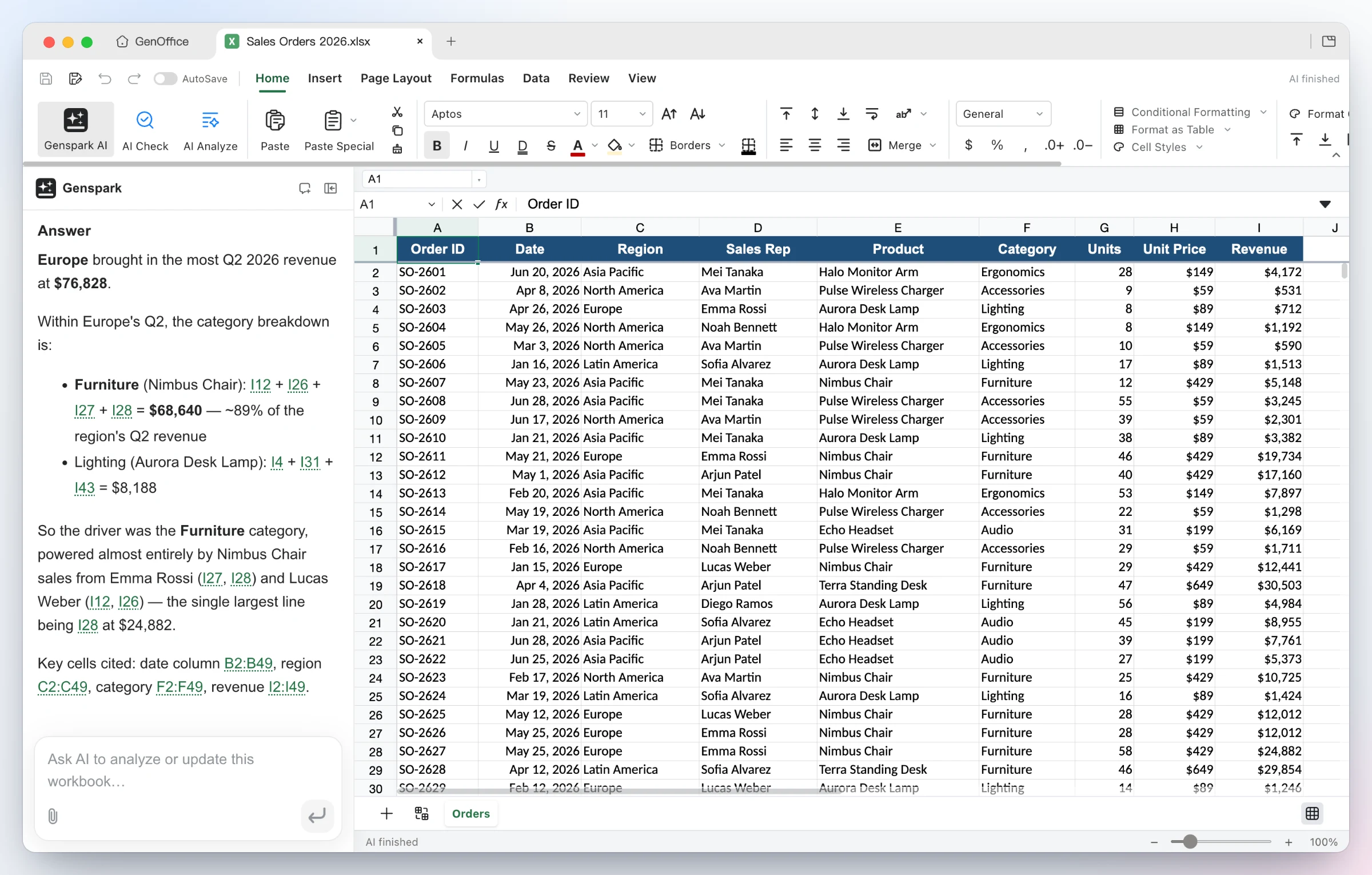 |
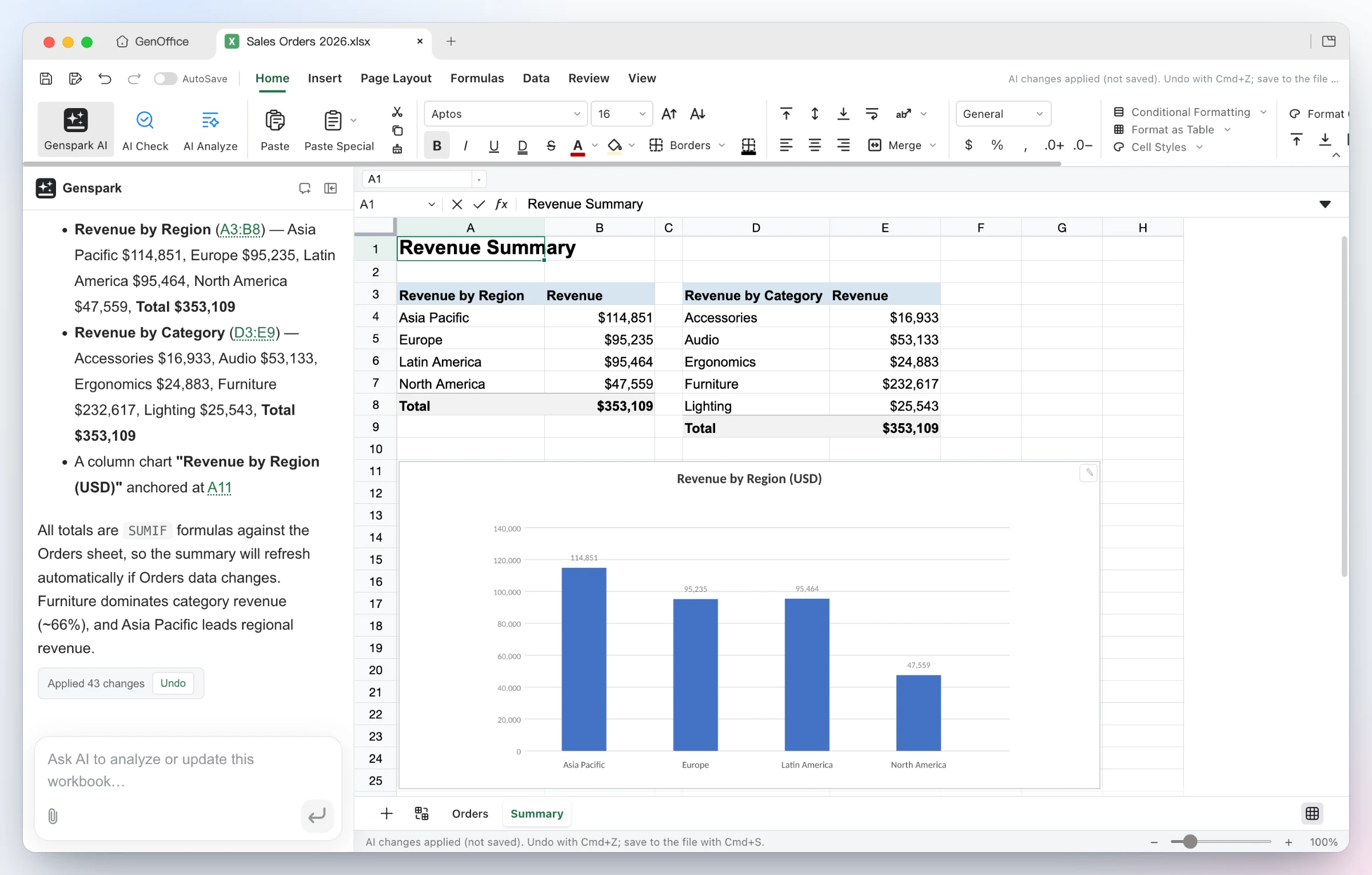
Build it — from one sentence the agent adds a Summary sheet with real SUMIFs by region and category, inserts a column chart, and applies the 43 changes as a single undoable batch. |
Ask it — questions about the workbook come back with the reasoning and the exact cells used as clickable citations. Under the hood: an in-house Rust .xlsx engine, pivot tables, slicers, conditional formatting, formula tracing, and pictures embedded in cells as Excel's native rich values — Excel reopens them still in the cell. |
3 · Slides — from a prompt to a .pptx deck
📈 近 7 天 Star 趋势
🏆 排名变化趋势
📋 历史上榜记录
| 日期 | 榜单 | 排名 | 周期新增 | 总 STAR |
|---|