📄 仓库 README
在 GitHub 查看 ↗
Give every AI project its own computer.
Run Codex, MiniMax, Claude Code, Kimi, and Antigravity in separate, always-on Linux workspaces on your own server. Use everything from one browser: chat, terminal, files, Git, live previews, and a shared browser.
Website · Documentation · Install · Roadmap
What is Remote?
Remote is an open-source, self-hosted home for AI coding agents.
Think of every project as its own server-side computer:
- It has a durable workspace, processes, ports, settings, and agent sessions.
- Codex, MiniMax, Claude Code, Kimi, and Antigravity can work in the same project without moving files between tools.
- The work keeps running on your server when you close your laptop.
- You can watch, review, edit, restart, or take over from any browser.
Remote is not another AI model. It gives the models you already use a complete place to work.
A real project, end to end
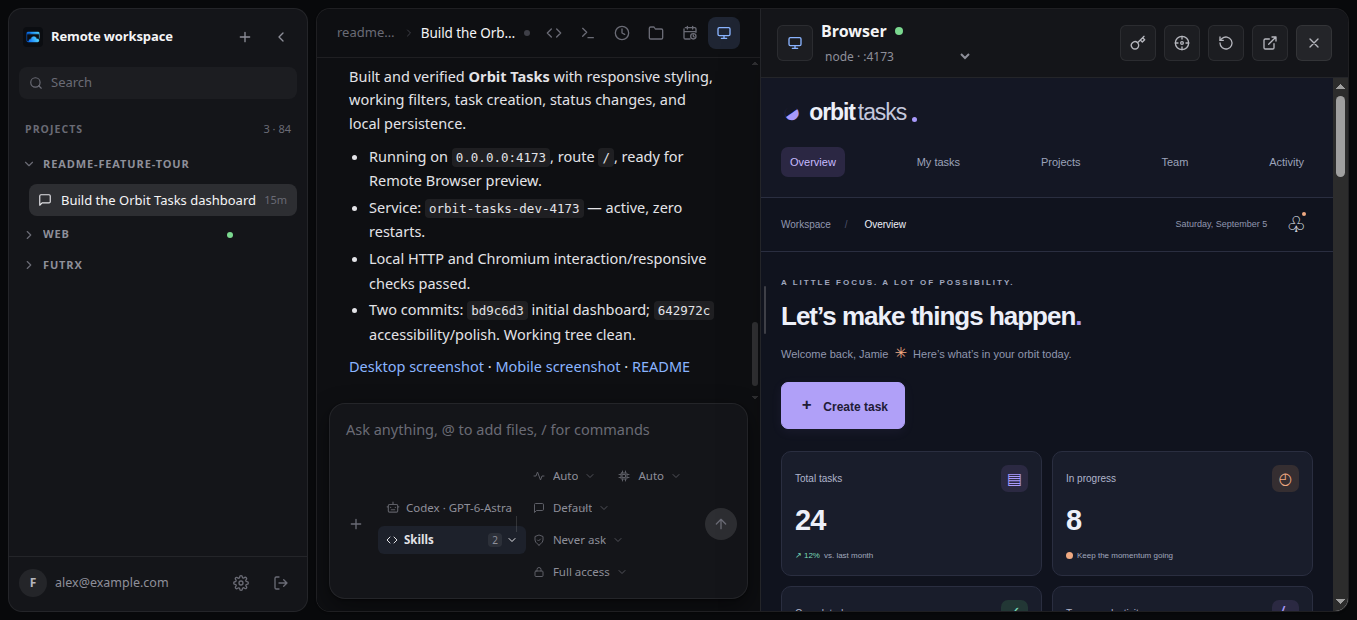
These screenshots come from a real Remote project. An agent created the Orbit Tasks demo, made two Git commits, started its server, and left the app running for Remote to discover and preview.
Create a project and let an agent work
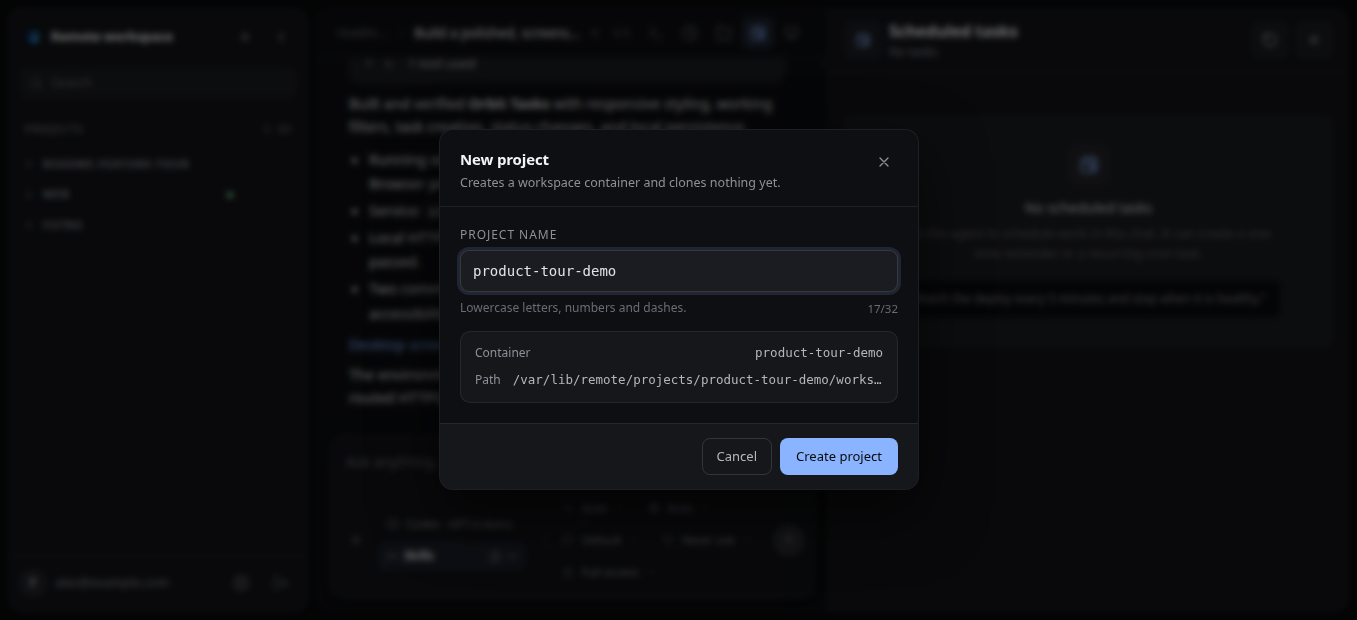
Isolated project computers Name a project and Remote prepares its durable workspace, container, ports, and provider homes. |
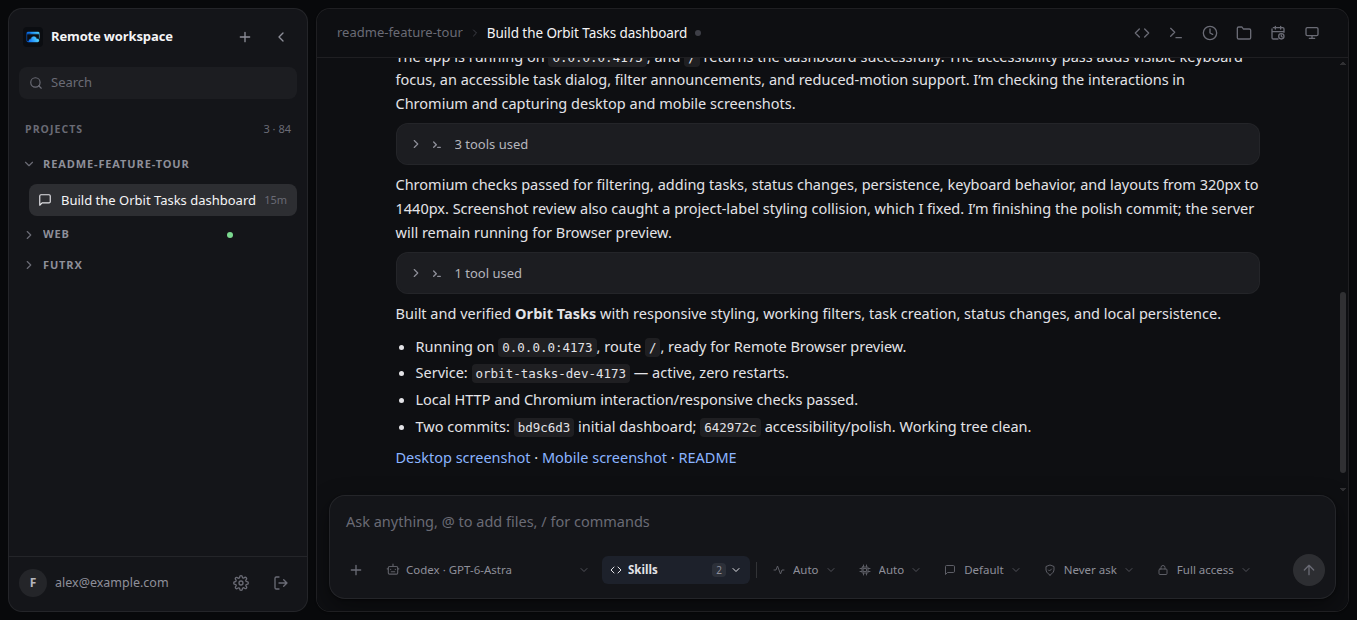
Durable agent conversations Follow Markdown output plus provider-supported reasoning, grouped tool calls, questions, and usage. Queue or cancel work while it runs, then rewind or fork when you want another direction. |
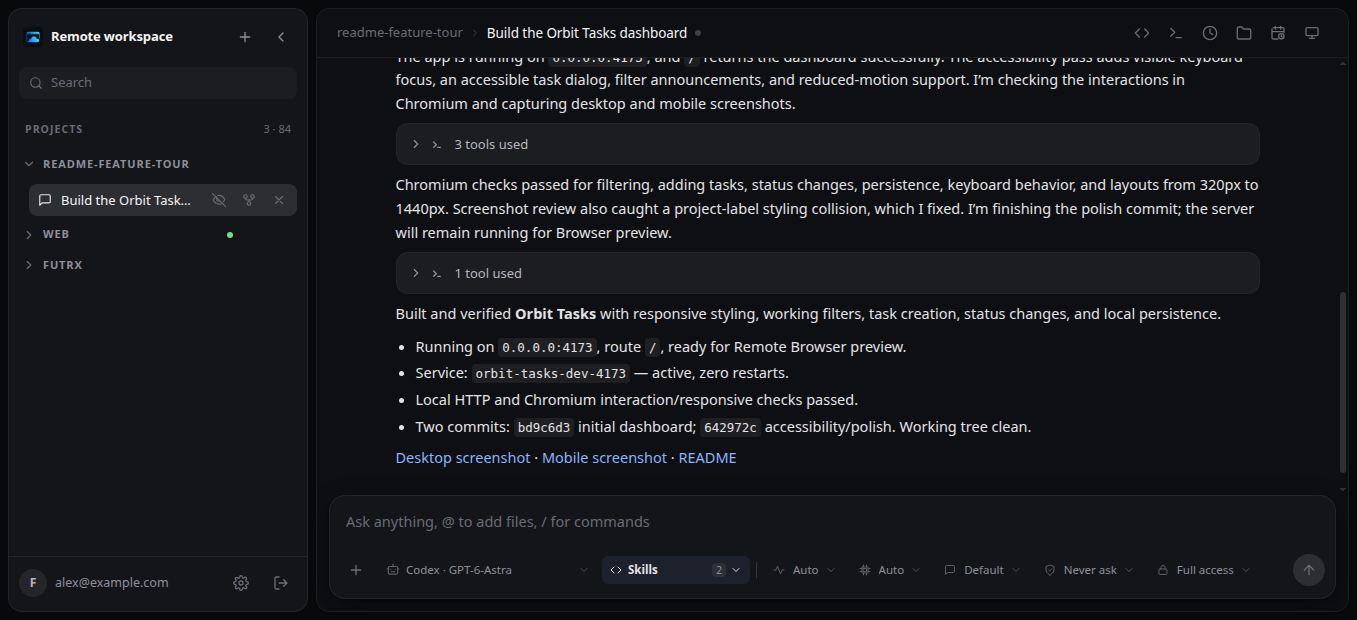
The sidebar searches projects and chats, remembers project order, and reports running or unread work. Expand a project to start another chat; hover a chat to mark it read or unread, fork its history, or delete it.
Choose the agent and shape each run
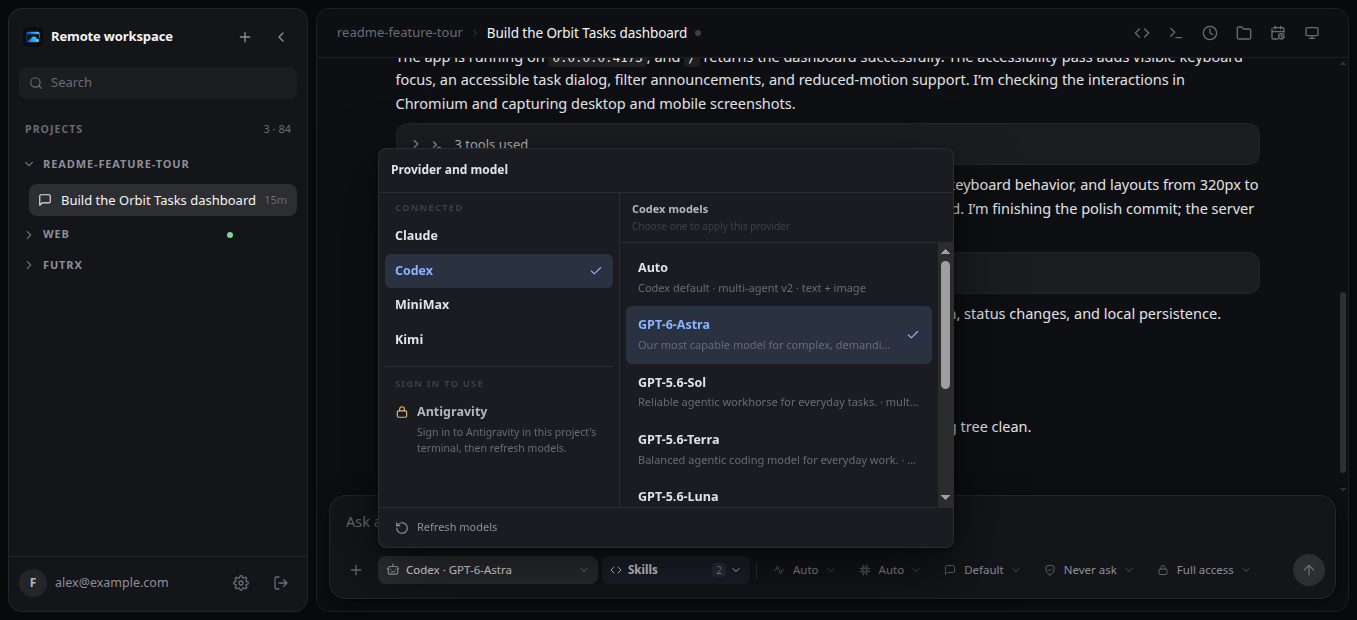
Five agent integrations Switch among Codex, MiniMax, Claude Code, Kimi, and Antigravity. Model choices come from the provider tooling installed in the current project. |
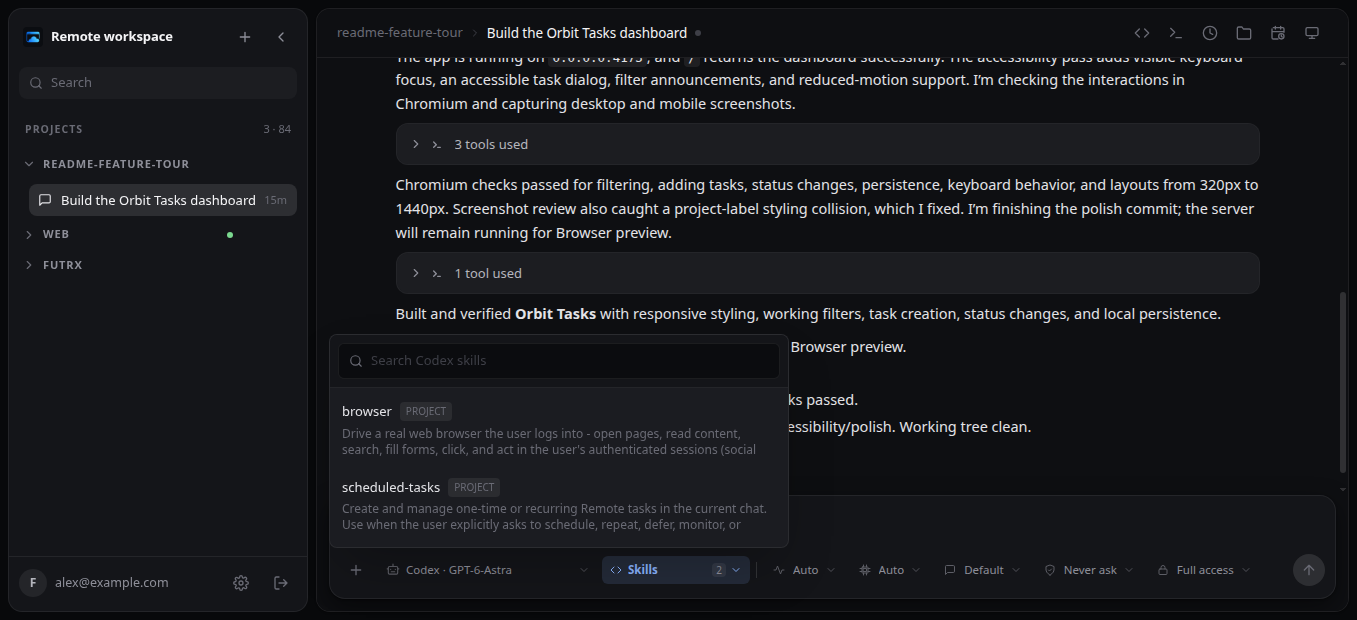
Skills and per-run controls Combine reusable project or host skills, then tune supported thinking, speed, mode, approval, and sandbox policies before the next prompt. |
See the application and point the agent at details
The live preview above is not a mockup: Remote found the demo server listening on port 4173 and opened its authenticated project URL beside the chat. Preview controls switch ports, resize or reload the pane, and open the app in a new tab.
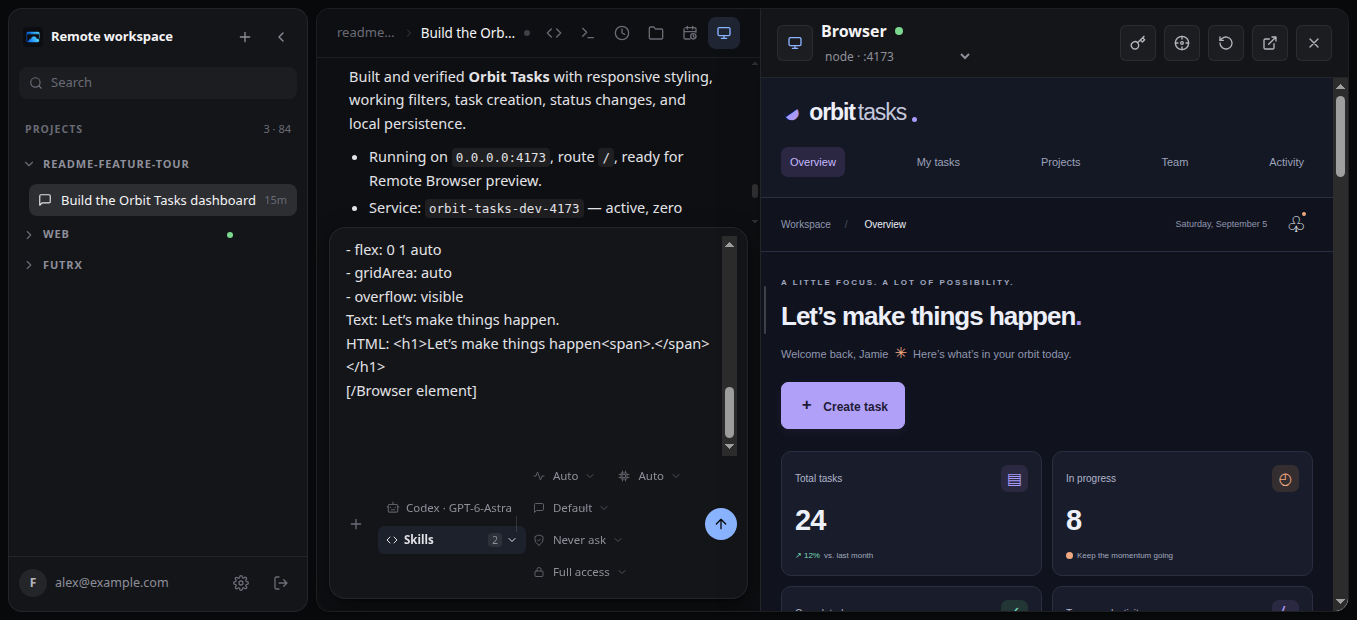
Visual element inspector Select an element in the preview and Remote inserts its selector, text, HTML, bounds, parents, and computed styles directly into the composer. |
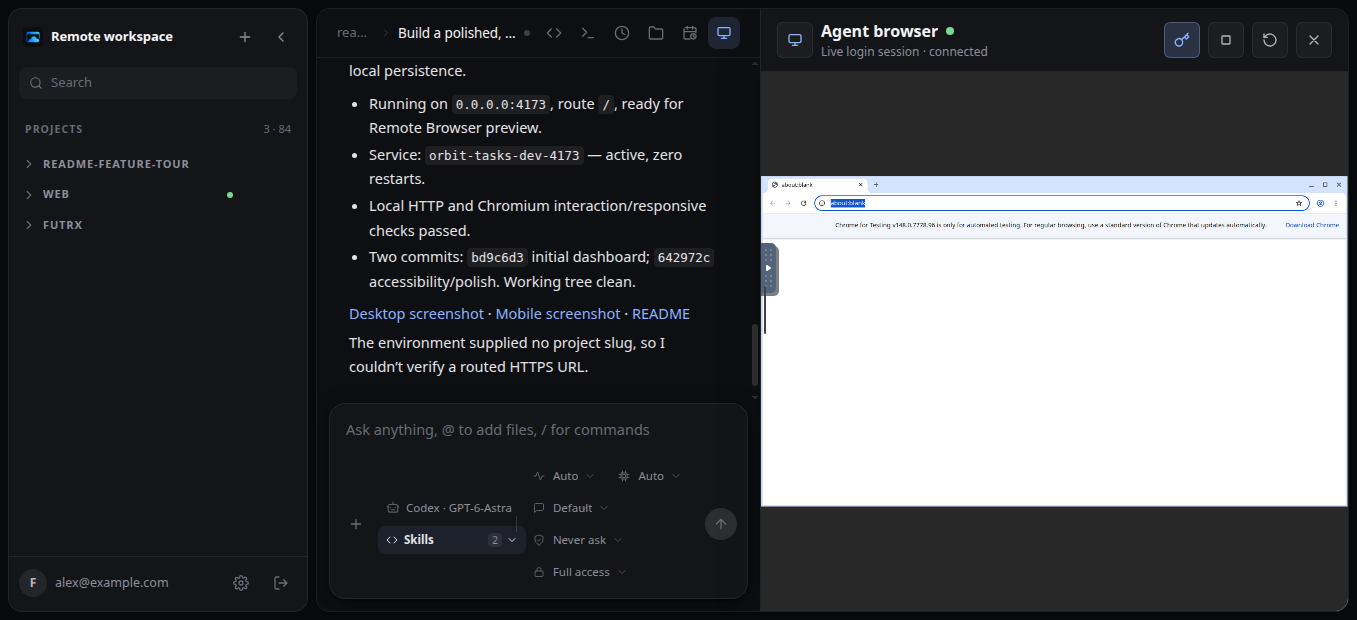
One browser for agents and humans Start a headed Chromium session with a durable profile, sign in yourself when needed, watch the agent work, and take over the same page at any moment. |
Open the actual workspace
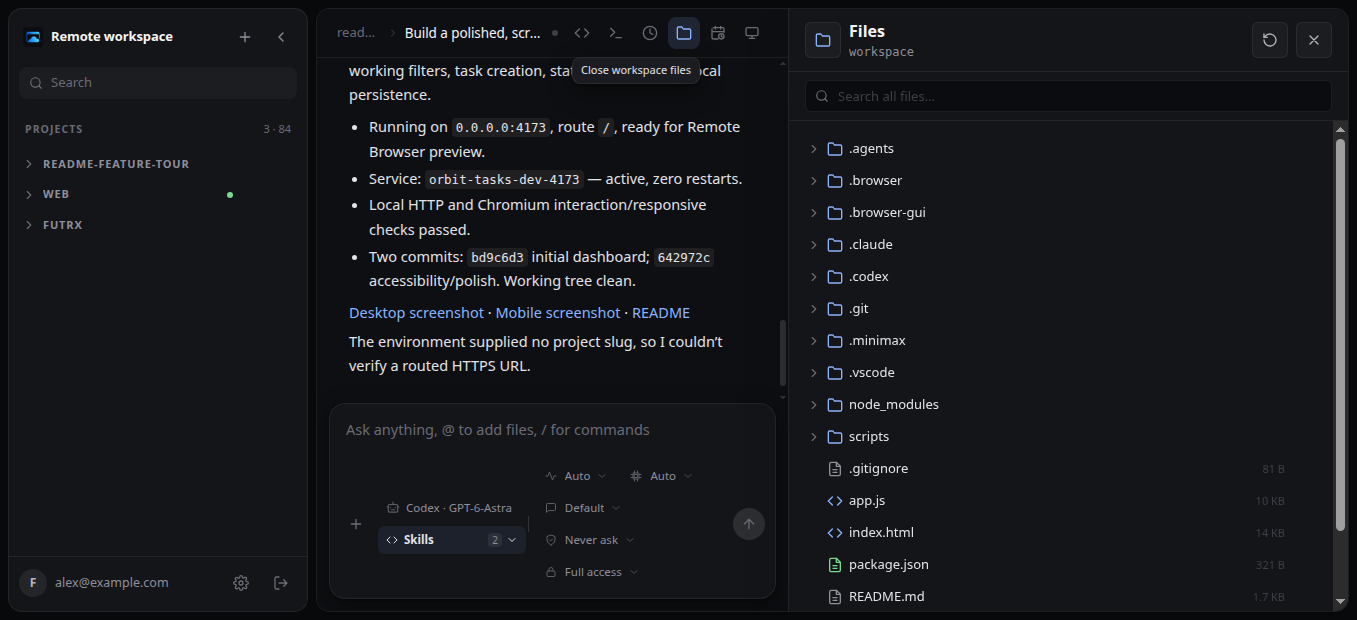
Files without leaving the chat Browse a lazy-loaded tree, search by filename, download files or folders, preview supported media, and use an installed application's file opener when available. |
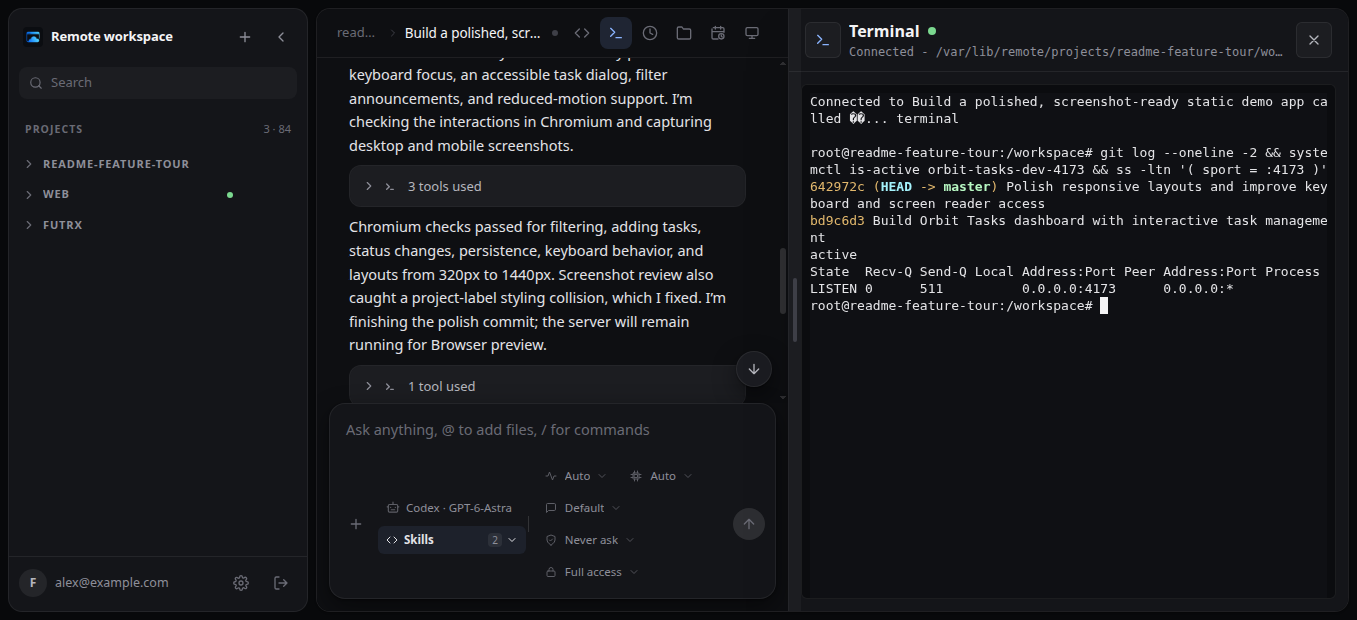
A live container terminal Install the Terminal application to install dependencies, inspect processes, run tests, or take over manually in a resizable terminal attached to the project computer. |
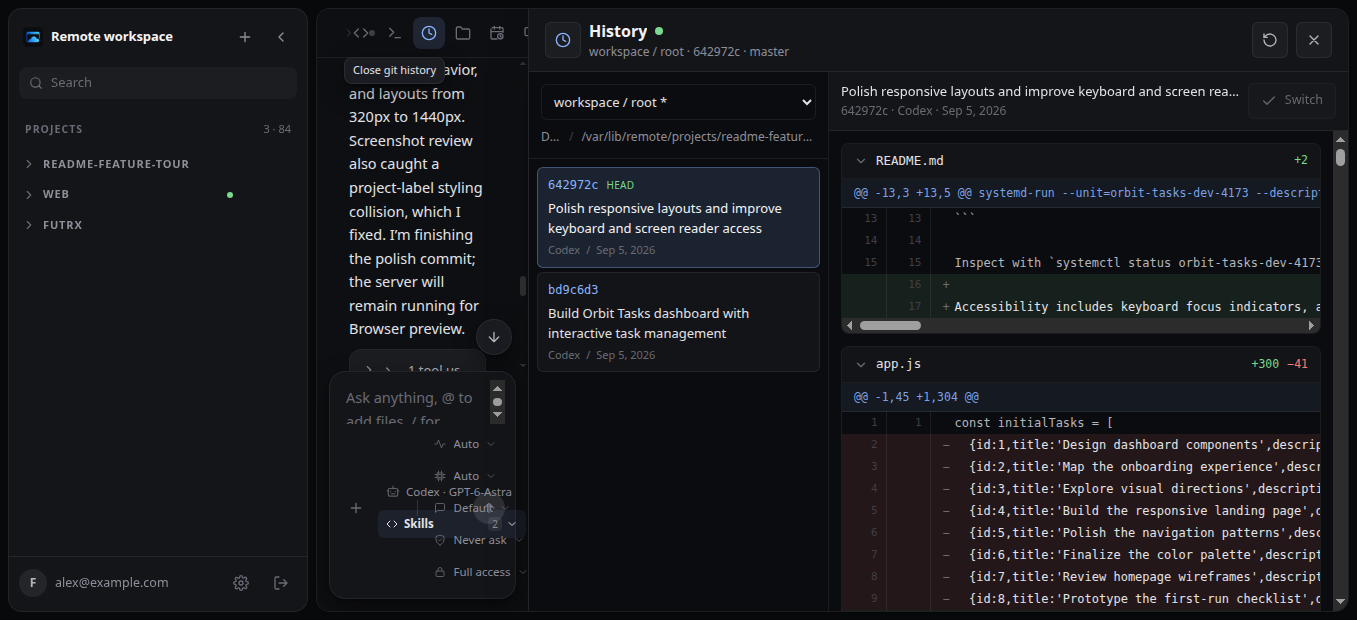
Repository-aware Git history Discover repositories, review commits and structured file diffs, refresh state, and switch a clean worktree to an earlier commit. |
Run work later
Install the Scheduled Tasks application in a project and ask in normal language for a one-time or recurring reminder. Tasks become active immediately and return to the same chat even when your browser is closed. The application clock action lets you pause, resume, run and delete tasks.
Operate and share each project
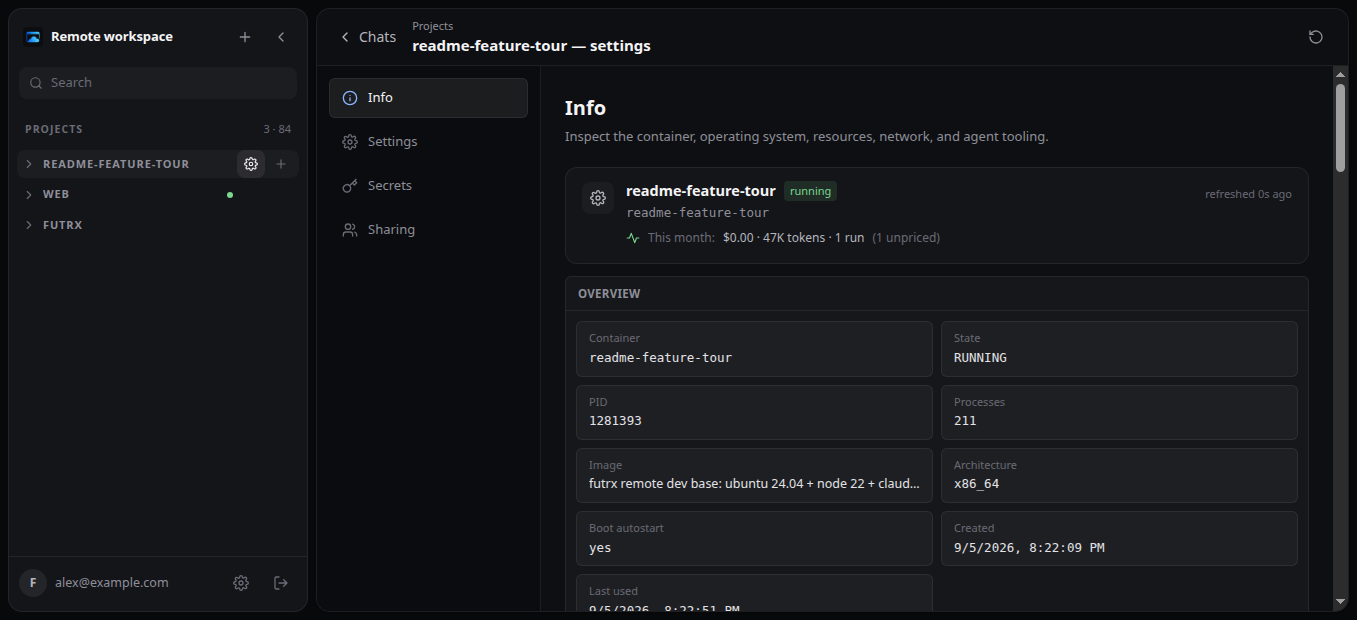
Container observability Inspect state, OS, CPU, memory, disks, network, mounts, agent versions, and provider-auth synchronization from the project page. |
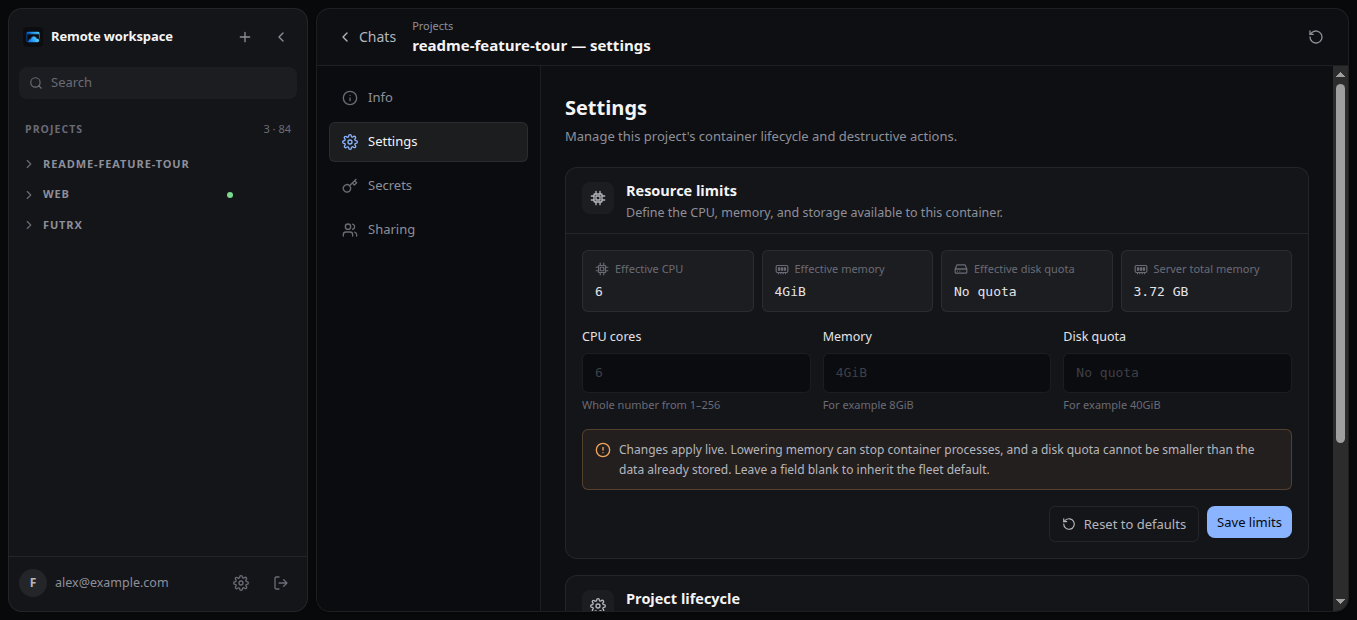
Resource and lifecycle controls Administrators can set CPU, memory, and disk limits; start, stop, restart, or remove a project without entering its container. |
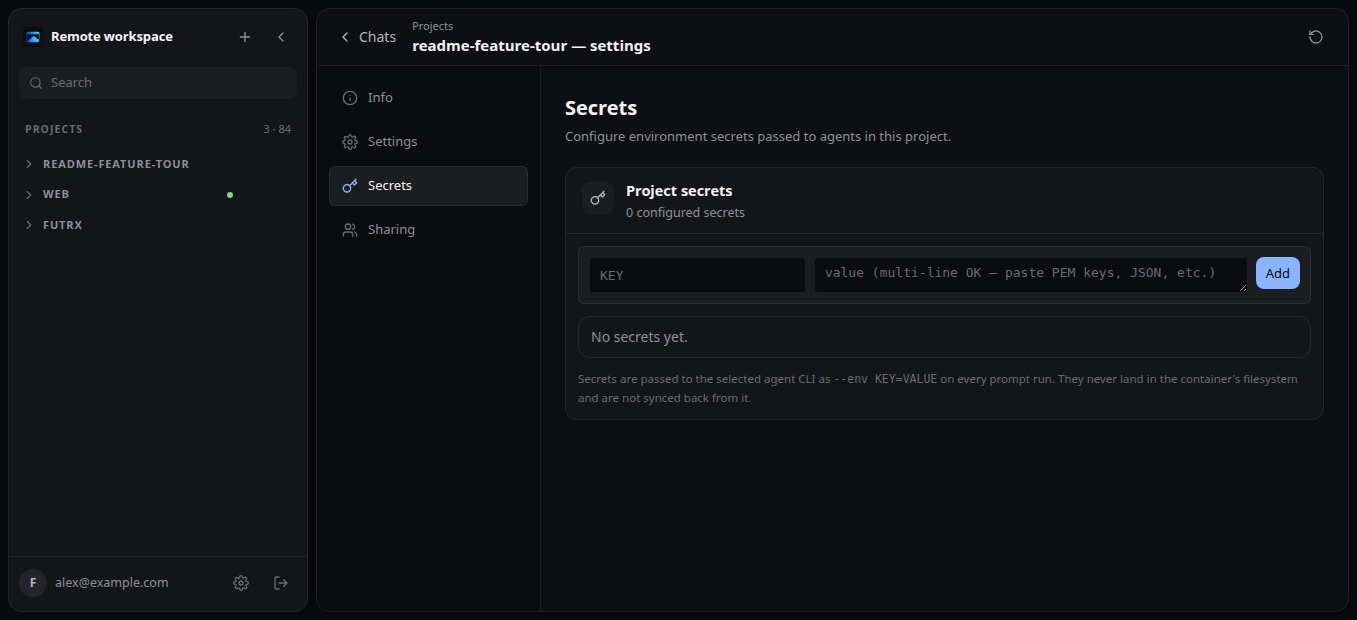
Project-scoped secrets Add, reveal, edit, and remove environment values, including multiline PEM keys and JSON, without committing them to the workspace. |
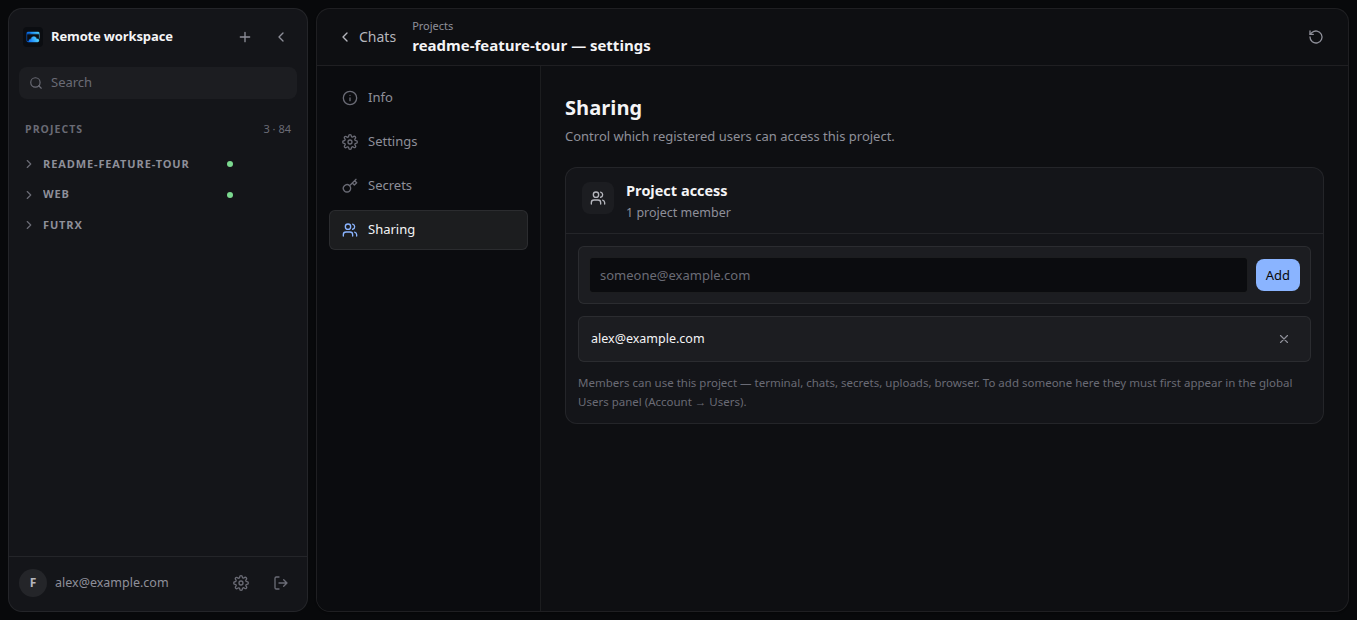
Explicit project membership Give registered users access to a project's chats, files, terminal, previews, secrets, and browser, then remove access from the same page. |
Administer the whole Remote server
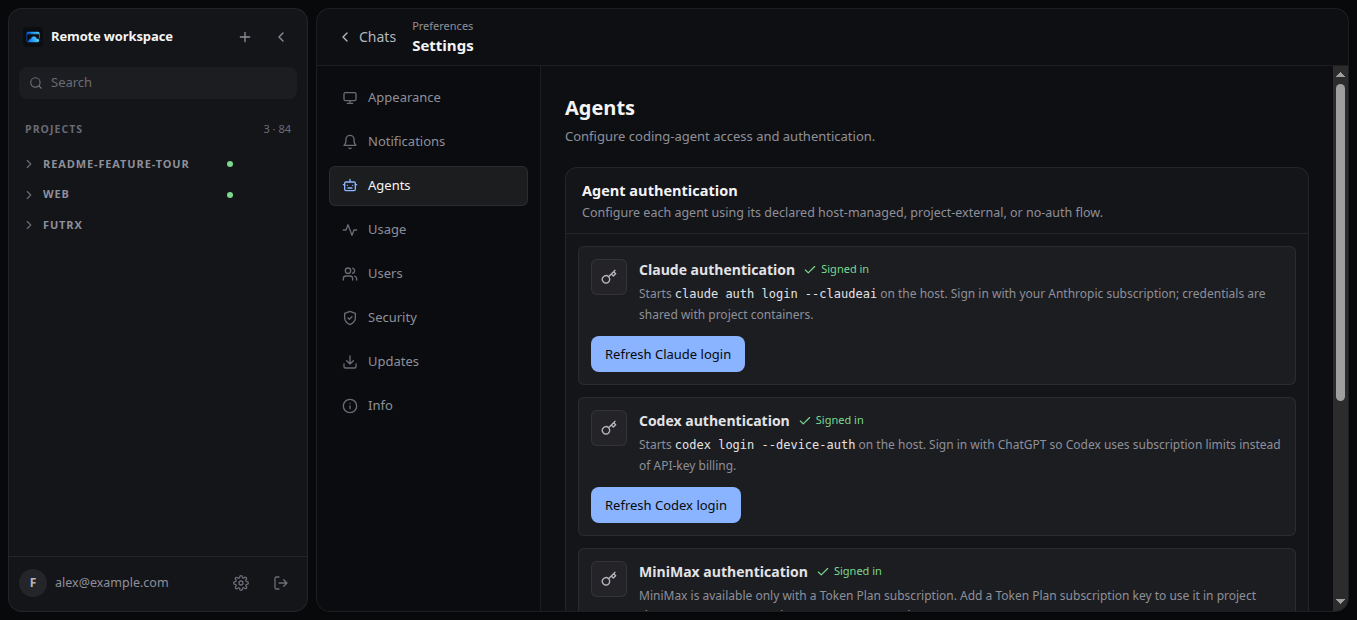
Provider connections Connect managed providers, review provider-specific setup instructions, and synchronize the appropriate host-managed state into projects. |
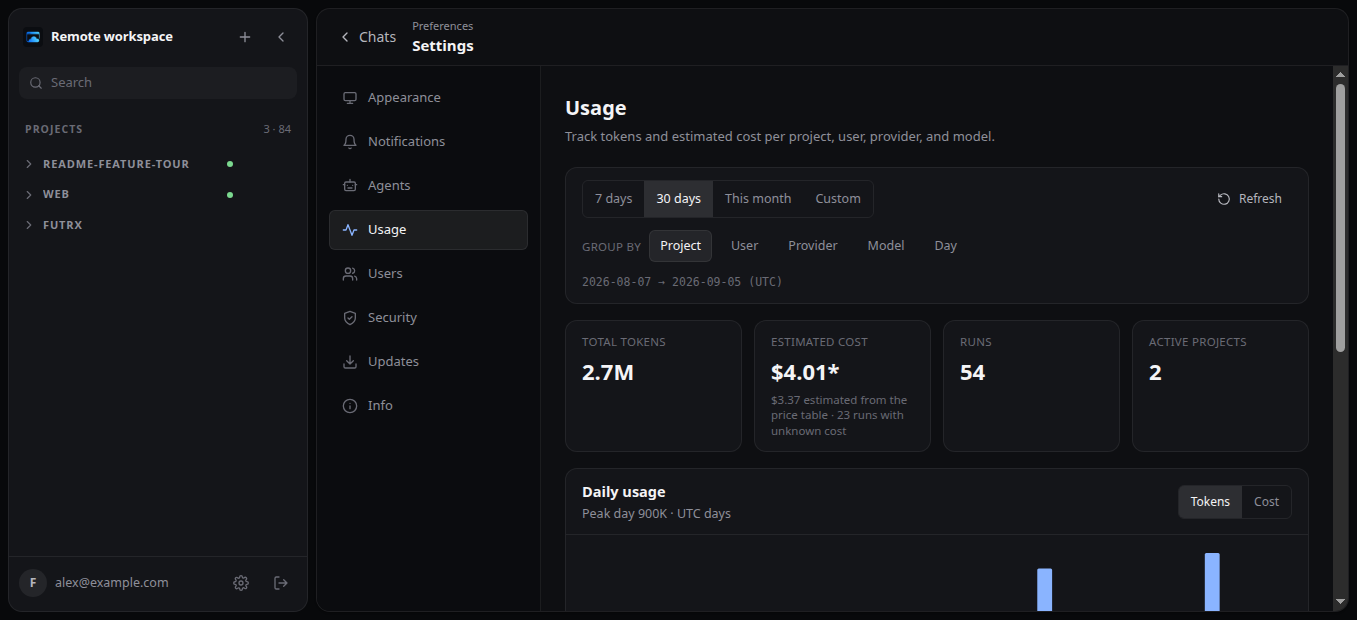
Usage and plan limits Compare tokens, runs, and active projects by project, user, provider, model, or day, and see each subscription account's current plan limits. |
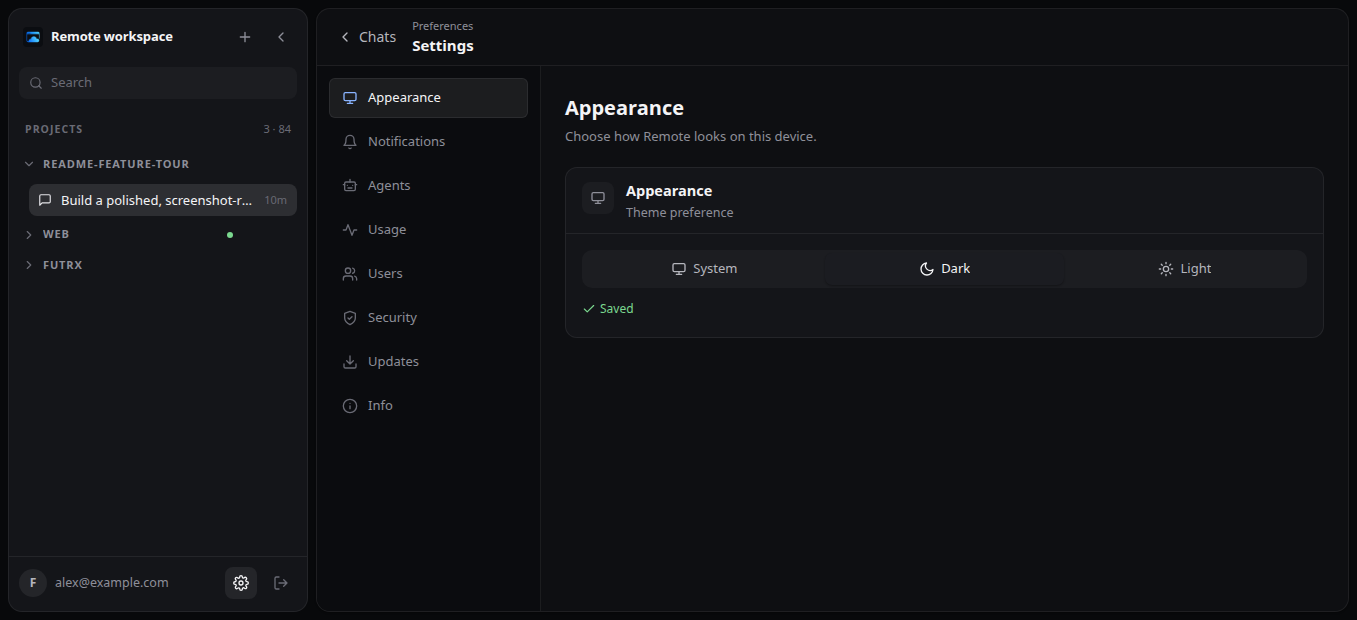
Per-device appearance Follow the operating system or choose a dark or light theme. |
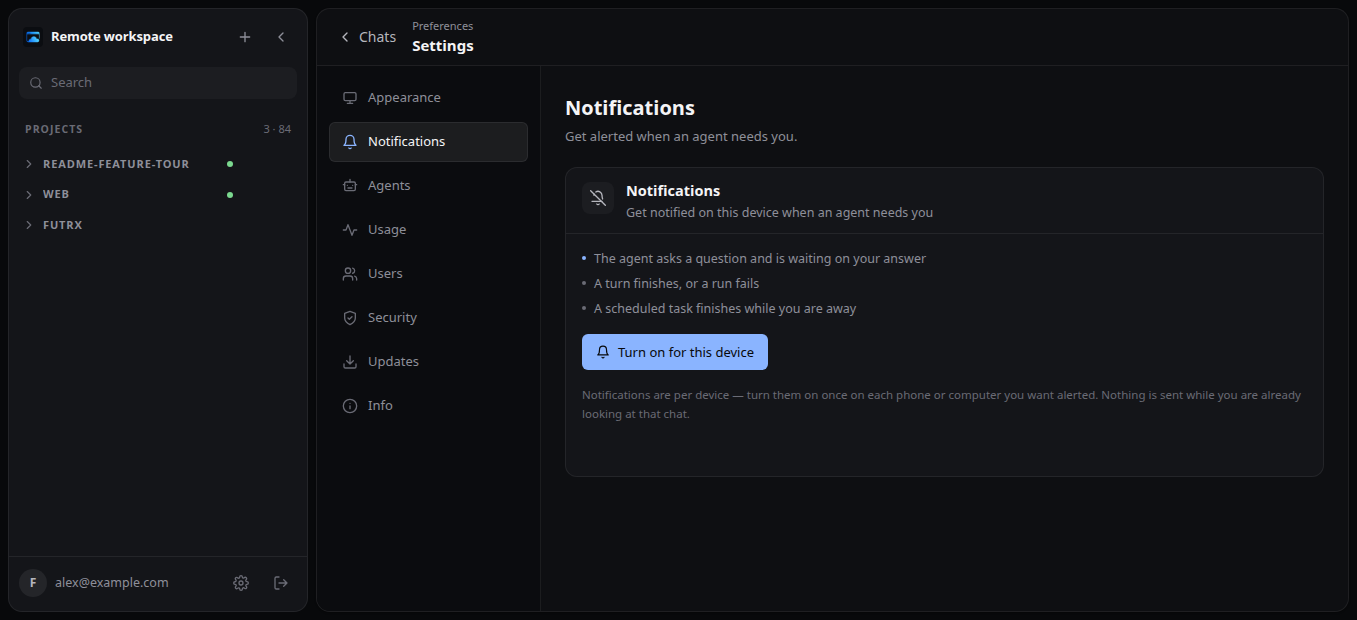
Push notifications Opt in per device for agent questions, completed or failed runs, and application results while you are away. |
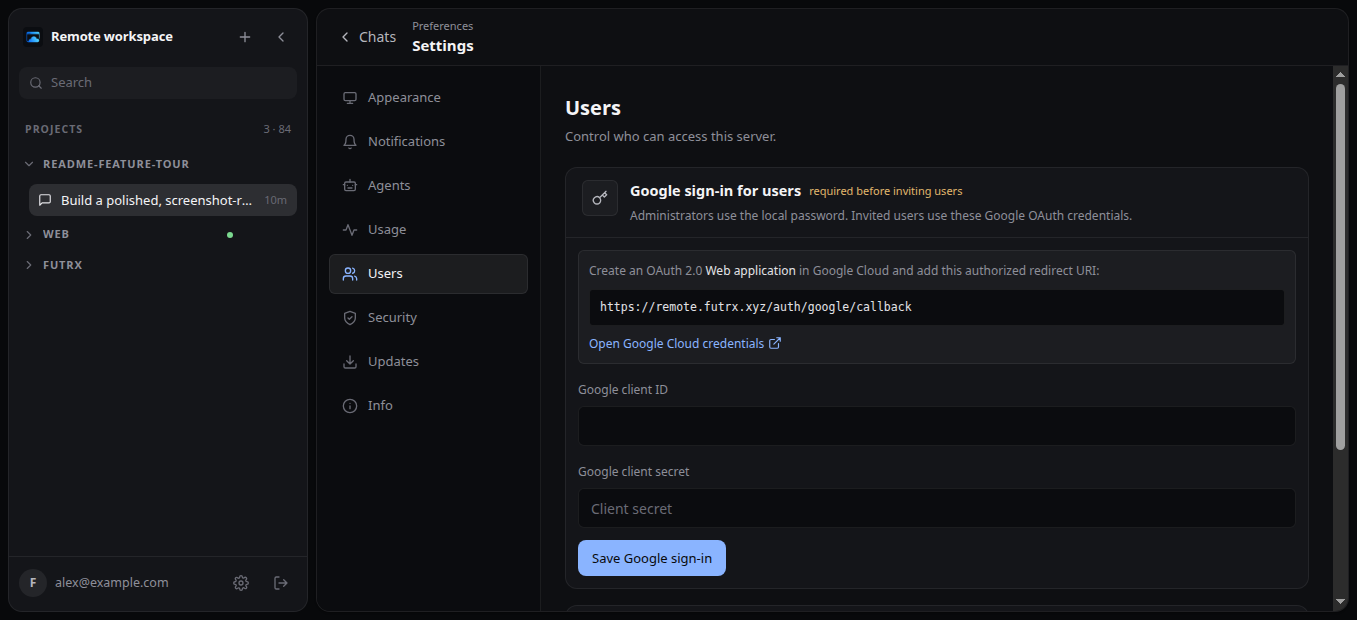
Server user management Configure Google sign-in, invite or remove users, and assign member or administrator roles. |
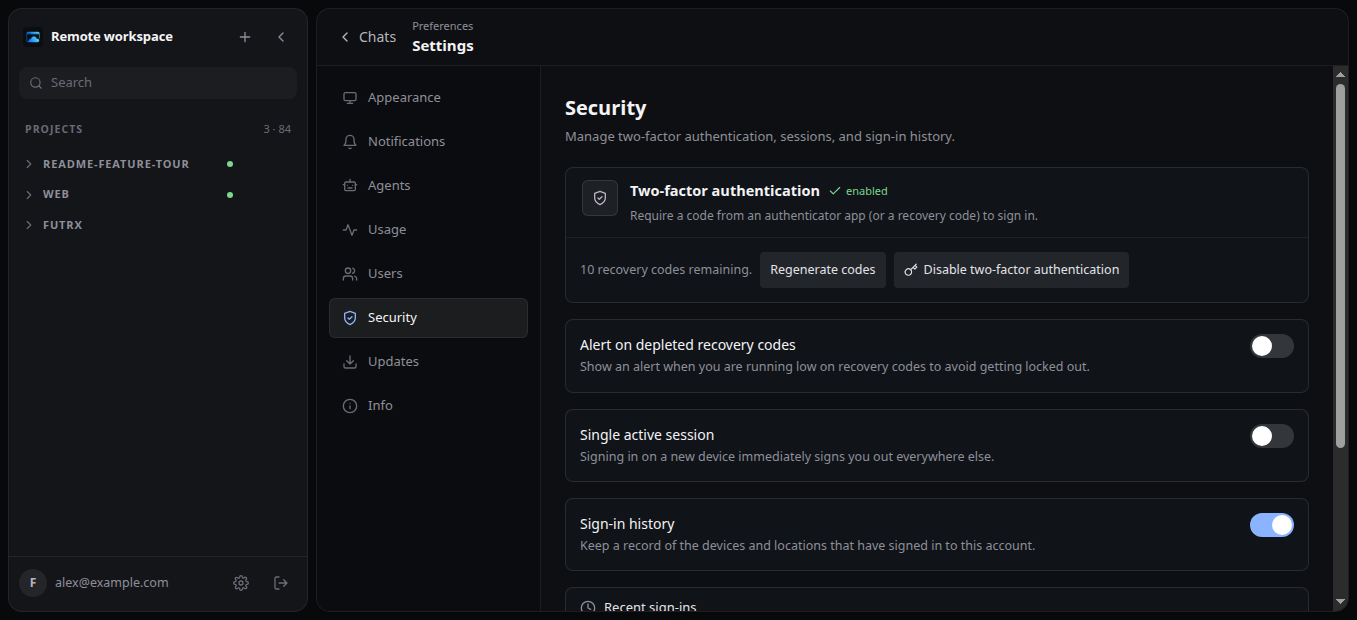
Account security Manage two-factor authentication, recovery codes, active-session policy, and sign-in history. |
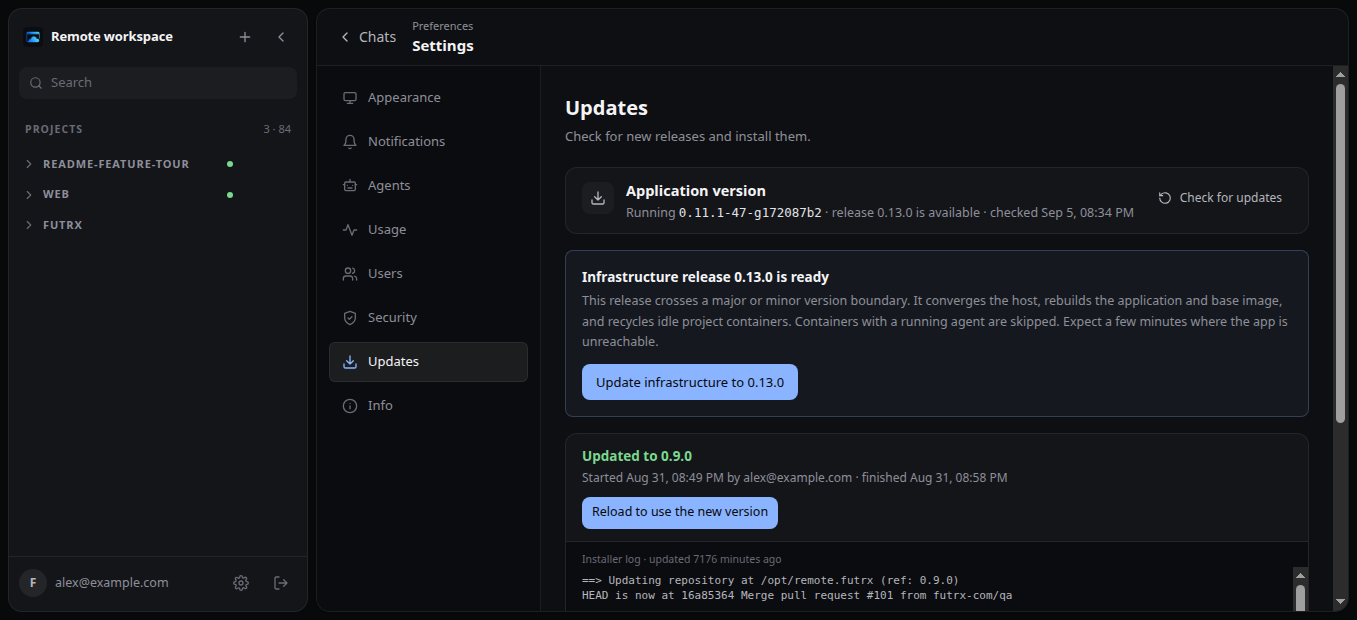
Remote checks releases from the app. Patch updates rebuild the application; major and minor releases can converge host infrastructure, rebuild the project image, and recycle idle containers through a controlled administrator flow.
See the continuous five-step product tour at remote.futrx.com, or use the complete feature reference for exact behavior and current limits.
What you get
- One project computer per project — an unprivileged LXC container with durable files and agent homes.
- Your choice of agent — use Codex, MiniMax, Claude Code, Kimi, or Antigravity with provider-specific models, thinking, speed, mode, approval, and sandbox controls where supported.
- Durable, inspectable conversations — stream Markdown, reasoning, tools, questions, errors, and usage; queue, cancel, rewind, fork, mark unread, or continue later.
- A complete development surface — chat, files, uploads, Git history, structured diffs, reusable skills, and optional terminal and editor applications.
- Live applications — Remote finds listening ports, creates project URLs, adds HTTPS, and shows the app beside the conversation.
- A browser agents and humans can share — reuse authenticated sessions, let an agent browse visually, watch it work, or take over.
- Scheduled work — install Scheduled Tasks and create one-time or recurring prompts that run later, even when your browser is closed.
- Controls outside the workspace — manage access, secrets, CPU, memory, lifecycle, provider connections, usage, notifications, security, updates, and recovery from the Remote host.
How it works
flowchart LR
    A["You<br>any browser"] --> B["Remote host<br>identity, routing, lifecycle"]
    B --> C["Project computer<br>one unprivileged LXC container"]
    C --> D["Codex · MiniMax · Claude · Kimi · Antigravity"]
    C --> E["Terminal · Git · files · optional editors"]
    C --> F["Browser · apps · HTTPS previews"]
The project computer is the capability boundary: agents can install tools, run servers, use Git, and browse inside it. The Remote host keeps authentication, routing, membership, and container lifecycle controls outside that boundary.
Quick start
What you need
- A fresh Ubuntu or Debian server
- Root or
sudoaccess - A hostname pointing at that server — one you own, or a free one
- A working SSH key
- Ports 80 and 443 open
[!IMPORTANT] The installer disables SSH password login. Confirm that key-based SSH access works before you run it.
1. Point DNS to the server
Every project gets its own HTTPS address, so Remote needs a hostname with wildcard subdomains under it. Pick whichever case describes you — HTTPS is automatic in all three, with free Let's Encrypt certificates issued and renewed for you.
If you already own a domain, use a subdomain of it. For a base domain such as remote.example.com, create these records, all pointing at your server's IP address:
| DNS name | Purpose |
|---|---|
remote.example.com |
Remote web app |
*.dev.remote.example.com |
Per-project application previews |
*.remote.example.com |
Installed project applications at <label>--<project> |
If you want a free hostname, DuckDNS is the quickest, because it resolves every subdomain automatically and there are no DNS records to create:
- Sign in with GitHub or Google.
- Add a name such as
yourname. You now ownyourname.duckdns.org. - Replace the pre-filled IP address with your server's address, then select update ip. The page fills in the address of the computer you are browsing from, which is usually not your server.
Then install using yourname.duckdns.org as the hostname.
deSEC is a good alternative, run by a non-profit and less likely to be filtered on corporate networks. It is a full DNS host rather than a wildcard service, so create the records from the table above under your yourname.dedyn.io name.
[!NOTE] Free dynamic-DNS providers are community-run with no uptime guarantee, and some corporate networks block all of
*.duckdns.orgbecause of unrelated abuse elsewhere on it. If a preview link refuses to open at the office, that is usually why, and a domain you own avoids it.
If you have neither, a domain costs around $10 a year and gives you the shortest, most reliable URLs. Register one and follow the first case.
2. Install Remote
Connect to the server and run:
curl -fsSL https://remote.futrx.com/get | sudo bash -s -- remote.example.com
Replace remote.example.com with the hostname you set up above. The installer downloads Remote, installs its dependencies, builds the workspace image, starts the services, and enables HTTPS.
Pseudonymous version telemetry
Starting with 0.21.0, Remote reports its version once after installation or a
version change, then at most weekly. The payload is only the version and a
random, stable installation ID; the collector adds a receipt timestamp and
retains reports for three months. No hostname, user, project, provider, chat,
prompt, source code, or resource data is sent. dev and qa-* builds do not
report, and pre-0.21.0 installations are not counted.
See Deployment and operations for cadence and counting limitations.
3. Create your first project
- When Remote starts for the first time, it prints a one-time setup link to
the server's log. To see it, connect to the server and run:
journalctl -u remote --since "-10 min" | grep -A2 "first-time setup". The link looks likehttps://remote.example.com/?token=...and works for 30 minutes. If it has expired or you lost it, runsudo remote setup-tokenon the server to print a fresh one. The setup data is root-owned; omitsudoif you are already root. - Open that link in your browser and create your administrator account — this is the login you'll use to manage the server. Only someone who can read that link on the server (not just visit the page) can do this, so a stranger who finds the URL cannot claim the server before you do.
- Open Settings → Agents and connect Codex, Claude Code, or Kimi.
- Select New project.
- To use MiniMax, open Settings → Agents, add a named MiniMax account, and save its Token Plan subscription key. Pay-as-you-go MiniMax API keys are not supported.
- Start a chat and describe what you want in normal language.
- To send email from this server, open Settings → Email and choose the Gmail preset (address plus an app password; the Google account needs 2-Step Verification enabled to generate a 16-character app password) or configure a custom SMTP server.
Remote will show the agent's progress. When the work is ready, review it in the chat, terminal, file manager, Git history, live preview, or an installed editor.
Security in plain language
Remote is designed to reduce the blast radius of agent work, not to promise an air gap:
- Projects use separate unprivileged LXC containers, but they share the host kernel.
- The host administrator can access project data and controls.
- Secrets given to a project are readable by agents working in that project.
- Durable storage survives routine container replacement, but it is not a backup.
Before using Remote with valuable code or credentials, read the threat model, known limitations, and security policy.
Updating
Administrator workspaces check for new releases on opening and hourly while visible. An Update available notice in the sidebar opens Settings → Updates to read its release notes and install the release. Checking for a release never installs it automatically.
The in-app updater selects the deployment path from the release version: patch releases rebuild and restart only the frontend/backend application, while major or minor releases also converge host infrastructure, rebuild the workspace image, and recycle idle containers.
To force a full infrastructure convergence from the server, run:
sudo bash /opt/remote.futrx/infra/update.sh
The full updater preserves project files and provider homes. Coordinate a maintenance window, or use --skip-workspaces, when agents are actively running. See Deployment and operations for details.
Learn more
- Documentation — operator and user guides
- System architecture — components, data flow, and trust boundaries
- Project philosophy — why Remote treats each project as a computer
- Contributing — local development and contribution workflow
- Issue tracker — bugs, ideas, and roadmap
License
Copyright © 2026 FutrX.
Remote is free software licensed under the GNU Affero General Public License v3.0. You may self-host, modify, and redistribute it under the AGPL's terms. If you offer a modified version as a network service, the AGPL requires you to make the modified source available to its users.
📈 近 7 天 Star 趋势
🏆 排名变化趋势
📋 历史上榜记录
| 日期 | 榜单 | 排名 | 周期新增 | 总 STAR |
|---|