📄 仓库 README
在 GitHub 查看 ↗







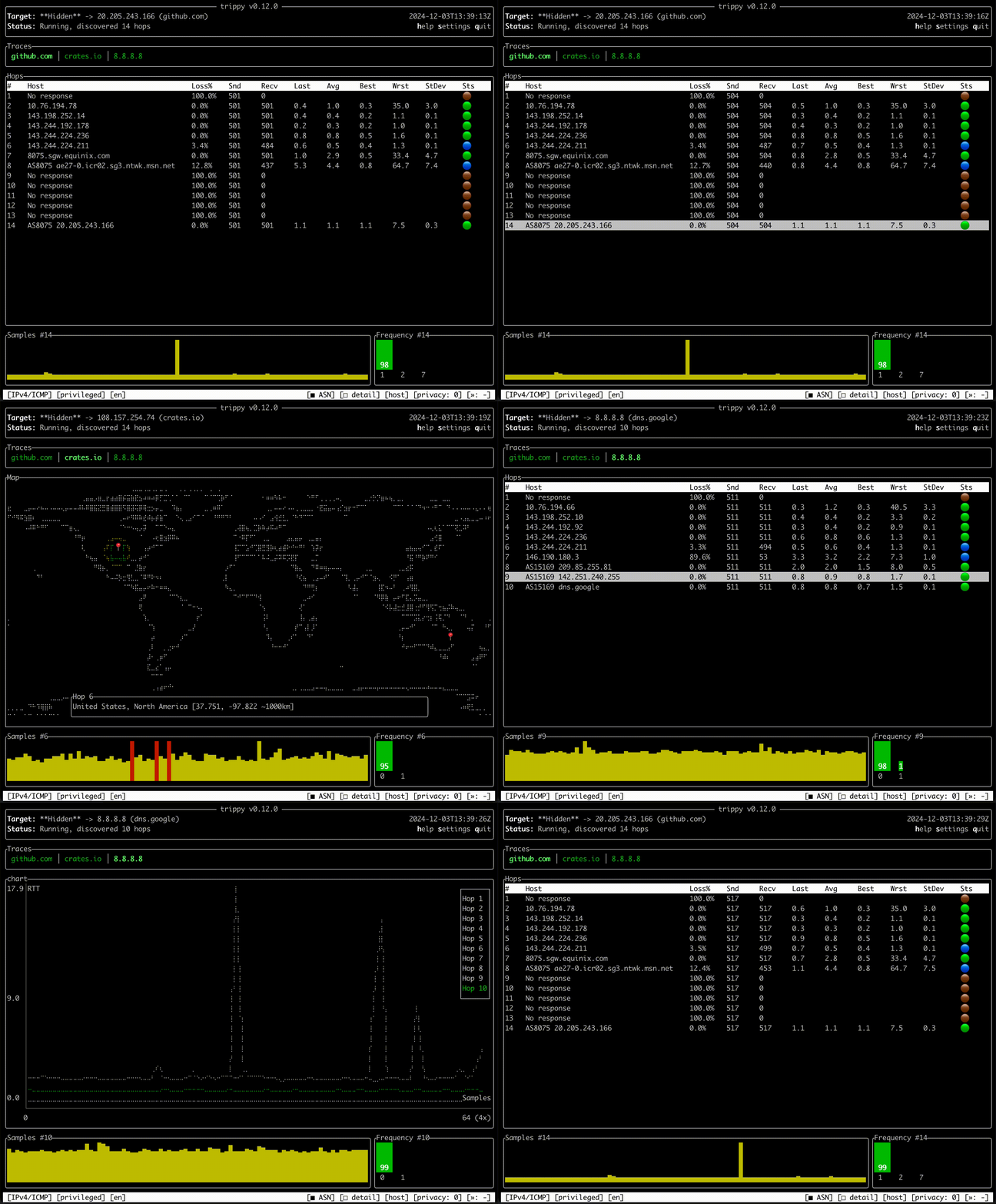
Trippy combines the functionality of traceroute and ping and is designed to assist with the analysis of networking
issues.
Quick Start
See the getting started guide.
Install
Trippy runs on Linux, BSD, macOS, and Windows. It can be installed from most package managers, precompiled binaries, or source.
For example, to install Trippy from cargo:
cargo install trippy --locked
All package managers
### Cargo [](https://crates.io/crates/trippy/0.13.0)cargo install trippy --locked
apt install trippy
add-apt-repository ppa:fujiapple/trippy
apt update && apt install trippy
snap install trippy
brew install trippy
winget install trippy
scoop install trippy
choco install trippy
pkgin install trippy
pkg install trippy
pkg_add trippy
pacman -S trippy
emerge -av net-analyzer/trippy
xbps-install -S trippy
apt-get install trippy
apk add trippy
nix-env -iA trippy
docker run -it fujiapple/trippy
See the installation guide for details of how to install Trippy on your system.
Run
To run a basic trace to example.com with default settings, use the following command:
sudo trip example.com
See the usage examples and CLI reference for details of how to use Trippy. To use Trippy without elevated privileges, see the privileges guide.
Documentation
Full documentation is available at trippy.rs.
documentation links
## Getting Started See the [Getting Started](https://trippy.rs/start/getting-started/) guide. ## Features See the [Features](https://trippy.rs/start/features/) list. ## Distributions See the [Distributions](https://trippy.rs/start/installation/) list. ## Usage Examples See the [Usage Examples](https://trippy.rs/guides/usage/). ## Command Reference See the [Command Reference](https://trippy.rs/reference/cli/). ## Theme Reference See the [Theme Reference](https://trippy.rs/reference/theme/). ## Column Reference See the [Column Reference](https://trippy.rs/reference/column/). ## Configuration Reference See the [Configuration Reference](https://trippy.rs/reference/configuration/). ## Locale Reference See the [Locale Reference](https://trippy.rs/reference/locale/). ## Versions See the [Version Reference](https://trippy.rs/reference/version/). ## Frequently Asked Questions ### Why does Trippy show "Awaiting data..."? See the [Awaiting Data](https://trippy.rs/guides/faq/) guide. ### How do I allow incoming ICMP traffic in the Windows Defender firewall? See the [Windows Defender Firewall](https://trippy.rs/guides/windows_firewall/) guide. ### What are the recommended settings for Trippy? See the [Recommended Tracing Settings](https://trippy.rs/guides/recommendation/) guide.Privileges
See the Privileges guide.
Acknowledgements
Trippy is made possible by ratatui ( formerly tui-rs), crossterm as well as several foundational Rust libraries.
Trippy draws heavily from mtr and also incorporates ideas from both libparistraceroute & Dublin Traceroute.
The Trippy networking code is inspired by pnet and some elements of that codebase are incorporated in Trippy.
The AS data is retrieved from the IP to ASN Mapping Service provided by Team Cymru.
The trippy.cli.rs CNAME hosting is provided by cli.rs.
The Trippy chat room is sponsored by Zulip.
Trippy logo designed by Harun Ocaksiz Design.
License
This project is distributed under the terms of the Apache License (Version 2.0).
Unless you explicitly state otherwise, any contribution intentionally submitted for inclusion in time by you, as defined in the Apache-2.0 license, shall be licensed as above, without any additional terms or conditions.
See LICENSE for details.
Copyright 2022 Trippy Contributors
📈 近 7 天 Star 趋势
🏆 排名变化趋势
📋 历史上榜记录
| 日期 | 榜单 | 排名 | 周期新增 | 总 STAR |
|---|