📄 仓库 README
在 GitHub 查看 ↗

Neko Master
See your network traffic clearly.
Real-time monitoring · Traffic auditing · Multi-gateway support
English | 中文







[!IMPORTANT] Disclaimer
This project is a traffic analysis and visualization tool for local gateway environments.
It does not provide any network access service, proxy subscription, or cross-network connectivity. All data is collected from the user's own network environment.
This project is open-sourced under the MIT License. We assume no responsibility for any consequences resulting from the use of this software. Please use it in compliance with applicable laws and regulations.
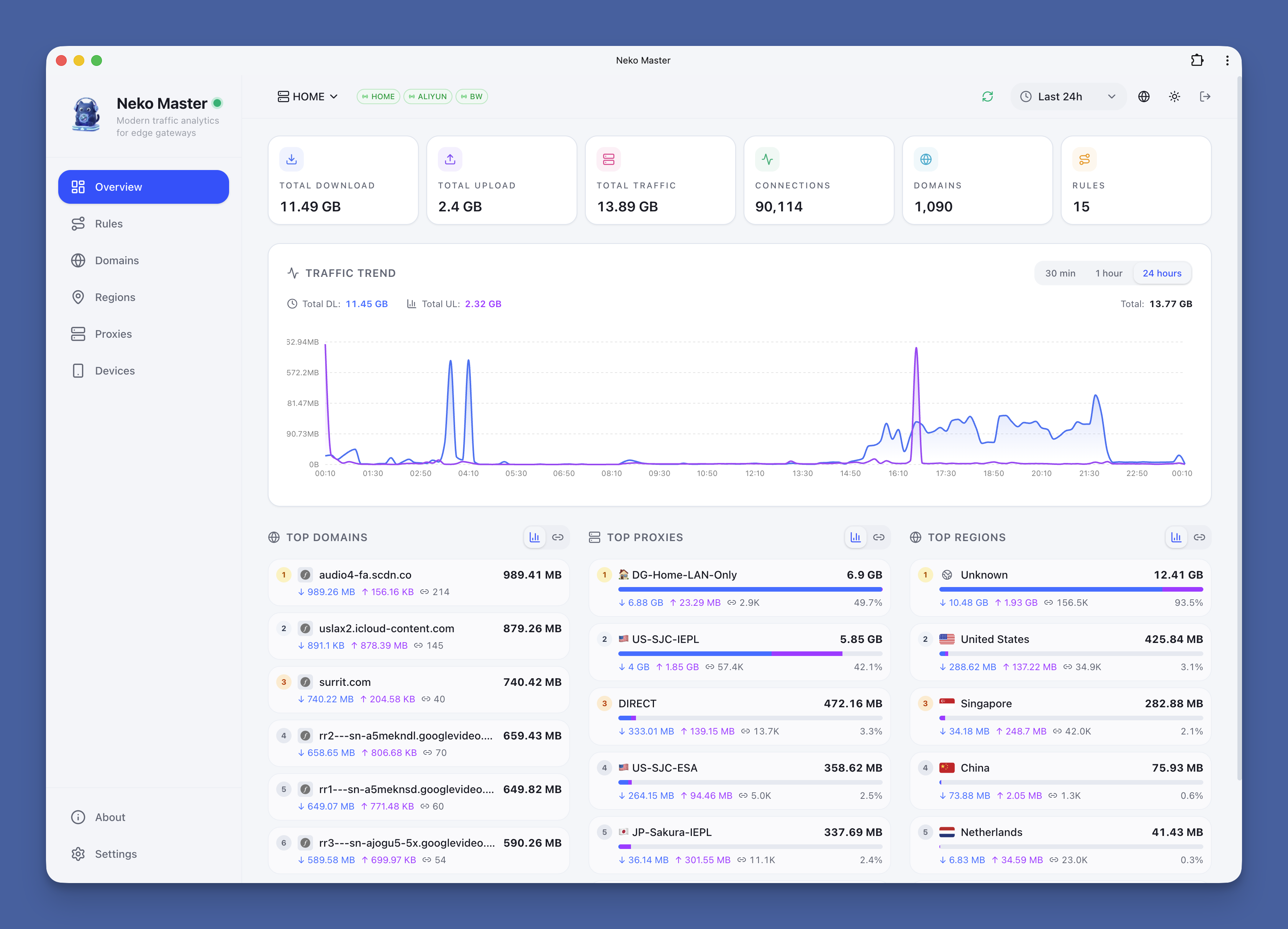
|
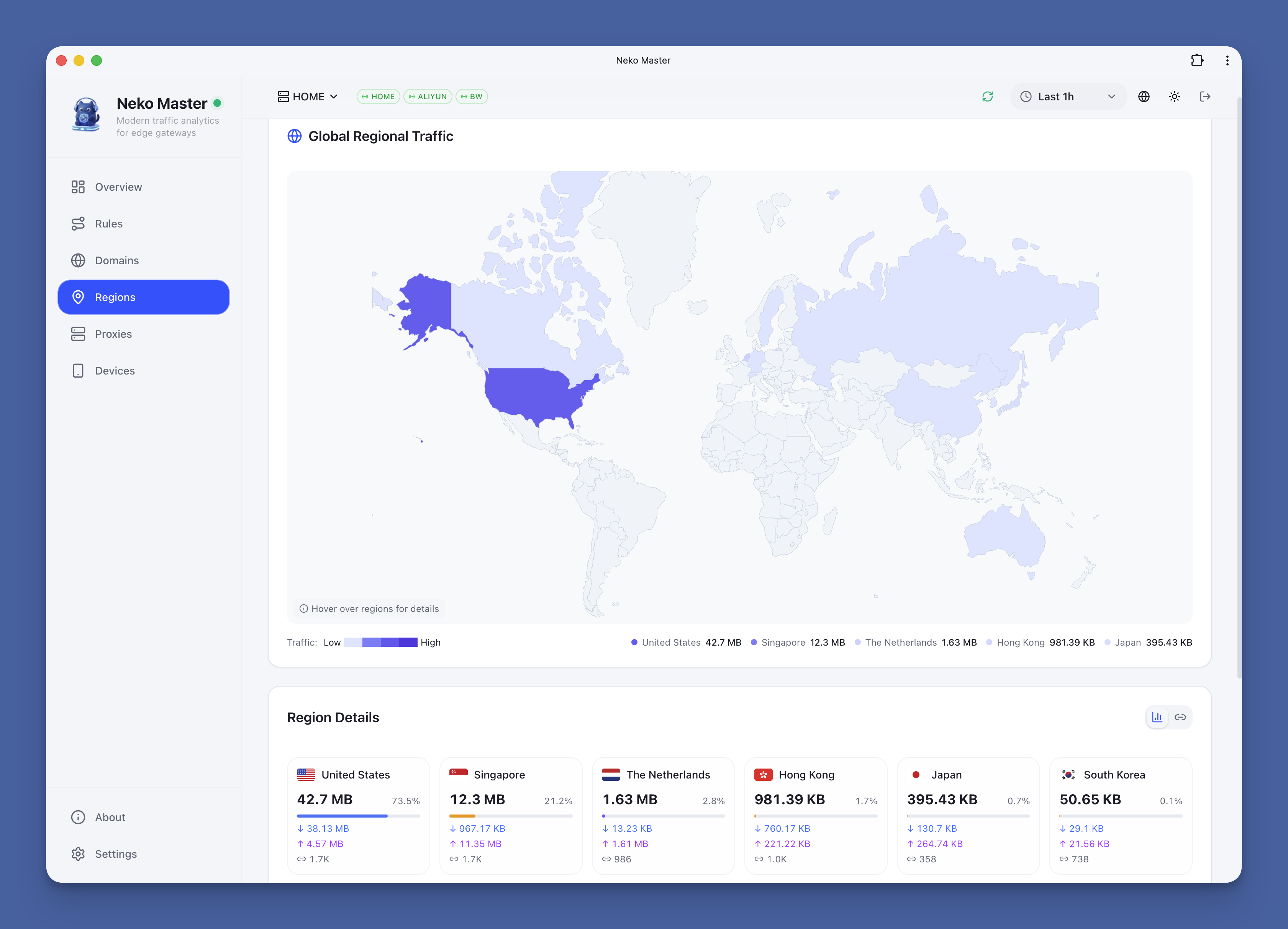
|
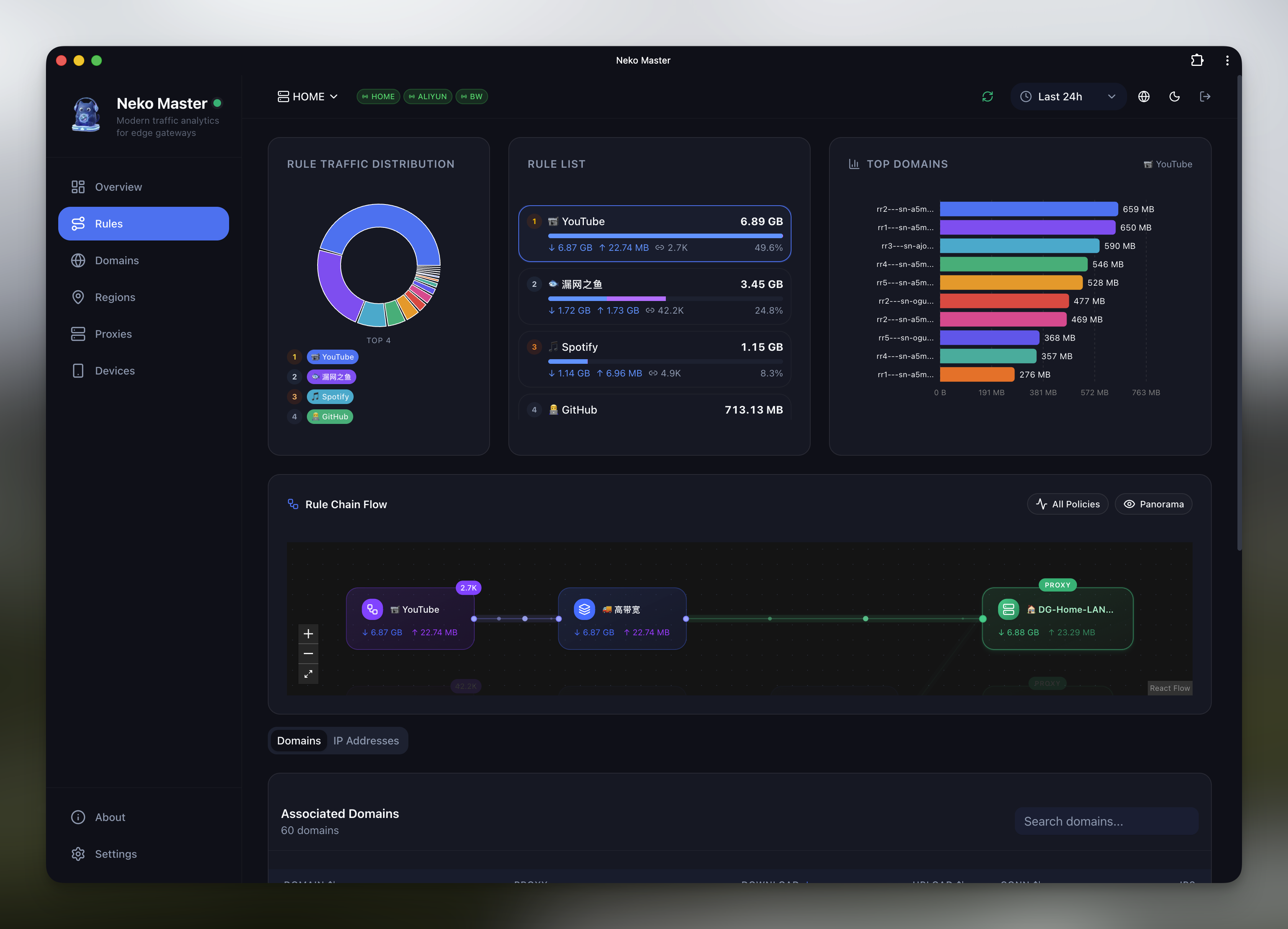
|
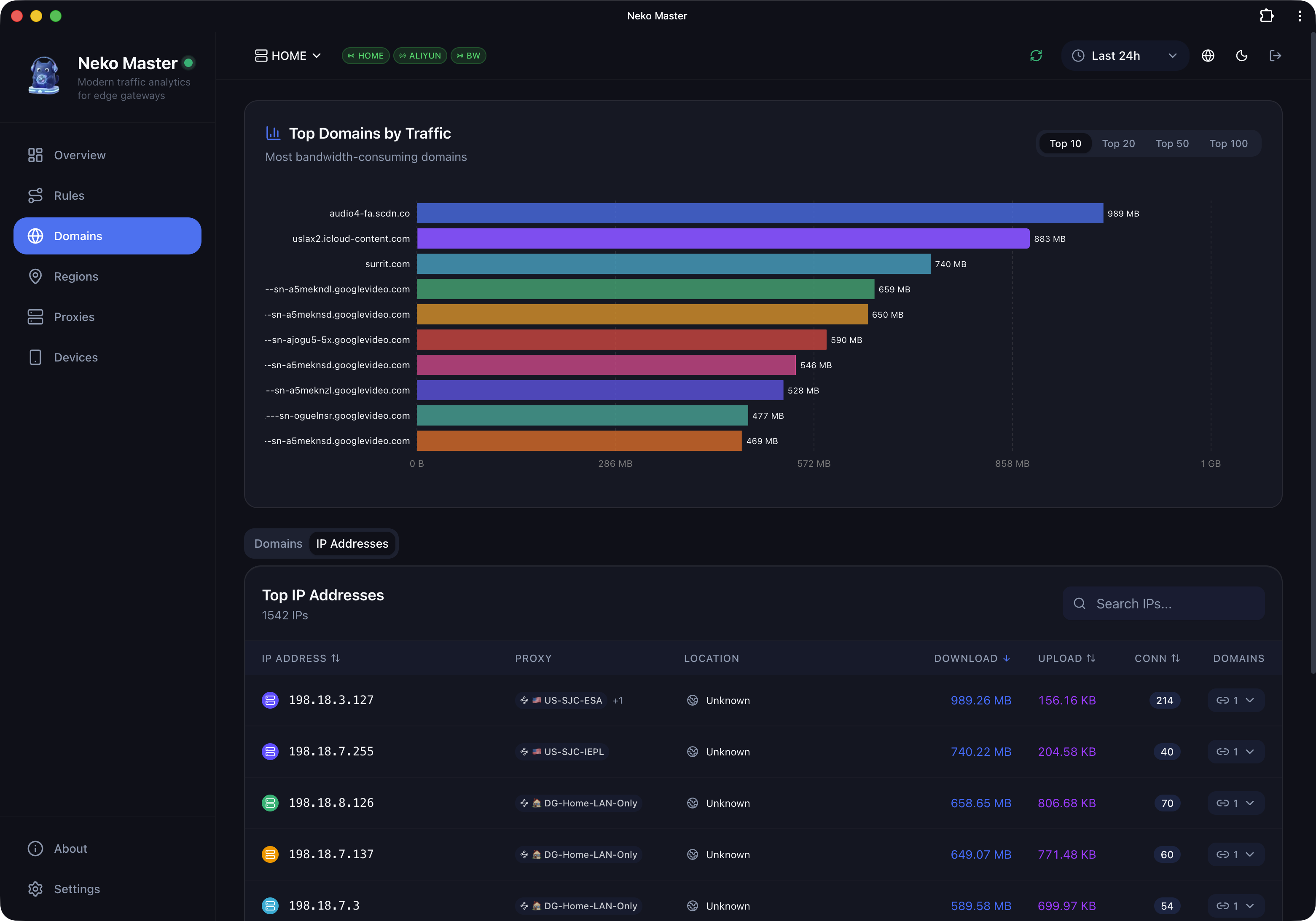
|
About the Name
Neko (ねこ) means cat in Japanese. Pronounced /ˈneɪkoʊ/ (NEH-ko).
Like a cat, Neko Master observes network traffic quietly and precisely. It is a lightweight analytics dashboard designed for modern gateway environments.
📋 Table of Contents
- ✨ Features
- 🚀 Quick Start
- 🤖 Agent Deployment
- 📖 First Use
- 🔧 Port Conflict Resolution
- 🐳 Docker Configuration
- 🗄️ ClickHouse (Optional)
- 🌐 Reverse Proxy & Tunnel
- 🔐 Authentication & Security
- ❓ FAQ
- 🏗️ Architecture Guide
- 🤝 Feedback & Issues
- 📁 Project Structure
- 🛠️ Tech Stack
- 📄 License
✨ Features
| Feature | Description |
|---|---|
| 📊 Real-time Monitoring | WebSocket real-time collection with millisecond latency |
| 📈 Trend Analysis | Multi-dimensional traffic trends: 30min / 1h / 24h |
| 🌐 Domain Analysis | View traffic, associated IPs, and connection count per domain |
| 🗺️ IP Analysis | ASN, geo-location, and associated domain display |
| 🚀 Proxy Statistics | Traffic distribution and connection count per proxy node |
| 📱 PWA Support | Install as desktop app for native experience |
| 🌙 Dark Mode | Light / Dark / System theme support |
| 🌍 i18n Support | English / Chinese seamless switching |
| 🔄 Multi-Backend | Monitor multiple OpenClash backend instances simultaneously |
🚀 Quick Start
Option 1: Docker Compose (Recommended)
The repository's built-in
docker-compose.ymlmaps3000/3001/3002by default. Scenarios A/B below are minimal templates for common deployments.
Scenario A: Minimal deployment (only expose 3000)
services:
  neko-master:
    image: foru17/neko-master:latest
    container_name: neko-master
    restart: unless-stopped
    ports:
      - "3000:3000" # Web UI
    volumes:
      - ./data:/app/data
      # Local MMDB (optional, files should be downloaded into ./geoip)
      - ./geoip:/app/data/geoip:ro
    environment:
      - NODE_ENV=production
      - DB_PATH=/app/data/stats.db
      - COOKIE_SECRET=${COOKIE_SECRET}
Recommended in
.env(same directory asdocker-compose.yml):COOKIE_SECRET=<at least 32-byte random string>(generate withopenssl rand -hex 32)This mode is fully upgrade-compatible and works out of the box. If WS is not routed, the app falls back to HTTP polling automatically.
Scenario B: Real-time WebSocket (recommended with reverse proxy)
services:
  neko-master:
    image: foru17/neko-master:latest
    container_name: neko-master
    restart: unless-stopped
    ports:
      - "3000:3000" # Web UI
      - "3002:3002" # WebSocket (for Nginx / Tunnel forwarding)
    volumes:
      - ./data:/app/data
      # Local MMDB (optional, files should be downloaded into ./geoip)
      - ./geoip:/app/data/geoip:ro
    environment:
      - NODE_ENV=production
      - DB_PATH=/app/data/stats.db
      - COOKIE_SECRET=${COOKIE_SECRET}
Then run:
docker compose up -d
Open http://localhost:3000 to get started.
If you use the repository's built-in Compose file (default 3000/3001/3002), run the same command.
Option 2: Docker Run
# Generate a fixed cookie secret first (for session persistence)
export COOKIE_SECRET="$(openssl rand -hex 32)"
# Minimal (only 3000)
docker run -d \
  --name neko-master \
  -p 3000:3000 \
  -v $(pwd)/data:/app/data \
  -e COOKIE_SECRET="$COOKIE_SECRET" \
  --restart unless-stopped \
  foru17/neko-master:latest

# Real-time WS (with reverse proxy)
docker run -d \
  --name neko-master \
  -p 3000:3000 \
  -p 3002:3002 \
  -v $(pwd)/data:/app/data \
  -e COOKIE_SECRET="$COOKIE_SECRET" \
  --restart unless-stopped \
  foru17/neko-master:latest
Open http://localhost:3000 to get started.
The frontend uses same-origin
/apiby default, so port 3001 is usually not required externally. For real-time WS, your reverse proxy/tunnel must be able to reach port3002. If not, the app falls back to ~5s HTTP polling.For
docker run, change external ports using-pmappings directly. Only if you use direct WS access (no reverse proxy) and external WS port is not3002, also pass-e WS_EXTERNAL_PORT=<external-ws-port>.Local MMDB lookup mode (optional): mount
-v $(pwd)/geoip:/app/data/geoip:ro, then switch source to Local inSettings -> Preferences -> IP Lookup Source.
Option 3: One-Click Script
Automatically detects port conflicts and configures everything:
# Using curl
curl -fsSL https://raw.githubusercontent.com/foru17/neko-master/main/setup.sh | bash

# Or using wget
wget -qO- https://raw.githubusercontent.com/foru17/neko-master/main/setup.sh | bash
The script will automatically:
- ✅ Download
docker-compose.yml - ✅ Check if default ports (3000/3001/3002) are in use
- ✅ Suggest available alternative ports
- ✅ Create configuration file and start the service
Option 4: Source Code
# 1. Clone the repository
git clone https://github.com/foru17/neko-master.git
cd neko-master

# 2. Install dependencies
pnpm install

# 3. Prepare collector env (source mode reads apps/collector/.env)
cp apps/collector/.env.example apps/collector/.env

# 4. Start development services
pnpm dev
Open http://localhost:3000 to configure.
In source mode: collector listens on
3001/3002, web listens on3000by default. If you changedAPI_PORT(not 3001), setAPI_URLaccordingly (for exampleAPI_URL=http://localhost:4001) so web/apirewrite targets the correct API.apps/collector/.env.localtakes precedence overapps/collector/.env.
🤖 Agent Deployment
Use Agent mode when you want one centralized Neko Master service and multiple remote devices (OpenWrt, Linux, macOS) collecting local gateway data. The agent runs near the gateway, pulls data, and reports to the panel — the panel never connects to the gateway directly.
Supported gateway types: Clash / Mihomo (WebSocket real-time) and Surge v5+ (HTTP polling).
Quick Install (UI-generated command)
- In the dashboard, go to
Settings → Backends, add anAgentbackend, select gateway type - Click "View Agent Script" and copy the one-line install command, then run it on the target host:
# Clash / Mihomo gateway example
curl -fsSL https://raw.githubusercontent.com/foru17/neko-master/main/apps/agent/install.sh \
  | env NEKO_SERVER='http://your-panel:3000' \
        NEKO_BACKEND_ID='1' \
        NEKO_BACKEND_TOKEN='ag_xxx' \
        NEKO_GATEWAY_TYPE='clash' \
        NEKO_GATEWAY_URL='http://127.0.0.1:9090' \
        sh

# Surge gateway example
curl -fsSL https://raw.githubusercontent.com/foru17/neko-master/main/apps/agent/install.sh \
  | env NEKO_SERVER='http://your-panel:3000' \
        NEKO_BACKEND_ID='2' \
        NEKO_BACKEND_TOKEN='ag_yyy' \
        NEKO_GATEWAY_TYPE='surge' \
        NEKO_GATEWAY_URL='http://127.0.0.1:9091' \
        sh
After install, manage instances with nekoagent:
`
📈 近 7 天 Star 趋势
🏆 排名变化趋势
📋 历史上榜记录
| 日期 | 榜单 | 排名 | 周期新增 | 总 STAR |
|---|