📄 仓库 README
在 GitHub 查看 ↗Ever Gauzy Platform





💡 What's New
- 🔥🔥🔥 we just released Ever Works - An open agentic runtime that autonomously researches, ships, and maintains entire businesses, 24/7. Please grab it now from https://github.com/ever-works/ever-works and make it ⭐⭐⭐ on GitHub!
- if you like Gauzy, you should also like Ever Teams - Open Work & Productivity Platform. Please check https://github.com/ever-co/ever-teams and make it ⭐ on GitHub! It's built with a React (NextJs) / ReactNative (Expo) stack and connects to headless Ever Gauzy Platform APIs.
🌟 What is it
Ever® Gauzy™ - Open Business Management Platform for Collaborative, On-Demand and Sharing Economies.
- Enterprise Resource Planning (ERP)
- Customer Relationship Management (CRM)
- Human Resource Management (HRM)
- Applicant Tracking System (ATS)
- Work and Project Management (PM)
- Employee Time-Tracking, Activity & Productivity Tracking
Ever® Gauzy™ Platform is a part of our larger Open Platform for Collaborative, On-Demand and Sharing Economies - Ever® Platform™.
✨ Features
Main features:
- Human Resources Management (HRM) with Time Management / Tracking and Employees Performance Monitoring
- Customer Relationship Management (CRM)
- Enterprise Resource Planning (ERP)
- Projects / Tasks Management
- Sales Management
- Financial and Cost Management (including Accounting, Invoicing, etc)
- Inventory, Supply Chain Management, and Production Management
A more detailed list of the features available in the platform:
- Headless APIs
- Dashboard (provides an overview of different metrics, such as company income/expenses, employee bonuses, etc.)
- Time Management / Time Tracking / Activity Tracking / Timesheets
- Employees Management (register of company employees/contractors, rates of employees, etc.)
- Employee Onboarding
- Applicant Tracking System (ATS) / Candidates Interviews
- Contacts Management (Clients / Customers / Leads / etc.)
- Schedules / Appointments / Events
- Project Management / Tasks
- Goals / KPI / Objectives / Key Results
- Sales Pipelines
- Proposals
- Accounting / Invoicing / Estimates
- Billing
- Payments
- Income / Expenses Management
- Time Off Management / Holidays / Approvals
- Inventory
- Equipment / Sharing
- Multiple Organizations Management
- Organization Departments and Teams
- Organization Clients and Vendors
- Help Center / Knowledge Base
- Tags / Labels
- Reports / Insights / Analytics
- Organization and Employee Public Pages
- Integrations (Upwork, HubStaff, etc.)
- Email History / Email Templates
- Data Import / Export
- Roles / Permissions
- Multi-currency
- Multi-lingual
- Dark / Light / Corporate / Material and other Themes
Read more about Gauzy and how to use it at your company, on-demand business, freelance business, agency, studio or in-house teams.
🌼 Screenshots
Show / Hide Screenshots
### Web UI 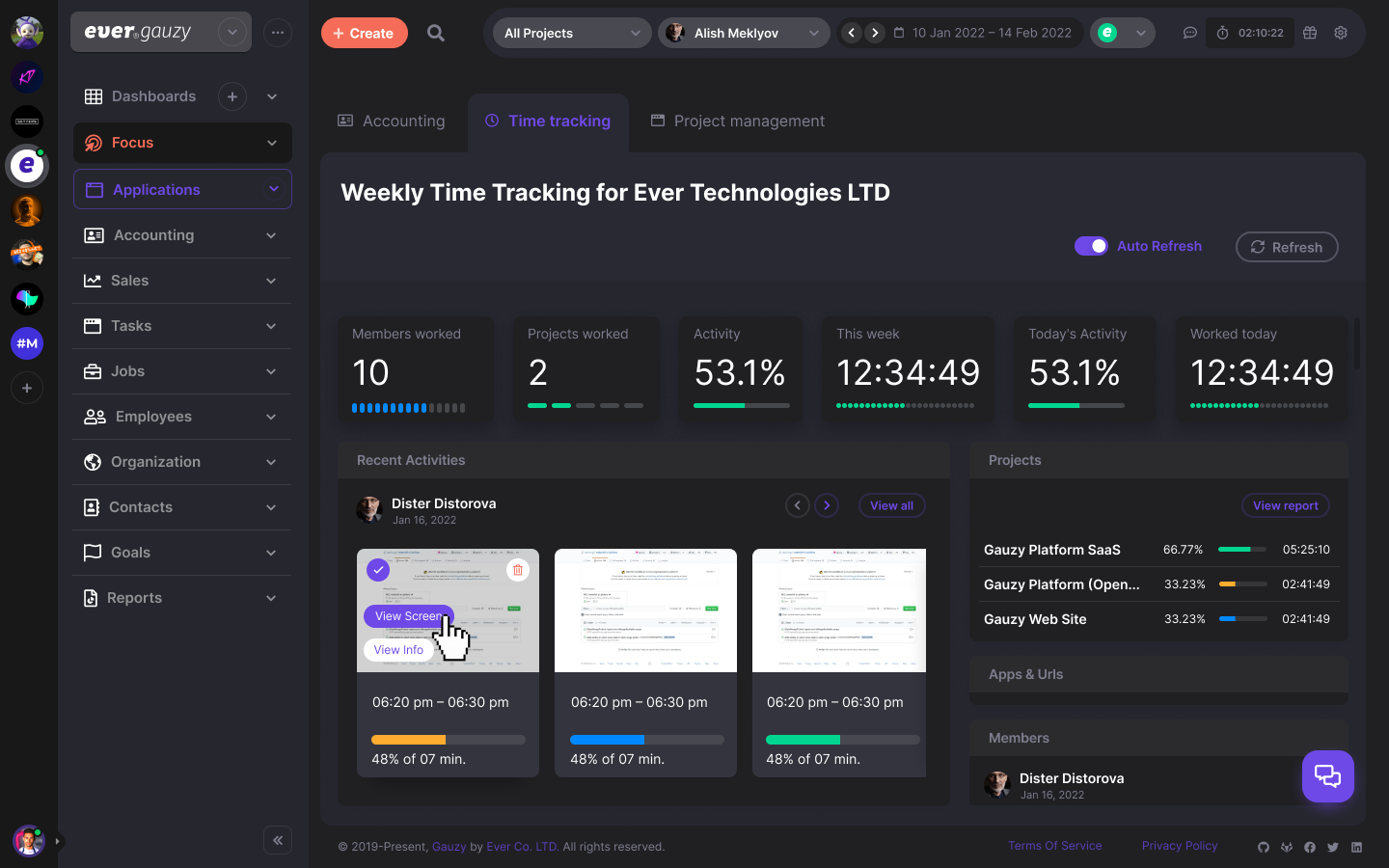 ### Desktop Timer UI (Standard) 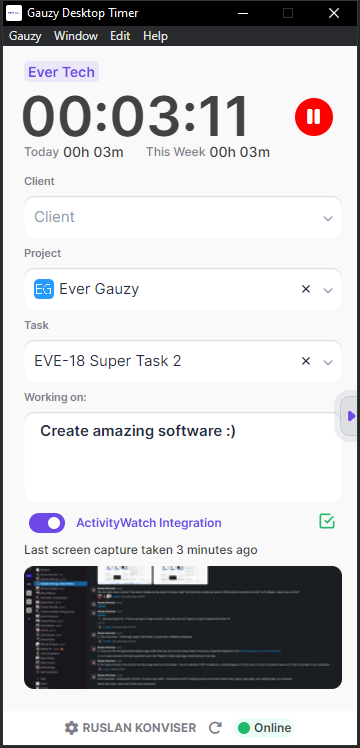 ### Desktop Timer UI (Expanded) 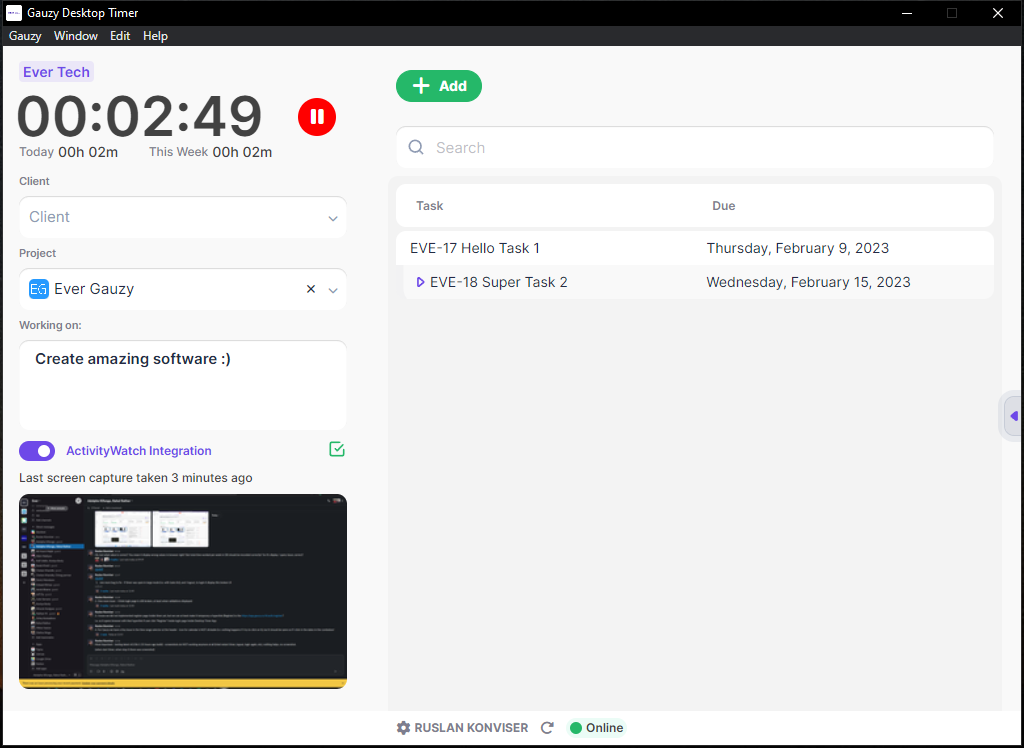🔗 Links
- https://gauzy.co - check more information about the platform at the official website.
- https://app.gauzy.co - SaaS (Important: it's currently in Alpha version/testing mode, please use it cautiously).
- https://demo.gauzy.co - Online Demo (see more info below).
- https://gauzy.co/downloads - Download Platform & Apps (see also more info below about available downloads).
- https://docs.gauzy.co - Platform Documentation (WIP). See also our Wiki.
- https://ever.co - get more information about our company products.
💻 Demo, Downloads, Testing and Production
Demo
Ever Gauzy Platform Demo at https://demo.gauzy.co.
Notes:
- Default super-admin user login is
admin@ever.coand the password isadmin. These are DEMO / local-development credentials only: a production install must setDEMO_SUPER_ADMIN_PASSWORD,DEMO_ADMIN_PASSWORDandDEMO_EMPLOYEE_PASSWORDbefore its first boot, and the API refuses to seed without them. - Content of demo DB resets on each deployment to the demo environment (usually daily)
- Demo environment deployed using CI/CD from the
developbranch
Downloads
You can download Gauzy Platform, Gauzy Server, or Desktop Apps (Windows/Mac/Linux) from the official Downloads page.
In addition, all releases and pre-releases downloads are also available from the following pages:
Production (SaaS)
Ever® Gauzy™ Platform SaaS is available at https://app.gauzy.co.
Note: it's currently in Alpha version/testing mode, please use it cautiously!
Staging
- Gauzy Platform Staging builds (using CI/CD, from the
stagebranch) are available at https://stage.gauzy.co - We are using the Staging environment to test releases before they are deployed to the production environment
- Our pre-releases of desktop/server apps are built from this environment and can be configured manually (in settings) to connect to Stage API: https://apistage.gauzy.co
Server & Desktop Apps
We have Gauzy Server and two Desktop Apps (for Windows/Mac/Linux):
-
Ever® Gauzy™ Server - includes Gauzy API, SQLite DB (or connects to external PostgreSQL) and serves Guazy frontend. It allows to quickly run Gauzy Server for multiple clients (browser-based or Desktop-based). It's a recommended option if you want to setup the Ever Gauzy Platform in small to medium organizations.
-
Ever® Gauzy™ Desktop App - includes Gauzy frontend (UI), Gauzy API, SQLite DB, etc., all-in-one! It allows to quickly run the whole Gauzy solution locally, both UI and Timer (for time tracking, optionally of course). In addition, it allows you to connect to the external database (e.g. PostgreSQL) or external API (if you have Gauzy Server with API / DB installed on a different computer or if you want to connect to our live API). It's a recommended option if you want to try Gauzy quickly / for personal use or if you want to connect to Gauzy Server in the "client-server" configuration (and use Desktop App instead of web browser).
-
Ever® Gauzy™ Desktop Timer App - allows running Time and Activity Tracking for employees/contractors with screenshots and activity monitoring. It is recommended to setup by organization employees as long as they are not interested in other Gauzy Platform features (e.g. accounting) and only need to track work time.
More information about our Server & Desktop Apps:
- Download for your OS from the official Downloads page or see the section "Download" above for other links to our releases pages.
- Setup Gauzy Server with default choices in Setup Wizard and run it.
- You can also setup Gauzy Desktop App (can run independently or connect to Gauzy Server) or Gauzy Desktop Timer App (should be connected to Gauzy Server)
- Gauzy Server and Gauzy Desktop App create three accounts on their first start:
admin@ever.co(Super Admin),local.admin@ever.co(Admin) andemployee@ever.co(Employee). Each gets a random password generated for that installation, which the app shows once, right after that first start: save them then (you can change them later on your profile page). Sign in asadmin@ever.coto check Admin functionality. Note: such an Admin user is not an employee, so you will not be able to track time. - Sign in as
employee@ever.coto check Employee-related functionality in Gauzy UI or to run Desktop Timer from an "Employee" perspective (such a user is an Employee and can track time). - An installation set up before these random passwords keeps its existing ones (
adminand12345678) and shows a warning at every start until you change them. - Gauzy Desktop App's integrated server accepts connections from the same computer only. To serve other computers (for example the Desktop Timer apps of your team), use Gauzy Server: it accepts connections from the network unless you turn off "Allow other computers on the network to connect" in its settings.
- If you install Gauzy Server, it is possible to connect to it using a browser (by default on http://localhost:4200) or using Gauzy Desktop Apps (make sure to configure Desktop apps to connect to Gauzy API on http://127.0.0.1:3000/api because it's where Gauzy Server API runs by default).
- You can read more information about our Desktop Apps on the Desktop Apps Wiki Page and our Server at the [Server
📈 近 7 天 Star 趋势
🏆 排名变化趋势
📋 历史上榜记录
| 日期 | 榜单 | 排名 | 周期新增 | 总 STAR |
|---|