📄 仓库 README
在 GitHub 查看 ↗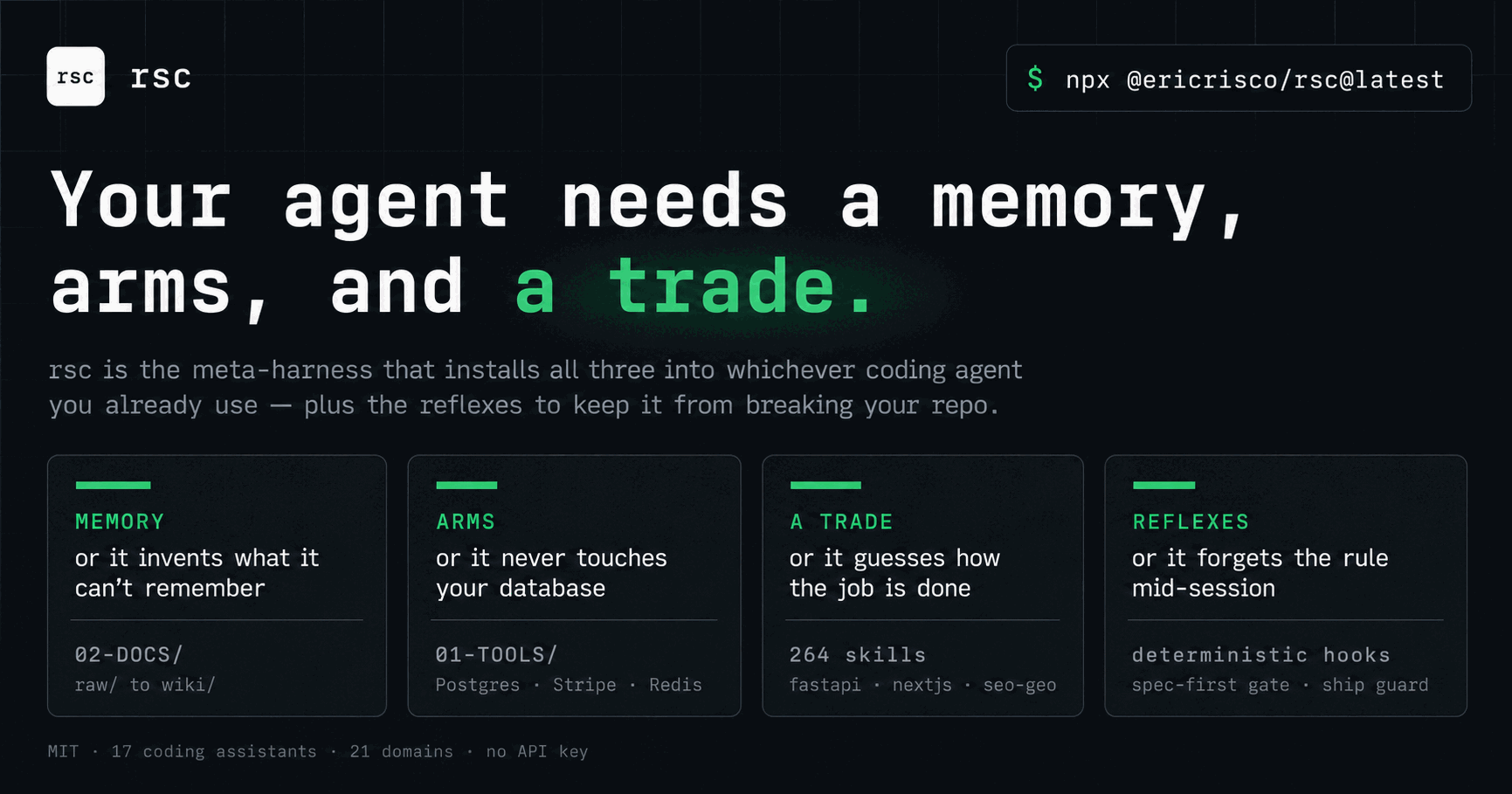 # `rsc-harness`
**You build the product. rsc-harness builds its harness.**
[](https://www.npmjs.com/package/@ericrisco/rsc)
[](https://www.npmjs.com/package/@ericrisco/rsc)
[](#the-catalog)
[](LICENSE)
[](https://github.com/ericrisco/rsc-harness/stargazers)
Keep your project knowledge, skills and working rules together across the assistants you already use.
Start with your goal. Review what rsc proposes to install. Accept the plan before it changes your project.
**MIT licensed · project-local setup · 18 assistant targets**
Give this URL to your agent and paste the request in the chat:
Read https://ericrisco.github.io/rsc-harness/ and set up rsc for this project.
Ask me the onboarding questions, show me the exact plan, and wait for my acceptance before writing.
npx @ericrisco/rsc@latest onboard
Your project has a way of working. Give it to your agent.
A new chat should not make you reconstruct the stack, explain yesterday's decision and remember which files must stay untouched. Putting every instruction into one giant prompt creates a different problem: the important details compete with rules that have nothing to do with today's task.
Hand-built setups can become a Frankenstein harness: duplicated instructions, unrelated skills, premature hooks and unnecessary MCP connections. Open standards cover individual pieces (Agent Skills, MCP, AGENTS.md). Your project still needs someone to choose and maintain the right pieces.
rsc-harness makes that choice explicit. It reads evidence within your project root, asks about your goal and assistants, and prepares a plan you can inspect before applying it.
See the plan before you install
Every component has a disposition:
| In your plan | What it means |
|---|---|
| Selected | There is a reason to install it for this project now. |
| Deferred | It may become useful; the plan records what evidence would justify adding it. |
| Excluded | It does not belong in the proposed setup. |
You accept the exact plan. If project evidence changes before acceptance, rsc asks you to review a
fresh plan. Later, rsc reassess reports new needs without silently installing them.
Why documentation comes first
The decisions your agent needs should have a place to live outside the chat.
| Part of the harness | What you get |
|---|---|
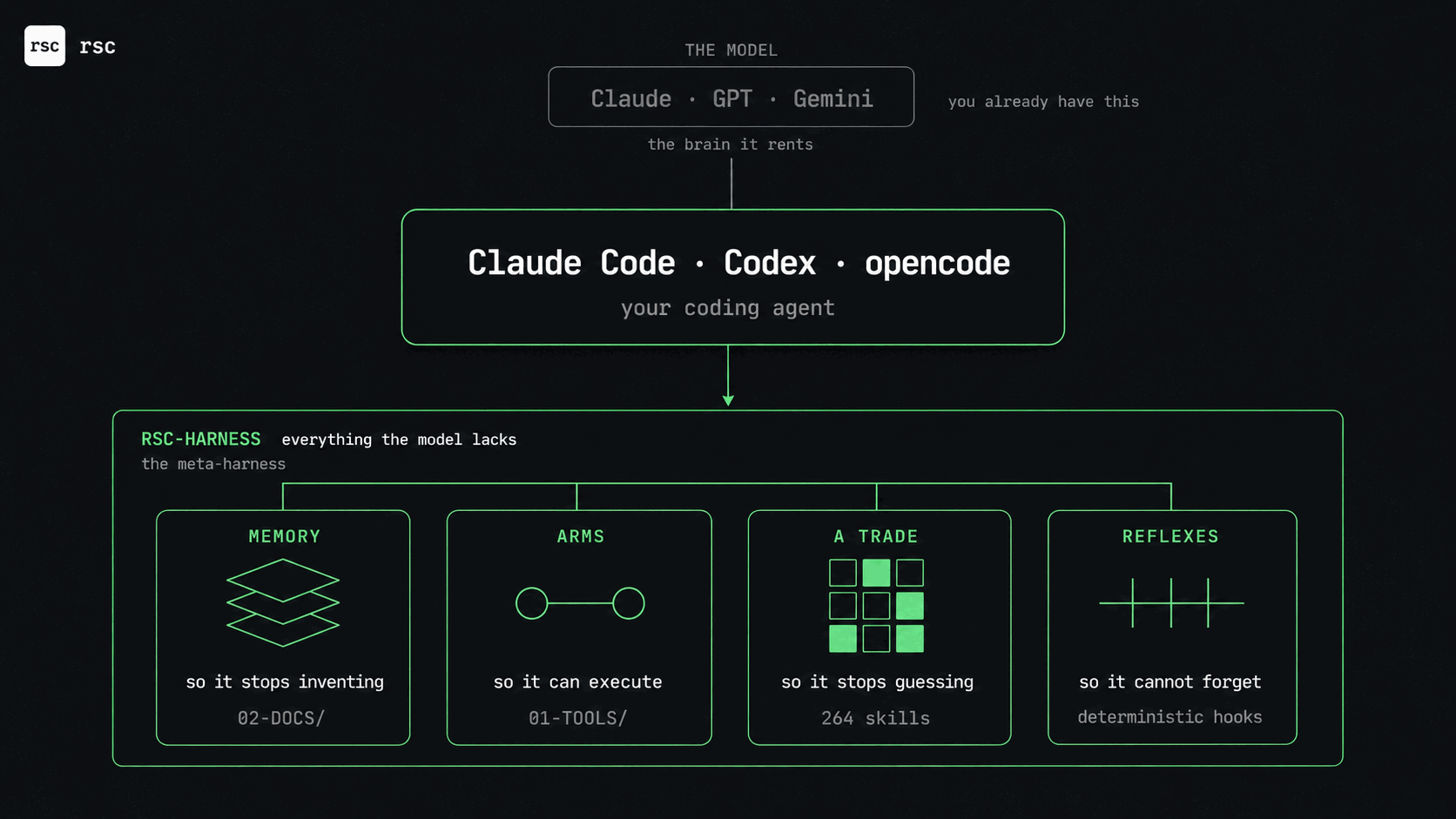
| Knowledge | A local 02-DOCS/ wiki for project context, decisions and evidence. |
| Tools | A 01-TOOLS/ convention for documenting real connections and their checks. |
| Skills | A selection from 274 available skills, loaded progressively when relevant. |
| Controls | Working rules and provider-specific hooks, with explicit support limits. |
The mechanism is practical: keep the decision, make it discoverable, and have the next task consult it. That gives the agent a maintained source to work from. It does not make an outdated note correct or remove the need to check the result.
A day with rsc
- Describe the project. Choose the assistants you use and how technical the conversation should be.
- Review the setup. See each proposed component and its reason, then accept the plan you want applied.
- Ask for the work. The agent names the appropriate lane: an answer, a focused change (FTD), or the specification-led chain (ASDD) for decisions that affect each other.
- Keep the result and its evidence. Project knowledge goes into
02-DOCS/; implementation stays in your code. Future sessions can consult both.
Is this for your project?
Use rsc when you already work with an assistant and want a coherent project setup you can inspect, share and maintain. It can equip software projects and business workflows; the catalog includes both.
You keep your editor, model and existing project. rsc supplies the harness around them. Provider features differ: check supported assistants before relying on a particular hook or memory feature. Model and external-service costs remain with their providers.
For a one-off question, a maintained project harness may be unnecessary. You can also install an individual skill into an existing rsc project rather than adopt a whole workflow.
Install in one minute
npx @ericrisco/rsc@latest onboard
The first run asks one question about conversation (technical, or with analogies), then what the
project is for, its goal and the assistants to target. Then it presents the complete plan. A small
website can defer ASDD, agents and code guards; an operations harness does not receive them merely
because it lives in a repository. Deferred components record the evidence that would make rsc
recommend them later, and rsc reassess reports it without installing anything.
Everything stays in the project. The real skill files are written once to .rsc/skills/<id>/, and
each assistant gets a symlink back to that shared base, so picking several duplicates nothing. Skills
load progressively: only their description is paid for until a task needs them.
Prefer a short rsc command? npm install -g @ericrisco/rsc.
Run it inside the project you are equipping, not inside a clone of this repo. The catalog's own
package.jsonis named@ericrisco/rsc, sonpx @ericrisco/rscfrom within a clone resolves to the local bin and fails withsh: rsc: command not found. Working on the catalog itself? Usenode scripts/rsc.js …ornpm link.
For agents: "install this harness"
If you are an AI coding agent and your user asked you to install rsc, this harness or these skills, run this in the root of the project they are equipping:
npx @ericrisco/rsc@latest onboard
It asks the user how technical to talk, the project kind and the goal before it writes anything,
and shows every selected or deferred skill, agent and hook with its reason. Relay those questions;
never invent or default the answers. The first pass writes nothing and prints a SHA-256 plan id. Rerun
with --accept-plan <id> only after the user accepts that exact plan. If the project already has a
skill of its own with a catalog name, the plan lists it under Your own skills this plan replaces:
tell the user before accepting.
Non-interactive, with the answers collected first:
npx @ericrisco/rsc@latest onboard --technical-level technical \
  --project-kind software --goal "small compound-interest website" \
  --software-scope small --target codex
# After the user accepts the printed plan:
npx @ericrisco/rsc@latest onboard --technical-level technical \
  --project-kind software --goal "small compound-interest website" \
  --software-scope small --target codex --accept-plan PRINTED_SHA256_ID
If project evidence changes between preview and acceptance, rsc returns RSC_PLAN_CHANGED and writes
nothing. After applying, it verifies the result and prints RSC_ONBOARDING_READY, or
RSC_ONBOARDING_INCOMPLETE with each missing path and the action that creates it.
How it works inside
The knowledge model: 02-DOCS/ and 01-TOOLS/

Anything you drop into 02-DOCS/inbox/ is ingested. The wiki consolidates it as plain markdown that
every skill reads before acting, so the next session starts where the last one stopped. Raw sources
and the agent's worklog stay underneath, never deleted. You can open 02-DOCS/ as an Obsidian vault,
and every 02-DOCS/wiki/ is a valid Open Knowledge Format
bundle: markdown with YAML frontmatter, standard links, and the reserved index.md and log.md.
01-TOOLS/ holds one folder per tool: .env.example, CREDENTIALS.md, a README and a
test_connection that proves it works. When you name a tool ("connect my Holded", "can the agent
read our Sage?"), the connect-tool skill researches the vendor's current docs, picks the least
dangerous route (official MCP, API, export, a read-only copy of the database), and builds the folder.
For a read-only connection, the test also proves that writing fails.
Three lanes, and the agent picks
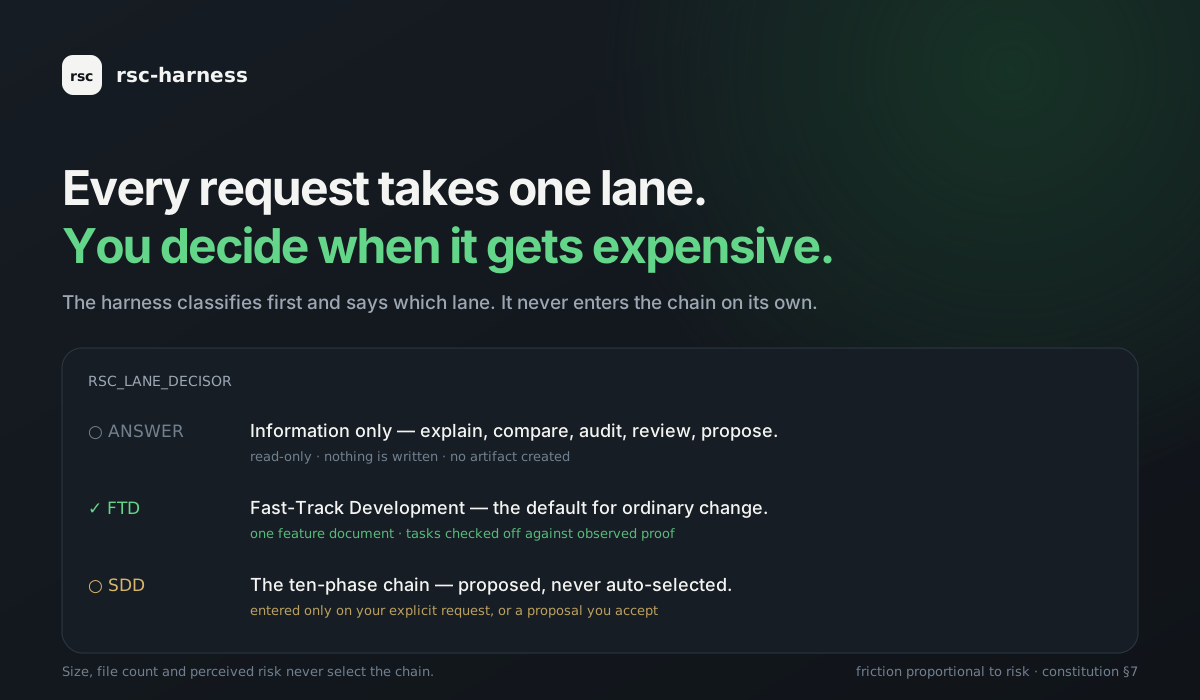
Every turn takes exactly one lane, and the agent names it in one line, in your language.
- Answer. The request asks for information: explain, compare, investigate, audit, review, propose. It is read-only: nothing is written and no artifact is created. When intent is unclear it asks one question and stays here.
- FTD, Fast-Track Development. The request authorises a change. This is the default for ordinary work. One feature document holds intent, scope, a checklist, the evidence and the next step. Tasks are checked off against observed proof, never against intention.
- ASDD, Agent Spec-Driven Development. For the big or complex: several decisions that affect
each other, and work an agent may run for hours. The agent enters it on its own, and you still
decide what gets built: the spec answers four questions (what the user can do, what result they
get, what it must respect, how it proves it) and you approve the spec. Then every task is reviewed inside
the build, scaled by
rsc risk; what the agent must not decide alone waits in a d
📈 近 7 天 Star 趋势
🏆 排名变化趋势
📋 历史上榜记录
| 日期 | 榜单 | 排名 | 周期新增 | 总 STAR |
|---|