📄 仓库 README
在 GitHub 查看 ↗🎞⬇ Cube YouTube Downloader - youtube-dl-wpf


WPF GUI for youtube-dl and yt-dlp.
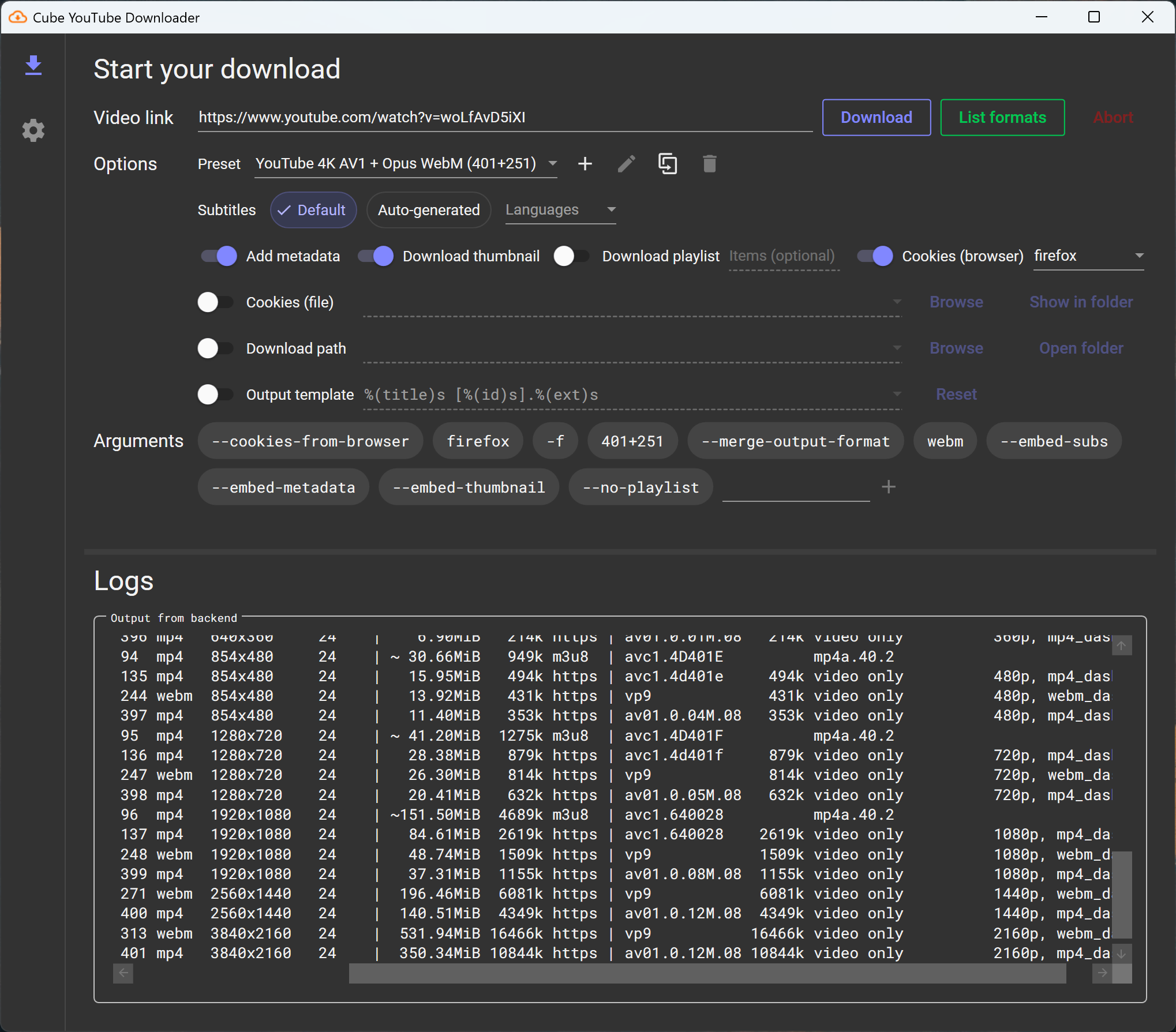
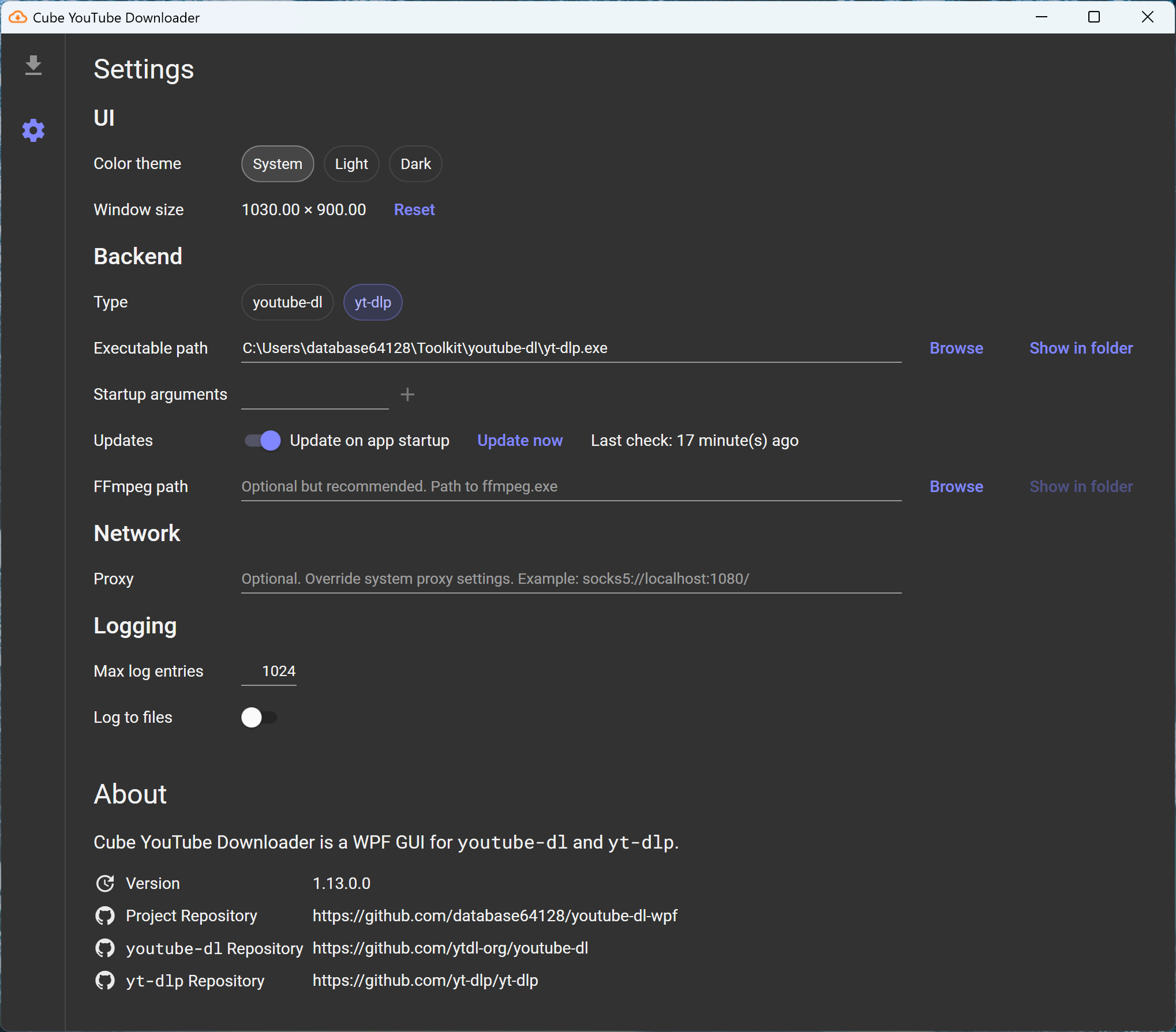
Features
- Follow 🎨 system color mode, or choose between 🌃 dark mode and 🔆 light mode.
- Update youtube-dl/yt-dlp on startup.
- List all available formats.
- Override video, audio formats and output container.
- Embed metadata into downloaded file.
- Download and embed thumbnails.
- Download whole playlists.
- Select items from playlist to download.
- Select types of subtitles (default, all languages, auto-generated) to download and embed.
- Specify custom output template.
- Specify custom download path.
- Specify custom FFmpeg path.
- Specify custom proxy.
- Specify custom command-line arguments.
Usage
- Download the pre-built binary or build it from source.
- Download yt-dlp or youtube-dl.
- It's optional but highly recommended to also download FFmpeg. Otherwise you won't be able to merge separate video and audio tracks.
- The framework-dependent binary requires an installed .NET Runtime to run. Alternatively, download the self-contained binary that bundles the runtime.
- Run
youtube-dl-wpf.exe. Go to Settings. Set the path to youtube-dl/yt-dlp and FFmpeg. - Go back to the home tab. Paste a video URL and start downloading! 🚀
FAQ
-
Q: The Download button is grayed out and I can't click it!
A:
youtube-dl-wpfis a simple GUI wrapper. It doesn't bundle any downloader with it. You have to download youtube-dl or yt-dlp for it to work. FFmpeg is required by youtube-dl and yt-dlp when merging separate video and audio tracks, which is the case for most formats on YouTube. -
Q: How can I use a proxy to download?
A: Leave the proxy field empty to use system proxy settings. Otherwise the format is similar to how
curlaccepts proxy strings (e.g.socks5://localhost:1080/,http://localhost:8080/). Currently the upstream doesn't acceptsocks5hprotocol and treatsocks5assocks5hby always resolving the hostname using the proxy. This is tracked in this issue. -
Q: Downloading the whole playlist doesn't work!
A: It's an upstream bug, just like many other issues you might discover. There's nothing I can do. Just report the bug to yt-dlp or youtube-dl, whichever you use.
-
Q:
youtube-dlandyt-dlpbehave differently!A: In some cases, yes, and
youtube-dl-wpftries to align their behavior by sending different options and arguments for different backends. See the backends documentation for more information.
Known Issues
- 🎉 No known issues!
To-Do
- [ ] v2.0 - The Parallel Update: download management and download queue for parallel downloads.
Build
Prerequisites: .NET 9 SDK
Build with Release configuration
dotnet build -c Release
Publish as framework-dependent
dotnet publish YoutubeDl.Wpf -c Release
Publish as self-contained for Windows x64
dotnet publish YoutubeDl.Wpf -c Release -r win-x64 --self-contained
License
- This project is licensed under GPLv3.
- The icons are from Material Design Icons and are licensed under the Pictogrammers Free License.
youtube-dlandyt-dlpare licensed under The Unlicense.- Material Design Themes is licensed under MIT.
- Roboto Mono is licensed under the Apache License, Version 2.0.
- ReactiveUI and its dependencies are licensed under MIT.
© 2025 database64128
📈 近 7 天 Star 趋势
🏆 排名变化趋势
📋 历史上榜记录
| 日期 | 榜单 | 排名 | 周期新增 | 总 STAR |
|---|