📄 仓库 README
在 GitHub 查看 ↗Concord
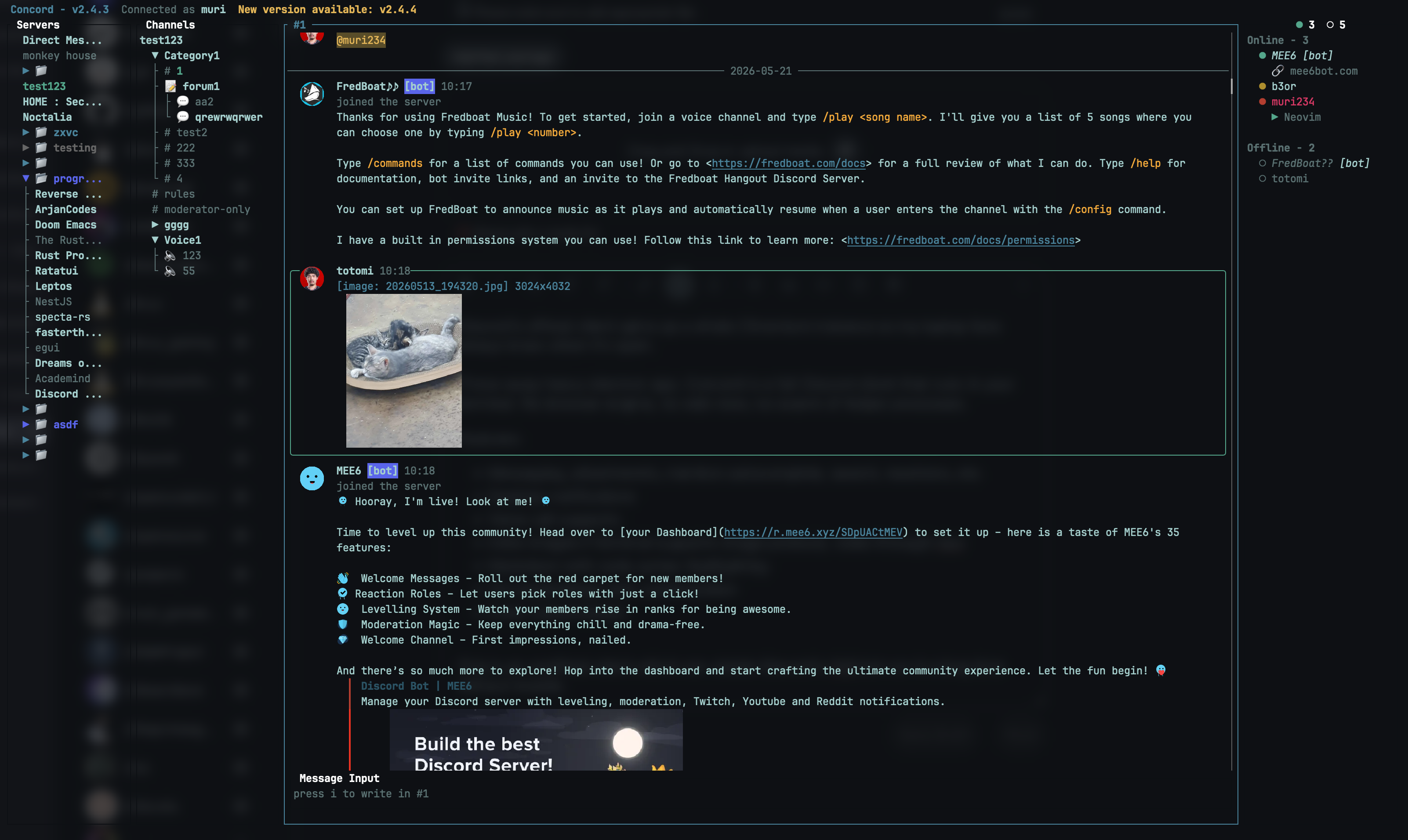
Concord is a feature-rich TUI client for Discord, written in Rust with ratatui.
Table of contents
Installation
Release builds include voice playback and stream broadcasting.
Cargo
cargo install concord --locked
Cargo installations compile Concord locally and require the build dependencies listed below.
Homebrew
brew install concord

# or install the latest release from tap
brew install chojs23/tap/concord
npm
npm install -g @chojs23/concord
Nix
# nixpkgs
nix profile install nixpkgs#concord-tui

# Latest GitHub release
nix profile install github:chojs23/concord
Gentoo
This package is maintained by a community contributor and is not yet available in Gentoo GURU.
Install the darwincereska overlay:
eselect repository add darwincereska git https://codeberg.org/darwincereska/gentoo-overlay.git
emaint sync -r darwincereska
emerge -av net-im/concord
Prebuilt releases
Download an archive for Linux, macOS, or Windows from the latest GitHub release.
Linux and macOS
Alternatively, run the shell release installer:
curl --proto '=https' --tlsv1.2 -LsSf https://github.com/chojs23/concord/releases/latest/download/concord-installer.sh | sh
The shell installer places concord under $CARGO_HOME/bin.
Windows
- Open the latest GitHub release linked above and download the archive for
x86_64-pc-windows-msvcfrom its assets. - Extract the entire archive, then locate
concord.exeinside the extracted contents. - Move the extracted contents, including
concord.exeand any accompanying runtime files, to a stable directory you can write to, such as aConcordfolder under your user folder. Keep the extracted file layout intact. - Search the Start menu for Edit environment variables for your account.
In Environment Variables, select Path under User variables, then
choose Edit and New. Add the full path to the directory containing
concord.exe, not the archive or executable filename. Paths containing spaces can be entered without quotes. Confirm the dialogs with OK. - Close and reopen your terminal application, then run
concord.
Manual extraction uses the directory you choose; it does not install Concord
under $CARGO_HOME/bin or update Path automatically.
You can also install with Cargo. Cargo and other source builds require the Windows MSVC Rust toolchain, Visual Studio 2022 Build Tools with Desktop development with C++, CMake, and NASM; see Build from source.
Runtime requirements
macOS 13 or later is required. Linux release builds need these packages:
# Fedora
sudo dnf install alsa-lib libva mesa-libEGL pipewire-libs xdg-desktop-portal

# Debian or Ubuntu
sudo apt install libasound2 libegl1 libpipewire-0.3-0 libva-drm2 libva2 xdg-desktop-portal

# Arch Linux
sudo pacman -S alsa-lib libva mesa pipewire xdg-desktop-portal
Screen sharing requires the portal backend for your desktop environment. Concord uses native H.264 hardware encoding when available: VA API on Linux, VideoToolbox on macOS, and Media Foundation on Windows. If hardware encoding is unavailable, Concord falls back to software encoding.
Build from source
Build dependencies and commands
Install the Rust stable toolchain and the native dependencies for your platform:# macOS
xcode-select --install
brew install cmake pkg-config
brew install nasm # Intel only
# Fedora
sudo dnf install alsa-lib-devel clang-devel cmake gcc gcc-c++ libva-devel nasm pipewire-devel pkgconf-pkg-config
# Debian or Ubuntu
sudo apt install build-essential cmake libasound2-dev libclang-dev libpipewire-0.3-dev libva-dev nasm pkg-config
# Arch Linux
sudo pacman -S alsa-lib base-devel clang cmake libva mesa nasm pipewire pkgconf
git clone https://github.com/chojs23/concord.git
cd concord
cargo build --release
cargo build --release --no-default-features --features voice-playback
cargo build --release --no-default-features
Features
Authentication
- Token : paste an existing Discord token.
- Email / Password : login with credentials. MFA (TOTP, SMS) is fully supported.
- QR Code : scan the code from the Discord mobile app.
- CONCORD_TOKEN env var : set
CONCORD_TOKEN=your-tokenbefore launching Concord. It overrides everycredentials.storemode (auto,keychain,plain).
Email and QR code logins may trigger a CAPTCHA challenge on Discord's side. We cannot solve that, so I strongly recommend using token authentication.
By default, tokens are saved in the system keychain when available. In the
default auto mode, Concord falls back to its state directory when keychain
storage is unavailable. See the Security section below for details.
Voice calls
- Voice calls with push-to-talk
- Noise suppression
- Watch and broadcast screen shares
Guilds & Channels
- View, filter, and create forum/media posts (active / archived)
- Switch channels, threads, and posts with the fuzzy channel switcher (
Space,Space); start the query with*to search servers instead
Messaging
- Search messages with filters using
/ @mentionautocomplete- Send custom emoji your account cannot use directly as image links when enabled
- Rich content display (embeds, attachments, stickers, and mentions)
- Detect URLs in message bodies and markdown links, then open them in your default browser
- Translate messages and composer drafts
Markdown Rendering & Code syntax highlighting
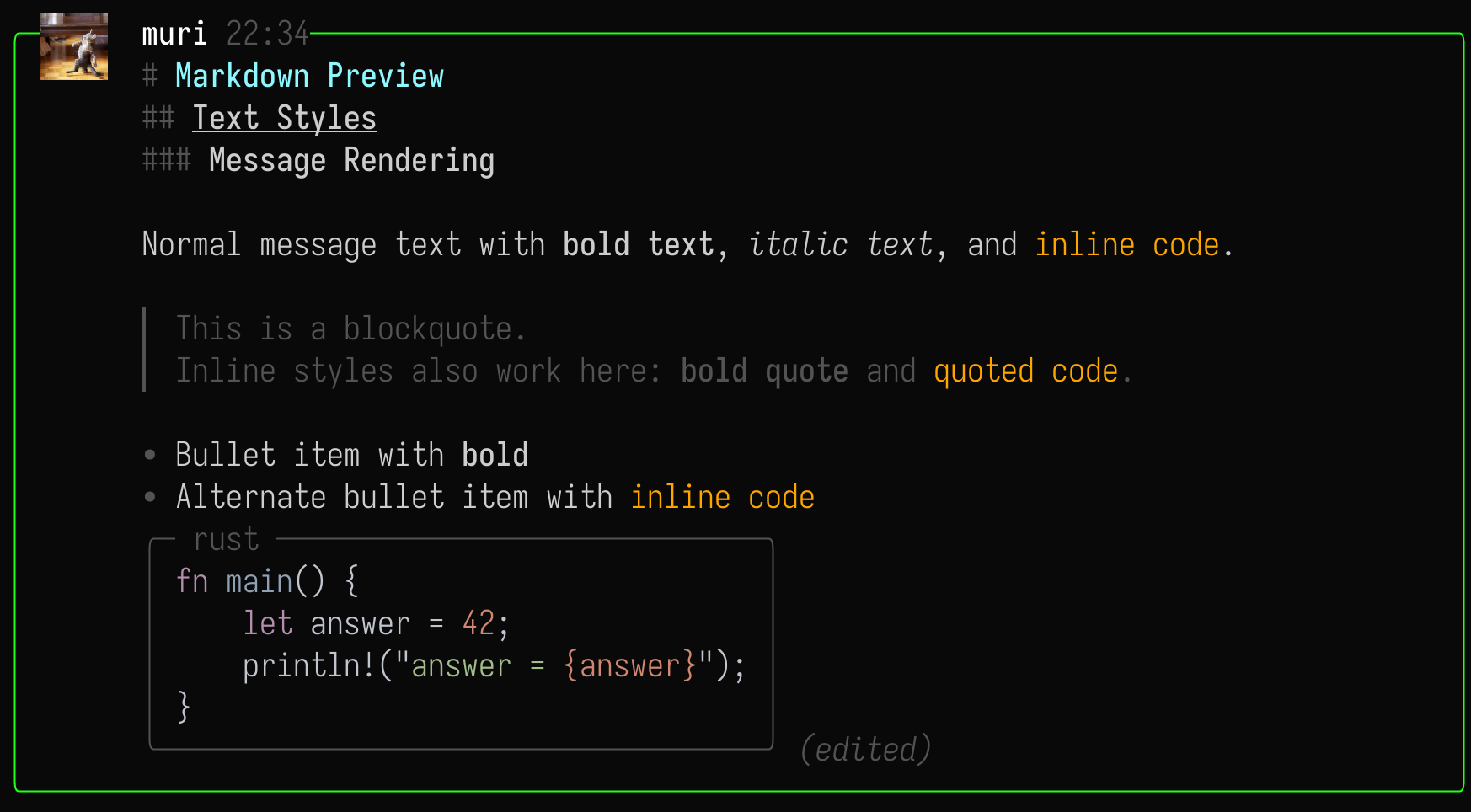
Concord renders a practical subset of Discord-style Markdown in message bodies:
- Headings:
# H1,## H2,### H3 - Quotes:
> quoted text - Bullets:
- itemand* item - Inline styles:
**bold**,*italic*,__underline__,~~strikethrough~~, and`inline code` - Fenced code blocks with optional language labels, rendered as compact boxes with syntax highlighting
- Raw URLs and markdown link destinations are underlined and can be opened from message actions
Media Support
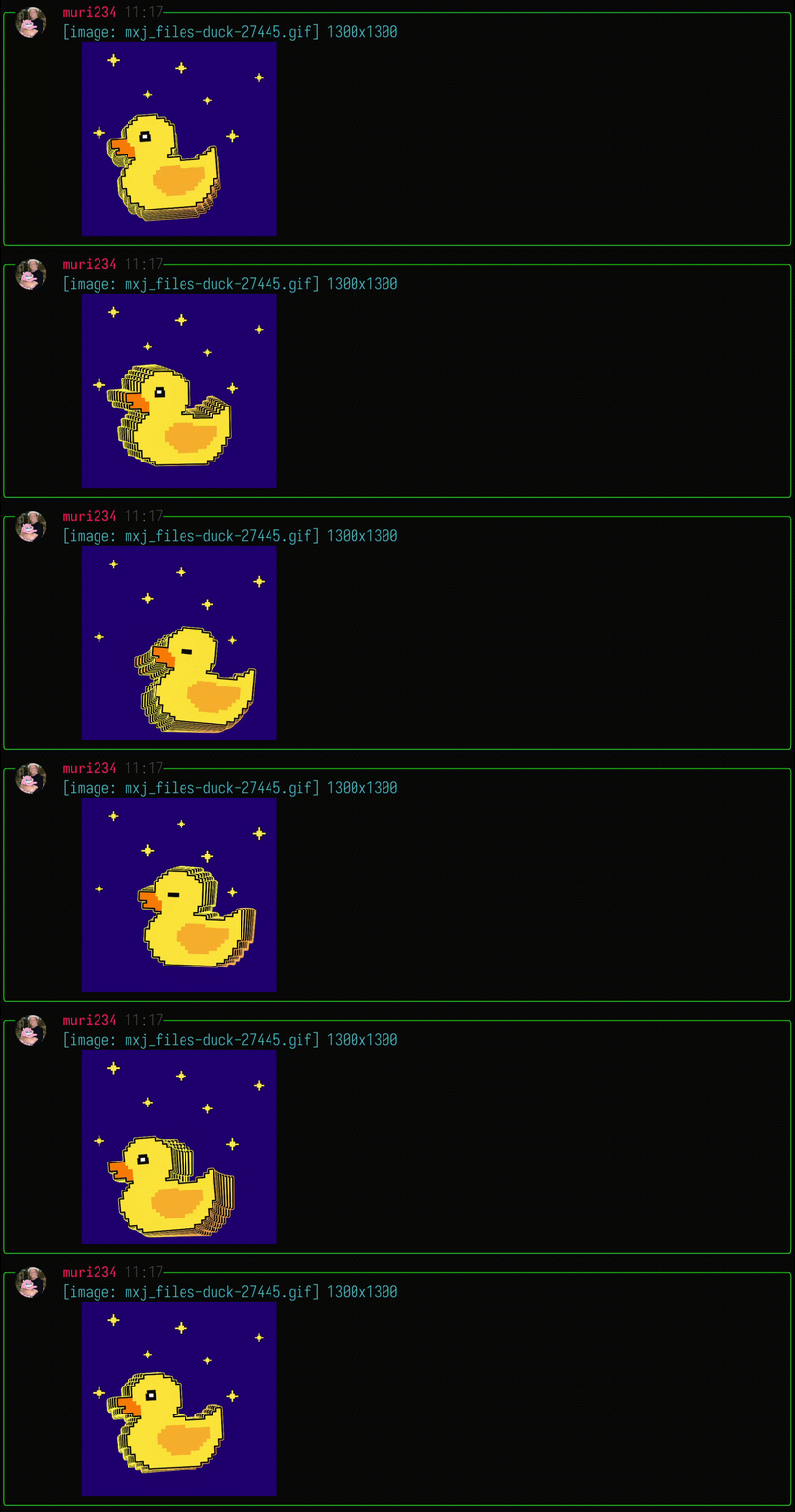
Image rendering is powered by ratatui-image. On startup, Concord queries the terminal to detect the best available graphics protocol. Supported protocols:
- Kitty Graphics Protocol - Kitty, WezTerm, Ghostty, etc.
- iTerm2 Inline Images - iTerm2, WezTerm, mintty, etc.
- Sixel - foot, mlterm, xterm (if compiled with Sixel support), etc.
- Halfblocks (fallback) - works on any terminal, but uses block characters instead of true pixels.
Check the compatibility matrix for terminals that support each protocol.
External media playback is off by default. You can enable it with Display options menu.
Video and audio playback, including live streams, uses mpv. Make sure mpv is installed and in your PATH.
YouTube playback depends on your local mpv setup, such as yt-dlp support.
To broadcast, join a voice channel, open its channel actions, choose
Share screen or use <leader>vs voice shortcut.
Linux screen capture depends on the active X11 or Wayland support.
Rich Presence
- Concord serves the local
discord-ipcsocket and relays Rich Presence from connected apps automatically, like the native client: the most recently updated app becomes your activity, your custom status is kept alongside it, and the activity clears when the app disconnects - The profile settings activity picker can pin a specific app, switch back to automatic, or set a manual activity RPC will not override
- Only apps that speak Discord's Rich Presence (RPC/IPC) protocol are detected.
- RPC apps connect to the first
discord-ipcsocket that answers, so a running native desktop client (or Vesktop/LegCord/arRPC) receives them instead of concord; concord shows a warning toast when it detects this - Toggle with
share_rich_presenceunder[presence]inconfig.toml
Notifications
- Notification inbox (
<leader>n) with Unreads and Mentions tabs. - Custom notification sounds using WAV files
- Voice join and leave notification sounds while you are connected to voice
Navigation & Keyboard shortcuts
⚠️ Keymap action names and default bindings may have breaking changes between releases.
All default key settings in this section can be customized. See Keymap options for the config and supported actions.
With default vim-style navigation:
| Key | Action |
|---|---|
1 2 3 4 |
Focus pane |
Tab / Shift+Tab |
Cycle focus forward / backward |
h / l, ← / → |
Move focus left / right |
j / k, ↑ / ↓, Ctrl+n / Ctrl+p |
Move down / up |
J, K / H, L |
Scroll viewport |
Ctrl+d / Ctrl+u |
Half-page scroll |
Alt+h/l/←/→ |
Resize focused pane width |
gg / G |
Jump or scroll to top / bottom |
Enter |
Open or activate the selected item |
/ |
Filter Guilds/Channels, search Messages/Members |
Space |
Open le |
📈 近 7 天 Star 趋势
🏆 排名变化趋势
📋 历史上榜记录
| 日期 | 榜单 | 排名 | 周期新增 | 总 STAR |
|---|