📄 仓库 README
在 GitHub 查看 ↗
An open-source, self-hosted identity and access management platform
Casdoor is a single sign-on (SSO) and authentication server with a web console.
It speaks OAuth 2.0, OIDC, SAML 2.0, CAS, LDAP, SCIM 2.0, WebAuthn, TOTP/MFA and MCP,
and connects to Google Workspace, Microsoft Entra ID (Azure AD), GitHub and many other identity providers.
Website · Documentation · Live demo · Casdoor Cloud · Discord





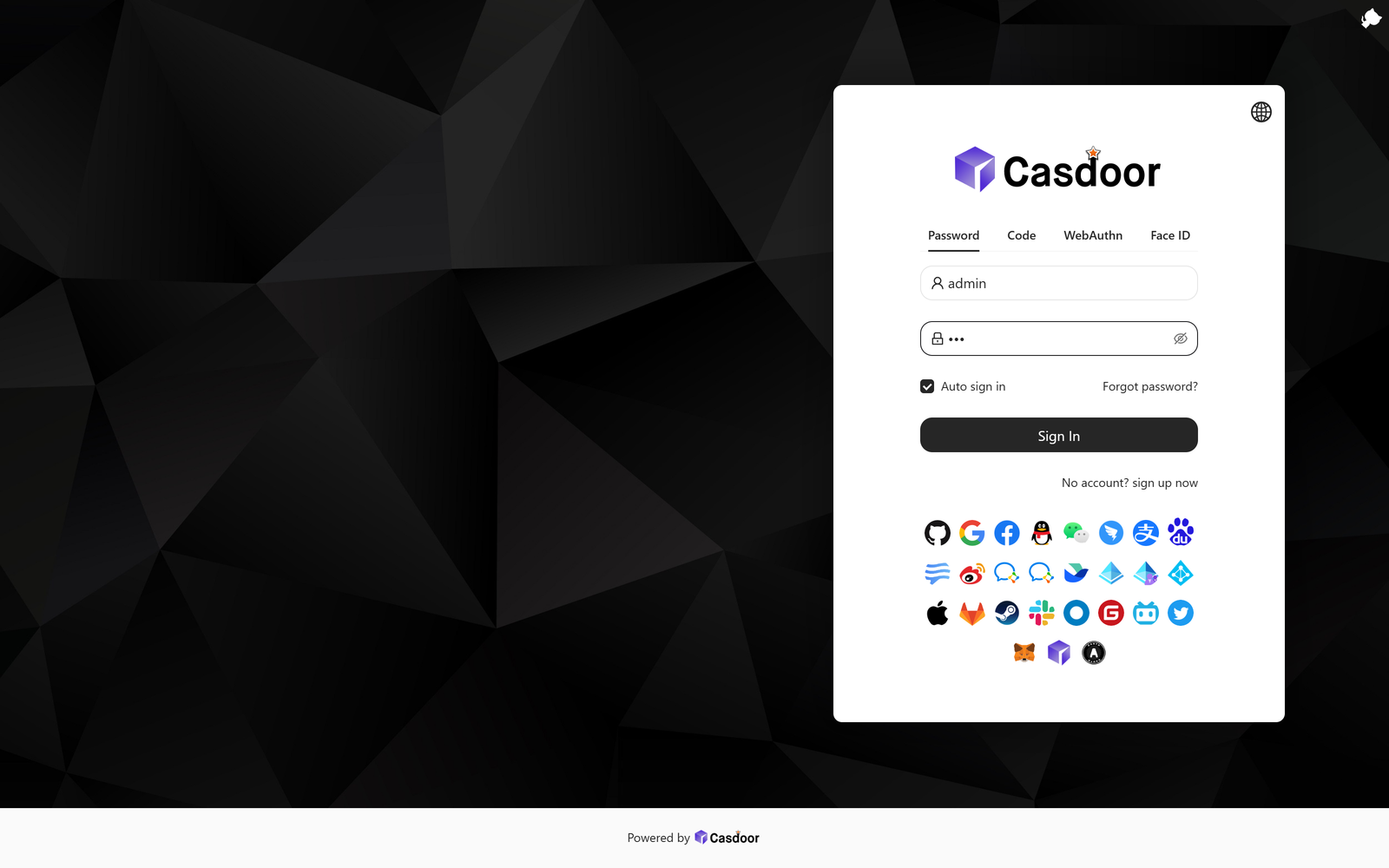
The sign-in page your users see: password, email/SMS code, WebAuthn and Face ID, plus every social provider you enable.
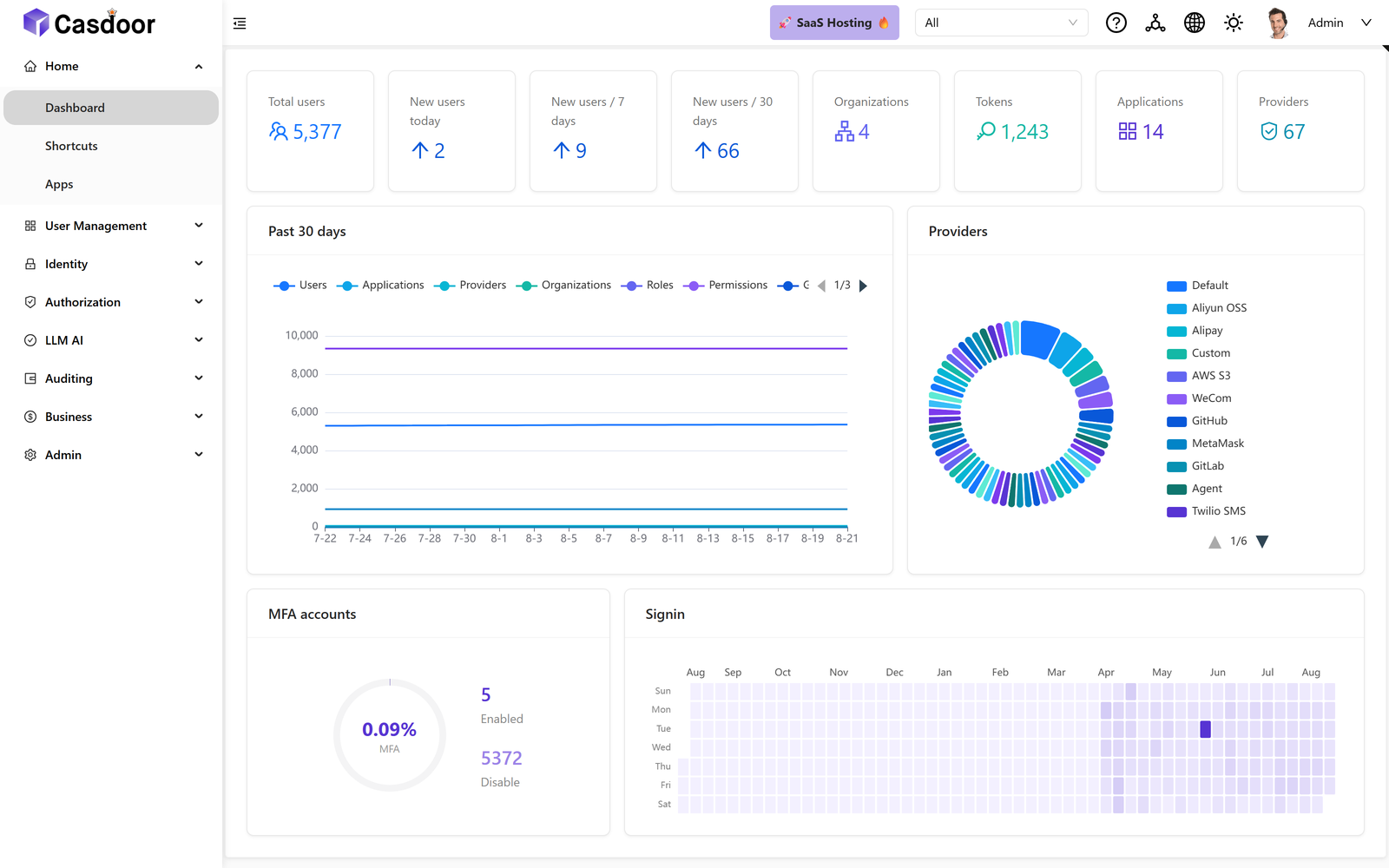 Admin console. Users, tokens, organizations and providers at a glance.
|
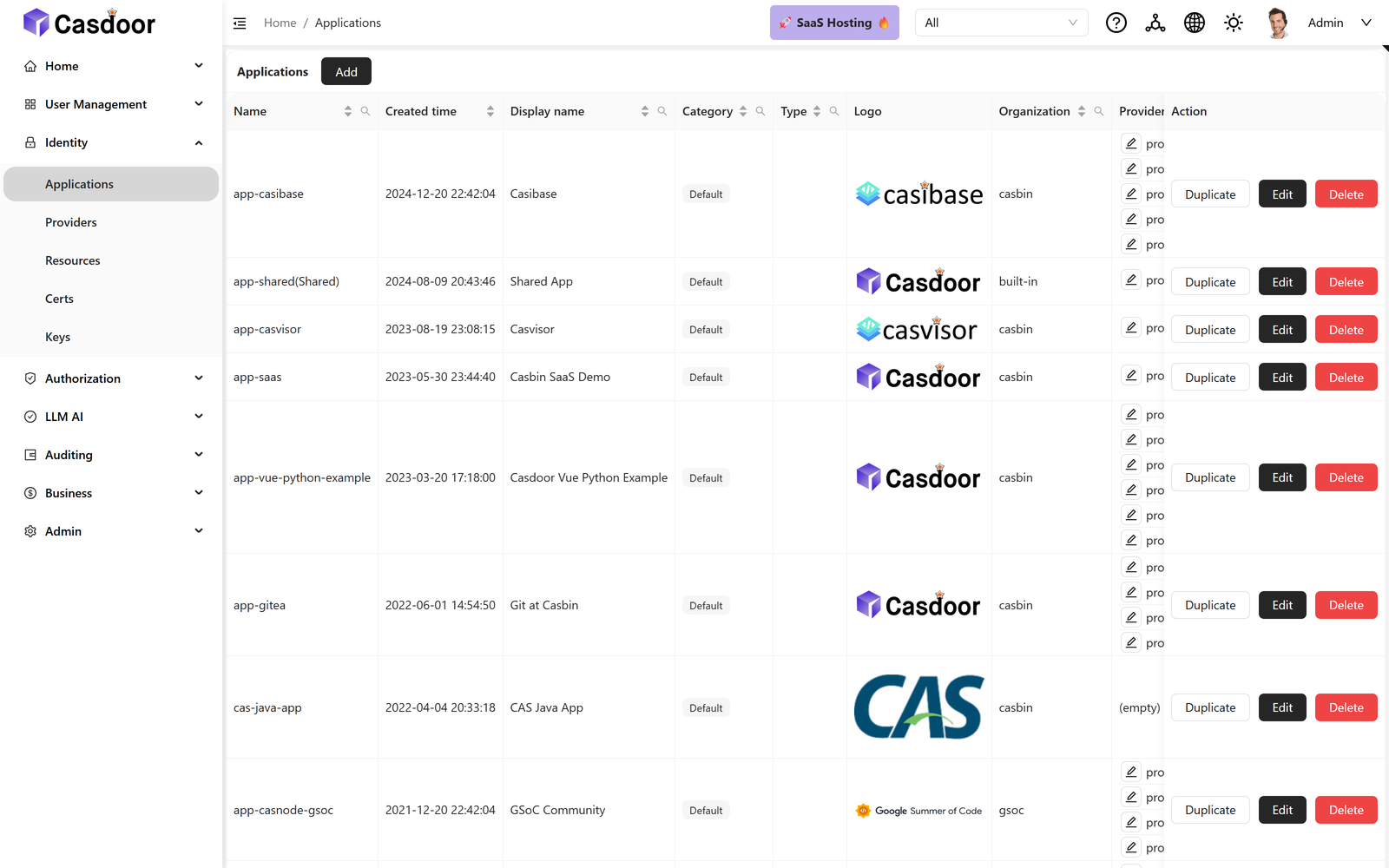 Applications. Every app that delegates login to Casdoor, across all organizations.
|
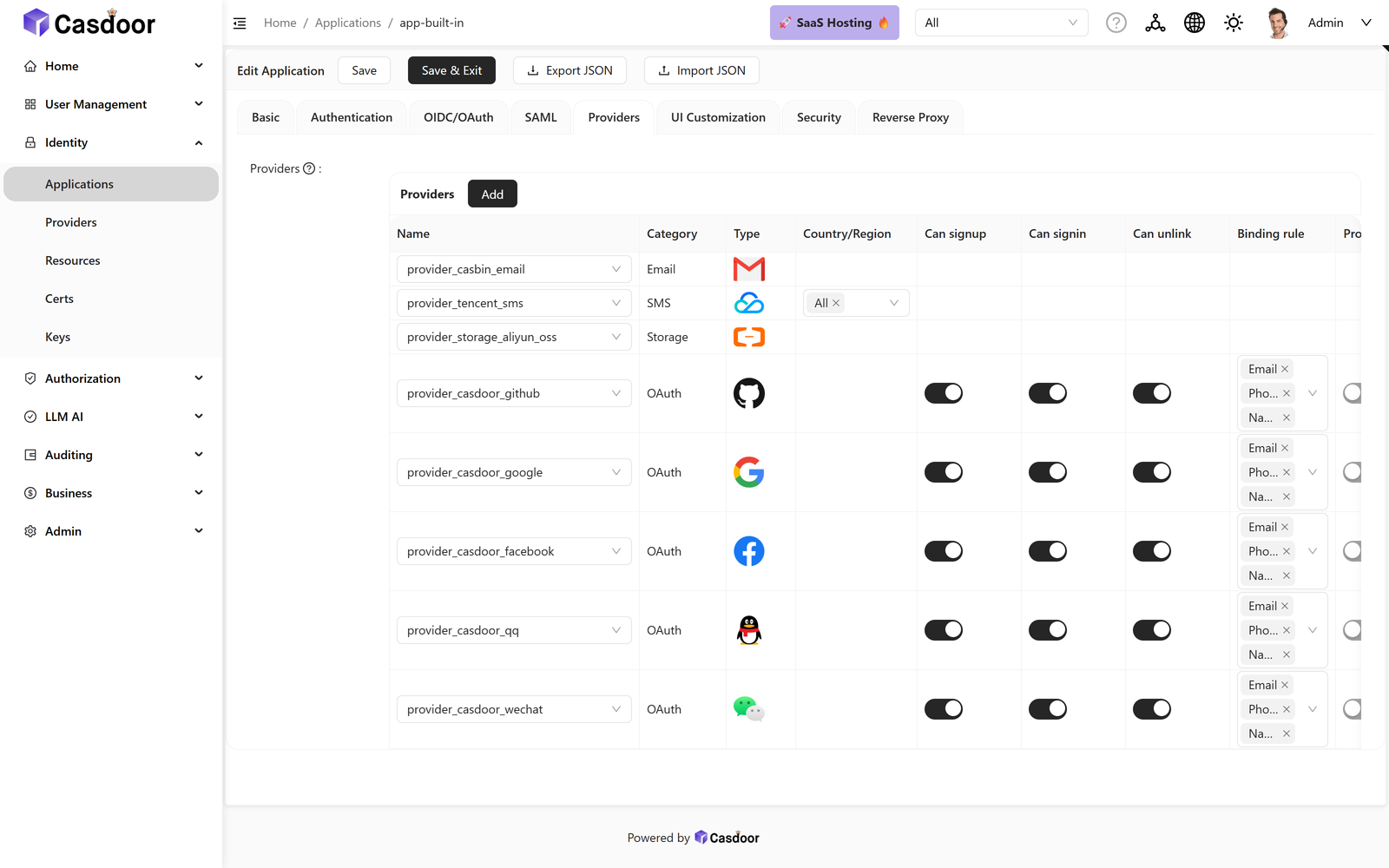 Application settings. OAuth, SAML, providers and branding — no redeploy, no config file.
|
❤️ Sponsors
🚀 Try it in 30 seconds
No database and no config file needed. This runs Casdoor on SQLite with sample data:
docker run -p 8000:8000 casbin/casdoor-all-in-one
Open http://localhost:8000 and sign in:
| Field | Value |
|---|---|
| Organization | built-in |
| Username | admin |
| Password | 123 |
The sign-in form has separate organization and username fields. Docs sometimes write this pair as
built-in/admin— that is the same thing, not a username containing a slash.
Prefer not to install anything? Use the hosted demos:
| Demo | URL | Notes |
|---|---|---|
| Writable | demo.casdoor.com | Full access, so you can click through everything. All data resets about every 5 minutes. |
| Read-only | door.casdoor.com | Stable global demo. Every write operation fails by design. |
Both accept the same built-in / admin / 123 credentials.
Want it hosted for production instead? Casdoor Cloud runs a dedicated Casdoor instance and database for you, kept up to date by the Casdoor team. It is the same open-source Casdoor, so you can move between Cloud and self-hosting at any time. New accounts get $20 in free credit to try it, so you can start a free trial without talking to anyone.
🤔 Why Casdoor
Casdoor is a complete identity provider, not an authentication proxy and not a library you embed. It stores your users, issues the tokens, and gives you an admin console to manage all of it — so your applications can delegate login entirely and never handle a password themselves.
- One server, many protocols. The same user directory is reachable over OAuth 2.0, OIDC, SAML 2.0, CAS, LDAP and SCIM, so a modern SPA and a legacy CAS-only app can share one set of accounts.
- Everything is editable in the UI. Organizations, applications, providers, sign-in methods, email and SMS templates, and login-page branding are configured in the web console instead of in files you have to redeploy.
- Policy-based authorization built in. Access rules are expressed with Casbin — ACL, RBAC, ABAC and custom models — rather than a fixed permission scheme.
- Straightforward to self-host. A single Go binary plus a database. No JVM, no operator, no cluster required.
If all you need is a login screen in front of an existing reverse proxy, a smaller tool may suit you better. Casdoor is for when you want to own the user directory itself.
Coming from another product? See how Casdoor compares with Keycloak, Auth0, Okta and others.
📦 Installation
Four supported paths, fastest first. All of them end up at http://localhost:8000.
Rather not run the server, database and upgrades yourself? Casdoor Cloud gives you a dedicated Casdoor instance in the region you choose, with flat monthly pricing and no per-user fees.
Docker — all-in-one (evaluation)
docker run -p 8000:8000 casbin/casdoor-all-in-one
Bundles SQLite and demo data into a single container. Ideal for a first look, but not intended for production: the data lives inside the container and disappears with it.
Guide: Try with Docker
Docker Compose — Casdoor with MySQL
docker-compose.yml starts Casdoor next to a MySQL 8 container.
Two things to know before running it:
- Compose builds the image from source (Go backend plus React frontend). The first
docker compose uptakes several minutes, so it is not the quick-trial path — use the all-in-one image above for that.- You have to point Casdoor at the bundled database first.
Set the MySQL settings in conf/app.conf to match the db service:
driverName = mysql
dataSourceName = root:123456@tcp(localhost:3306)/
dbName = casdoor
Use localhost here even though MySQL runs in a separate container: the compose file sets RUNNING_IN_DOCKER=true, and Casdoor rewrites localhost to the Docker host address at startup (see conf/conf.go). Then start everything:
docker compose up
The compose entrypoint already passes --createDatabase=true, so the casdoor database is created for you.
Guide: Try with Docker
Kubernetes — Helm
Requires Helm v3 and a running cluster:
helm install casdoor oci://ghcr.io/casdoor/helm-charts/casdoor
The chart does not expose Casdoor outside the cluster by default. To reach it, find the service and forward a port:
kubectl get svc
kubectl port-forward svc/<service-name-from-above> 8000:8000
For a real deployment, configure an Ingress and an external database through the chart's values. k8s.yaml in this repo is a minimal plain-manifest example if you would rather not use Helm.
Guide: Try with Helm · Chart on Artifact Hub
Configuration as code
Organizations, applications, users, providers, roles and permissions can be kept in Git instead of being clicked together in the UI:
- Init data file: Casdoor applies a JSON or YAML file at startup, and with
initDataMerge = trueandinitDataWatchInterval = 30it applies every change to the file again without a restart, only touching the fields the file sets. The Helm chart exposes it asinitDatain its values (chart README). Guide: Data initialization - Terraform: the official Terraform provider manages the same objects through the API, with plan, import and drift detection.
From source — for development
Use this if you intend to modify Casdoor. Prerequisites: Go 1.26+ (see go.mod), Node.js 20 LTS, Yarn 1.x, and a supported database (MySQL, PostgreSQL, SQLite, SQL Server and others).
git clone https://github.com/casdoor/casdoor.git
cd casdoor
Set driverName, dataSourceName and dbName in conf/app.conf. For MySQL, create the casdoor database first, or start the server with --createDatabase=true. Then build the frontend and run the server:
cd web && yarn install && yarn build && cd .. && go run main.go
While working on the frontend, run yarn start in web/ instead of yarn build to get hot reload on port 7001, with go run main.go serving the API from a second terminal.
Guide: Server installation
👉 After you sign in
At this point you have a running identity provider with nothing connected to it yet. Next:
- Change the
adminpassword.123is a demo credential and must not survive contact with production. - Connect your first application — create an Application in the console, copy its Client ID and Client Secret, and point your app's OAuth/OIDC client at Casdoor. For Grafana, GitLab, Nextcloud and other popular apps, open Marketplace in the console instead: one click creates the application, and the setup guide shows the app's settings with your values filled in.
- Add an identity provider if you want Google, GitHub or Entra ID sign-in.
- Pick an SDK for your language, or call the Public API directly.
✨ Features
🔐 Authentication
- OAuth 2.0 / OIDC — full authorization server and OpenID Connect provider
- SAML 2.0 — enterprise SSO, as both IdP and SP
- CAS — Central Authentication Service for legacy applications
- LDAP — sync from a directory, or serve as one
- WebAuthn / passkeys — passwordless sign-in
- TOTP / MFA — multi-factor authentication, including email and SMS codes
- Casdoor Authenticator — open-source TOTP app for Android and iOS that syncs your MFA accounts with Casdoor (source)
- Face ID — biometric sign-in
🏢 Organizations and access control
- Multi-tenancy — independent organizations, each with its own users and branding
- RBAC and beyond — roles, permissions and Casbin policy models
- SCIM 2.0 — automated user provisioning and de-provisioning
- Social login — Google, GitHub, Entra ID (Azure AD) and many more
- Custom providers — plug in your own identity, email, SMS, storage or payment backends
- Audit logs — a record of sign-ins and administrative changes
🤖 AI and agents
- MCP gateway — expose Model Context Protocol servers and control access to them
- A2A — agent-to-agent communication support
🛠️ Developer experience
- REST API — every console action is also an API call
- SDKs — Go, Java, Python, Node.js, .NET, PHP, Rust and more
- Swagger UI — live API explorer
- Webhooks — push user and sign-in events into your own systems
- Customizable UI — theme the login page and console per organization
🧩 Marketplace
Install ready-made integrations from the Marketplace page of the console. Casdoor creates the objects with your values filled in, and uninstalling removes them or restores what was there before. Browse them at marketplace.casdoor.com; contributions go to casdoor-integrations.
- App integrations — single sign-on for Grafana, GitLab, Nextcloud, Vaultwarden, Argo CD, Immich, Open WebUI, Portainer, Gitea and Proxmox VE, with a step-by-step guide for the app's side
- Identity provider templates — sign in to Casdoor with Keycloak, authentik, ZITADEL, Authelia or GitLab Self-Managed
- Sign-in themes — login page designs you can preview on your own application before installing
🧱 Technology stack
Casdoor is a frontend–backend separated application:
- Backend — Go with the Beego framework, exposing REST APIs (repository root)
- Frontend — React 18 with shadcn/ui on Tailwind CSS, built with Vite (
web/). The previous Ant Design console is kept for reference atweb-old/and is no longer built or served. - Database — MySQL, PostgreSQL, SQLite, SQL Server and others through XORM
- Cache — Redis, optional; needed if you run more than one Casdoor replica
📖 Documentation
The full documentation lives at casdoor.ai/docs. Common starting points:
| I want to… | Go to |
|---|---|
| Install Casdoor | From source · Docker · Helm |
| Connect my application | How to connect to Casdoor |
| Use the API | Public API · Swagger UI |
| Choose an SDK | Integrations |
| Deploy to production | Deployment |
| Upgrade from v3 to v4 | Upgrading from v3 to v4 |
🔌 SDKs and integrations
Official SDKs and framework integrations, by language:
- Go — casdoor-go-sdk
- Java — casdoor-java-sdk · Spring Boot starter
- Python — casdoor-python-sdk
- Node.js — casdoor-nodejs-sdk
- JavaScript — casdoor-js-sdk · React · Vue · Angular
- .NET — casdoor-dotnet-sdk
- PHP — casdoor-php-sdk
- Rust — casdoor-rust-sdk
The complete list, including reverse proxies and third-party applications, is in the Integrations documentation. Self-hosted apps with a one-click setup are on the Casdoor Marketplace.
🔒 Security
Please do not report security vulnerabilities in public GitHub issues. Email admin@casdoor.org instead — SECURITY.md has the full policy and disclosure process.
Before exposing a Casdoor instance to the internet:
- Change the built-in
adminpassword. Never ship the demo credential123. - Serve Casdoor over HTTPS only, and set
origininconf/app.confto your public URL. - Review
conf/app.conffor values inherited from the sample file, especiallydataSourceNameand any provider secrets. - Set
runmode = prodand keepshowSql = falsein production.
🤝 Community and support
- Discord — join the community for questions and help
- GitHub Discussions — ask and search here
- GitHub Issues — bug reports and feature requests
- Commercial support — casdoor.ai/help
- Managed hosting — Casdoor Cloud runs and upgrades Casdoor for you
🌍 Contributing
Contributions are welcome. For anything larger than a small fix, please open an issue first so you can agree on the approach with the maintainers before writing code.
Read the contribution guidelines before you start.
Translations. User-facing strings in the web console go through i18next. When you add or change one under web/, update the English catalog at web/src/locales/en/data.json. The other languages are translated on Crowdin and should not be edited by hand.
🙌 Support Casdoor
Casdoor is free and open source. If it saves you time, consider supporting its development on Open Collective. Choosing Casdoor Cloud for hosting also funds the project directly.


📄 License
Casdoor is licensed under the Apache License 2.0.

📈 近 7 天 Star 趋势
🏆 排名变化趋势
📋 历史上榜记录
| 日期 | 榜单 | 排名 | 周期新增 | 总 STAR |
|---|