📄 仓库 README
在 GitHub 查看 ↗Agent2API is an AI routing gateway with Agent client takeover. It exposes a unified model API for custom AI providers and centralizes account routing, model mapping, gateway keys and request reports. It also manages local Agent clients' connection profiles, including importing, switching and previewing configuration changes.
✨ Key Features
- 🔌 Unified model APIs — OpenAI Chat / Responses / Images and Anthropic Messages, with a unified model catalog; Raccoon, Loomy, Antigravity, ModelScope, WorkBuddy and Doubao Work supply image generation, while Raccoon, Loomy, Antigravity, ModelScope and WorkBuddy also support reference-image editing. Both are available as AI assistant tools
- 🧭 AI routing — model mapping, account priority, load balancing, session affinity and failover in one place
- 🤖 Agent client takeover — manage multiple connection profiles for local clients, import existing settings, preview writes and switch between the gateway and custom services
- 🧩 Plugin extensions — additional provider implementations are installed and updated separately, not bundled with the application; custom providers do not require them
- 🛡️ Egress proxies — select proxy-pool exits for accounts and update tasks
- 🔑 Gateway security — scoped gateway keys, optional human verification for panel sign-in, and model requests refused by default until a key is configured
- 📊 Request reports — request volume, success rate, token usage, cache hit rate and a 365-day heatmap
- ⏰ Background maintenance — model catalog refresh, credential maintenance and software update checks; daily check-in runs per provider on that provider's own window (Qoder 10:01, ZCode 19:01, others follow the schedule time), plus a catch-up round that only touches accounts not yet checked in; additional provider-specific tasks are supplied by plugins
- 🖥️ Three deployment forms — Windows / macOS / Linux desktop apps, headless Windows / Linux servers and Docker (amd64 / arm64); no Node runtime required, with a six-language interface
❤️ Sponsors

 |
Thanks to ProxyLane for sponsoring this project! ProxyLane provides native static residential ISP proxies for AI accounts (Static Residential ISP): IPs come from real home broadband operators with low Scamalytics fraud scores, each IP is dedicated to you, with unlimited traffic, from $3.90. Add one exit per account on the Network proxy page. Use code AGENT2API25 for 25% off your first purchase. |
💬 Community & Support
- QQ groups: Agent2API chat groups — group 1 (
1127656296) and group 2 (1130894674) are almost full, please join group 3 (1108276647); search the number in QQ to join. - Telegram group: https://t.me/+9gM8YPvgRL02NGRl
- 💖 Donate: if Agent2API helps you, you are welcome to buy the author a coffee; donations are voluntary and unlock nothing.
- 🤝 Sponsorship / business: want to sponsor the project, or feature your product here? Email 541675139@qq.com.
🚀 Quick start
Three forms — pick the one that matches your setup; the complete install, upgrade, uninstall and troubleshooting guide is in Installation & deployment.
| Form | Artifact | Interface |
|---|---|---|
| Desktop (Windows / macOS / Linux) | Agent2API_<version>_x64-setup.exe, _universal.dmg, _amd64.deb, _amd64.AppImage |
App window |
| Server (Windows Server / Linux, headless) | agent2api-server-windows-amd64.zip, agent2api-server-linux-<arch>.tar.gz |
Browser panel |
| Docker | aimodcc/agent2api:latest (amd64 / arm64) |
Browser panel |
Desktop: add a custom provider and account, create a gateway key, then apply a connection profile on the Agent page or configure your client with http://127.0.0.1:3065/v1 and that key. Additional provider capabilities require the corresponding plugin.
Server (no GUI; registered as a system service and started at boot):
# Linux
tar -xzf agent2api-server-linux-amd64.tar.gz && cd agent2api-server-linux-amd64 && sudo bash install.sh
# Windows Server (administrator PowerShell)
Expand-Archive agent2api-server-windows-amd64.zip -DestinationPath C:\agent2api-pkg
cd C:\agent2api-pkg; .\install-service.ps1
Docker:
docker run -d --name agent2api --restart unless-stopped -p 3065:3065 -v ./data:/data aimodcc/agent2api:latest
Whichever form you pick, open the panel afterwards (http://127.0.0.1:3065/; use the host IP for the server and Docker forms), register the admin account, then create a key on the "Gateway Keys" page. Connectivity check: curl http://127.0.0.1:3065/health
Mobile: open http://<gateway IP>:3065/m in a browser (you can "Add to Home Screen" for a full-screen PWA). For a standalone icon, install Agent2API-<version>.apk (Android) or Agent2API-<version>.ipa (iOS, unsigned — re-sign it yourself) from the Release. Details: Install & deploy → Mobile.
📸 Screenshots
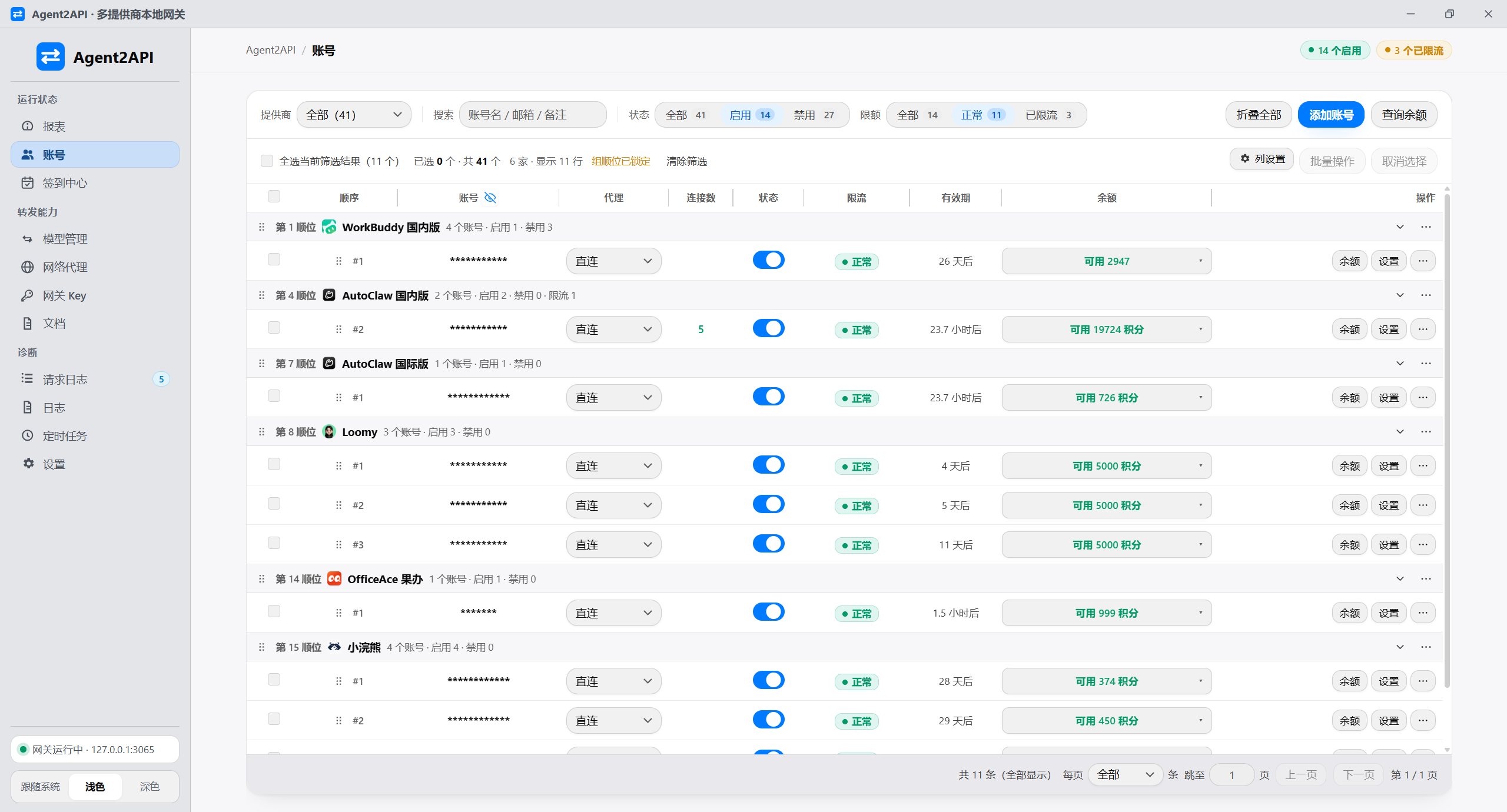
Accounts
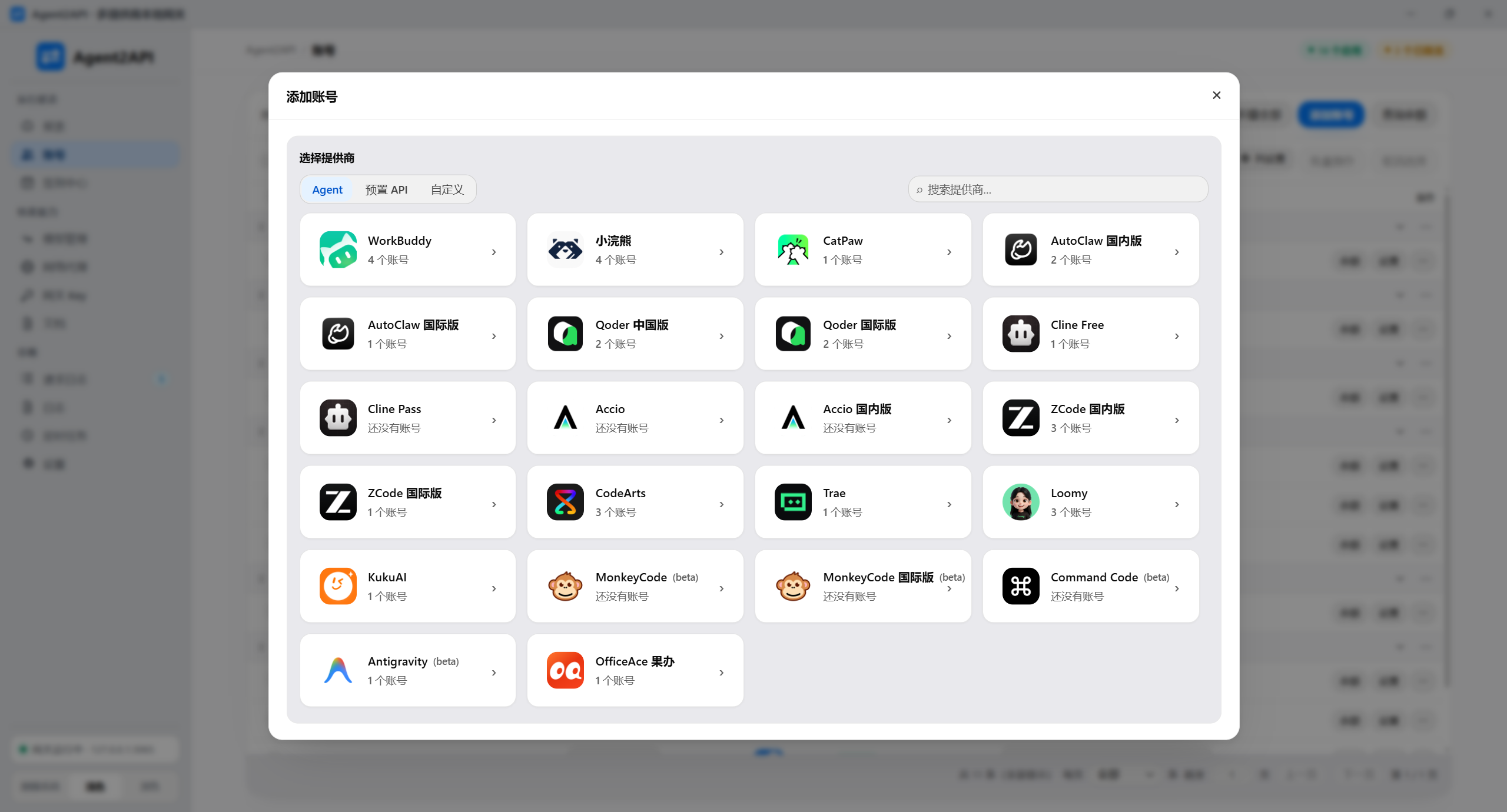
Add account:
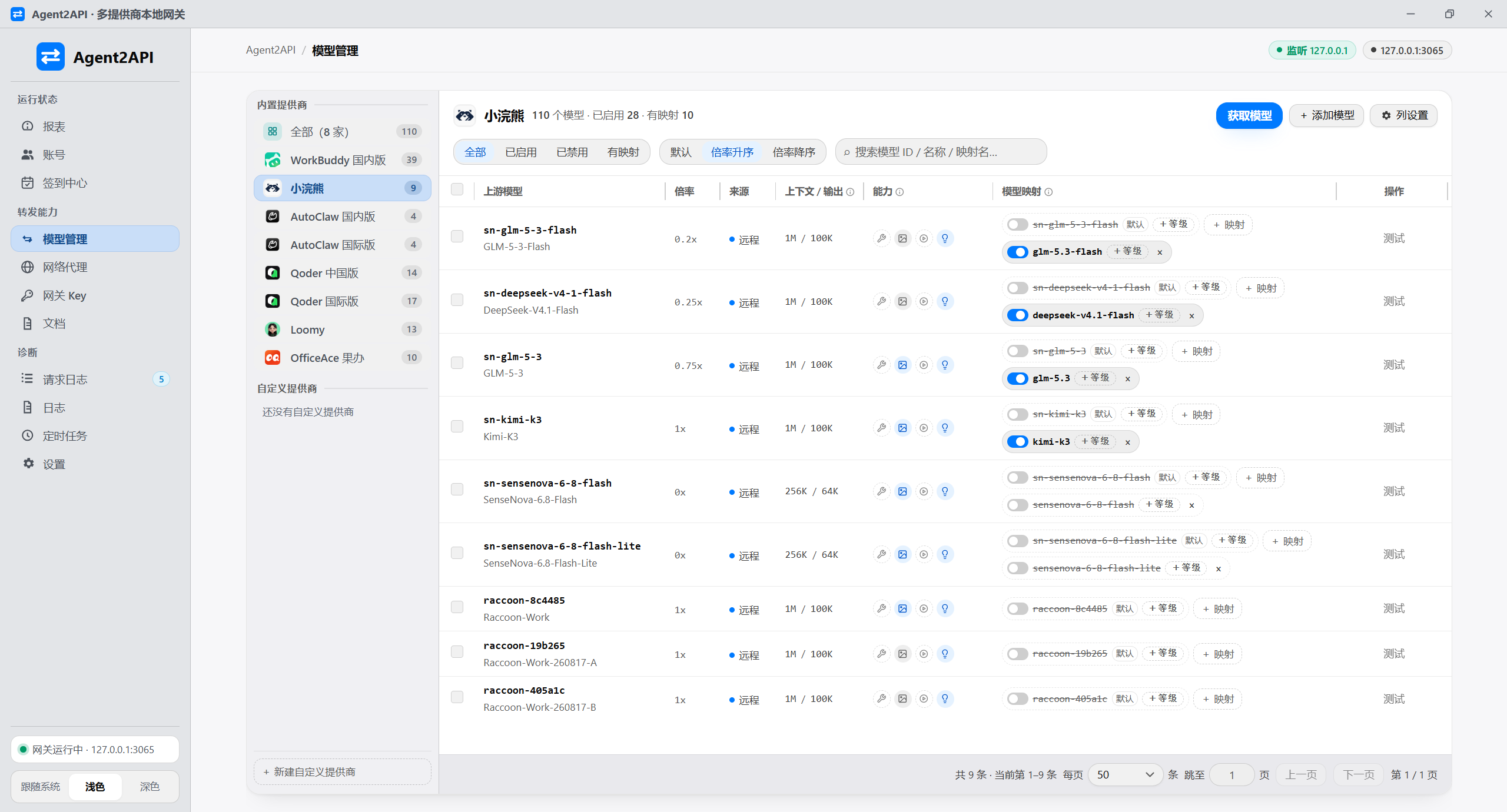
Model management
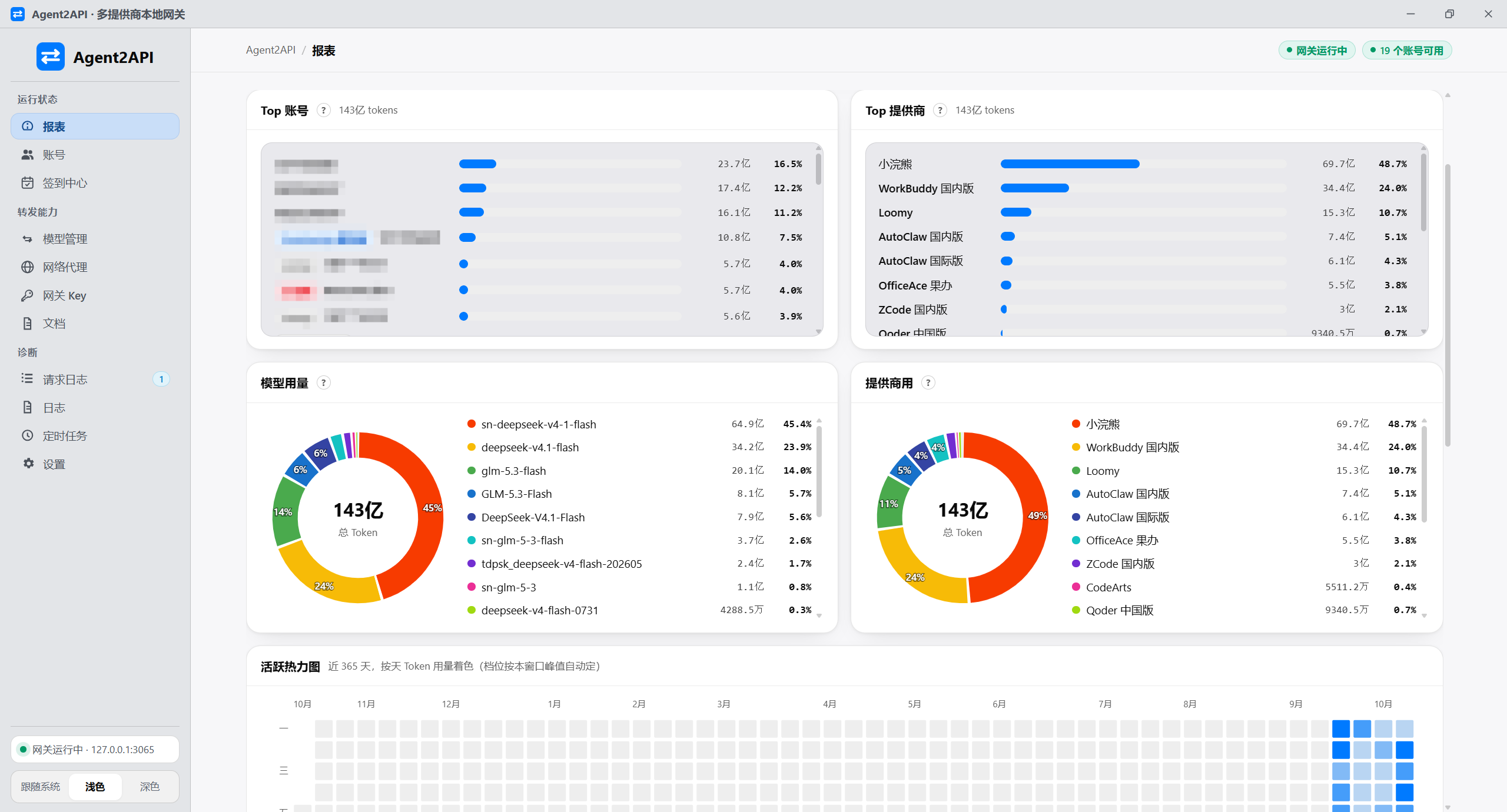
Report
Overview: requests / success rate / tokens / top model, with account and provider rankings, usage donuts and a 365-day activity heatmap:
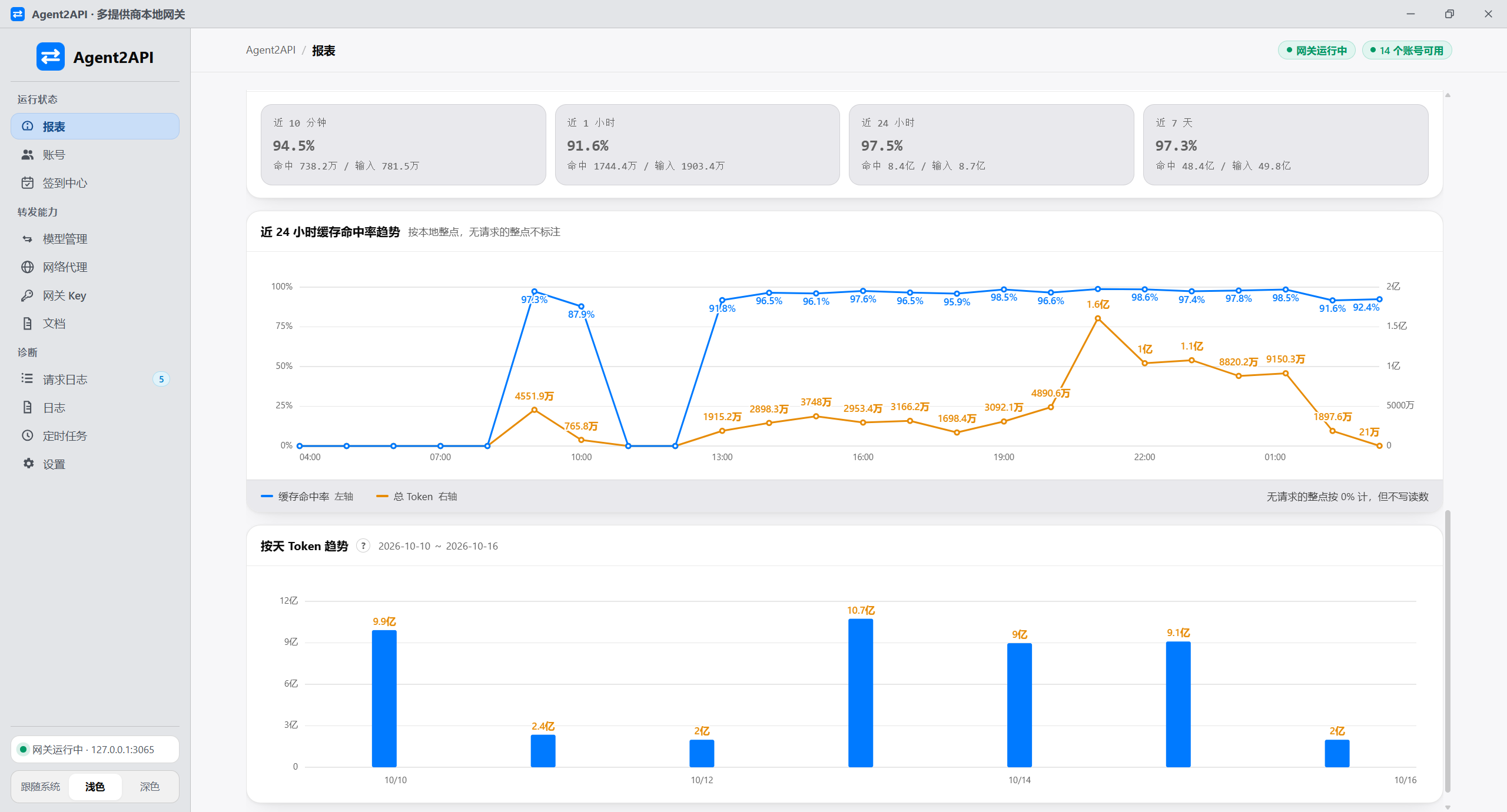
Trends: 24-hour cache hit rate (line) and token consumption (area) on twin axes, with a per-day token bar chart below:
🔧 Development & Build
Requirements
- Rust >= 1.77 and the Tauri 2 toolchain (to compile the desktop app itself; Windows also needs the WebView2 runtime)
- Node.js >= 18.17 (only to run
npm run tauri:*and frontend build scripts; the desktop app does not depend on Node at runtime) - Target platforms: Windows / macOS / Linux desktops, headless Windows / Linux servers, and a Docker server
Common scripts
npm run tauri:install      # Install desktop dependencies (same as npm --prefix desktop-tauri install)
npm run tauri:dev          # Launch the desktop app in dev mode (with hot reload)
npm run tauri:build        # Build the desktop installer

npm run build:icon         # Generate the icon source image (run after changing the icon design, then run tauri icon)
The build artifact is target/release/bundle/nsis/Agent2API_<version>_x64-setup.exe (about 8.6 MB as of 3.0; src-tauri/.cargo/config.toml points cargo's target-dir at the project root's target/).
The macOS .dmg can only be built on macOS (npm --prefix desktop-tauri run build -- --target universal-apple-darwin) — it cannot be cross-compiled from Windows, so the official artifact comes from the CI build workflow (macos-latest, two targets merged). Docker images and the server archives used for in-container updates come from the same workflow's linux-server job, which reuses the Dockerfile's compile path so the executable inside is built from the same toolchain as the image.
📜 Usage Notice
Credential and data security
Account credentials are encrypted in the local database, but exports, backups and key files may still contain sensitive data. Keep them private; do not upload them to public repositories or cloud storage, or share them with others.
No warranty
The project is provided "as is", without guarantees of availability, stability, security or suitability for a particular purpose. Trademarks and services belong to their respective owners. The complete license and warranty terms are in LICENSE.
📄 License
This project uses the same GNU Affero General Public License v3.0 (AGPL-3.0) as the provider plugin repository. Use, modification and distribution, including commercial use, are permitted under the license. Preserve copyright and license notices and fulfill applicable source-code obligations. If you offer a modified version over a network, you must offer its Corresponding Source to those users.
⭐ Star History
📈 近 7 天 Star 趋势
🏆 排名变化趋势
📋 历史上榜记录
| 日期 | 榜单 | 排名 | 周期新增 | 总 STAR |
|---|