📄 仓库 README
在 GitHub 查看 ↗



Nakama
Documentation · Managed hosting
Your next hire will still be human. Nakama runs the agents. Your team keeps the important work.
Nakama is an AI agent platform for your team. You chat in a dashboard that feels like ChatGPT. Behind that, each agent can use tools, skills, memory, and channels (Telegram, WhatsApp, Discord, and Slack) — with its own identity and permissions.
It was built for teams from day one: one server, many orgs, invites and roles, agents isolated from each other. Set it up with managed cloud or one Docker container.
Coming from OpenClaw or Hermes Agent? Same class of capability, without the setup maze, and not limited to one operator on one machine.
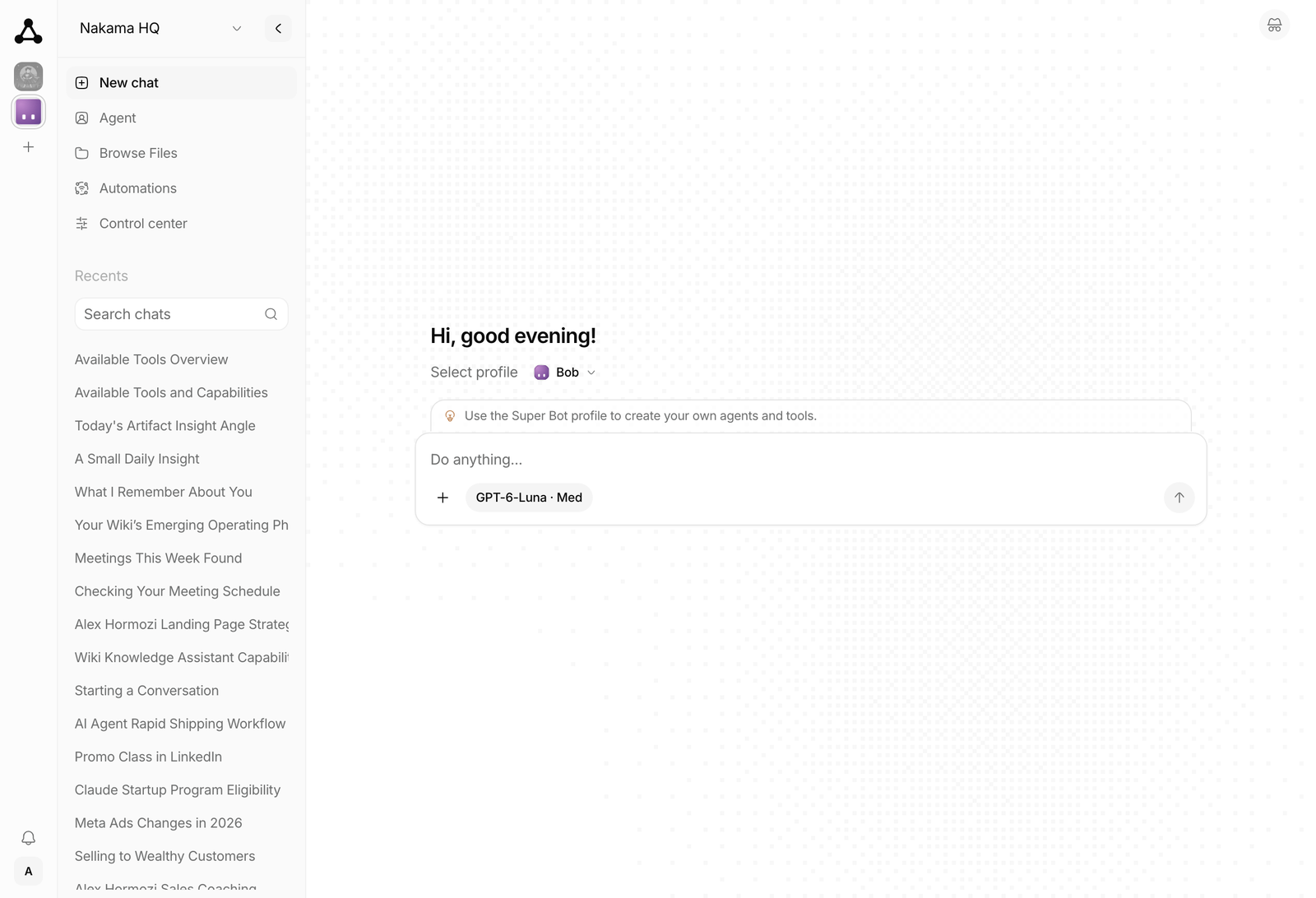
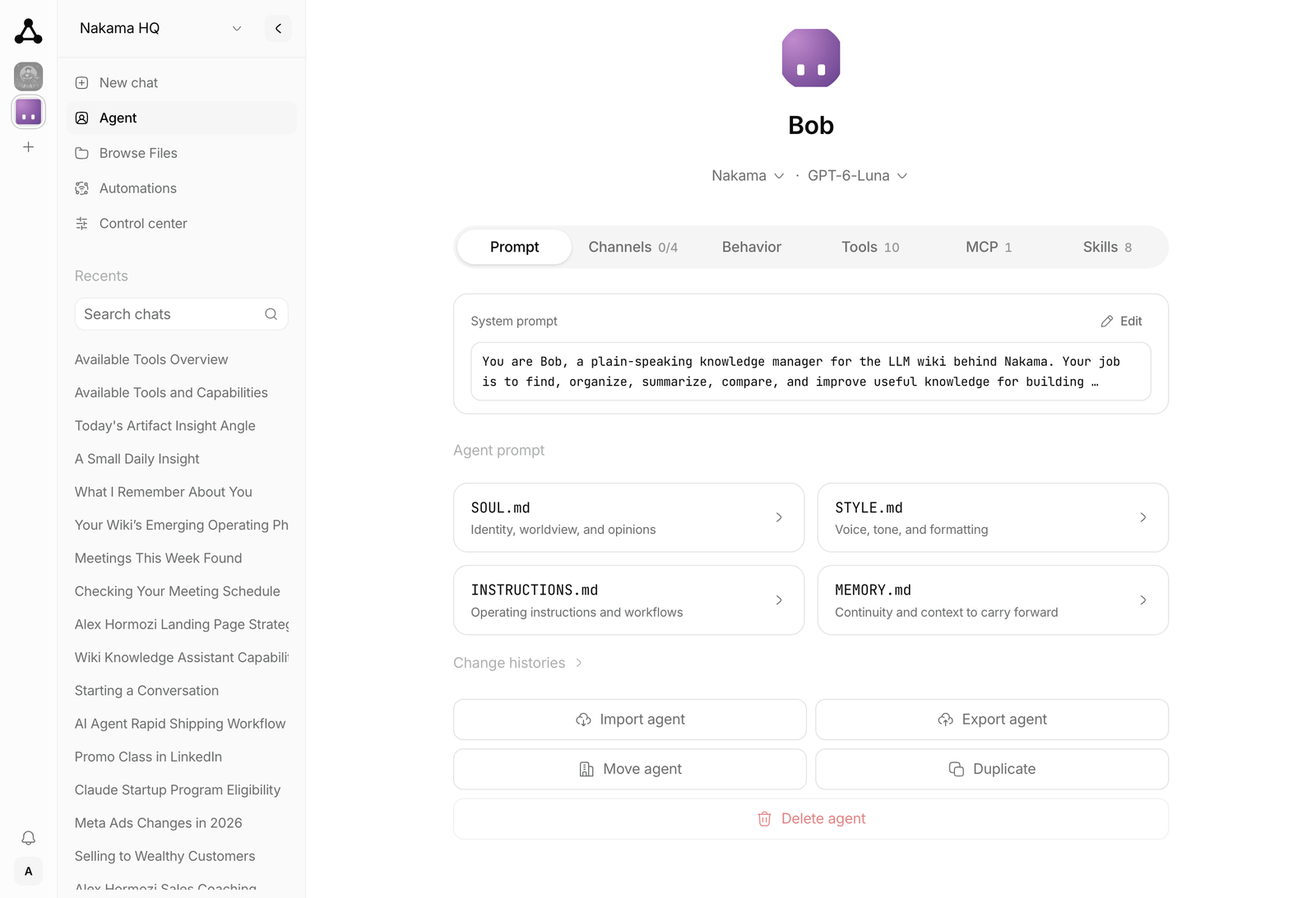
Pick an agent from the rail on the left and start a chat. Every agent has its own prompt files, tools, skills, and memory.
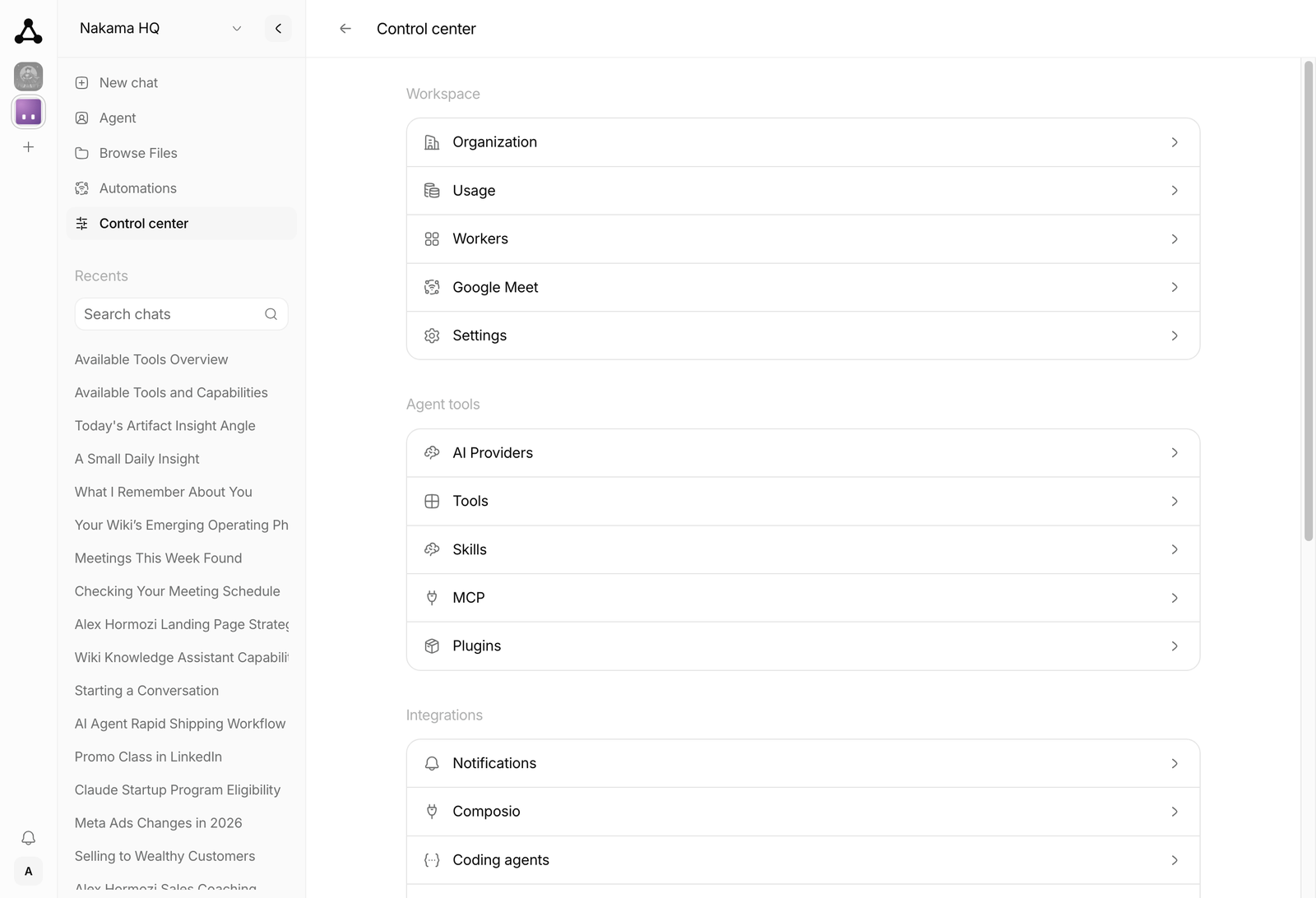
| Agent | Control center |
|---|---|
 |
 |
Open ARCHITECTURE.md for the system design. Open the docs site for the full guide.
Desktop downloads
macOS downloads are available in desktop releases. Windows has no published installation link here yet; unsigned MSIX files in older releases are Partner Center uploads, not installable downloads. See Windows installation for availability and alternatives.
Quick start
Managed hosting
Use Nakama Cloud to try Nakama with the least work.
- Create an account.
- Provision an instance.
- Complete the first-time setup wizard in the browser.
You do not need Bun, Docker, or a VPS.
Run locally
You need Bun.
# Install dependencies
bun install

# Start the web (starts the server automatically if needed)
bun run dev:web
Open the web dashboard: http://localhost:3003
Or start the server alone:
bun run dev:server
Docker
You can also run Nakama with Docker. It runs as one container and needs about 200 MB idle, so 1 vCPU and 1 GB is enough for the server on its own. See Requirements before enabling channel workers.
Prebuilt image (fastest):
# Pull and run the latest image
docker pull ghcr.io/ahmadrosid/nakama:latest
umask 077
printf 'NAKAMA_SECRETS_KEY=%s\n' "$(openssl rand -base64 32)" > nakama-secrets.env
docker run -d -p 4310:4310 -v nakama-data:/nakama/data --env-file nakama-secrets.env --name nakama ghcr.io/ahmadrosid/nakama:latest
Build from source:
./scripts/docker-build-run.sh
Fresh start (destroys data):
./scripts/docker-destroy.sh
./scripts/docker-build-run.sh
The reset script also removes every container publishing port 4310, including
unrelated containers. It does not remove the cached
ghcr.io/ahmadrosid/nakama:latest image. See the
Docker reset documentation
for the complete cleanup scope.
Open the dashboard at http://localhost:4310.
Integrations
Nakama connects to Telegram, WhatsApp, Discord, Slack, and Composio. With Composio, you can connect to more than 1,000 external apps. Enable them in the web app under Integrations.
On the first run, the server asks for a provider and an API key if none is configured.
The server saves settings to ~/.nakama/config.ini.
The server listens on http://127.0.0.1:4310 by default.
Interactive API docs are at http://127.0.0.1:4310/docs.
License
MIT
Maintainers


Contributors
Thanks to everyone who helps make Nakama better.
Star History
📈 近 7 天 Star 趋势
🏆 排名变化趋势
📋 历史上榜记录
| 日期 | 榜单 | 排名 | 周期新增 | 总 STAR |
|---|