📄 仓库 README
在 GitHub 查看 ↗

Enterprise-grade management platform for Proxmox Virtual Environment





🌐 Website · ▶️ Live Demo · 📖 Documentation
Overview
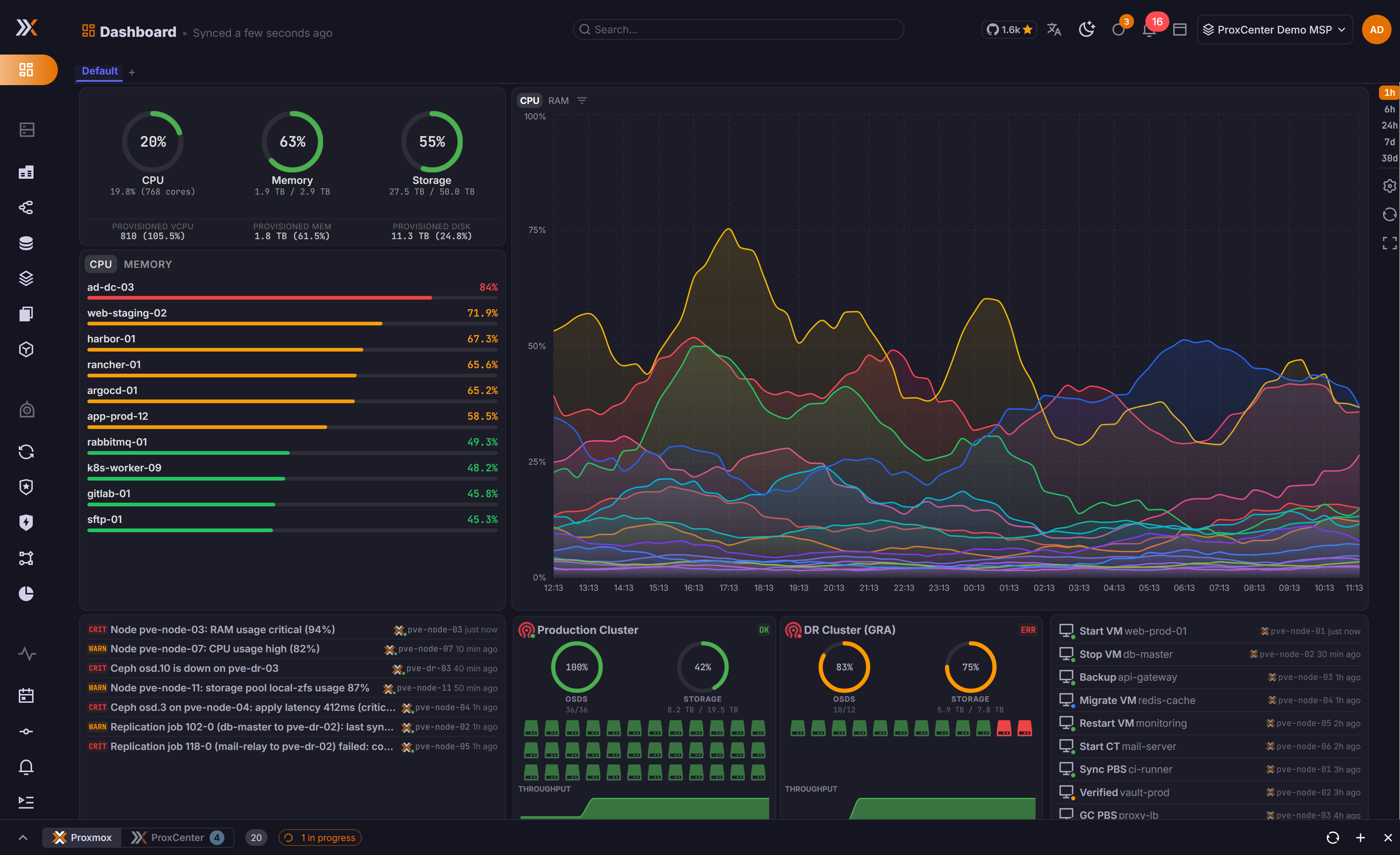
ProxCenter is a modern web interface for monitoring, managing, and optimizing Proxmox VE infrastructure. Multi-cluster management, cross-hypervisor migration, workload balancing, and more, all from a single pane of glass.
Requirements
- Host: Linux with Docker Engine 24+ and Docker Compose v2
- Sizing: see the matrix below, 2 vCPU, 4 GB RAM and 40 GB disk at minimum
- Ports: 3000 inbound, outbound to Proxmox VE 8006 and Proxmox Backup Server 8007
- Proxmox: Proxmox VE 8.x or 9.x
Sizing
One ProxCenter instance (frontend, orchestrator and PostgreSQL on the same host) per infrastructure size:
| Infrastructure | Proxmox nodes | Guests (VMs + CTs) | vCPU | RAM | Disk |
|---|---|---|---|---|---|
| 🏠 Small | up to 50 | up to 1,500 | 2 | 4 GB | 40 GB |
| 🏢 Medium | up to 150 | up to 4,500 | 4 | 8 GB | 80 GB |
| 🏭 Large | up to 300 | up to 9,000 | 8 | 16 GB | 150 GB |
| 🌐 Very large | up to 500 | up to 15,000 | 8 | 16 GB | 250 GB |
- Disk grows with metrics history, about 90 MB per node at the default retention of 14 days.
- Give the host dedicated CPU rather than a heavily shared one: a starved host can miss the first-start health checks.
High availability adds its own sizing and network prerequisites, listed in the documentation.
Quick Start
# Community Edition (Free)
curl -fsSL https://proxcenter.io/install/community | sudo bash

# Enterprise Edition
curl -fsSL https://proxcenter.io/install/enterprise | sudo bash -s -- --token YOUR_TOKEN
The installer sets up Docker, the Compose stack, PostgreSQL and the persistent volumes under /opt/proxcenter. When it finishes, open http://your-server:3000 and create the first admin account.
Running behind a reverse proxy? Enable the "Behind reverse proxy" toggle in the connection settings, to prevent failover from switching to the internal node IPs.
Features
| Feature | Community | Enterprise |
|---|---|---|
| Multi-cluster management | ✅ | ✅ |
| Modular dashboard (drag-and-drop widgets) | ✅ | ✅ |
| Advanced VM inventory | ✅ | ✅ |
| Unified storage view | ✅ | ✅ |
| Real-time Ceph monitoring | ✅ | ✅ |
| PBS multi-server management | ✅ | ✅ |
| In-browser consoles (noVNC, SPICE) | ✅ | ✅ |
| Network topology map | ✅ | ✅ |
| Cloud-Init templates | ✅ | ✅ |
| Integrated IPAM | ✅ | ✅ |
| Proxmox firewall rules (cluster, node, guest) | ✅ | ✅ |
| Events & audit logs | ✅ | ✅ |
| Self-hosted / on-premise | ✅ | ✅ |
| Alerts (dashboard widgets in Community, rules, routing and notifications in Enterprise) | 🟡 | ✅ |
| Cross-cluster migration | ❌ | ✅ |
| Hypervisor migration (VMware ESXi, XCP-ng, Nutanix, Hyper-V) | ❌ | ✅ |
| DRS load balancing | ❌ | ✅ |
| Site Recovery (Ceph cross-cluster replication) | ❌ | ✅ |
| Micro-segmentation | ❌ | ✅ |
| sFlow network flow analysis | ❌ | ✅ |
| Rolling updates | ❌ | ✅ |
| CVE vulnerability scanning | ❌ | ✅ |
| Compliance auditing | ❌ | ✅ |
| Change tracking & configuration drift | ❌ | ✅ |
| AI analytics & predictions | ❌ | ✅ |
| Green IT metrics | ❌ | ✅ |
| Custom infrastructure reports | ❌ | ✅ |
| Task center | ❌ | ✅ |
| Syslog / SIEM forwarding | ❌ | ✅ |
| RBAC + LDAP / AD | ❌ | ✅ |
| OIDC SSO (Keycloak, Entra ID, Okta, Auth0) | ❌ | ✅ |
| Virtual Data Centers (vDC) & tenant self-service portal | ❌ | ✅ |
| Full white-label (MSP branding) | ❌ | ✅ |
| ProxCenter HA: highly available control plane (3 nodes, VIP failover) | ❌ | ➕ |
| REST API (service-account tokens) | ❌ | ➕ |
✅ included · 🟡 partial · ❌ not included · ➕ paid add-on on top of Enterprise
See the documentation for the full feature list and the Community vs Enterprise breakdown.
Screenshots
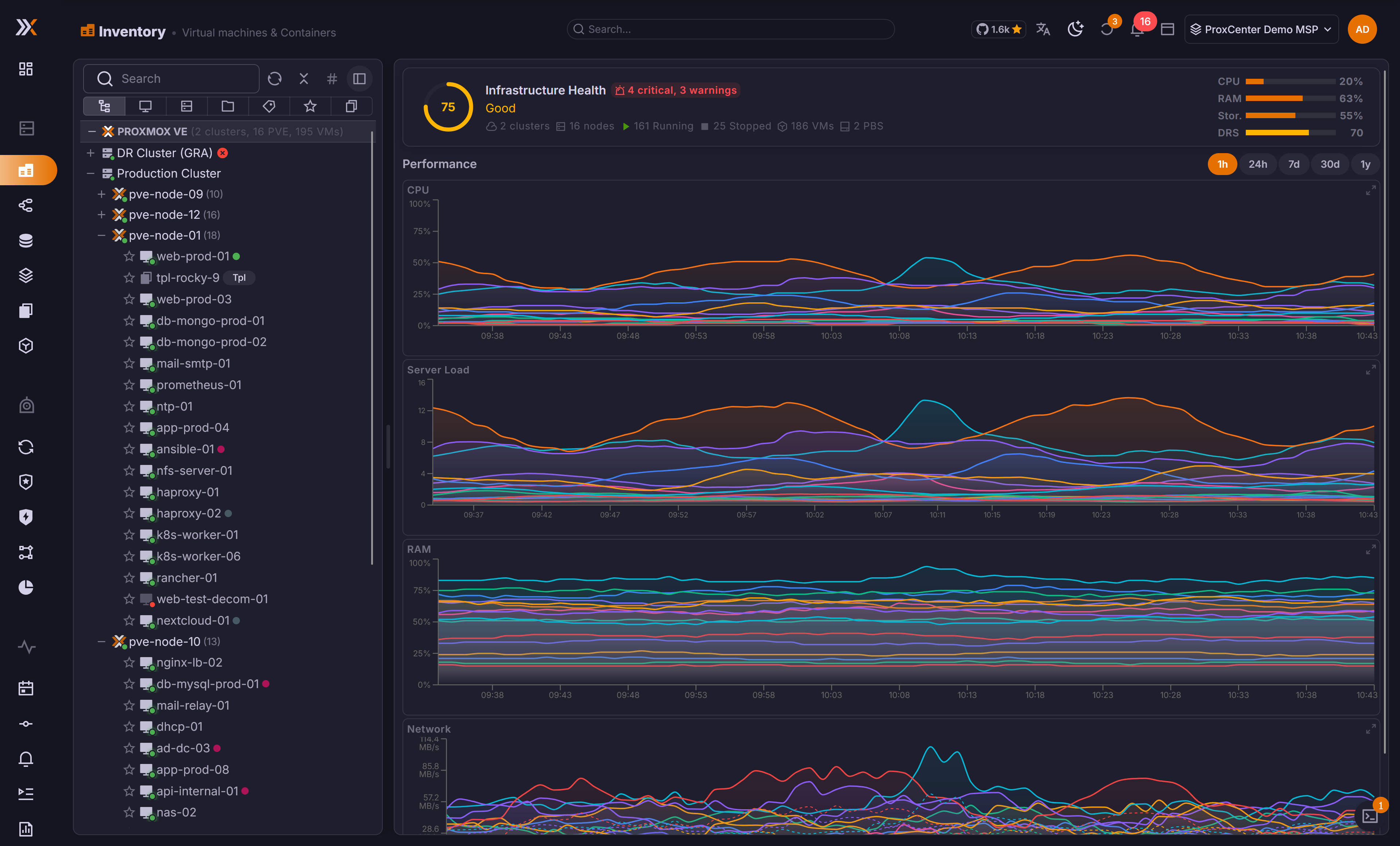 Multi-cluster Inventory |
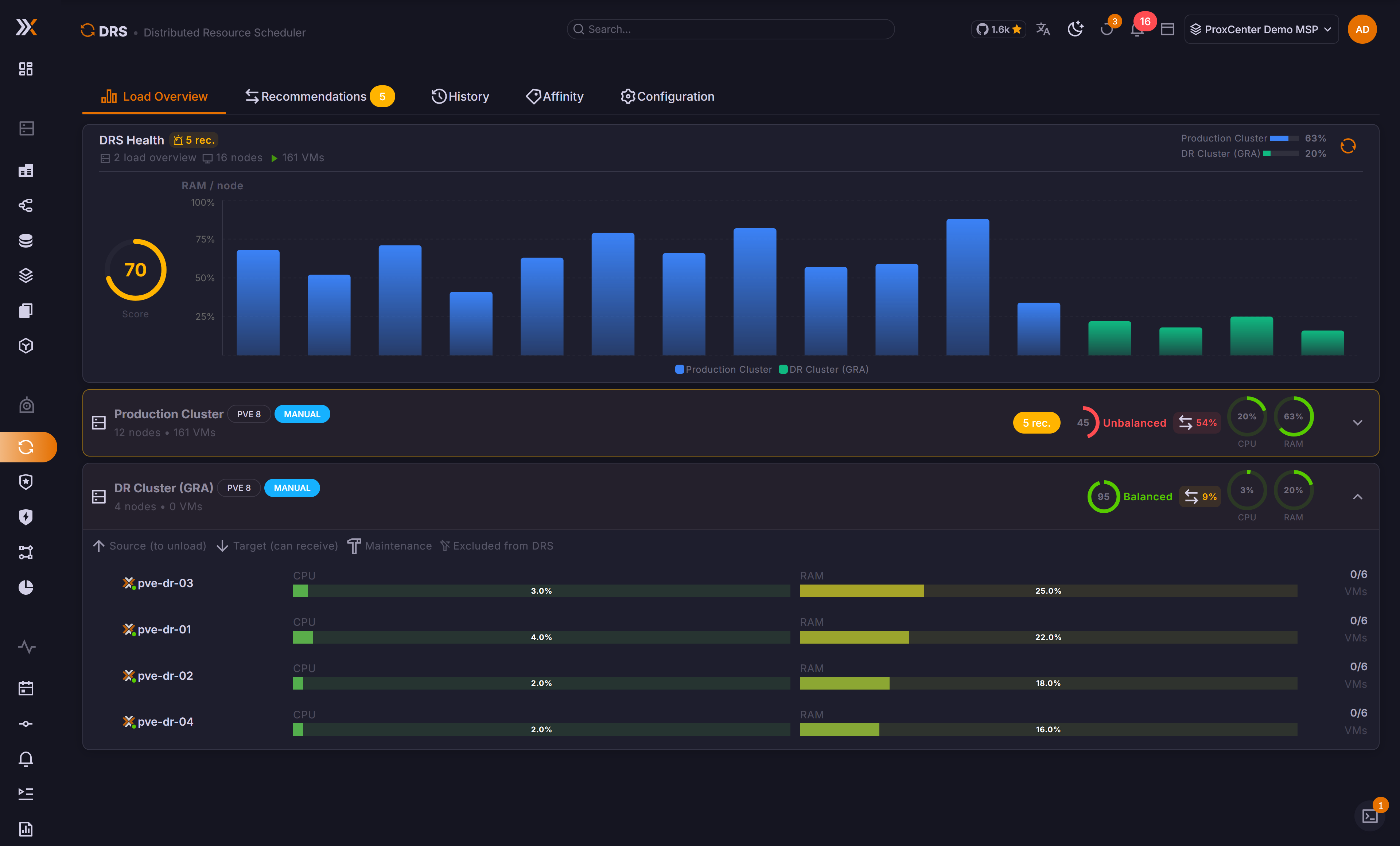 DRS Load Balancing |
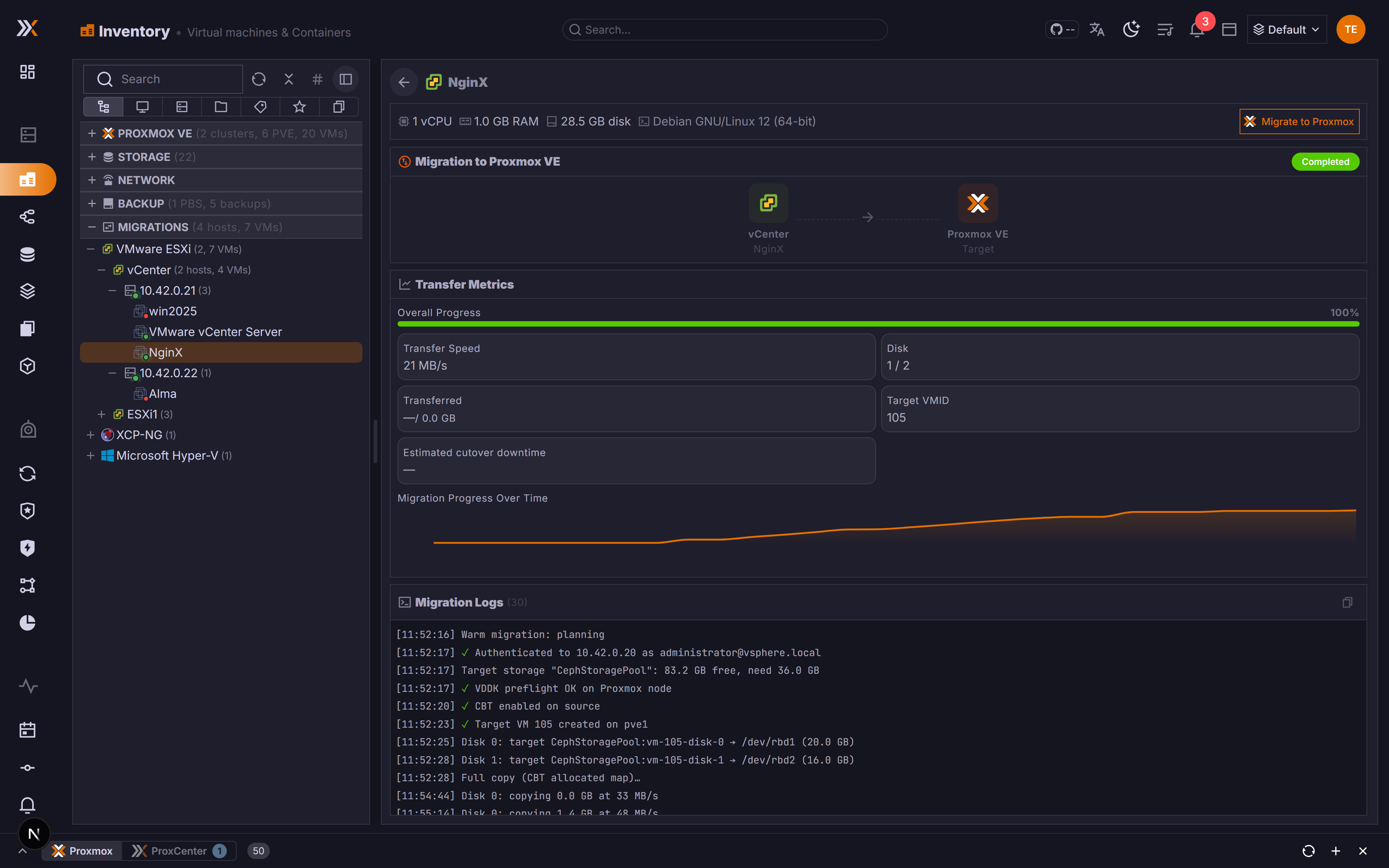 Hypervisor Migration |
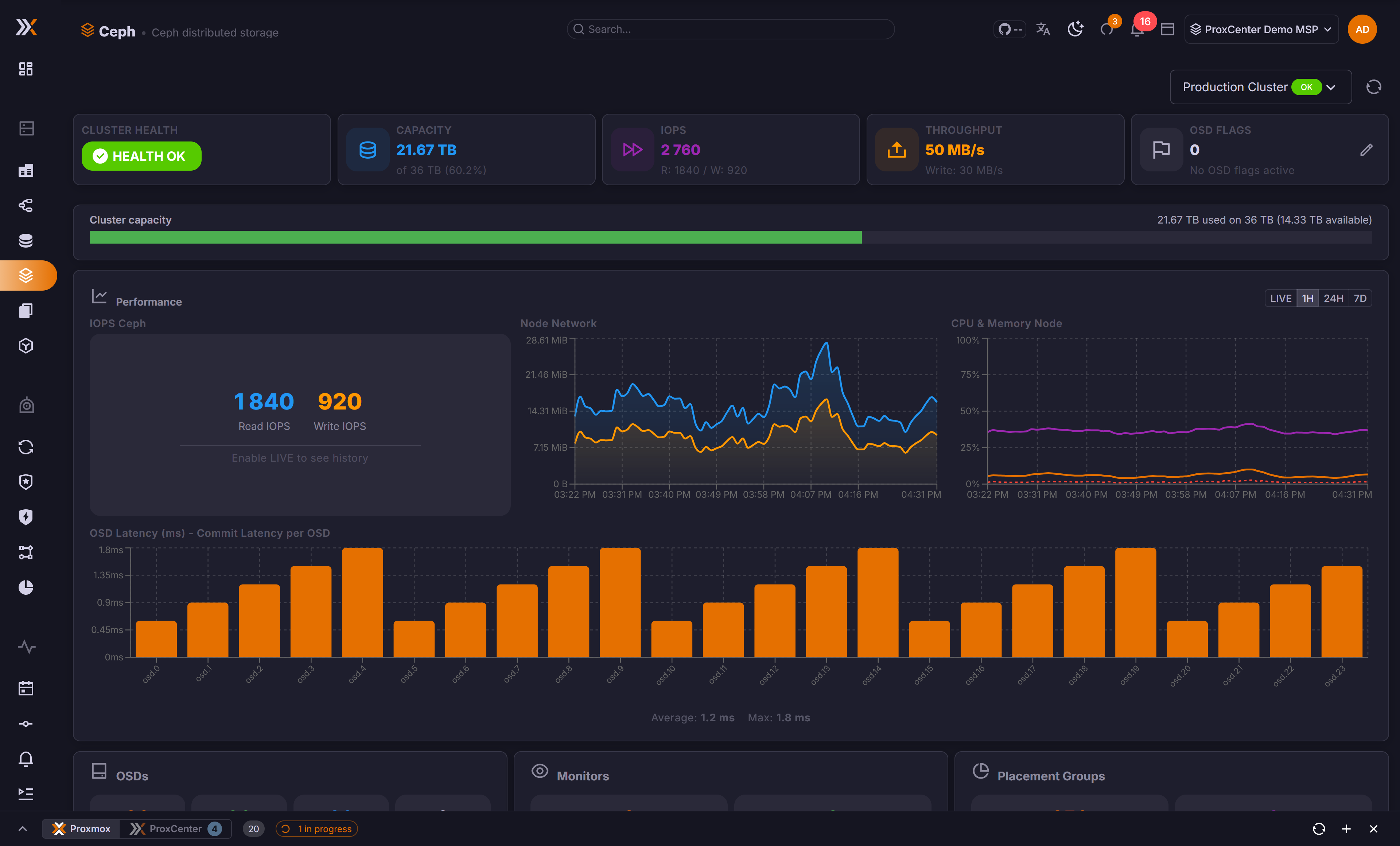 Real-Time Ceph Monitoring |
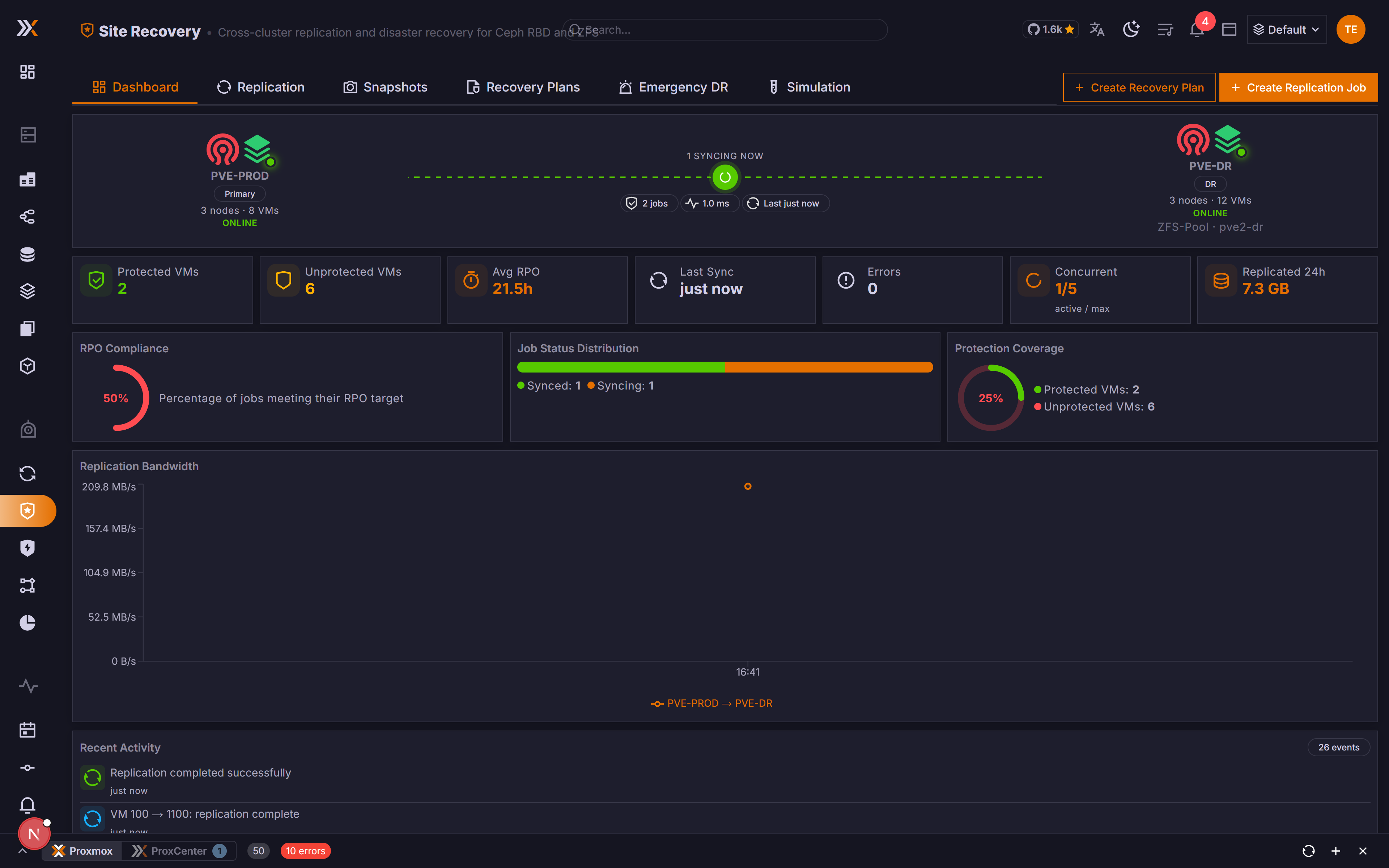 Site Recovery |
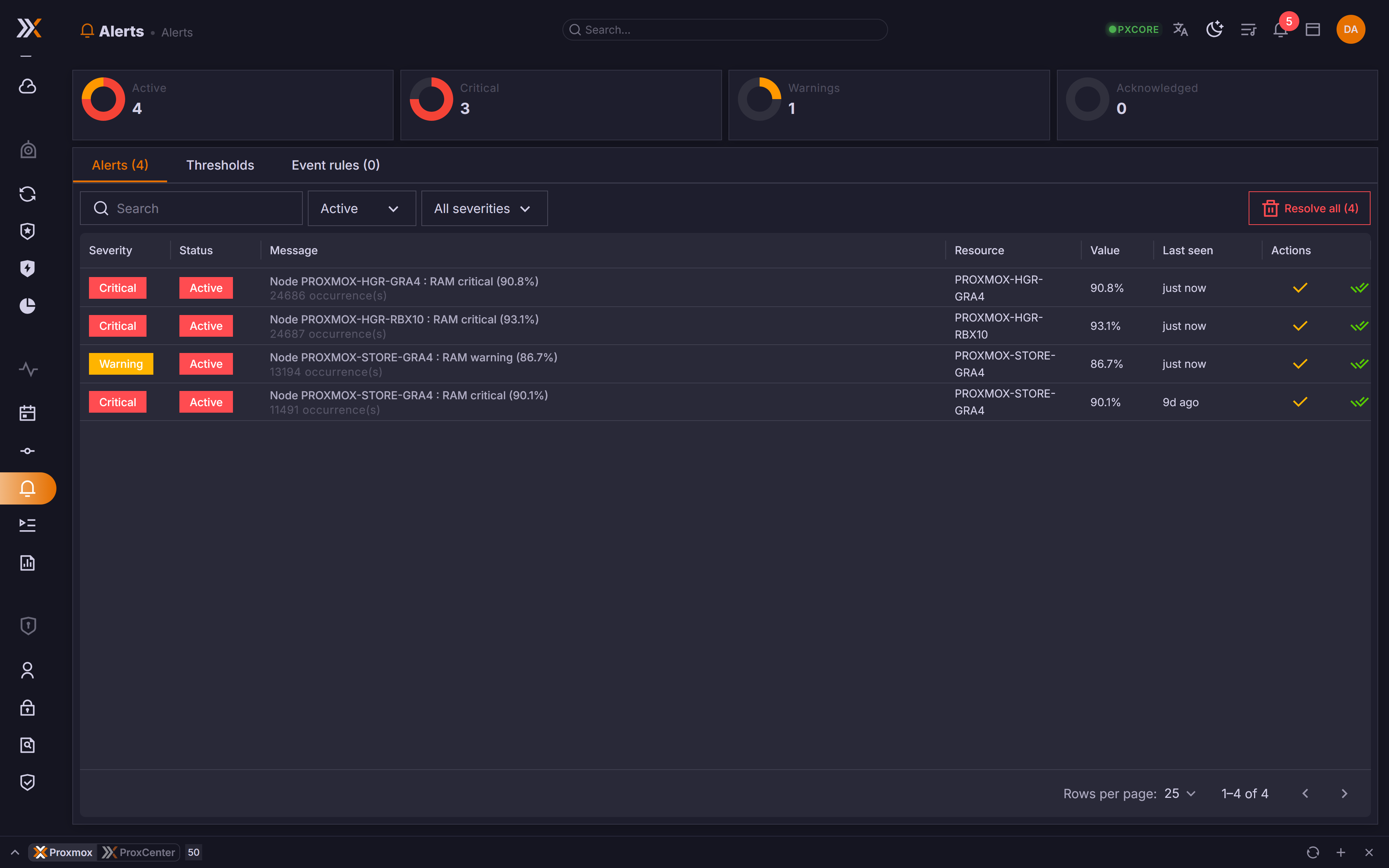 Multi-channel Alerts |
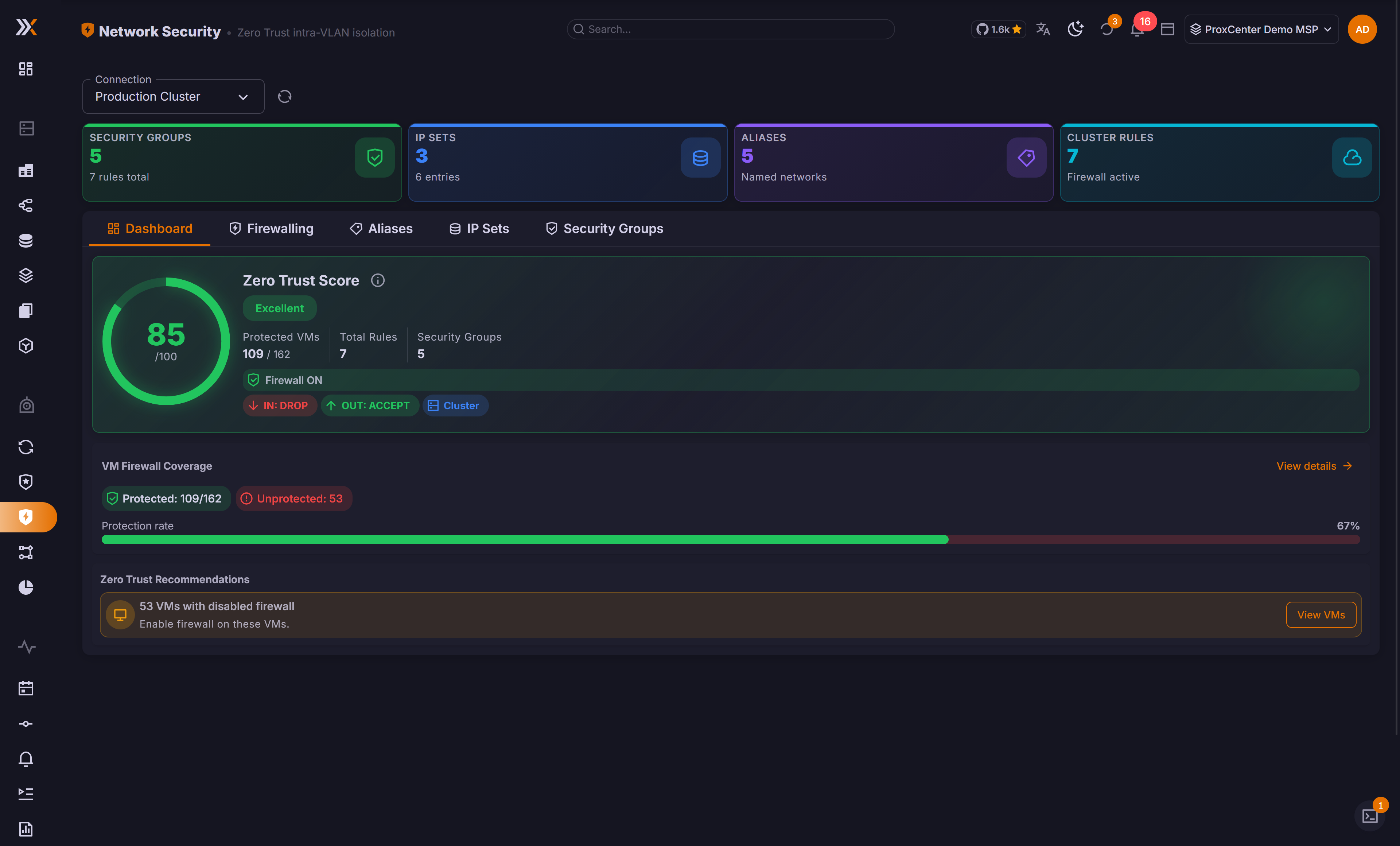 Zero Trust Network Security |
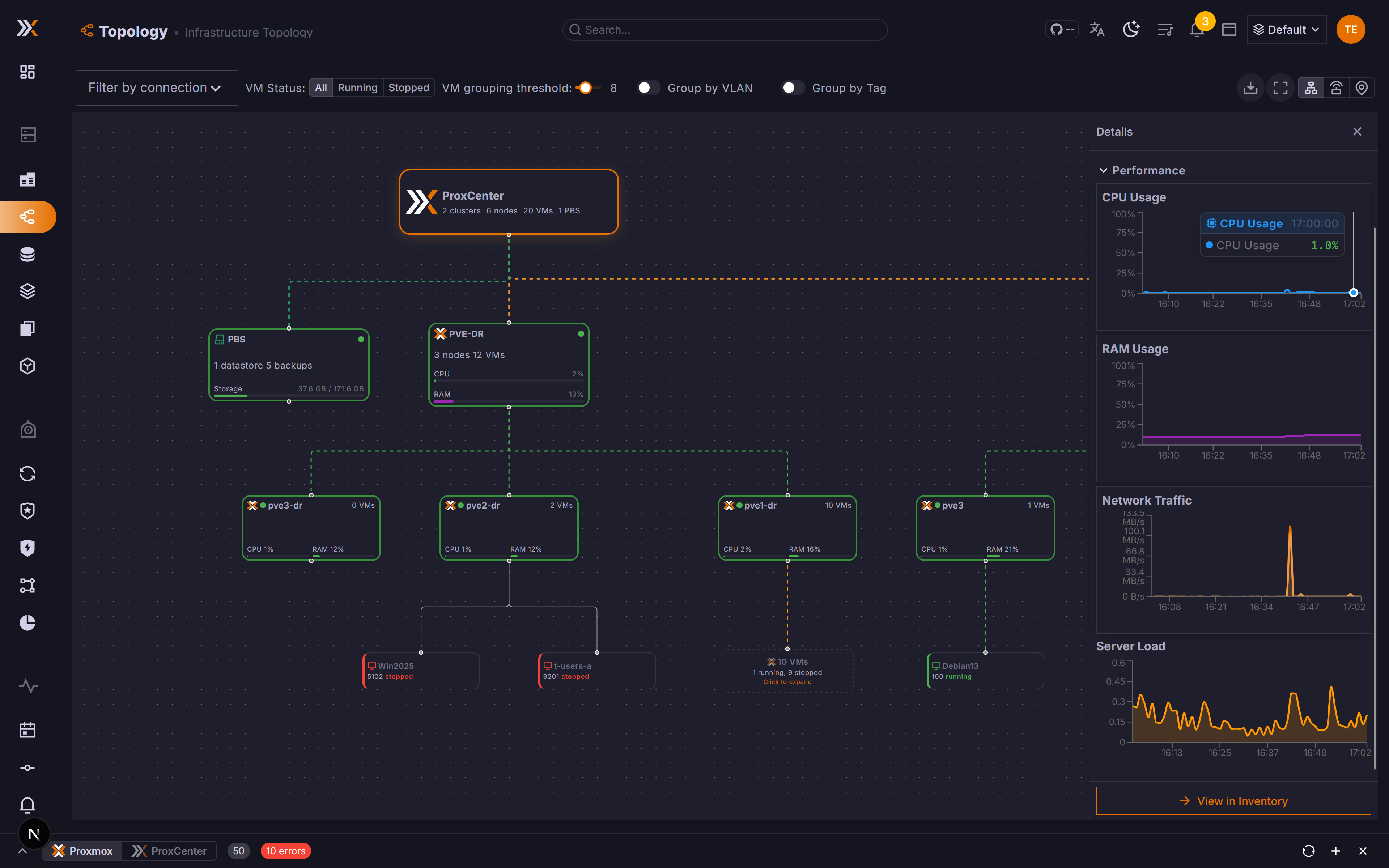 Network Topology Map |
Architecture
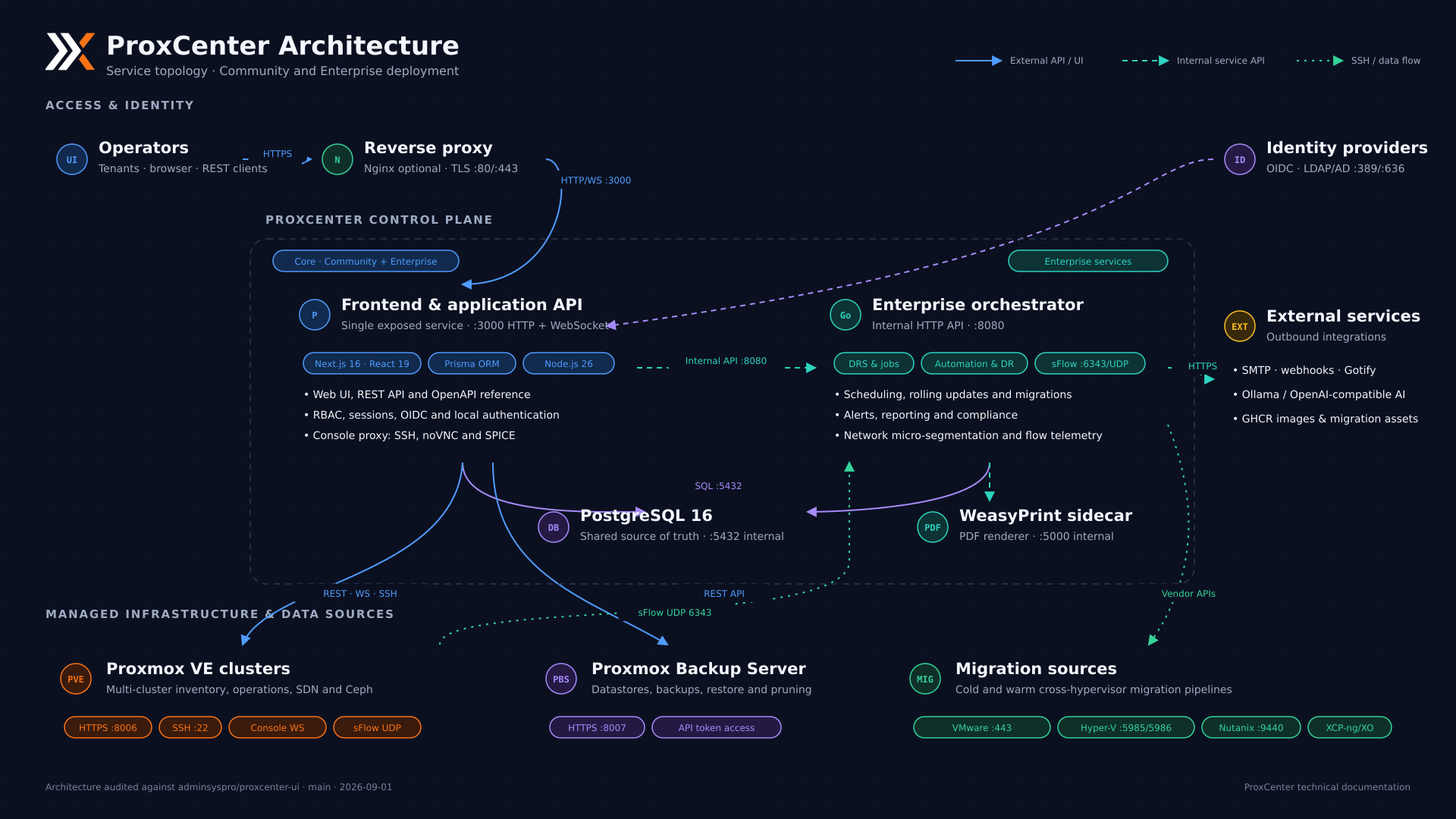
- Single exposed port (3000): HTTP and WebSocket served by one process, with Nginx optional in front for TLS
- PostgreSQL is the only source of truth, and schema migrations run at startup
- Enterprise adds the Go orchestrator (DRS, jobs, alerts, reports, flow telemetry) and the WeasyPrint sidecar for PDF rendering, both kept on the internal network
- Proxmox VE, Proxmox Backup Server, and the migration sources are reached outbound, with no agent to deploy
High Availability (Enterprise)
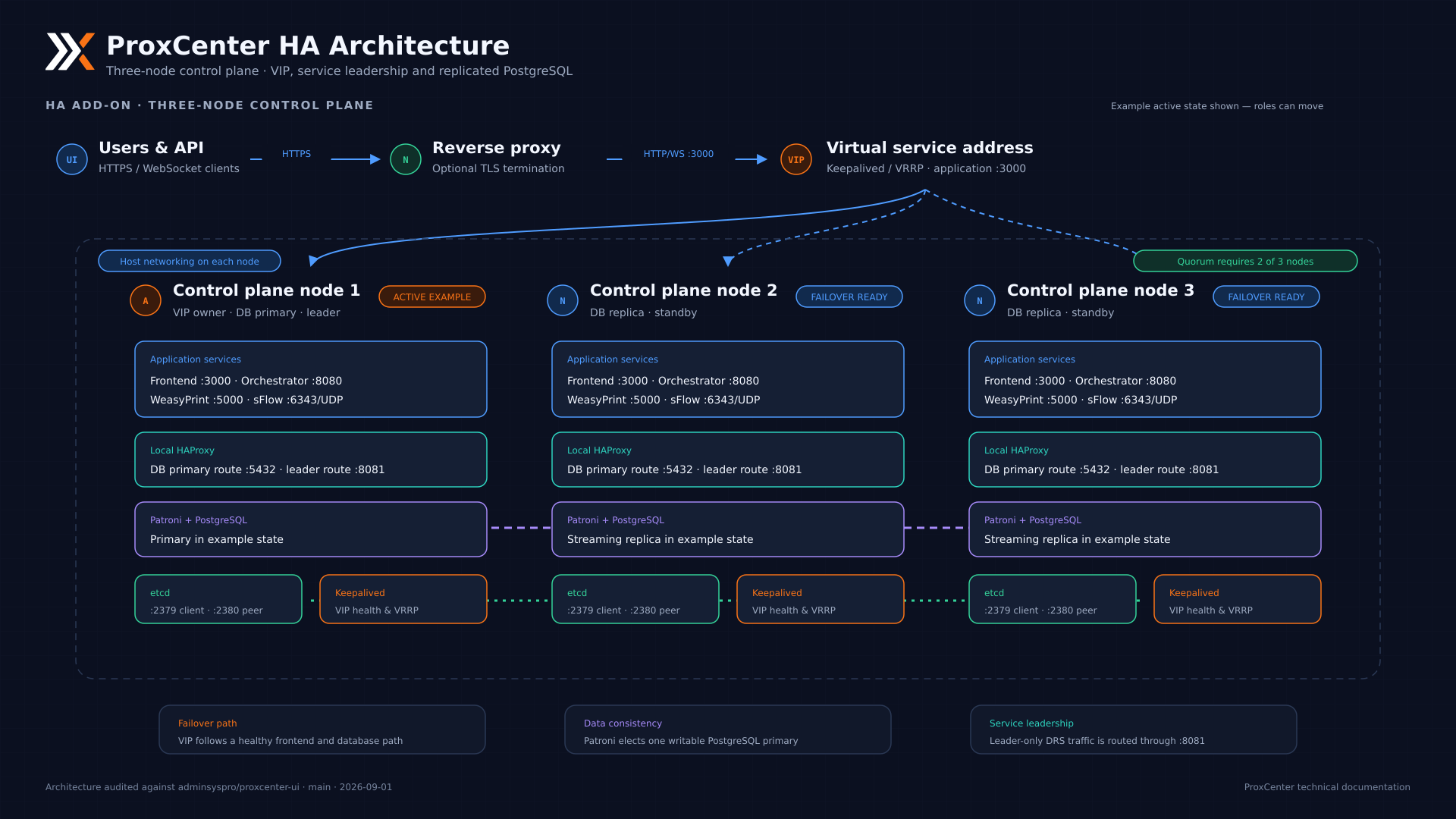
- Three nodes behind a Keepalived VIP, with quorum on 2 of the 3 nodes
- PostgreSQL replicated by Patroni, which elects the single writable primary through etcd
- A local HAProxy on every node routes database traffic to the current primary and leader-only traffic, DRS included, to the elected orchestrator
- Converting an existing single-node install is driven by the wizard in Settings > High Availability, see the HA prerequisites
Upgrade
Pull the new images and restart the stack:
cd /opt/proxcenter
docker compose pull
docker compose up -d
Schema migrations run automatically on startup. Nothing else is required for a Community install.
Enterprise: when a release adds a setting
`docker compose pull` refreshes the images, never `docker-compose.yml`, and the shipped Compose files pass their environment through an explicit `environment:` list. A setting introduced by a newer release therefore never reaches the container on a pull-only update, whatever `/opt/proxcenter/.env` holds. Re-run the installer to refresh the Compose file:curl -fsSL https://proxcenter.io/install/enterprise | sudo bash -s -- --token YOUR_TOKEN
High availability: the three nodes run the same Compose file, so the same two commands apply per node. Upgrade one node at a time and keep the version identical across the cluster.
Coming from v1.3.x or earlier: SQLite support was removed in v1.4.0 and there is no in-place migration to PostgreSQL. Follow Upgrade to v1.4 for the cutover.
Checking the result:
cd /opt/proxcenter
docker compose ps               # Service status
docker compose logs -f          # Follow the logs
docker compose restart          # Restart the stack
Build from source
The Docker install above is the supported path. Building by hand suits hosts without Docker, such as an LXC container, and covers the Community Edition only: the Enterprise features need the closed-source orchestrator.
Build steps
You need Node.js 22.12 or later, PostgreSQL 16 or later with an empty database, and **4 GB of RAM for the build**. The running application needs far less, around 300 MB.VERSION=vX.Y.Z # the release to install
mkdir -p /opt/proxcenter && cd /opt/proxcenter
curl -fsSL https://github.com/adminsyspro/proxcenter-ui/archive/refs/tags/$VERSION.tar.gz | tar xz --strip-components=1
cd frontend
npm ci --legacy-peer-deps --ignore-scripts
npm run build:icons
npx prisma generate
PROXCENTER_SKIP_TYPECHECK=1 npm run build
NODE_ENV=production
DATABASE_URL=postgresql://proxcenter:PASSWORD@localhost:5432/proxcenter?schema=public
APP_SECRET=...        # openssl rand -base64 32
NEXTAUTH_SECRET=...   # openssl rand -base64 32
NEXTAUTH_URL=http://your-server:3000
APP_URL=http://your-server:3000
set -a && . /opt/proxcenter_data/.env && set +a
npx prisma migrate deploy
npx prisma db seed
node start.js           # listens on 0.0.0.0:3000, override with PORT and HOSTNAME
Security
Automated scanning via CodeQL, Trivy, and Dependabot. Report vulnerabilities to security@proxcenter.io.
Star History
License
- Community: Free for personal and commercial use
- Enterprise: Commercial license
Support
- Community: GitHub Issues
- Enterprise: support@proxcenter.io
📈 近 7 天 Star 趋势
🏆 排名变化趋势
📋 历史上榜记录
| 日期 | 榜单 | 排名 | 周期新增 | 总 STAR |
|---|