📄 仓库 README
在 GitHub 查看 ↗



Overview · Quick Start · What's New · Features · Clients · Docs · Development
Overview
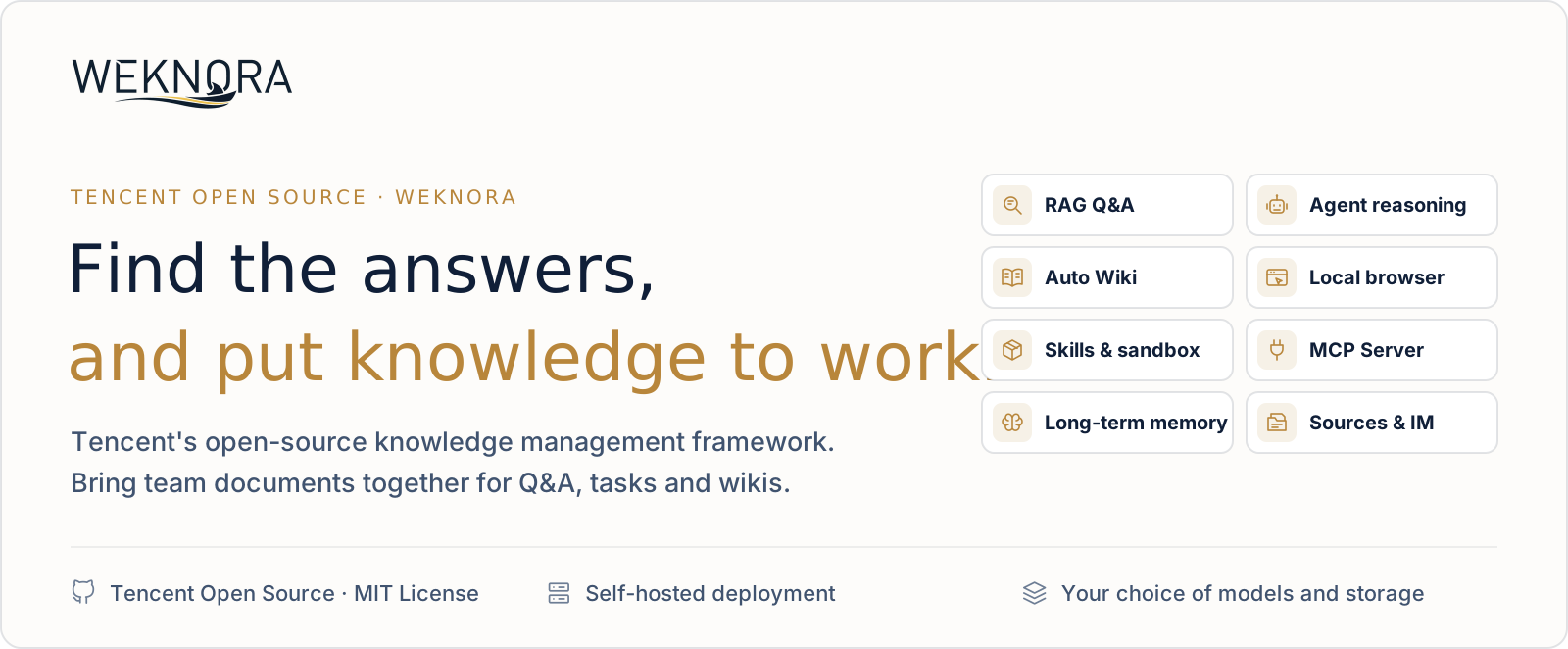
WeKnora is an open-source, LLM-powered knowledge framework for enterprise document understanding, semantic retrieval and reasoning. It brings a team's documents together so they can be searched, reasoned over and kept up to date.
https://github.com/user-attachments/assets/de0e490a-e738-405e-bb3a-64b63edd7278
v0.9.0 · 2:45 · 1080p60 · English narration and subtitles
Use RAG to look things up, the agent for multi-step tasks, and the wiki to organize knowledge. All three work on the same knowledge bases.
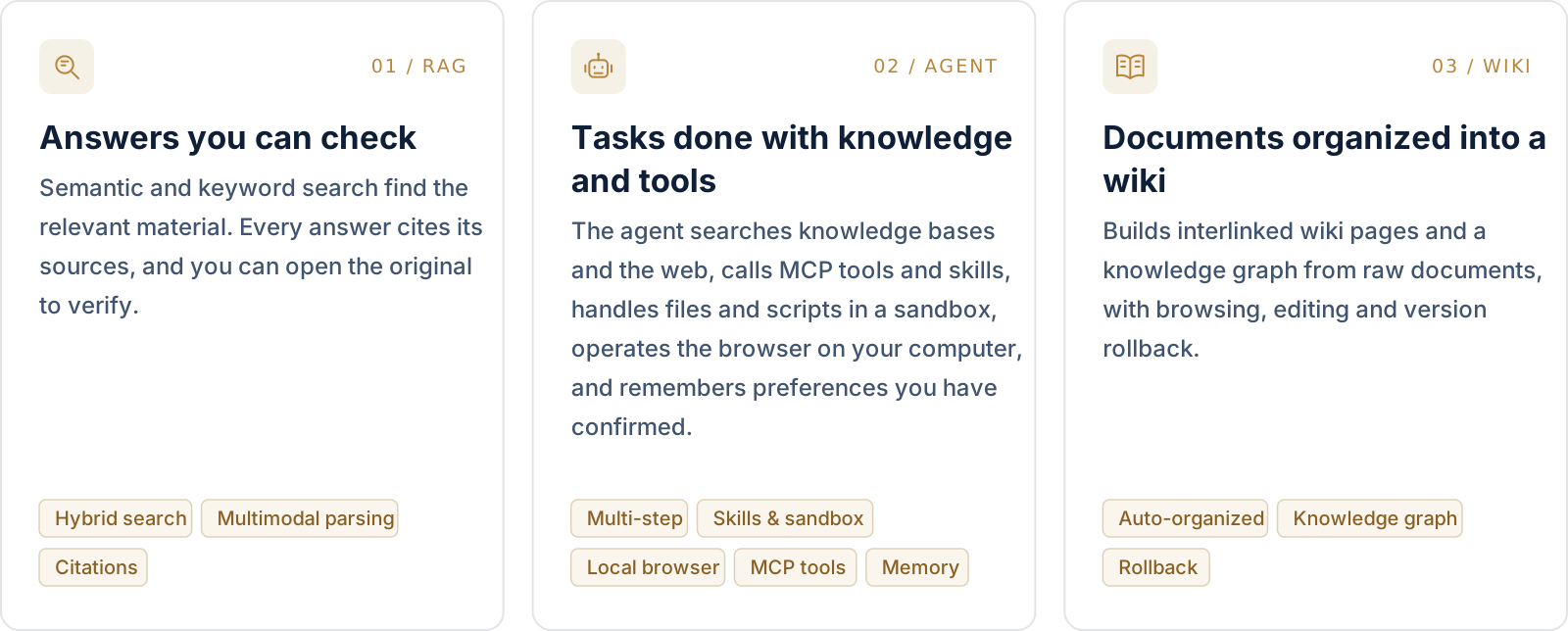
The agent's toolbox. Skills installed from ClawHub / SkillHub / Git / ZIP run in session-persistent Docker / E2B / Cube sandboxes, with an interactive terminal and graphical desktop beside the chat. Through the BrowserSkill extension the agent operates the user's own Chrome or Edge, and external MCP services (OAuth included) can be connected and enabled tool by tool.
Beyond the three modes:
- Memory and curation: cross-session long-term memory keeps the profile, preferences and facts a user has confirmed. Folder uploads keep their directory tree, and retrieval chunks can be edited, diffed and rolled back.
- Data sources and formats: auto-sync from Feishu wiki / Feishu Drive / Confluence / GitLab / Tencent IMA / Notion / Yuque / DingTalk Docs / Seafile / RSS, with more on the way. 10+ document formats including PDF, Word, images, Excel and XMind; Office files are parsed in-process by anydoc.
- Channels and integrations: Q&A in WeCom, Feishu, Slack, Telegram and other IM apps; an embed widget for external websites; a built-in MCP Server for Cursor, Claude and other AI tools; scoped API keys with a principal model for programmatic access.
- Models: 29 built-in vendors with a generated model catalog, including OpenAI, DeepSeek, Qwen (Alibaba Cloud), Zhipu, Hunyuan, Gemini, MiniMax, NVIDIA, LiteLLM and Ollama.
- Permissions and operations: multi-workspace RBAC (four roles, per-resource ownership, per-workspace audit log), several storage instances per workspace, a runtime task-queue dashboard with worker-pool governance, and Langfuse tracing for agent steps, token usage and pipelines.
- Deployment: LLMs, vector databases and storage backends are all swappable. Deploy locally or on a private cloud and keep the data in your own environment.
Quick Start
 ONLINE WeChat Dialog Open Platform Manage knowledge bases online and connect Q&A to Official Accounts, Mini Programs and other WeChat scenarios. Open the platform → |
CLOUD Tencent Cloud Lighthouse Deploy WeKnora from an application template and run it on your own cloud server. Deploy on Tencent Cloud → |
 SELF-HOSTED Your own environment Deploy with Docker or Kubernetes and configure models, storage and networking yourself. Run with Docker Compose ↓ |
Run with Docker Compose
Requires Docker, Docker Compose and Git.
git clone https://github.com/Tencent/WeKnora.git
cd WeKnora
cp .env.example .env    # Edit .env as needed, see comments in the file
docker compose pull     # Pull the latest images
docker compose up -d    # Start core services
Then open http://localhost and follow the onboarding guide. A walkthrough with sample data is in the Quickstart.
[!TIP] To use a local Ollama model, run
ollama serve > /dev/null 2>&1 &first. For the Ollama embedding model name,OLLAMA_BASE_URL, and RAM notes, see Configuration.
| Service | URL |
|---|---|
| Web UI | http://localhost |
| Backend API | http://localhost:8080 |
| Langfuse Tracing | http://localhost:3000 |
Optional services
Add --profile flags to enable additional components; multiple profiles can be combined.
| Profile | Adds |
|---|---|
| (default) | Core services |
full |
All features |
neo4j |
Knowledge Graph (Neo4j) |
minio |
Object Storage (MinIO) |
langfuse |
Tracing (Langfuse) |
docker compose --profile neo4j --profile minio pull
docker compose --profile neo4j --profile minio up -d
docker compose down     # Stop services
Upgrading
If you already have WeKnora running and downloaded a newer release:
# Set WEKNORA_VERSION in .env to the target release (e.g. 0.9.0), or keep latest
docker compose pull     # Pull images matching WEKNORA_VERSION
docker compose up -d    # Recreate containers with new images
[!NOTE]
docker compose up -dalone reuses locally cached images and may leave the UI version out of sync with the release you downloaded. Read the upgrade notes before upgrading. Deployments older than v0.8.2 should also read the v0.8.2 notes.
Other ways to deploy
| Option | When to use it |
|---|---|
| Docker Compose | The standard deployment above: all features, multiple services |
| Kubernetes (Helm) | Production clusters; the chart is in helm/ |
| Lite single binary | Local or low-resource use with no external dependencies (SQLite + in-memory queue); see Lite vs. standard |
| Desktop app | The Lite runtime with a GUI, login-free start and a macOS host sandbox; no installer is published yet, so build it from source |
All options, hardware requirements and deployment topologies: Installation guide.
[!WARNING] WeKnora ships with login authentication, but for production deployments we strongly recommend that you: - deploy it in an internal / private network rather than on the public internet; - avoid exposing the service directly to public networks, to prevent information leakage; - configure proper firewall rules and access controls for the deployment environment; - regularly update to the latest version for security patches and improvements.
📈 近 7 天 Star 趋势
🏆 排名变化趋势
📋 历史上榜记录
| 日期 | 榜单 | 排名 | 周期新增 | 总 STAR |
|---|