📄 仓库 README
在 GitHub 查看 ↗ # AntiGem
*A gem that defies gravity. A full coding environment, light enough to carry in your pocket.*
**An AI coding workspace for Android: Antigravity, Claude Code, OpenCode and Codex agents, a real Linux terminal, a code editor and a browser the agent can control, all in one app.**
[](https://developer.android.com/jetpack/compose)
[](https://go.dev)
[](https://github.com/Santoshkurmi/antigem/blob/HEAD/LICENSE)
[](https://github.com/santoshkurmi/antigem/releases)
[Download](https://github.com/santoshkurmi/antigem/releases) · [Website](https://santoshkurmi.github.io/antigem/) · [VS Code extension](https://github.com/Santoshkurmi/antigem_vscode_extension) · [Plugin SDK](https://github.com/Santoshkurmi/antigem/blob/HEAD/extension_docs/README.md) · [User Guide](https://github.com/Santoshkurmi/antigem/blob/HEAD/user_docs/README.md) · [WhatsApp community](https://chat.whatsapp.com/IGQX8q9zSVV0RarG70sclV?s=cl&p=a&mlu=4&ilr=4)
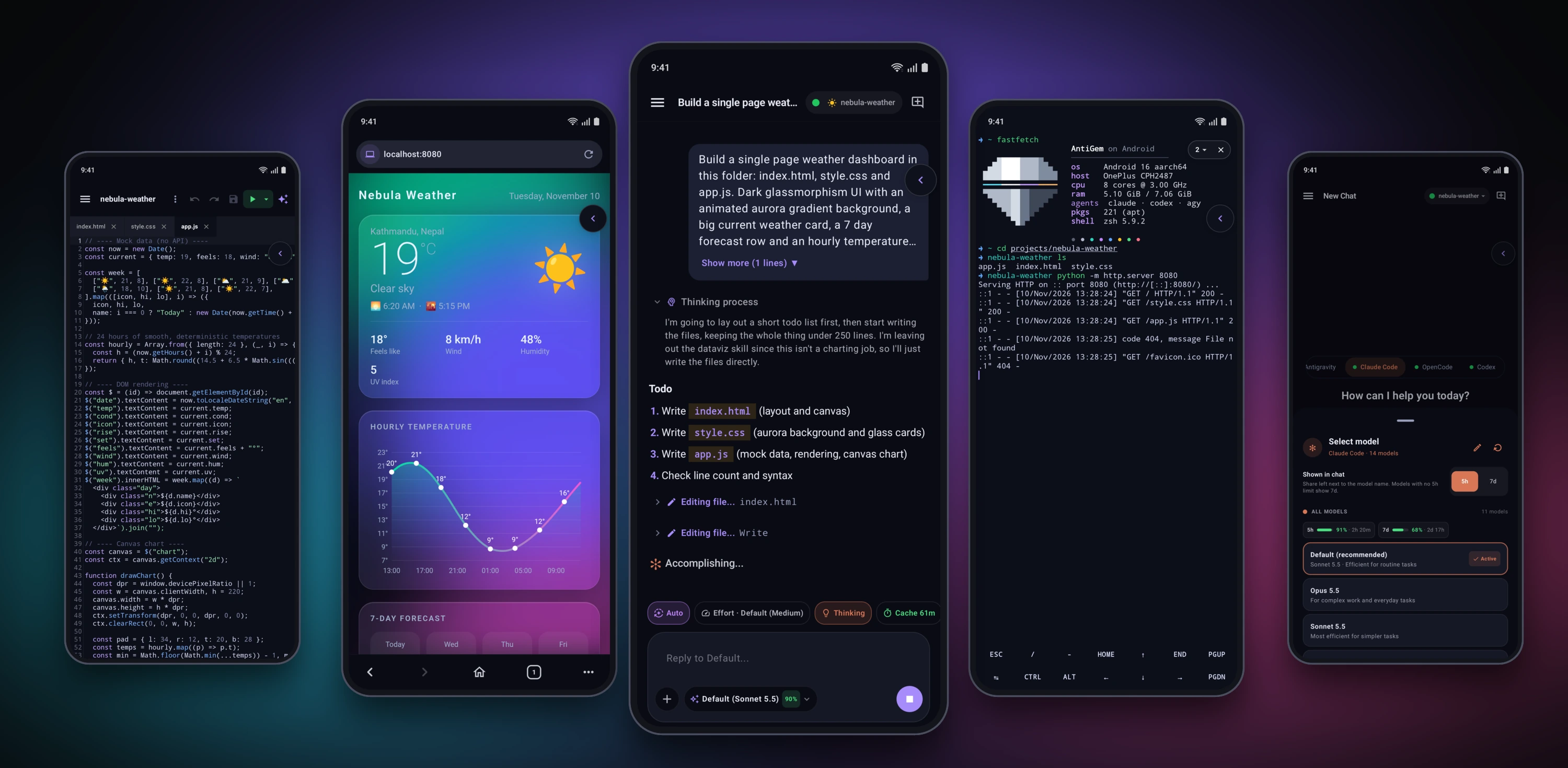
See it in action
Screenshots
| 🤖 Agents that actually code | |||
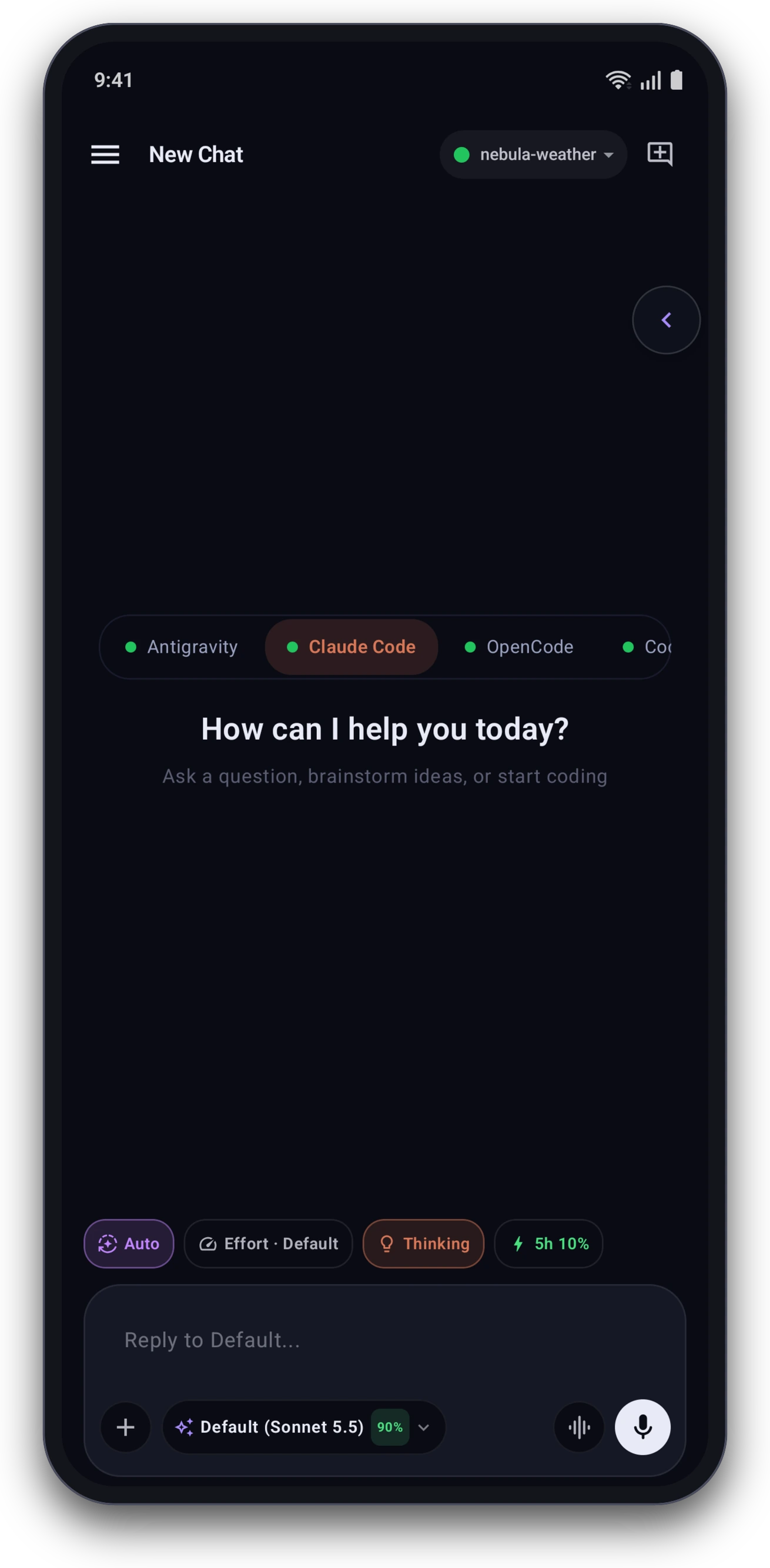 Four agents, one app |
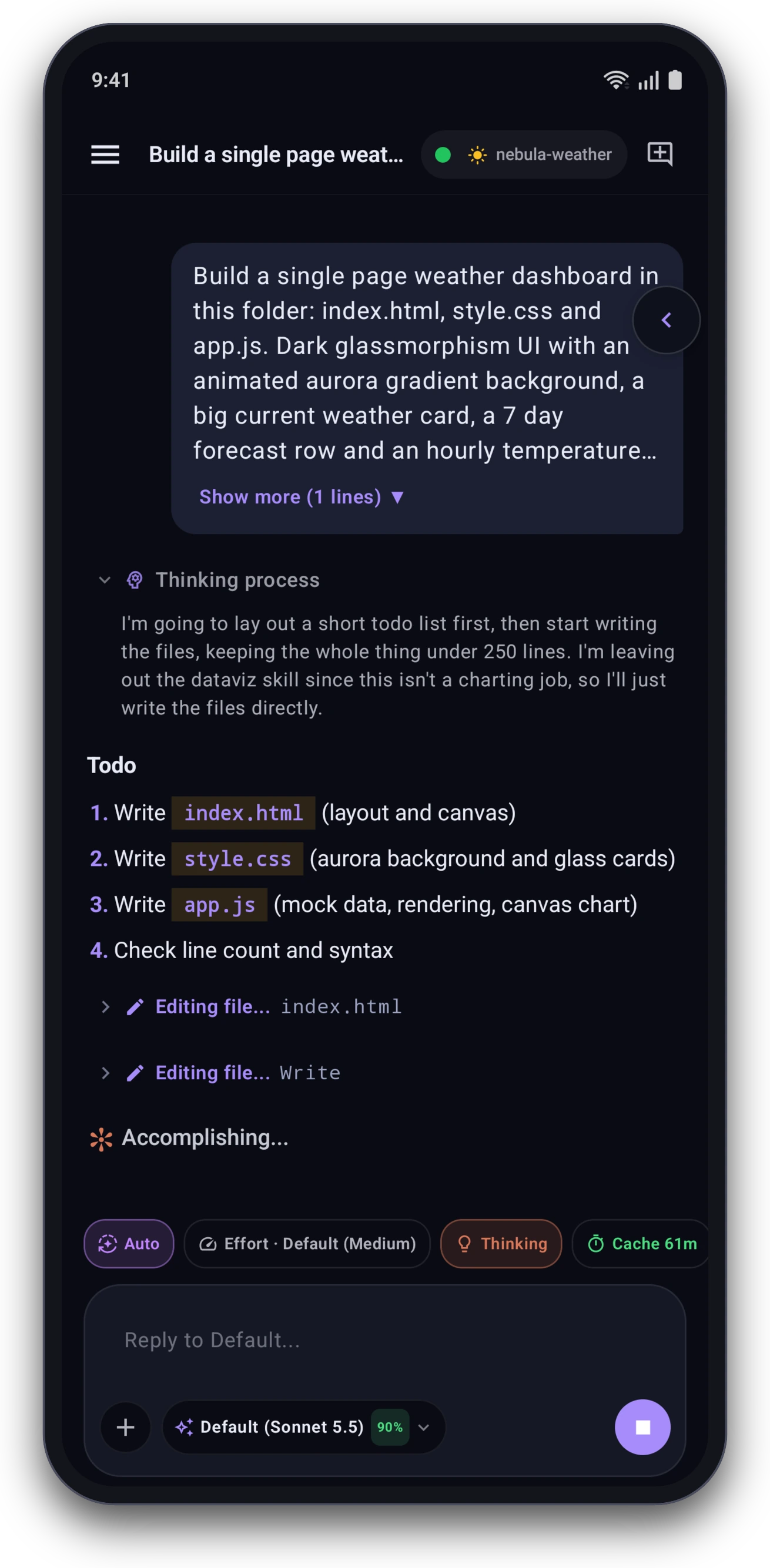 Thinking, to-dos and live edits |
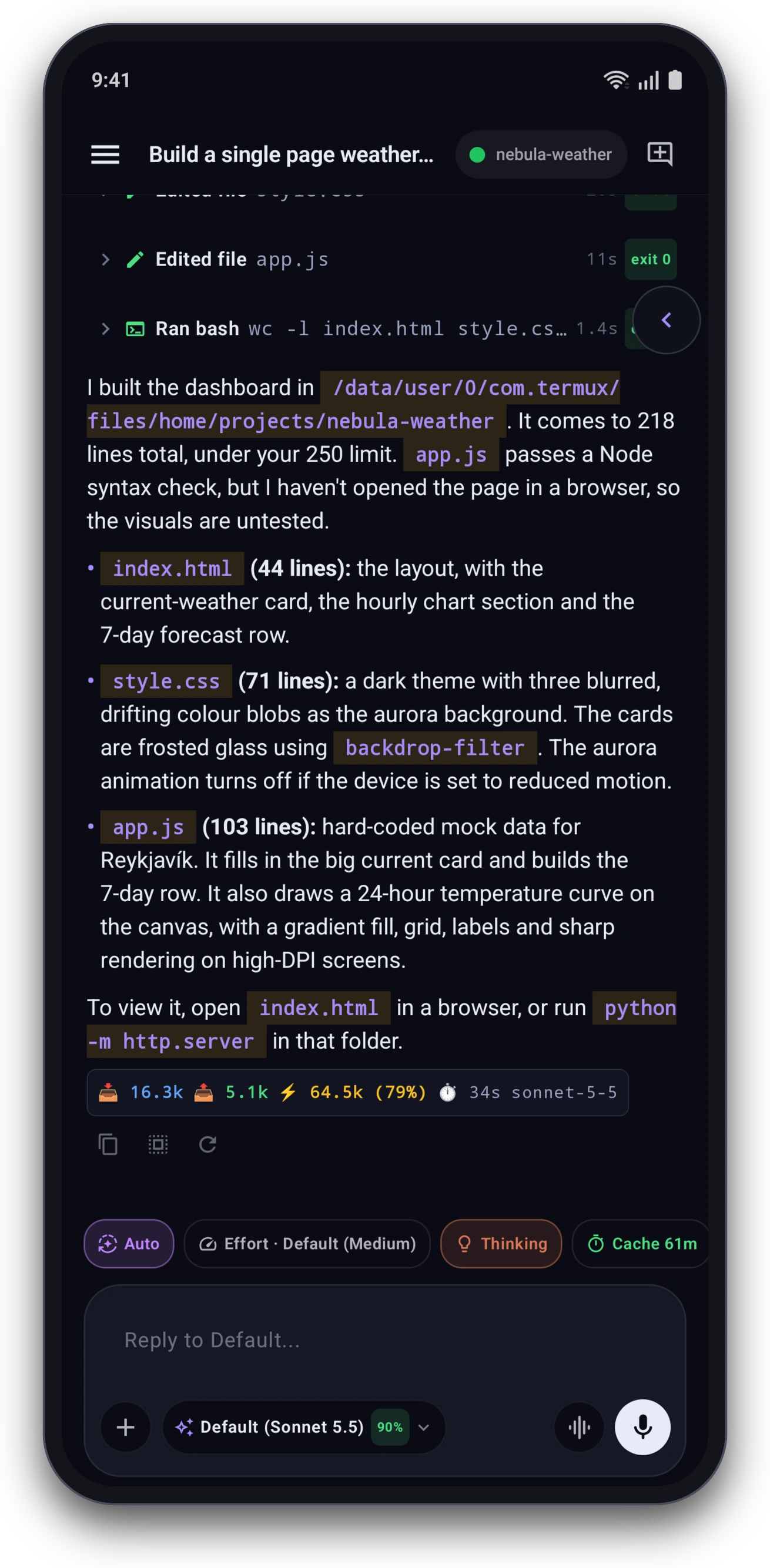 Tool cards and token stats |
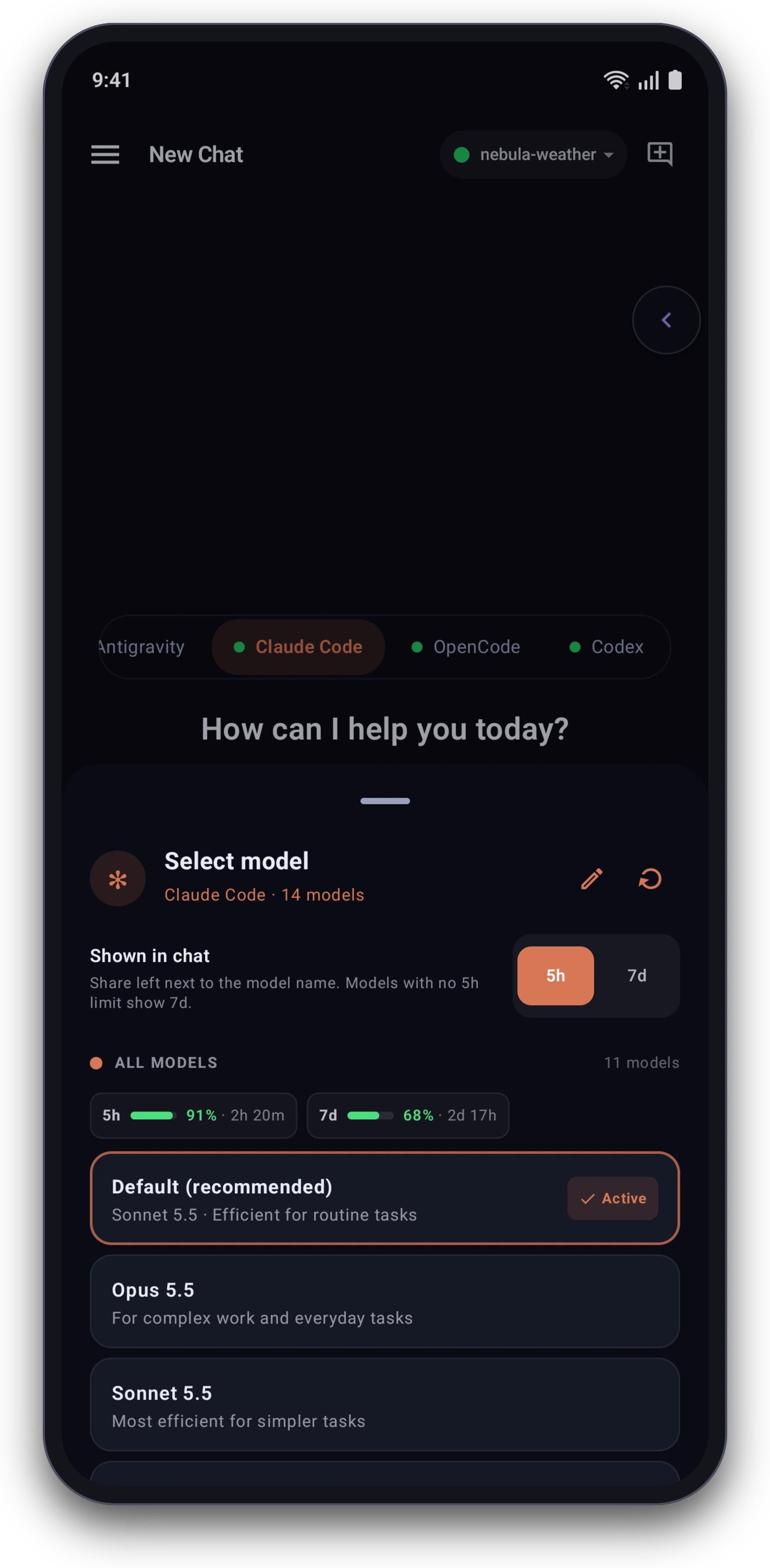 Models and plan usage |
| 🛠️ Build, run and preview on the phone | |||
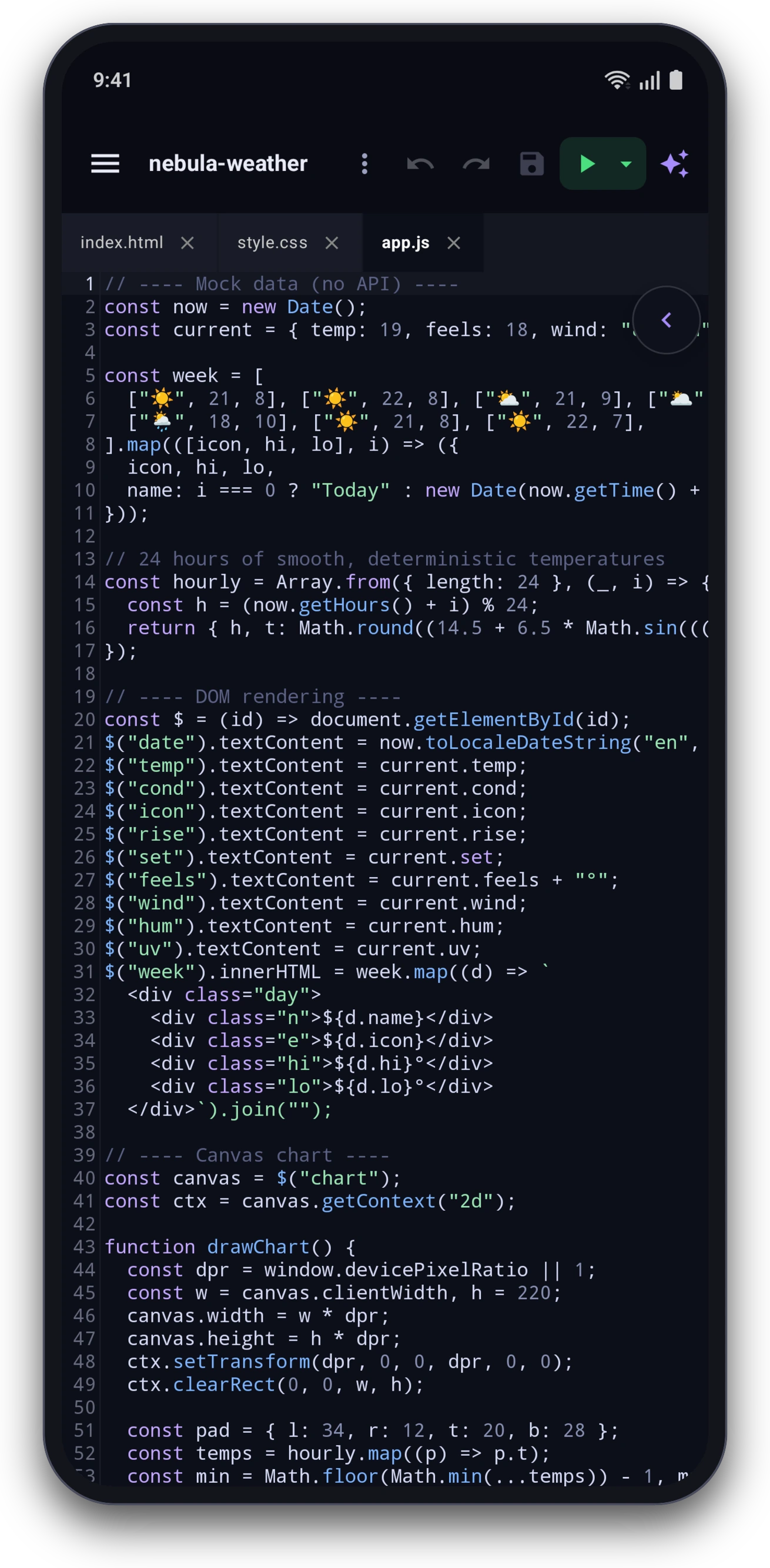 Code editor |
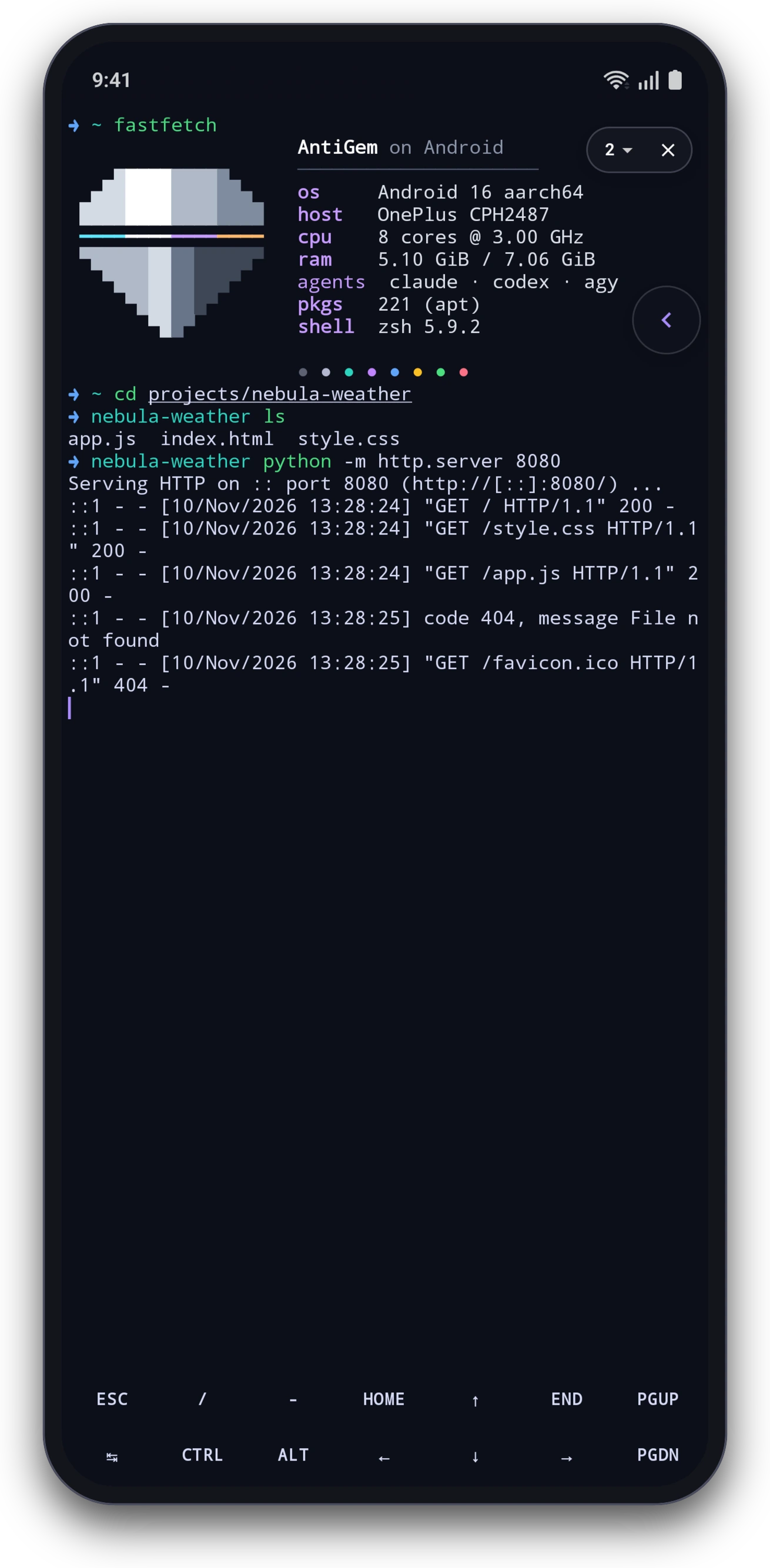 Real Linux terminal |
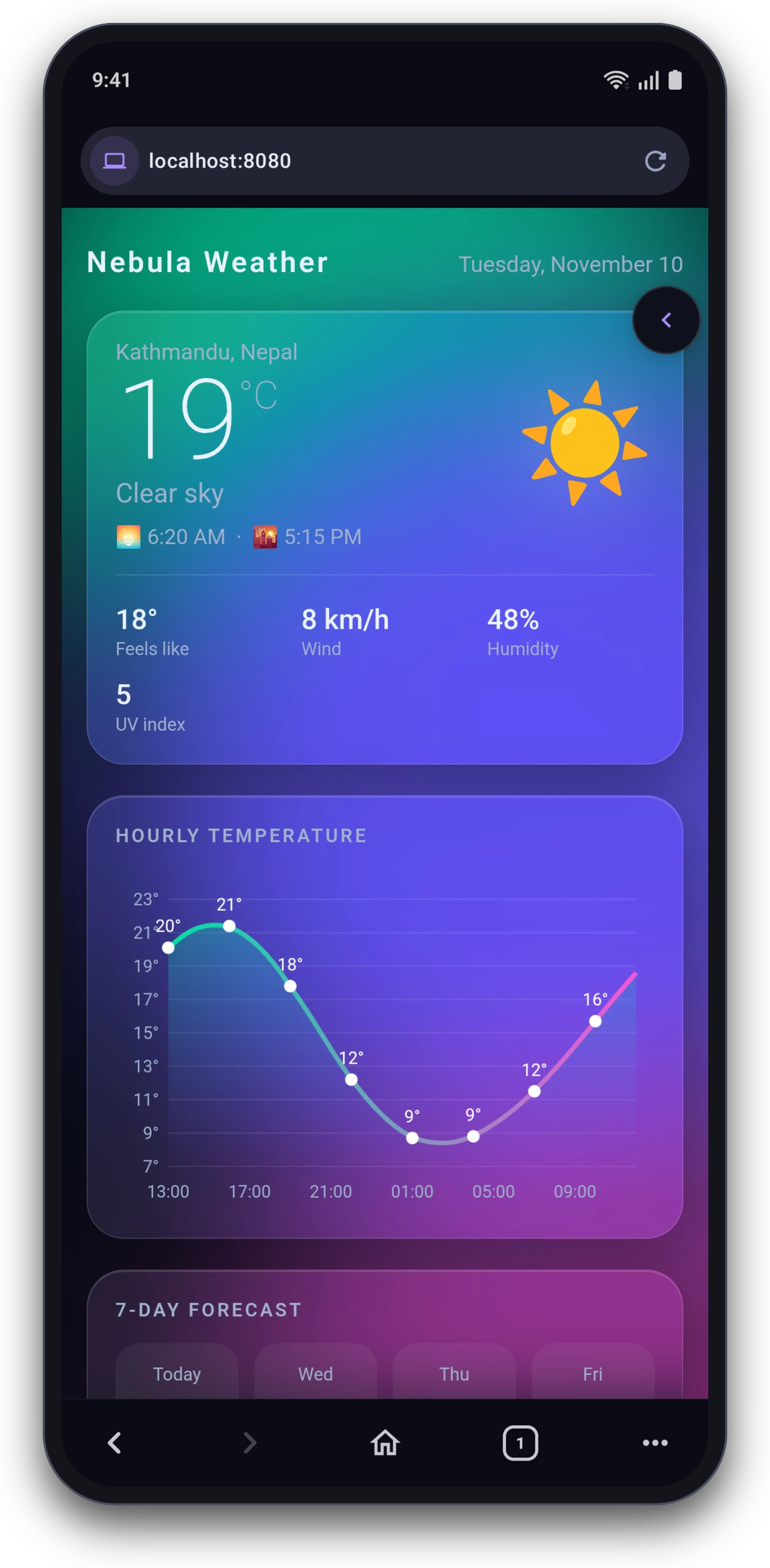 Live preview in the browser |
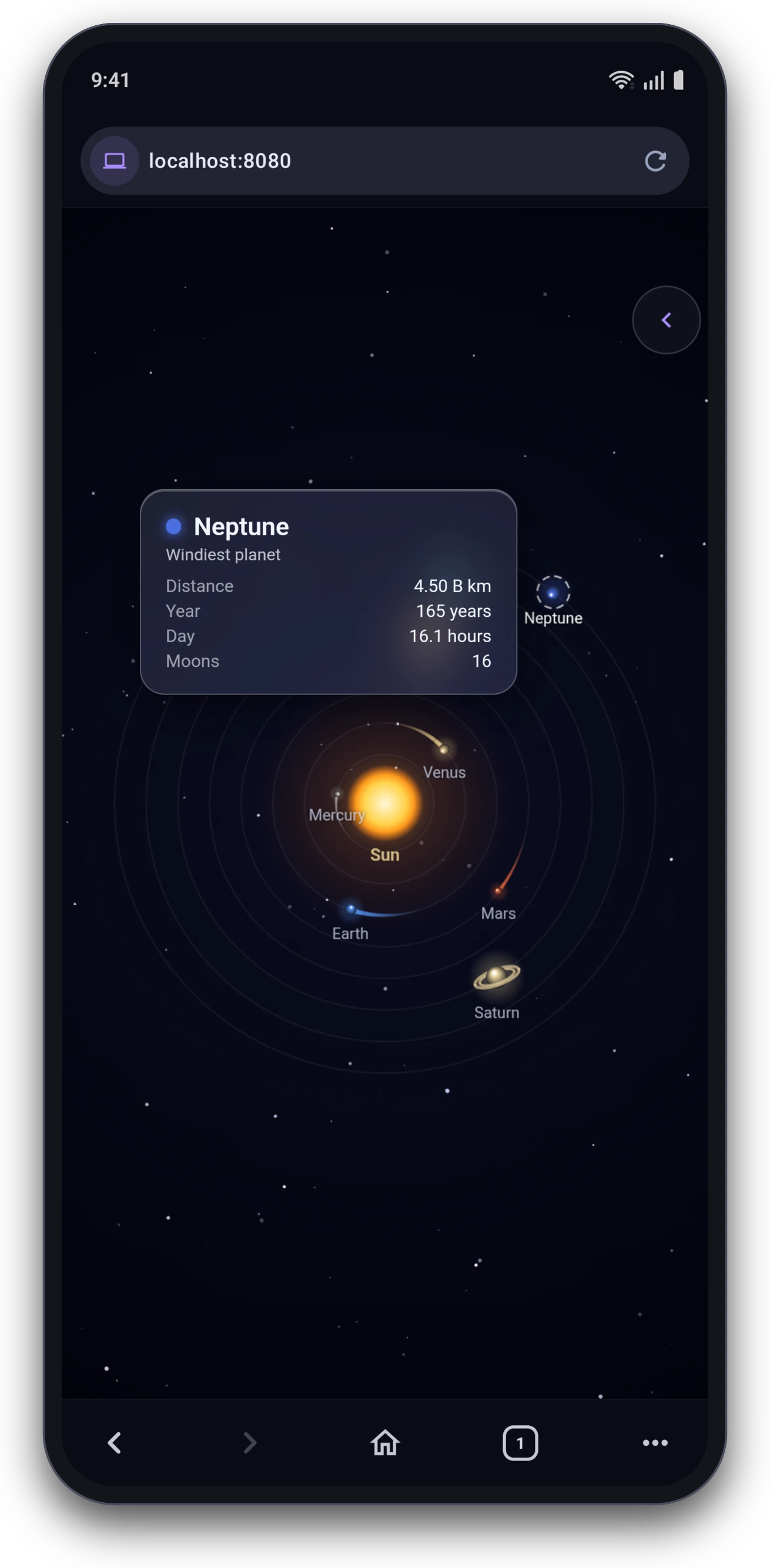 Built from one prompt |
| ⚙️ Make it yours | |||
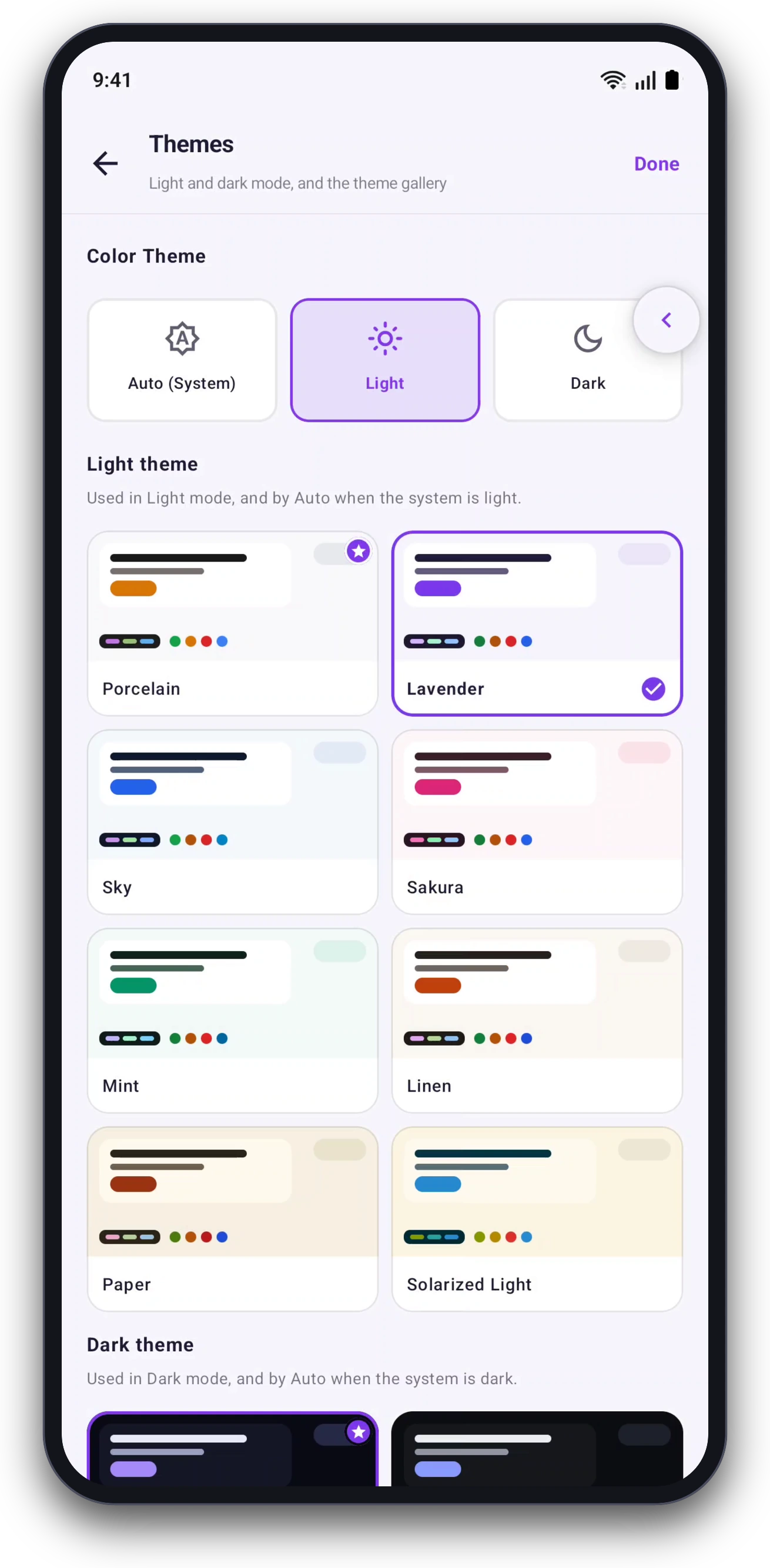 Light and dark themes |
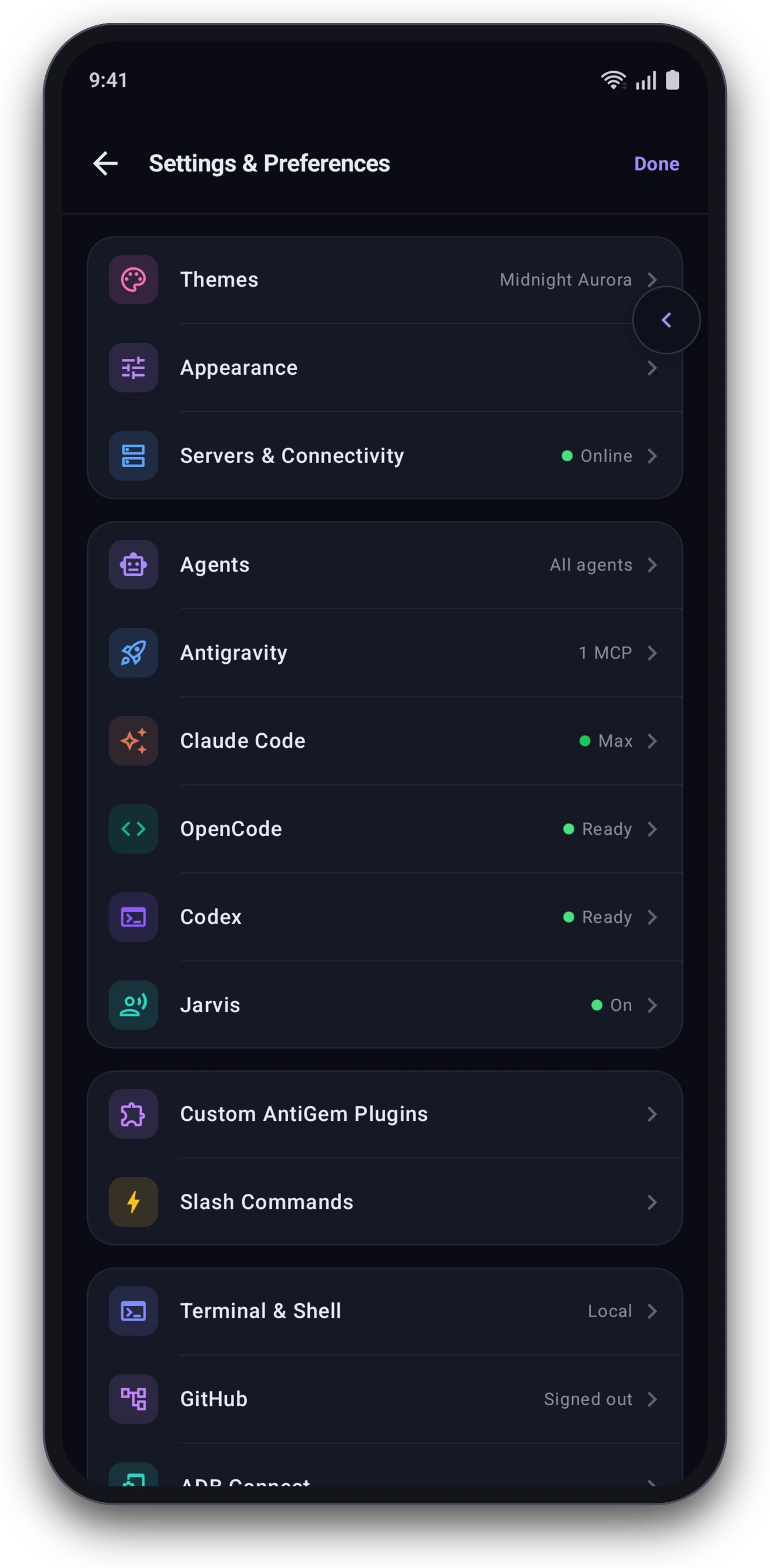 Settings |
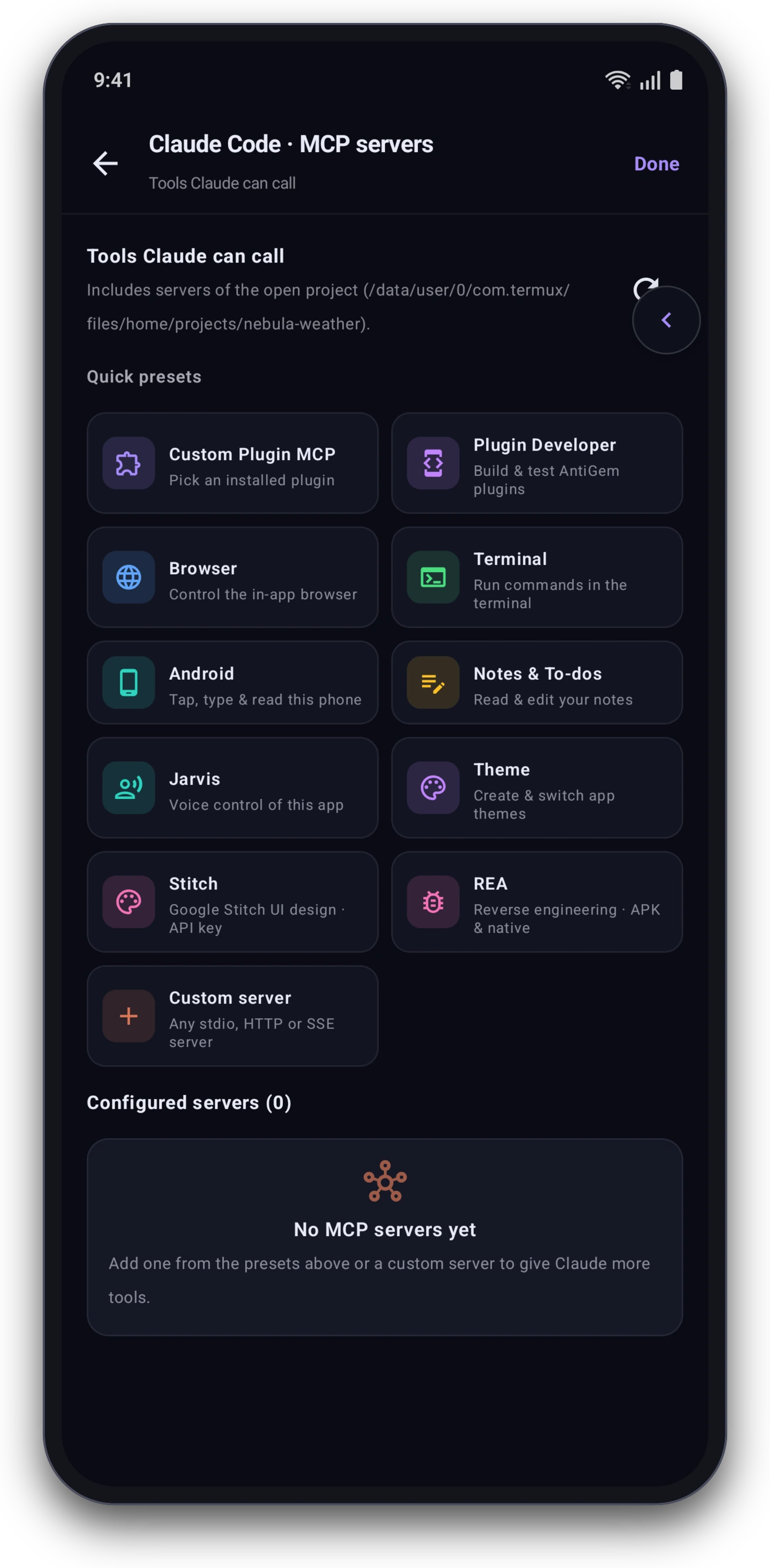 One-tap MCP servers |
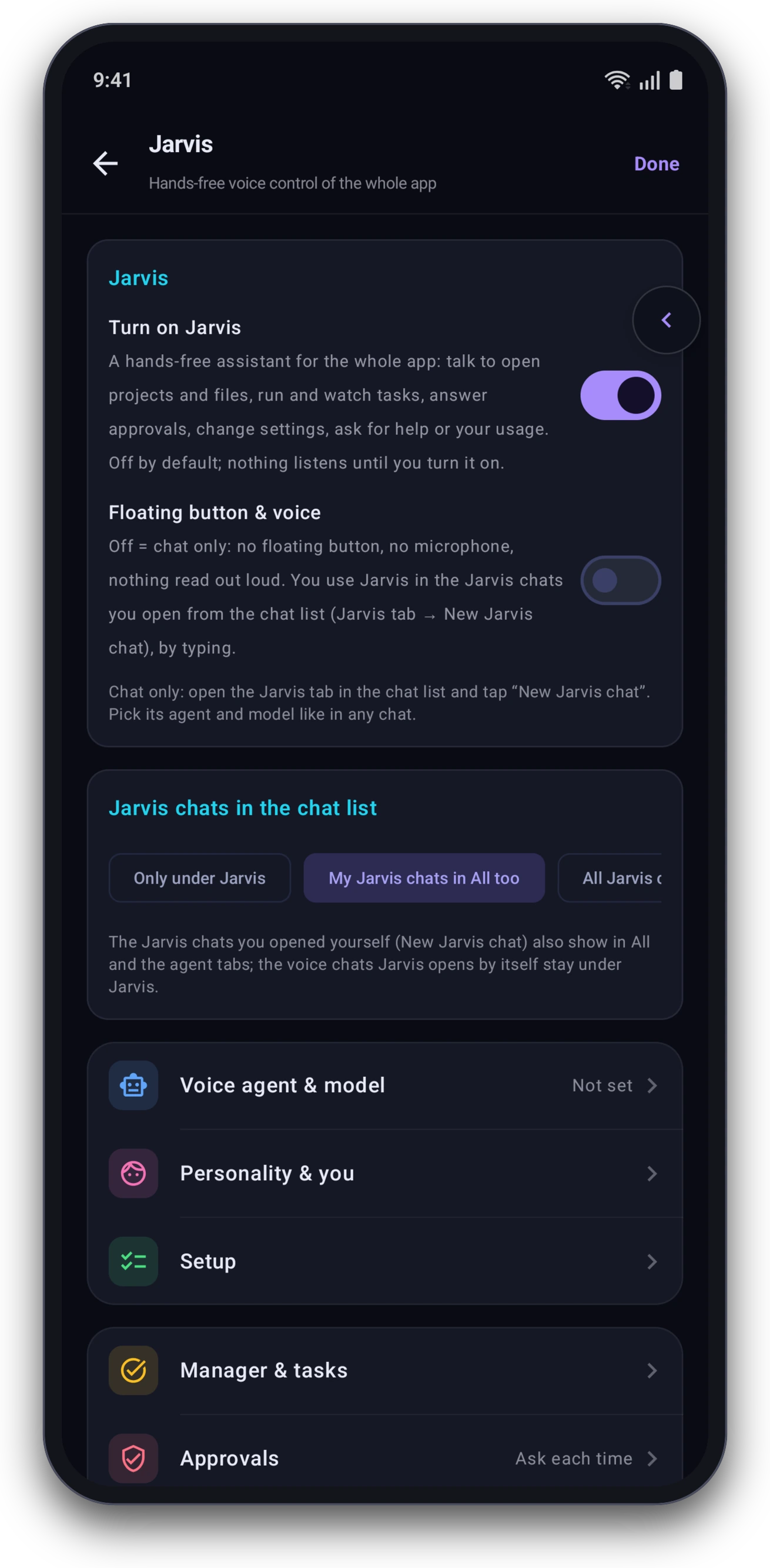 Jarvis voice assistant |
What it is
AntiGem runs four coding agents on your phone:
- Antigravity (
agy): Google's officialagyCLI, installed with Google's own installer, runs inside the app's Linux environment. - Claude Code: Anthropic's official
claudeCLI runs inside the app's Linux environment, and the app talks to it over its stream-json protocol, with one CLI process per chat. - OpenCode: the open-source coding agent. It works with 200+ providers with your own keys, any OpenAI-compatible API, and free models.
- Codex: OpenAI's official
codexCLI runs inside the app's Linux environment, and the app talks to it through itsapp-serverprotocol, the same one the Codex VS Code extension uses. Sign in with your ChatGPT account.
You can turn on any of the four agents, on first launch or later in Settings → Agents. An agent you turn off does not run.
Use the models you want: OpenCode connects to 200+ providers, including local models with Ollama or LM Studio, and Claude Code can run on OpenRouter, Kimi, DeepSeek, Z.ai (GLM) or any Anthropic-compatible API. See Bring your own models.
The app reads each agent's structured output, not its terminal text. That is how it shows streaming replies, tool approvals, the agent's questions, subagents and file changes as normal chat UI.
Features
Bring your own models: third-party providers
You are not tied to one company's models. Two of the agents can use other providers with your own keys, and their models show in the same model picker as everything else.
OpenCode: 200+ providers - Quick sign-in for the subscriptions people use most: ChatGPT / OpenAI, GitHub Copilot, your Claude subscription, SuperGrok / xAI, OpenCode Zen and Go, OpenRouter and the Anthropic API. Hundreds more are one search away, with an API key or a browser / device-code sign-in. - Any OpenAI-compatible or Anthropic-compatible API by its address: local models with Ollama or LM Studio, vLLM, LiteLLM, or a company gateway. - OpenCode's own free models work with no account at all. - Choose which providers and models appear in the picker: switch them on or off one by one, or all at once.
Claude Code: Anthropic-compatible providers - One-tap presets for OpenRouter, Kimi (Moonshot), DeepSeek and Z.ai (GLM), plus any other Anthropic-compatible API with its base URL and key. - Test the connection, then fetch the provider's model list. For OpenRouter you can fetch only the free models that can call tools. - Their models sit in the model picker next to Claude's own, so you can switch per chat.
Antigravity uses your Google account and Codex your ChatGPT account.
Agents and chat
- Live streaming replies, collapsible thinking, tool cards, diffs and subagent progress.
- Tool approvals, plan approval and the agent's multiple-choice questions, answered inside the chat.
- Switch model, effort, thinking and permission mode during a chat.
- Image and file attachments, voice dictation, and audio playback.
- Edit or regenerate a message, fork, rename, share, export and delete chats.
- Slash commands, plus your own custom slash commands that expand into full prompts.
- Global context: tell every chat, in every agent, about the app and your own standing instructions.
- Markdown, syntax-highlighted code, Mermaid diagrams and an artifacts drawer.
- A floating chat bubble you can use over other apps.
Jarvis voice assistant
Use the whole app hands-free by voice, on top of Antigravity, Claude Code, OpenCode or Codex. Full guide: docs/jarvis.md. - Open projects and files, switch screens, models and settings (theme too), search code, read chats, check your usage, set timers, and ask how the app works. - Tasks: hand over big jobs ("fix the failing tests and tell me when it's done"). Each runs in its own chat; Jarvis tells you when it finishes, fails, gets stuck, needs an approval or asks a question, and you can redirect or stop it by voice. - Approvals read out loud and answered by voice, with policies from "ask me each time" to "auto except risky". - Wake it with the floating orb, a Quick Settings tile, the notification, a headset button, or a wake phrase (hands-free mode, works with the screen off). - Send with your own phrases ("send it", "bhej do"), cancel with others ("scratch that"), or auto-send on a pause; it ignores what you say to other people. - Listens again when it expects an answer, quiet mode, male / female / neutral persona, notes about you, device or online voices. - Turn it on in Settings → Jarvis; it is off by default.
Claude Code
- Install and update the official
claudeCLI from Settings → Claude Code. - Sign in with a Claude subscription or an Anthropic Console account.
- Third-party providers: add any Anthropic-compatible API, such as OpenRouter, Kimi or DeepSeek, with your own key. OpenRouter is a one-tap preset that can fetch its free models. Provider models appear in the model picker next to Claude's own.
- Usage at a glance: prompt-cache timer, context window use, 5-hour and weekly plan limits, and token counts for each reply.
- Settings for chat defaults, permission rules, the command sandbox, MCP servers, plugins and marketplaces,
CLAUDE.mdand Claude's memory.
Antigravity
- Runs Google's official
agyCLI. - Model picker with live quota, Google sign-in and account details.
- Security presets and per-project rules for command auto-r
📈 近 7 天 Star 趋势
🏆 排名变化趋势
📋 历史上榜记录
| 日期 | 榜单 | 排名 | 周期新增 | 总 STAR |
|---|