📄 仓库 README
在 GitHub 查看 ↗
 **Open-source, self-hosted restaurant POS & management system** — billing
with **UPI QR payments**, tables, kitchen display (KDS), reservations,
inventory, **staff attendance & payroll**, accounting, reports, CRM/loyalty
and multi-branch control. Offline-first, runs on your own server, no
subscription. Not a retail POS bolted onto a restaurant; purpose-built for
dine-in, takeaway, delivery and kitchen operations.
[](./LICENSE)
[](package.json)
[](pnpm-workspace.yaml)
[](apps/web/tsconfig.json)
[](apps/backend)
[](apps/web)
[](casaos/README.md)
[](./CONTRIBUTING.md)
[](./ROADMAP.md)
Developed by [NodeDR Infotech Private Limited](https://www.nodedr.com/)
**[Try OrderRestro](https://orderrestro.nodedr.com/)** · **[Case study](https://www.raktimranjit.com/projects/orderrestro)** · **[Maintainer: Raktim Ranjit](https://www.raktimranjit.com/)**
**Open-source, self-hosted restaurant POS & management system** — billing
with **UPI QR payments**, tables, kitchen display (KDS), reservations,
inventory, **staff attendance & payroll**, accounting, reports, CRM/loyalty
and multi-branch control. Offline-first, runs on your own server, no
subscription. Not a retail POS bolted onto a restaurant; purpose-built for
dine-in, takeaway, delivery and kitchen operations.
[](./LICENSE)
[](package.json)
[](pnpm-workspace.yaml)
[](apps/web/tsconfig.json)
[](apps/backend)
[](apps/web)
[](casaos/README.md)
[](./CONTRIBUTING.md)
[](./ROADMAP.md)
Developed by [NodeDR Infotech Private Limited](https://www.nodedr.com/)
**[Try OrderRestro](https://orderrestro.nodedr.com/)** · **[Case study](https://www.raktimranjit.com/projects/orderrestro)** · **[Maintainer: Raktim Ranjit](https://www.raktimranjit.com/)**
What this is
Nodedr OrderRestro is a purpose-built, offline-first Restaurant Management System for restaurants, cafés, coffee shops, bakeries, fast food, fine dining, bars, food courts, cloud kitchens, and multi-branch chains. The whole stack — Postgres, API, and web app — runs on one local server on the restaurant's own LAN: order-taking, billing, KDS, and printing all keep working with the WAN cable unplugged. No subscription, no forced cloud dependency, self-hosted by design.
It's a sister project to nodedr-pos
(the retail-shop POS), reusing its proven patterns — auth/session model,
receipt rendering, ESC/POS printing, currency-rounding discipline — but
built as its own codebase, because restaurant floor/kitchen/reservation
operations and retail shop billing are different enough domains that
forcing one schema to serve both would have compromised both. See
PROJECT.md for the full rationale.
Non-negotiable product principles (the short version — full detail in
PROJECT.md):
- Offline-first / self-hosted — a single branch runs entirely on a local LAN server, zero internet dependency once installed.
- Premium, not "POS-ugly" — every screen is held to the same bar as Stripe Dashboard, Linear, Notion, Vercel, Shopify Admin.
- RBAC everywhere — every action gated by a granular, individually toggleable permission, never a hardcoded role check.
- Modular / plugin-ready — 20 product domains that can evolve independently.
- Server-authoritative money — all pricing, tax, discount, and loyalty math computed server-side, never trusted from the client.
Where to run it
"Offline-first" describes how the app runs, not where it has to live — nothing about it is tied to a specific machine or network:
- A local LAN server (the default, recommended setup). One machine in
the restaurant runs
docker compose up; every till, tablet, and KDS screen on the same Wi-Fi/Ethernet reaches it athttp://<that machine's LAN IP>:1995. No internet connection is needed once it's running — order-taking, billing, KDS, and printing all keep working with the WAN cable unplugged. - Any VPS or cloud box. The identical
docker compose upalso runs unmodified on a VPS (DigitalOcean, Hetzner, AWS, etc.) if you'd rather manage one restaurant — or several branches — remotely instead of on site. PointFRONTEND_ORIGIN/HOST_PORTin.envat that box instead oflocalhost; nothing else changes. - Behind a tunnel (Cloudflare Tunnel, ngrok, Tailscale Funnel, or any
reverse proxy). Reachable from outside the LAN with a real HTTPS
certificate and no port-forwarding, by pointing the tunnel at the
webservice's port (1995by default). Once traffic reaches the app overhttps://, setCOOKIE_SECURE=truein.envso the session cookie is markedSecure— leave itfalse(the default) for a plainhttp://LAN/VPS setup, since a browser silently refuses to store aSecurecookie on a non-HTTPS origin, which locks every user out with "Unauthorized" even though login appears to succeed.
Whichever way you reach it, it's the same three containers, same data, same login — there's no separate "cloud" mode to configure.
- CasaOS / ZimaOS. Pre-built, multi-arch (amd64/arm64) images are
published to GHCR and there's a ready-to-install app manifest — no build
step, no
git cloneneeded. Install directly from a compose URL today; seecasaos/README.md. Official app store submission pending.
Windows desktop client
However you host the server above, tills that are Windows machines don't
have to use a browser tab: windows/msix/ packages a thin native client
(WinForms + WebView2, not Electron — no bundled Chromium, no server, no
Docker) with a Start Menu entry that points at your server's address and
otherwise just shows the same web UI. See
windows/msix/README.md for what it is/isn't,
build instructions, and the full capability list.
Status: the build, package, install, and Start Menu registration are all
machine-verified on every push via GitHub Actions (windows-msix.yml,
real windows-latest runner) — not just "it compiled." What that CI run
does not cover: a physical Windows machine (Start Menu tile look,
taskbar icon, DPI scaling, upgrade-in-place), a real thermal printer, or
Microsoft Store certification (WACK) — see windows/msix/README.md and
SECURITY-AUDIT-REPORT.md for the full
verified-vs-not-tested breakdown before relying on it in production.
Features
Full field-level detail for every module lives in ROADMAP.md.
This is the complete 20-module scope from the original brief — not
all built yet; ✅ = done and verified end-to-end, 🚧 = planned, sequenced
by phase.
| Module | Status | |
|---|---|---|
| 1 | POS & Billing — dine-in/takeaway, bill merge, multi-region tax (India GST, US Sales Tax, EU VAT, Spain IVA), discounts, gift cards, tips, payments, refunds; equal split is display-only and split tender is pending | ✅ core · 🚧 split billing/payment |
| 2 | Table & Reservation Management — visual floor plan, booking, waitlist, QR table ordering, table transfer | ✅ |
| 3 | Kitchen Management (KDS) — display, KOTs, multi-station routing, prep tracking, performance reporting | ✅ |
| 4 | Menu Management — categories, modifier groups, combos, seasonal menus, availability scheduling | ✅ |
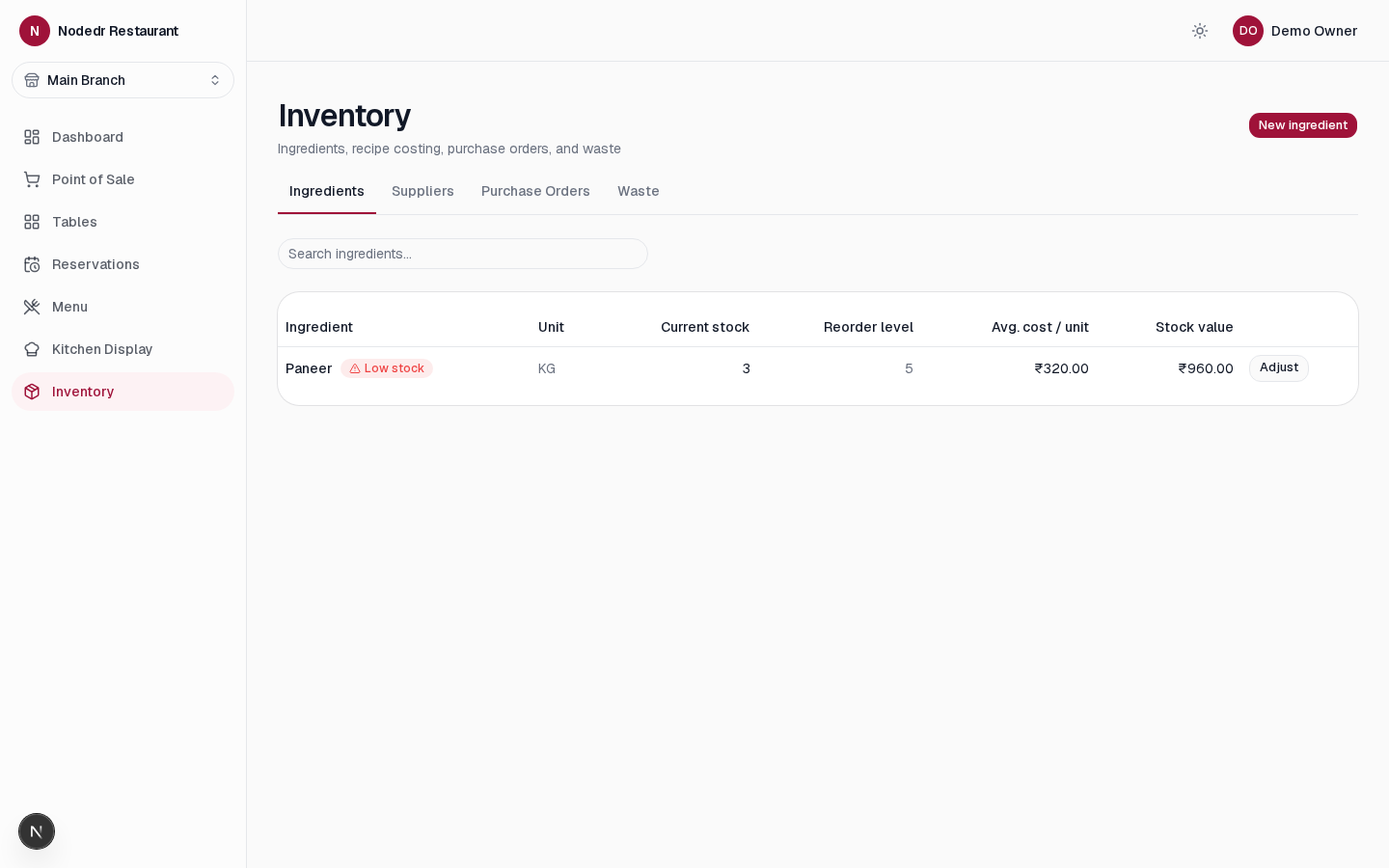
| 5 | Inventory & Store Management — ingredients, recipe costing, POs, suppliers, GRN, waste, batch/lot | ✅ |
| 6 | Procurement — vendor quotations, purchase requests/orders, invoices, supplier payments, and supplier performance | ✅ core · 🚧 returns, price variance, reorder suggestions |
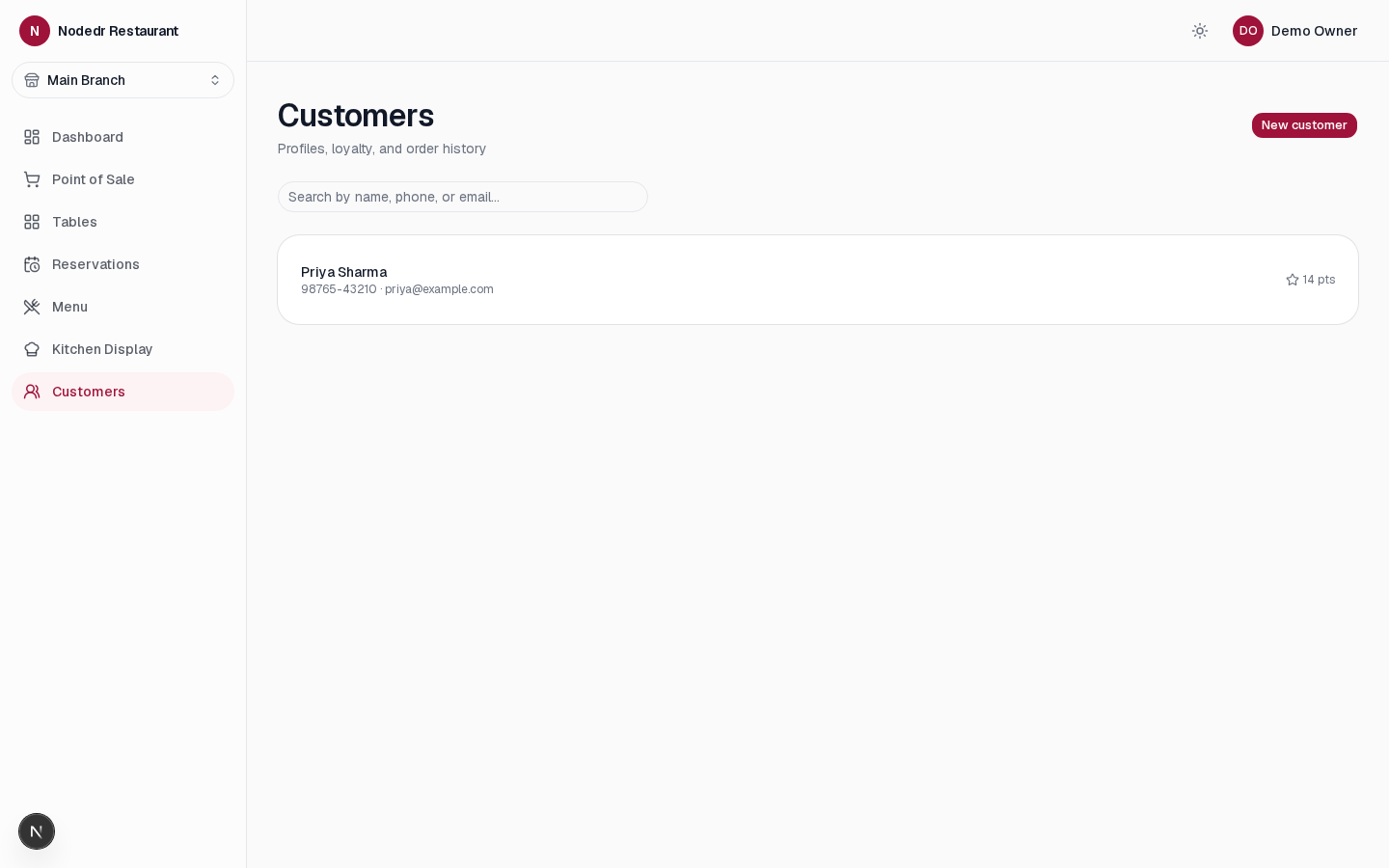
| 7 | CRM — profiles, loyalty points, memberships, gift vouchers, feedback, visit history | ✅ |
| 8 | Staff Management — accounts & roles, attendance (clock in/out), shift scheduling with clash checks, leave, payroll from clocked hours, tip pool split by hours | ✅ |
| 9 | Accounting — expenses, nightly cash close with variance, profit & loss, balance sheet, budgets vs actual, bank-statement reconciliation, tax summary by rate | ✅ |
| 10 | Delivery Management — zones by pincode, fee/minimum/ETA, driver assignment, status flow | ✅ · 🚧 live GPS, 3rd-party platforms |
| 11 | Online Ordering — QR table ordering with modifiers, call waiter, request bill, click & collect, scheduled orders | ✅ |
| 12 | Branch Management — branch switcher, cross-branch overview, branch-to-branch stock transfers | ✅ |
| 13 | Analytics — live dashboard plus 18 reports (peak hours, food cost & margins, retention…) with print, CSV, Excel and PDF export, and scheduled report emails | ✅ |
| 14 | Marketing — coupons, happy-hour discounts, email (your SMTP) / SMS / WhatsApp campaigns with opt-out | ✅ |
| 15 | Finance — daily cash closing, expenses, monthly budgets | ✅ · 🚧 petty cash, expense approvals |
| 16 | Maintenance — equipment register, service schedules with overdue flags | ✅ |
| 17 | Documents — SOPs, contracts, recipes, purchase paperwork, with file attachments (PDF, images, Office) | ✅ |
| 18 | Security — RBAC, audit log, two-factor sign-in with recovery codes, backup/restore, session expiry, PIN login | ✅ |
| 19 | Integrations — UPI QR payments with payment-received sound, customer-facing second screen, direct-USB ESC/POS printing + cash drawer, signed webhooks, SMTP email, REST/Swagger and API & MCP server | ✅ · 🚧 payment-gateway checkout, accounting & delivery-platform connectors |
| 20 | Admin Panel — restaurant/branch settings, per-branch tax regime, UPI payee, roles, permissions | ✅ |
Already shipped and running against real Docker/Postgres today: auth +
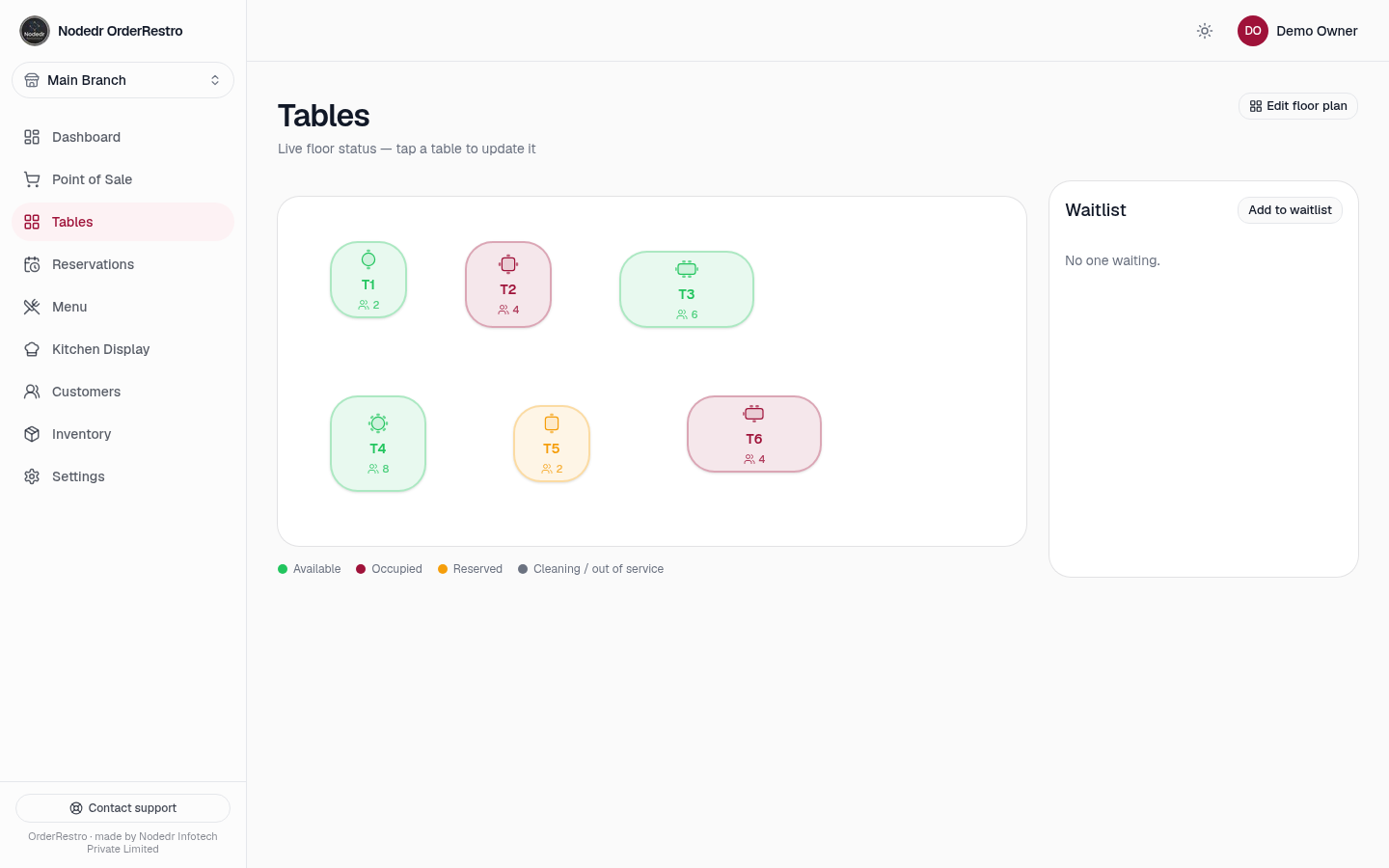
RBAC, full menu management (incl. combo meals), floor/table view with
waitlist and merge, reservations, table QR codes with a public read-only
menu view, POS order-taking with modifiers, KOT generation routed to
kitchen stations (priority/reprint/performance reporting), a live Kitchen
Display Screen, billing + checkout (tips, split-bill calculator, gift
cards, loyalty points, refunds), customer CRM, a real-time dashboard, and
inventory & store management — ingredients, weighted-average recipe
costing, suppliers, purchase orders, goods receipts with batch/lot +
expiry tracking, FIFO waste logging, and automatic ingredient deduction
on checkout (combo-aware, never blocks a sale on a stock shortfall).
Also shipped: printable receipts (opens the browser's print dialog, same
"any printer, or Save as PDF" approach as nodedr-pos),
a Settings area (restaurant + branch details, per-branch tax regime — India
GST/US Sales Tax/EU VAT/Spain IVA, tax-inclusive or -exclusive menu
pricing) and staff account management (create/deactivate staff, assign
roles) under Settings in the sidebar, photo upload on menu items, and
an English/Spanish/French language switcher on the guest-facing QR
ordering page and staff sidebar.
Why OrderRestro
- UPI-first checkout (India) — pick UPI and a QR for the exact bill amount appears at the till and on the customer-facing screen; a "payment received" chime plays when the sale is closed. No gateway fees, money goes straight to your UPI id. See the tutorial.
- Runs without the internet — one Docker Compose stack on a local server; billing, KDS and printing survive a dead WAN link.
- Your data, your server — AGPL-3.0, no per-terminal licence, no vendor lock-in. Backup and restore from the app.
- Whole-restaurant scope — POS, kitchen, inventory, payroll, accounting and reporting in one app instead of five subscriptions.
- India-ready — GST (inclusive or exclusive), UPI, ₹ formatting, plus US sales tax, EU VAT and Spanish IVA for other markets.
How to use OrderRestro
Start with the screenshot-guided tutorial for the full first-run walkthrough. It covers sign-up, setup, daily service, and the management tools with 56 screenshots of the app.
- Set up your restaurant. Create the owner account, then enter your restaurant details, branch address, currency, timezone, tax settings, and UPI payee in Settings.
- Add the menu and floor. Create categories, dishes, options and combos; add floors and tables. Add ingredients and recipes if you want stock usage and food cost tracked automatically.
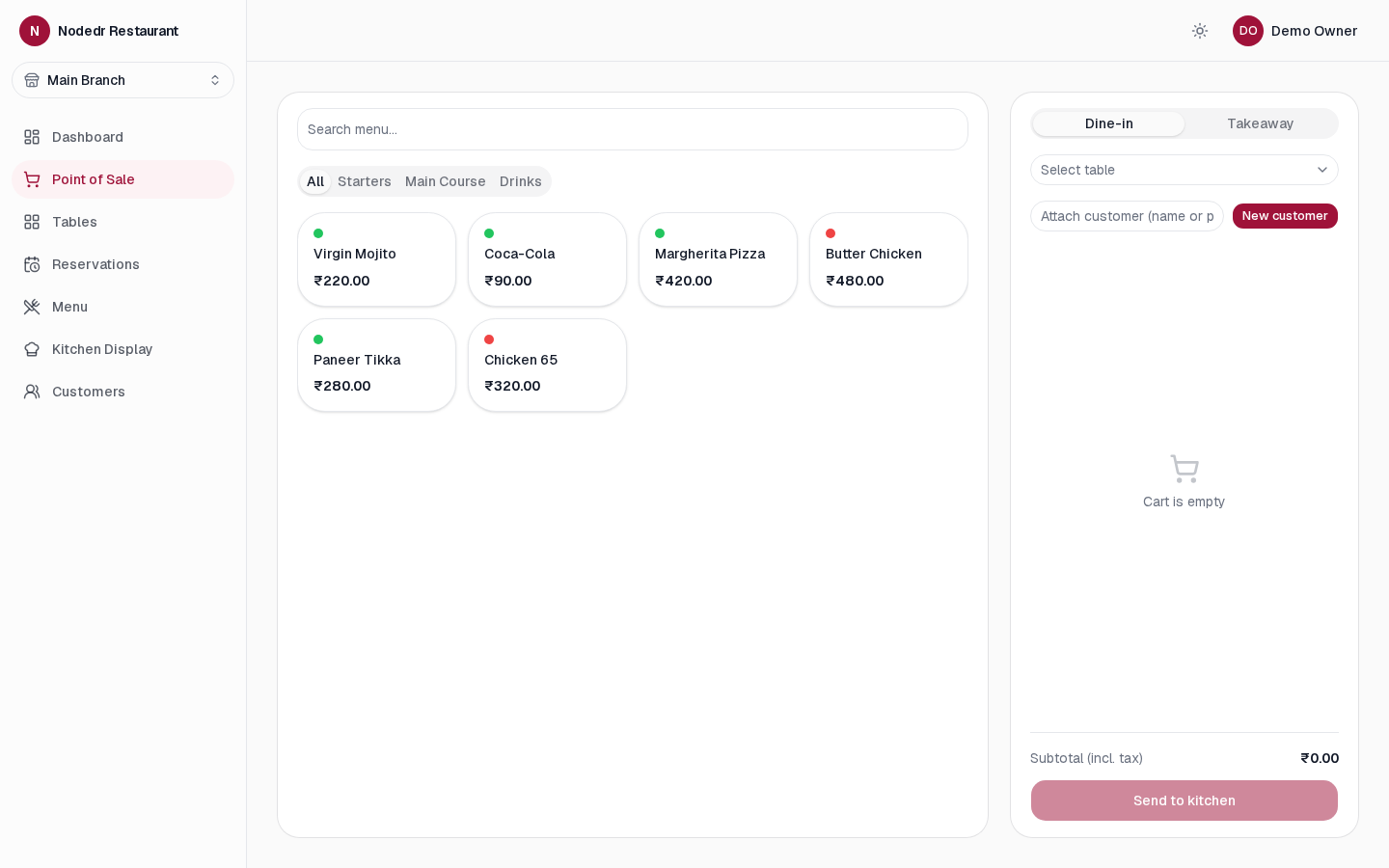
- Take an order. In Point of Sale, choose dine-in, takeaway, or delivery, add dishes and modifiers, then send the order to the kitchen.
- Prepare and collect payment. The Kitchen Display updates live. At checkout, take cash, card, or UPI; for UPI, the app shows a QR code for the exact amount. Confirm the payment in your UPI app before completing the sale.
- Run the shift. Use Tables, Reservations, Customers, Inventory, Team, and Reports to manage the floor, regulars, stock, staff, and daily close.
Open the complete tutorial → · Download the user manual
Screenshots
 |
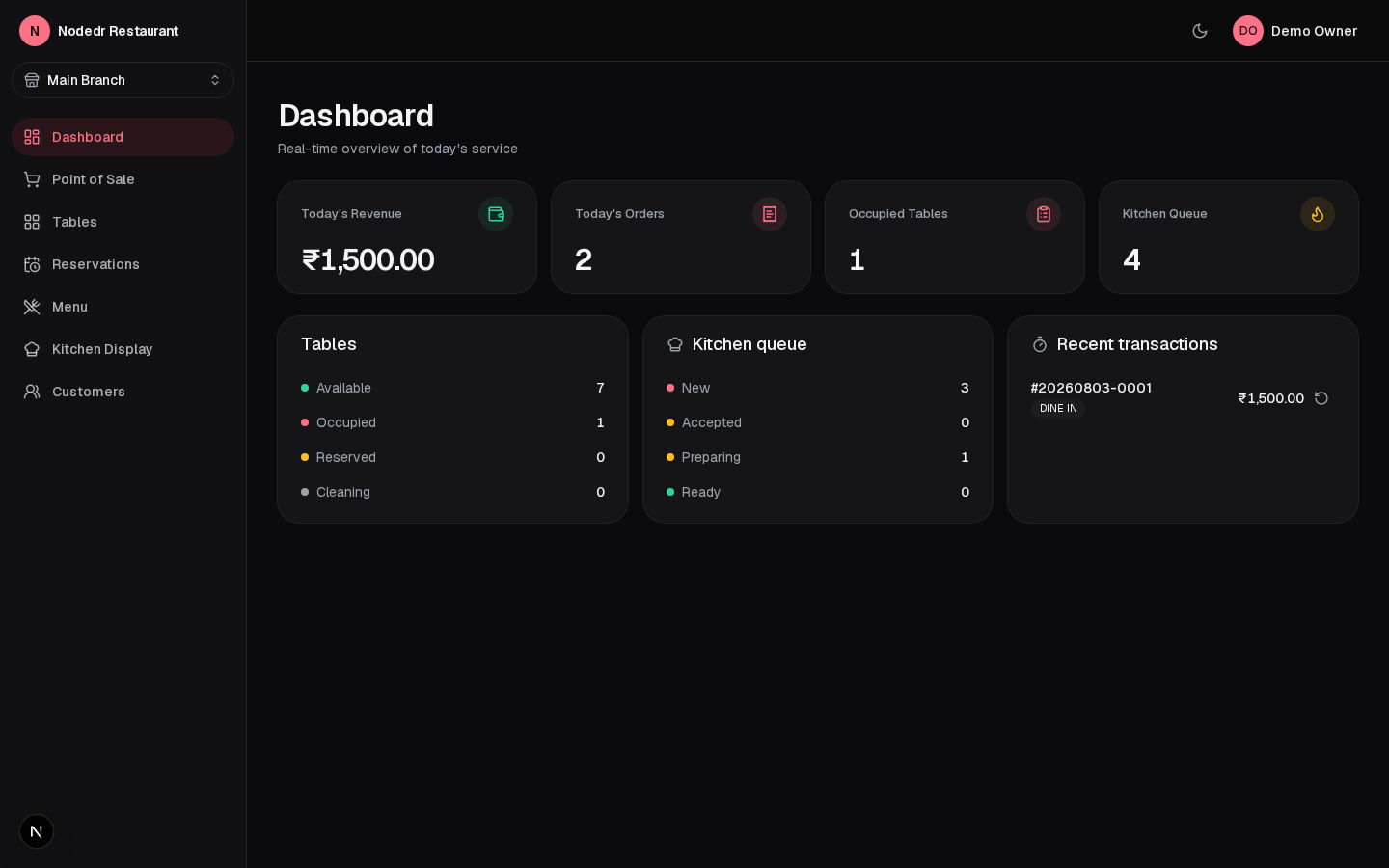 |
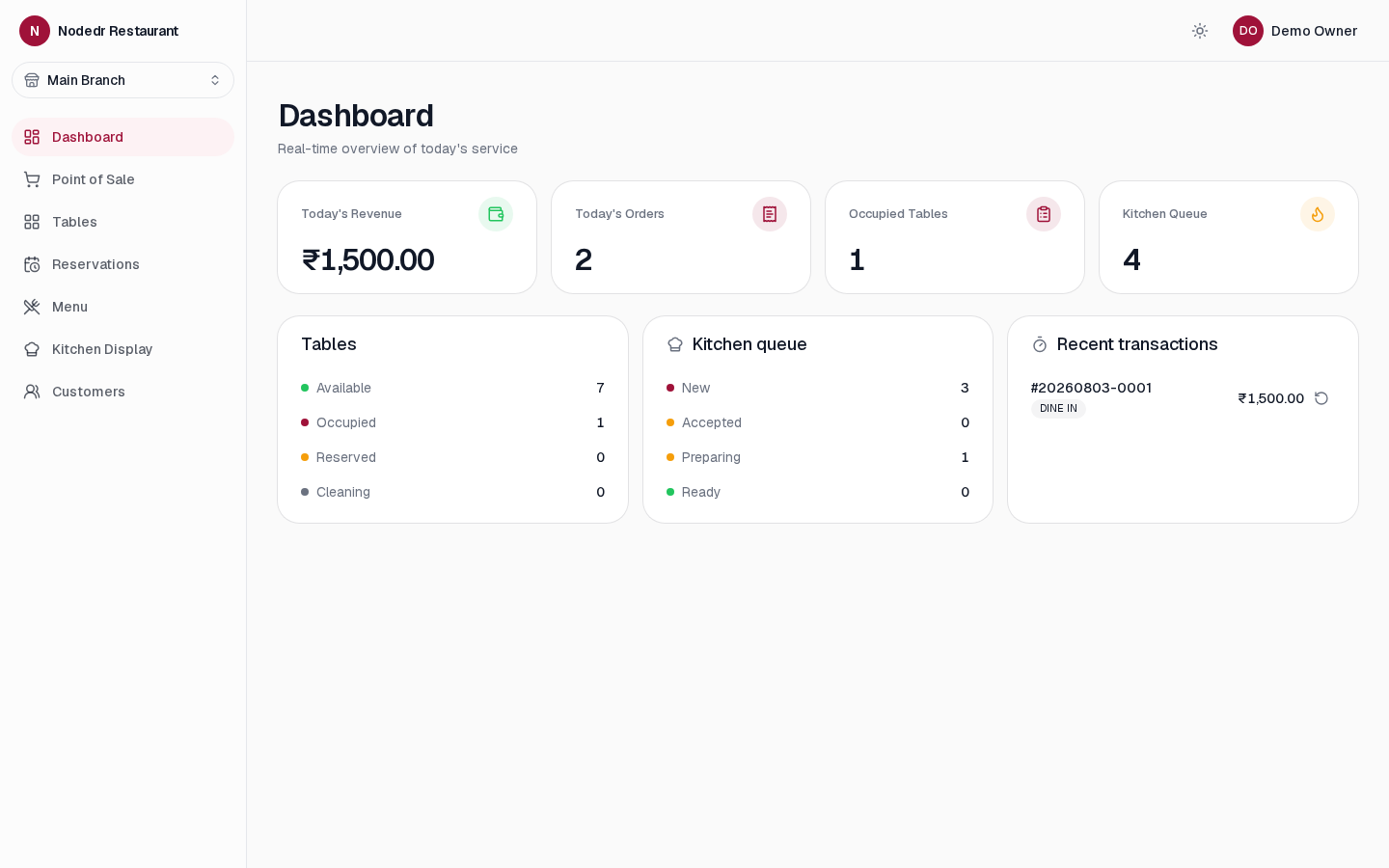
| Dashboard — light | Dashboard — dark |
 |
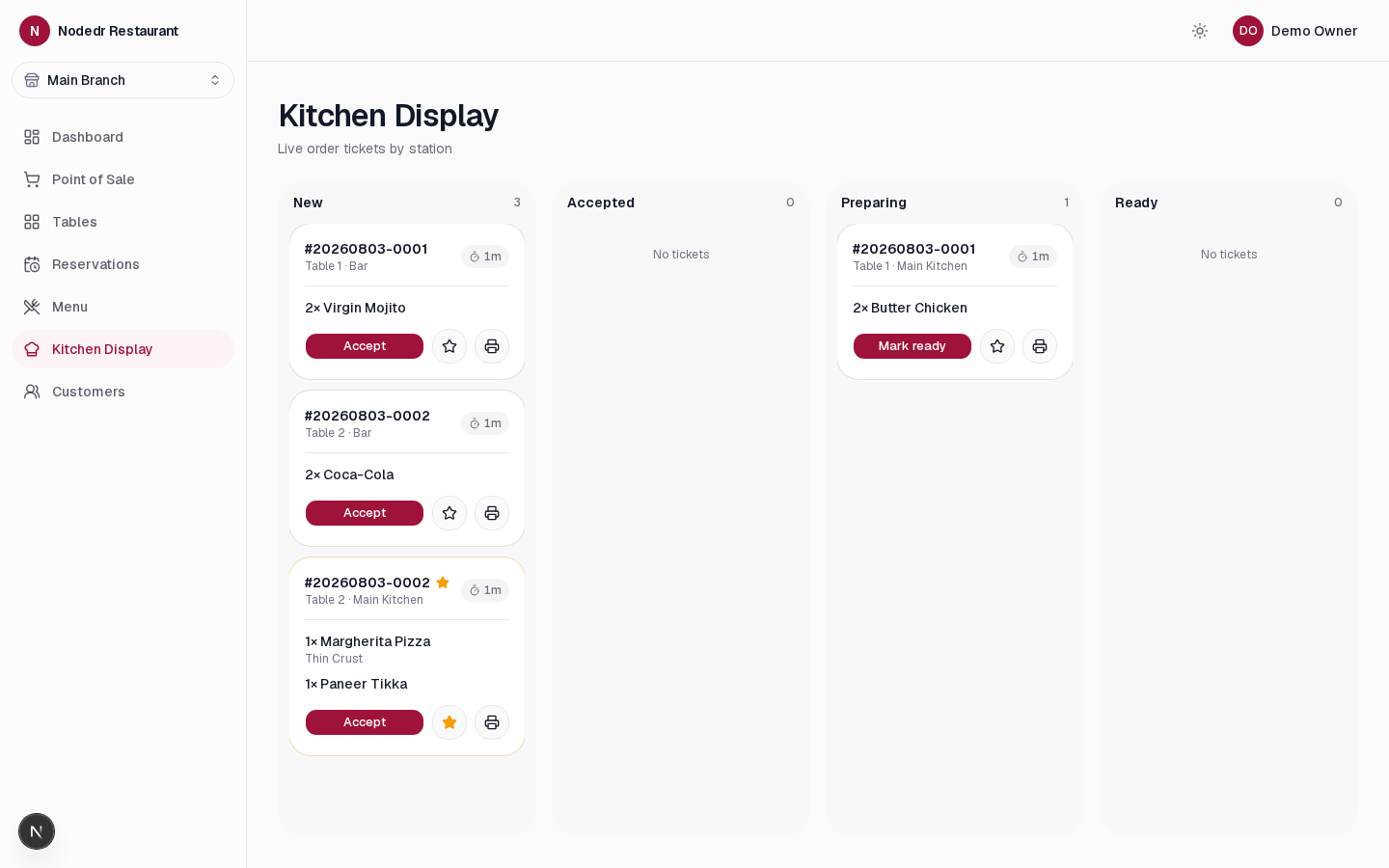 |
| Point of Sale | Kitchen Display — priority ticket, live timers |
 |
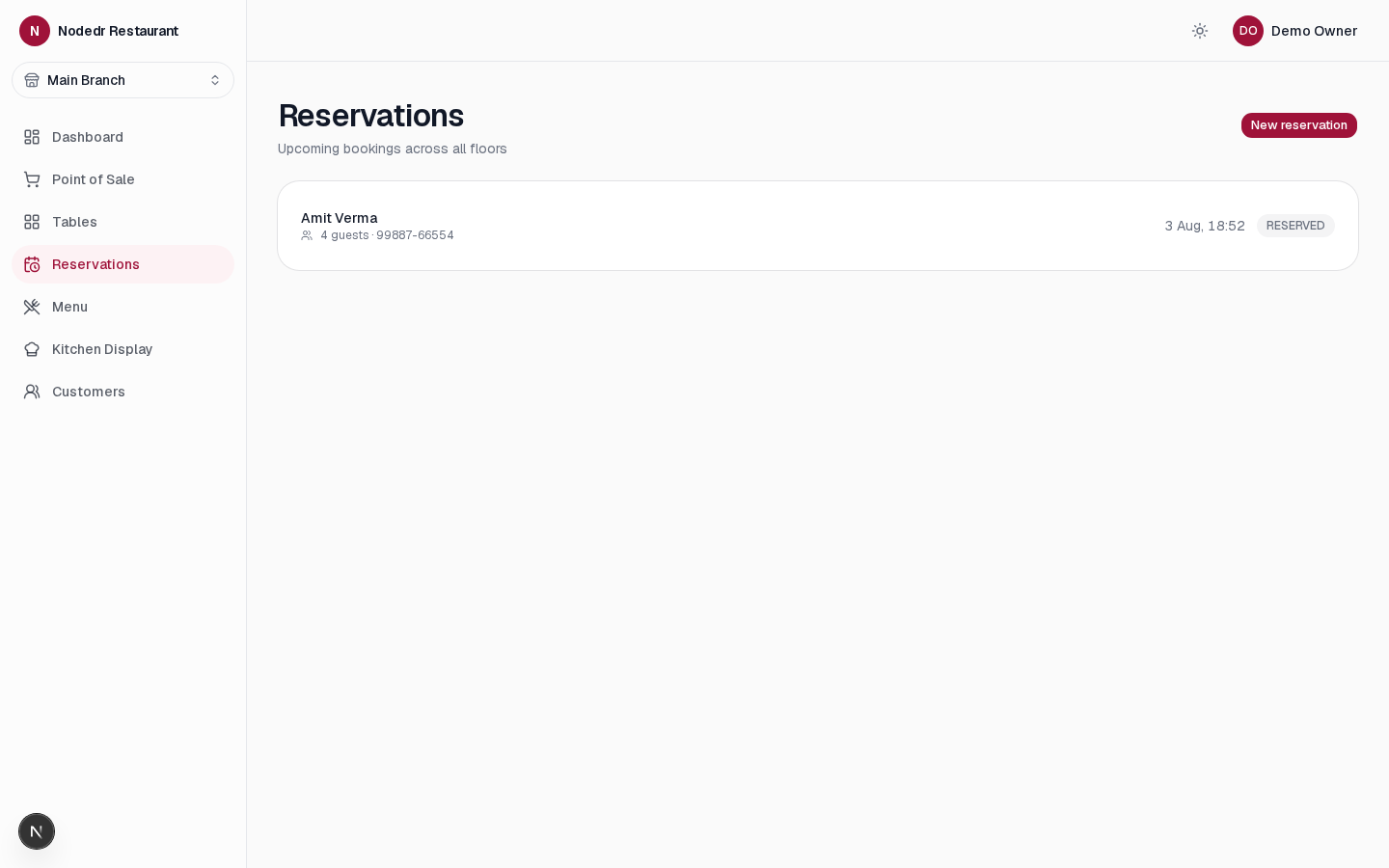 |
| Tables — floor view + waitlist | Reservations |
 |
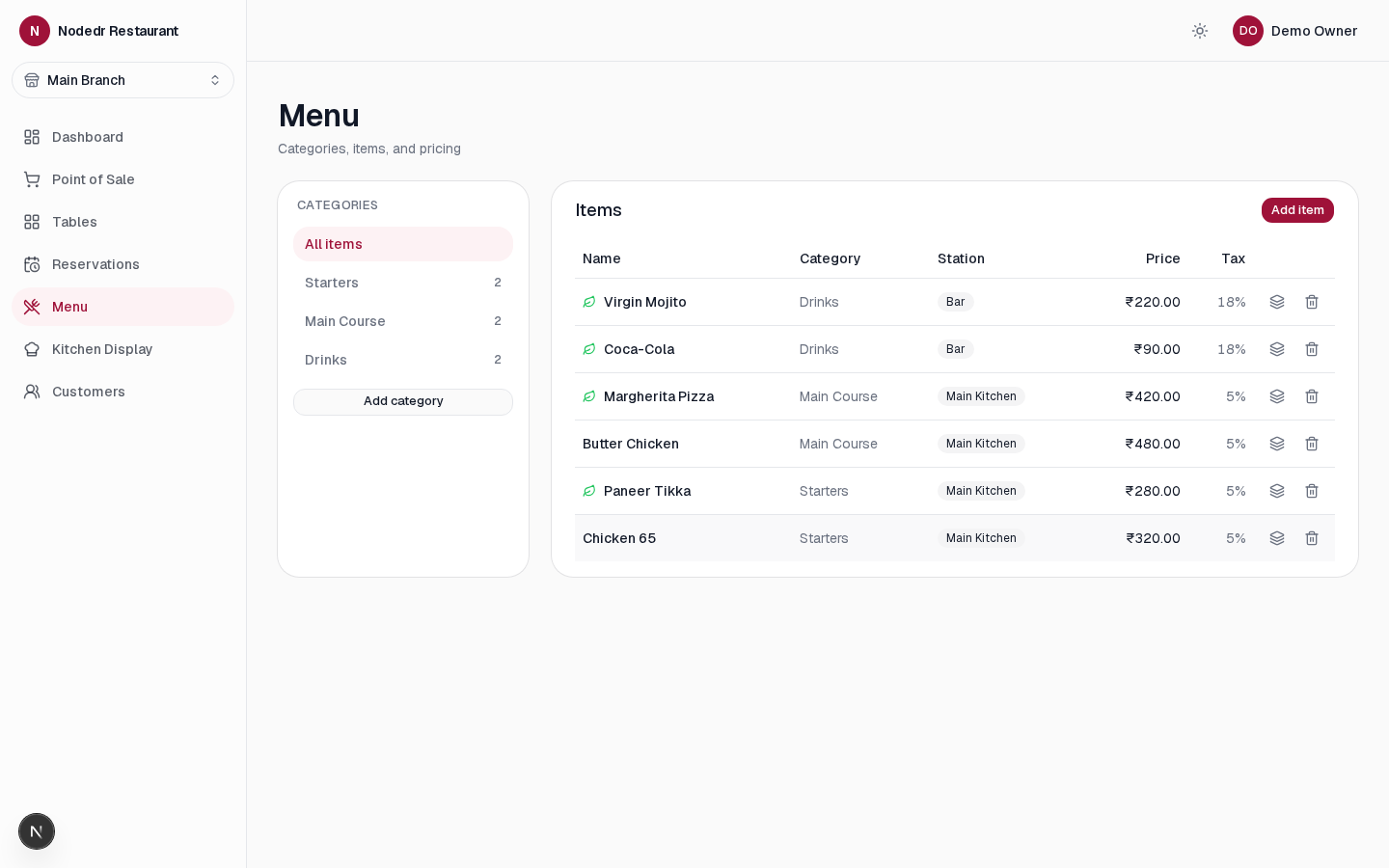 |
| Customers — CRM + loyalty | Menu management — combo builder |
 |
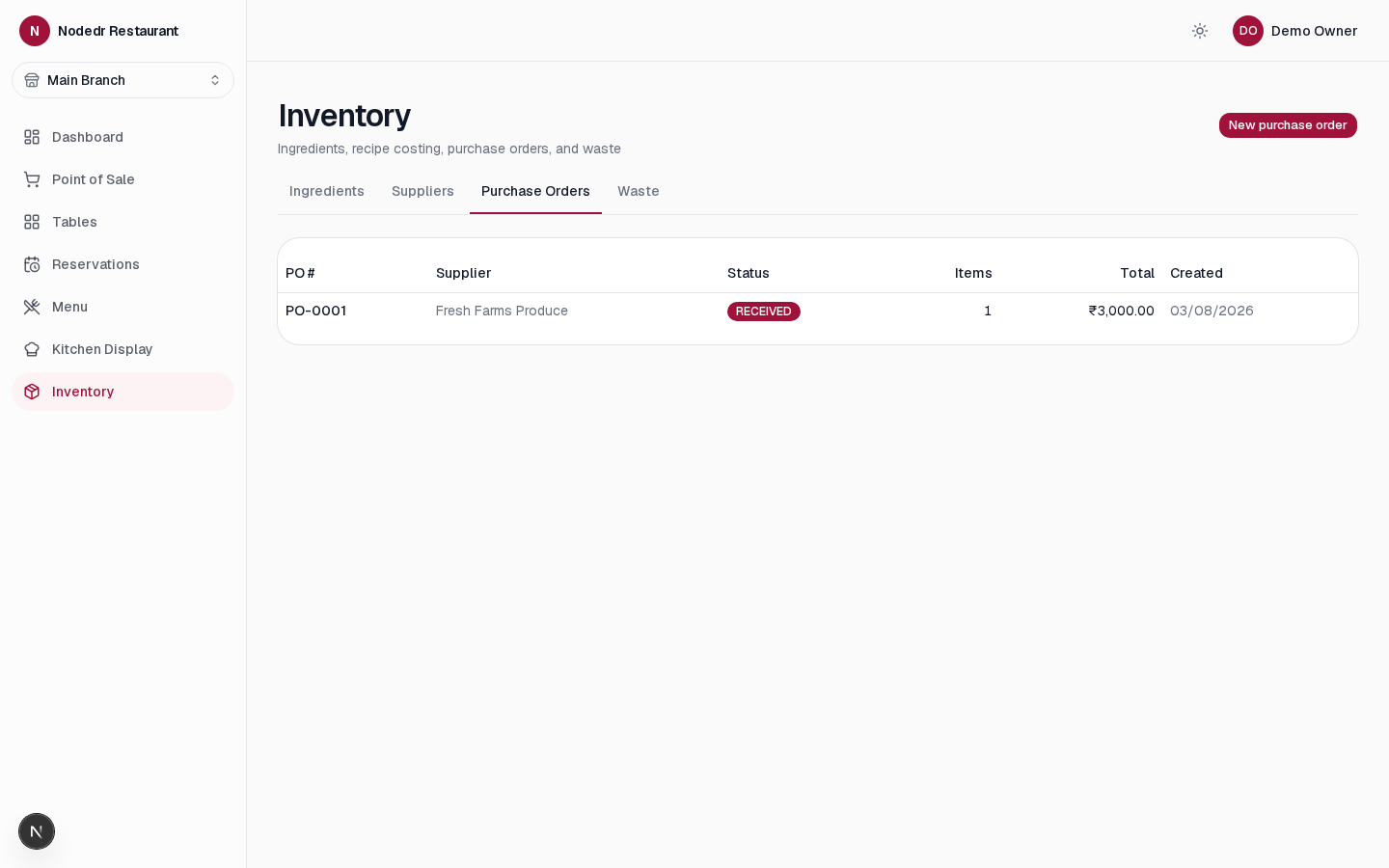 |
| Inventory — ingredients, low-stock, weighted-average cost | Purchase orders — supplier, status, total |
Mobile (390px)
FAQ
Is there a free, open-source restaurant POS I can self-host?
Yes — OrderRestro is AGPL-3.0 and installs with docker compose up, or as
a one-click app on CasaOS / ZimaOS.
Does it support UPI payments and GST billing? Yes. Add your UPI id under Settings → Restaurant; checkout then shows a scannable QR for the exact amount. GST is configured per branch, inclusive or exclusive.
Does it work offline? Order-taking, billing, the kitchen display and printing run entirely on your local server. Only optional features (email, webhooks) need internet.
Can it manage staff attendance and payroll? Yes: clock in/out, shifts, leave, payroll from clocked hours with unpaid-leave deductions, and a tip pool split by hours worked.
Can I export reports to Excel or PDF? Yes — every report exports to Excel, PDF or CSV, and can be emailed on a daily, weekly or monthly schedule through your own SMTP server.
What is not built yet? Native payment-gateway checkout, direct accounting-software and delivery-platform connectors, weighing-scale and label printers, a SQLite edition and native installers. The roadmap is explicit about what is done and what is not.
Tech stack
NestJS (API) + PostgreSQL/Prisma + Next.js (web) + Socket.IO (realtime) in
a pnpm/Turborepo monorepo. Full rationale for every choice — including why
NestJS over the plain-Express pattern its sister project uses, and why
Postgres over the originally-specced SQLite — is in
ARCHITECTURE.md.
| Layer | Choice |
|---|---|
| Monorepo | pnpm workspaces + Turborepo |
| Backend | NestJS (TypeScript), REST /api/v1, Swagger at /api/docs |
| ORM / DB | Prisma + PostgreSQL |
| Realtime | Socket.IO (NestJS gateway) — tables, KDS tickets, QR-order status |
| Frontend | Next.js (App Router) + TypeScript + Tailwind v4 |
| UI components | shadcn/ui (Base UI primitives), owned source, not a black-box dep |
| Data fetching | TanStack Query |
| Forms | React Hook Form + Zod (schemas shared with the backend via packages/types) |
| Tables | TanStack Table |
| Charts | Recharts |
| Drag & drop | dnd-kit (floor designer, KDS columns) |
| i18n | Lightweight client-side context (apps/web/lib/i18n) — English/Spanish/French so far, no routing/middleware |
| Auth | JWT (httpOnly cookie) + PIN quick-switch, optional TOTP 2FA |
| Containers | Docker + Docker Compose |
Quick start
Installing Docker
Skip this if docker --version already works. Otherwise, pick your OS:
Linux (Debian/Ubuntu/Fedora/etc. — official convenience script):
curl -fsSL https://get.docker.com | sudo sh && sudo usermod -aG docker $USER
Log out and back in (or run newgrp docker) so your user can run docker
without sudo.
macOS (via Homebrew):
brew install --cask docker
Then open the Docker.app once from Launchpad/Spotlight to finish setup and
start the Docker engine — it needs to be running before docker compose
works.
Windows 10/11 (via winget, bundled with current Windows):
winget install Docker.DockerDesktop
Reboot if prompted, accept the WSL2 backend if asked, then launch Docker
Desktop once from the Start menu. Run the install steps below from WSL2
or Git Bash (both include the bash this project's install script
needs) — plain PowerShell/cmd can't run a .sh file directly.
No hand-holding needed beyond that — all three ship Docker Compose v2 already bundled, which is all this project requires.
One-click install
git clone https://github.com/Raktim94/nodedr-restaurant-pos.git && cd nodedr-restaurant-pos && ./install.sh
install.sh generates a .env with random secrets (only if
one doesn't already exist — safe to re-run), builds the backend + web Docker
images, starts the stack, and waits for the backend to report healthy. Re-run
it any time after git pull to rebuild.
Open http://localhost:1995 and create your restaurant at /signup — no
demo data is loaded by default. To try the app with sample data instead, run
./install.sh --demo and sign in with owner@demo.local / Password123!.
The backend API and Swagger docs are reachable only through the web app's
/api proxy, not published directly to the host.
Manual install
If you'd rather run each step yourself (e.g. to set your own secrets instead of generated ones):
git clone https://github.com/Raktim94/nodedr-restaurant-pos.git
cd nodedr-restaurant-pos
cp .env.example .env        # edit JWT_SECRET / POSTGRES_PASSWORD for anything beyond local dev
docker compose up -d --build
docker exec nodedr-restaurant-backend npx ts-node prisma/seed.ts   # optional: demo data + login; upsert-based, safe to re-run
Local dev (no Docker for the apps)
Requires Node 22+, pnpm, and a local Postgres (or just run the postgres
service from Docker Compose).
pnpm install
docker compose up -d postgres
cp apps/backend/.env.example apps/backend/.env   # point DATABASE_URL at your Postgres
pnpm --filter @nodedr-restaurant/types build
cd apps/backend && npx prisma migrate dev && npx ts-node prisma/seed.ts && cd ../..
pnpm dev   # runs backend (:4001) and web (:1995) together via Turborepo
Full setup detail, coding conventions, and the PR process are in
CONTRIBUTING.md.
Updating
Docker install (one-click or manual):
git pull
./install.sh
Re-running install.sh is safe any time — it never overwrites
an existing .env or touches existing data. It rebuilds the backend + web
images and restarts the stack; the backend runs prisma migrate deploy
automatically on startup, so any new database migrations from the pull are
applied before it starts accepting traffic. If you installed manually
instead, the equivalent is:
git pull
docker compose up -d --build
Local dev (no Docker for the apps):
git pull
pnpm install
pnpm --filter @nodedr-restaurant/types build
cd apps/backend && npx prisma migrate dev && cd ../..
pnpm dev
Monorepo layout
apps/backend    NestJS API (REST /api/v1, Swagger at /api/docs, Socket.IO)
apps/web        Next.js — back-office, POS, KDS, public QR menu view
packages/types  Shared Zod schemas / TS types used by both apps
casaos/         CasaOS/ZimaOS app store manifest + assets — see casaos/README.md
docs/           Screenshots and supplementary docs
Documentation
| Doc | What's in it |
|---|---|
PROJECT.md |
Source of truth — full vision, non-negotiable principles, complete 20-module scope, current status |
ARCHITECTURE.md |
Tech-stack decisions and the reasoning behind each one |
ROADMAP.md |
Phased build plan / living TODO — checkboxes are the real status |
DESIGN_SYSTEM.md |
Visual language, tokens, type scale, component inventory, per-surface UX notes |
casaos/README.md |
CasaOS/ZimaOS one-click install, image publishing, official app store submission steps |
windows/msix/README.md |
Windows MSIX desktop client — what it is/isn't, build/validate instructions, capabilities, what's CI-verified vs. not tested on real hardware |
ACCESSIBILITY.md |
WCAG 2.1 AA target, what's implemented, testing methodology, known gaps |
COMPLIANCE-INDIA.md |
How the architecture relates to the DPDP Act 2023, IT Rules, GST invoicing, and CCPA dark-patterns guidelines |
docs/verifactu.md |
Spain VERI*FACTU: chained invoice records, QR on the 80 mm receipt and AEAT reporting. Implemented, not certified; what is and is not verified |
SECURITY-AUDIT-REPORT.md |
Full Critical/High/Medium/Low security audit findings + fixes, and Windows/MSIX Store-readiness status (what's verified vs. not tested) |
docs/KIOSK-AND-KDS.md |
Customer self-service kiosk and kitchen-display (KDS) tablet setup: URL/launch, Android notes, printer/scanner status, tests |
docs/integrations-api.md |
MCP server (for AI clients) and the public integration REST API (for an external website's backend) — auth, endpoints, examples |
Development notes
- Server-authoritative pricing — menu prices are tax-inclusive by
default (India GST/EU VAT/Spain IVA); GST/VAT is backed out, never added
on top. A branch set to
taxMode: EXCLUSIVE(the US Sales Tax preset) grosses the price up to an inclusive figure at the one conversion point intoEffectiveInclusiveUnitPrice— everything downstream (stored line totals, receipts, refunds) still works off an inclusive amount exactly as before. Seeapps/backend/src/modules/orders/pricing.tsandpackages/types/src/tax.tsfor the regime presets. - Money balances are
set, neverincrement— any running balance (loyalty points, gift card balance, wallet credit) is updated via a rounded read-modify-writeset; DB-sideincrementdrifts on Float columns over many transactions. - Shared validation — Zod schemas in
packages/typesdrive both the NestJSZodValidationPipeand the frontend'sreact-hook-formresolvers: one schema per DTO, never duplicated. - Realtime —
RealtimeGateway(Socket.IO) pushes KOT/table/order events into a per-branch room; the frontend'suseRealtimehook invalidates the matching TanStack Query caches instead of polling. - Inventory costing is weighted-average, recomputed on every goods
receipt; waste is drawn FIFO from the oldest stock batch first, so
cost-of-waste reporting reflects the batch that actually spoiled, not a
blended average. See
apps/backend/src/modules/inventory/goods-receipts.service.tsandwaste.service.ts. - Order checkout deducts ingredient stock but never blocks a sale on it
—
StockService.consumeStock(..., allowNegative: true)lets stock go negative rather than fail a paid order over a recipe-modeling gap; waste logging uses the same function withallowNegative: false, since it has no such urgency. Seeapps/backend/src/modules/inventory/stock.service.ts.
Contributing
Contributions are very welcome — this is early-stage with a lot of open
scope (see the feature table above). Start with
CONTRIBUTING.md: environment setup, the
non-negotiable conventions (money rounding, RBAC, shared schemas,
realtime), commit/PR process, and how to propose bigger architecture
changes without silently re-litigating a decision already recorded in
PROJECT.md/ARCHITECTURE.md.
This project follows the Contributor Covenant.
License
Copyright © 2026 Nodedr Infotech Private Limited and Raktim Ranjit. Licensed under the GNU Affero General Public License v3.0 (AGPL-3.0). In short: you're free to self-host, use, and modify this software for your restaurant or business. If you modify it and run that modified version as a network service for others, you must make your modified source available to those users under the same license — this keeps improvements to a self-hosted business tool in the open rather than disappearing into a closed commercial fork.
See MAINTAINERS.md for project maintainers.
Case study
Read the OrderRestro case study for the product background and design decisions.
Maintainer: Raktim Ranjit
Keywords: restaurant POS, open source restaurant management software, self-hosted POS, UPI QR payment POS, GST billing software for restaurants, kitchen display system, KDS, restaurant inventory management, restaurant payroll and attendance, café POS, cloud kitchen software, QR table ordering, offline-first POS, NestJS, Next.js, PostgreSQL, Prisma, CasaOS, ZimaOS.
📈 近 7 天 Star 趋势
🏆 排名变化趋势
📋 历史上榜记录
| 日期 | 榜单 | 排名 | 周期新增 | 总 STAR |
|---|