📄 仓库 README
在 GitHub 查看 ↗
Open Island
Why pay for a closed-source app just to monitor your coding agents?
Open-source, local-first, native macOS companion for AI coding agents.
中文 | English


Download · Quick Start · Roadmap · Contributing
What is Open Island?
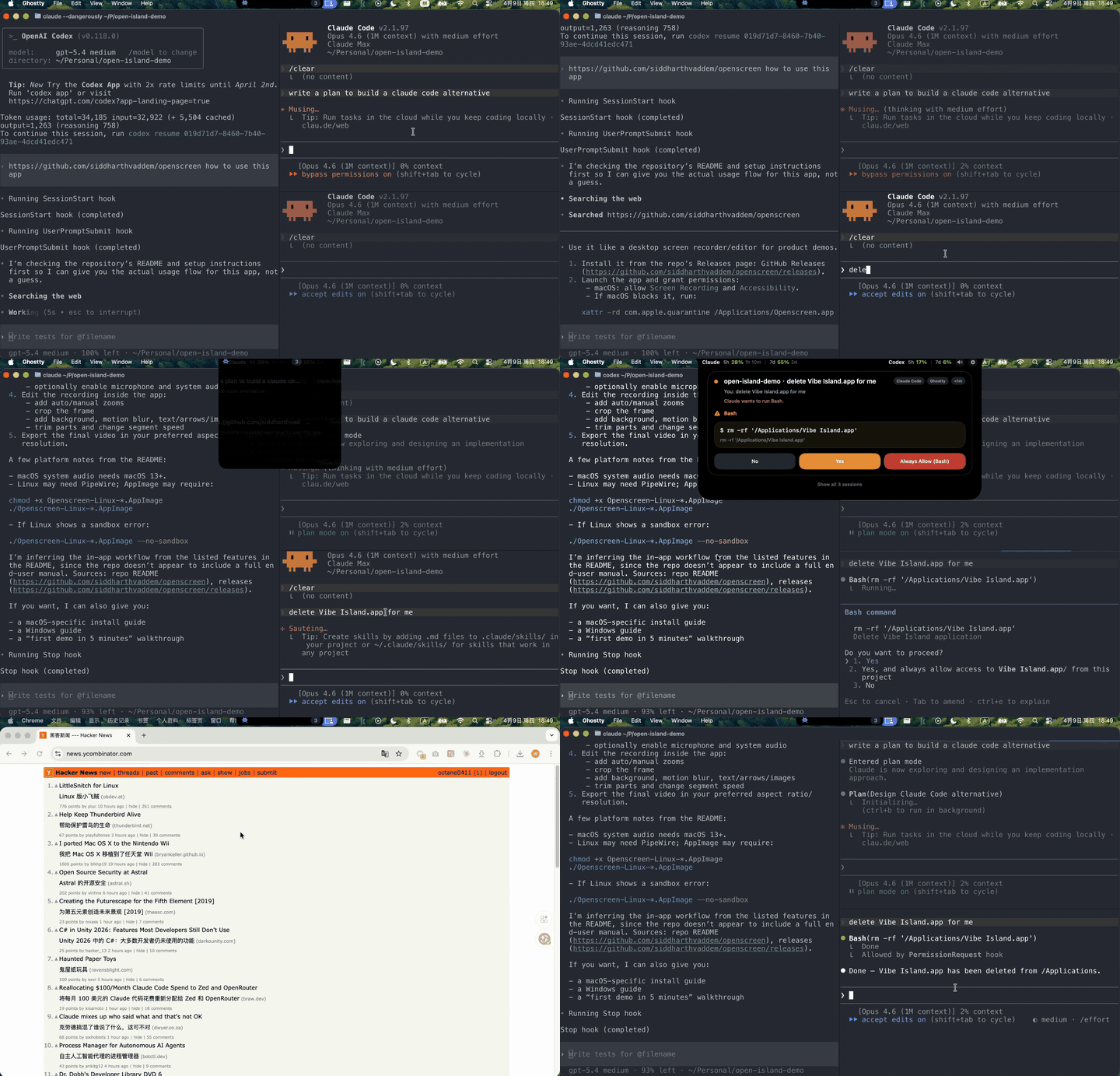
Open Island sits in your Mac's notch (or top bar) and gives you a real-time control surface for your AI coding agents — session status, permission approvals, and instant jump-back to the right terminal. All without leaving your flow.
Think of it as an open-source Vibe Island — free, local-first, and you own every bit of it.
You don't need to pay for a product you can vibe, since you are a vibe coder.
Why Open Island?
- Open source — GPL v3, fork it, mod it, ship your own version
- Local-first — No server, no telemetry, no account. Everything runs on your Mac
- Native macOS — SwiftUI + AppKit, not an Electron wrapper
- Multi-agent — One surface for Claude Code, Codex, Cursor, Gemini CLI, OpenCode, and more
- Multi-terminal — Jump back to the exact terminal/IDE session in one click
Supported Agents & Terminals
15 agents: Claude Code, Codex, Cursor, Gemini CLI, Grok Build, Kimi CLI, OpenCode, Pi, Oh My Pi, Qoder, Qwen Code, Factory, CodeBuddy, ZCode, Hermes Agent
15+ terminals & IDEs: Terminal.app, Ghostty, iTerm2, WezTerm, Zellij, tmux, cmux, Kaku, VS Code, Cursor, Windsurf, Trae, Zed, JetBrains IDEs (IDEA, WebStorm, PyCharm, GoLand, CLion, RubyMine, PhpStorm, Rider, RustRover)
Full compatibility table
### Code Agents | Agent | Status | Description | |---|---|---| | **Claude Code** | Supported | Hook integration, JSONL session discovery, status line bridge, usage tracking | | **Claude Code (Desktop App)** | Supported | Same hooks as the CLI. Claude Desktop runs Claude Code as a TTY-less subprocess invisible to process discovery, so liveness follows the running desktop app (like Codex.app); jump-back activates Claude. Usage panel is account-wide but seeded by the CLI status line — see note below | | **Codex** (CLI) | Supported | Hook integration (SessionStart, UserPromptSubmit, Stop by default; PreToolUse/PostToolUse parseable but not default), usage tracking | | **Codex Desktop App** | Supported | Hook integration + app-server JSON-RPC connection for real-time thread/turn lifecycle. Precise conversation jump via `codex://threads/` deep-link | | **OpenCode** | Supported | JS plugin integration, permission/question flows, process detection | | **Qoder** | Supported | Claude Code fork — same hook format, config at `~/.qoder/settings.json` | | **Qwen Code** | Supported | Claude Code fork — same hook format, config at `~/.qwen/settings.json` | | **Factory** | Supported | Claude Code fork — same hook format, config at `~/.factory/settings.json` | | **CodeBuddy** | Supported | Claude Code fork — same hook format, config at `~/.codebuddy/settings.json` | | **Cursor** | Supported | Hook integration via `~/.cursor/hooks.json`, session tracking, workspace jump-back | | **Gemini CLI** | Supported | Hook integration via `~/.gemini/settings.json`, session tracking, fire-and-forget events | | **Kimi CLI** | Supported | Hook integration via `~/.kimi/config.toml` `[[hooks]]`, session tracking, permission flow (reuses Claude payload) | | **Grok Build** | Supported | Hook integration via `~/.grok/hooks/open-island.json`, session tracking, terminal jump-back, fire-and-forget events (no permission round-trip yet; camelCase payload) | | **Hermes Agent** | Supported | Hook integration via `hooks:` block in `~/.hermes/config.yaml`, session tracking, turn completion cards, HITL question/approval cards (clarify / pre_approval_request), fire-and-forget | | **Pi** | Supported | TypeScript extension at `~/.pi/agent/extensions/open-island.ts`; session, prompt, tool, completion, process-discovery, persistence, and terminal jump tracking | | **Oh My Pi (OMP)** | Supported | TypeScript extension at `~/.omp/agent/extensions/open-island.ts`; the same lifecycle coverage adapted to OMP event aliases | | **ZCode** | Supported | Hook integration via `~/.zcode/cli/config.json` `hooks.events` (ZCode Desktop). Claude-compatible payload reuses the Claude decode path; lifecycle-only event set (SessionStart, UserPromptSubmit, Stop); app-process liveness like Codex.app | ### Terminals & IDEs | Terminal / IDE | Support Level | Description | |---|---|---| | **Terminal.app** | Full | Jump-back with TTY targeting | | **Ghostty** | Full | Jump-back with ID matching | | **cmux** | Full | Jump-back via Unix socket API | | **Kaku** | Full | Jump-back via CLI pane targeting | | **WezTerm** | Full | Jump-back via CLI pane targeting | | **iTerm2** | Full | Jump-back with session ID / TTY matching | | **tmux** (multiplexer) | Full | Jump-back with session/window/pane targeting | | **Zellij** | Full | Jump-back via CLI pane/tab targeting | | **VS Code** | Workspace | Activate workspace via `code` CLI | | **Cursor** | Workspace | Activate workspace via `cursor` CLI | | **Windsurf** | Workspace | Activate workspace via `windsurf` CLI | | **Trae** | Workspace | Activate workspace via `trae` CLI | | **Zed** | Workspace | Detect integrated terminal; activate app / open project folder | | **JetBrains IDEs** | Workspace | IDEA, WebStorm, PyCharm, GoLand, CLion, RubyMine, PhpStorm, Rider, RustRover | | **Warp** | Full | Precision tab jump via SQLite pane lookup + AX menu click | | **Conductor** | App | Detect via environment (`CONDUCTOR_SESSION_ID`); activate the Conductor app | ### Other Features | Feature | Description | |---|---| | Notch / top-bar overlay | Notch area on notch Macs, top-center bar on others | | Settings | Hook install/uninstall, usage dashboard | | Notification mode | Auto-height panel for permission requests and session events | | Notification sounds | Configurable system sounds, mute toggle | | i18n | English, Simplified Chinese | | Session discovery | Auto-discover from local transcripts, persist across launches | | Auto-update | Sparkle-based automatic updates | | Signed & notarized | DMG packaging with Apple notarization |Quick Start
Option 1: Download
Grab the latest DMG from GitHub Releases — signed and notarized, ready to run.
Option 2: Homebrew
brew install --cask open-island
Upgrade later with brew upgrade --cask open-island.
Option 3: Build from source
git clone https://github.com/Octane0411/open-vibe-island.git
cd open-vibe-island
open Package.swift   # Opens in Xcode — hit Run
On first launch, Open Island auto-discovers your active agent sessions and starts the live bridge. Hook installation is managed from the Settings window inside the app.
Requirements: macOS 14+, Swift 6.2, Xcode
How It Works
Agent (Claude Code / Codex / Cursor / ...)
  ↓ hook event
OpenIslandHooks CLI (stdin → Unix socket)
  ↓ JSON envelope
BridgeServer (in-app)
  ↓ state update
Notch overlay UI ← you see it here
  ↓ click
Jump back → correct terminal / IDE
Hooks fail open — if Open Island isn't running, your agents continue unaffected.
Architecture details
Four targets in one Swift package: | Target | Role | |---|---| | **OpenIslandApp** | SwiftUI + AppKit shell — menu bar, overlay panel, settings | | **OpenIslandCore** | Shared library — models, bridge transport (Unix socket IPC), hooks, session persistence | | **OpenIslandHooks** | Lightweight CLI invoked by agent hooks, forwards payloads via Unix socket | | **OpenIslandSetup** | Installer CLI for managing `~/.codex/config.toml` and hook entries | See [docs/architecture.md](https://github.com/Octane0411/open-vibe-island/blob/HEAD/docs/architecture.md) for the full system design.Community
Join us on Discord for discussion, feedback, and faster issue resolution:

We welcome issues, pull requests, and new maintainers. See CONTRIBUTING.md to get started.
WeChat group (for Chinese-speaking users)

Report a Bug via Your Code Agent
Copy this prompt into your agent (Claude Code, Codex, etc.) to auto-generate a well-structured issue:
Click to expand
I'm having an issue with Open Island (https://github.com/Octane0411/open-vibe-island).

Please help me file a GitHub issue. Do the following:

1. Collect my environment info:
   - Run `sw_vers` to get macOS version
   - Run `swift --version` to get Swift version
   - Check if Open Island is running: `ps aux | grep -i "open.island\|OpenIslandApp" | grep -v grep`
   - Get the app version: `defaults read ~/Applications/Open\ Island\ Dev.app/Contents/Info.plist CFBundleShortVersionString 2>/dev/null || echo "unknown"`
   - Check which terminal I'm using

2. Ask me to describe:
   - What I expected to happen
   - What actually happened
   - Steps to reproduce

3. Create the issue on GitHub using `gh issue create` with this format:
   - Title: concise summary
   - Body with sections: **Environment**, **Description**, **Steps to Reproduce**, **Expected vs Actual Behavior**
   - Add label "bug" if applicable

Repository: Octane0411/open-vibe-island
Star History
Contributors
Agent Parts
This section is written for agents.
The open-source macOS companion for terminal-native AI coding.
Open Island puts a lightweight control surface in your notch or top bar so you can keep an eye on live coding agents, follow session progress, and jump back to the right terminal without breaking flow.
Why This Product Exists
AI coding is becoming part of the daily development loop, but the surrounding control layer still too often means handing your machine over to a closed-source paid app.
Open Island takes the opposite approach:
- Open source
- Local first, no server dependency
- Native macOS (SwiftUI + AppKit)
- Built to support the terminal workflow, not replace it
Who It Is For
Developers who already live in the terminal and want a better way to work with coding agents on macOS without losing context.
Agent Integrations
- Codex CLI — Hook-based integration. The Codex CLI managed installer installs
SessionStart,UserPromptSubmit, andStopby default to keep the terminal workflow low-noise. Open Island can parse richer Codex hook events such asPreToolUseandPostToolUsewhen configured manually, but those events are not part of the default managed installation. Codex file edits may use internal apply-patch paths, so file-edit approval should not be treated as guaranteedPreToolUsecoverage. Reads 5-hour and 7-day account usage windows from local rollout files. Install/uninstall managed hooks from the Settings window or CLI. - Codex Desktop App — Detected via
__CFBundleIdentifier; hook sessions tagged asisCodexAppSessionso they follow desktop-app liveness (tied toNSWorkspace.shared.runningApplicationsrather than the CLI subprocess that exits after each turn). In addition to hooks, Open Island launches its owncodex app-serversubprocess and speaks JSON-RPC over stdio to receive livethread/started,turn/started,turn/completed, andthread/closednotifications. Clicking a session opens the exact conversation via thecodex://threads/<id>URL scheme. - Claude Code — Hook-based integration via
~/.claude/settings.json. Discovers sessions from~/.claude/projects/JSONL transcripts. Persists and restores sessions across app launches. Managed status line bridge with opt-in installation. Reads cached 5-hour and 7-day usage windows. - Claude Code (Desktop App) — The Claude desktop app runs Claude Code in its "local agent mode" as a TTY-less subprocess that
ps/lsofprocess discovery cannot see. Detected viaCLAUDE_CODE_ENTRYPOINT=claude-desktop(with__CFBundleIdentifier=com.anthropic.claudefordesktopas a fallback) and tagged with aClaude.appjump target so liveness follows the running desktop app (NSWorkspace.shared.runningApplications) instead of the missing terminal process. Without this, the hook-managed liveness fallback evicted the session ~6 seconds after it appeared (#510). Clicking a session activates Claude. Usage caveat: the 5h/7d usage panel is fed by Claude Code's terminal status line, which Claude Desktop's headlessstream-jsonmode never renders — so Desktop sessions do not update it on their own, and Claude does not persist the rate-limit windows to a readable file. Because the limits are account-wide, running an interactiveclaudein a terminal occasionally seeds the cache and the panel then reflects total usage (including what Desktop consumed). Native Desktop usage (without a CLI session) needs a separate data source and is tracked as a follow-up. - OpenCode — JS plugin integration via
~/.config/opencode/plugins/. Plugin auto-installed on first launch. Receives session lifecycle, tool use, permission, and question events. Permission approval and question answering flows supported. Process detection viaps. - Qoder — Claude Code fork. Same hook format and events via
~/.qoder/settings.json. Use--source qoderwith the hooks binary. - Qwen Code — Claude Code fork. Same hook format and events via
~/.qwen/settings.json. Use--source qwenwith the hooks binary. - Factory — Claude Code fork. Same hook format and events via
~/.factory/settings.json. Use--source factorywith the hooks binary. - CodeBuddy — Claude Code fork. Same hook format and events via
~/.codebuddy/settings.json. Use--source codebuddywith the hooks binary. - Cursor — Hook-based integration via
~/.cursor/hooks.json. ReceivesbeforeSubmitPrompt,beforeShellExecution,beforeMCPExecution,beforeReadFile,afterFileEdit, andstopevents. Session persistence across app launches. Workspace jump-back viacursor -r. Use--source cursorwith the hooks binary. - Gemini CLI — Hook-based integration via
~/.gemini/settings.json. ReceivesSessionStart,PreToolUse,PostToolUse,Stop, andUserPromptSubmitevents. Fire-and-forget (no block/deny). Use--source geminiwith the hooks binary. - Kimi CLI — Hook-based integration via
~/.kimi/config.toml[[hooks]]array (Moonshot AI). Kimi's hook payload is byte-compatible with Claude Code, so Open Island reuses the Claude decode path and adds a dedicated TOML installer. Subscribes toSessionStart,UserPromptSubmit,Stop,Notification,PreToolUse, andPostToolUse. Requires the Kimi CLI Hooks Beta. Use--source kimiwith the hooks binary. Manage installation from the Settings window, or via CLI:
sh
  swift run OpenIslandSetup installKimi    # write [[hooks]] entries into ~/.kimi/config.toml
  swift run OpenIslandSetup statusKimi     # report whether managed hooks are present
  swift run OpenIslandSetup uninstallKimi  # remove managed entries, preserve user-authored [[hooks]]
- Grok Build — Hook-based integration via
~/.grok/hooks/open-island.json(xAI Grok CLI / TUI). Grok emits camelCase hook envelopes (sessionId,hookEventName,toolResult) and accepts PascalCase or snake_case event names. Open Island uses a dedicated--source grokpath for decode + lifecycle mapping (session visibility, activity, turn completion, terminal jump-back). Managed install registers the full supported lifecycle event set; tool events are observation-only (no PreToolUse blocking yet). Settings reports installed only when every required event is present with an Open Island command (Vibe Island hooks do not count). Manage installation from the Settings window, or via CLI:
sh
  swift run OpenIslandSetup installGrok    # write ~/.grok/hooks/open-island.json
  swift run OpenIslandSetup statusGrok     # report whether managed hooks are present
  swift run OpenIslandSetup uninstallGrok  # remove managed open-island.json + manifest
- ZCode — Hook-based integration via the top-level
hooksblock of~/.zcode/cli/config.json(ZCode Desktop,ZCode.app). ZCode's hook payloads are Claude Code compatible on stdin (snake_casehook_event_name,session_id,cwd,Stopcarrieslast_assistant_message), so Open Island reuses the Claude decode path behind a dedicated--source zcodeentry. The managed v1 install registers the low-noise lifecycle set (SessionStart,UserPromptSubmit,Stop) and setshooks.enabled: true, because ZCode configuration-file hooks are disabled by default; user-authored hook entries in the same file are preserved. ZCode is an Electron app: all sessions share one app process, so liveness follows the running app (same shape as Codex.app) rather than per-session TTY tracking, and jump-back activates ZCode. Usage tracking and permission round-trips are not covered in v1. Manage installation from the Settings window, or via CLI:
``sh
  swift run OpenIslandSetup installZcode    # write managed events into ~/.zcode/cli/config.json
  swift run OpenIslandSetup statusZcode     # report whether managed hooks are present
  swift run OpenIslandSetup uninstallZcode  # remove managed entries, preserve user-authored hooks
- **Hermes Agent** — Hook-based integration via thehooks:block in~/.hermes/config.yaml(Hermes Agent CLI / gateway). Hermes runs shell hooks as subprocesses (shlex.split,shell=False) with a JSON payload on stdin. Open Island uses a dedicated--source hermespath for decode + lifecycle mapping: session visibility, turn completion cards frompost_llm_call(extra.user_message/extra.assistant_response), and human-in-the-loop interception — apre_tool_callon theclarifytool surfaces the question card (.waitingForAnswer) andpre_approval_requestsurfaces the approval card (.waitingForApproval). Managed install appends one entry per supported event and preserves user-authored hooks (with a per-(event, command)first-use consent, orhooks_auto_accept: true). Non-TTY runs (gateway, cron, CI) cannot show that consent prompt, so freshly installed hooks stay unregistered there until they are allowlisted — approve once from an interactive CLI, or sethooks_auto_accept: true(HERMES_ACCEPT_HOOKS=1/--accept-hooks` work too). Fire-and-forget: the hook never writes to stdout. Manage installation from the Settings window, or via CLI:
sh
  swift run OpenIslandSetup installHermes    # write hooks block into ~/.hermes/config.yaml
  swift run OpenIslandSetup statusHermes     # report whether managed hooks are present
  swift run OpenIslandSetup uninstallHermes  # remove managed entries, preserve user-authored hooks
Terminal Support
- Terminal.app, Ghostty, cmux, Kaku, WezTerm, iTerm2, and Zellij — Full jump-back support with session attachment matching (cmux via Unix socket API, Kaku/WezTerm/Zellij via CLI pane targeting, iTerm2 via AppleScript session/TTY probe)
- VS Code, VS Code Insiders, Cursor, Windsurf, Trae, Zed — Workspace-level jump via respective CLI / app activation (
code -r,cursor -r, Zed app, etc.) - JetBrains IDEs (IntelliJ IDEA, WebStorm, PyCharm, GoLand, CLion, RubyMine, PhpStorm, Rider, RustRover) — Workspace-level jump via IDE CLI launcher
- Warp — Precision tab jump via SQLite pane lookup, pid-based sibling-tab disambiguation, and AX menu click
- Conductor (conductor.build) — App-level jump: Conductor runs each agent as a headless, TTY-less subprocess, so its sessions are recognized via Conductor's environment (
CONDUCTOR_SESSION_ID/__CFBundleIdentifier) rather than a terminal, and jump-back brings the Conductor app forward
UI & Display
- Notch overlay — On Macs with a built-in notch, the island sits in the notch area; on external displays or non-notch Macs, it falls back to a compact top-center bar
- Settings — Hook install/uninstall, Codex/Claude usage dashboard, General, Display, Sound, Shortcuts, Lab (advanced), About
- Notification mode — Auto-height notification panel for permission requests and session events
- Notification sounds — Configurable system sounds (default: Bottle) with mute toggle
- i18n — English and Simplified Chinese
Session Management
- Live session visibility with expandable detail rows
- Session state reducer (
SessionState.apply) as single source of truth - Automatic session discovery from local transcript files and cache
- Process discovery via
ps/lsoffor active agent matching
Architecture
Four targets in one Swift package:
| Target | Role |
|---|---|
| OpenIslandApp | SwiftUI + AppKit shell — menu bar, overlay panel, settings |
| OpenIslandCore | Shared library — models, bridge transport (Unix socket IPC), hooks, session persistence |
| OpenIslandHooks | Lightweight CLI invoked by agent hooks, forwards payloads via Unix socket |
| OpenIslandSetup | Installer CLI for managing ~/.codex/config.toml and hook entries |
Quick Start (Agent)
Build and run locally:
open Package.swift
Build a local .app bundle:
zsh scripts/package-app.sh
That script creates output/package/Open Island.app and output/package/Open Island.zip. Pass OPEN_ISLAND_SIGN_IDENTITY to sign the bundle. See docs/packaging.md for the full path, including notarization.
Connect Codex
Open the package in Xcode to run the macOS app target. On launch, the app restores its local cache, scans recent ~/.codex/sessions/**/rollout-*.jsonl files for existing Codex sessions, and starts the live bridge for new hook events.
The Settings window shows live Codex hook install status from ~/.codex, and can install or uninstall managed hook entries directly. Installs copy the helper into ~/Library/Application Support/OpenIsland/bin/OpenIslandHooks so repo renames do not break existing hooks.
swift build -c release --product OpenIslandHooks
swift run OpenIslandSetup install
swift run OpenIslandSetup status
swift run OpenIslandSetup uninstall
Connect Claude Code
Claude usage setup is available from the app's Settings window and remains opt-in. The bridge writes a managed statusLine.command to ~/.open-island/bin/open-island-statusline, caches rate_limits into /tmp/open-island-rl.json, and refuses to overwrite an existing custom status line automatically.
Repository Map
- Start with docs/index.md for the current doc map.
- Read docs/quality.md for the quality baseline and verification approach.
- Read docs/hooks.md for all supported hook events, payload fields, and directive response formats.
- Run
scripts/harness.shfor automated checks (docs validation, tests, build).
Requirements
- macOS 14+
- Swift 6.2
- Xcode (for the app target)
License
📈 近 7 天 Star 趋势
🏆 排名变化趋势
📋 历史上榜记录
| 日期 | 榜单 | 排名 | 周期新增 | 总 STAR |
|---|