用一套 Flutter 代码库同时覆盖手机、平板、桌面、电视和浏览器,可连接 Jellyfin、Emby、Plex 与 Silo 四类媒体服务器。手机端含 Android 与 iOS,桌面端含 Windows、macOS、Linux,大屏含 Android TV、Fire TV 与 Apple TV,另有网页版,装好后各屏幕共用同一套界面逻辑。定位是让拥有多台设备的用户获得可定制的现代化播放体验:同一个片库在电视、手机和浏览器之间切换时不必分别安装形态不同的客户端。对已经在用 Jellyfin 或 Emby 自建媒体库的人来说,价值在于跨端一致性,而不是新增服务端功能。文档按平台列出下载入口,没有展开更多配置说明,实际能力需对照各平台版本。以 GPL-3.0 发布,二次分发需沿用同一许可。
📄 仓库 README
在 GitHub 查看 ↗Moonfin
Premium Jellyfin, Emby, Plex & Silo client for mobile, tablet, desktop, TV, and web





Moonfin is a media client for Jellyfin, Emby, Plex and Silo servers, built with Flutter. One shared codebase powers phones and tablets, Windows, macOS, and Linux, Android TV, Fire TV, and Apple TV, and the browser. It's made for people who want a modern, customizable experience on every screen they own.
Where to get it
| Platform | Download |
|---|---|
| Android Mobile / TV |   |
| Fire TV |  |
| iOS |  |
| Linux |    |
| macOS |  |
| tvOS | |
| Windows |    or winget install Moonfin.Moonfin |
Supported Servers
| Server | Minimum Version | Status |
|---|---|---|
| Jellyfin | 10.8.0+ | Full support |
| Emby | 4.8.0.0+ | Full support (the admin panel needs 4.9+) |
| Plex | Plex Media Server 1.43+ | Supported. Moonbase features need the Moonbase for Plex companion |
| Silo | API v2 (api_major 2) |
Supported through Silo's native API, see below |
Silo
Moonfin talks to Silo through its native API (/api/v2), not its Jellyfin-compatible service. Add the server by its native address, which is port 8090 with Silo's Docker Compose setup or 8080 without Docker. If you enter the Jellyfin-compatible address on port 8096, Moonfin offers to connect to Silo directly, or you can keep it as a Jellyfin server. Silo servers on your local network also show up under Discovered Servers, except on web.
Sign-in with a password or a code, Home, libraries, search, favorites, watched state, ratings, collections, playback, skip intro and credits, trickplay, household profiles with their PINs, and downloads with offline progress sync all work.
Requests use Silo's own requests feature in place of Seerr, and Watch Parties use Silo's own watch party rooms. Settings sync, admin defaults, server messages, custom themes and MDBList and TMDB ratings need Moonbase for Silo, installed from Plugins > Catalog in Silo's admin pages.
Live TV and DVR, music, playlists, remote control of other devices, the server admin panel (Silo's is in its web app) and retro games aren't available on Silo, so Moonfin hides them while a Silo server is active. Books, audiobooks, 4K requests and Silo's server-side download subscriptions aren't supported yet.
If a Silo server has a newer API than your version of Moonfin, Moonfin won't connect to it and asks you to update Moonfin.
Platform Support
| Platform | Minimum Version | Status |
|---|---|---|
| Android | 7.0 (API 24) | Full support |
| Android TV / Google TV | Android 7.0 (API 24) | Full support |
| Fire TV | Fire OS 6 | Full support |
| iOS | 18.0 | Full support |
| Apple TV (tvOS) | 18.0 | Full support |
| macOS | 15.0 (Sequoia) | Full support |
| Windows | 10 (x64 and ARM64) | Full support |
| Linux | Ubuntu 24.04, Debian 13, Fedora 39, or any distro with glibc 2.38. Older ones like Raspberry Pi OS Bookworm can use Flathub | Full support (Wayland and X11) |
| Web | Modern browsers (installable PWA) | Full support |
Android TV, Fire TV, and Apple TV ship from this same codebase with a TV-tuned interface and D-pad navigation. Fire TV runs the same native backend as Android TV. Web runs as an installable PWA through the Moonbase server plugin.
Features
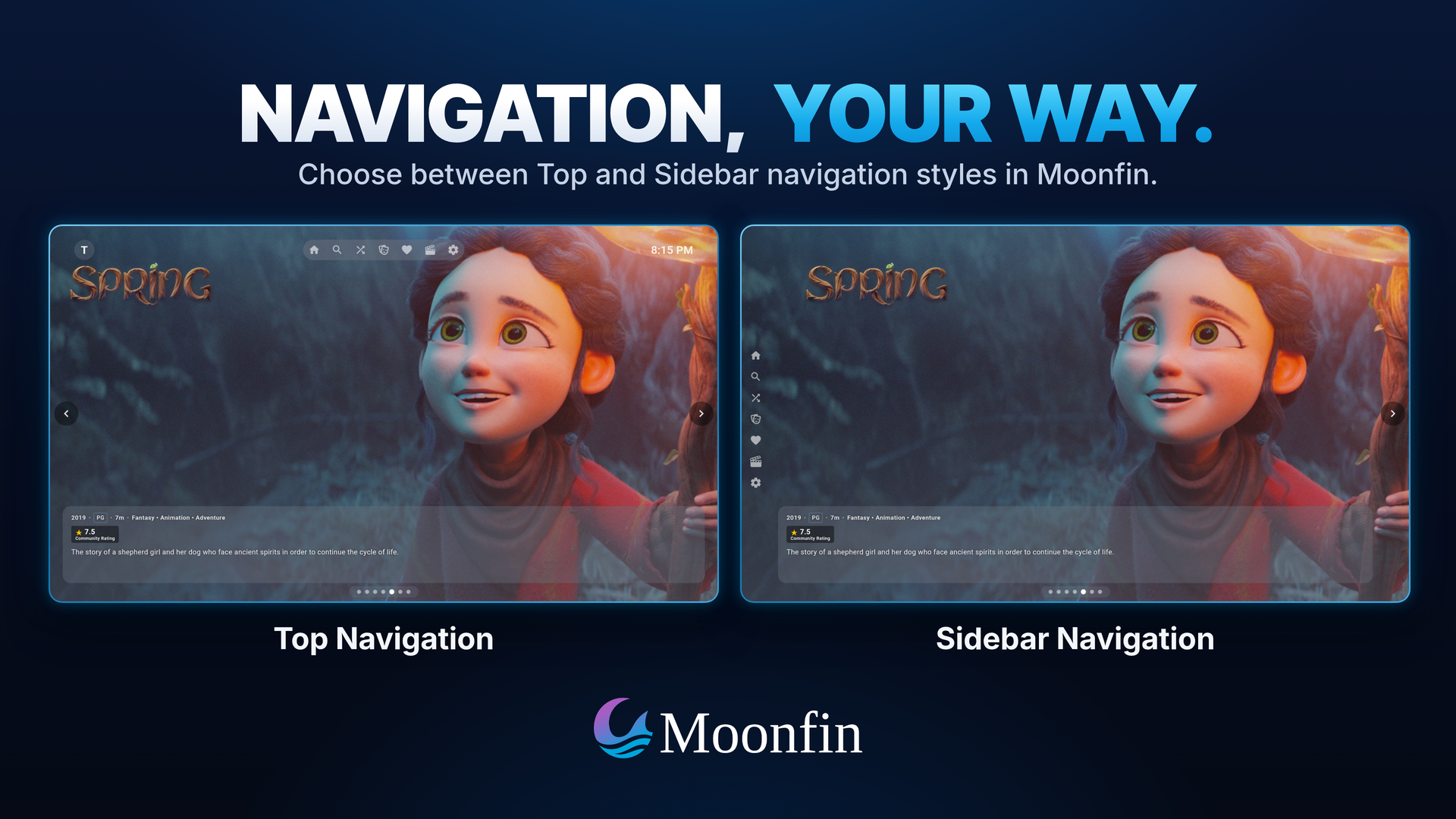
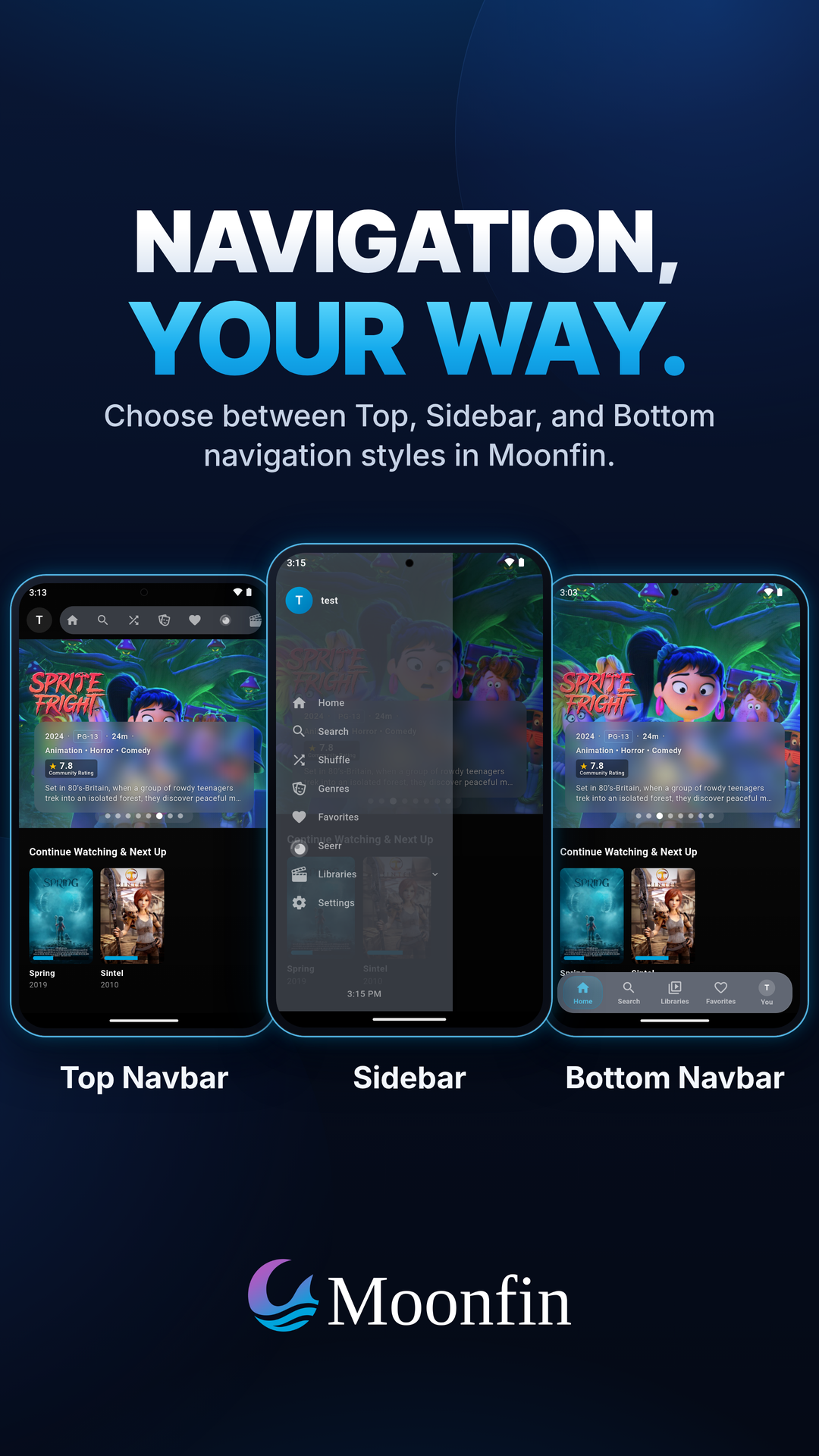
- One codebase, every screen. Phones, tablets, desktop, Android TV, Apple TV, and web, with navigation tuned for touch, pointer, and remote.
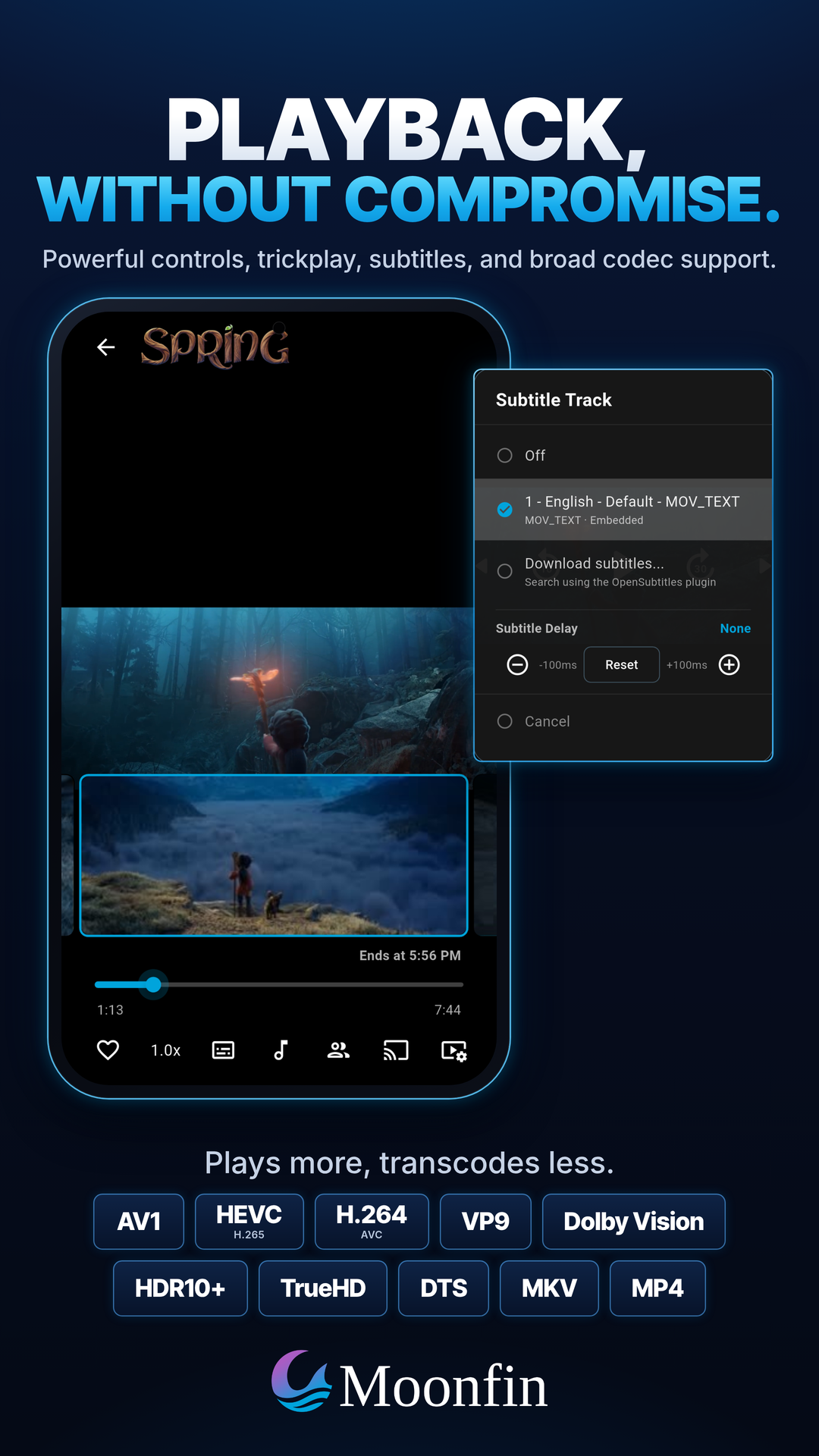
- Playback that just works. Wide codec support including AV1, HEVC, Dolby Vision, Dolby Atmos, HDR10+, and audio passthrough. Dolby Vision Profile 7 direct plays on Apple and Android TV, converted in real time instead of transcoded, with most of a FEL file's enhancement layer kept on Apple devices, and Windows can send HDR to the display untouched. Two subtitle tracks can show at once on every player. See Playback and Codecs.
- A mini player on desktop that keeps the video playing in a bar along the bottom while you browse.
- Offline downloads in original or smaller server-transcoded quality, with automatic folder organization, offline subtitles, automatic downloads of new episodes for the series you follow, and Smart downloads on phones and tablets that keep the next episodes of a show downloaded and clear them once watched. See Downloads.
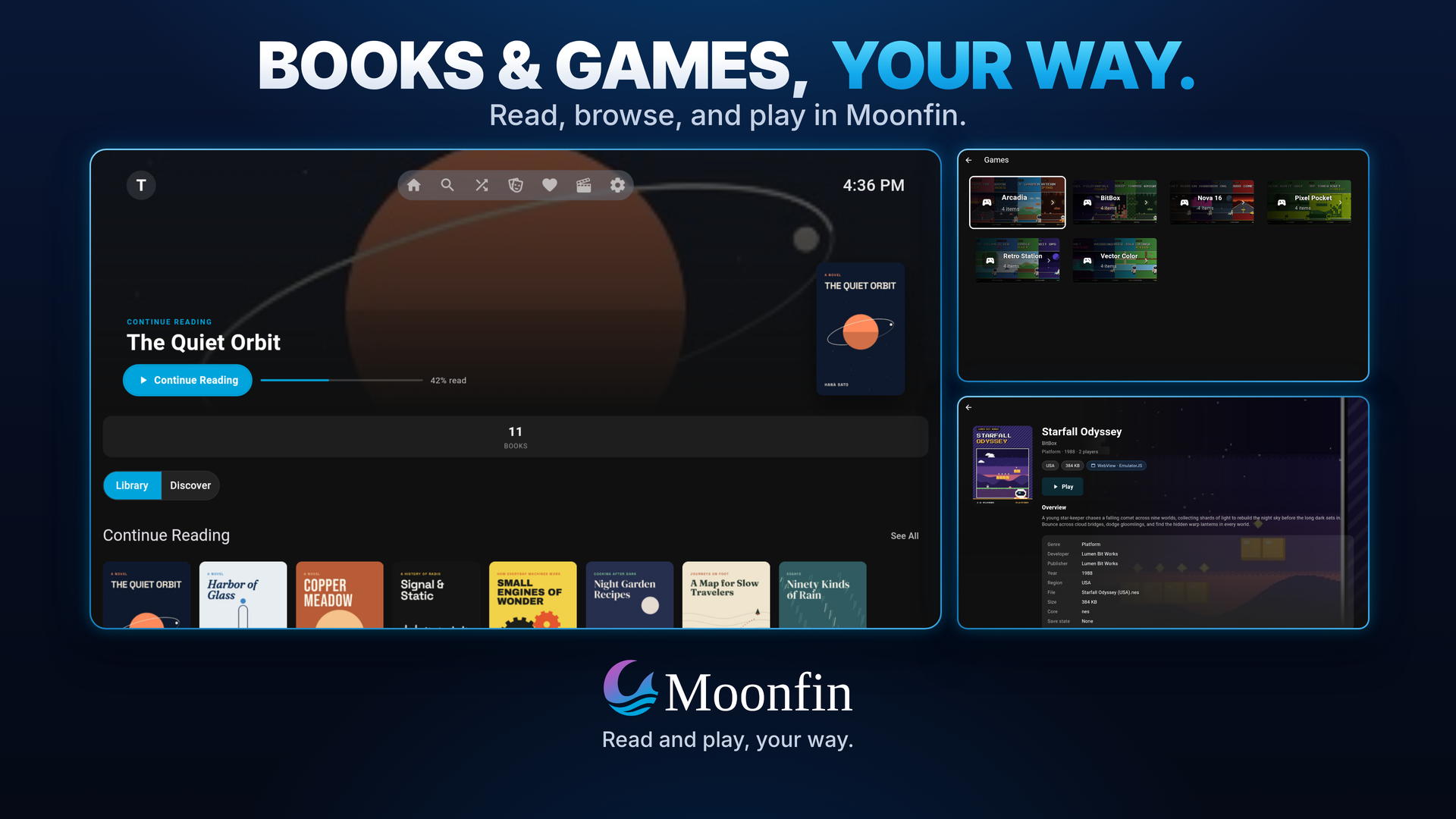
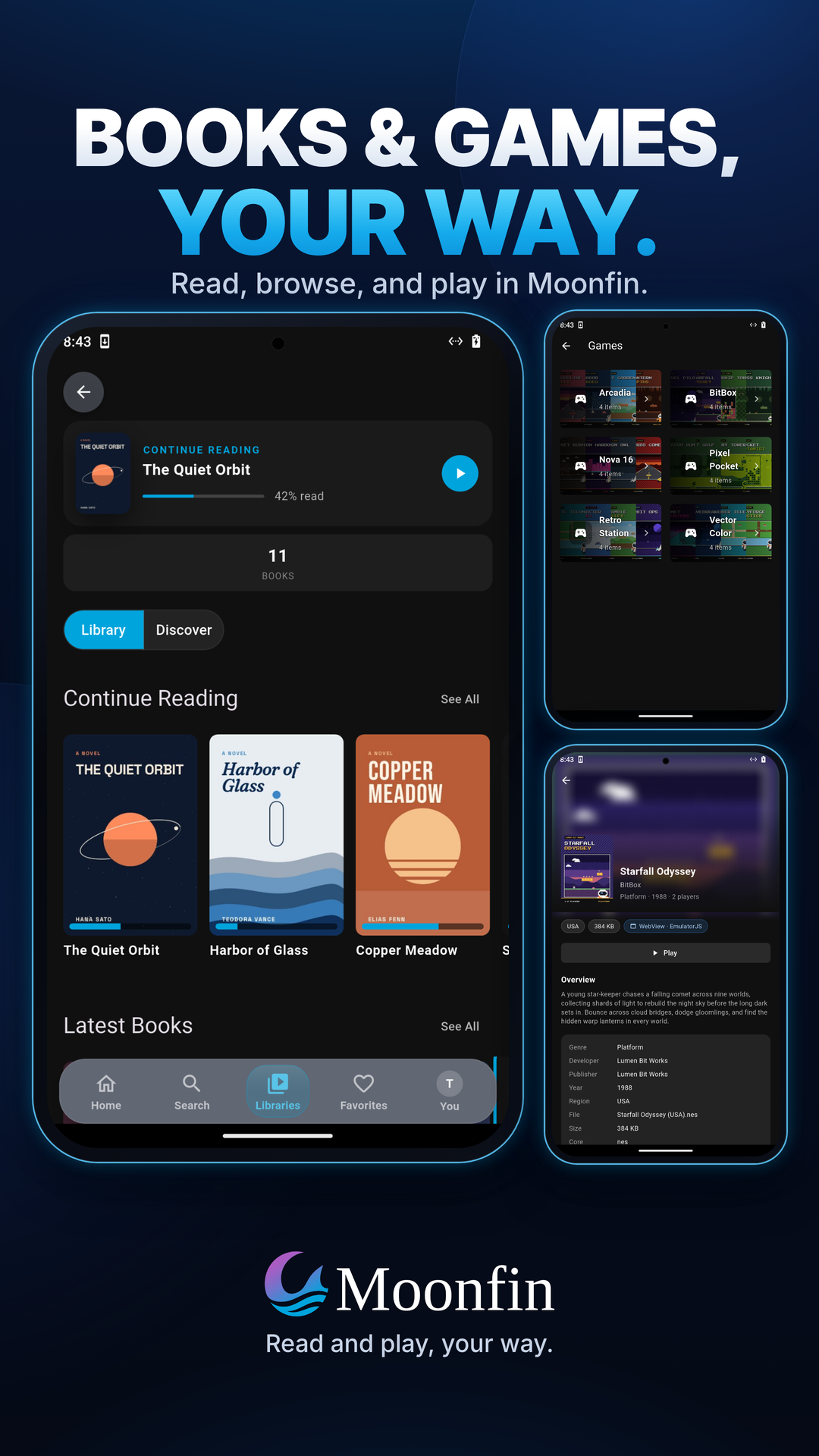
- Ebooks and audiobooks. Read EPUB, MOBI, AZW/AZW3, PDF, and comic archives, with your reading progress synced to the server. Play M4B audiobooks with chapter navigation.
- Retro games browsed and played in-app from a server game library, with gamepad support, save states and battery saves that sync between devices, hardware rendering on Android, and RomM-backed libraries you browse with your own RomM account. See Retro Games.
- Multi-server unified library that merges several servers into one browsable, searchable UI, and can fold every server's movies and shows, Plex and Silo included, into one Movies and one TV Shows library.
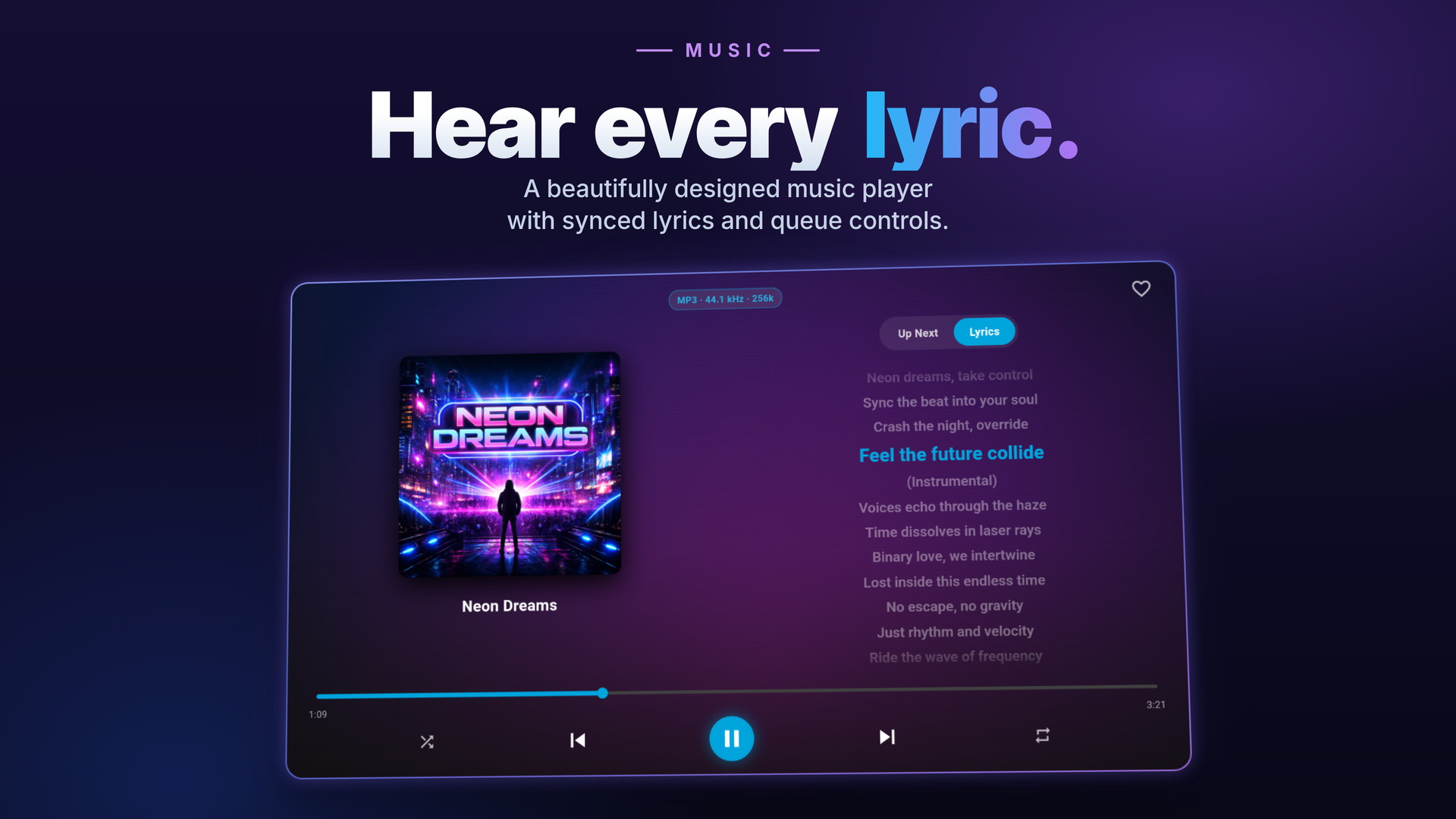
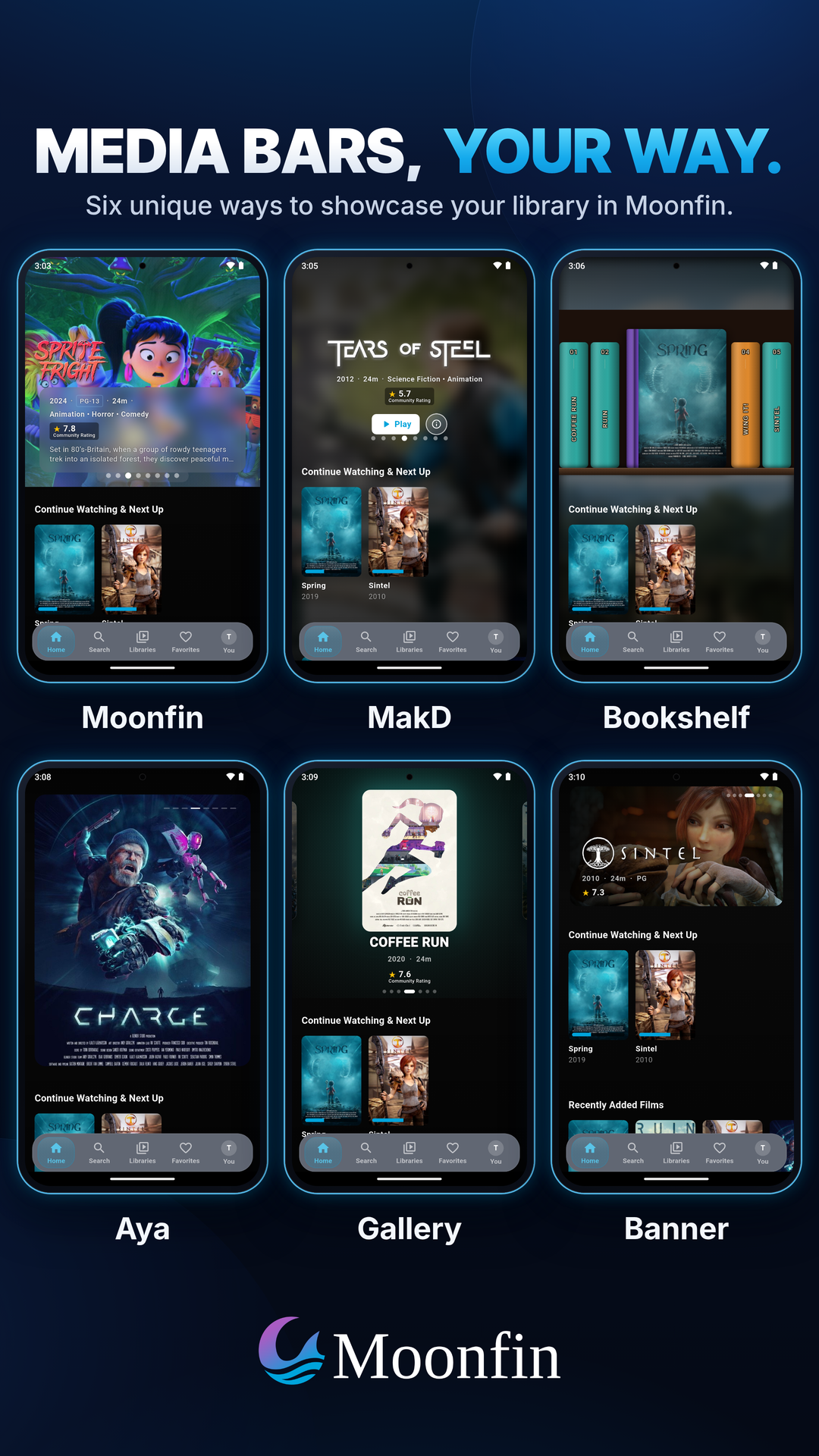
- Library styles for video, music, and book libraries, from the classic grid to a docked side panel, an immersive music hero, or a bookstore shelf.
- A setup wizard on first run that asks how you want the app to look, with live previews built from your own artwork, and a Settings screen that previews each change live.
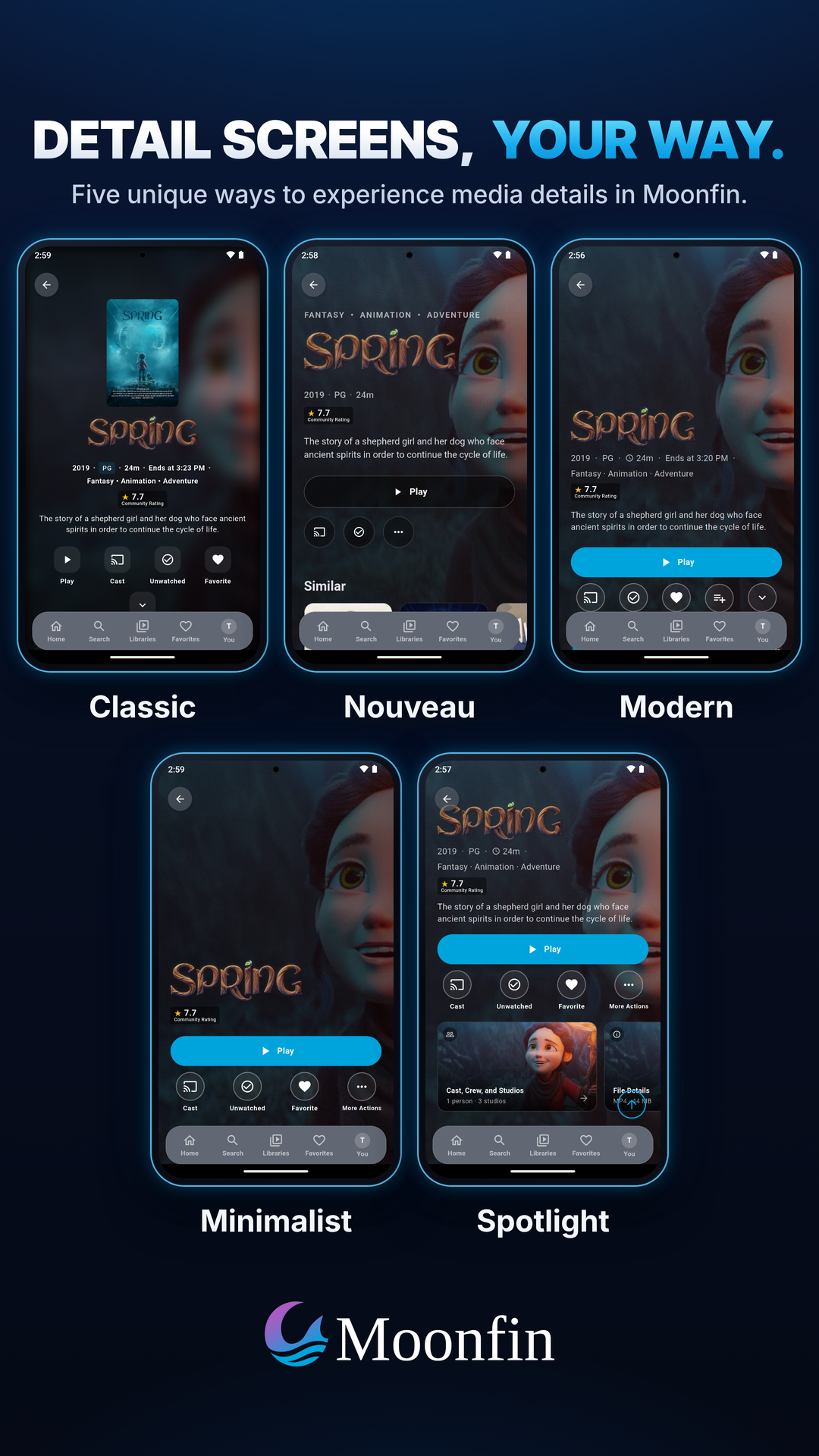
- Nine detail screen styles to pick from: Classic, Modern, Spotlight, Nouveau, Minimalist, Stage, Premiere, Quick Look, and Frost.
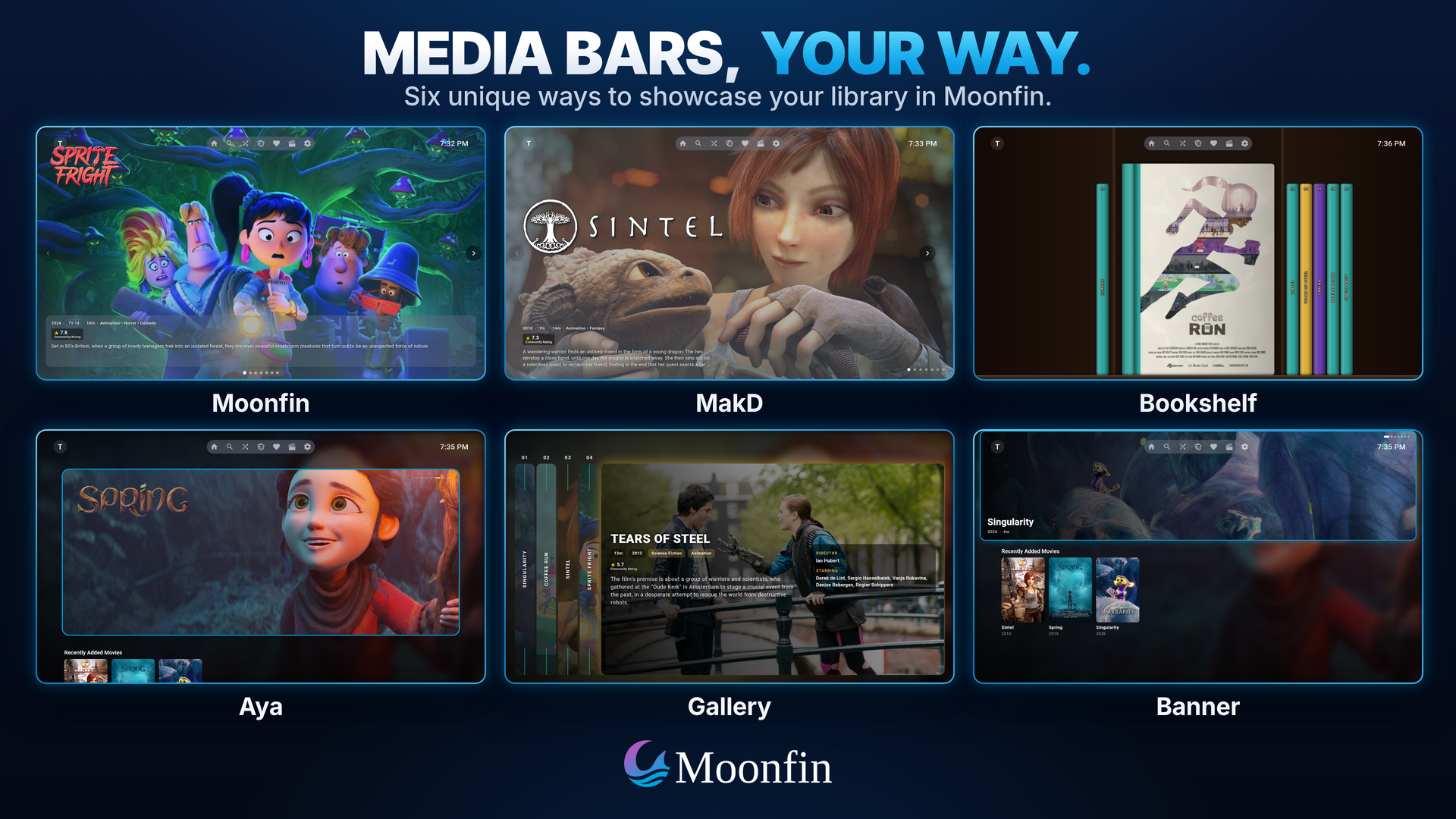
- Featured media bar with six layouts, a New Releases source that labels new movies and episodes, and optional in-bar trailer previews.
- Themes and a Theme Store with a built-in editor, server-side sync, and an OLED mode for true blacks, plus custom loading animations and a screensaver on TV.
- An integrated admin panel for Jellyfin and Emby, covering settings, users, libraries, Live TV, logs, devices, and analytics, plus a messages window for notes from your server admin.
- Discovery with Seerr built into the details screen, with trending, popular, and upcoming rows and request status overlays.
- Smart Search that finds titles from a plain sentence, poster labels like 4K and HDR, and a Calendar of what's coming up in Sonarr and Radarr with reminders on phones and tablets, all served by the Moonbase plugin.
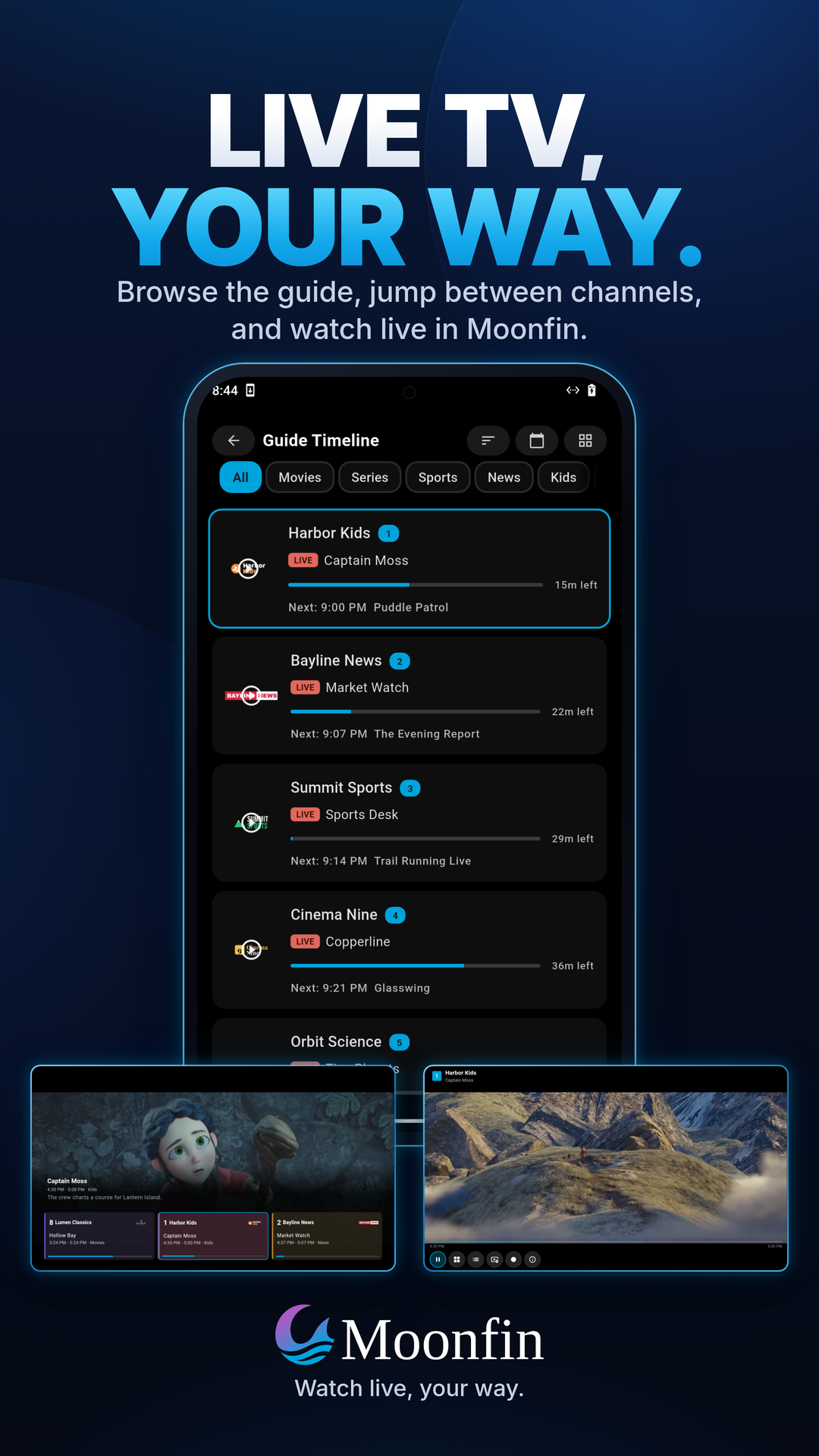
- Live TV and DVR with a program guide, rewind on channels that keep a rewind window, a quick channel changer on TV, automatic recovery when a channel stalls, and recording management.
- Client certificates (mTLS) for servers that require one, with a page you open on your phone to send the certificate to a TV.
- Trickplay scrubbing as a single thumbnail, a filmstrip, or full screen, on both Jellyfin and Emby.
- Cinema Mode and segment skipping for pre-rolls, intros, credits, and SponsorBlock.
- Casting and remote control over Google Cast, DLNA, and AirPlay, plus control of other Jellyfin devices on your network with a D-pad and search typed from your phone. Other Jellyfin apps can steer Moonfin too.
- Watch Parties with chat, reactions, invite links, and voting on what to watch. Moonbase hosts them on Jellyfin, Emby, and Plex, Silo hosts its own, and SyncPlay is still there on Jellyfin.
- Personal ratings as a like, five stars, or a score out of ten, usable to sort or filter a library.
- Kids Mode that strips the app back to what a child needs and locks the way out with a PIN, plus blocked ratings that apply everywhere in the app.
- Achievement Badges drawn natively when your Jellyfin server runs the Achievement Badges plugin, including its friends list and chat.
- Anime markers for filler, recap, canon, and subbed or dubbed episodes, served by the Moonbase plugin.
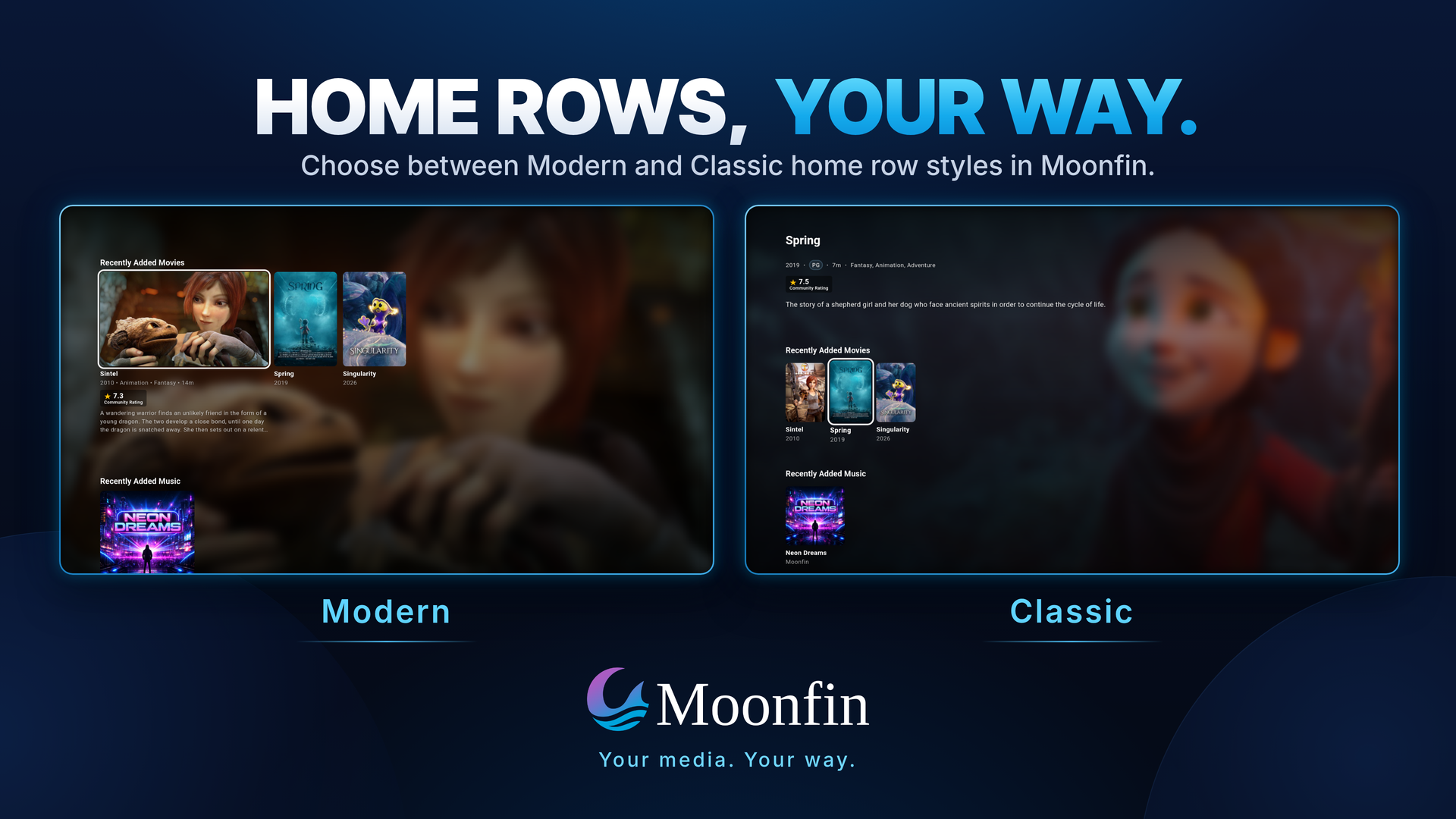
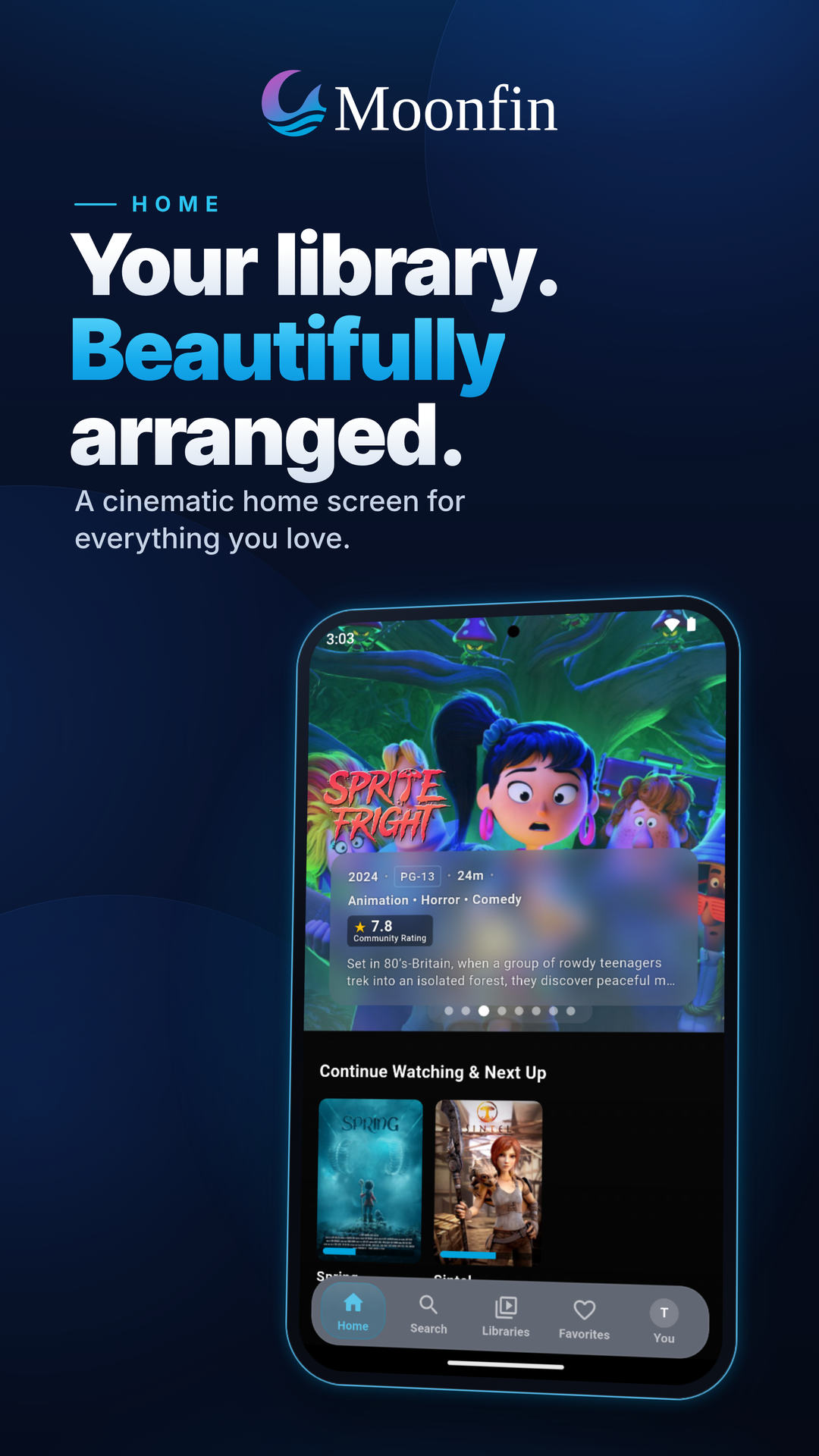
- Home rows your way, in Classic, Modern or Carousel style, with IMDb, TMDB, MDBList and streaming service charts, Seerr rows, and a seasonal holiday row. See Home Rows.
- Privacy built in. Crash reports only go to your own server, push notifications only start when your server can send them, and logs scrub addresses and tokens. See Where Your Data Is Stored.
- Ratings from MDBList and TMDB, and in-app update checks.
The full list is on the Features wiki page.
Screenshots
TV and desktop
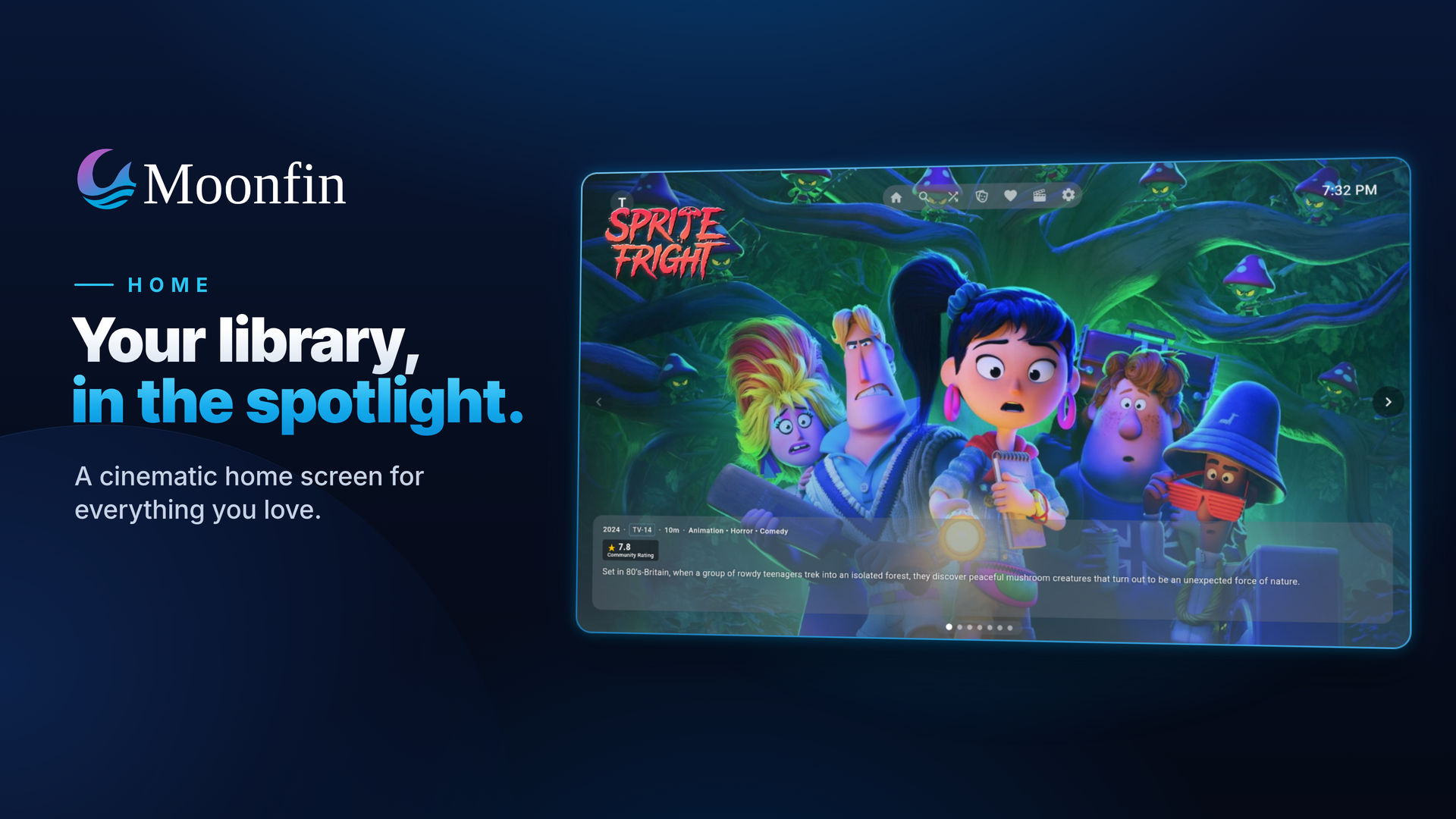
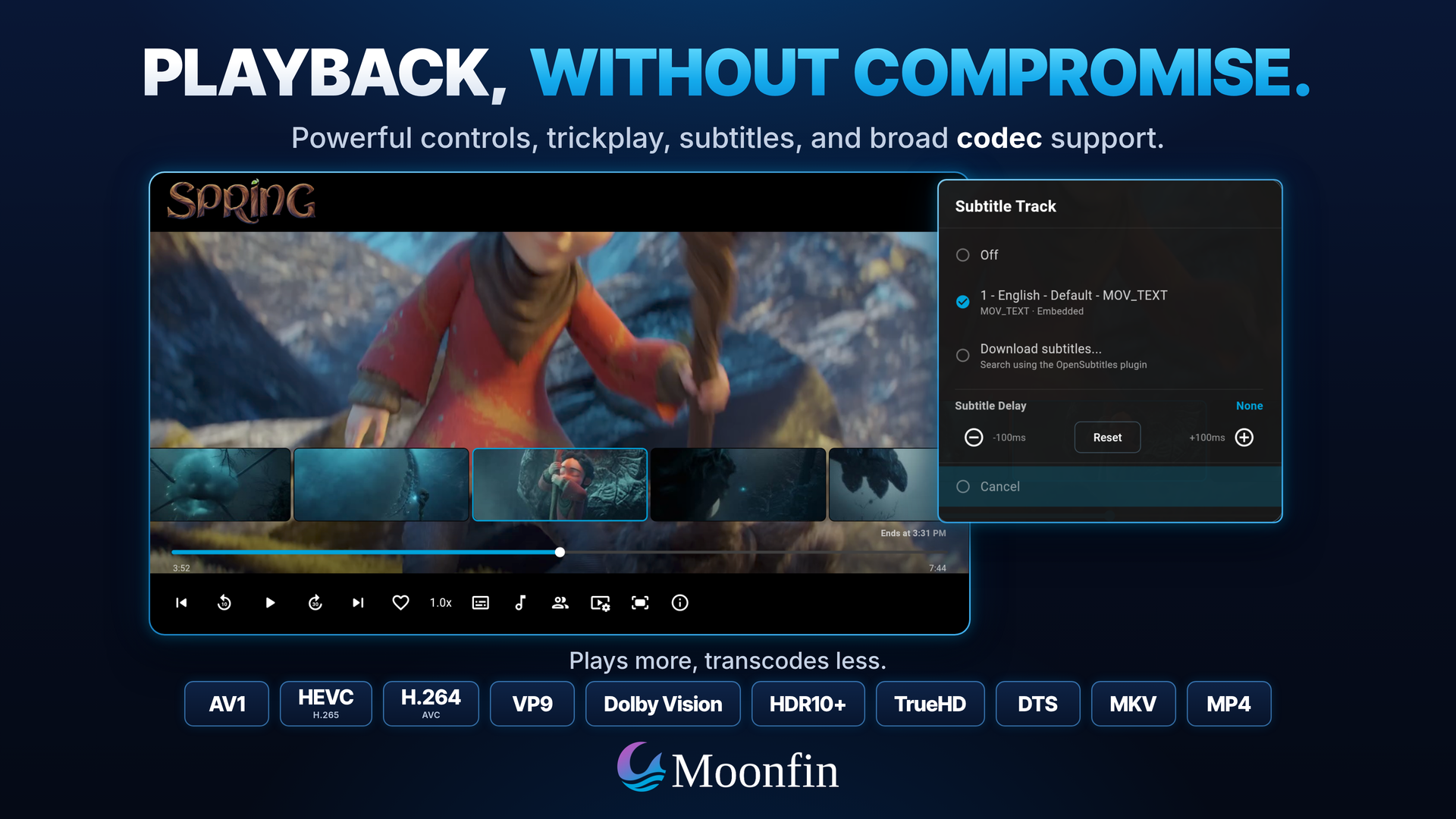
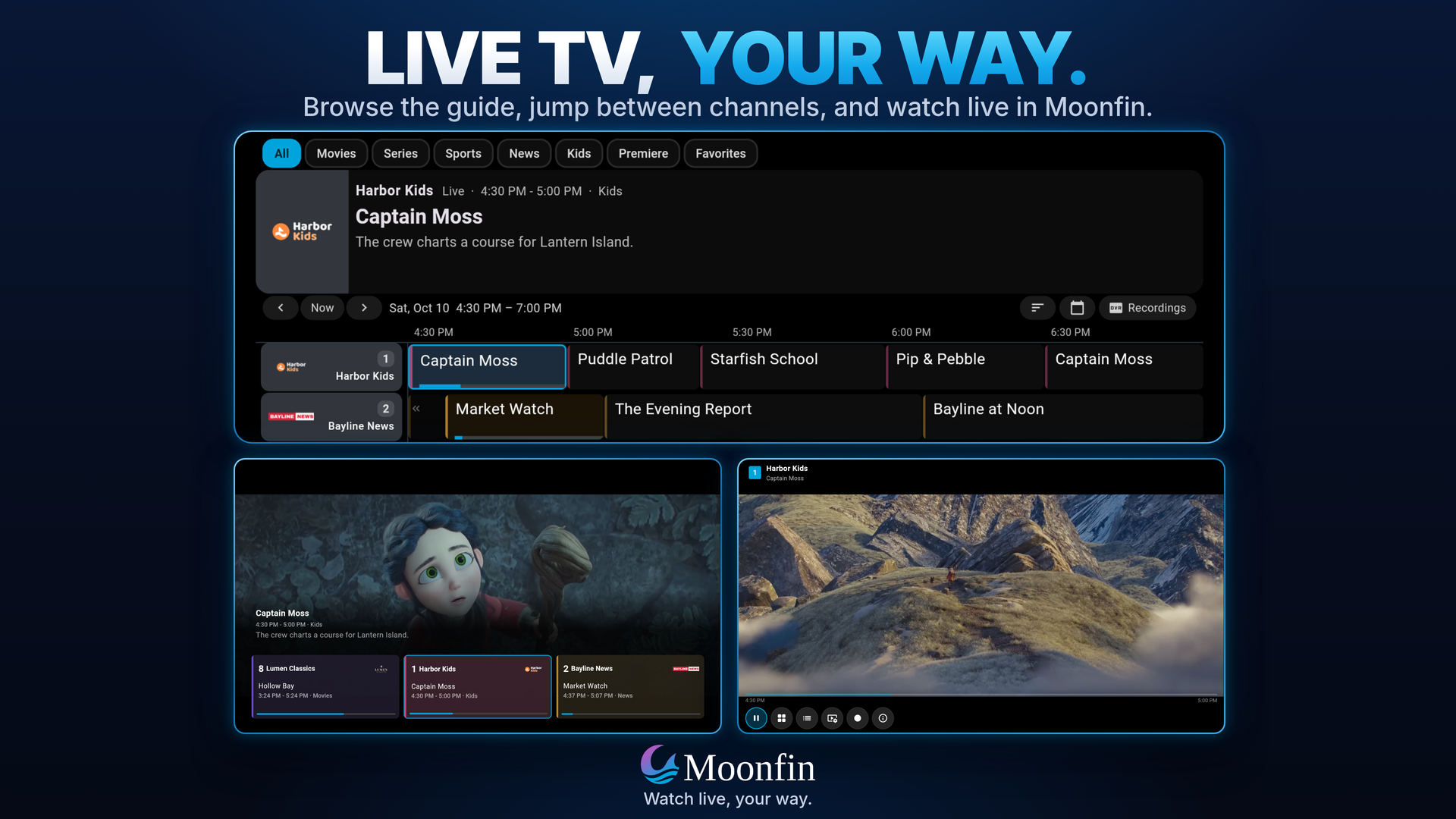
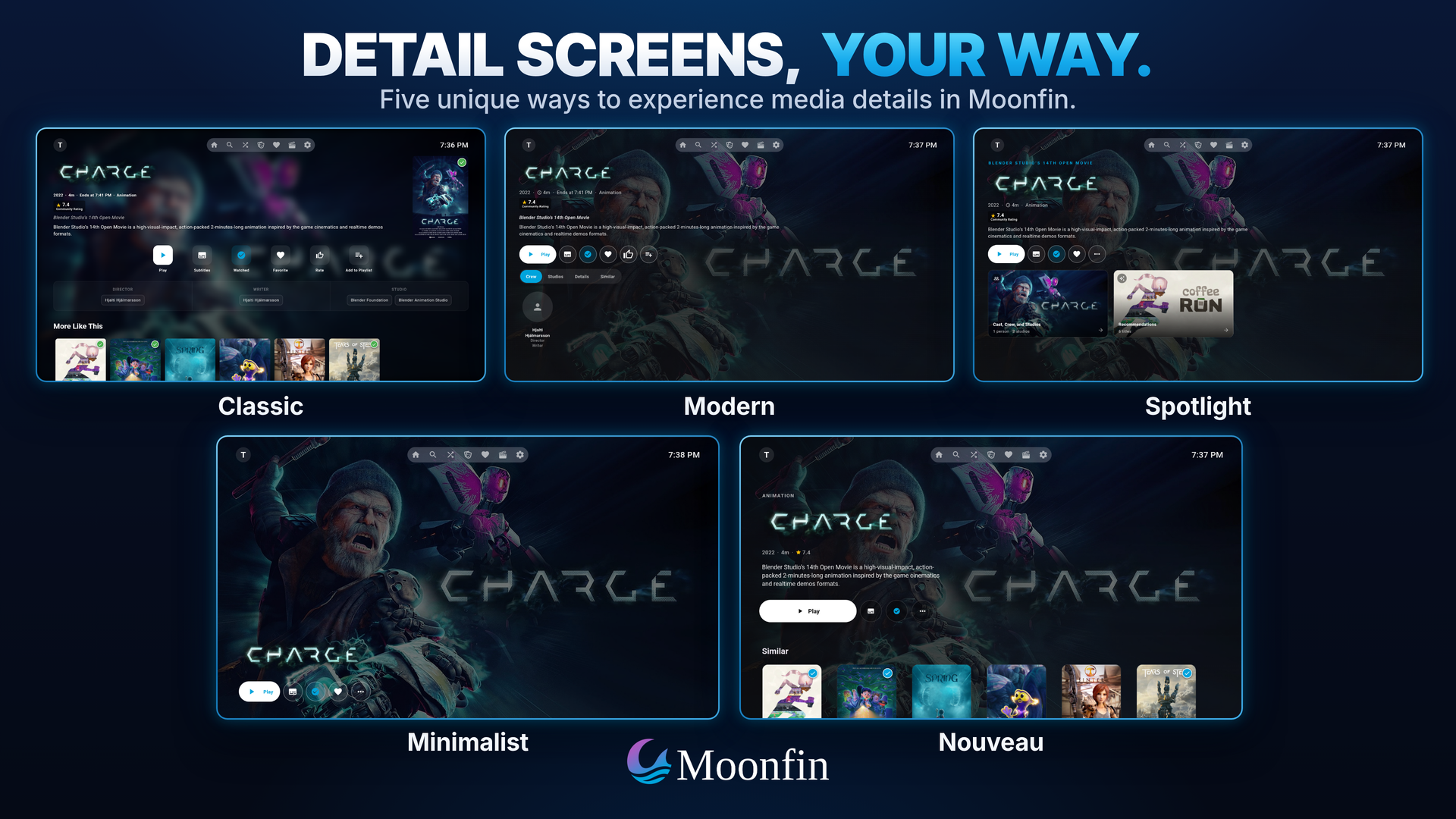
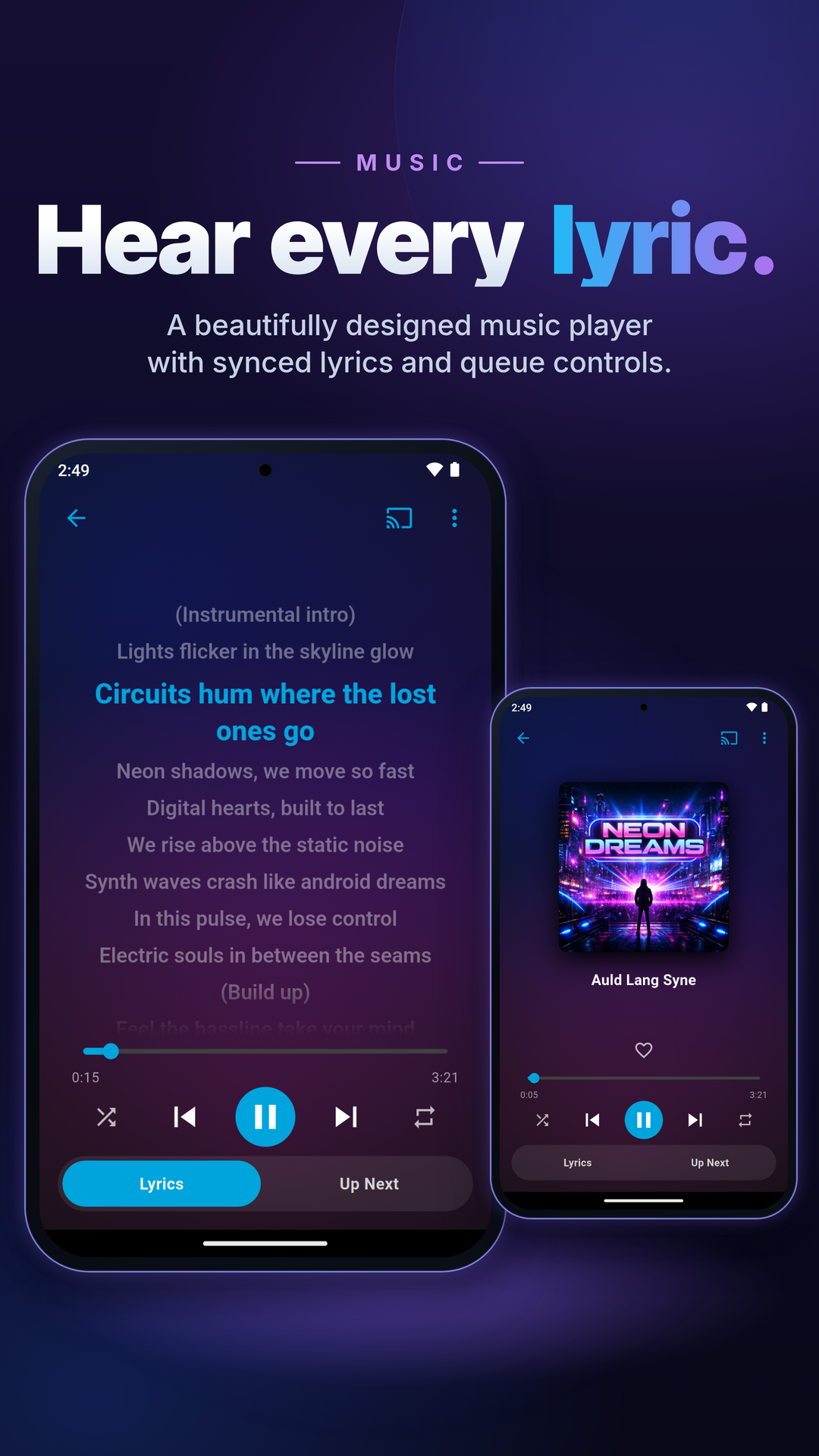
Mobile
Installation
The store links above are the easy route. To install a file yourself, download it from the Releases page and pick the one for your device:
| Platform | File |
|---|---|
| Android phones, tablets, Android TV, Google TV and Fire TV | Moonfin_Android_v<version>.apk |
| iOS | Moonfin_iOS_v<version>_unsigned.ipa (for self-signing) |
| Apple TV | Moonfin_tvOS_v<version>_unsigned.ipa (for self-signing) |
| Windows x64 | Moonfin_Windows_v<version>.exe |
| Windows ARM64 | Moonfin_WindowsARM64_v<version>.exe |
| macOS | Moonfin_macOS_v<version>.dmg |
| Linux x64 | Moonfin_Linux_v<version>.<ext> (AppImage, deb, rpm, snap, flatpak, tarball) |
| Linux ARM64 | Moonfin_LinuxARM64_v<version>.<ext> (same formats) |
| Web | Served as a PWA by the Moonbase server plugin, no download needed |
On Linux, the easiest route is Flathub with flatpak install flathub io.moonfin.moonfin. It's also the way to go on Raspberry Pi OS Bookworm and other Debian 12 systems, which the release files don't run on. On Arch Linux, install from the AUR with yay -S moonfin-bin (or paru -S moonfin-bin, pamac build moonfin-bin).
Click-by-click steps for every platform are on Installation, and Getting Started covers connecting to your server for the first time.
Building
Flutter stable 3.47 or newer is the one thing every platform needs (Dart 3.13 comes with it). Each target also needs its own toolchain: Android Studio with the SDK and NDK for Android, Xcode and CocoaPods for iOS and macOS, the flutter-tvos toolchain for Apple TV, Visual Studio and vcpkg for Windows, and a handful of development packages on Linux. Every Android command also takes a --flavor.
git clone https://github.com/Moonfin-Client/Moonfin-Core.git
cd Moonfin-Core
flutter pub get
The per-platform build commands are on Building from Source.
Documentation
The deeper reference material lives in the Wiki:
| Page | What it covers |
|---|---|
| Features | The full feature list, section by section |
| Playback and Codecs | The backend per platform, the codec table, HDR, and audio passthrough |
| Downloads | Original and transcoded downloads, quality presets, and storage paths |
| Retro Games | Playing server game libraries in-app, cores, controllers, and save states |
| Installation | App store links first, then installing a release file by hand on every platform, and how updates work |
| Getting Started | Connecting to your server, Quick Connect, the setup wizard, and the settings worth a look on day one |
| User Guide | The player on touch, remote and keyboard, Live TV, casting and remote control, watch parties, Seerr requests, the Calendar, downloads, subtitle downloads, themes, parental controls, and Kids Mode |
| Common Problems | Plain fixes for connection, login, playback, sound, subtitle, download and casting trouble |
| Collecting Logs | Capturing a diagnostic report for a bug report |
| Custom mpv Configuration | Tuning playback with your own mpv.conf, allowed options, and SVP on Windows |
| Building from Source | Toolchain versions, step by step setup, and the build commands for every platform |
| Development | Developer notes, contributing guidelines, and the pull request process |
Contributing
Contributions are welcome. Check the existing issues first, discuss major feature changes before implementing them, match the existing code style, run flutter analyze, and test on at least one target platform. Keep pull requests focused and include context, screenshots or logs where useful.
See CONTRIBUTING.md for the full guidelines and the pull request process.
Help translate Moonfin here

Support and Community
- Issues: GitHub Issues
- Discussions: GitHub Discussions
- Discord: Discord
- Upstream Jellyfin: jellyfin.org
Credits
Moonfin is built on the work of: - Jellyfin Project - Jellyfin client contributors - Moonfin contributors - MakD - Original Jellyfin-Media-Bar concept that inspired our featured media bar - MediaLyze The Admin analytics UI was inspired by this open-source project
License
Moonfin is free software. You can redistribute it and modify it under the terms of the GNU General Public License as published by the Free Software Foundation, either version 3 of the License or, at your option, any later version. See LICENSE for the version 3 text.
Moonfin is an independent project and is not affiliated with the Jellyfin or Emby projects.
← Back to main Moonfin project
📈 近 7 天 Star 趋势
🏆 排名变化趋势
📋 历史上榜记录
| 日期 | 榜单 | 排名 | 周期新增 | 总 STAR |
|---|