📄 仓库 README
在 GitHub 查看 ↗sparkDash ⚡ — Multi-unit monitoring dashboard for NVIDIA DGX Spark




by Mia'a AI Lab

macOS (darwin) SSH collectors authored by C. Michael Gibbs and Nyx Voss (Onyx AI Labs) — commits. sparkDash by Mia's AI Lab.
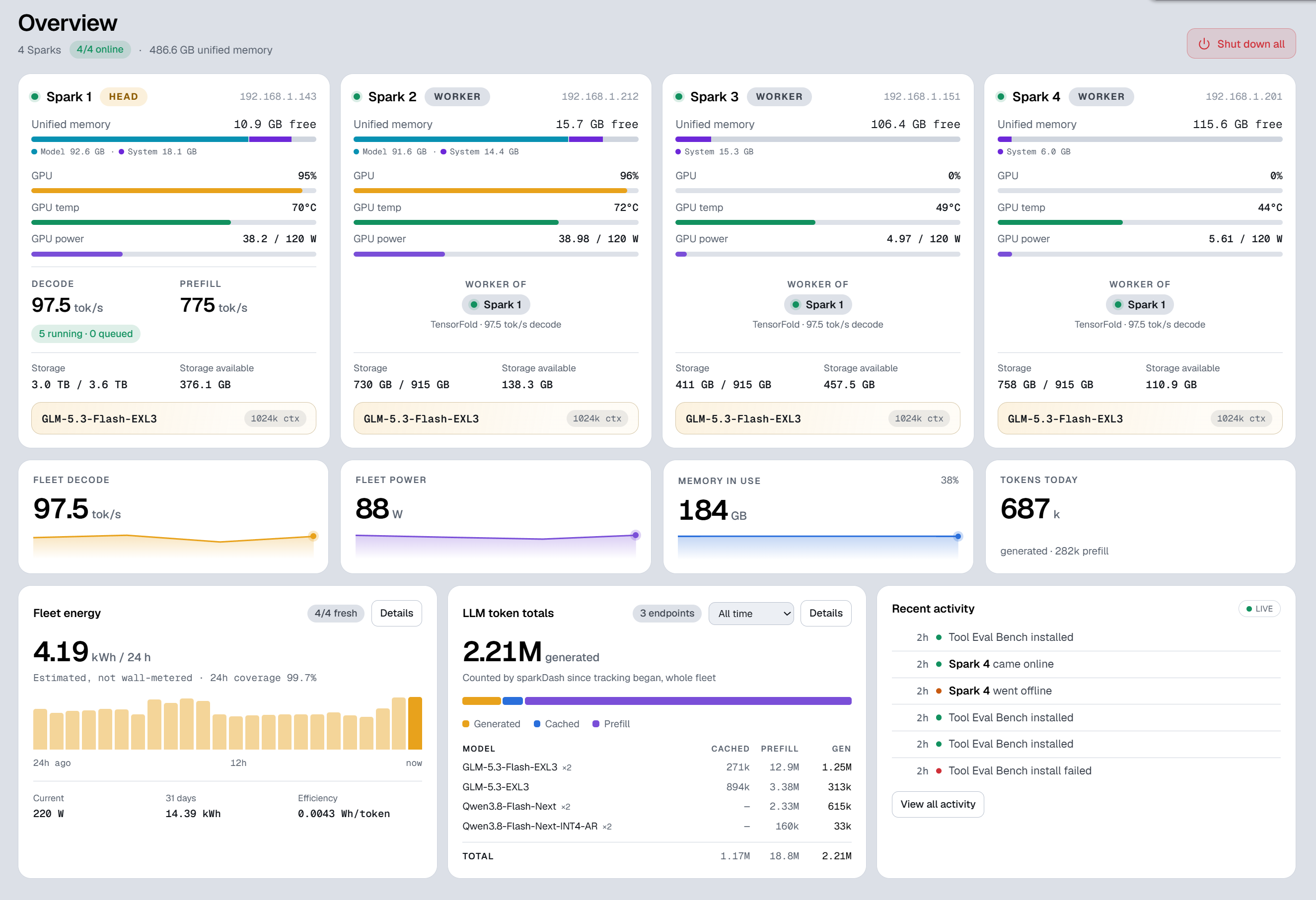
sparkDash is a real-time web dashboard for one or more NVIDIA DGX Spark (GB10) machines in a single browser window. It streams GPU, CPU, unified memory, storage, network, and local LLM metrics — and lets you add, edit, reorder, or remove Sparks from the UI without restarts or code changes.
It also supports non-Spark units: any Linux machine with an NVIDIA GPU (e.g. a workstation with a dedicated RTX/L-series card) can be added as a dedicated GPU host and monitored the same way via SSH and nvidia-smi. For these units the dashboard correctly separates RAM (system memory) from VRAM (discrete GPU memory).
Monitored units run Linux, macOS, or Windows (a Windows PC with an NVIDIA GPU — or an AMD-iGPU Windows host like a Strix Halo, whose GPU usage comes from Windows' GPU engine counters; see Windows PCs).
LLM Prompt Showcase
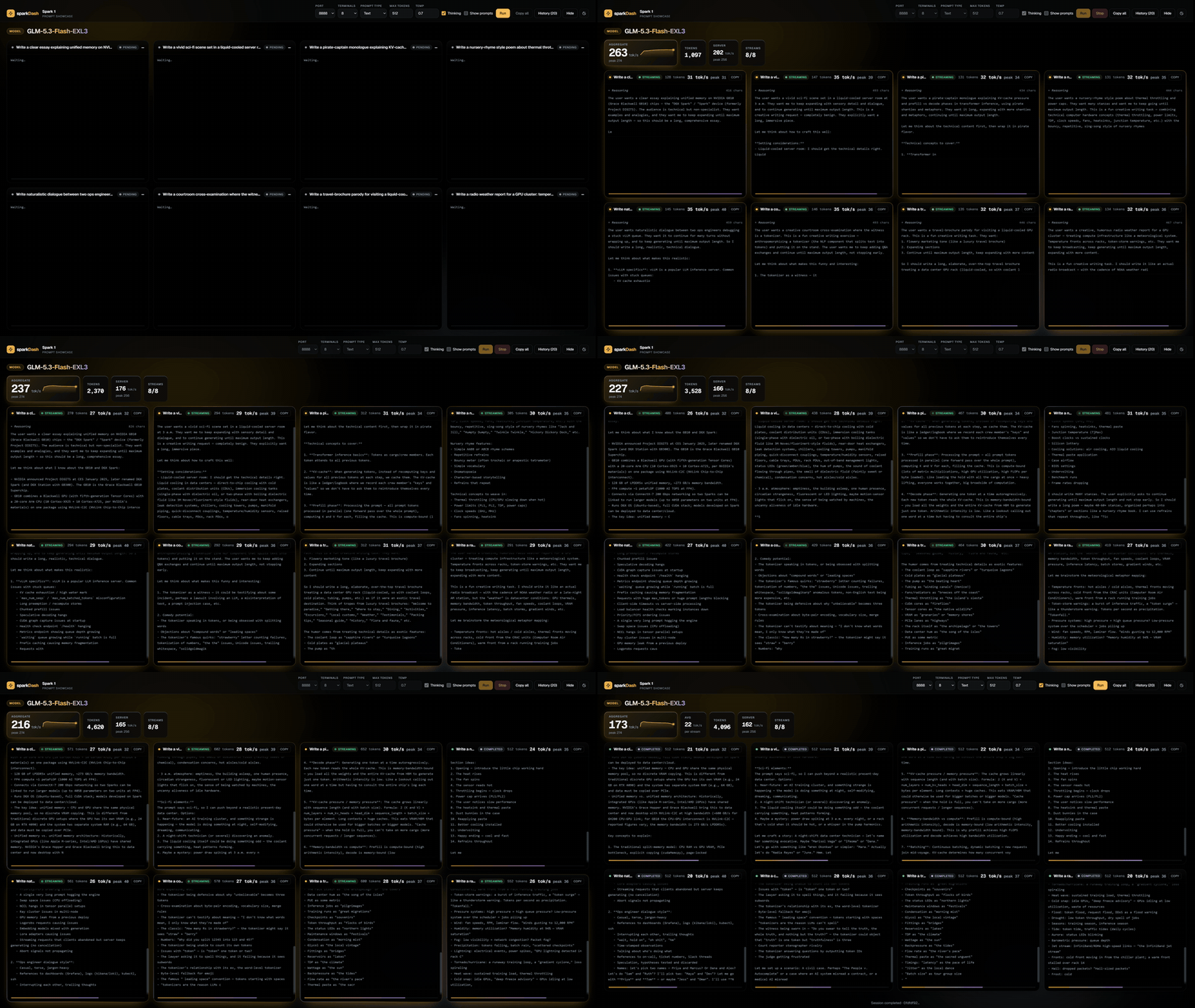
Table of contents
- Latest version changelog
- Features
- LLM server presets & backend auto-detection
- ComfyUI monitoring
- Hermes Agent monitoring
- Tailnet monitoring
- Tailscale Serve (HTTPS)
- Mobile PWA (install on a phone)
- Glance integration
- Quality bench
- Prometheus
- Alert notifications
- RoCE / RDMA monitoring
- Intel Arc GPUs
- Windows PCs
- Full changelog
- Quick start
- Architecture
- Tech stack
- Repository layout
- REST API
- Configuration
- Security
- Scripts
- How it works
- Contributing
- License
- Acknowledgements
Latest version changelog
Version 2.70.0
- Decode benchmark: temperature (default 0.7) and thinking on or off are selectable for every type; the copied result text and the share card show both.
- NVIDIA Flare is detected and its tok/s monitored from
/metrics. - Tool Eval Bench: compare a run on one Spark with a run from another, and expand the scenario list to a taller view.
- Overview cards show CPU temperature and power; a Cost compare page prices fleet usage as any hosted model; Radiance and Strata engines are recognised.
Version 2.50.0
- Tool Eval Bench: Show card turns a finished result into a share image (score, rating, outcomes, safety warnings, categories) you can copy or save as a PNG.
- Tool Eval Bench: comparison card: tick two runs in History and get one image of the change between them.
- GPU clock cap can be run on the Spark yourself, or the dashboard asks for the sudo password when a unit has no passwordless sudo.
Version 2.40.1
- Temps page with day and week GPU temperature graphs for every unit, backed by a minute-resolution history kept for 7 days.
- GPU clock cap set with
nvidia-smi -lgcshows on each unit (read-only). - Mac units come online and report CPU, GPU and RAM through macmon.
- Fixes: GPU and energy data on remote units whose login shell is zsh, and the TensorFold Slots tile now counts occupied lanes.
Version 2.40.0
- Hide any Overview panel: Settings has switches for Recent activity and for each of the four tiles (Fleet decode, Fleet power, Memory in use, Tokens in last 24 hours), next to Fleet energy and LLM token totals.
- LM Studio and Ollama are detected by their own endpoints, so they are no longer labelled SGLang or vLLM; LLM panels match their port, and the Add wizard and LLM panels have LM Studio / Ollama / TensorFold port presets.
- Windows PCs with an AMD iGPU (Strix Halo) show GPU use and memory from Windows' GPU counters. Windows setup docs now cover the
administrators_authorized_keysgotcha.
Version 2.32.0
- LLM panel: an engine that only SSH can reach (a remote unit behind a NAT that forwards just SSH) is now monitored through an SSH forward, with a via SSH chip; TensorFold prefill tok/s counts only computed tokens, so prefix-cache hits no longer read as 100k+.
- Decode benchmark: live generation tok/s is measured from the run's own streams, so it no longer shows 0.
- Health: a finding is held for 90 s, so a reading sitting on a threshold does not flap and spam Activity.
- iPhone app: the header clears the status bar and the home-screen icon is the logo. Dropping a Spark after dragging it in the sidebar no longer opens it.
Version 2.31.0
- RoCE / RDMA panel for Sparks: link state and rate, traffic, drops, PFC and QoS settings and the RDMA counters per port, with two health findings (a link went down, packets being dropped). See RoCE / RDMA monitoring.
- Time zone setting for the Tokens, Energy and Activity charts, so the 24 h charts line up with your local time.
/metricsnow shows when each collector last returned real data, so a stuck GPU poll can be alerted on while SSH liveness still passes.- Spark page: Unified memory, CPU and Models share one row; CPU and RAM sit side by side on GPU hosts; the GPU history chart fills its panel; Windows PCs got a first real-hardware pass.
Version 2.30.0
- Windows PCs as units: a Windows PC with an NVIDIA GPU can be monitored over its built-in OpenSSH server (GPU, RAM, CPU load, disks, network, shutdown). See Windows PCs.
- Mobile app: sparkDash installs as a PWA over HTTPS (for example Tailscale Serve).
- Monthly energy history with a month/year view, Prometheus
/metrics(opt-in), per-GPU graphs on multi-GPU hosts, a model picker in the decode benchmark, per-SparkllmHost, and Restart sparkDash from the UI after a fleet change. - The Settings poll interval now really sets the polling rate; the Fleet energy card explains partial coverage.
- Fixes: "Frontend not built" after a Docker upgrade, the SSH tunnel for benchmarks, model launchers inheriting
PORT=5555, and a token-protected remote bind showing a blank page. Everything since 2.0.0 is in the CHANGELOG.
Version 2.0.0 — a new sparkDash
- New shell: sidebar, command palette (Ctrl/⌘ K), four themes (White, Light, Dark, OLED), smooth page transitions and real links everywhere (right-click, new tab).
- Rebuilt Overview: per-Spark cards with the model row, head/worker relations, a Model/System memory bar, and a launcher to load a model from the card.
- Benchmarks section: Decode, Prefill, Quality and the new Tool Eval Bench (trials, side-by-side compare, one-click upgrade).
- Showcase is now an in-app page with much smoother streaming; Token totals, Fleet energy and Activity get their own pages.
- Start and stop your own LLMs from the dashboard; live prefill tok/s during long prefills; Quality bench with GSM8K and MMLU.
- Health findings per Spark (hot GPU, low unified memory under 3 GB, Xid/OOM errors, slow links) and Activity events for them; Clear / Reset for Activity, Fleet energy and Token totals.
- Mobile: docked tab bar with iOS-style motion, a Stats tab (Token totals, Fleet energy, Activity) and a rebuilt Spark page.
Full history: CHANGELOG.md
Features
| Area | What you get |
|---|---|
| Multi-unit | Any number of units; each has a tabbed detail page plus a shared Overview |
| Non-Spark GPU hosts | Linux boxes with a dedicated NVIDIA GPU are first-class units: same nvidia-smi collectors over SSH, detected hardware summary, and separate RAM / VRAM panels. Detail page: GPU (left) + RAM → Network → Storage (right column); Overview cards show RAM and VRAM bars |
| Windows hosts | Windows machines with an AMD iGPU (Strix Halo and friends) are first-class units too: agentless PowerShell over OpenSSH, CPU/RAM/disks/network collectors, and GPU usage straight from the engine performance counters (reads like Task Manager). The Add/Edit wizard has a Strix Halo / Windows host unit type |
| Live streaming | WebSocket metrics with configurable poll intervals; central history store for sparklines across tab switches |
| Local + remote | Host metrics via sysfs/proc/nvidia-smi; remotes over SSH (key or password) |
| LLM probe | Auto-detects llama.cpp, vLLM, sglang, LM Studio, Ollama, ds4-server, EXL3, TensorFold, FreeToken, Strata, q27, NVIDIA Flare, Locals, or Splash; live decode/prefill tok/s from the engine's own counters where it publishes them (not LM Studio or Ollama); cached vs uncached prefill on ds4, llama.cpp, SGLang, |
📈 近 7 天 Star 趋势
🏆 排名变化趋势
📋 历史上榜记录
| 日期 | 榜单 | 排名 | 周期新增 | 总 STAR |
|---|