📄 仓库 README
在 GitHub 查看 ↗
AutoRAG Agent
Your personal librarian agent: it finds, reads, and cites anything on your computer.




Dazzi: the AutoRAG desktop app
Dazzi is the app version of AutoRAG Agent. Download it for Mac and Windows at dazziapp.com, or build from NomaDamas/AutoRAG-app. It is a real file manager with the AutoRAG engine in this repository behind it.
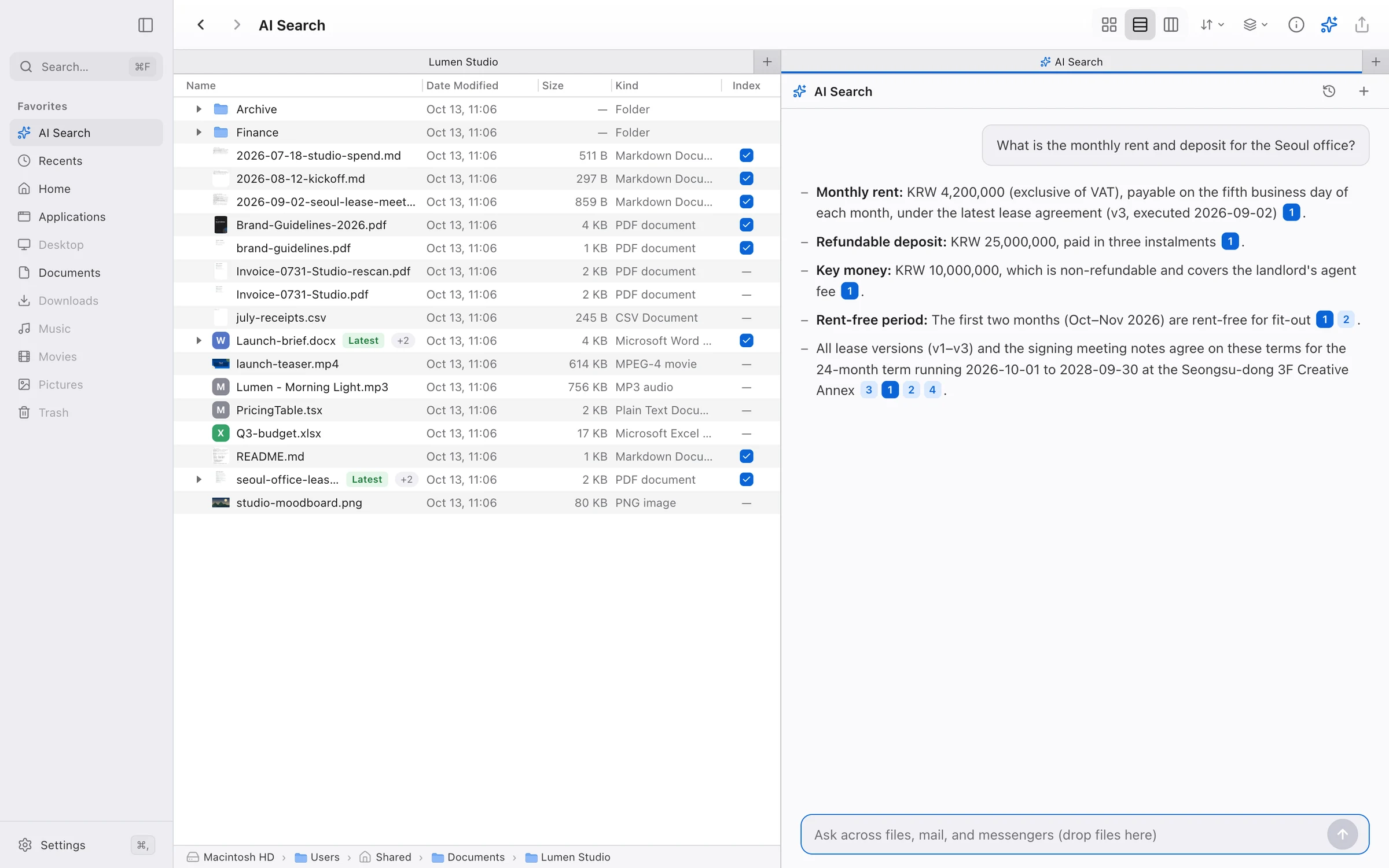
- Fast file search. Hybrid keyword + meaning search with a reranker finds files by what is inside them, and every answer links the passage it came from.
- Messengers, mail, and more. Slack, KakaoTalk, Discord, Telegram, WhatsApp, every inbox you sign in to, GitHub, and Obsidian are searched alongside your files.
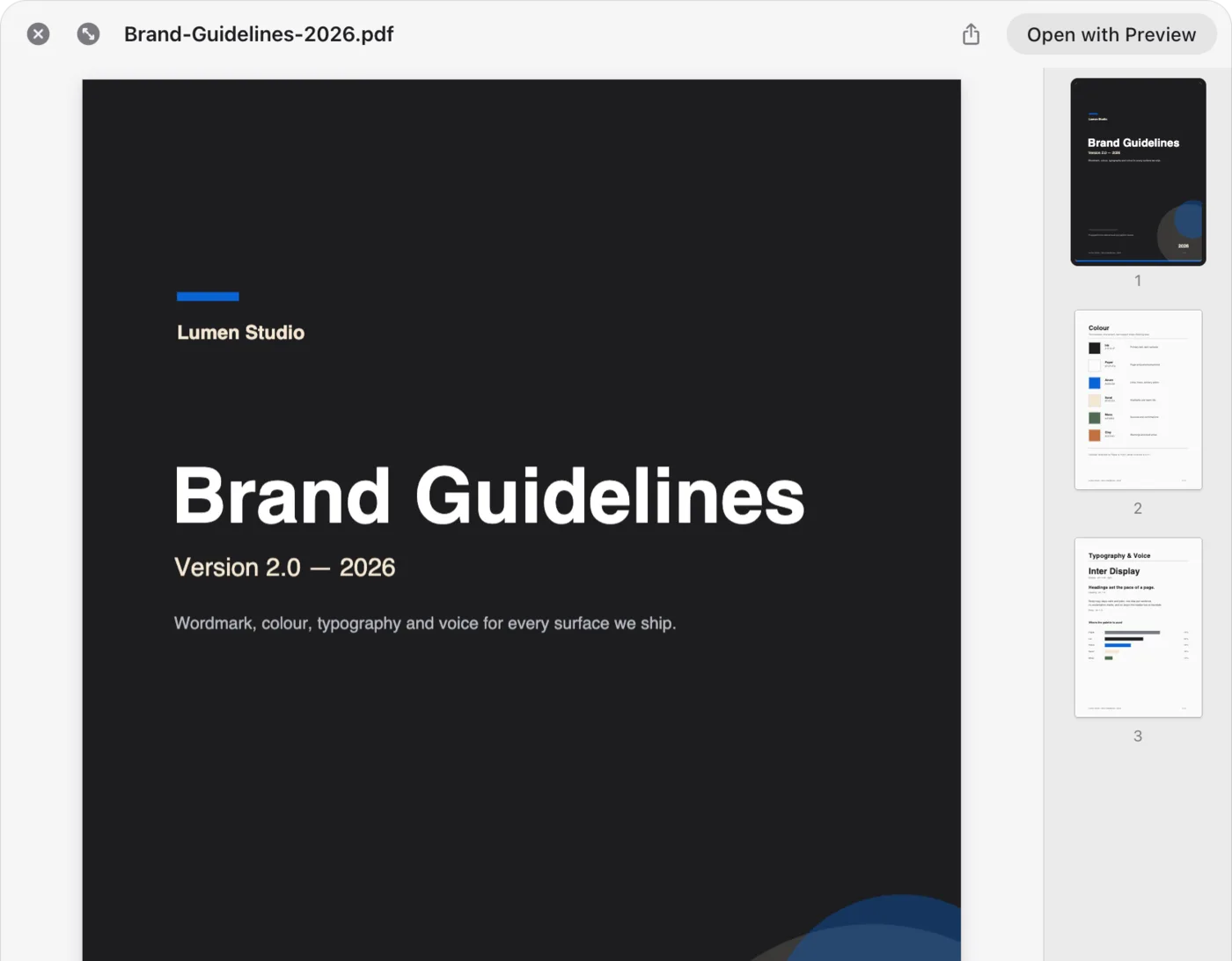
- Preview anything. Press Space for Quick Look: Markdown, code, PDF, video, audio, Office, and HWP/HWPX, without opening another app.
- File-based automations. Watch a folder, pick a trigger, and let the agent triage or organize new files for you.
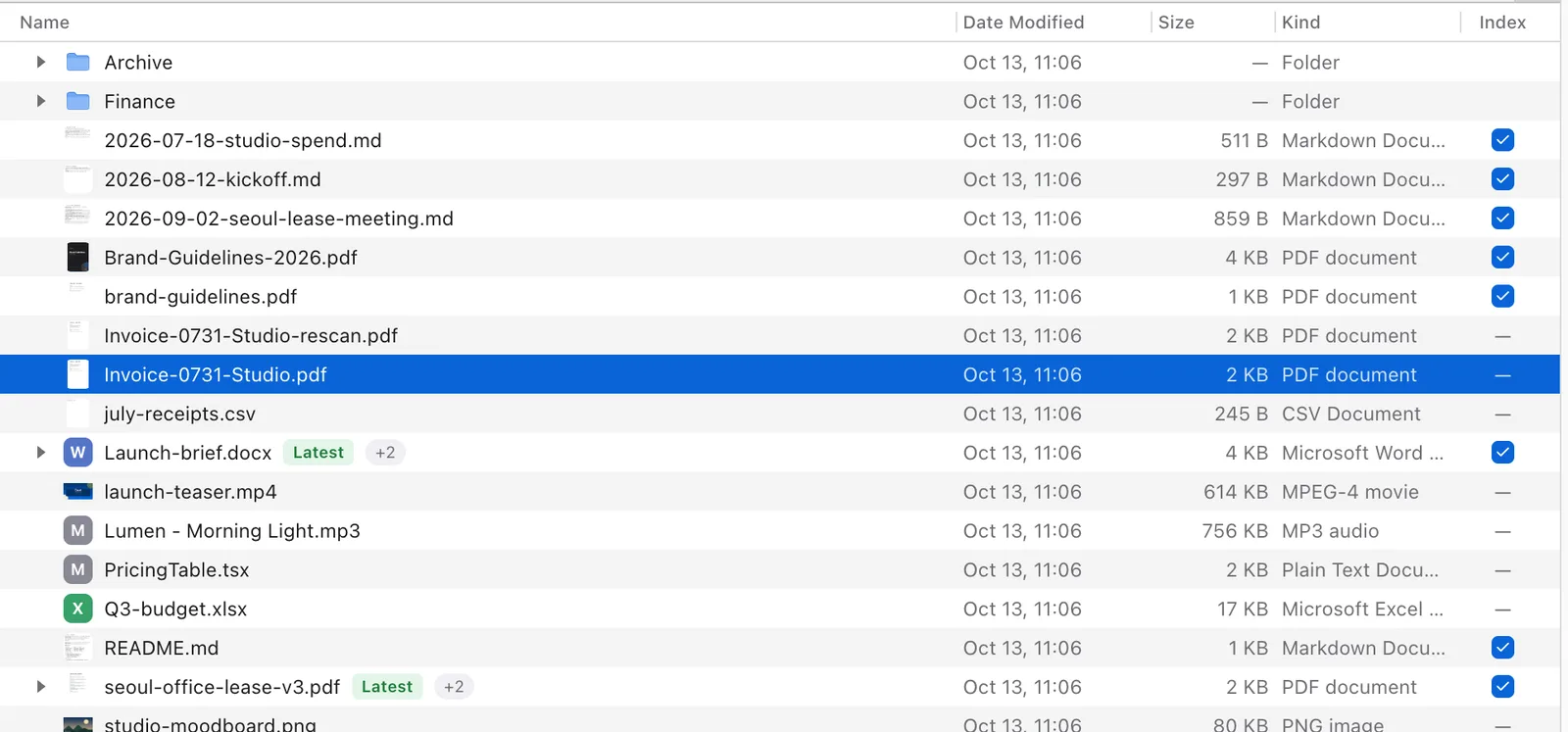
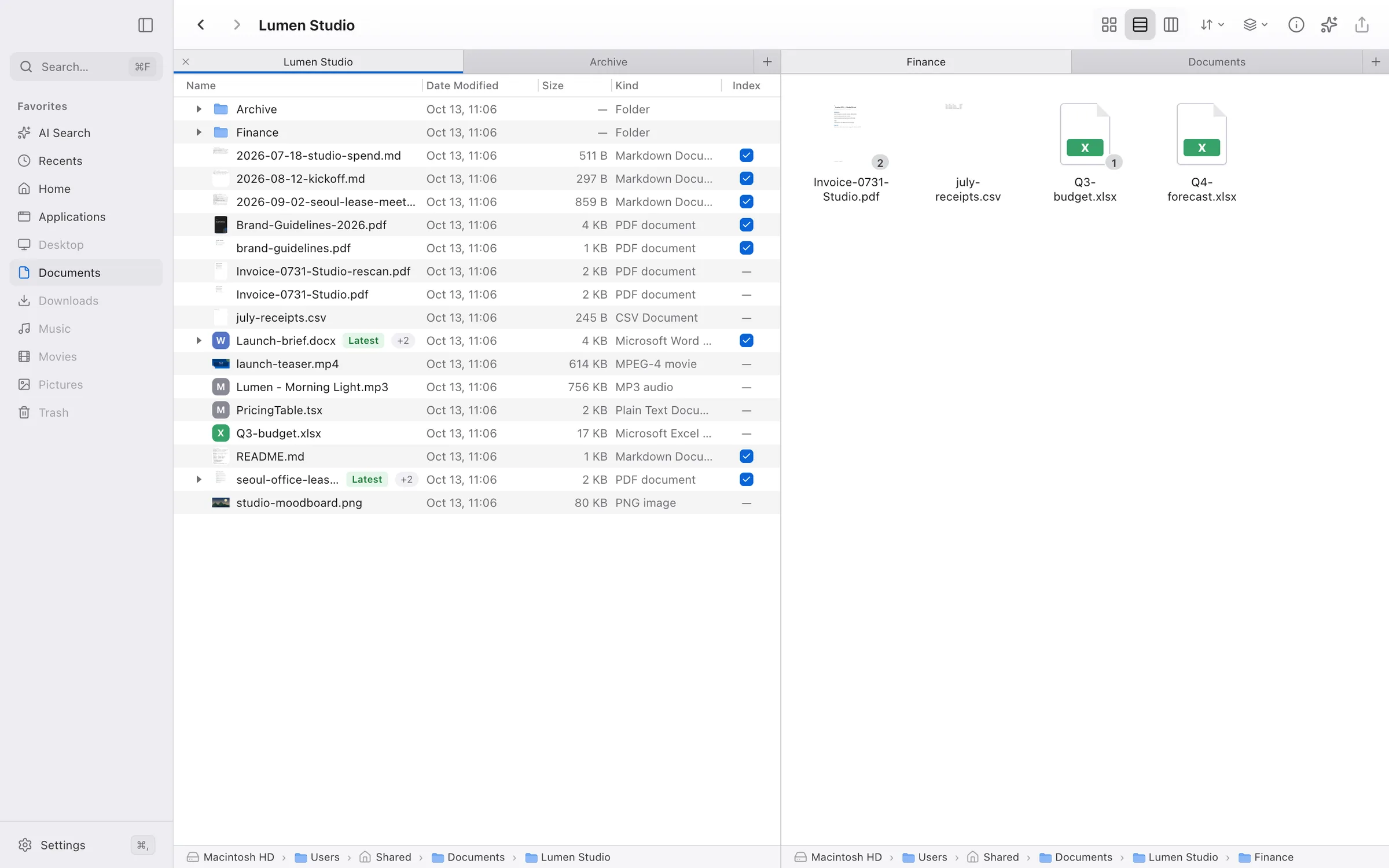
- Duplicate detection.
final,final-v3, and(1)copies collapse into one row tagged Latest, Similar, or Identical. - Remote access. Open your running Dazzi from a phone or another computer over your Wi-Fi or an internet tunnel, paired with a 6-digit code or QR.
- A real Finder. Tabs, split panes, light and dark mode, and Korean, English, Japanese, and Simplified Chinese.
[!IMPORTANT] Looking for the original AutoRAG (RAG AutoML / pipeline optimization tool)? This repository now hosts AutoRAG 2.0, a complete reimagining of AutoRAG as a personal librarian agent for your office work. The original Python-based AutoRAG — the RAG AutoML tool for automatically finding an optimal RAG pipeline for your data — now lives in the
legacy/directory of this repository.The legacy AutoRAG is NOT abandoned. It continues to be maintained (bug fixes, dependency updates, and PyPI releases via
pip install AutoRAG) in maintenance mode. Existing users can keep using it exactly as before — see the legacy README for its documentation, and file issues in this repository as usual. New feature development is focused on AutoRAG Agent (2.0).
What you can do in the app
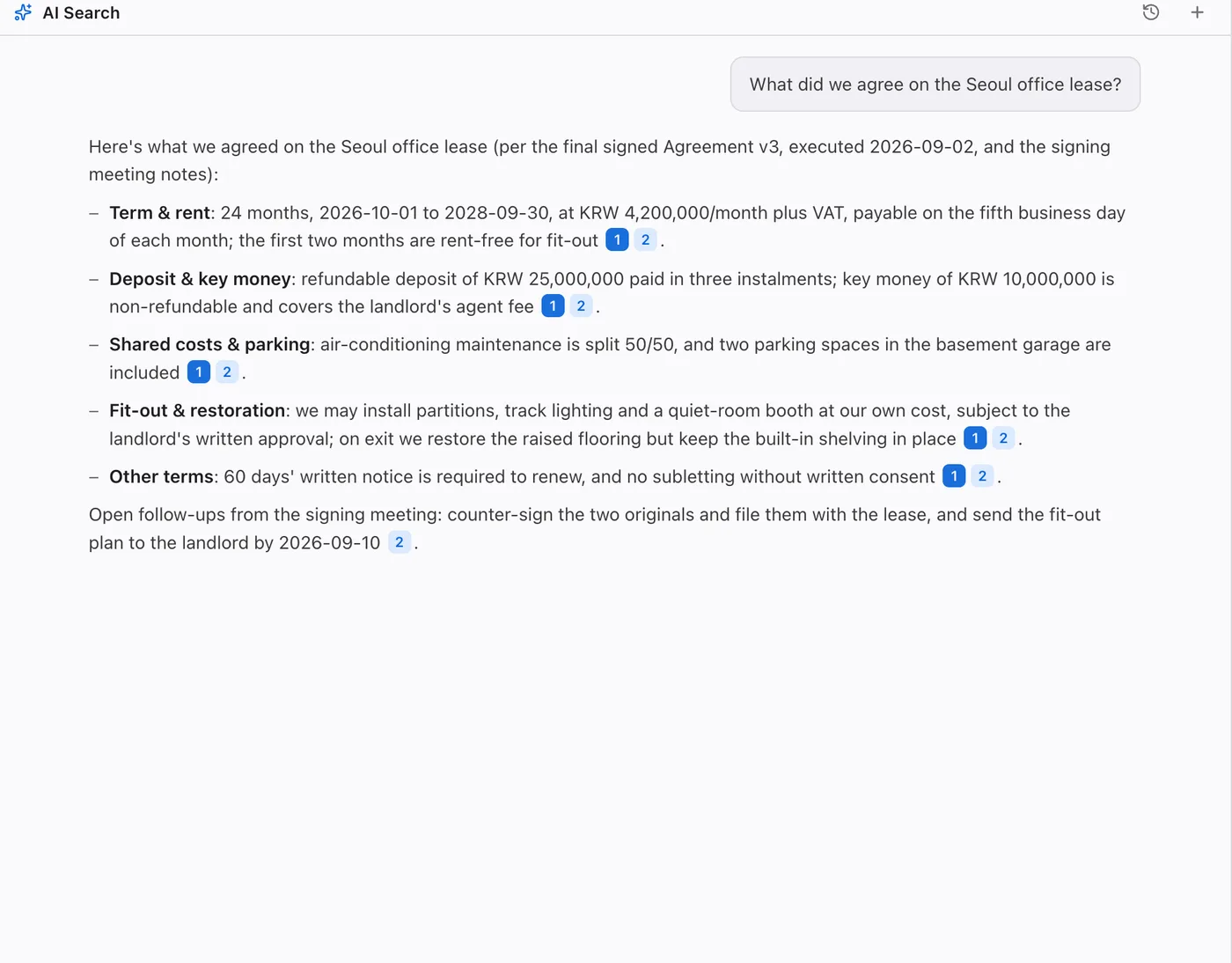
| ### 🔎 Just ask Ask the way you'd ask a teammate. The librarian reads the files and writes back, every claim linked to the passage behind it. Drag files, folders, or links into a question to ask about just those. |
|
|
### 🗂️ Spot the twins `proposal-final`, `proposal-v3`, `proposal (1)`: stacked into one row, newest on top, tagged **Latest**, **Similar**, or **Identical**. Powered by [dupey](https://github.com/NomaDamas/dupey), the same scan as `autorag duplicates`. |
| ### ⌨️ Space to see anything Markdown, code, PDF, video, audio, Office, and HWP/HWPX previewed instantly in Quick Look. HWP pages are drawn locally by [rhwp](https://github.com/edwardkim/rhwp); Hancom Office is not required. |
|
|
### 🪟 A real file manager Tabs and split panes: drag a tab to an edge to split, and every pane keeps its own tabs, so a folder and a conversation sit side by side. Folders update live as other apps change them. |
And more: hybrid keyword + meaning search with a reranker · scheduled re-indexing that runs even while the app is closed · an Ask entry in the Finder and Explorer right-click menu · light and dark mode · Korean, English, Japanese, and Simplified Chinese.
Every place, one search
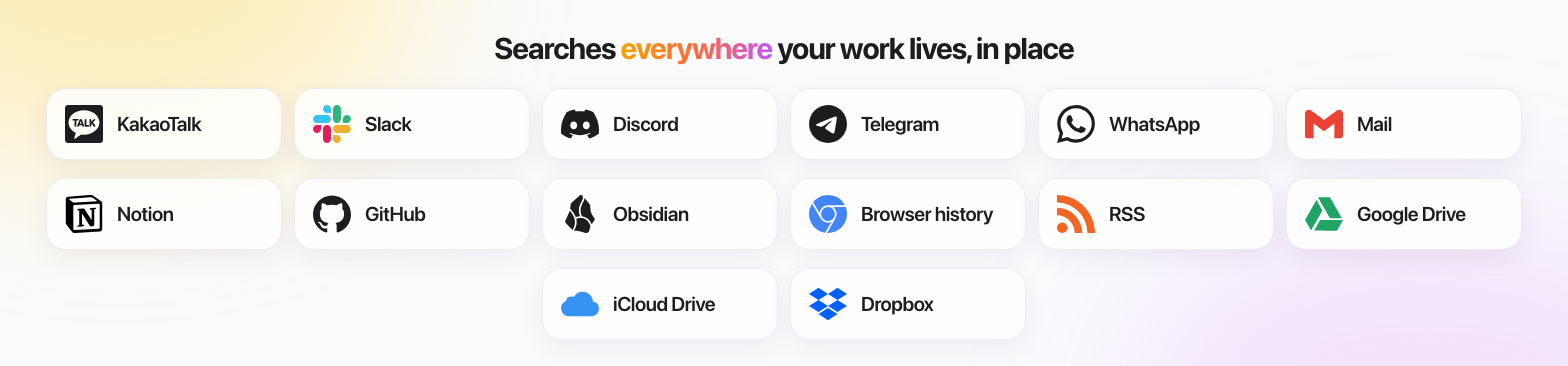
Cloud drives (Google Drive, iCloud Drive, OneDrive, Dropbox, and others) are searched through their synced folders. Plus local documents, GitHub Gists, coding-agent sessions, and photos. Data stays in each tool's own store. Full list and setup.
Private by design
- Embedded on your machine. Semantic indexing runs on MinSync's local
Qwen3-Embedding-0.6B engine (1024 dimensions), which MinSync provisions and
runs; AutoRAG owns no embedding model. File contents are never sent to a
remote embedder unless you explicitly configure a remote
minSync.embedder. - Keys stay encrypted. Sign-in tokens and API keys live in the system's encrypted store, never in a config file.
- Bring your own model. Use the hosted Dazzi Models plan, or connect your own provider key and pay the provider directly.
Install it with your agent
Skip the manual steps: paste a prompt into your coding agent (Claude Code, Codex, Cursor, Pi, ...). The agent reads the matching skill and does the setup, asking before it touches anything.
Set up the AutoRAG librarian (autorag-setup):
Install and configure AutoRAG Agent on this computer by following
https://raw.githubusercontent.com/Marker-Inc-Korea/AutoRAG/main/skills/autorag-setup/SKILL.md
Ask me which folders to index and how to sign in to a model before you change anything.
When it is set up, run a health check and a test search, and show me the result.
Never move, rename, edit, or delete my documents while setting up.
Give your coding agent model-free search over your files (autorag-lite-setup):
Install and register the AutoRAG Lite MCP server for this agent by following
https://raw.githubusercontent.com/Marker-Inc-Korea/AutoRAG/main/skills/autorag-lite-setup/SKILL.md
Ask me which folders to index, build the index, then verify with a real search.
Never move, rename, edit, or delete my documents.
Something broken? (autorag-doctor):
Check AutoRAG by following https://raw.githubusercontent.com/Marker-Inc-Korea/AutoRAG/main/skills/autorag-doctor/SKILL.md
and finish with the per-datasource status table.
Prefer to do it yourself? See Installation and Agent setup.
One engine, every surface
The app is one way in. The same librarian runs everywhere else:
| Surface | Use it for | Start here |
|---|---|---|
| Desktop app (Dazzi) | Browsing and asking in one window | NomaDamas/AutoRAG-app (Fair Source, FSL-1.1-MIT) |
| Terminal UI | Interactive, steerable search sessions | autorag tui |
| Messenger | Asking the librarian from a chat app | Telegram, Discord |
| CLI | Scripts, indexing, health checks | CLI Command Reference |
| MCP server | Feeding retrieval to Claude Code, Codex, and other agents | AutoRAG Lite MCP Server |
| TypeScript API | Embedding the librarian in your own app | Programmatic usage |
| Agent skills | Letting a coding agent install and drive AutoRAG | For AI Agents |
More
- Architecture: how it works · indexing options · Jev decisions · retrieval memory · permissions
- Reference: CLI commands · TypeScript API · MCP and Lite · datasources · hosted Dazzi Models · troubleshooting
- Connect: Telegram · WhatsApp · Discord · all messengers
- Why in-place federation: competitive landscape · Supply chain: SBOM and audits · Legacy AutoML: legacy/
Community
- CONTRIBUTING.md · MAINTAINERS · AI_POLICY.md
- Questions and ideas: GitHub Discussions. Bugs: issues.
- Security: SECURITY.md. Enterprise: jeffrey@markr.ai.
Built on Pi, MinSync, Jikji, dupey, kordoc, and more; see licenses and acknowledgements.
License
AutoRAG Agent is Apache-2.0; legacy legacy/ is Apache-2.0. Third-party notices: NOTICE, details.
📈 近 7 天 Star 趋势
🏆 排名变化趋势
📋 历史上榜记录
| 日期 | 榜单 | 排名 | 周期新增 | 总 STAR |
|---|