📄 仓库 README
在 GitHub 查看 ↗
 Always the newest version · about 16 MB · Windows, macOS and Linux in one ZIP · release notes
[⬇ Download ZIP](https://github.com/IamRamgarhia/Free-GST-Billing-Software/releases/latest/download/Free-GST-Billing.zip) | [📦 Releases](https://github.com/IamRamgarhia/Free-GST-Billing-Software/releases) | [📖 Documentation](https://dicecodes.com/free-gst-software-documentation/) | [⚡ 3-Step Install](#quick-start--installation) | [🧾 First Invoice in 5 Minutes](#your-first-invoice-in-5-minutes) | [📸 Screenshots](#screenshots) | [🐛 Report Bug](https://github.com/IamRamgarhia/Free-GST-Billing-Software/issues)
Always the newest version · about 16 MB · Windows, macOS and Linux in one ZIP · release notes
[⬇ Download ZIP](https://github.com/IamRamgarhia/Free-GST-Billing-Software/releases/latest/download/Free-GST-Billing.zip) | [📦 Releases](https://github.com/IamRamgarhia/Free-GST-Billing-Software/releases) | [📖 Documentation](https://dicecodes.com/free-gst-software-documentation/) | [⚡ 3-Step Install](#quick-start--installation) | [🧾 First Invoice in 5 Minutes](#your-first-invoice-in-5-minutes) | [📸 Screenshots](#screenshots) | [🐛 Report Bug](https://github.com/IamRamgarhia/Free-GST-Billing-Software/issues)
🔒 Is it safe? Yes — here is why
- Your data never leaves your computer. Invoices, clients and settings are plain files in the app's own folder. No cloud server of ours, nothing to leak.
- No account, no login, no ads, no tracking. No analytics, and none of your business data is ever sent to us.
- Other computers cannot open it. The app's server listens only on
127.0.0.1, this computer itself, and refuses requests from other websites. - Open source — check every line. The full code is right here under the MIT licence; the release ZIP is built from it with
npm run release:zip. - No admin rights needed. It installs into your own user folder, and your data is backed up automatically every day.
- Works offline, and says what it connects to. On its own it contacts only GitHub (the update check and the public supporters list) — plus your own Google Drive, only if you connect it. Even its font is built in.
Don't trust us. Check it in 2 minutes.
- Switch your internet off (Wi-Fi off, or unplug the cable) and open the app. Make an invoice, download the PDF, print it, open Reports. Everything works. Nothing the app does with your books needs the internet.
- Turn on Offline mode in Settings → Privacy & internet. From then on the app never goes online by itself: no update check, no supporters list, no automatic copy to Google Drive. You can still update whenever you choose.
- Watch it, or block it. Windows Resource Monitor (
resmon→ Network) shows the app'snode.exemaking no outside connections with Offline mode on. You can even block it in the firewall: the app keeps working, only the update check stops.
When does it use the internet?
| What | When | Offline mode |
|---|---|---|
| Check for a new version (asks GitHub for the version number; nothing about you is sent) | By itself, a few seconds after opening, then every 6 hours | Stopped |
| The public supporters list (read from GitHub; nothing is sent) | By itself, when Support & About shows | Stopped |
| Your own Google Drive | Only if you set it up | Automatic copies stopped |
| Installing and updating | When you click Install / Update | Only when you click |
| Help pages, Report a problem, WhatsApp, GST portal links | When you click them | Only when you click |
That is the complete list. No analytics, no ads, no error-tracking service, and no server of ours that receives your data.
Read the full answer: every address the app connects to, and more ways to check →
⚡ Install in 60 Seconds — one launcher per platform
The download ZIP holds a launcher for each system, a plain-English READ ME FIRST.txt, and a _system/ folder with everything else. Extract the ZIP, double-click the launcher for your computer, click Install — it sets itself up, needs no administrator rights, and opens the app in your browser when it is done.
Free-GST-Billing/
├── Free GST Billing - WINDOWS.hta    ← Windows: double-click this
├── Free GST Billing - MAC.command    ← macOS
├── Free GST Billing - LINUX.sh       ← Linux / NAS
├── READ ME FIRST.txt                 ← step-by-step, in plain English
└── _system/                          ← the app (hidden after install)
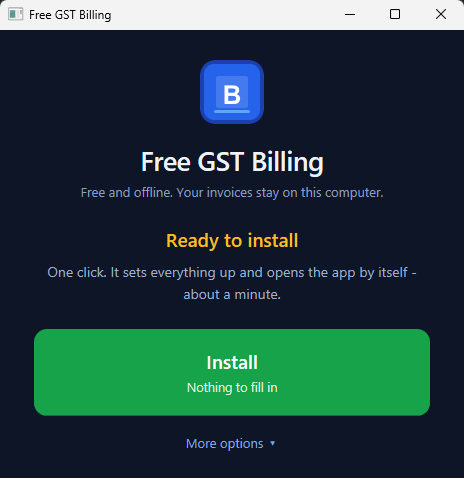
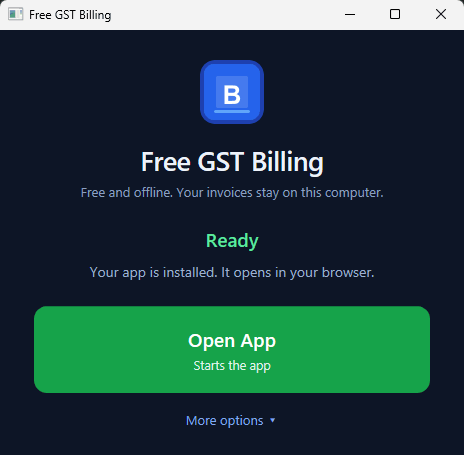
The Windows launcher — one button to install, then one button to open. Everything else is under More options.
1. Download the ZIP → https://github.com/IamRamgarhia/Free-GST-Billing-Software/releases/latest/download/Free-GST-Billing.zip
2. Right-click the ZIP → Extract All → pick a folder you'll remember
3. Open the EXTRACTED folder. Each launcher is named after the system it is for
   — double-click yours:
       Free GST Billing - WINDOWS.hta     (opens a window with buttons)
       Free GST Billing - MAC.command     (opens Terminal)
       Free GST Billing - LINUX.sh        (opens Terminal — chmod +x first if needed)
⚠ Extract the ZIP first. Windows lets you double-click the launcher while you are still looking inside the ZIP — but then it unpacks that one file on its own to a temp folder, and the launcher correctly reports
_systemfolder is missing even though Explorer is showing it to you.
Prefer one command? Paste this into PowerShell — no admin rights needed:
[Net.ServicePointManager]::SecurityProtocol='Tls12'; irm https://raw.githubusercontent.com/IamRamgarhia/Free-GST-Billing-Software/main/install.ps1 | iex
It fetches the latest release, installs it to
%LOCALAPPDATA%\Programs\Free GST Billing, installs Node.js if you do not have
it, and creates the Desktop shortcut. See Option 1b
for how to choose a different folder.
The launcher:
- Detects if Node.js is installed; installs it on Windows automatically if missing
- Runs npm install inside _system/ (one-time, ~2 min)
- Creates a Desktop shortcut + Start-Menu entry so you never open the folder again
- Starts the server and opens your browser at http://localhost:47371
From then on, click the Free GST Billing icon on your Desktop: it starts the app and opens it in its own window. To update / backup / restore / move to another PC / stop the server, use the in-app ⚙ Control Panel in the sidebar (or the launcher in the app folder). No batch files, no CMD windows.
☁ Can I host it online (Railway, Render, Supabase)? Not yet. The app has no login on its server, so anyone who found the address could read or delete your books, and it keeps its data as files, not in a database. Why, and what to do instead. Using it from a phone or tablet on the same Wi-Fi is planned for the update on Saturday 7 November 2026.
Screenshots
Real screens from the app, with a made-up demo business (DiceCodes, fake GSTIN and bank details).
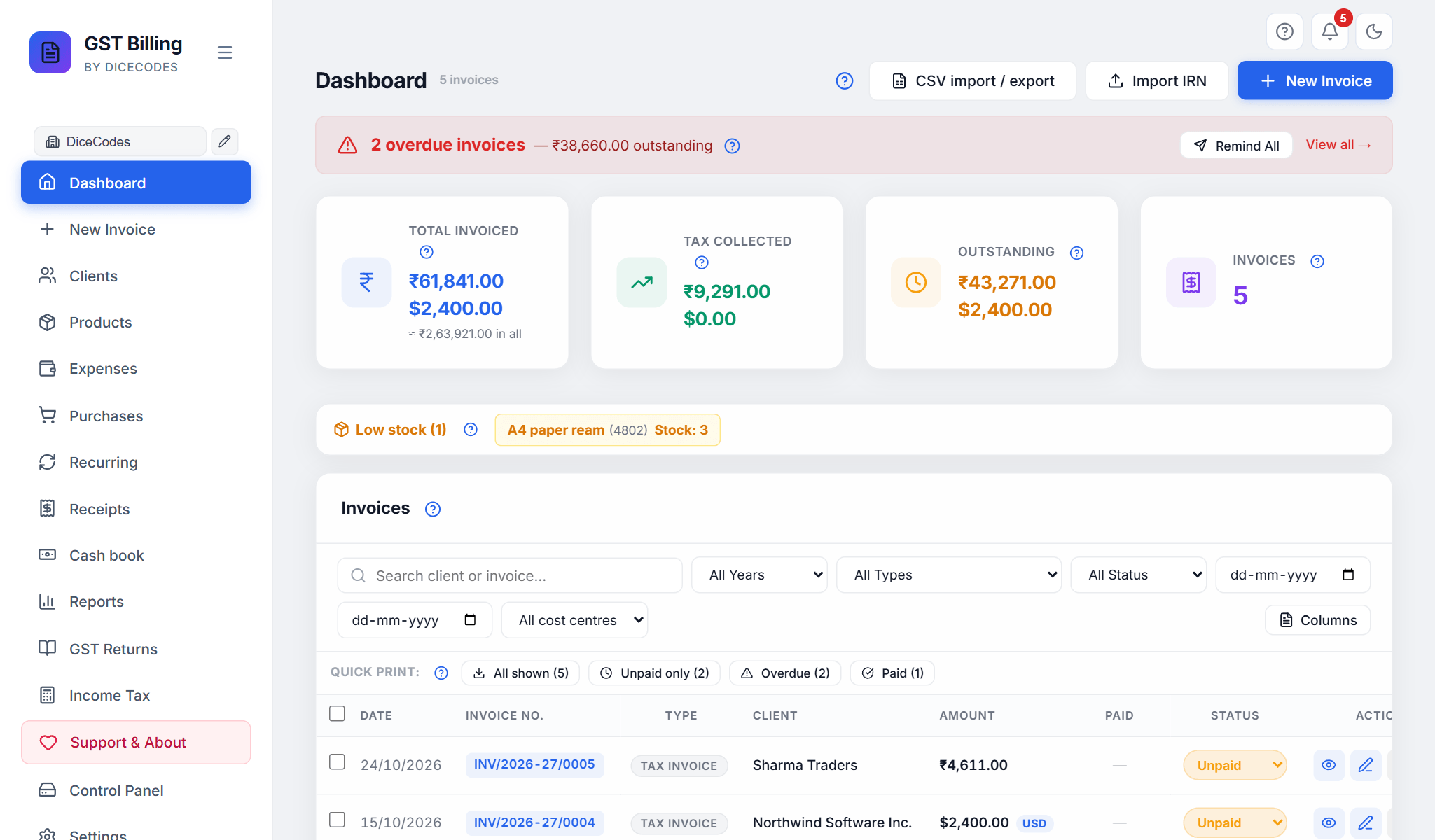 Dashboard: overdue invoices, totals, low stock and every invoice in one list. |
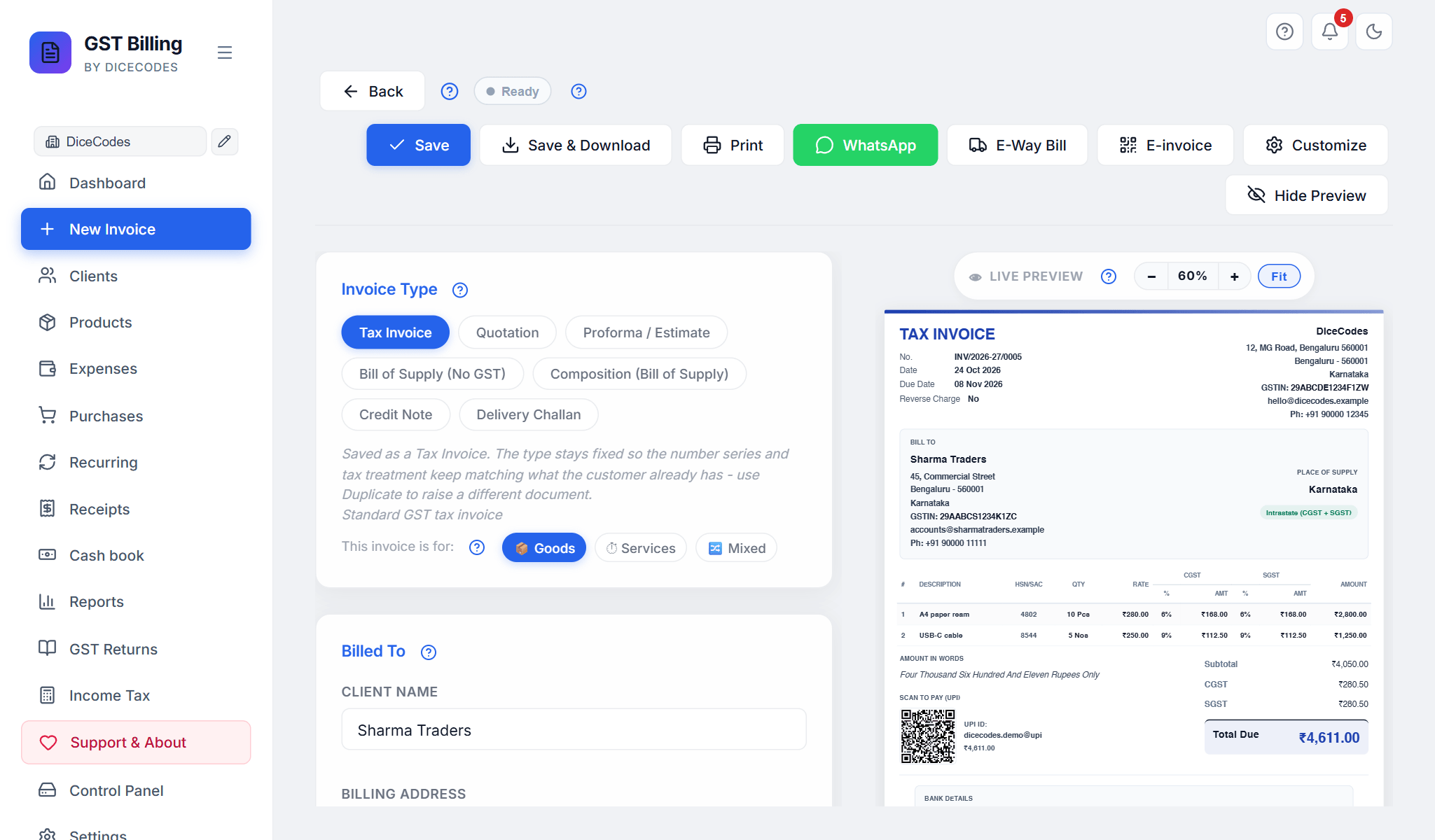 New invoice: fill in the form, the preview updates as you type. |
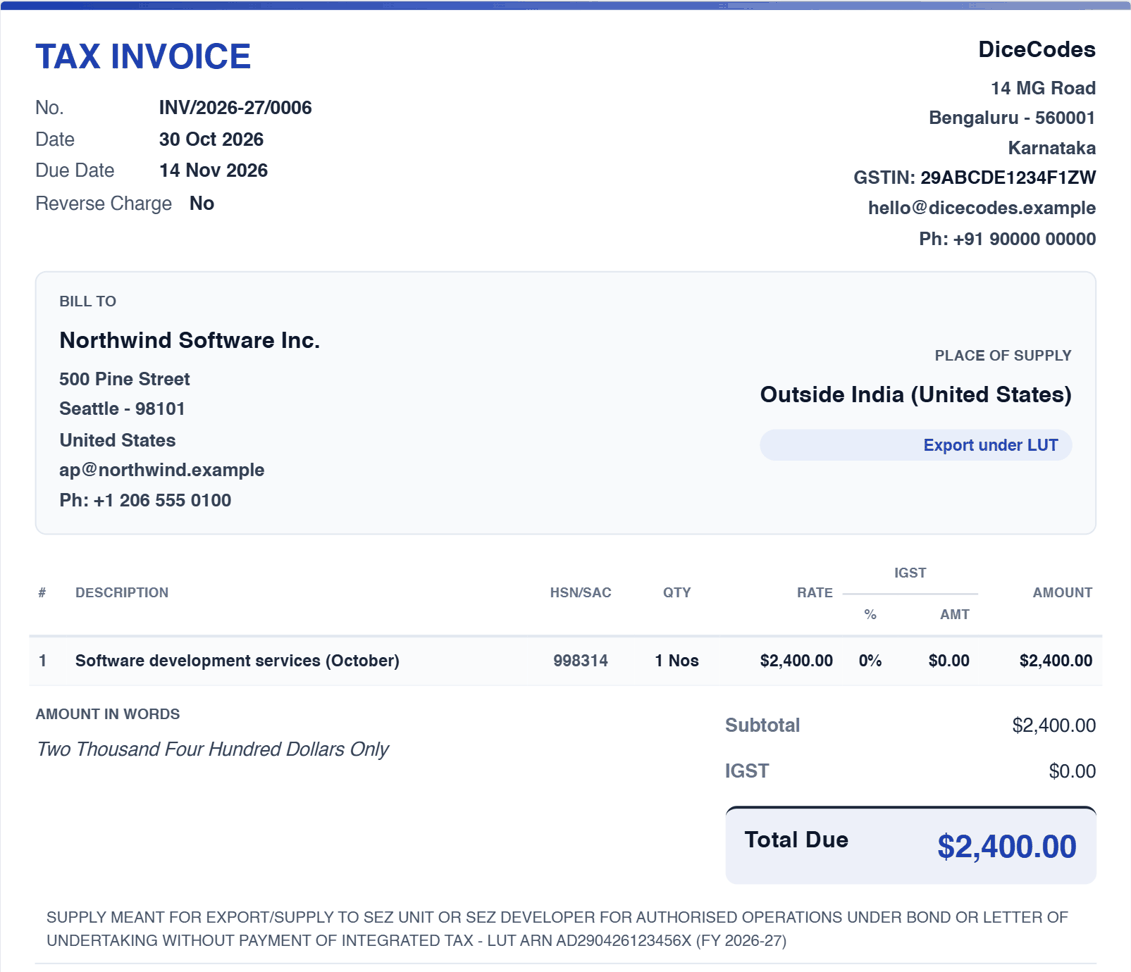 Exports under LUT: bill in dollars, no IGST, the declaration printed for you. |
📈 近 7 天 Star 趋势
🏆 排名变化趋势
📋 历史上榜记录
| 日期 | 榜单 | 排名 | 周期新增 | 总 STAR |
|---|