📄 仓库 README
在 GitHub 查看 ↗Ekko Studio 中文
A local-first AI workspace for multi-agent chat, coding, and visual workflows.
Available as a desktop app and self-hosted web console, with support for
Hermes Agent, Ekko Agent, and 14 coding-agent integrations, including Claude Code and Codex.
Bring conversations, group collaboration, voice, files, and devices together in one place.
Download Ekko Studio Desktop
·
Documentation
·
npm install -g ekko-studio && ekko-studio-web start



Ekko Studio was previously named Hermes Studio / Hermes Web UI. The GitHub
repository is EKKOLearnAI/ekko-studio. The primary npm package is
ekko-studio, with the ekko-studio-web command. The legacy hermes-web-ui
package and command remain supported and receive the same releases.
Screenshots
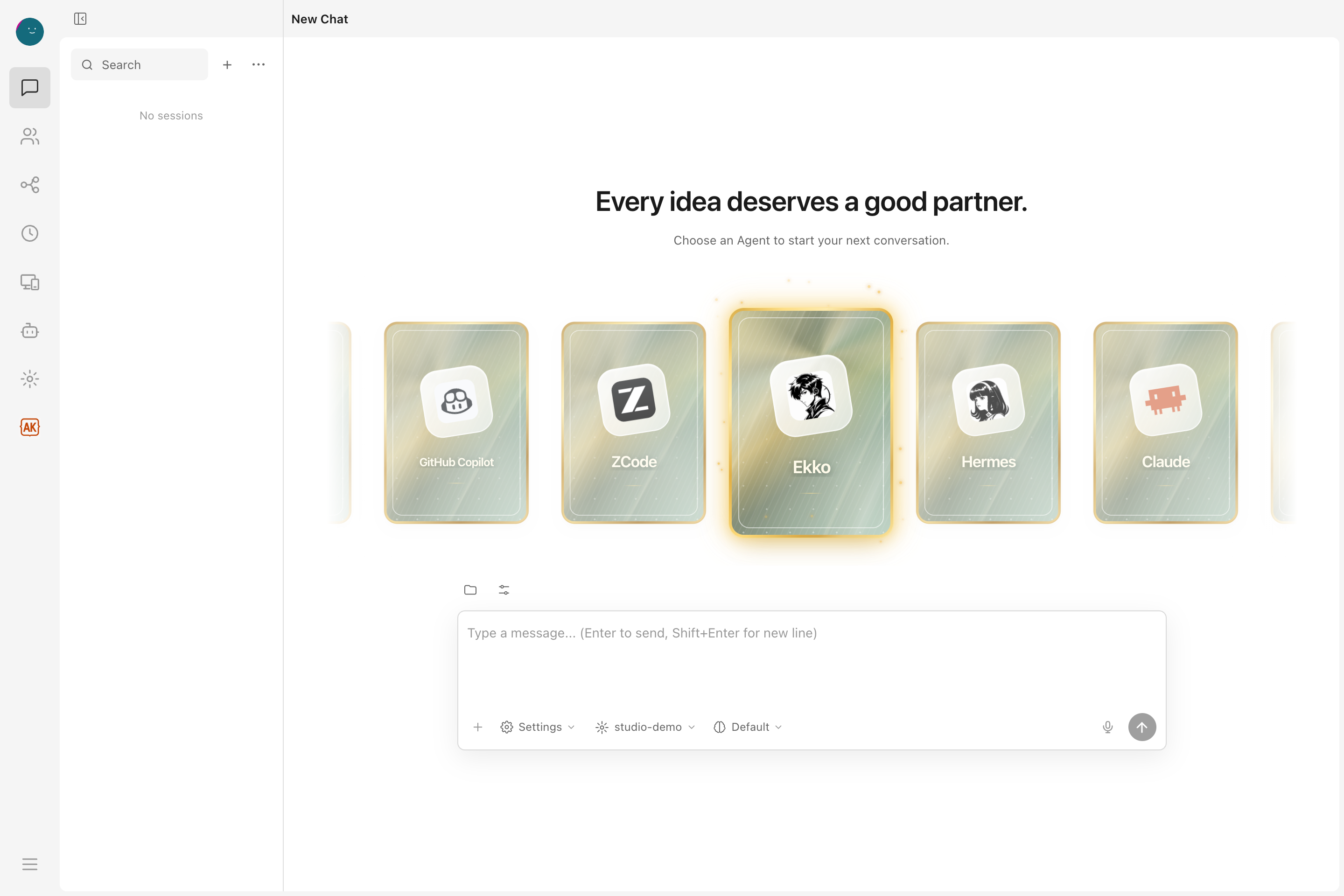
Captured from the v0.7.33 client on 2026-10-10. Chat, workflows, and Skills use demo data; Agent versions reflect a local installation. See capture notes.
| Visual workflows | Agent Manager |
|---|---|
 |
 |
| Connect agent steps and add a human approval gate. | Manage agent installations, settings, and updates in one place. |
Explore chat progress and Skills
Follow a task in the conversation, including its plan and per-turn usage.  Browse installed skills, read their instructions, and enable them as needed. Core Capabilities
| Area | What Ekko Studio does |
|---|---|
| Multi-agent runtime | Connects the agents listed below with streaming responses, tool traces, generated-file previews, persistent sessions, and standalone desktop chat windows. |
| Studio workspace | Provides shared chats, group chat, global-agent runs, workflows, files, voice, media, devices, themes, logs, usage, and App connectivity across agent runtimes. |
| Agent control planes | Keeps Hermes profiles, providers, models, memory, skills, plugins, jobs, Kanban, channels, and runtime management in their owning agent module. |
| Automation | Builds executable visual workflows and connects the supported runtimes through schedules, approval gates, group-chat rooms, platform channels, and MCP servers. |
| Workspace tools | Provides a file browser, web terminal, Desktop Agent Browser, screenshot capture, voice input/output, coding-agent runners, device discovery, Journey graph, and performance views. |
| Distribution | Ships as a desktop app for Windows/macOS/Linux, an npm CLI package, and a Docker image. |
Supported Agents
Single chat, group chat, and workflows share the same Agent catalog. Coding agents run on the machine hosting the Studio backend; their CLI must be installed there.
| Agents | Configuration and installation |
|---|---|
| Ekko Agent, Hermes Agent | Ekko is built in. Desktop and Docker bundle a Hermes runtime; npm installations discover an existing Hermes installation. |
| Claude Code, Codex, Pi, Grok, OpenCode, DeepSeek Harness (DSH) | Studio-scoped or native global configuration; installation and supported updates through Agent Manager. |
| Qwen Code, Kimi Code, CodeBuddy, GitHub Copilot CLI, ZCode | Studio-scoped or native global configuration. ZCode requires manual installation; the others support npm installation through Agent Manager. |
| Cursor, Qoder, Antigravity | Cursor and Qoder use native global configuration. Antigravity supports scoped and global launches. Cursor and Antigravity require manual installation. |
Scoped mode uses isolated session configuration; supported runtimes can use the selected Studio provider/model. Global mode uses the CLI's existing configuration and sign-in. Available models, tools, and context controls depend on the runtime. See native coding agents, Antigravity CLI, and DSH setup for details.
Features
AI Chat
- Start a conversation from responsive Agent cards; Ekko is the initial default, and Studio remembers the last agent, model, workspace, launch mode, and reasoning options
- Real-time chat streaming over Socket.IO
/chat-run; Studio dispatches each run to the selected runtime adapter - Multi-session management — create, rename, delete, switch between sessions
- Self-built session database — local SQLite storage for Studio sessions; Hermes state.db remains a read-only source for Hermes history APIs
- Session grouping by source (Telegram, Discord, Slack, etc.) with collapsible accordion
- Active session indicator — live sessions pin to top with spinner icon
- Sessions sorted by latest message time
- Markdown rendering with syntax highlighting and code copy
- Tool call detail expansion (arguments / result)
- Profile-scoped file uploads, clipboard image/file paste, and workspace attachments
- File download support — download uploaded files and agent-generated files by resolved path across local, Docker, SSH, and Singularity backends
- Inline previews for generated HTML, PDF, DOCX, PPTX, XLSX, CSV, images, Markdown, and source files
- Session search — Ctrl+K search across the Studio local session database; read-only Hermes history sessions are not included
- Session categories, message references, compression progress, and durable background delegation results
- Persistent task cards with live step progress, approval prompts, and clarification questions
- Profile-aware model selector with runtime-specific provider/model availability
- Per-turn token usage, cache hits, estimated cost, and generation speed; supported runtimes also expose context usage and compression controls
Platform Channels
Unified configuration for 10 platforms in one page:
| Platform | Features |
|---|---|
| Telegram | Bot token, mention control, reactions, free-response chats |
| Discord | Bot token, mention, auto-thread, reactions, channel allow/ignore lists |
| Slack | Bot token, mention control, bot message handling |
| Enable/disable, mention control, mention patterns | |
| Matrix | Access token, homeserver, auto-thread, DM mention threads |
| Feishu (Lark) | App ID / Secret, mention control |
| DingTalk | Client ID / Secret, mention control |
| QQBot | App ID / Secret, mention control |
| QR code login (scan in browser, auto-save credentials) | |
| WeCom | Bot ID / Secret |
- Credentials and channel behavior settings write to
.envandconfig.yamlunder the selected Hermes profile - Per-platform configured/unconfigured status detection
- Gateway autostart is opt-in under Hermes settings; ordinary Studio chat does not require a platform Gateway
Usage Analytics
- Total token usage breakdown (input / output)
- Session count with daily average
- Estimated cost tracking & cache hit rate
- Model usage distribution chart
- 30-day daily trend (bar chart + data table)
Scheduled Jobs
- Create, edit, pause, resume, delete cron jobs
- Trigger immediate execution
- Cron expression quick presets
Kanban
- Profile-aware Kanban board for planning and tracking agent work
- Task creation, updates, and status movement from the dashboard
- Uses the Hermes Kanban CLI and its task storage, with Studio authentication and profile access controls
Visual Workflows
- Vue Flow canvas for the supported Agent catalog, with file/image attachments and runtime-specific launch settings
- Directed edges, structured conditions, success/failure routes, loops, and approval gates
- Import/export for portable workflow definitions and profile-aware workspaces
- Run budgets, deadlines, stop/rerun controls, and persisted execution history
- Frozen run snapshots, node conversations, edge decisions, and evidence playback on the canvas
Model Management
- Auto-discover models from credential pool (
~/.hermes/auth.json) - Fetch available models from each provider endpoint (
/v1/models) - Add, update, and delete providers (preset and custom OpenAI-compatible)
- OAuth/device flows for OpenAI Codex, Nous Portal, xAI, Claude, and GitHub Copilot
- Provider URL auto-detection for non-v1 API versions (e.g.
/v4) - Provider-level model grouping, visible-model controls, aliases, refresh, and default switching
- Separate STT and TTS provider catalogs under Models
Multi-Profile
- Create, rename, delete, and switch between Hermes profiles
- Clone existing profile or import from archive (`.
📈 近 7 天 Star 趋势
🏆 排名变化趋势
📋 历史上榜记录
| 日期 | 榜单 | 排名 | 周期新增 | 总 STAR |
|---|